




Important Notices:
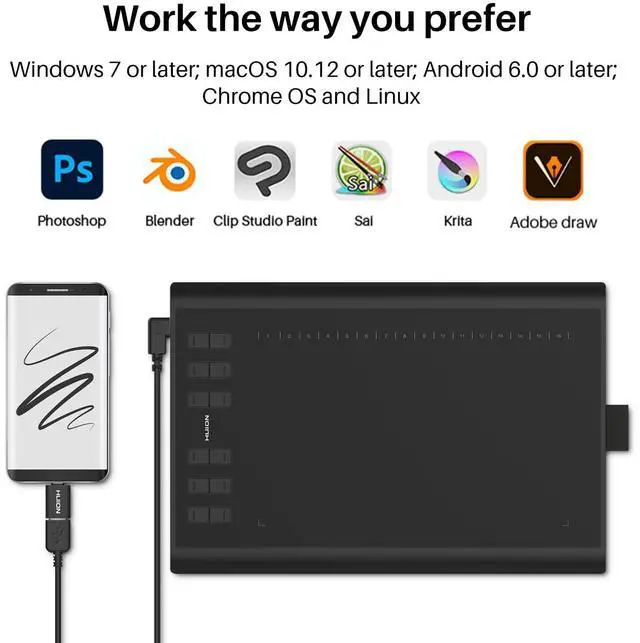
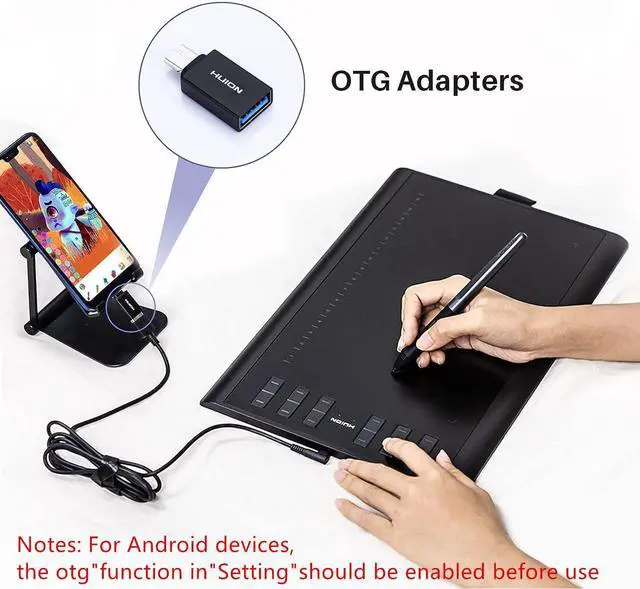
- The pen tablet only could work with android phones or tablets when it has been updated to the latest firmware and connect with phone or tablet via an OTG adapter. Please go to Huion website to update firmware, or consult us to get the latest firmware.
- Before connecting to your android devices, please make sure that your phone or tablet must be equipped with Android 6.0 or above and should have OTG function. If you are not sure, please consult us for further information.
- OTG tablet does not support iPhone or iPad. It only supports Windows , Mac OS and Android OS.
- The pen tablet can work without installing any driver into your phone or tablet. But you’ll need to install a driver first when connecting to a PC.
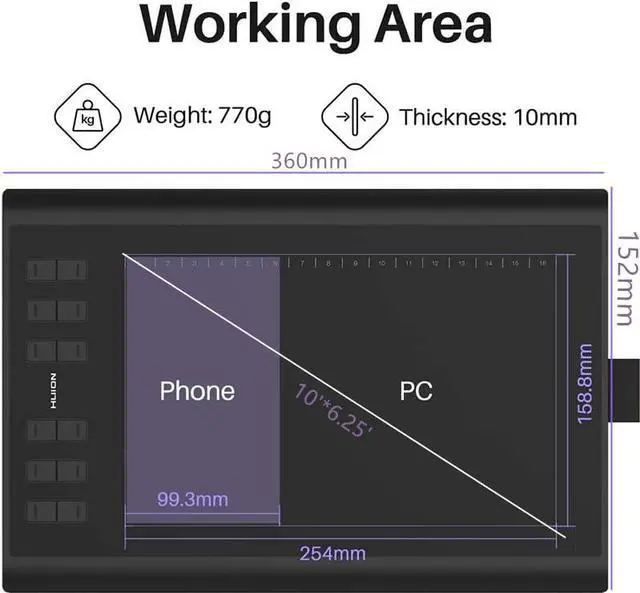
- Once connected to a phone or tablet, the Huion tablet will automatically detect and change into phone mode, in which the pen can only work in the area to the left.
- Buttons on the Huion tablet and the pen will not work in phone mode. Also you cannot rotate your Android phone or tablet when using Phone mode.
- When the pen tablet failed to enter the phone mode automatically, please refer to the Instruction manual to find the specific button and press the button for 3 seconds to enter the phone mode.
- The pen cursor will not show up in following models:
- Nexus 6 /GoogleGalaxy
- S6 / SamsungGalaxy
- S7 edge / SamsungGalaxy
- S7 / SamsungGalaxy
- Tab S2 / SamsungGalaxy
- S8 / Samsung
- S9/Samsung
9. Solution to cursor issue on the Samsung devices:
- For Samsung Note series, you could go to phone settings to make the pointer appear. Please refer to the following process: Phone Settings-Advance Features-S Pen- Turn on Pointer.
- For other Samsung device, please download Huion Sketch on Huion official web or Google Play. Follow below steps to make pointer show up in Huion Sketch: Go to Huion Sketch settings-Cursor-Turn on the Cursor-Restart Huion Sketch. IMPORTANT: better restart the app before drawing otherwise there is a lag.


Activating Your Original Creative Desire
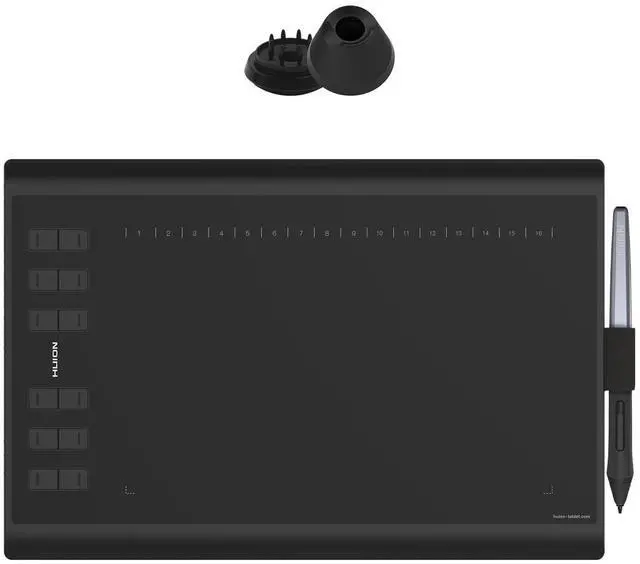
- The large active surface acrea with 10 by 6.25inch helps you create art with no more space restriction. The fashionable and simple design with the 10mm-thickness will capture your heart.
- The textured surface coating makes you feel like drawing on real paper with the battery-free stylus.
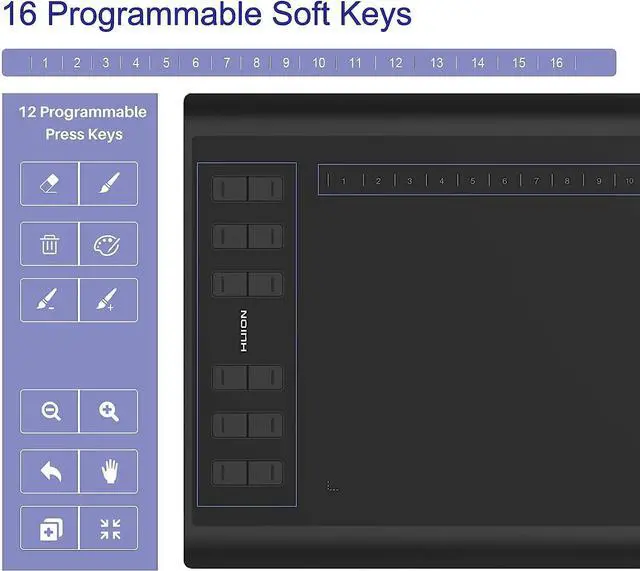
- 12 customizable shortcut keys in combination with 16 soft keys at your fingertips allow efficient operating with mainstream software like Adobe Photoshop, Clip studio paint, MediBang Paint Pro, Corel Painter, etc.
- It is ideal for professional artist, designer, creator as well as beginner in all ages;


Release Your Imagination with HUION Tablet
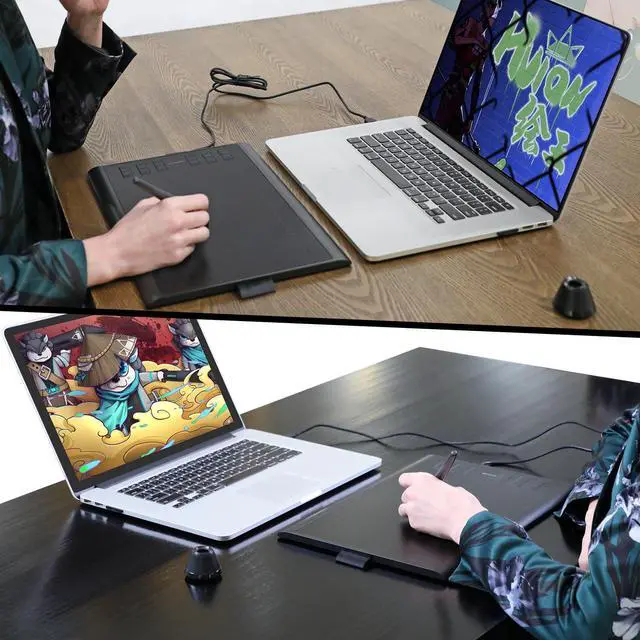
Sketch, paint, design, and edit photos with HUION tablet to help you take your ideas even further.
Important Notices:
- The pen tablet only could work with android phones or tablets when it has been updated to the latest firmware and connect with phone or tablet via an OTG adapter. Please go to Huion website to update firmware, or consult us to get the latest firmware.
- Before connecting to your android devices, please make sure that your phone or tablet must be equipped with Android 6.0 or above and should have OTG function. If you are not sure, please consult us for further information.
- OTG tablet does not support iPhone or iPad. It only supports Windows , Mac OS and Android OS.
- The pen tablet can work without installing any driver into your phone or tablet. But you’ll need to install a driver first when connecting to a PC.
- Once connected to a phone or tablet, the Huion tablet will automatically detect and change into phone mode, in which the pen can only work in the area to the left.
- Buttons on the Huion tablet and the pen will not work in phone mode. Also you cannot rotate your Android phone or tablet when using Phone mode.
- When the pen tablet failed to enter the phone mode automatically, please refer to the Instruction manual to find the specific button and press the button for 3 seconds to enter the phone mode.
- The pen cursor will not show up in following models:
- Nexus 6 /GoogleGalaxy
- S6 / SamsungGalaxy
- S7 edge / SamsungGalaxy
- S7 / SamsungGalaxy
- Tab S2 / SamsungGalaxy
- S8 / Samsung
- S9/Samsung
9. Solution to cursor issue on the Samsung devices:
- For Samsung Note series, you could go to phone settings to make the pointer appear. Please refer to the following process: Phone Settings-Advance Features-S Pen- Turn on Pointer.
- For other Samsung device, please download Huion Sketch on Huion official web or Google Play. Follow below steps to make pointer show up in Huion Sketch: Go to Huion Sketch settings-Cursor-Turn on the Cursor-Restart Huion Sketch. IMPORTANT: better restart the app before drawing otherwise there is a lag.
Activating Your Original Creative Desire
- The large active surface acrea with 10 by 6.25inch helps you create art with no more space restriction. The fashionable and simple design with the 10mm-thickness will capture your heart.
- The textured surface coating makes you feel like drawing on real paper with the battery-free stylus.
- 12 customizable shortcut keys in combination with 16 soft keys at your fingertips allow efficient operating with mainstream software like Adobe Photoshop, Clip studio paint, MediBang Paint Pro, Corel Painter, etc.
- It is ideal for professional artist, designer, creator as well as beginner in all ages;
Release Your Imagination with HUION Tablet
Sketch, paint, design, and edit photos with HUION tablet to help you take your ideas even further.