



Meet Your Seller

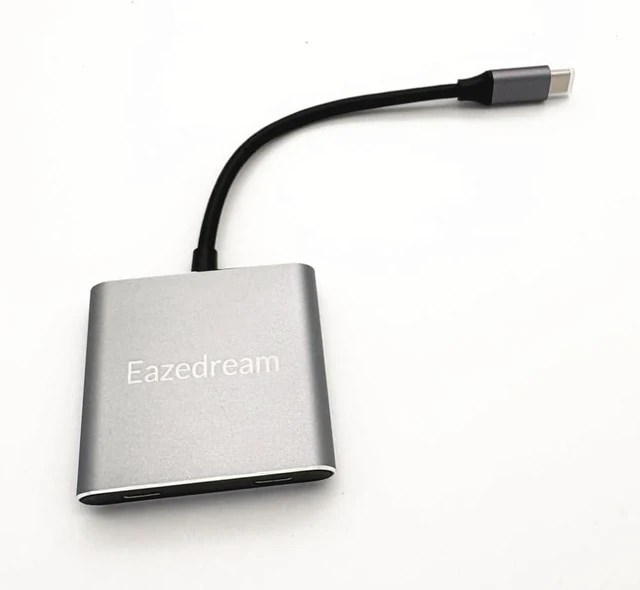
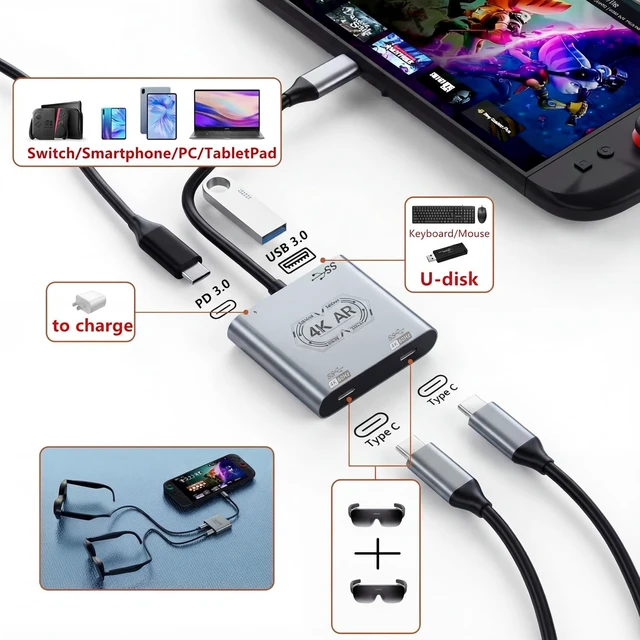
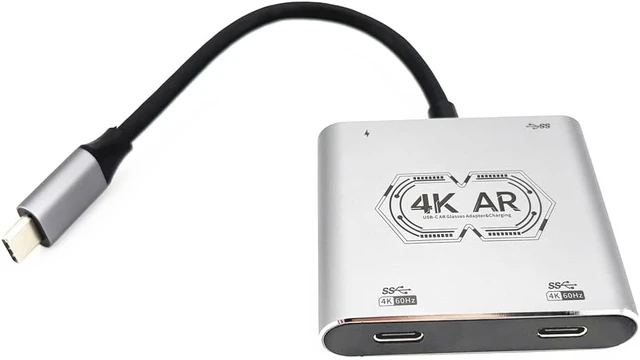


Type-C Hub Adapter for Viture Xreal Rokid Rayneo AR Glasses (3 TypeC 1 USB)
- Work with two AR glasses at the same time for both charging and display, especially for Nintendo Switch or PS5 to play together.
- Wide AR Glasses Compatibility: Works with most of Xreal, Rokid, Viture, Rayneo via USB-C video input (DP Alt Mode required).
- Charge & Play: PD 100W fast pass-through charging keeps devices powered while streaming or gaming.
- Stunning Display Quality: Supports 4K/60Hz for smooth movies & lag-free gaming.
- Multi-Port Convenience: USB-A/USB-C OTG ports to connect keyboard, mouse, controller or storage.
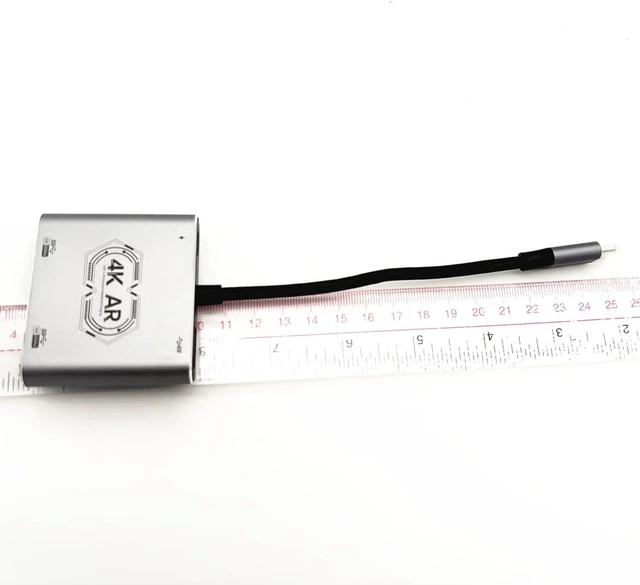
- Travel-Ready Design: Compact aluminum housing, durable & pocket-size for everyday carry.
+
+
Overview
Specs
Reviews
Suitable for
Xreal One Pro, Xreal One, Beam Pro, Beam
*Note: It needs to hold pressing QUICK BUTTON to swich the sound from computer to AR glasses if no sound from glasses when connected. When connected Macbook, it might adjust the DP mode in the glasses, and select 'One' in both 'Sound-Play sound effects through' and 'Output' in system setting.
Please note: do not support to transfer the audio of smartphone&tablet pad to Xreal Air2 and Air2 Pro either
Rokid Max 2, Max, Station2, Station
*Note: when connected to Macbook, it might press the pop-up button to allow to connect, otherwise select 'Rokid' in both 'Sound-Play sound effects through' and 'Output' in system setting.
Rayneo Air 3, Air 2s, Air2, JoyDock for NintendoSwitch, Pocket TV/Streaming Media Box
*Note: When connected to Macbook, it might press the pop-up button to allow to connect, otherwise select 'Smartglass' in both 'Sound-Play sound effects through' and 'Output' in system setting. For A model, it must connect the charging cable to work, not support to charging the Macbook through these hub either.
Viture One Lite, Viture Pro Neckbank, Viture Pro Mobile Dock
Fit to Windows10/11 and mac computers, most of smartphones which type-C port supports DP output (refer to AR glasses' official website for sure)
Interface two USB-C port for dual AR glasses, one USB-C for power input, another USB-A 3.0 for keyboard/mouse/controller/USB flash drive Max Display 4K/60Hz Charging Power PD 100W (not able to charge the macbooks) Dimensions about 6*5.1*1.2cm / 2.55*2*0.47 inch Net Weight 47g/1.65oz include 1pcs HUB for AR glasses Material aluminum alloy two USB-C port for dual AR glasses, one USB-C for power input, another USB-A 3.0 for keyboard/mouse/controller/USB flash drive
Supports up to 100W USB-C Power Delivery input, ensuring fast and stable power supply for connected devices
USB-A 3.0 port provides high-speed and stable data transmission, ideal for office use such as file transfer, external storage, or input devices.
Support larger screen output via AR glasses, while charging the device simultaneously for extended gaming sessions.
Features Plug&Play PSP Game Console Compatibility Fast&Stable data transfer PD100W Quick Charging
Xreal One Pro, Xreal One, Beam Pro, Beam
*Note: It needs to hold pressing QUICK BUTTON to swich the sound from computer to AR glasses if no sound from glasses when connected. When connected Macbook, it might adjust the DP mode in the glasses, and select 'One' in both 'Sound-Play sound effects through' and 'Output' in system setting.
Please note: do not support to transfer the audio of smartphone&tablet pad to Xreal Air2 and Air2 Pro either
Rokid Max 2, Max, Station2, Station
*Note: when connected to Macbook, it might press the pop-up button to allow to connect, otherwise select 'Rokid' in both 'Sound-Play sound effects through' and 'Output' in system setting.
Rayneo Air 3, Air 2s, Air2, JoyDock for NintendoSwitch, Pocket TV/Streaming Media Box
*Note: When connected to Macbook, it might press the pop-up button to allow to connect, otherwise select 'Smartglass' in both 'Sound-Play sound effects through' and 'Output' in system setting. For A model, it must connect the charging cable to work, not support to charging the Macbook through these hub either.
Viture One Lite, Viture Pro Neckbank, Viture Pro Mobile Dock
Fit to Windows10/11 and mac computers, most of smartphones which type-C port supports DP output (refer to AR glasses' official website for sure)
Interface two USB-C port for dual AR glasses, one USB-C for power input, another USB-A 3.0 for keyboard/mouse/controller/USB flash drive Max Display 4K/60Hz Charging Power PD 100W (not able to charge the macbooks) Dimensions about 6*5.1*1.2cm / 2.55*2*0.47 inch Net Weight 47g/1.65oz include 1pcs HUB for AR glasses Material aluminum alloy two USB-C port for dual AR glasses, one USB-C for power input, another USB-A 3.0 for keyboard/mouse/controller/USB flash drive
Supports up to 100W USB-C Power Delivery input, ensuring fast and stable power supply for connected devices
USB-A 3.0 port provides high-speed and stable data transmission, ideal for office use such as file transfer, external storage, or input devices.
Support larger screen output via AR glasses, while charging the device simultaneously for extended gaming sessions.
Features Plug&Play PSP Game Console Compatibility Fast&Stable data transfer PD100W Quick Charging
Warranty & Returns
Warranty, Returns, And Additional Information
Warranty
- Please contact the Seller directly for warranty information. Warranty information may also be found on the Manufacturer's website.
- CONTACT
Return Policies
- Return for refund within: 30 days
- Return for replacement within: 90 days
- This item is covered by PartsPro Store Return Policy
Manufacturer Contact Info
- For a directory of all our manufacturers, please click below.
- Manufacturers Directory
LOADING...