
Your Browsing History

Meet Your Seller



USB C Hub for iMac 24 inch 2021/2023/2024, 8 in 1 Mac USB Hub with M.2 SSD Expansion (SSD Not Included)with USB A/C 3.2 10Gbps, SD/TF, HDMI iMacM1 M3 M4 Dock
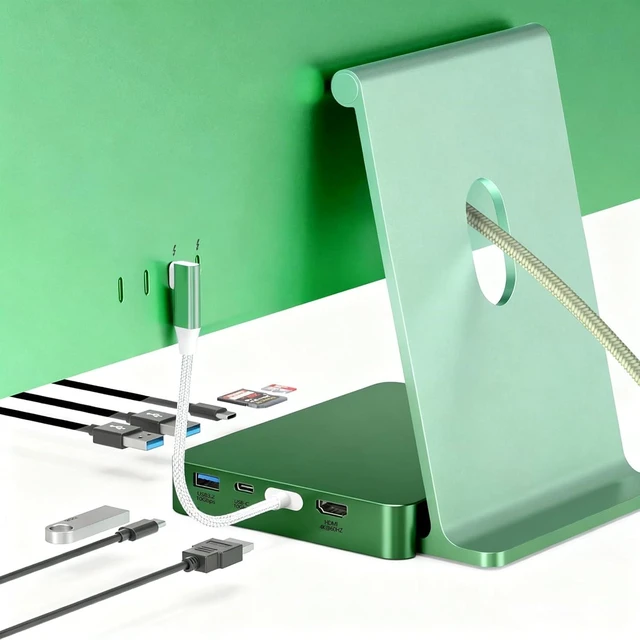
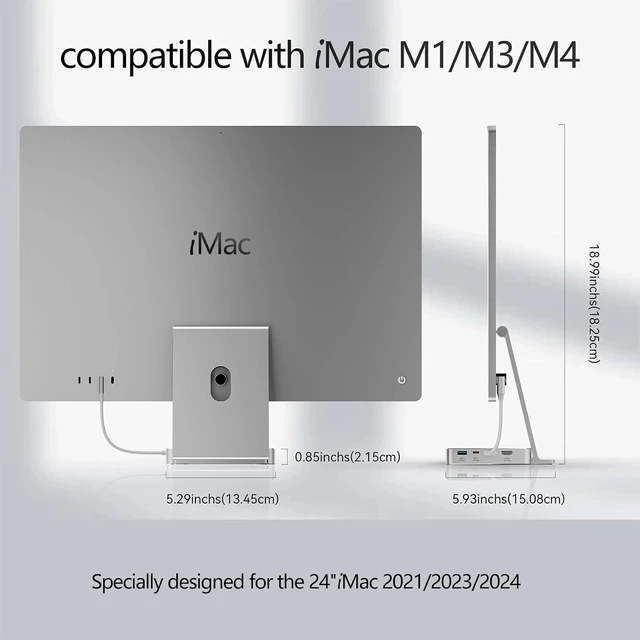
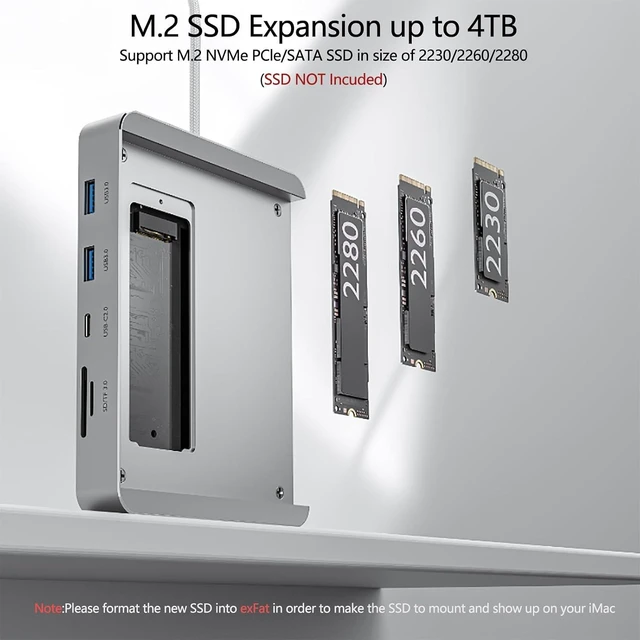
- 8-in-1 USB-C HubSpecifically designed for the 2021/2023/2024 24-inch iMac. As a powerful accessory for the 24-inch iMac, this iMac hub features a USB-C port (supporting iMac connectivity with data transfer rates up to 10 Gbps), an M.2 NVMe SSD external enclosure (expanding storage capacity up to 2TB, SSD card sold separately), USB-C/A 3.2 ports (with data transfer rates up to 10 Gbps), 2 USB-A 3.0 ports, and an SD/TF card reader slot, providing expandable USB ports for data transfer and convenient access to peripherals.
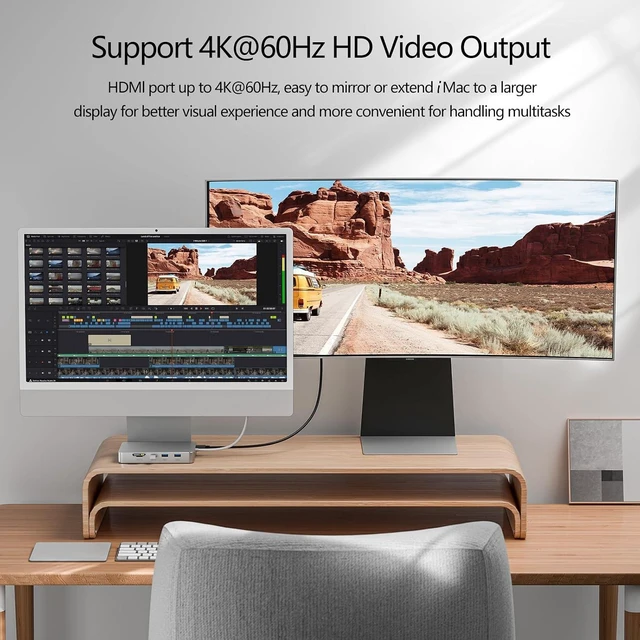
- 4K HDMI HD Output- HDMI output up to 4K@60Hz, the imac usb hub with HDMI is easy to mirror or extend your imac 24 inch M1 M3 M4 to a larger HDTV, monitor or projector to improve your work effiency and elevate your movie or gaming experience.
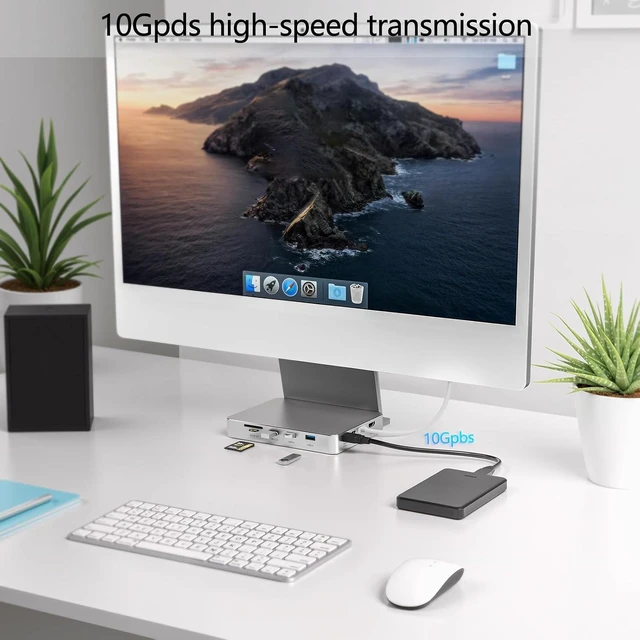
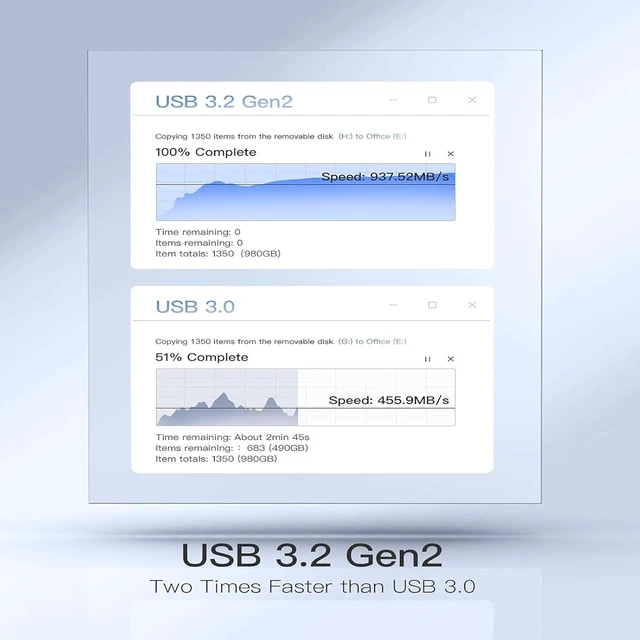
- Up to 10GBPS Super Speed The imac multiport adapter features with 10Gbps USB-A/C 3.2 Gen2 data ports that support read and write speed up to 1000-1200MB/s, transmiting 1G large files in seconds. Connect your phone or other
+
+
Overview
Specs
Reviews
All-in-One Solution: With high-speed data transfer, SSD storage, and video output, this docking station is built for professionals in design, media, engineering, or any field where performance and multitasking are crucial. It is the ideal companion for iMac users who rely on a multitude of devices.
Eliminate the mess of tangled wires and chaotic connections.
The 8 in 1 Dock consolidates all your ports into one. Experience a clean desk and seamless workflow, all under your control.
Aluminium alloy housing Efficient heat dissipation
The bottom uses similar anti-slip strips like the original
Product Name 8 in 1 USB C Hub for iMac 24 inch Material Aluminum Dimension 7.76×5.00×1.06 inch (19.70×12.70×2.70 cm) Weight 0.6107 lb (277g) Compatible SSDs Support up to 4TB SATA M.2 SSD / PCIe NVMe M.2 SSD (size: 2230/2242/2260/2280) that complies with M key and B+M Key, NOT support SSD with heat sinks Compatible Devices Specially designed for 2021/2023/2024 24 inch iMac M1/M3/M4 Output 1 x HDMI2.0; 1 x M.2 SATA / PCIe 3.0 NVMe SSD enclosure;2 x USB A 3.0; 1 x USB C 2.0; 1 x USB A 3.2 ; 1 x USB C 3.2; 1 x SD/TF 3.0 Note1 For a new SSD, it must be formatted to "exFAT" or "APFS". Steps: 1) Insert the new SSD into the dock; 2) Connect the dock to your device; 3) Use "Disk Utility" to format the drive. Note2 When all data ports are used simultaneously, the maximum transfer speed cannot be achieved on each port. For the best performance (especially with an SSD installed), we recommend using only one external hard drive at a time. Note3 To avoid intermittent disconnections of the SSD, please disable the "hard disk sleep" option in your device's energy-saving settings. Note4 Please note that there may be slight color variations between different product batches. Connect More, Clutter Less Perfect Intergration with iMac 24 inch 2024/2023/2021 Specification
Eliminate the mess of tangled wires and chaotic connections.
The 8 in 1 Dock consolidates all your ports into one. Experience a clean desk and seamless workflow, all under your control.
Aluminium alloy housing Efficient heat dissipation
The bottom uses similar anti-slip strips like the original
Product Name 8 in 1 USB C Hub for iMac 24 inch Material Aluminum Dimension 7.76×5.00×1.06 inch (19.70×12.70×2.70 cm) Weight 0.6107 lb (277g) Compatible SSDs Support up to 4TB SATA M.2 SSD / PCIe NVMe M.2 SSD (size: 2230/2242/2260/2280) that complies with M key and B+M Key, NOT support SSD with heat sinks Compatible Devices Specially designed for 2021/2023/2024 24 inch iMac M1/M3/M4 Output 1 x HDMI2.0; 1 x M.2 SATA / PCIe 3.0 NVMe SSD enclosure;2 x USB A 3.0; 1 x USB C 2.0; 1 x USB A 3.2 ; 1 x USB C 3.2; 1 x SD/TF 3.0 Note1 For a new SSD, it must be formatted to "exFAT" or "APFS". Steps: 1) Insert the new SSD into the dock; 2) Connect the dock to your device; 3) Use "Disk Utility" to format the drive. Note2 When all data ports are used simultaneously, the maximum transfer speed cannot be achieved on each port. For the best performance (especially with an SSD installed), we recommend using only one external hard drive at a time. Note3 To avoid intermittent disconnections of the SSD, please disable the "hard disk sleep" option in your device's energy-saving settings. Note4 Please note that there may be slight color variations between different product batches. Connect More, Clutter Less Perfect Intergration with iMac 24 inch 2024/2023/2021 Specification
Warranty & Returns
Warranty, Returns, And Additional Information
Warranty
- Please contact the Seller directly for warranty information. Warranty information may also be found on the Manufacturer's website.
- CONTACT
Return Policies
- Return for refund within: 30 days
- Return for replacement within: 90 days
- This item is covered by PartsPro Store Return Policy
Manufacturer Contact Info
- For a directory of all our manufacturers, please click below.
- Manufacturers Directory
LOADING...