



Meet Your Seller

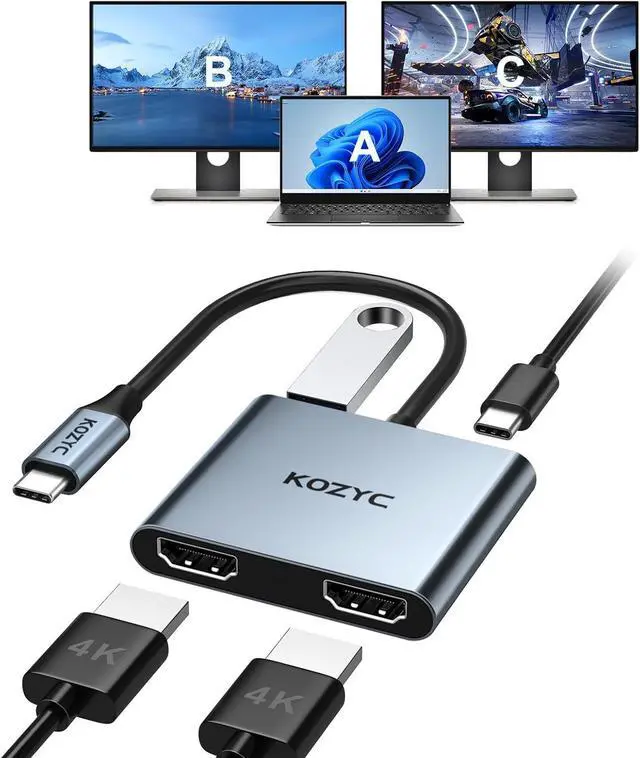


KOZYC USB C to Dual HDMI Adapter 4K@30Hz
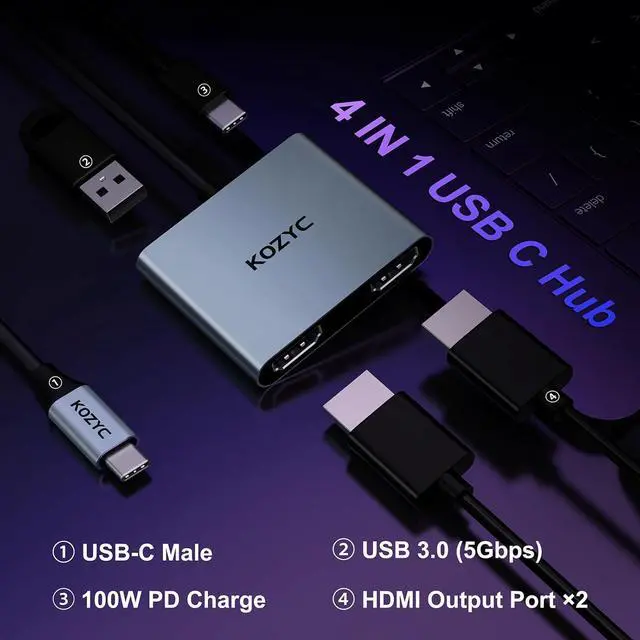
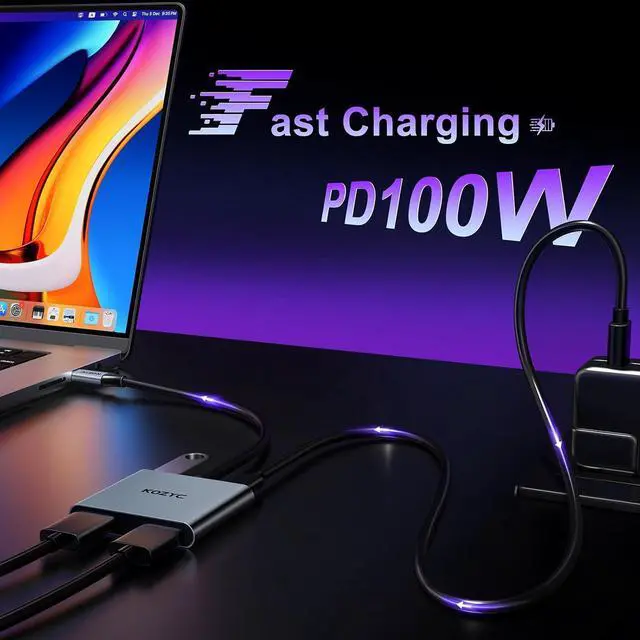
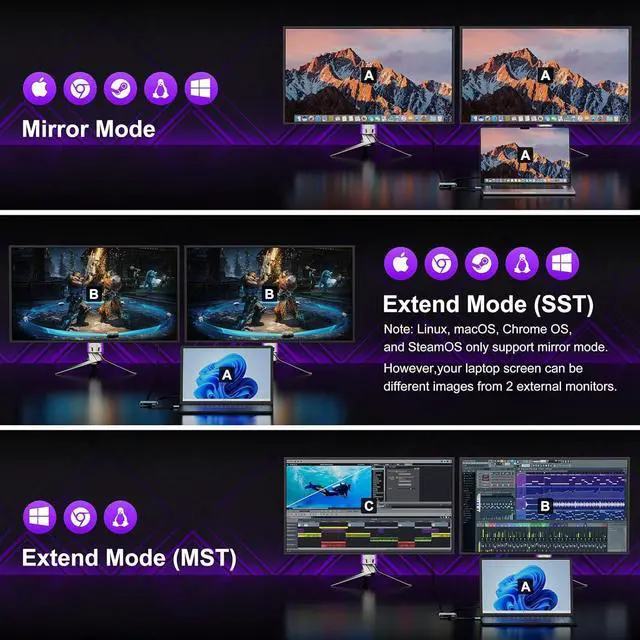
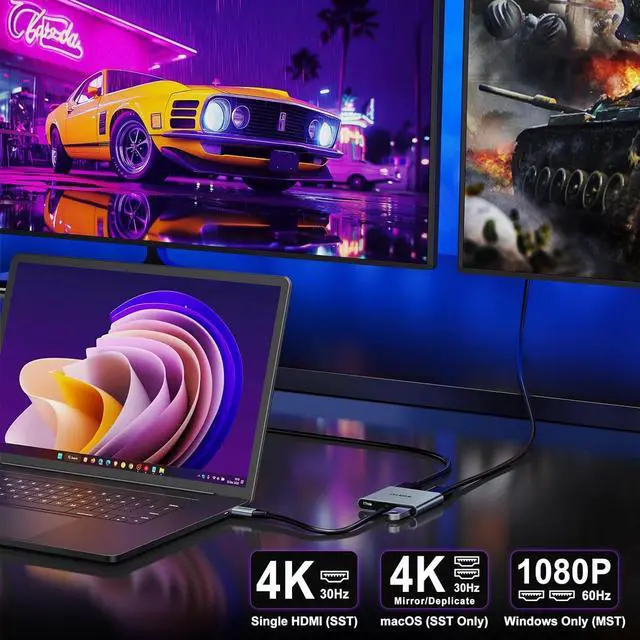
- USB 3.0 to Dual HDMI Adapter This KOZYC USB-C adapter features 2x HDMI port, 1x USB 3.0 port, and 1x100W PD charging port, Note: Android system only supports AAA mode(mirror mode); macOS supports AAA, and ABB mode (does not support MST ABC mode); Windows OS supports AAA, ABB, ABA, and ABC mode.
- 4k ResolutionThis USB C to HDMI Adapter resolution is up to 4K@30Hz. with backward compatible with 60Hz for resolutions of 2K/1080P. Please note: If you want to get a 4k resolution, please make sure your device supports 4k and uses a HDMI cable 2.0 or better
- Plug and PlayNo external power supply is required for this USB C to HDMI Adapter, just plug and play, and no need for any driver. Note: NOT for all USB-C port laptops, Make sure your laptop or PC supports Thunderbolt 3 or displayport output modeDP ALT mode
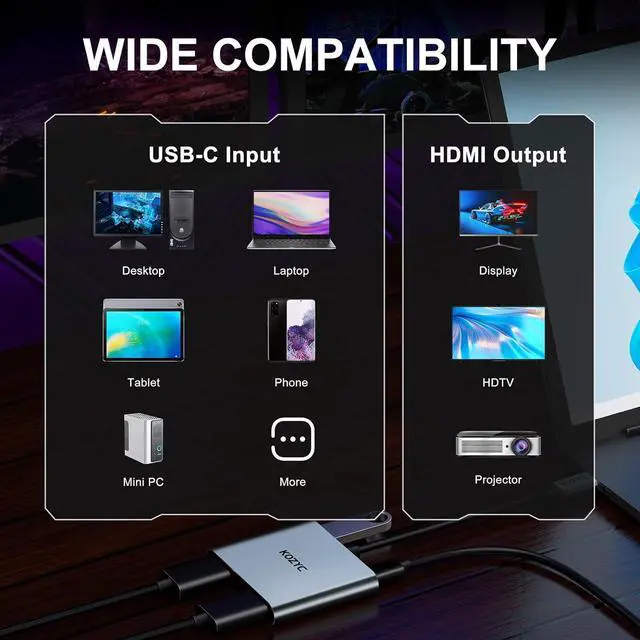
- Broad CompatibilityThis USB C HDMI Adapter is compatible with Linux, Windows, Mac OS, & Android systems, with compatible Thunderbolt 3 and DP 1.4 alt mode. Support: MacBo
+
+
Overview
Specs
Reviews
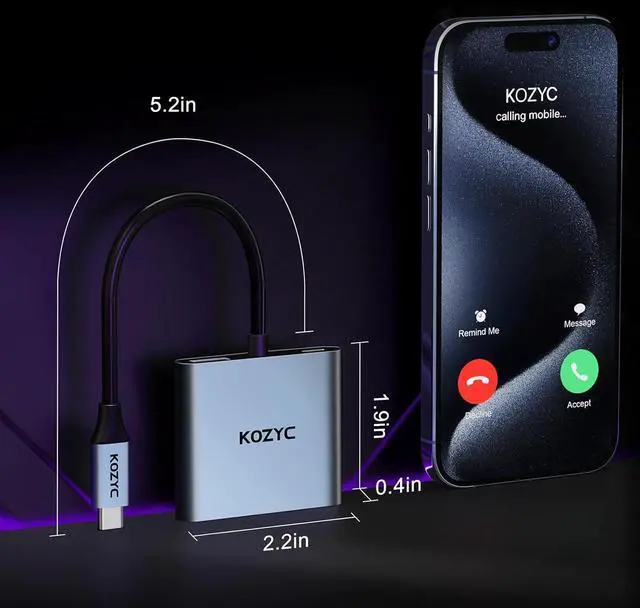
1USB 3.0 (Up to 5Gbps)24K@30Hz HDMI Output 3Portable & Lightweight4Aluminium Alloy+ABS Shell
Can't extend two different screens?
This hub doesn't support macOS under MST mode, please try windows system.
Can't get the 4K@30Hz resolution?
Please replace a newer 4K@30hz UHDTV or a laptop that is compatible with the DP 1.4 standard or Thunderbolt 3. Kindly note that a single display can support up to 4K@30hz, but in MST mode, dual displays can only support up to 1080p@60hz.
No picture output or the display flicker?
Please adjust the laptop's output resolution to a lower setting or verify the cable connection.
Why doesnt the product support extended display on dual monitors?
Only Windows supports MST mode and SST mode. macOS supports SST mode .
Adapter didn't work with one of your monitors ?
1. Adjust the laptop's output resolution to a lower setting or verify the cable connection.
2. replace a newer 4K@30hz UHDTV or or laptop compatible with the DP 1.4 standard or Thunderbolt 3
Note: A display up to 4K@30hz, dual displays up to 1080p
Can't extend two different screens?
Can't get the 4K@30Hz resolution?
No picture output or the display flicker?
Why doesnt the product support extended display on dual monitors?
Adapter didn't work with one of your monitors ?
Can't extend two different screens?
This hub doesn't support macOS under MST mode, please try windows system.
Can't get the 4K@30Hz resolution?
Please replace a newer 4K@30hz UHDTV or a laptop that is compatible with the DP 1.4 standard or Thunderbolt 3. Kindly note that a single display can support up to 4K@30hz, but in MST mode, dual displays can only support up to 1080p@60hz.
No picture output or the display flicker?
Please adjust the laptop's output resolution to a lower setting or verify the cable connection.
Why doesnt the product support extended display on dual monitors?
Only Windows supports MST mode and SST mode. macOS supports SST mode .
Adapter didn't work with one of your monitors ?
1. Adjust the laptop's output resolution to a lower setting or verify the cable connection.
2. replace a newer 4K@30hz UHDTV or or laptop compatible with the DP 1.4 standard or Thunderbolt 3
Note: A display up to 4K@30hz, dual displays up to 1080p
Can't extend two different screens?
Can't get the 4K@30Hz resolution?
No picture output or the display flicker?
Why doesnt the product support extended display on dual monitors?
Adapter didn't work with one of your monitors ?
Warranty & Returns
Warranty, Returns, And Additional Information
Warranty
- Please contact the Seller directly for warranty information. Warranty information may also be found on the Manufacturer's website.
- CONTACT
Return Policies
- Return for refund within: 30 days
- Return for replacement within: 90 days
- This item is covered by PartsPro Store Return Policy
Manufacturer Contact Info
- For a directory of all our manufacturers, please click below.
- Manufacturers Directory
LOADING...