
Your Browsing History

Meet Your Seller

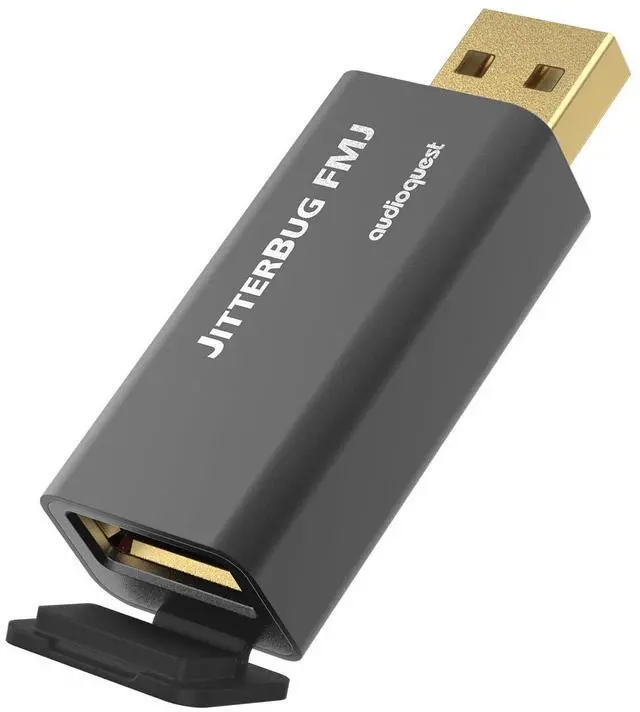
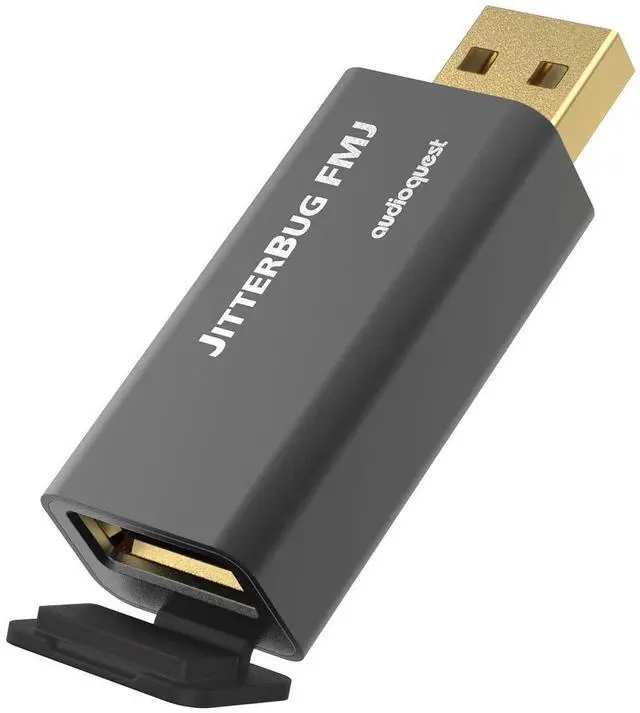
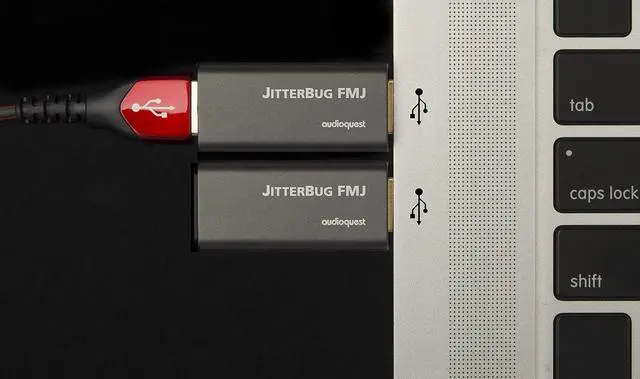


AudioQuest - Jitterbug FMJ USB Data & Power Noise Filter
- Dual discrete noise dissipation circuits reduce internally generated radio frequency noise to improve audio transmission performance
- Reduces jitter and package errors
- Full Metal Jacket protects against external noise
- Built-in RF resistant USB output jack offers increased noise reduction
- Meets all USB 2.0 specifications
+
+
Overview
Specs
Reviews
Many tens of thousands of music lovers are already enjoying better audio enabled by the original AudioQuest JitterBug USB Noise Filterplugged into cars USB jacks, laptop computers, USB service-only jacks on Ethernet Streamers, and more.
Now, JitterBug FMJ, with its Full Metal Jacket raises the stakes.
Whether used in series (in-line) or in parallel, JitterBug significantly reduces contamination from RF generated by a computer, car, or other deviceJitterBug FMJ also thoroughly addresses everyday RF Noise taking advantage of this vulnerable interface.
The new metal case is the most obvious change, though even the seemingly innocuous hinged rubber piece covering JitterBugs output is crucial to JitterBugs improved performance. That little black door is RF-proof thanks to the material being substantially RF-absorbing Carbon.
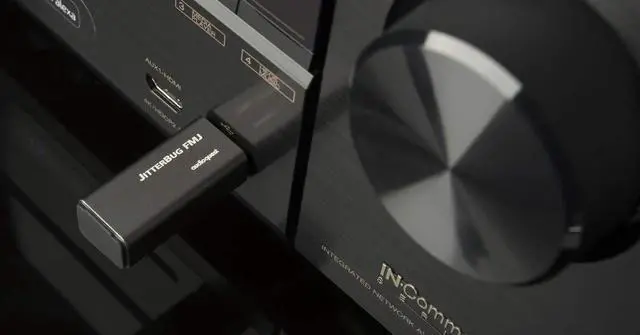
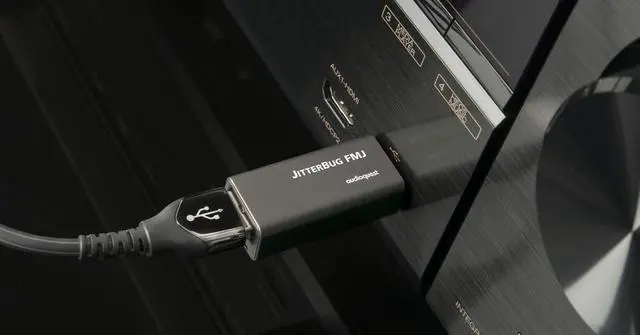
Employ one JitterBug in series between any computer, smartphone, NAS, streamer, or car audio system and a USB input. For an additional sonic improvement, use a second JitterBug in another unoccupied USB portin parallel to the firstexcept with JitterBug FMJs front door closed.
Noise reduction and noise dissipation is AudioQuest! One cant hear our modern worlds pervasive RF Noise itself, but the compromises it causes robs us of detail and contrast, and outright buries so much subtlety. Fight back with JitterBug FMJ.
JitterBug FMJ
A JitterBug in series with AudioQuest DragonFlys Black or Red always helps those wonderful creatures fly higher and faster. However, its best to experiment when putting a JitterBug in front of a DragonFly Cobaltwhich itself employs some of JitterBugs filtering, and so the two filters in series can help or hurt performance depending on specific equipment and context.
Regardless of which DragonFly or any other considerations, a 2nd JitterBug in parallel is always a delightful improvement as it pulls more RF Noise off the USB power bus
A JitterBug makes just as big an improvement even when plugged into service-only or update-only USB ports on many devices
JitterBug uses USB-A connections on both ends. When used with a computer or other device (or car) with only USB-C, AudioQuest offers a super-compact high-performance C-male to A-female adaptor
Noise reduction and noise dissipation is AudioQuest! One cant hear our modern worlds pervasive RF Noise itself, but the compromises it causes robs us of detail and contrast, and outright buries so much subtlety. Fight back with JitterBug FMJ.
Dual-Discrete Noise-Dissipation Circuits reduce internally generated radio-frequency noise for improved streaming-audio performance
Reduces jitter and packet errors
Full-Metal Jacket (FMJ) protects against external noise
Integrated RF-proof USB output plug further reduces noise
Complies with all USB 2.0 specifications
AudioQuest JitterBug FMJ AudioQuest JitterBug FMJ USB Data & Power Noise Filter AudioQuest JitterBug FMJ
Now, JitterBug FMJ, with its Full Metal Jacket raises the stakes.
Whether used in series (in-line) or in parallel, JitterBug significantly reduces contamination from RF generated by a computer, car, or other deviceJitterBug FMJ also thoroughly addresses everyday RF Noise taking advantage of this vulnerable interface.
The new metal case is the most obvious change, though even the seemingly innocuous hinged rubber piece covering JitterBugs output is crucial to JitterBugs improved performance. That little black door is RF-proof thanks to the material being substantially RF-absorbing Carbon.
Employ one JitterBug in series between any computer, smartphone, NAS, streamer, or car audio system and a USB input. For an additional sonic improvement, use a second JitterBug in another unoccupied USB portin parallel to the firstexcept with JitterBug FMJs front door closed.
Noise reduction and noise dissipation is AudioQuest! One cant hear our modern worlds pervasive RF Noise itself, but the compromises it causes robs us of detail and contrast, and outright buries so much subtlety. Fight back with JitterBug FMJ.
JitterBug FMJ
A JitterBug in series with AudioQuest DragonFlys Black or Red always helps those wonderful creatures fly higher and faster. However, its best to experiment when putting a JitterBug in front of a DragonFly Cobaltwhich itself employs some of JitterBugs filtering, and so the two filters in series can help or hurt performance depending on specific equipment and context.
Regardless of which DragonFly or any other considerations, a 2nd JitterBug in parallel is always a delightful improvement as it pulls more RF Noise off the USB power bus
A JitterBug makes just as big an improvement even when plugged into service-only or update-only USB ports on many devices
JitterBug uses USB-A connections on both ends. When used with a computer or other device (or car) with only USB-C, AudioQuest offers a super-compact high-performance C-male to A-female adaptor
Noise reduction and noise dissipation is AudioQuest! One cant hear our modern worlds pervasive RF Noise itself, but the compromises it causes robs us of detail and contrast, and outright buries so much subtlety. Fight back with JitterBug FMJ.
Dual-Discrete Noise-Dissipation Circuits reduce internally generated radio-frequency noise for improved streaming-audio performance
Reduces jitter and packet errors
Full-Metal Jacket (FMJ) protects against external noise
Integrated RF-proof USB output plug further reduces noise
Complies with all USB 2.0 specifications
AudioQuest JitterBug FMJ AudioQuest JitterBug FMJ USB Data & Power Noise Filter AudioQuest JitterBug FMJ
Warranty & Returns
Warranty, Returns, And Additional Information
Warranty
- Please contact the Seller directly for warranty information. Warranty information may also be found on the Manufacturer's website.
- CONTACT
Return Policies
- Return for refund within: 30 days
- Return for replacement within: 90 days
- This item is covered by PartsPro Store Return Policy
Manufacturer Contact Info
- For a directory of all our manufacturers, please click below.
- Manufacturers Directory
LOADING...