



Meet Your Seller

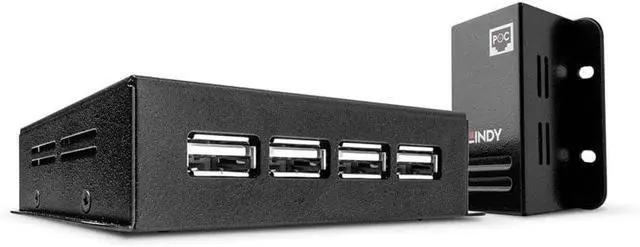
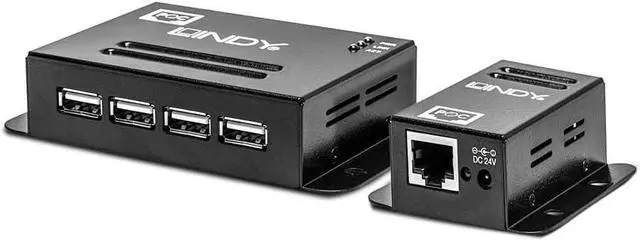
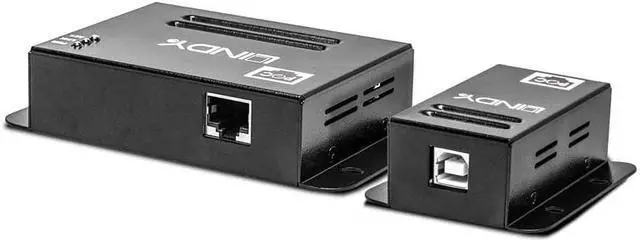


LINDY 50 m USB 2.0 4 Port CAT.5/6 Extender
- Extend a USB 2.0 port up to 50m* using low cost CAT5/5e/6 network cable (not included)
- Power over CAT5 requires a single power supply to be connected to the Transmitter only
- Supports USB 2.0 High Speed and USB 1.1 Full Speed / Low Speed
- Plug & Play installation Compatible with all Operating Systems with USB support
+
+
Overview
Specs
Reviews
Quoted lengths are possible with a direct connection between Transmitter and Receiver using good quality CAT6 UUTP Solid Core cable. Using a different cable type, or introducing wall plates, couplers or patch panels will result in a reduction of possible distances. The LINDY USB 2.0 CAT5/6 4 Port Extender can be used to extend the distance between a USB peripheral device and host computer by up to 50m. It consists of a local unit which connects to the computer and a remote unit that connects up to 4 devices. Standard, low cost CAT5/5e/6 network cable (not included) is then used to bridge the connection between the two units. The Extender features Power over CAT5/6, this requires a single power supply to be connected to the Transmitter/Local unit, and this handy feature allows the Receiver/Remote unit and connected devices to be located more freely as no power supply is required. For added convenience both the Transmitter and Receiver units both feature integrated mounting brackets making installation even easier. Please Note: For high bandwidth bus powered devices such as webcams, and especially HD webcams, we recommend the 100m 4 Port USB 2.0 CAT5 Extender Pro
Warranty & Returns
Warranty, Returns, And Additional Information
Warranty
- Please contact the Seller directly for warranty information. Warranty information may also be found on the Manufacturer's website.
- CONTACT
Return Policies
- Return for refund within: 30 days
- Return for replacement within: 90 days
- This item is covered by PartsPro Store Return Policy
Manufacturer Contact Info
- For a directory of all our manufacturers, please click below.
- Manufacturers Directory
LOADING...