
Your Browsing History

Meet Your Seller


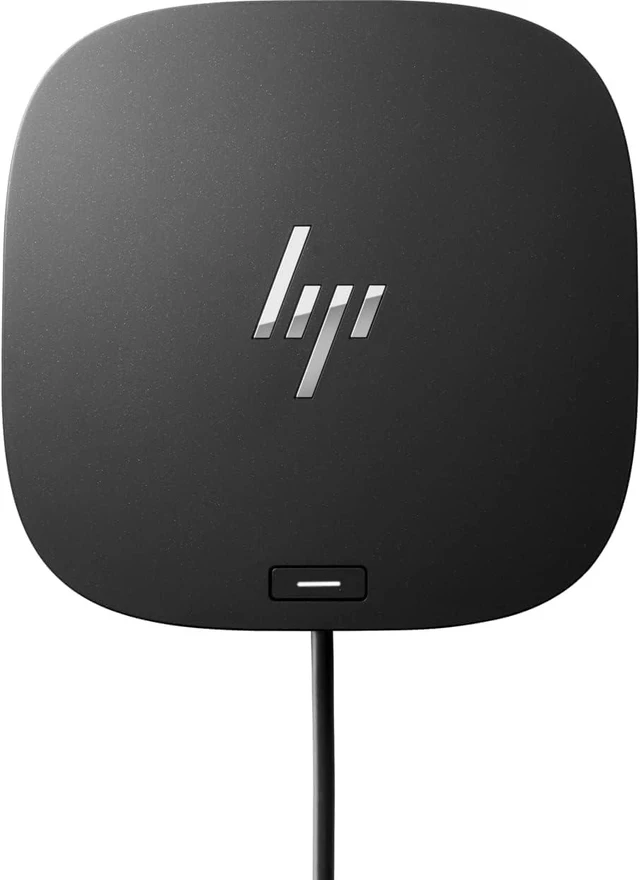

HP USB-C Dock G5, Model Number: 26D32AA#ABL
- COMPATIBLE WITH YOUR MIXED PC ENVIRONMENT: Designed with universal compatibility in mind, this dock works with both HP and non-HP USB-C- and Thunderbolt-enabled notebooks
- SINGLE-CABLE SOLUTION: Add your accessories and up to three displays to the dock. Then simply connect it to your notebook through a single USB-CTM cable to access your devices and charge your PC
- EASILY MANAGE YOUR COMMERCIAL HP FLEET: Help IT secure and remotely manage your deployed commercial HP notebooks and the dock with advanced network manageability features that include PXE Boot, LAN/WLAN switching, and WoL and MAC Address Pass-Through in all power states
- SMALL FOOTPRINT: Reclaim your desk with a compact dock that takes up only 5 x 5 inches of space
- ELECTRONIC ASSET MANAGEMENT FOR YOUR DOCKS: Empower your IT to manage and track your docks by product name, serial number, and MAC Address from anywhere with the time-saving, easy-to-use Electronic Tag (eTag) asset management tool
+
+
Overview
Specs
Reviews
HP USB-C Essential Dock G5 Bundle with Docztorm USB Hub
Universal docking for today's notebooks.
Get to work with a single cable from your USB-C-enabled notebook1 to your displays, devices, and wired network with the versatile, elegant, and space-saving HP USB-C Dock G5. The dock is compatible with notebooks from brands like HP, Apple, Dell, Lenovo, and more.
Compatible with your mixed PC environment
Designed with universal compatibility in mind, this dock works with both HP and non-HP USB-C- and Thunderbolt-enabled notebooks.
Single-cable solution
Add your accessories and up to three displays to the dock. Then simply connect it to your notebook through a single USB-C cable to access your devices and charge your PC.
Easily manage your commercial HP fleet
Help IT secure and remotely manage your deployed commercial HP notebooks1 and the dock with advanced network manageability features that include PXE Boot, LAN/WLAN switching, and WoL and MAC Address Pass-Through in all power states.
Electronic asset management for your docks.
Empower your IT to manage and track your docks by product name, serial number, and MAC Address from anywhere with the time-saving, easy-to-use Electronic Tag asset management tool.
Efficient firmware updates
Updating your dock fleet has never been easier. IT can save time by pushing dock firmware updates to managed notebooks for later installation on the dock, even when they're disconnected from each other.
We test so you can rest.
Rigorous testing helps assure dock compatibility across HP notebooks and Apple, Dell, and Lenovo notebooks with USB-C charging ports.
Effortlessly go the extra mile with just a single USB-C cable. This essential dock seamlessly powers and supports 4 USB-A ports for all your accessories, up to 3 high-res displays, and stable Ethernet connectionall while delivering 65W of power to your laptop.
Make sure your workforce has the IT support they need to be productive with essential manageability features. Manage your docking fleet with full functionality of PXE boot, MAC address pass-through, Wake on LAN, and LAN/WLAN switching.
Have everything you need to get the job done with this compact dock that keeps your desk clean. With a single USB-C cable, open your ports to all your accessories, connect up to three high-res displays, stable Ethernet connection, and so much moreall while charging your laptop.
Authorized Dockztorm Portable USB Hub(Special Edition Portable Dockztorm Data Hub; Super Speedy Data Sync Rate up to 5Gbps). It is designed to be easily carried and suitable for on-the-go use, with a compact and lightweight form factor.
Seamless Productivity Essential Manageability Connectivity Docztorm USB Hub
Universal docking for today's notebooks.
Get to work with a single cable from your USB-C-enabled notebook1 to your displays, devices, and wired network with the versatile, elegant, and space-saving HP USB-C Dock G5. The dock is compatible with notebooks from brands like HP, Apple, Dell, Lenovo, and more.
Compatible with your mixed PC environment
Designed with universal compatibility in mind, this dock works with both HP and non-HP USB-C- and Thunderbolt-enabled notebooks.
Single-cable solution
Add your accessories and up to three displays to the dock. Then simply connect it to your notebook through a single USB-C cable to access your devices and charge your PC.
Easily manage your commercial HP fleet
Help IT secure and remotely manage your deployed commercial HP notebooks1 and the dock with advanced network manageability features that include PXE Boot, LAN/WLAN switching, and WoL and MAC Address Pass-Through in all power states.
Electronic asset management for your docks.
Empower your IT to manage and track your docks by product name, serial number, and MAC Address from anywhere with the time-saving, easy-to-use Electronic Tag asset management tool.
Efficient firmware updates
Updating your dock fleet has never been easier. IT can save time by pushing dock firmware updates to managed notebooks for later installation on the dock, even when they're disconnected from each other.
We test so you can rest.
Rigorous testing helps assure dock compatibility across HP notebooks and Apple, Dell, and Lenovo notebooks with USB-C charging ports.
Effortlessly go the extra mile with just a single USB-C cable. This essential dock seamlessly powers and supports 4 USB-A ports for all your accessories, up to 3 high-res displays, and stable Ethernet connectionall while delivering 65W of power to your laptop.
Make sure your workforce has the IT support they need to be productive with essential manageability features. Manage your docking fleet with full functionality of PXE boot, MAC address pass-through, Wake on LAN, and LAN/WLAN switching.
Have everything you need to get the job done with this compact dock that keeps your desk clean. With a single USB-C cable, open your ports to all your accessories, connect up to three high-res displays, stable Ethernet connection, and so much moreall while charging your laptop.
Authorized Dockztorm Portable USB Hub(Special Edition Portable Dockztorm Data Hub; Super Speedy Data Sync Rate up to 5Gbps). It is designed to be easily carried and suitable for on-the-go use, with a compact and lightweight form factor.
Seamless Productivity Essential Manageability Connectivity Docztorm USB Hub
Warranty & Returns
Warranty, Returns, And Additional Information
Warranty
- Please contact the Seller directly for warranty information. Warranty information may also be found on the Manufacturer's website.
- Read full details
- CONTACT
Return Policies
- Return for refund within: 30 days
- Return for replacement within: 90 days
- This item is covered by Solides Home Return Policy
Manufacturer Contact Info
- For a directory of all our manufacturers, please click below.
- Manufacturers Directory
LOADING...