


- Free 15-day Returns
$39.14
Ships from China.


Meet Your Seller

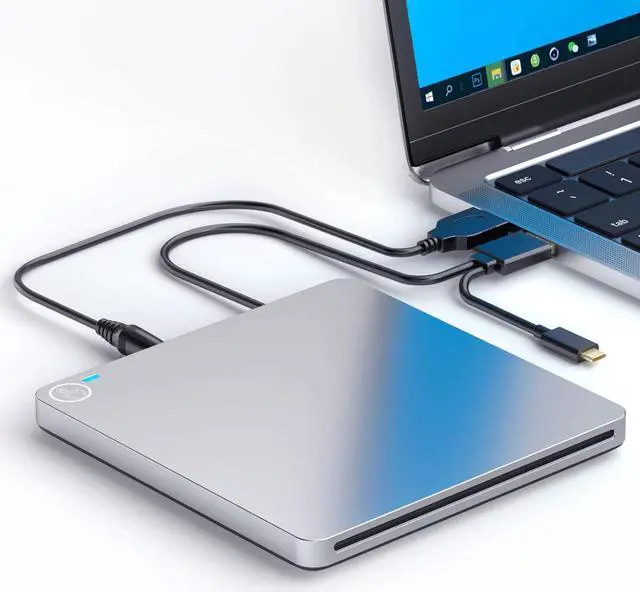
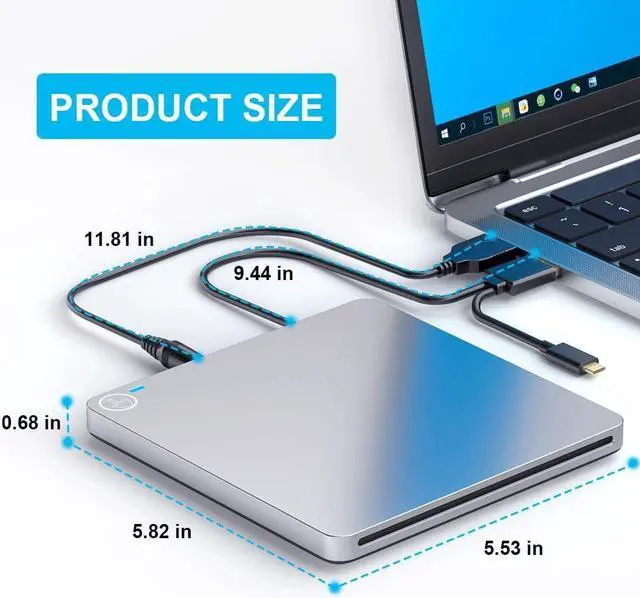



External CD DVD Drive, USB 3.0 & Type-C Portable CD DVD RW Drive Slim DVD/CD ROM Rewriter Burner Writer High Speed Data Transfer, Slot-in CD/DVD Drive for Laptop/MacBook/Desktop/MacOS
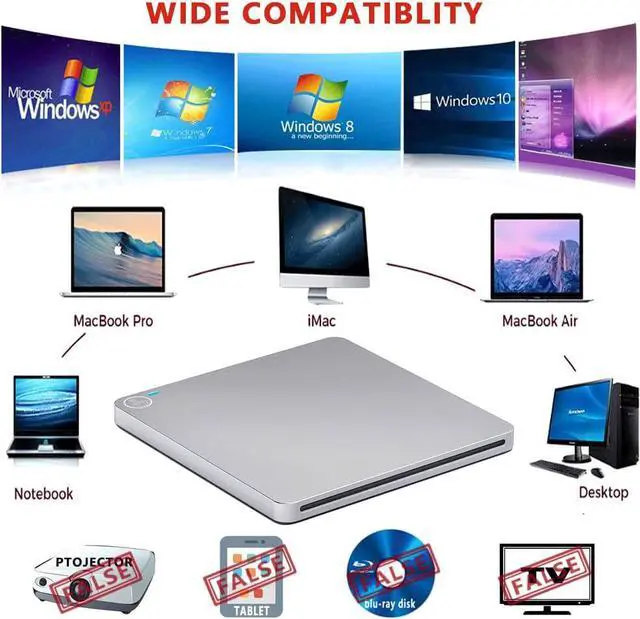
- [Widely applicable] The USB optical drive is compatible with Windows 98 / SE / ME / ME / 2000 / XP / Vista / Windows 10/8/7 / MacOS(8.6-10.14). Especially suitable for PC, Macbook, Netbook and Ultrabook without drive hardware.
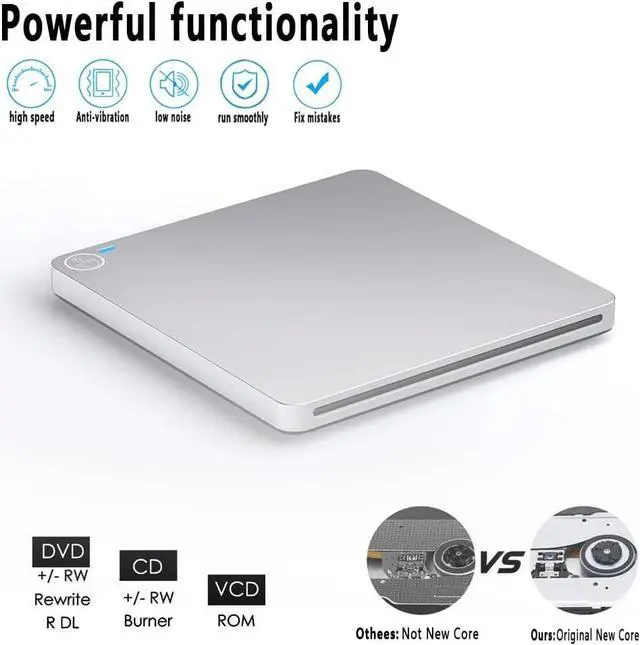
- [Multifunctional design] Portable CD/DVD +/- RW drive, drop-proof, hard plastic shell, light weight, not easy to scratch, wear-resistant, and the floppy disk drive has strong anti-interference ability. This DVD drive supports CD±R/DVD-RW/DVD±R/CD-ROM/DVD-ROM/DVD-R DL /VCD-ROM/DVD+/-RW.
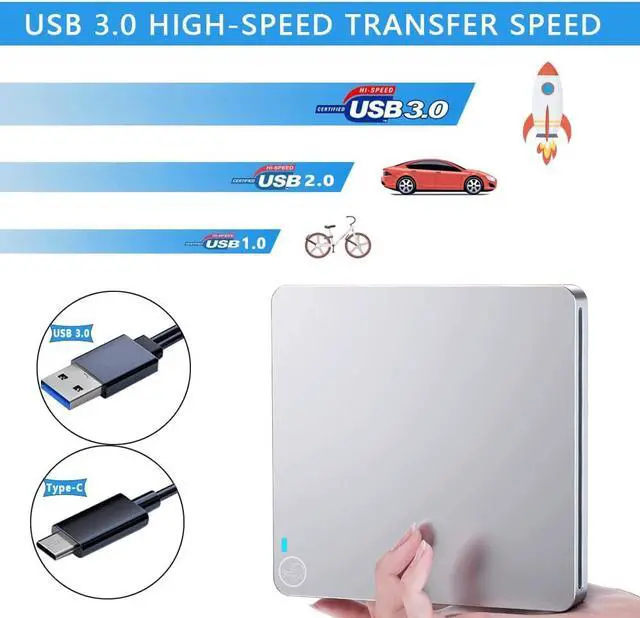
- [High-speed transmission] Compatible with USB3.0 and backward compatible with USB2.0 and USB1.0, thus providing you with faster data transmission speed (up to 5Gbps) and stable performance fault tolerance.
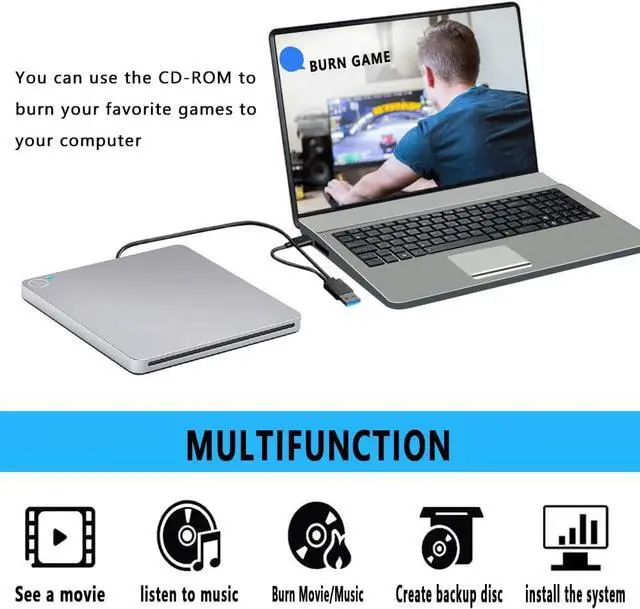
- [Plug and Play[: No need for driver and external power supply, powered by USB port. The external CD/DVD drive can be used to watch DVD movies, listen to music, create backup discs, burn movies/music, and you can use it without installing software
+
+
Overview
Specs
Reviews
Features:
The USB C Superdrive is a slot-in External DVD Drive, it works for M-a-c-B-o-o-k, Air, i-Mac, Mac, Laptop, Desktop and PC which without internal drive.
It is powered by the USB C or USB port from your Laptop or PC.
No eject button design, slot-loading, plug and play; No driver program or extra power supply required.
It is compatible with Mac OS and Windows system, help us to play music, movies or install software from this External CD drive, copy & burning music from your laptop to a CD disc in a flash.
Support:
DVD±RW / DVD±RDL / CD±RW / DVD-Rom / CD-Rom / CD±R / DVD-RW / DVD±R / DVD-RAM
Reading Speed:
DVD 8X
CD 24X
Writing Speed:
DVD±R DL 4X
DVD±R 8X
DVD±RW 6X
CD-R 24X
CD-RW 6X
Package included:
1 x External DVD Drive,
1 x Extra USB Power Cable,
1 x User Manual
NOTES:
1. This external CD drive can't work for iPad/Tablet/Projector/TV/Chrome OS/Car/Smart Phone. Just slot-loading, No eject button. Dont support the Blue-ray format.
2. Must ensure there is enough 5V 2.5A power to the external CD DVD drive, otherwise, maybe the disk will stuck inside the DVD drive or cant play disk.
3. Don't connect this external DVD drive into a USB hub or extension cords, it cant be recognized and the disc will stuck inside. Please plug the external CD drive directly into your laptop or plug into the USB port behind of the computer host when you use a desktop.
4. Keep this external CD burner steady on the desktop, dont put it unstable items or on the vulnerable to squeeze place, to ensure normal machine use. Do not have the machine on a strong magnetic object nearby.
5. Make sure that the external DVD drive itself is set in place in such a way that the blank side faces up and the black side faces down, Otherwise the disc will eject automatically.
6. Date transfer speed is also affected by computer and system environment.
7. When this external DVD burner works on Windows 10 or Catalina, please
note: It is important you have a media player such as the free VLC media player installed BEFORE you connect the external DVD player. This is not a fault of the external CD player - it's because Windows 10 doesn't have a default player installed. Otherwise this external CD DVD drive cant work well for us.
The USB C Superdrive is a slot-in External DVD Drive, it works for M-a-c-B-o-o-k, Air, i-Mac, Mac, Laptop, Desktop and PC which without internal drive.
It is powered by the USB C or USB port from your Laptop or PC.
No eject button design, slot-loading, plug and play; No driver program or extra power supply required.
It is compatible with Mac OS and Windows system, help us to play music, movies or install software from this External CD drive, copy & burning music from your laptop to a CD disc in a flash.
Support:
DVD±RW / DVD±RDL / CD±RW / DVD-Rom / CD-Rom / CD±R / DVD-RW / DVD±R / DVD-RAM
Reading Speed:
DVD 8X
CD 24X
Writing Speed:
DVD±R DL 4X
DVD±R 8X
DVD±RW 6X
CD-R 24X
CD-RW 6X
Package included:
1 x External DVD Drive,
1 x Extra USB Power Cable,
1 x User Manual
NOTES:
1. This external CD drive can't work for iPad/Tablet/Projector/TV/Chrome OS/Car/Smart Phone. Just slot-loading, No eject button. Dont support the Blue-ray format.
2. Must ensure there is enough 5V 2.5A power to the external CD DVD drive, otherwise, maybe the disk will stuck inside the DVD drive or cant play disk.
3. Don't connect this external DVD drive into a USB hub or extension cords, it cant be recognized and the disc will stuck inside. Please plug the external CD drive directly into your laptop or plug into the USB port behind of the computer host when you use a desktop.
4. Keep this external CD burner steady on the desktop, dont put it unstable items or on the vulnerable to squeeze place, to ensure normal machine use. Do not have the machine on a strong magnetic object nearby.
5. Make sure that the external DVD drive itself is set in place in such a way that the blank side faces up and the black side faces down, Otherwise the disc will eject automatically.
6. Date transfer speed is also affected by computer and system environment.
7. When this external DVD burner works on Windows 10 or Catalina, please
note: It is important you have a media player such as the free VLC media player installed BEFORE you connect the external DVD player. This is not a fault of the external CD player - it's because Windows 10 doesn't have a default player installed. Otherwise this external CD DVD drive cant work well for us.
Warranty & Returns
Warranty, Returns, And Additional Information
Warranty
- Please contact the Seller directly for warranty information. Warranty information may also be found on the Manufacturer's website.
- CONTACT
Return Policies
- Return for refund within: 15 days
- Return for replacement within: 30 days
- This item is covered by fadaoe Return Policy
Manufacturer Contact Info
- For a directory of all our manufacturers, please click below.
- Manufacturers Directory
LOADING...