shippingWe‘re shipping as usual! The Canada Post strike only affects certain remote deliveries and PO Boxes. Details
shipping Holiday Shipping Details & Extended Holiday Returns
  • $143.80
  • Free 15-day Returns
  • Volume Discounts Available
    • $143.00 ea.
    • $142.20 ea.
    • $141.40 ea.
    Ships from China.
    Price alert

    Shipped by ElectroWorks JV

    Shop it at NeweggBusiness.

    Meet Your Seller

    SMA External Blu Ray Drive for Laptops, 7-in-1 USB 3.0 Type-C Blu ray CD DVD Drive with 4 USB & SD/TF Slot Ports, Portable 3D BD Disc Reader CD DVD -/+RW Burner Compatible with Windows Linux Mac OS

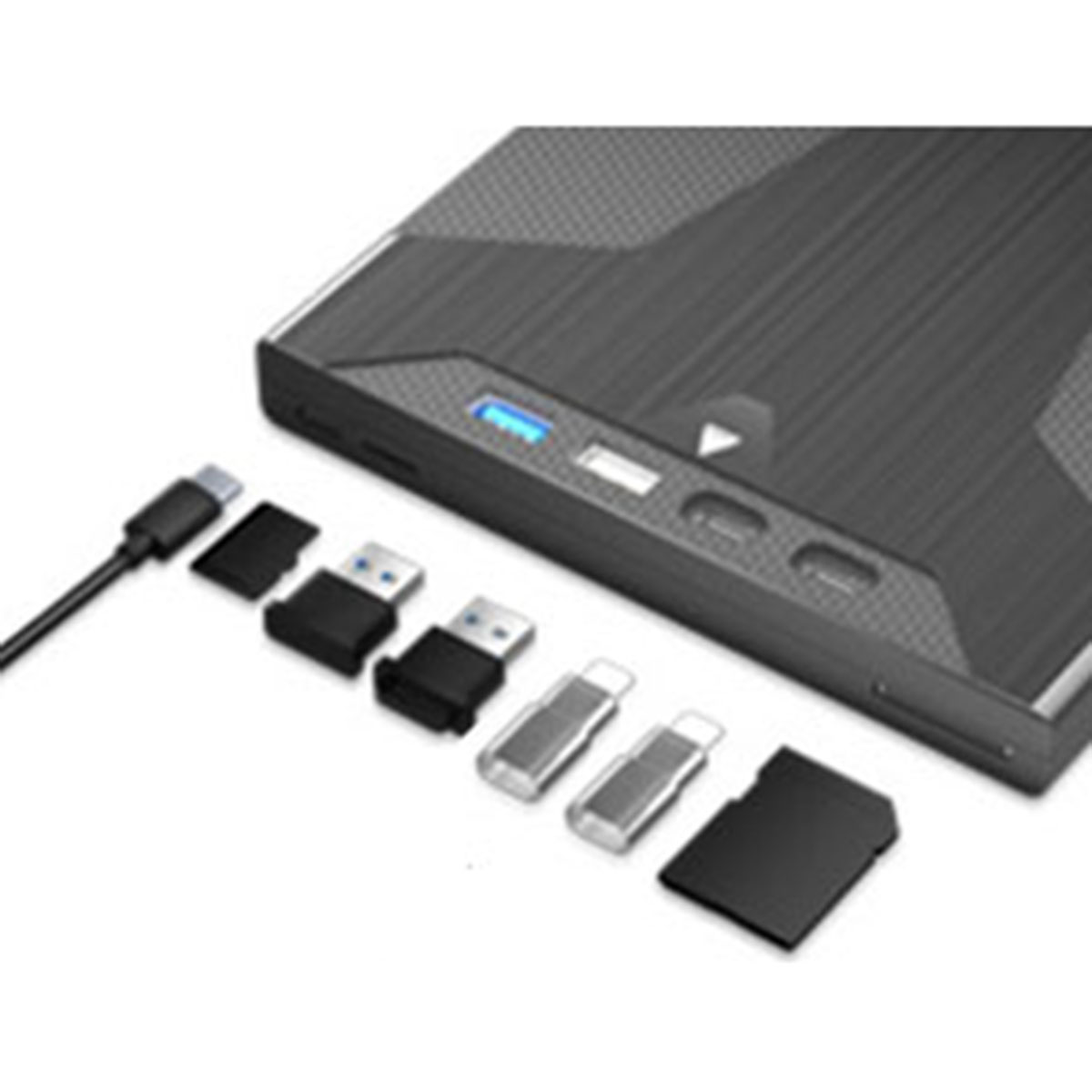
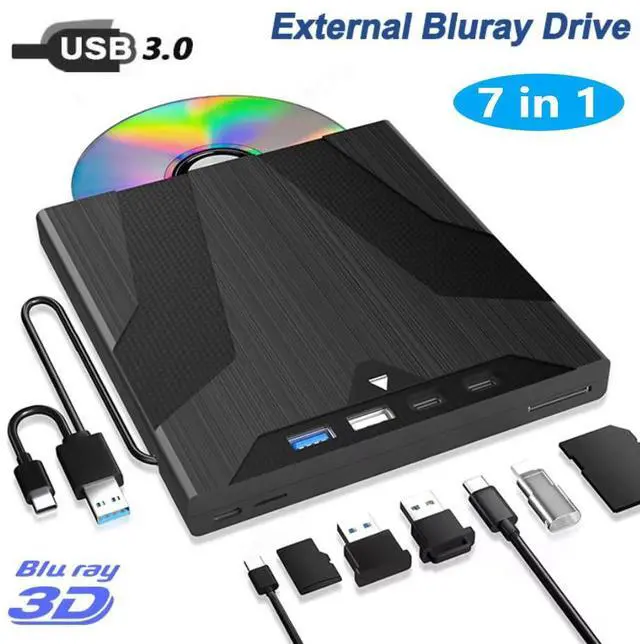
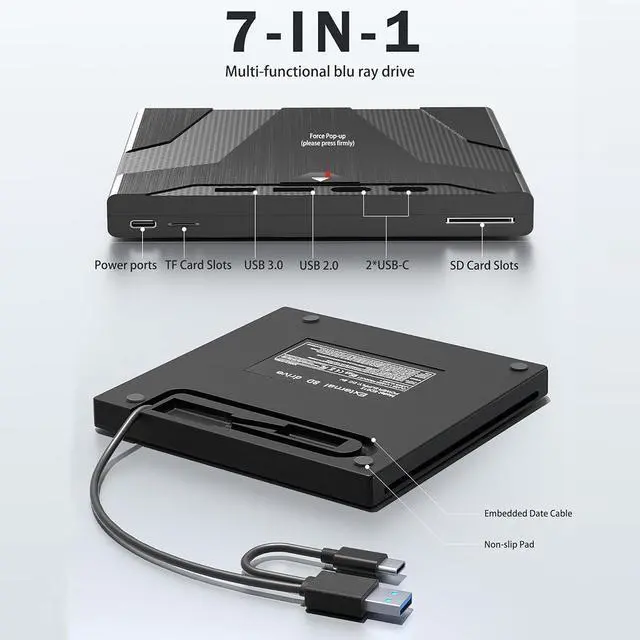
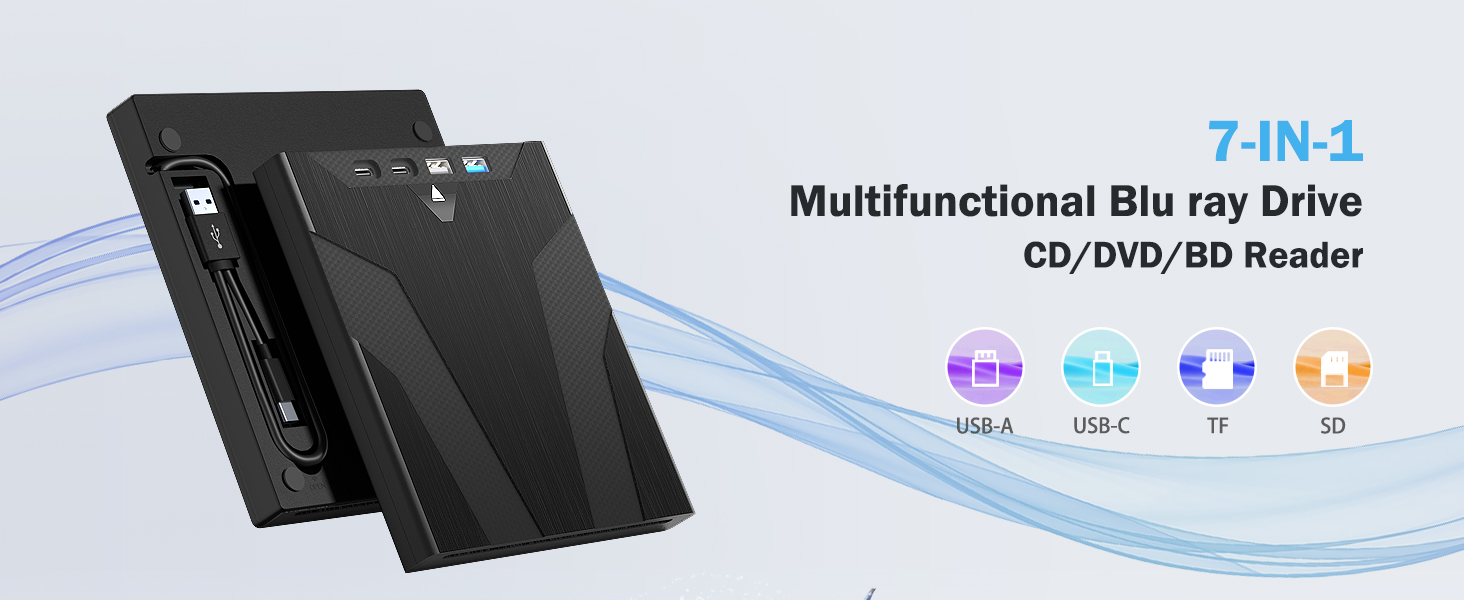
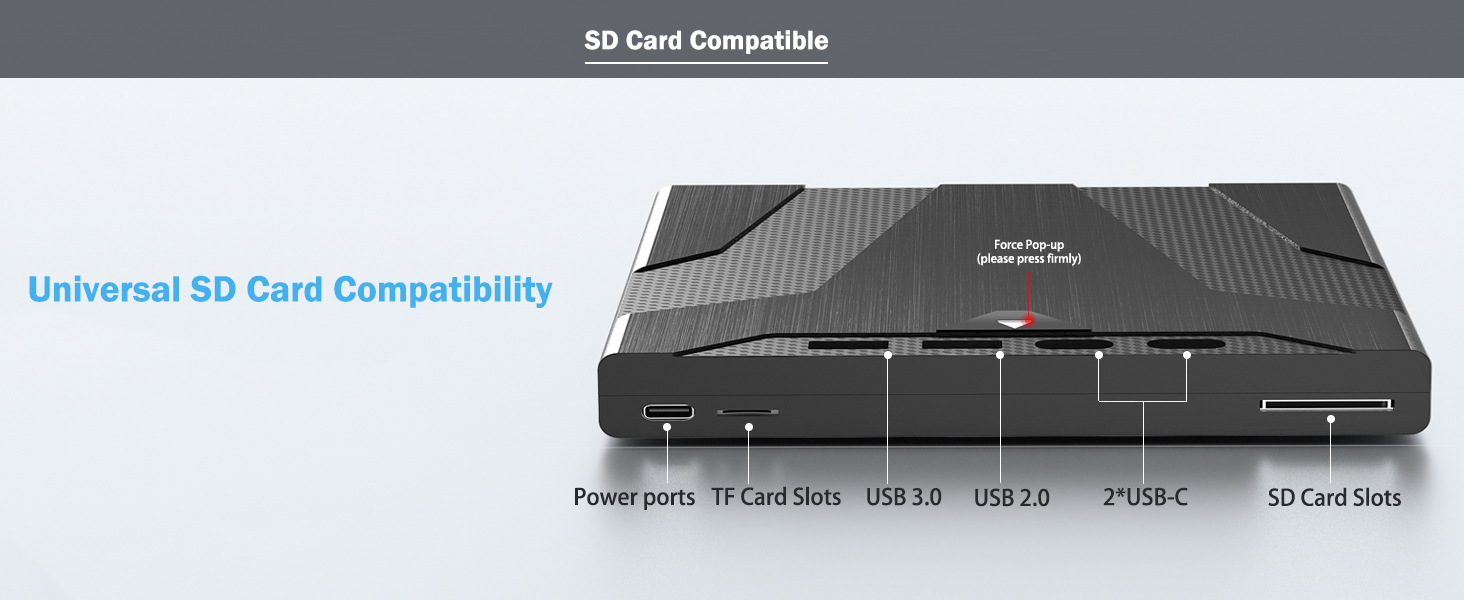
    • [One Suction Disc Inlet & Six Expandable Interfaces] 7-in-1 External Blu ray drive adopts a suction type design.The top design features a manual pop-up button, it is easy to operate. This blue ray/dvd/cd player offers versatile features.( It has 1 SD card slot, 1 TF card slot, 1 USB 3.0 port,1 USB 2.0 port and 2 Type-C ports for data transfer.)
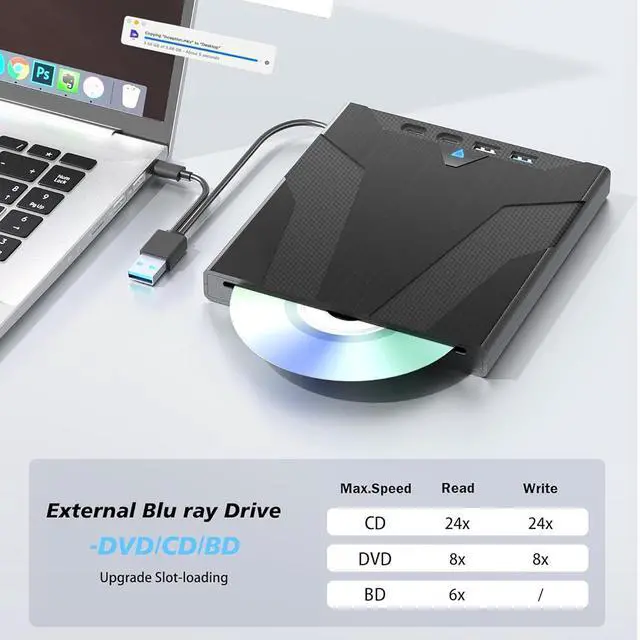
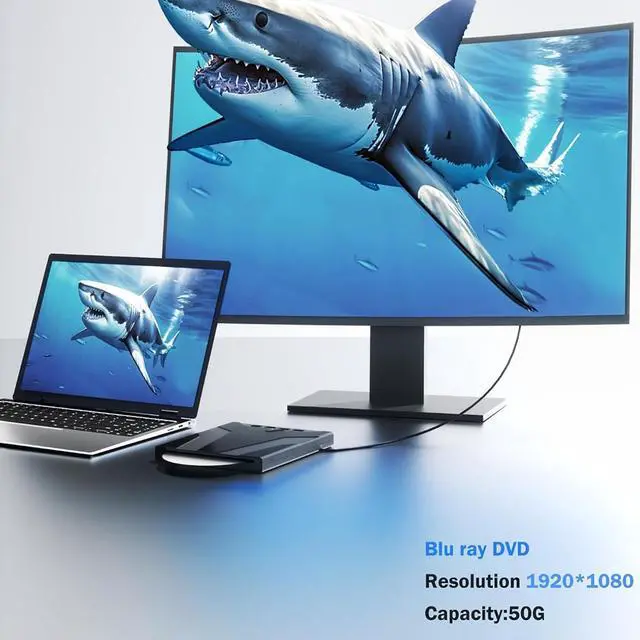
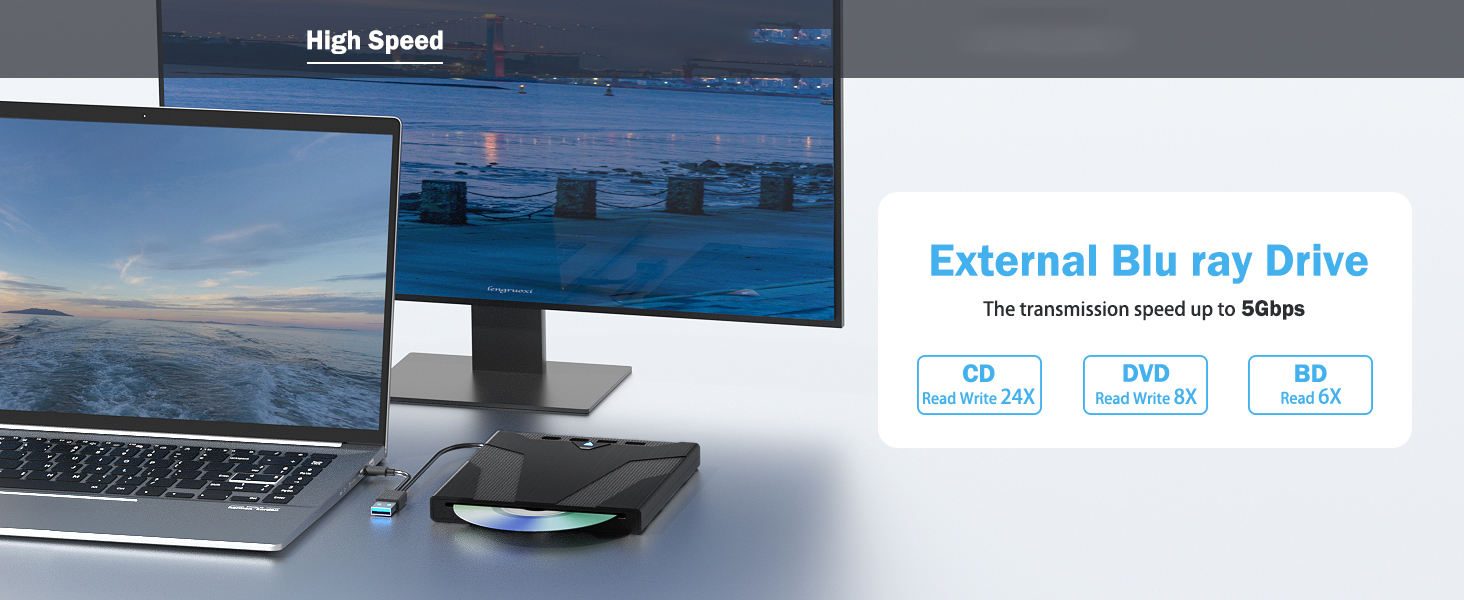
    • [High Speed & Support 50G Blu ray disc] Has strong reading and storage capabilities, capable of reading 50G Blu ray disc/DVD/CD and burning DVD/CD. The read speed of this blu ray burner is up to 6x, DVD is up to 8x, and CD is up to 24x.
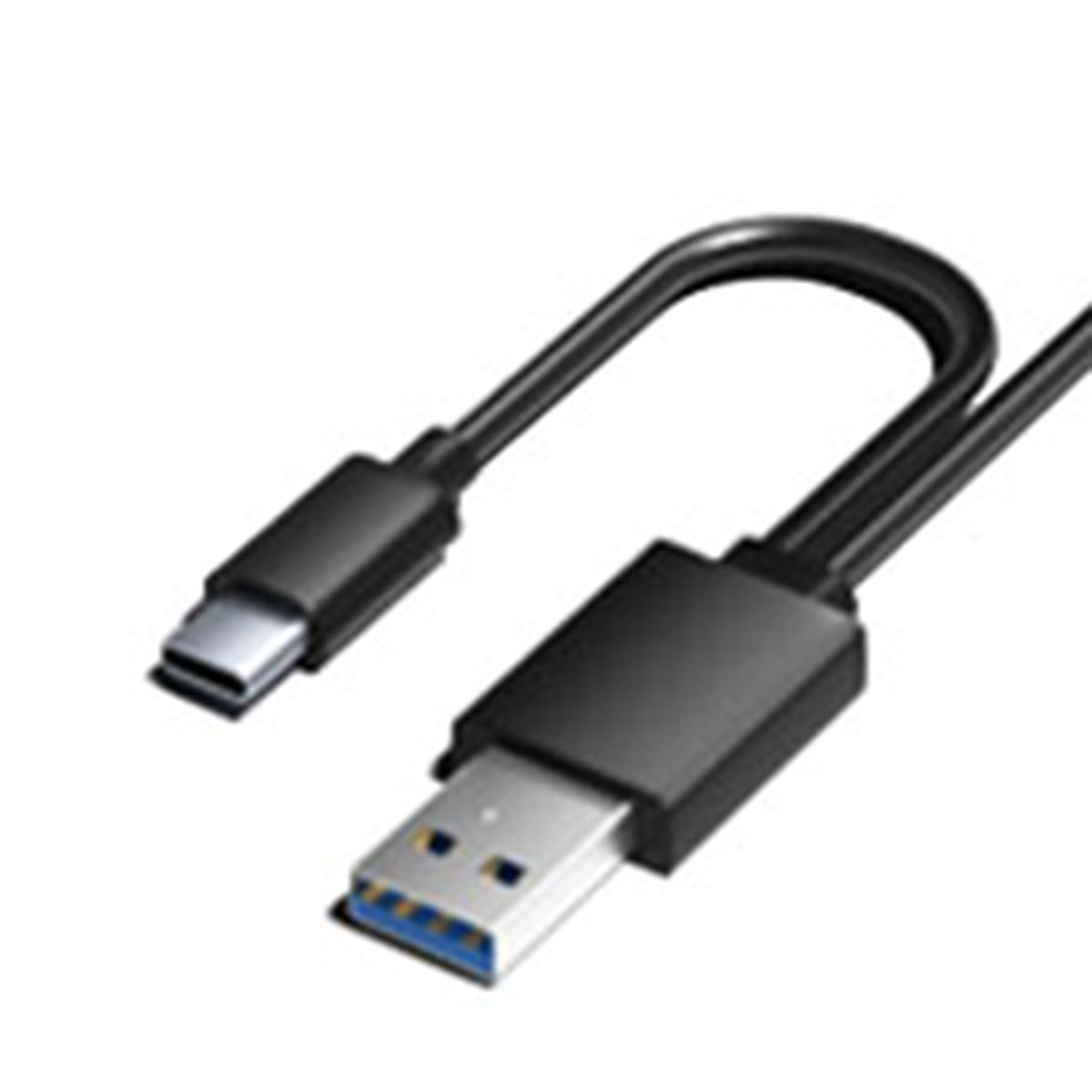
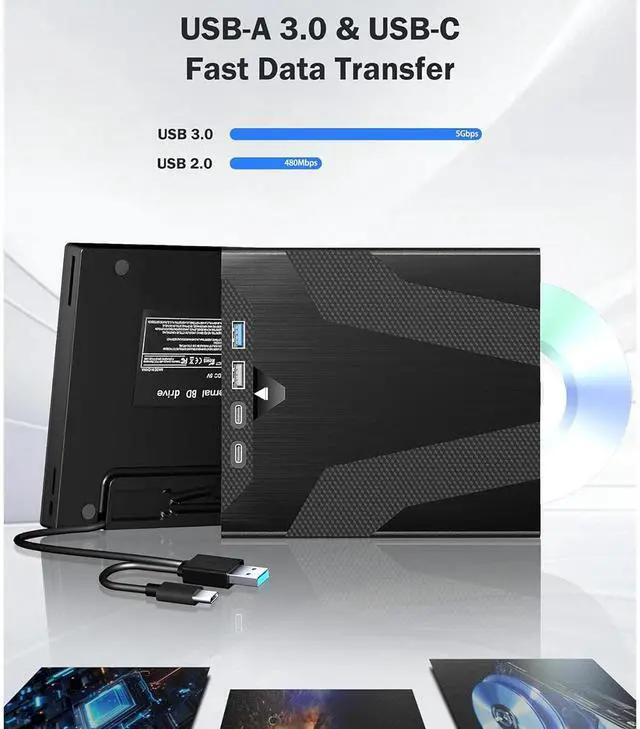
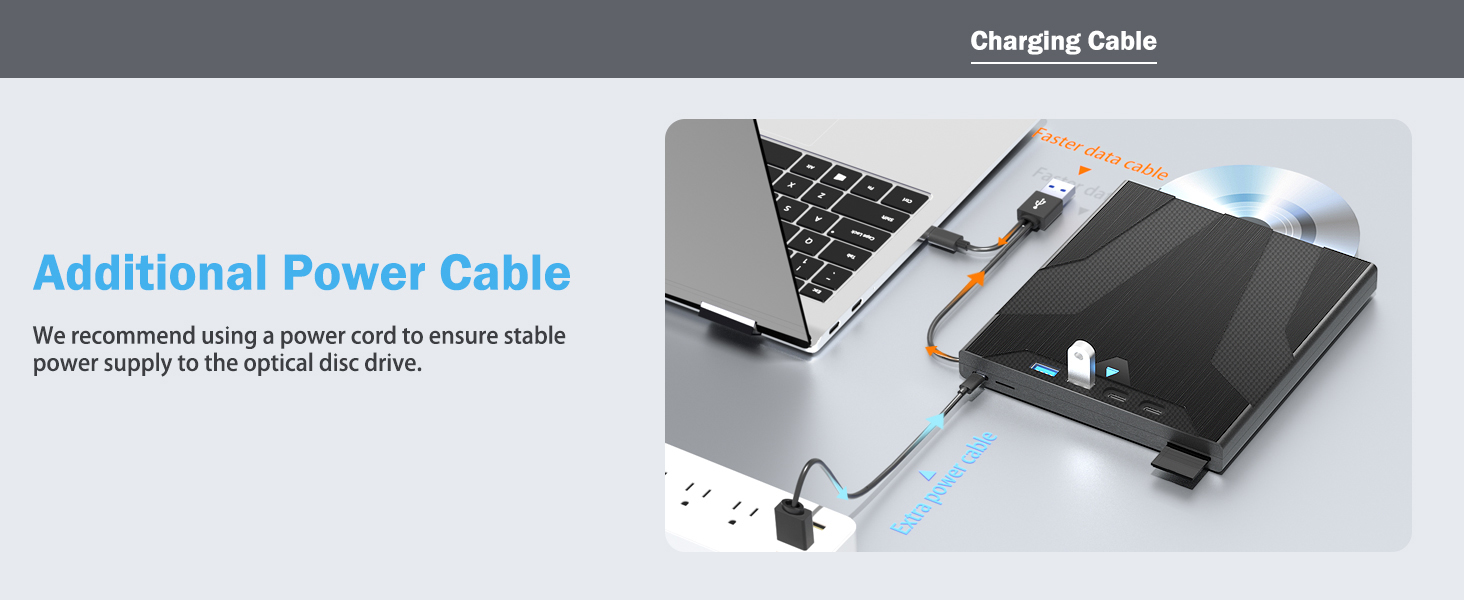
    • [USB3.0/ Type-C Data Cable & Additional Power Cable] Comes with a hidden USB 3.0 and Type-C computer data transfer cable. The transmission speed is up to 5GBPS, which is 6x faster than traditional USB 2.0.
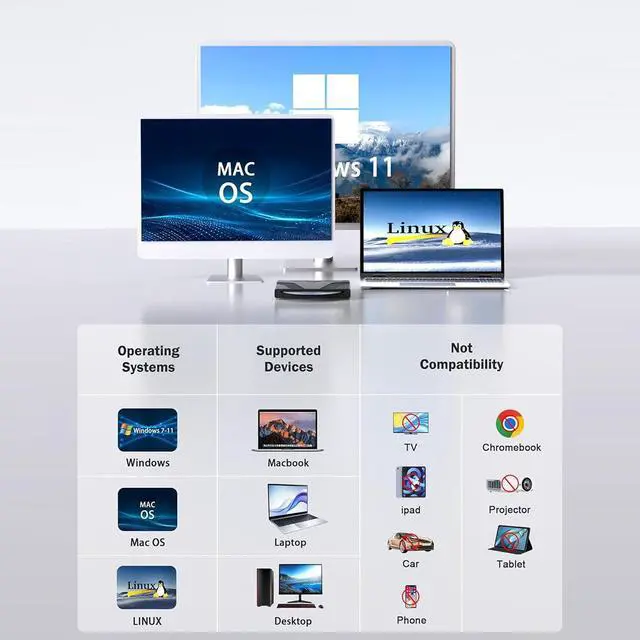
    • [Widely Compatible] The bluray drive compatible with Windows 11/10/8/7 and Mac OS. (Please note that it does NOT play 4K Ultra HD Discs,and NOT support TVs,Chromebook,tablets,smartphones and projectors.)
    +
    +
    Overview
    Specs
    Reviews
    External Blu Ray Drive for Laptops, 7-in-1 USB 3.0 Type-C Blu ray CD DVD Drive with 4 USB & SD/TF Sl
    One Suction Disc Inlet & Six Expandable Interfaces


    7-in-1 External Blu ray drive adopts a suction type design, which can be plugged in and quickly read by the computer, minimizing the wear and tear of your disc to the greatest extent possible.The top design features a manual pop-up button, it is easy to operate. This blue ray/dvd/cd player offers versatile features.( It has 1 SD card slot, 1 TF card slot, 1 USB 3.0 port,1 USB 2.0 port and 2 Type-C ports for data transfer.)

    7-in-1 External Blu ray drive adopts a suction type design, which can be plugged in and quickly read


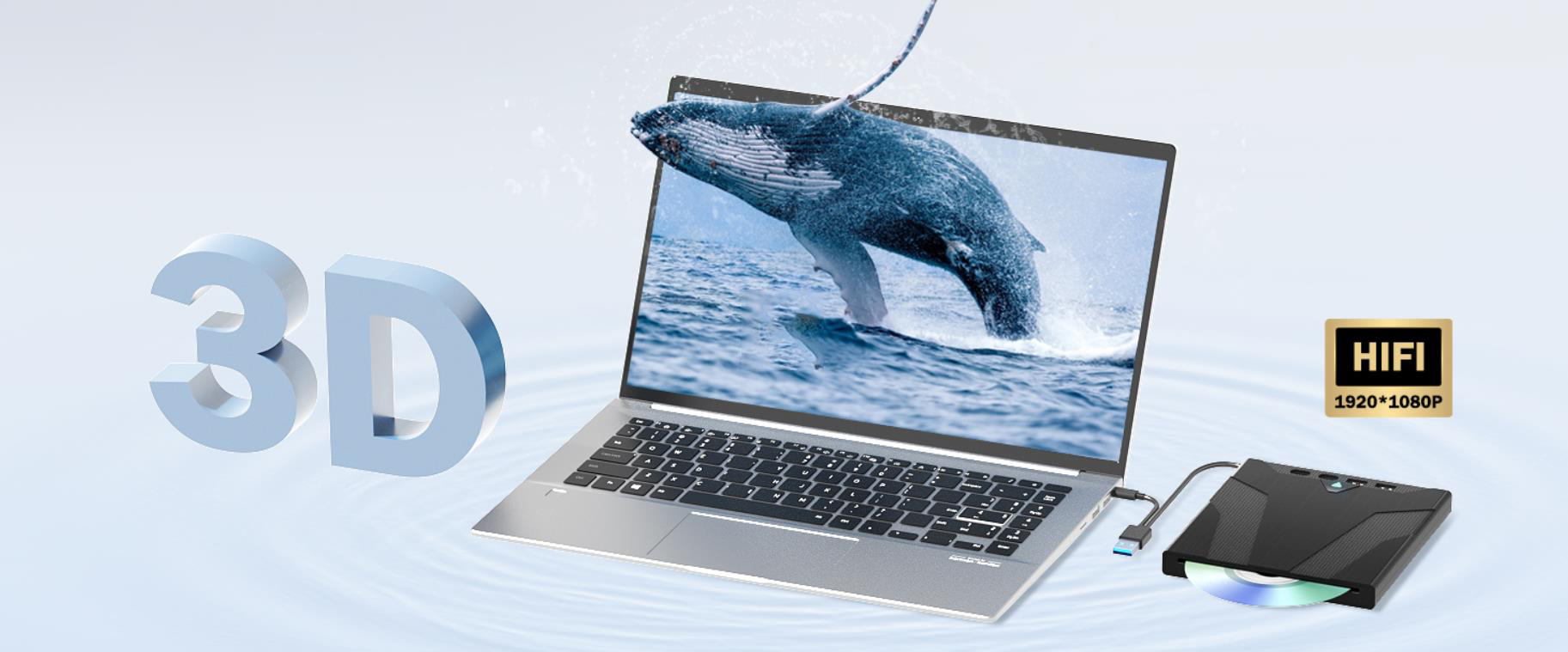
    This external bluray/dvd drive supports 3D playback and offers near 4K quality clarity. 


    (Please note that it does NOT play 4K Ultra HD Discs,and NOT support TVs,Chromebook,tablets,smartphones and projectors. *Some computers do not support Blu ray format, you can download the "Cyberlink BD&3D Advisor" tool to test compatibility. )
    Please note that it does NOT play 4K Ultra HD Discs,and NOT support TVs,Chromebook,tablets,smartphon
    Please note that it does NOT play 4K Ultra HD Discs,and NOT support TVs,Chromebook,tablets,smartphon
    Please note that it does NOT play 4K Ultra HD Discs,and NOT support TVs,Chromebook,tablets,smartphon
    Please note that it does NOT play 4K Ultra HD Discs,and NOT support TVs,Chromebook,tablets,smartphon
    Expansion interface

    This 7-in-1 multifunction optical drive has an SD card slot, a TF card slot, a USB 3.0 port, a USB 2.0 port, and two Type-C ports for data transfer.

    Expansion interface
    USB 3.0 & Type-C data cable

    The USB 3.0 can achieve a transfer speed of 5Gbit/s,but its actual speed ranges from 350 to 450 MB/s,which is about 10 times faster than USB2.0.

    USB 3.0 & Type-C data cable
    Stabilised movement

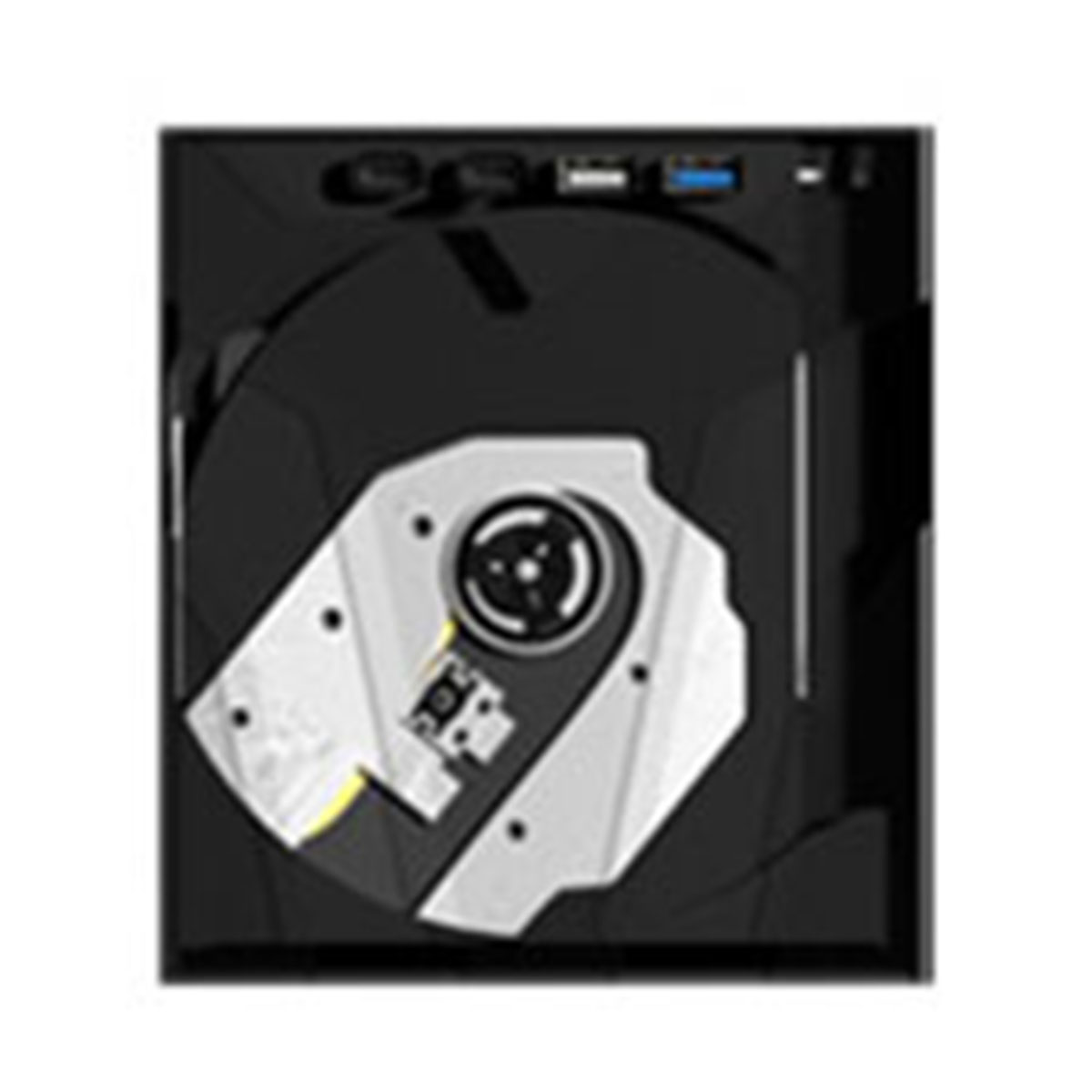
    The Max. Read and Write Speed of CD is up to 24X, DVD is up to 8X. The Max. Read Speed of BD is up to 6X. (This optical drive can NOT burn BD discs.)

    Usage Diagram

    Usage Diagram
    Step 1-2


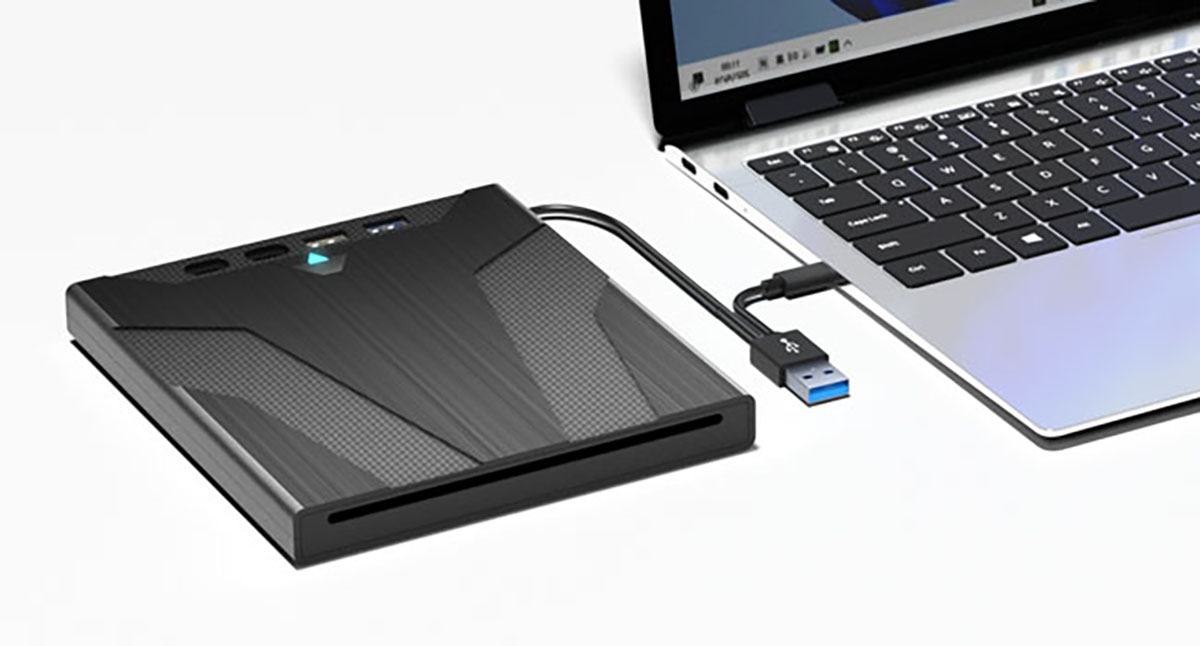
    1. Plug the USB connector into your computer's USB port instead of a USB hub, and it will recognize the drive and show the "BD-RE/ROM" folder.

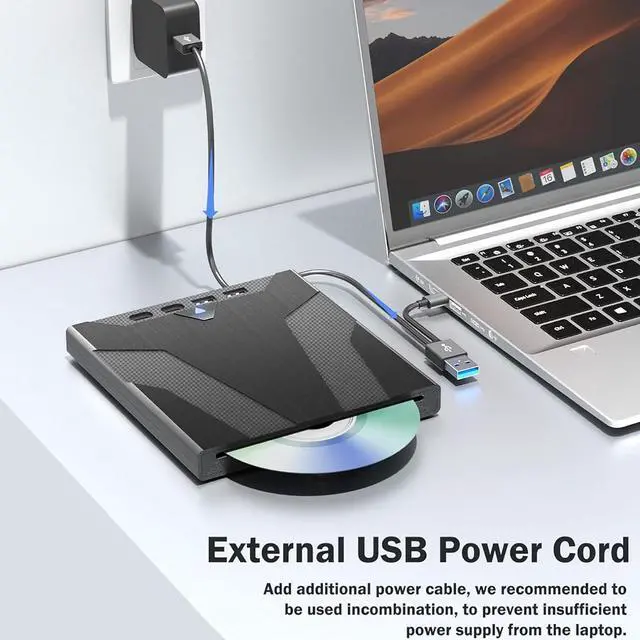
    (Suggest using it with the power cable.)

    2. Set the region code to Number 1 to play US or CA DVDs. The operating steps are on the last page of the manual.

    Step 1-2
    Step 3-4


    3. Insert your CDs or DVDs, and use a media software.

    If playing Blu ray dvd, it is necessary to download Blu ray playback software in advance.

    (For Windows, such as PowerDVD etc. For Mac OS, such as Macgo Blu ray Player,etc.)

    4. Pop up the disc. (Right click the folder and select the eject option)

    Step 3-4
    Step 3-4
    Step 3-4

    Troubleshooting Steps

    If your cannot use this CD/DVD drive, please try the following suggestions:

    1. Pls check if the optical drive is being recognizes by your computer.

    [For Windows OS] You can see the DVD RW icon in Windows Explorer. Use the data cables on the back (bottom) of the optical drive to connect your computer's USB port or desktop computer host. Do not connect USB extension hub.

    [For Mac OS] The Mac OS computer will not display the device icon until the disc is placed in the optical drive and the disc is read successfully.

    2. Pls check the Device Manager: If the optical drive displays a yellow exclamation mark or question mark, there may be a driver issue. You need to right-click and select 'Update Driver', or uninstall the driver and restart the computer, then connect the optical drive, and the system will reinstall the driver automatically.

    3. Pls check the BIOS settings: Enter the computer's BIOS settings interface to see if the optical drive is disabled. If it is disabled, enable it.

    4. Pls ensure that the optical drive is clean: As any dirt may prevent it from functioning correctly. It is recommended that a professional optical drive cleaner or cotton swab be used to gently clean the read-write head of the optical drive.

    5. Unable to eject disc: Please right-click on the "BD-R" folder, select the "Eject" option, wait a few seconds for recognition, and the disc will automatically eject.

    7-in-1 External Blu ray drive adopts a suction type design, which can be plugged in and quickly read by the computer, minimizing the wear and tear of your disc to the greatest extent possible. The top design features a manual pop-up button, it is easy to operate. This blue ray/dvd/cd player offers versatile features. ( It has 1 SD card slot, 1 TF card slot, 1 USB 3.0 port, 1 USB 2.0 port and 2 Type-C ports for data transfer. )


    This external blueray/dvd drive for pc has strong reading and storage capabilities, capable of reading 50G Blu ray disc/DVD/CD and burning DVD/CD. The read speed of this blu ray burner is up to 6 times, DVD is up to 8 times, and CD is up to 24 times. (Note: This product does NOT include playback software, which must be purchased separately. We recommend using professional Blu ray software like PowerDVD and Macgo Blu ray Player. )

    This blu ray dvd drive comes with a hidden USB 3.0 and Type-C computer data transfer cable. The transmission speed is up to 5GBPS, which is 6 times faster than traditional USB 2.0 interfaces. In additional, we provide an USB-C Power Cable. The 5V USB power cable can be connected to adapter to ensure stable performance, even in cases of power insufficiency, making it suitable for extended use.


    This external bluray/dvd drive supports 3D playback and offers near 4K quality clarity. And the bluray drive compatible with Laptop/MacBook Pro/MacBook Air/PC, and running in Windows 11/10/8/7 and Mac OS. (Please note that it does NOT play 4K Ultra HD Discs, and NOT support TVs, Chromebook, tablets, smartphones and projectors. *Some computers do not support Blu ray format, you can download the "Cyberlink BD&3D Advisor" tool to test compatibility. )
    Warranty & Returns

    Warranty, Returns, And Additional Information

    Warranty

    • Please contact the Seller directly for warranty information. Warranty information may also be found on the Manufacturer's website.
    • CONTACT

    Return Policies

    Manufacturer Contact Info

    LOADING...