• $32.38
  • Free 30-day Returns
Volume Discounts Available
  • $31.38 ea.
  • $30.38 ea.
  • $29.38 ea.
Ships from China.
Price alert
Shop it at NeweggBusiness.

Meet Your Seller

AUTYUE External CD DVD Drive for Laptop, USB 3.0 & Type C Portable CD DVD Drive Player Reader Writter Burner, CD/DVD Optical Drive for PC Desktop, Compatible with Windows 7 8 10 11 XP,Linux,Mac OS

  • [High Speed] The external dvd player has a fast reading and recording speed. It can read DVDs at up to 8x, and CDs at up to 24x. It also supports burning capabilities for4.7G and 700M CDs and DVDs. This drive offers higher stability, faster reaction times, stable performance, and strong fault tolerance.
  • [Plug And Play] It is powered by one USB cable and has an eject button on the body. To use, simply press the eject button and insert the disc into the drive, then plug the external DVD drive into your computer's USB interface.(Note:For MAC OS,you can NOT eject the disc tray by the button)
  • [Wide Application] External cd drive support reading and writing of CD±R/RW, CD-ROM, DVD±R/RW, DVD-RAM, VCD, and SVCD. This cd rom external drive is widedly compatible with the Windows XP 7 8 10 11,Linux and Mac OS.
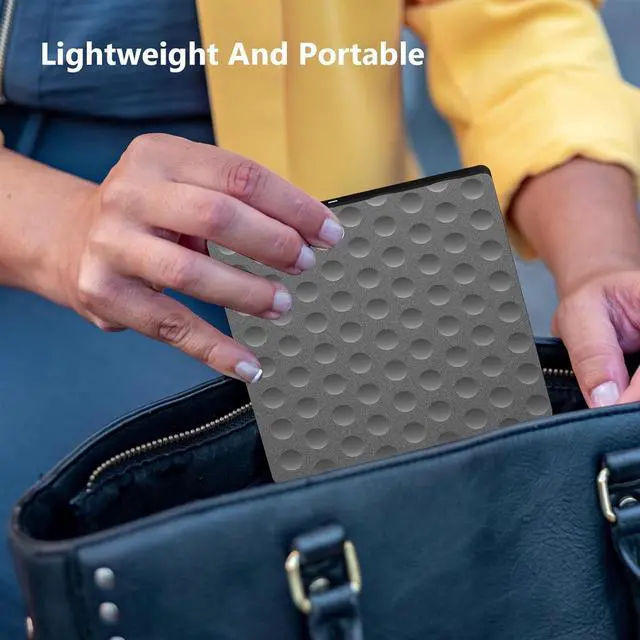
  • [Slim&Portable] The CD burner has the advantages of light weight(14.81oz) and small size(6.49*5.7*0.8inch,which allow you use this external optical drive at home,office or on the travelling
+
+
Overview
Specs
Reviews
The external dvd player has a fast reading and recording speed. It can read DVDs at up to 8x, and CDs at up to 24x. It also supports burning capabilities for 4.7G and 700M CDs and DVDs. Transferring your family photos, wedding video, classic music, movie and medical records from cd divd to your hard drive without waiting time. This drive offers higher stability, faster reaction times, stable performance, and strong fault tolerance, all of which combine to offer users an excellent experience.


Plug and Play, no driver and external power needed. It is powered by one USB cable and has an eject button on the body. To use, simply press the eject button and insert the disc into the drive, then plug the external DVD drive into your computer's
USB interface. (Note: For MAC OS, you can NOT eject the disc tray by the button, you NEED eject by your computer mouse, right click on the icon, then choose the eject button on the menu)The built-in cable is in underneath, easy to organize and use.

Warranty & Returns

Warranty, Returns, And Additional Information

Warranty

  • Please contact the Seller directly for warranty information. Warranty information may also be found on the Manufacturer's website.
  • CONTACT

Return Policies

  • Return for refund within: 30 days
  • Return for replacement within: 60 days
  • This item is covered by Goldendisk Return Policy

Manufacturer Contact Info

LOADING...