shippingWe‘re shipping as usual! The Canada Post strike only affects certain remote deliveries and PO Boxes. Details
shipping Holiday Shipping Details & Extended Holiday Returns
  • $127.40
  • Free 30-day Returns
  • Volume Discounts Available
    • $126.40 ea.
    • $125.40 ea.
    • $124.40 ea.
    Ships from China.
    Price alert
    Shop it at NeweggBusiness.

    Meet Your Seller

    AUTYUE KVM Switch 2 Computers 2 Monitors, HDMI Dual Monitor Switcher 4K 60Hz 2 in 2 Out, USB 3.0 KVM Switch 2 Computers Share 1 Set of Keyboard Mouse Printer and Scanner Support Extended & Mirro Mode

    • HDMI KVM Switch 2 PC 2 Monitors: By distributing HDMI1 and HDMI2 input ports on the upper and lower layers, it optimizes vertical space allocation, keeping your desktop tidy while significantly enhancing work efficiency.
    • With Streamlined Output Logic: Emphasizing an intuitive design, the KVM switch ensures seamless connectivity: HDMI1 input corresponds directly to OUT1 output, while HDMI2 input aligns with OUT2 output, simplifying setup and optimizing workflow efficiency.
    • Support Extended & Copy Mode: Elevate your multitasking capabilities with Extended Mode and Copy Mode features. Extended Mode expands your desktop across multiple screens, providing ample workspace for efficient multitasking, while Copy Mode duplicates content on all connected displays.
    • High-Speed 4 USB3.0 Connectivity: Featuring 4 USB3.0 output ports, effortlessly transfer data, images, and files between your connected devices.
    • Two Switching Way:The Switch supports panel button and external wire controller switching.
    +
    +
    Overview
    Specs
    Reviews
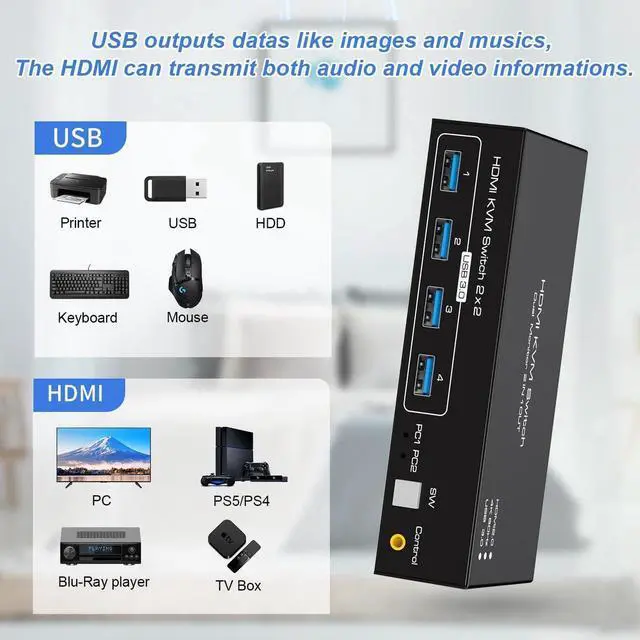
    1) The USB ports are only used for transferring data such as images and musics. The HDMI ports can transmit both audio and video informations.

    2) If the HDMI source is input from HDMI1, it needs to be output from the OUT1. If the HDMI source is input from HDMI2, then it needs to be output from the OUT2.

    3) When switching between two computers, the display will go black for a few seconds.


    4) It supports both extended and mirrored modes, but the computer itself needs to support these two modes. Our KVM switch can only be used for signal transmission and cannot alter information.

    5) When using the HDMI KVM Switch, please connect it to the included power supply for optimal stability.

    6) If you want to output 2 monitors simultaneously, 2 HDMI ports of one HDMI source computer must be connected. Specifically, HDMI 1 and HDMI 2 of PC1 IN should be connected at the same time, and OUT1 and OUT2 of the output ends should also be connected simultaneously. OUT1 display the video from HDMI 1, and OUT 2 will display the video from HDMI 2.

    Warranty & Returns

    Warranty, Returns, And Additional Information

    Warranty

    • Please contact the Seller directly for warranty information. Warranty information may also be found on the Manufacturer's website.
    • CONTACT

    Return Policies

    • Return for refund within: 30 days
    • Return for replacement within: 60 days
    • This item is covered by Goldendisk Return Policy

    Manufacturer Contact Info

    LOADING...