[Product Specifications]
- Interface: Standard USB 3.0 (Backward compatible with USB 2.0 )
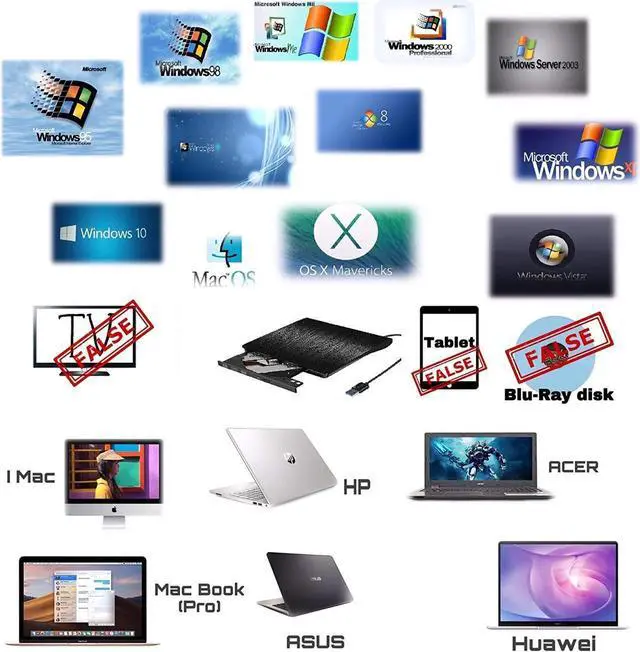
- Compatible Operation Systems: Windows98/SE/ME/2000/XP/VISTA/Win7/Win 8/Mac OS 8.6 and More
- Compatible with: PC, Laptop, Comprehensive Computer, Internet PC hard disk reader
- Supportive Installing Systems: XP, Win 7, Win 8
- Reading Speed: DVD-ROM 8X; CD-ROM 24X
- Writing Speed: DVD-R, DVD+R 8X; DVD-RW 4X; CD-R 24X
- Supportive Disk Format: 12cm
- Net Weight: 300G
- Dimensions: 14*14* 1.2 cm
[Main Features]
- Fully Plug & Play, easy to install and use
- USB 3.0 CD drive provide faster data transfer speed, up to 5Gbps.
- Ultra Slim and Light Weight, Classic Appearance Designed.
- Embedded Cable Design, convenient for carry
- Brand New Import Chip, Power Ability to Correct Errors, Shockproof, Low Level Noise
[Introductions]
1. This product is a data line interface properly to USB port of the computer, the computer display lower corner should opera device icon.
2. Click on the desktop, open the "my computer", in the mobile storage device should display the drive icon.
3. Click on this icon button, select the "pop" in the tray into the appropriate disk read
4. Do not place the drive close to any magnetic object.
5. To ensure normal running, please place the drive on flat desktop, do not place the drive under any pressure.


 We‘re shipping as usual! The Canada Post strike only affects certain remote deliveries and PO Boxes. Details
 Holiday Shipping Details & Extended Holiday Returns
