
Your Browsing History
- Free 15-day Returns
$30.99
Ships from China.

Best Sellers
- $49.57
- + FREE SHIPPING

Meet Your Seller


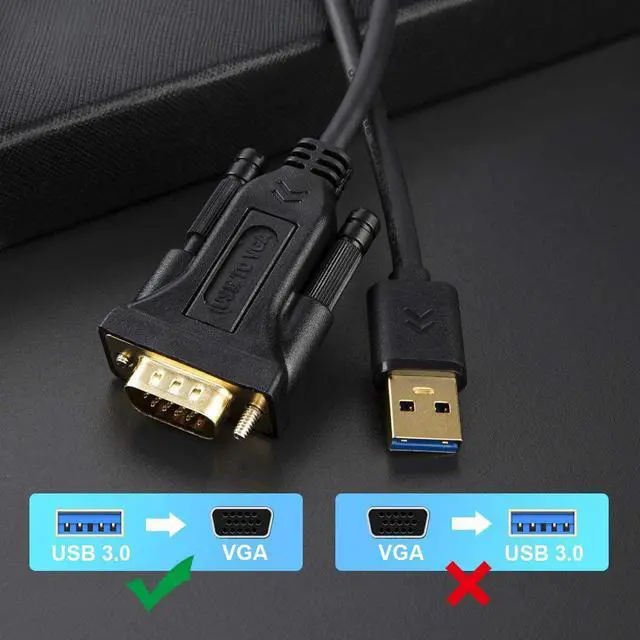
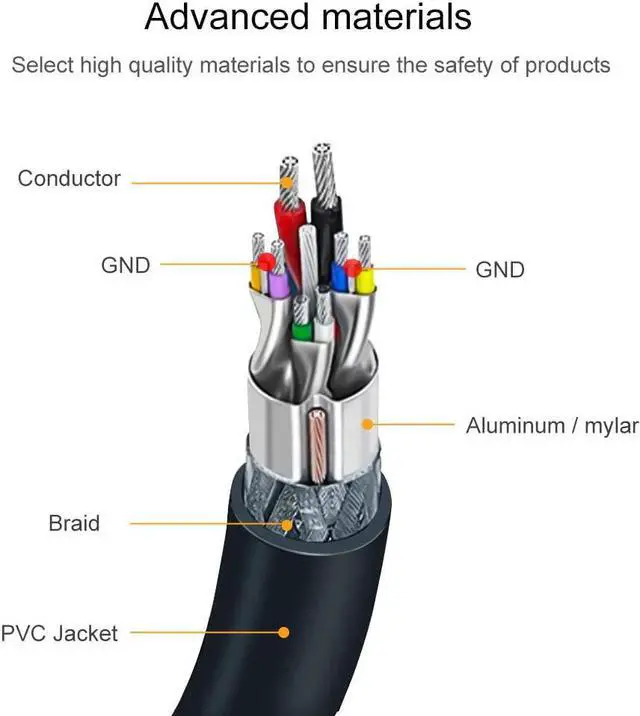


USB 3.0 to VGA Cable 10 Feet (FL2000DX Chip), CableCreation USB to VGA Adapter Cord 1080P @ 60Hz, External Video Card, Only Support Windows 10 / 8.1/ 8 / 7 (NO XP / Vista / Mac OS X ), Black
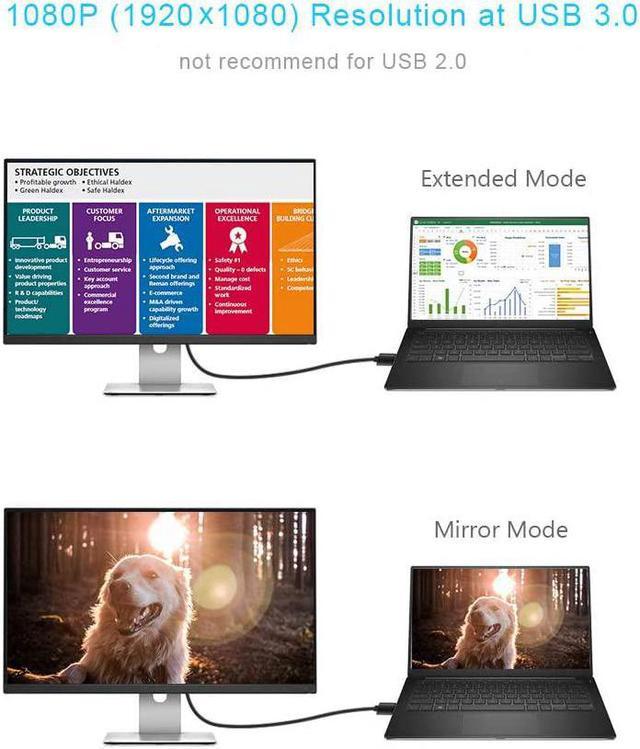
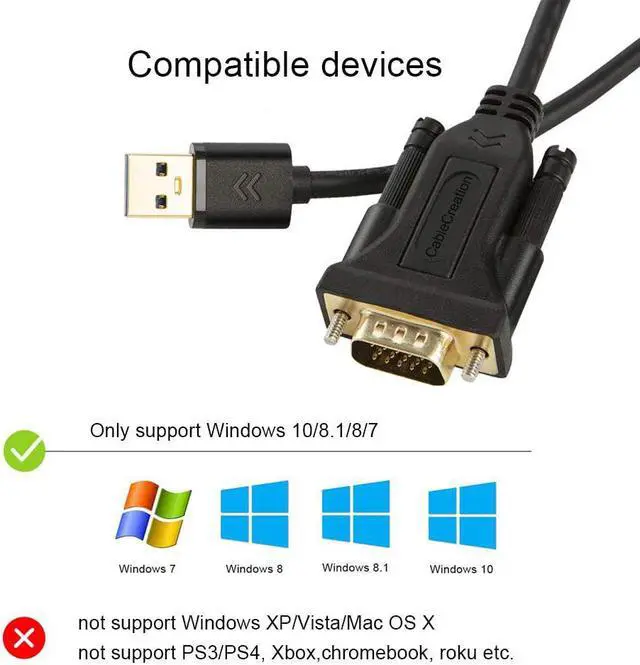
- ?COMPATIBILITYDisplay the image or video at Extended, Mirror and Clone mode; ONLY SUPPORT operating system as Windows 10 (32bit & 64bit), Windows 8.1 / 8 (32bit & 64bit), Windows 7; NOT support macOS / Mac OS X, Linux, Windows Vista /XP, Android, PS3, PS4, Xbox, Chromebook, Roku etc.
+
+
Overview
Specs
Reviews
?COMPATIBILITYDisplay the image or video at Extended, Mirror and Clone mode; ONLY SUPPORT operating system as Windows 10 (32bit & 64bit), Windows 8.1 / 8 (32bit & 64bit), Windows 7; NOT support macOS / Mac OS X, Linux, Windows Vista /XP, Android, PS3, PS4, Xbox, Chromebook, Roku etc.
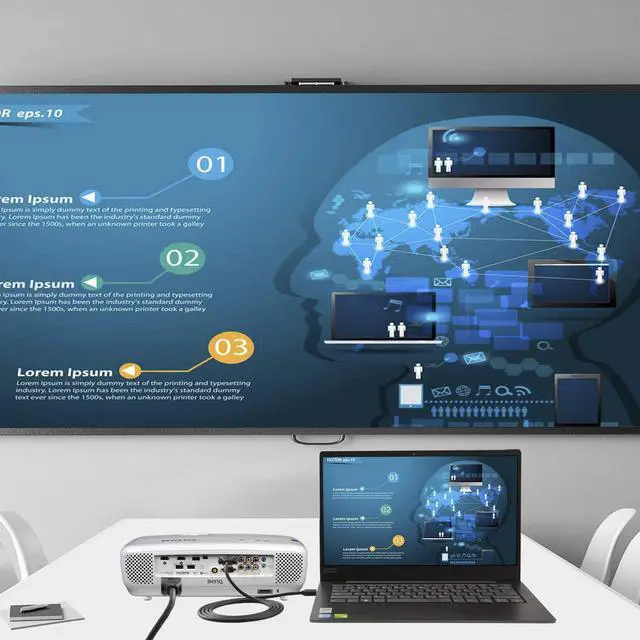
?CONNECTIVITYONLY Connect to USB 3.0 port to get best performance. Gold-plated USB3.0 to VGA adapter cable supports USB 3.0 input and VGA output, provides a solution to connect your USB computer to a large-screen monitor, projector and HDTV; completely external device saves you the cost and hassle of upgrading the internal graphics card.
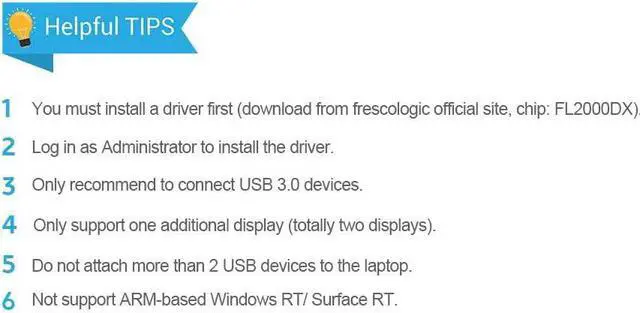
?KINDLY NOTES1. Install a driver first (download from frescologic official site, chip: FL2000DX or at cablecreation website), user your Administrator's permission to install the driver.; 2. You can download the Users Guide on the technical specification of this page.
? HIGH PERFORMANCEBuilt-in with FL2000DX chip for stable performance and long life; supports high resolution up to 1920x1080@60Hz (1080P) over USB 3.0 (not recommend for USB 2.0), max working current: 300MA, transmission speed: 5.0Gbps.
? How to solve the problem if there is a lag of image on the screen ? 1. Connect a USB mouse and reboot the computer; 2. Remember to plug into the USB 3.0 port; 3. Do not attach too many USB peripheral to the laptop. Please feel free to contact us if any issue during the usage.
?CONNECTIVITYONLY Connect to USB 3.0 port to get best performance. Gold-plated USB3.0 to VGA adapter cable supports USB 3.0 input and VGA output, provides a solution to connect your USB computer to a large-screen monitor, projector and HDTV; completely external device saves you the cost and hassle of upgrading the internal graphics card.
?KINDLY NOTES1. Install a driver first (download from frescologic official site, chip: FL2000DX or at cablecreation website), user your Administrator's permission to install the driver.; 2. You can download the Users Guide on the technical specification of this page.
? HIGH PERFORMANCEBuilt-in with FL2000DX chip for stable performance and long life; supports high resolution up to 1920x1080@60Hz (1080P) over USB 3.0 (not recommend for USB 2.0), max working current: 300MA, transmission speed: 5.0Gbps.
? How to solve the problem if there is a lag of image on the screen ? 1. Connect a USB mouse and reboot the computer; 2. Remember to plug into the USB 3.0 port; 3. Do not attach too many USB peripheral to the laptop. Please feel free to contact us if any issue during the usage.
Warranty & Returns
Warranty, Returns, And Additional Information
Warranty
- Please contact the Seller directly for warranty information. Warranty information may also be found on the Manufacturer's website.
- CONTACT
Return Policies
- Return for refund within: 15 days
- Return for replacement within: 30 days
- This item is covered by Superior Quality Return Policy
Manufacturer Contact Info
- For a directory of all our manufacturers, please click below.
- Manufacturers Directory
LOADING...
LOADING...