


- Free 30-day Returns
$89.96
Ships from China.

Meet Your Seller

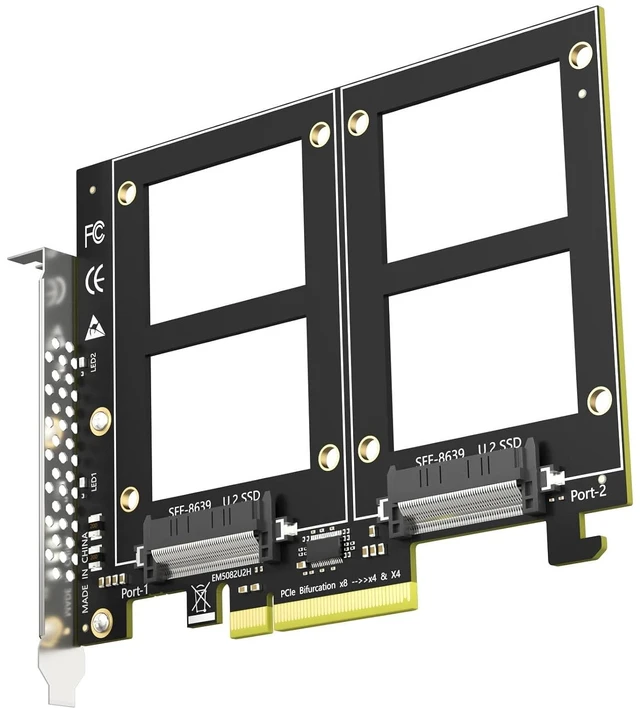


PU21 Dual U.2 SFF-8639 SSD to PCIe 3.0 X8, Bifurcation Required
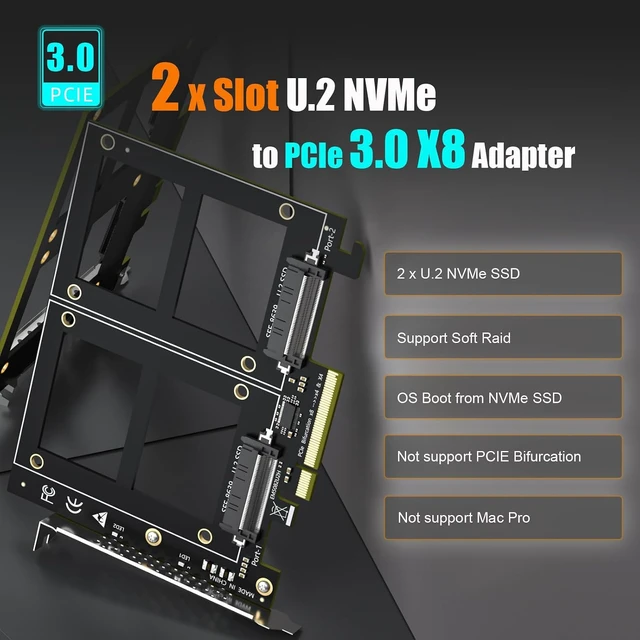
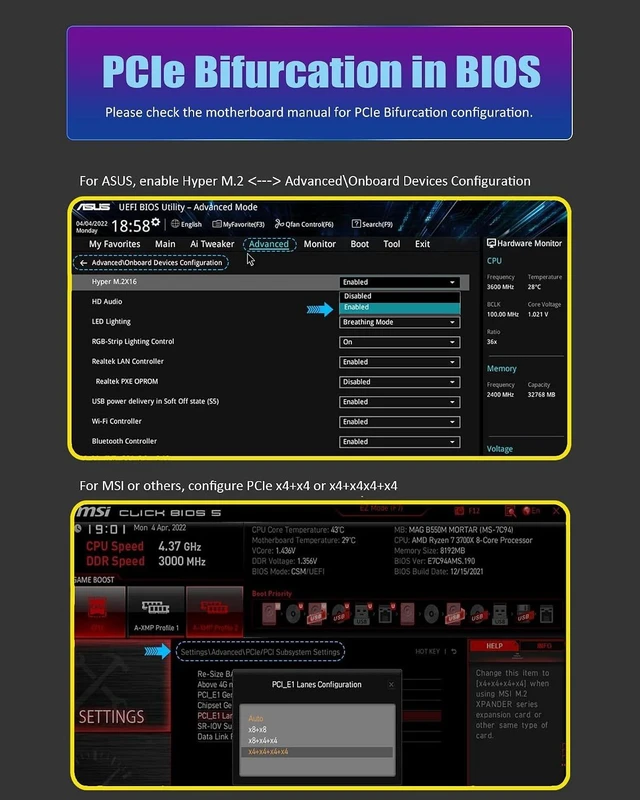
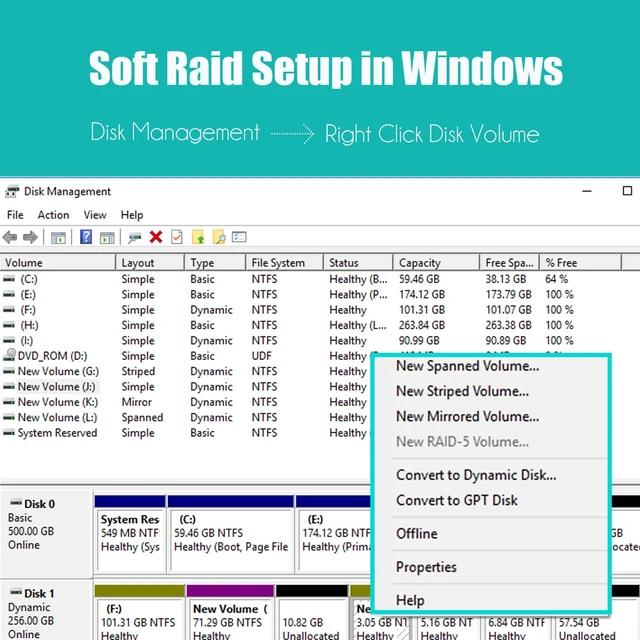
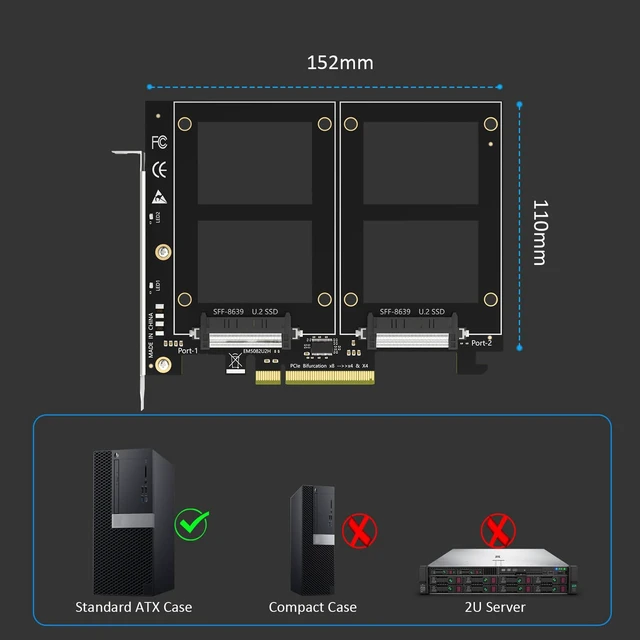
- Add up to two 2.5" U.2 (SFF-8639) NVMe SSDs to a single PCIe 3.0 x8 slot and run both at the same time - a clean way to put a pair of enterprise U.2 drives to work in a workstation, NAS build or home server.; CHECK BEFORE ORDERING: this card carries no onboard switch, so your motherboard must support PCIe x8 bifurcation - enable X4X4 in BIOS. Without bifurcation only one drive is detected. Not compatible with Mac Pro.; PCIe 3.0 x8 delivers up to 64Gbps of total bandwidth shared by both drives. With no onboard switch chip there are fewer active components, less heat and fewer failure points than on switch-based cards. Fully backward compatible with PCIe 2.0 U.2 drives.; Build RAID 0 / RAID 1 across the two drives with Windows Disk Management or Linux mdadm, and boot from a U.2 drive after reinstalling the OS and setting BIOS/UEFI (some legacy boards support data-disk use only).; Rated for enterprise-class U.2 SSDs with no capacity limit (4TB/6TB and above). New drives need initialization and formatting. Backed by GLOTRENDS lifetime technical support.
+
+
Overview
Specs
Reviews
Add up to two 2.5" U. 2 (SFF-8639) NVMe SSDs to a single PCIe 3.0 x8 slot and run both at the same time - a clean way to put a pair of enterprise U. 2 drives to work in a workstation, NAS build or home server.;
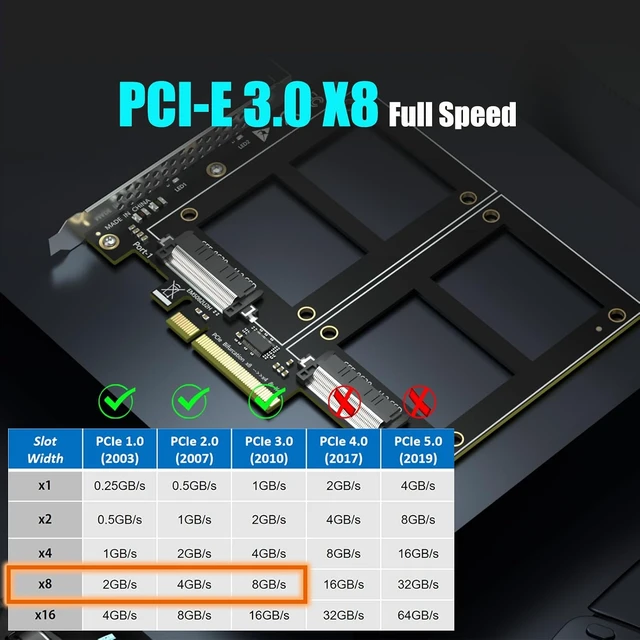
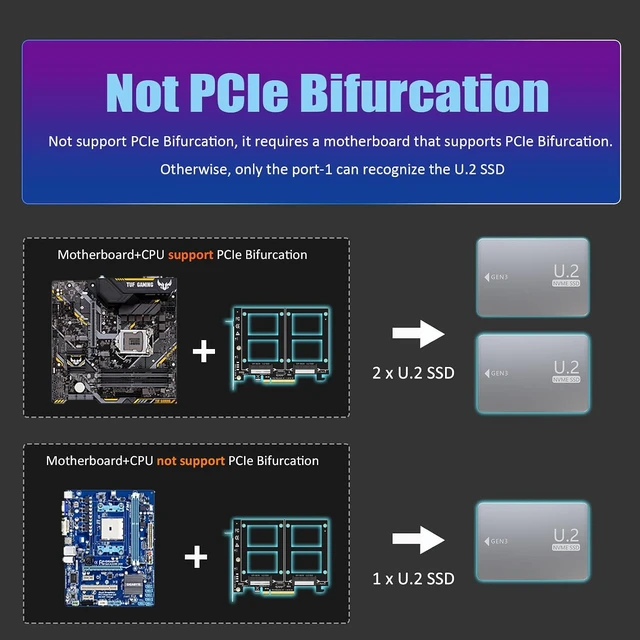
CHECK BEFORE ORDERING: this card carries no onboard switch, so your motherboard must support PCIe x8 bifurcation - enable X4X4 in BIOS. Without bifurcation only one drive is detected. Not compatible with Mac Pro.; PCIe 3.0 x8 delivers up to 64Gbps of total bandwidth shared by both drives. With no onboard switch chip there are fewer active components, less heat and fewer failure points than on switch-based cards. Fully backward compatible with PCIe 2.0 U. 2 drives.; Build RAID 0 / RAID 1 across the two drives with Windows Disk Management or Linux mdadm, and boot from a U. 2 drive after reinstalling the OS and setting BIOS/UEFI (some legacy boards support data-disk use only).; Rated for enterprise-class U. 2 SSDs with no capacity limit (4TB/6TB and above). New drives need initialization and formatting. Backed by GLOTRENDS lifetime technical support.
CHECK BEFORE ORDERING: this card carries no onboard switch, so your motherboard must support PCIe x8 bifurcation - enable X4X4 in BIOS. Without bifurcation only one drive is detected. Not compatible with Mac Pro.; PCIe 3.0 x8 delivers up to 64Gbps of total bandwidth shared by both drives. With no onboard switch chip there are fewer active components, less heat and fewer failure points than on switch-based cards. Fully backward compatible with PCIe 2.0 U. 2 drives.; Build RAID 0 / RAID 1 across the two drives with Windows Disk Management or Linux mdadm, and boot from a U. 2 drive after reinstalling the OS and setting BIOS/UEFI (some legacy boards support data-disk use only).; Rated for enterprise-class U. 2 SSDs with no capacity limit (4TB/6TB and above). New drives need initialization and formatting. Backed by GLOTRENDS lifetime technical support.
Warranty & Returns
Warranty, Returns, And Additional Information
Warranty
- Please contact the Seller directly for warranty information. Warranty information may also be found on the Manufacturer's website.
- CONTACT
Return Policies
- Return for refund within: 30 days
- Return for replacement within: 90 days
- This item is covered by VoltSync Return Policy
Manufacturer Contact Info
- For a directory of all our manufacturers, please click below.
- Manufacturers Directory
LOADING...