shippingWe‘re shipping as usual! The Canada Post strike only affects certain remote deliveries and PO Boxes. Details
shipping Holiday Shipping Details & Extended Holiday Returns

  • $15.54
  • Free 30-day Returns
Price alert
Shop it at NeweggBusiness.

Meet Your Seller

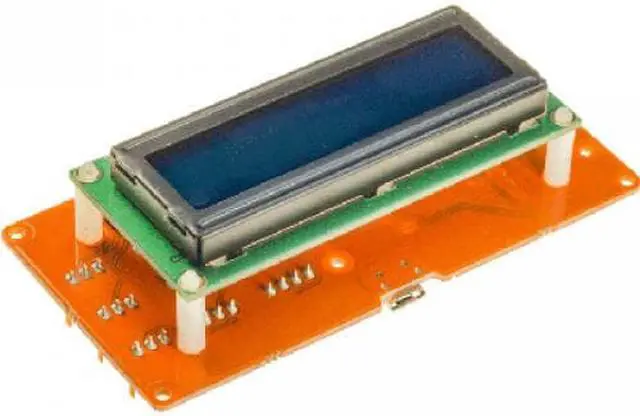
111518 - TINKERKIT LCD MODULE

  • plugged to a TinkerKit shield like any other TinkerKit module
  • standalone directly connected to the USB port of your computer
  • the fourconnectors wire connected to the SERIAL port on the TK Shield 
  • a USB cable if it is standalone
  • use TKLCD_Serial lcd = TKLCD_Serial() if you connect it to the Serial of your TinkerKit Shield
  • use TKLCD_Local lcd = TKLCD_Local() if it is stand alone i.e connected to the USB port of your computer...
+
+
Overview
Specs
Reviews

The TinkerKit LCD module makes it really easy to write text on the screen in a few minutes. There are two unique ways to write to the screen:

  • plugged to a TinkerKit shield like any other TinkerKit module
  • standalone directly connected to the USB port of your computer
Features

The TinkerKit LCD module is equipped with its own microcontroller and run with its own library. Uploading the TKLCD code is just a matter of uploading a new sketch to the LCD using:

  • the fourconnectors wire connected to the SERIAL port on the TK Shield 
  • a USB cable if it is standalone

To upload LCD firmware go to Examples>TKLCD>Serial_firmware. Please note that the TinkerKit LCD will be recognize as an Arduino Leonardo board when you connect it to USB. You will need to load that code again if you want to have a fresh install of the LCD. Once uploaded you are ready to go and write your own program.

Please notice that the way you connect your LCD module is really important for declaring it in your code:

  • use TKLCD_Serial lcd = TKLCD_Serial() if you connect it to the Serial of your TinkerKit Shield
  • use TKLCD_Local lcd = TKLCD_Local() if it is stand alone i.e connected to the USB port of your computer

In both cases include the TKLCD LiquidCrystal and Wire libraries.

Warranty & Returns

Warranty, Returns, And Additional Information

Warranty

  • Please contact the Seller directly for warranty information. Warranty information may also be found on the Manufacturer's website.
  • CONTACT

Return Policies

Manufacturer Contact Info

LOADING...