

  • $458.99
  • Free 76-day Returns
  • Add to PC build list 
    Sold by Newegg

    Shipped by Newegg

    Price alert

    Best Sellers

    Top Rated
    4.7 (5,520 total ratings)
    • $529.99
    • + $27.99 Shipping
    Hot Seller
    4.5 (3,589 total ratings)
    • $567.44
    • + $46.79 Shipping
    4.3 (3,168 total ratings)
    • $687.35
    • + FREE SHIPPING
    Shop it at NeweggBusiness.
    Get Educated

    Make informed decisions with expert advice. Learn More

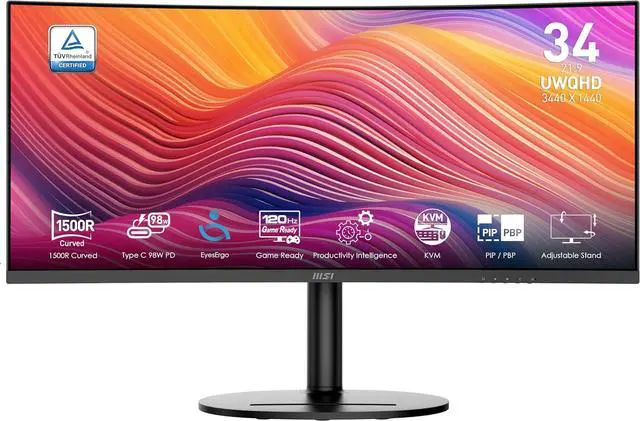
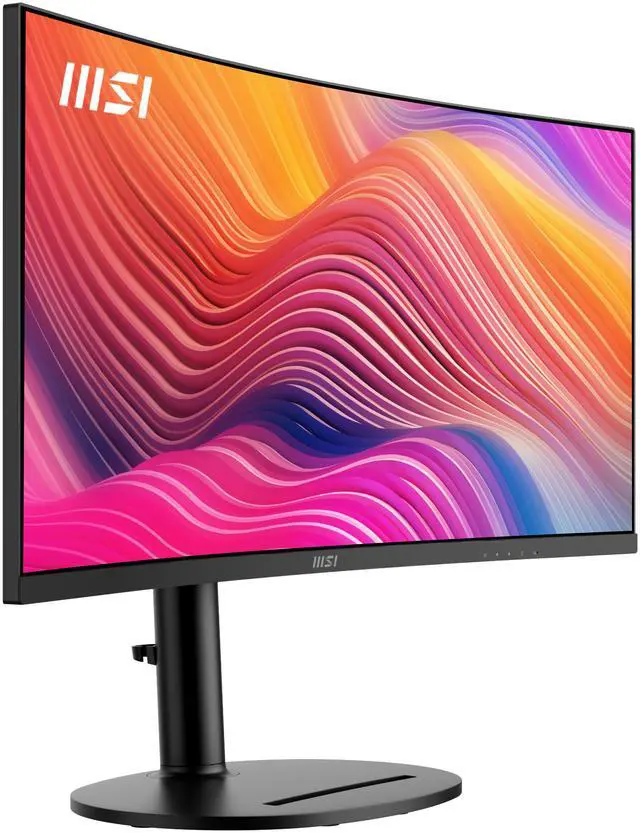
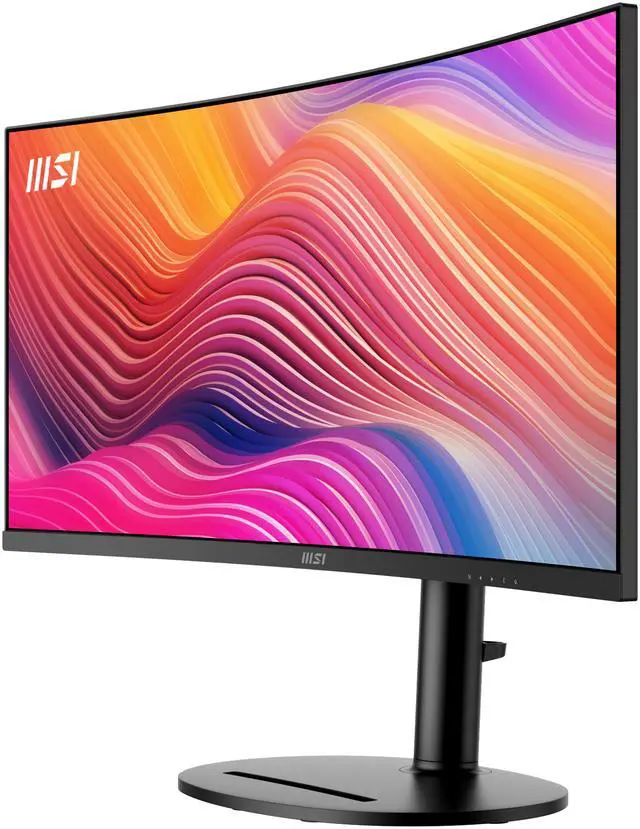
    MSI 34" 120 Hz VA UWQHD Monitor 1ms (MPRT) / 4ms (GTG) AMD FreeSync Premium Adobe RGB / DCI-P3 / sRGB: 92% / 95% / 119%, USB-C, Curved Modern MD342CQP

    • Matte Black
    • Matte White
    • 34"
    • VA UWQHD
    • 120Hz
    • Adaptive-Sync
    • 3500:1
    • 1.07 Billion
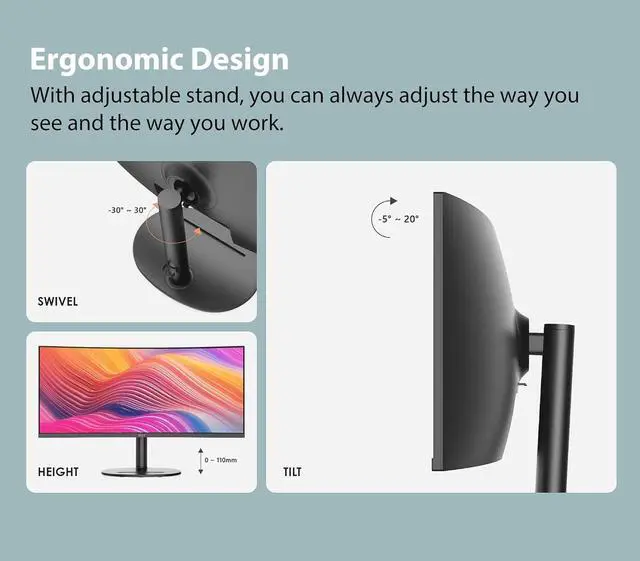
    • Tilt -5° ~ 20° Swivel -30° ~ 30° Height Adjustment 0 - 110 mm Pivot -5° ~ 5°
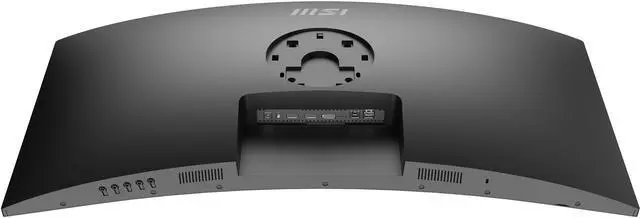
    • 2x HDMI (2.0b) 1x DisplayPort (1.4a) 1x Type C (DP Alternate) with 98W power delivery 1 x USB 3.2 Gen 1 Type-B / 2 x USB 3.2 Gen 1 Type-A
    • 1x DisplayPort 1.2a cable, 1x USB 3.2 Gen 1 Type B to Type A cable, 1x Power Adaptor, 1x Power Cord, 4x VESA Wall Mount Screws
    +
    +
    Overview
    Specs
    Reviews (4)
    MSI Curved Modern MD342CQP VA UWQHD Monitor

    Business Productivity Monitors

    Modern MD342CQP

    MSI Curved Modern MD342CQP VA UWQHD Monitor

    CRAFTED WITH ELEGANCE AND VIBRANCY

    The Modern Monitor seamlessly integrates sleek design with vivid performance, catering to those who value both aesthetics and functionality. Its elegant curves and vibrant display provide a superior visual experience, making it an ideal choice for your studio and media work.

    MSI Curved Modern MD342CQP VA UWQHD Monitor

    Fit in Any Corner of Your Home

    MSI Curved Modern MD342CQP VA UWQHD Monitor
    MSI Curved Modern MD342CQP VA UWQHD Monitor
    MSI Curved Modern MD342CQP VA UWQHD Monitor

    Immerse Yourself in Intuitivity, Convenient & Muti-Tasking

    Unleash Immersive Brilliance

    The 34” Monitor

    UWQHD (3440 x 1440) offers a wider, immersive view compared to FHD (1920 x 1080), enhancing detail and clarity for a superior visual experience.

    MSI Curved Modern MD342CQP VA UWQHD Monitor
    MSI Curved Modern MD342CQP VA UWQHD Monitor

    The 34” Monitor

    UWQHD (3440 x 1440) offers a wider, immersive view compared to FHD (1920 x 1080), enhancing detail and clarity for a superior visual experience.

    MSI Curved Modern MD342CQP VA UWQHD Monitor

    The 21:9 Aspect Ratio

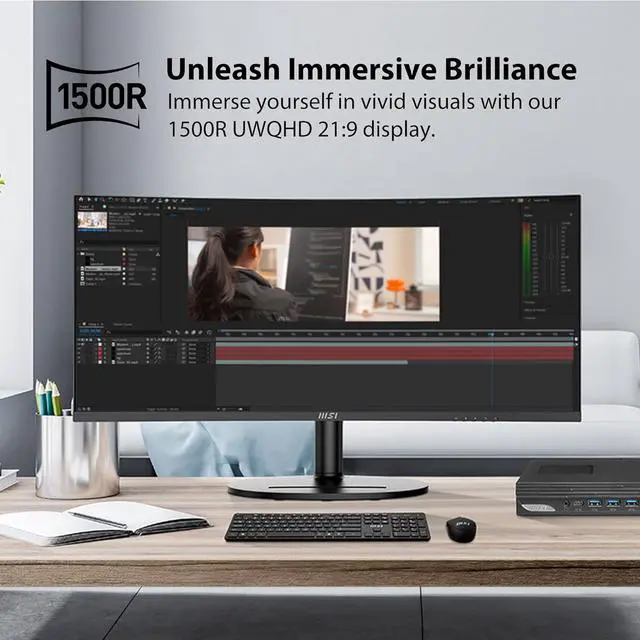
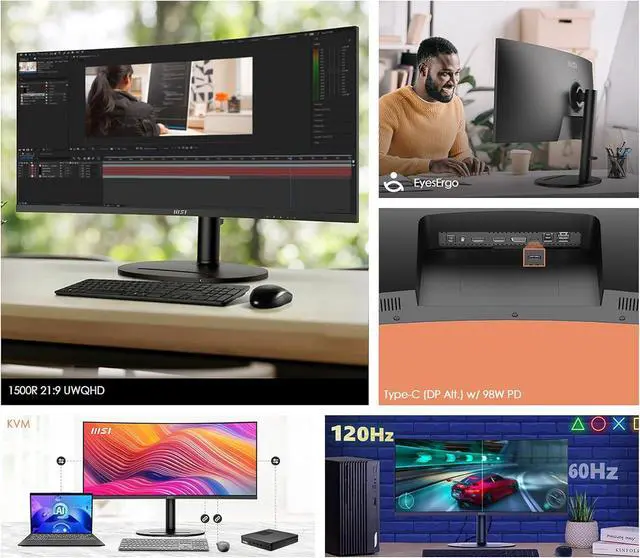
    Explore the exceptional with our 1500R UWQHD 21:9 display. Immerse yourself in vivid visuals and cinematic clarity, offering a wider perspective for an elevated viewing experience.

    Productivity Intelligence

    KVM

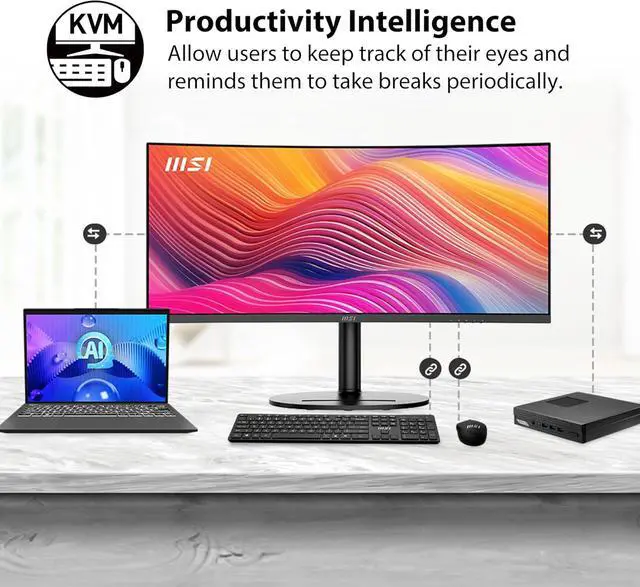
    The KVM function simplifies your workflow by allowing seamless device switching, reducing desk clutter, and enhancing productivity. It offers an efficient solution for managing multiple devices from one monitor.

    MSI Curved Modern MD342CQP VA UWQHD Monitor
    MSI Curved Modern MD342CQP VA UWQHD Monitor

    KVM

    The KVM function simplifies your workflow by allowing seamless device switching, reducing desk clutter, and enhancing productivity. It offers an efficient solution for managing multiple devices from one monitor.

    MSI Curved Modern MD342CQP VA UWQHD Monitor

    PIP/PBP

    Picture-in-Picture (PIP) and Picture-by-Picture (PBP) features boost productivity. PIP overlays a small window for multitasking, while PBP splits the screen to display different sources side-by-side for easy comparison.

    Type-C DP Alt. with 98W PD

    One cable for all and All in one. A Type-C port with DP Alt Mode and 98W Power Delivery supports high-resolution video and fast charging, simplifying connectivity and reducing cable clutter.

    MSI Curved Modern MD342CQP VA UWQHD Monitor
    MSI Curved Modern MD342CQP VA UWQHD Monitor

    Type-C DP Alt. with 98W PD

    One cable for all and All in one. A Type-C port with DP Alt Mode and 98W Power Delivery supports high-resolution video and fast charging, simplifying connectivity and reducing cable clutter.

    Visual Superiority for Entertainment

    MSI Curved Modern MD342CQP VA UWQHD Monitor

    Elevate Your Viewing & Ready for Gaming
    120Hz REFRESH RATE

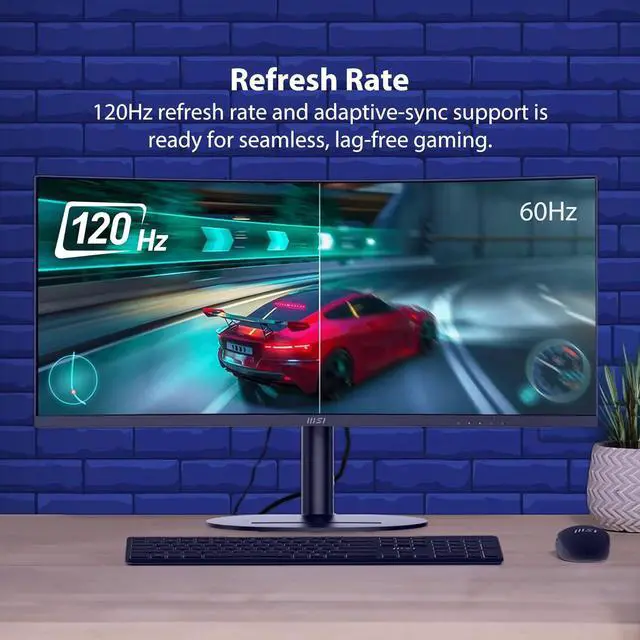
    From lightning-fast reactions to breathtakingly realistic graphics, Modern MD342CQ series with 120Hz refresh rate and AMD FreeSync™ Premium support is ready for gaming. Prepare to be captivated by the seamless, lag-free gameplay that a 120Hz refresh rate can deliver.

    MSI Curved Modern MD342CQP VA UWQHD Monitor

    Immerse Your Imagination with 1500R

    The curvature wraps around your field of view, providing a more natural and comfortable viewing experience.

    MSI Curved Modern MD342CQP VA UWQHD Monitor

    Built-in Speakers

    With two built-in speakers, users were allowed to listen to audio files, to attend online conferences, or to edit videos at any time without carrying an external speaker or wearing a headphone.

    MSI Curved Modern MD342CQP VA UWQHD Monitor

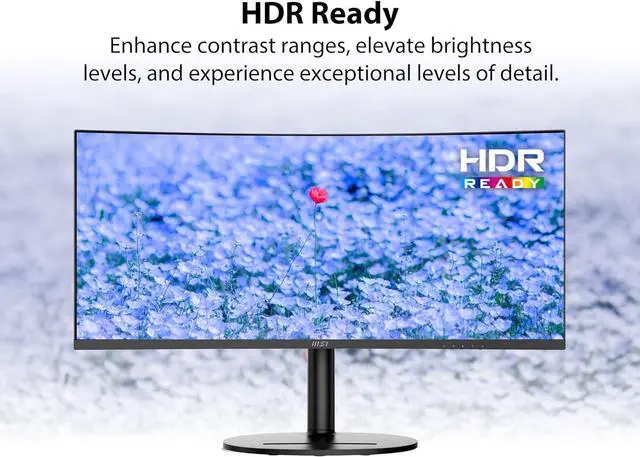
    HDR Ready

    Experience the benefits of HDR technology, which enhances contrast ranges, elevates brightness levels, and provides exceptional levels of detail.

    MSI Curved Modern MD342CQP VA UWQHD Monitor
    MSI Curved Modern MD342CQP VA UWQHD Monitor
    MSI Curved Modern MD342CQP VA UWQHD Monitor MSI Curved Modern MD342CQP VA UWQHD Monitor

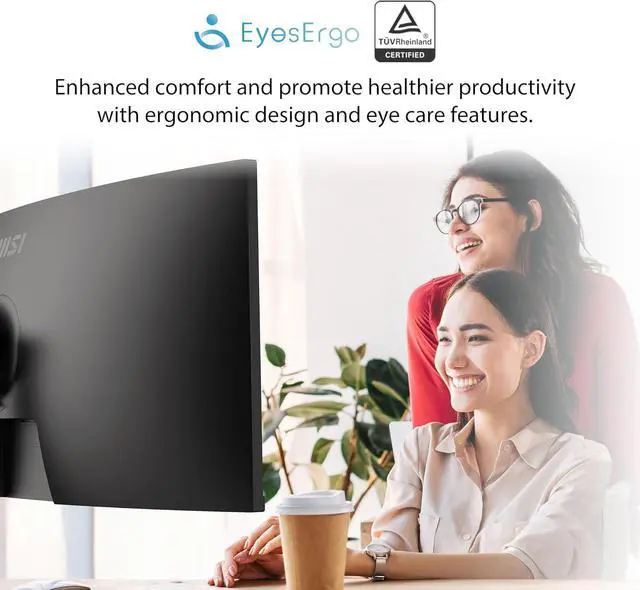
    EyesErgo Tech, Your Health Protector

    Allow users to keep track of their eyes and remind them to take a break if they have used the monitor for a long period of time

    MSI Eye Care Technology

    Provide eye fatigue-reducing hardware and software solutions.

    Eye Care Panel

    MSI Curved Modern MD342CQP VA UWQHD Monitor

    WITH MSI EYE CARE TECHNOLOGY

    Less Blue Light + Anti-Flicker + Anti-Glare

    MSI Curved Modern MD342CQP VA UWQHD Monitor

    WITHOUT ANTI-FLICKER

    MSI Curved Modern MD342CQP VA UWQHD Monitor

    WITHOUT LESS BLUE LIGHT

    MSI Curved Modern MD342CQP VA UWQHD Monitor

    WITHOUT ANTI-GLARE

    Eye-Q Check

    Posture Correction

    MSI recommends you to sit up straight and adjust your eye position to one-ninth of the top edge of the screen. A good sitting posture can effectively prevent neck and shoulder pain.

    MSI Curved Modern MD342CQP VA UWQHD Monitor
    MSI Curved Modern MD342CQP VA UWQHD Monitor

    Posture Correction

    MSI recommends you to sit up straight and adjust your eye position to one-ninth of the top edge of the screen. A good sitting posture can effectively prevent neck and shoulder pain.

    MSI Curved Modern MD342CQP VA UWQHD Monitor

    Amsler grid

    MSI recommends you to take a rest for 20 minutes if any of the lines in the grid appear wavy, blurred or distorted; or if some boxes in the grid don't look like a square or the same size.

    Astigmatism

    To test, cover your left eye with your left hand and look closely at the image, then do the same with your right eye. MSI recommends you to take a rest for 20 minutes if some lines appear greyer than others.

    MSI Curved Modern MD342CQP VA UWQHD Monitor
    MSI Curved Modern MD342CQP VA UWQHD Monitor

    Astigmatism

    To test, cover your left eye with your left hand and look closely at the image, then do the same with your right eye. MSI recommends you to take a rest for 20 minutes if some lines appear greyer than others.

    Ergonomic Design

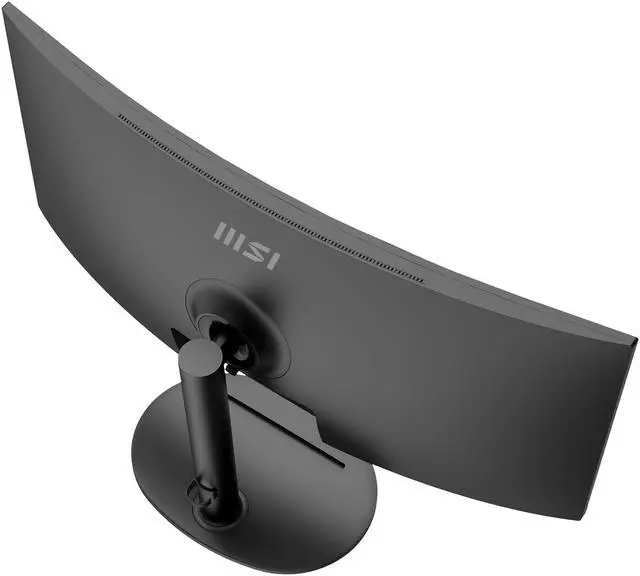
    With adjustable stand, you can always adjust the way you see and the way you work. Find the most comfortable position for yourself.

    MSI Curved Modern MD342CQP VA UWQHD Monitor

    Raising the Bar for Work & Play

    Considering the user's usage habits and methods, the Modern MD342CQP is ingeniously designed to provide a more friendly user experience.

    MSI Curved Modern MD342CQP VA UWQHD Monitor
    MSI Curved Modern MD342CQP VA UWQHD Monitor
    MSI Curved Modern MD342CQP VA UWQHD Monitor

    Sustainable Packing Solution

    MSI Curved Modern MD342CQP VA UWQHD Monitor
    MSI Curved Modern MD342CQP VA UWQHD Monitor

    Design with Green

    Thank you for saving the planet with us

    MSI is committed to mitigating the environmental impacts of its businessactivities through green production and supply chain management.

    The Modern MD342CQ series meets various energy requirements, for example, Energy Star, ErP Lot 6, CEL, and MEPS...etc., to reduce energy consumption, improve efficiency and protect our only planet.

    MSI Curved Modern MD342CQP VA UWQHD Monitor
    MSI Curved Modern MD342CQP VA UWQHD Monitor

    Modern MD342CQP

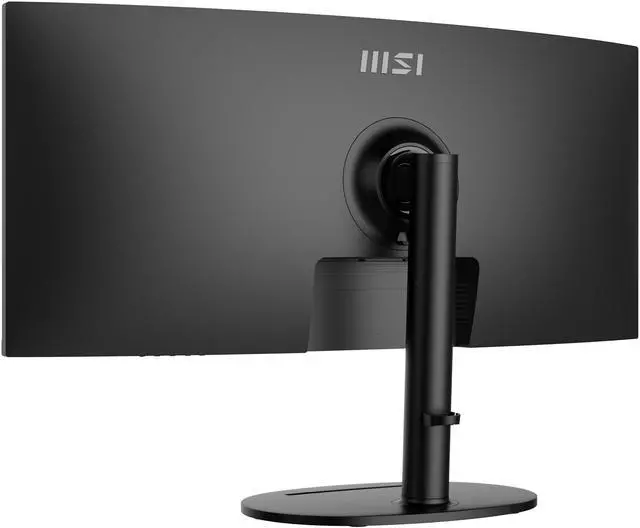
    • 21:9 1500R curvature brings an immersive & comfortable viewing experience to eliminate distortion and cover a wider field of view
    • Ready for light gaming with 120Hz high refresh rate & AMD FreeSync™ Premium.
    • Built-in USB Type-C connection with 98W power delivery function allows you to connect to and charge your devices effortlessly.
    • PIP/PBP modes provide better efficiency for creators when need it.
    • TÜV certified display ensures the protection and health of eyesight.
    • MSI EyesErgo technology with Anti-Flicker technology helps prevent eye strain and fatigue.
    • MSI Eye-Q Check helps have self-check eyes & reminds to take a rest while using the monitor for a long time.
    • The stand is designed with ergonomic features, including tilt, swivel and height adjustments.
    • Maintain versatility across various devices by utilizing multiple input sources, such as Type-C, HDMI™ and DP ports.
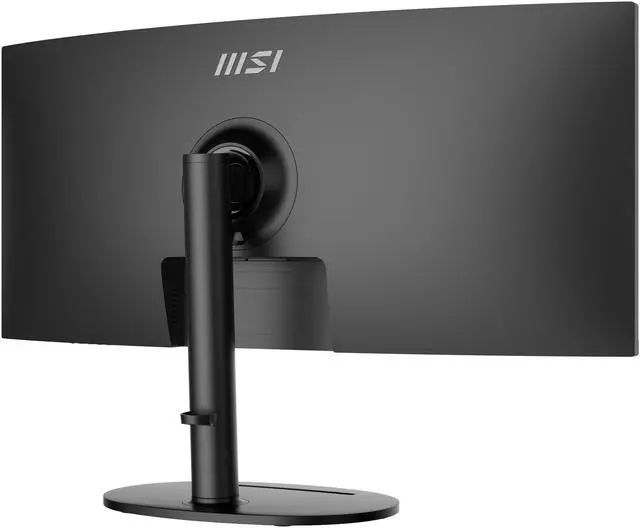
    • Enjoy the cleanest environment with a convenient and removable cable management design.
    • Two built-in speakers.
    The Modern Monitor seamlessly integrates sleek design with vivid performance, catering to those who value both aesthetics and functionality. Its elegant curves and vibrant display provide a superior visual experience, making it an ideal choice for your studio and media work.

    Warranty & Returns

    Warranty, Returns, And Additional Information

    Warranty

    • Limited Warranty period (parts): 1 year
    • Limited Warranty period (labor): 1 year
    • Read full details

    Return Policies

      We want to ensure your holiday shopping this year is hassle-free. That’s why we’re automatically extending our return policies on almost every product! For purchases placed between November 1st, 2026 and December 31, 2026 you will have until January 31, 2027 to return your product.

    • Return for refund until: January 31, 2027
    • Return for replacement until: January 31, 2027
    • This item is covered by Newegg.ca's Extended Holiday Return Policy.
    • Read full return policy for details.
    LOADING...
    LOADING...

    The MSI Modern MD342CQP is a 34-inch curved UWQHD monitor with a 21:9 VA display, 120Hz refresh rate, Adaptive-Sync, and USB-C with up to 98W power delivery, suited to people who want an expansive screen for work, entertainment, and compatible laptop setups.

    Recommended For

    • Laptop-based remote workers who keep several windows open side by side and want a 34-inch ultrawide workspace with one USB-C connection for video, data, and up to 98W laptop charging.
    • People who regularly switch between a work laptop and a second computer and want the monitor’s built-in KVM to share a keyboard and mouse, plus Picture-by-Picture for viewing two sources together.
    • Desk-based users who want extra horizontal room for office work and a curved, 21:9 screen that also makes films and casual or single-player games feel more immersive.
    • Home-office users who want smoother desktop scrolling and light gaming alongside productivity, without prioritizing the motion performance of faster gaming-focused monitors.

    Real-World Use Scenarios

    • For a laptop-based home office, connect over USB-C to send video and data while charging the laptop; the wide desktop gives room to keep work windows open side by side and reduces cable clutter.
    • When working across documents, spreadsheets, and browser tabs, use the wide screen to keep several windows visible at once, making it easier to compare information without continually switching between them.
    • For a desk shared by a work laptop and a second computer, use the built-in KVM to switch the connected keyboard and mouse between systems; picture-by-picture can show inputs from both devices at the same time.
    • For video editing or design tasks, place a timeline or canvas beside tool panels and reference material, using the extra horizontal workspace to see more of the project without relying on a second monitor.
    • For casual PC gaming after work, the curved ultrawide view gives supported games a more enveloping presentation, while the higher refresh rate makes motion feel smoother; it is better suited to everyday and casual play than a setup focused on competitive esports.

    Spec Summary

    AttributeValue
    Best ForUltrawide desktop work and entertainment, with a 34-inch curved UWQHD display, 120Hz refresh, Adaptive-Sync, and USB-C connectivity with 98W power delivery
    Panel And Resolution34-inch curved VA panel with 3440 × 1440 UWQHD resolution, 21:9 aspect ratio, 1500R curvature, anti-glare matte finish, 178° horizontal and vertical viewing angles, and 0.231mm pixel density; supports 1.07 billion colors, 300 cd/m² brightness, 3500:1 contrast, and Adobe RGB / DCI-P3 / sRGB coverage of 92% / 95% / 119%
    Refresh Rate And Response120Hz refresh rate with Adaptive-Sync (listed externally as FreeSync Premium) and 1ms MPRT / 4ms GTG response time
    Ports And Connectivity2× HDMI 2.0b, 1× DisplayPort 1.4a, USB-C with DisplayPort Alternate Mode and 98W power delivery, plus 1× USB 3.2 Gen 1 Type-B and 2× USB 3.2 Gen 1 Type-A
    Stand And ErgonomicsAdjustable tilt from -5° to 20°, swivel from -30° to 30°, height adjustment from 0 to 110mm, and pivot from -5° to 5°
    Audio SetupBuilt-in dual 3W speakers
    Power And ConsumptionExternal power adapter; 31W power consumption when on and under 0.5W in power-saving or off mode
    Physical Design And MountingMatte black cabinet; 31.83 × 9.87 × 16.7 inches with stand and 31.81 × 4.93 × 14.27 inches without stand; 17.75 lb; VESA 75 × 75mm mounting support
    Included AccessoriesDisplayPort 1.2a cable, USB 3.2 Gen 1 Type-B-to-Type-A cable, power adapter, power cord, and four VESA wall-mount screws
    Model IdentifiersMSI Modern series, model MD342CQP, part number 9S6-3PC59H-001

    Reference Q&A

    Q: MSI Modern MD342CQP vs PRO MP341CQ: which is better for a work setup?

    A: Choose the Modern MD342CQP for a more connected, adjustable workstation: it combines a 34-inch UWQHD display with 120Hz refresh, USB-C with up to 98W power delivery, and height, swivel, and tilt adjustments. The PRO MP341CQ is a straightforward 34-inch UWQHD option with a 100Hz refresh rate. ([us.msi.com](https://us.msi.com/Business-Productivity-Monitor/Modern-MD342CQP/Overview?utm_source=openai))

    Q: MSI Modern MD342CQP vs MAG 342CQR E2: which should I choose for gaming?

    A: Choose the MAG 342CQR E2 if a higher refresh rate is your priority: it offers 180Hz at 3440 × 1440 and is positioned by MSI as a gaming monitor. Choose the Modern MD342CQP for a work-and-play setup that pairs 120Hz gaming with USB-C connectivity and up to 98W laptop charging. ([msi.com](https://www.msi.com/Monitor/MAG-342CQR-E2?utm_source=openai))

    Q: MSI Modern MD342CQP vs MAG 341CQP QD-OLED: which is better for mixed work and gaming?

    A: The MAG 341CQP QD-OLED is oriented toward gaming, with a QD-OLED panel, 175Hz refresh rate, and 0.03ms GtG response time. The Modern MD342CQP is a practical fit when laptop connectivity and desk productivity matter alongside gaming, with USB-C power delivery up to 98W, a USB hub, and a height-adjustable stand. ([msi.com](https://www.msi.com/Monitor/MAG-341CQP-QD-OLED?utm_source=openai))

    Q: Can I connect and charge a laptop through USB-C?

    A: Yes, if the laptop’s USB-C port supports DisplayPort Alt Mode. The monitor supports video over USB-C and provides up to 98W of power delivery. Use a USB-C cable that supports video; a charge-only cable may not display an image.

    Q: Is this monitor suitable for office work and multitasking?

    A: It suits desk-based work that benefits from a wide workspace: the 34-inch, 3440 × 1440, 21:9 display provides room for multiple windows, and the stand adjusts for height, tilt, and swivel. It is a desktop monitor, not a travel device.

    Q: Can I use it for video meetings?

    A: It has two built-in 3W speakers, but a webcam and microphone are not listed. For video calls, use a webcam and microphone connected to your computer or another device.

    Q: Can it be mounted on a monitor arm or wall mount?

    A: Yes. It supports 75 × 75 mm VESA mounting and includes four VESA mounting screws. Check that the mount supports this pattern and the monitor’s weight.

    Q: Is the MSI MD342CQP a good fit for a work-focused one-screen setup?

    A: It may suit people who want a wide workspace for several apps: it has a 34-inch, 3440 × 1440 ultrawide display, USB-C video input with up to 98W power delivery, and a USB hub. The hub has two USB-A ports, so check whether that is enough for your peripherals. Reddit users considering it described office work, coding, and replacing multiple screens as intended uses; those discussions do not establish performance for every workflow.

    Q: Can I connect a laptop over USB-C and charge it at the same time?

    A: The monitor’s USB-C port supports DisplayPort Alt Mode and up to 98W power delivery, so a compatible laptop and USB-C cable can carry video and power over one connection. Confirm that the laptop supports video output over USB-C and that the cable supports both video and the required charging power; a Reddit user reported that a regular USB-C cable did not work for their setup.

    Q: Are the built-in speakers good enough for everyday use?

    A: The monitor has two 3W speakers. One Reddit owner described the sound as mediocre, so they may be adequate for basic audio but are not the safest choice if speaker quality matters to you; consider separate speakers or headphones.