
Your Browsing History
- Free 30-day Returns
$339.00

Meet Your Seller
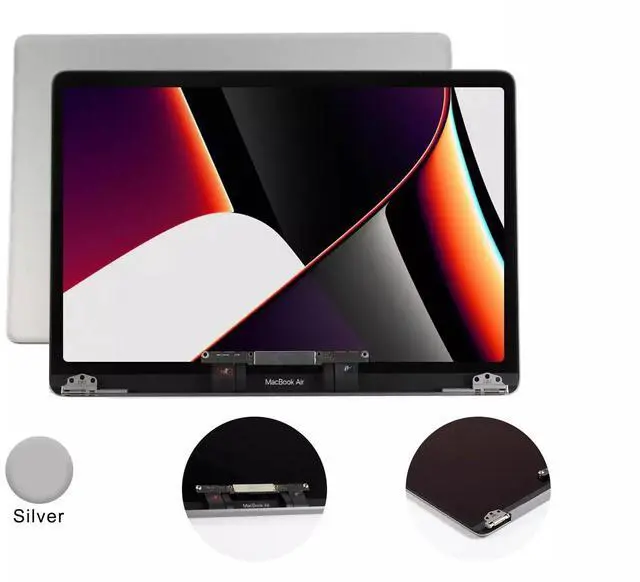
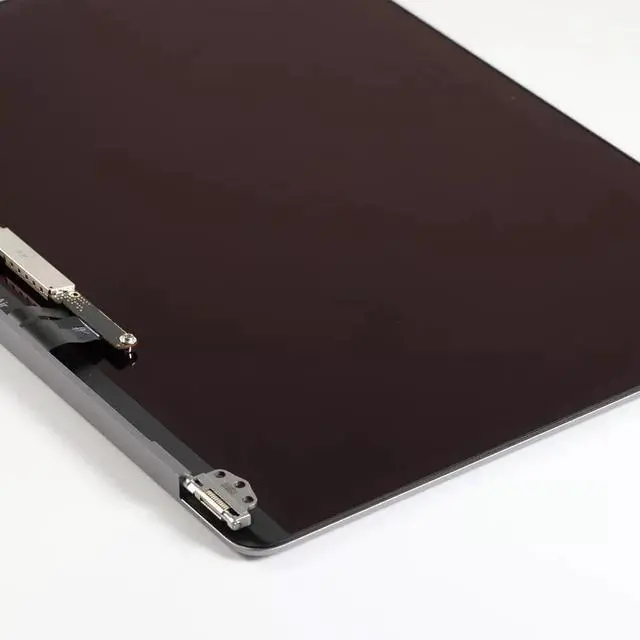



LIXSUNTEK new Screen Replacement for MacBook Air Retina A1932 2019 Year / A2179 2020 Year EMC 3302 EMC 3184 MVFH2 MVFJ2 MWTJ2 MWH22 LCD Display Screen Full Assembly (Silver)
- Compatible Model: MacBook Air 13.3" A2179 2020 Year EMC 3302 Retina
- Screen Model: Mac14,2
- Part Number: EMC 3302
- Screen Size: 13.3inch
- Resolution: 2560x1600
+
+
Overview
Specs
Reviews
Extremely Important: Please match your Macbook year and part number. You cannot deviate from your current screen specifications. Purchasing a screen with different specifications will not work with your system. If you are unsure how to get your Macbook model number and year, please contact us and we will gladly help. The newer LCD screens have a high degree of difficulty to replace. Most end users hire a professional to change the screen out. This is a full assembly. Assemblies are much easier to replace than the screen panel and will give your laptop a brand new look.
•
Please note: The item is only a lcd assembly, not a laptop!
Attention:
This LCD screen ONLY For MacBook Air 13.3" A2179 2020 Year EMC 3302 Retina
Please check your model, display size and EMC code before payment, otherwise we will send the item according to your order.
If you have confusion, you can message us for details.
Specification: Screen
Size: 13.3 inchMax.
Resolution: 2560x1600Compatible
Product Line: MacBook Air 13.3" A2179 2020
YearPart No: EMC 3302Pay attention to the terms: When replacing the screen, make sure to cut off all power (Battery on the motherboard, external power supply) to avoid burning the motherboard. Before installation, check whether the cable interface on the screen is loose or falling off, Be sure to connect it well and securely. If the screen does not work or the camera is not connected, please contact our staff and we will provide technical guidance. Please check our pictures and compare them with the original pictures before buying to avoid buying the wrong model. Once again, if the buyer encounters any problems during the installation and testing process, please contact us for communication as soon as possible. thank you!
•
Please note: The item is only a lcd assembly, not a laptop!
Attention:
This LCD screen ONLY For MacBook Air 13.3" A2179 2020 Year EMC 3302 Retina
Please check your model, display size and EMC code before payment, otherwise we will send the item according to your order.
If you have confusion, you can message us for details.
Specification: Screen
Size: 13.3 inchMax.
Resolution: 2560x1600Compatible
Product Line: MacBook Air 13.3" A2179 2020
YearPart No: EMC 3302Pay attention to the terms: When replacing the screen, make sure to cut off all power (Battery on the motherboard, external power supply) to avoid burning the motherboard. Before installation, check whether the cable interface on the screen is loose or falling off, Be sure to connect it well and securely. If the screen does not work or the camera is not connected, please contact our staff and we will provide technical guidance. Please check our pictures and compare them with the original pictures before buying to avoid buying the wrong model. Once again, if the buyer encounters any problems during the installation and testing process, please contact us for communication as soon as possible. thank you!
Warranty & Returns
Warranty, Returns, And Additional Information
Warranty
- Please contact the Seller directly for warranty information. Warranty information may also be found on the Manufacturer's website.
- CONTACT
Return Policies
- Return for refund within: 30 days
- Return for replacement within: 90 days
- This item is covered by parts4apple Return Policy
Manufacturer Contact Info
- For a directory of all our manufacturers, please click below.
- Manufacturers Directory
LOADING...