


- Free 30-day Returns
$1,032.99
Add to PC build list
Sold by Newegg
Shipped by Newegg
Add to Wish List(Found on 16 wish lists)
Best Sellers
- $1,099.71
- + FREE SHIPPING


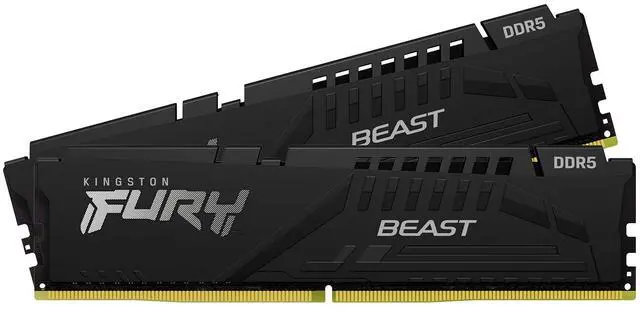
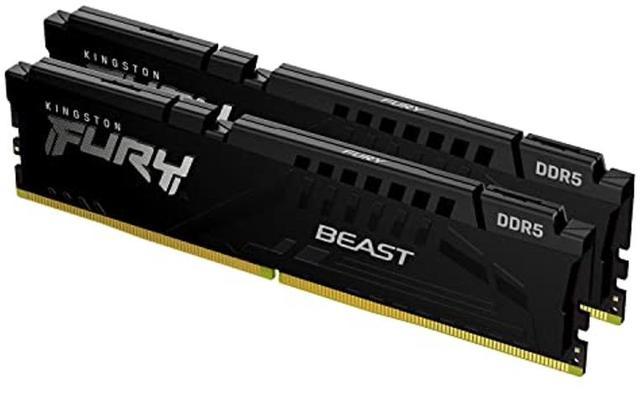


Kingston FURY Beast 32GB (2 x 16GB) 288-Pin PC RAM DDR5 6000 (PC5 48000) Memory (Desktop Memory) Model KF560C30BBEK2-32
- DDR5 6000 (PC5 48000)
- Timing 30-36-36
- CAS Latency CL30
- Voltage 1.40V
+
+
Overview
Specs
Reviews (79)
Warranty & Returns
Warranty, Returns, And Additional Information
Warranty
- Limited Warranty period (parts): Lifetime
- Limited Warranty period (labor): Lifetime
- Read full details
Return Policies
- Return for refund within: 30 days
- Return for replacement within: 30 days
- This item is covered by Newegg.ca's Standard Return Policy.
- Read full return policy for details.
Manufacturer Contact Info
- Manufacturer Product Page
- Manufacturer Website
- Support Phone: 1-877-546-4786
- Support Website
- View other products from Kingston Technology Corp.
LOADING...
LOADING...
Kingston FURY Beast KF560C30BBEK2-32 is a 32GB (2 × 16GB) DDR5-6000 desktop memory kit with CL30 timing, suited to gaming and other performance-focused builds that support DDR5 memory.
Recommended For
- DIY desktop builders planning a DDR5 system who want a matched 2×16GB kit with both AMD EXPO and Intel XMP profiles available; check your motherboard and processor’s memory support before enabling a profile.
- Desktop gamers who want 32GB for gaming alongside routine background apps, rather than prioritizing extra capacity for unusually memory-heavy workloads.
- Builders with a large air cooler or limited DIMM clearance who need a low-profile memory kit; Kingston lists the modules at 34.9mm tall.
- Users assembling a DDR5 desktop who are comfortable enabling a memory profile in BIOS to use the kit’s rated DDR5-6000 CL30 setting.
Real-World Use Scenarios
- Building a DDR5 gaming PC: pair the two modules in the motherboard’s recommended dual-channel slots and, if the CPU and board support it, enable the matching XMP or EXPO profile to use the kit’s rated settings. Check motherboard compatibility and stability rather than assuming the profile is enabled automatically.
- Playing CPU-limited games at high frame rates: this 32GB kit is a suitable memory configuration for a modern gaming PC. Testing of the same FURY Beast 6000 CL30 family includes gaming benchmarks; any difference from another compatible DDR5 kit depends on the game, processor, and graphics settings.
- Gaming while keeping a browser, chat, and other everyday apps open: the 32GB total capacity gives a typical gaming desktop room for these concurrent tasks, so users are less likely to need to close apps simply to free memory than with a lower-capacity setup.
- Editing photos or video while using other desktop apps: 32GB can suit moderate creative projects and general multitasking, but large timelines, high-resolution media, or demanding professional workloads may benefit from more memory.
- Upgrading an older DDR5 desktop: install this matched two-module kit as a replacement for a smaller kit to move to 32GB total capacity. Confirm the motherboard supports DDR5 UDIMMs and check its compatibility guidance before buying.
Spec Summary
| Attribute | Value |
|---|---|
| Best For | Desktop gaming and high-performance builds using compatible AMD or Intel systems |
| Memory Capacity And Kit | 32GB total as a 2 × 16GB dual-channel kit |
| Memory Speed And Timings | DDR5-6000 (6000 MT/s), CL30 timing of 30-36-36, at 1.40V |
| Module Format And Design | 288-pin DIMM modules with black heat spreaders and no LED lighting |
| Performance Profiles | Supports Intel XMP 3.0 and AMD EXPO |
| Model Identifiers | Kingston FURY Beast, model KF560C30BBEK2-32 |
Reference Q&A
Q: Kingston FURY Beast 32GB DDR5-6000 CL30 or Corsair Vengeance 32GB DDR5-6000 CL30?
A: Their core specifications are closely matched: both are 32GB kits rated for DDR5-6000 CL30 and support AMD EXPO and Intel XMP. Choose based on price, availability, appearance, or fit in your build; neither kit’s listed speed and latency alone establishes a clear performance advantage.
Q: Should I get this 32GB kit or a 64GB DDR5-6000 CL30 kit?
A: Choose this 32GB kit for gaming and everyday use if your applications fit comfortably in 32GB. Consider 64GB for workloads that use more memory, such as large creative projects, virtual machines, or heavy multitasking. More capacity helps when you need it, but does not by itself guarantee higher performance when 32GB is sufficient.
Q: Is DDR5-6000 CL30 worth choosing over a cheaper DDR5-5600 kit?
A: This Kingston kit offers a higher rated data rate and lower listed CAS latency than a typical DDR5-5600 CL40 kit. Choose it if you want those specifications and your CPU and motherboard support the 6000 MT/s profile. Benchmarks show that the real-world gap can be modest and depends on the system and workload, so a lower-speed kit may be a sensible choice when it costs less.
Q: Can I use this DDR5 kit to upgrade a PC that currently has DDR4?
A: Only if the motherboard supports DDR5. This is a 288-pin DDR5 desktop memory kit, so it is not a drop-in replacement for DDR4; check the motherboard’s memory type and supported speeds before buying. If your current board is DDR4-only, you would need a DDR5-compatible motherboard to use this kit.
Q: Will this RAM work with my desktop motherboard and processor?
A: It is a 288-pin DDR5 desktop memory kit, so your motherboard must support DDR5 desktop DIMMs. The kit includes Intel XMP 3.0 and AMD EXPO profiles, but those profiles do not guarantee DDR5-6000 on every CPU and motherboard combination. Check your motherboard’s memory compatibility list and processor specifications before buying.
Q: Will it run at 6000 MT/s as soon as I install it?
A: Not necessarily. The kit is rated for DDR5-6000, but reaching that speed may require enabling its XMP or EXPO profile in BIOS. The actual stable speed depends on the motherboard and processor.
Q: Can I use this memory in a laptop?
A: No. This is 288-pin desktop DIMM memory, not the smaller SO-DIMM format used by many laptops. Check your laptop’s memory type and upgrade support before choosing RAM.
Q: Can I combine this kit with my existing RAM?
A: It is safest to use this matched 2 × 16GB kit on its own. Mixing memory kits can cause compatibility or stability problems, and the system may not run at the kit’s rated speed. If you plan to combine kits, check motherboard support and be prepared to adjust memory settings.
Q: Is this a good choice for an AMD build if I want DDR5-6000 without manual tuning?
A: It is a reasonable option to consider: this 32GB kit is rated for DDR5-6000 CL30 and includes AMD EXPO. A Reddit discussion comparing this exact kit with a 6400 MT/s alternative favored 6000 for a simpler setup, but the supported speed still depends on the CPU and motherboard.
Q: Will the RAM run at 6000 MT/s as soon as I install it?
A: Not necessarily. The kit supports Intel XMP 3.0 and AMD EXPO profiles; reaching its rated 6000 MT/s may require enabling the appropriate profile in BIOS. A Reddit discussion about Kingston FURY Beast memory describes a system reporting a lower speed until its profile was enabled.
Q: Can I add another two-stick kit later and keep it running at 6000 MT/s?
A: That is not guaranteed. A Reddit discussion about adding a second Kingston FURY Beast kit notes that four DDR5 modules can make the advertised memory speed harder to maintain. Check the CPU and motherboard’s memory guidance; you may need to run the modules at a lower speed or adjust settings.