




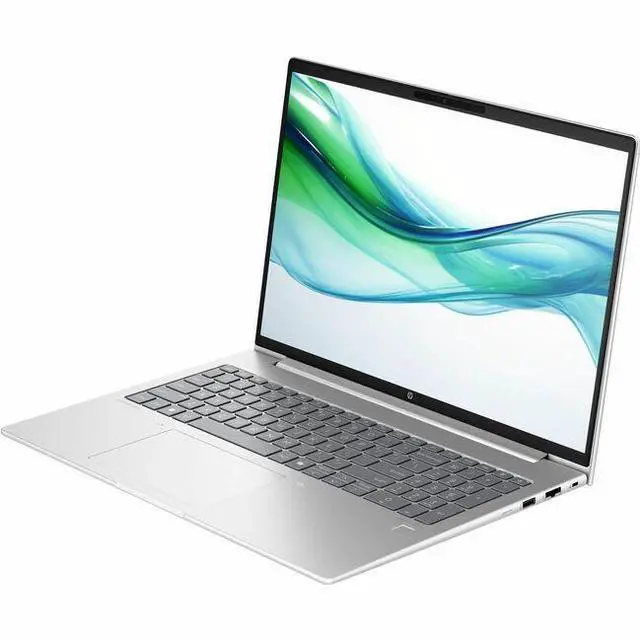
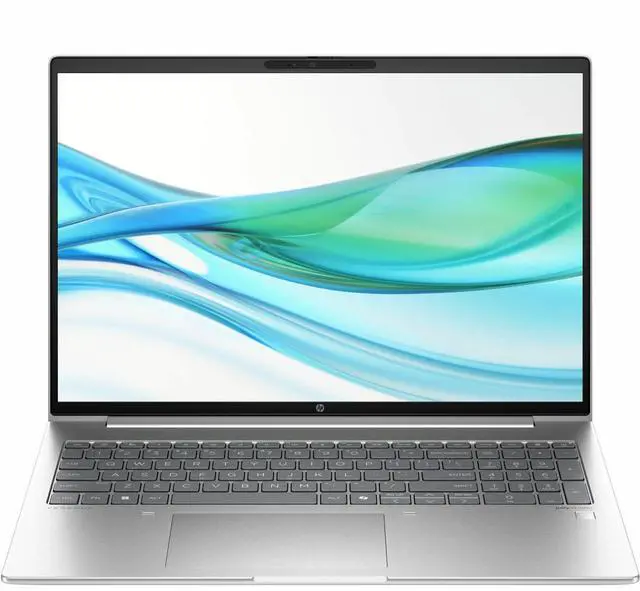
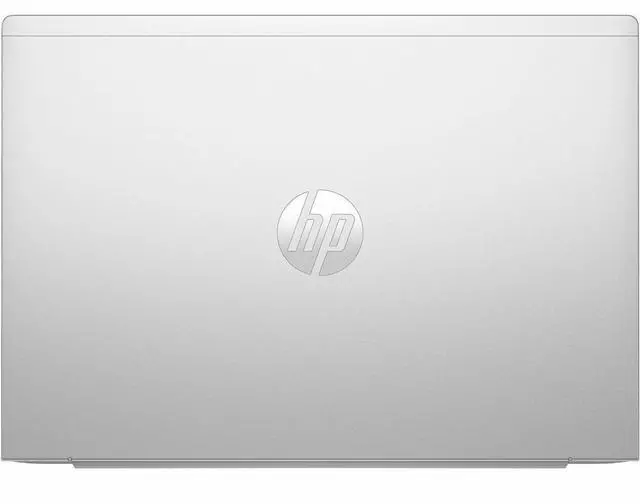
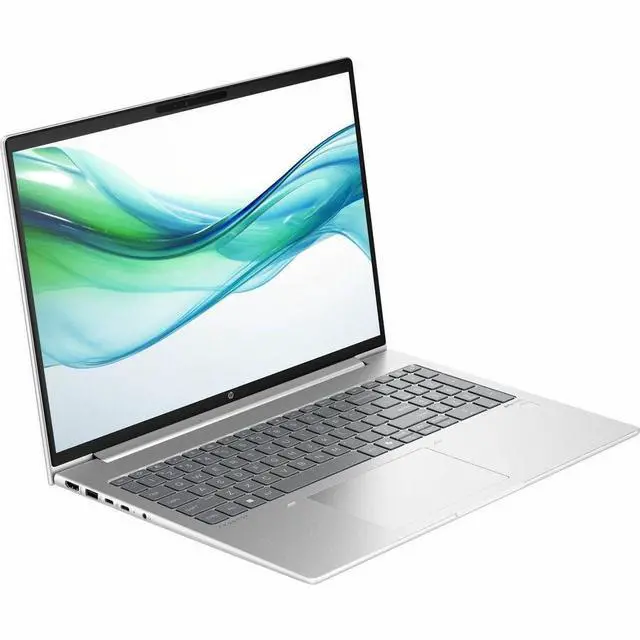
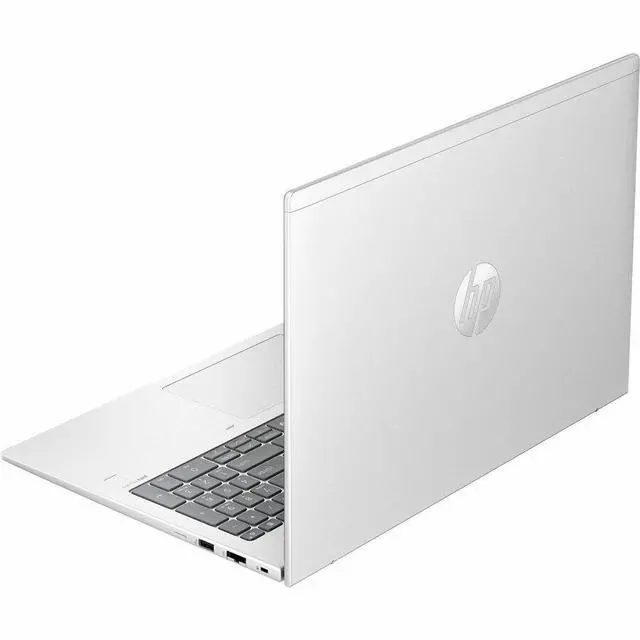
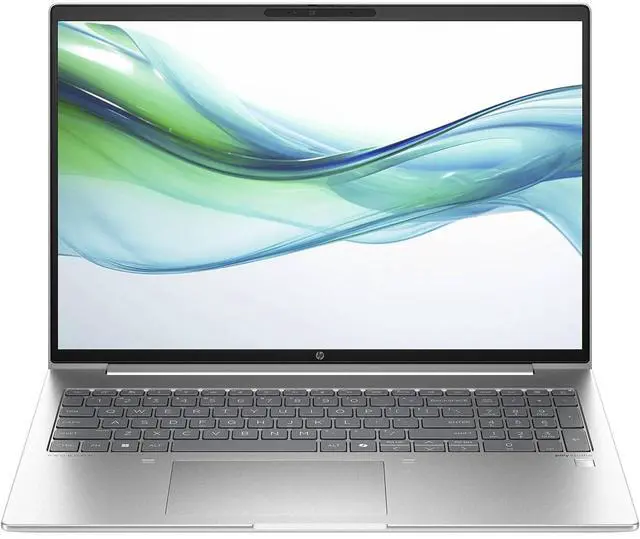
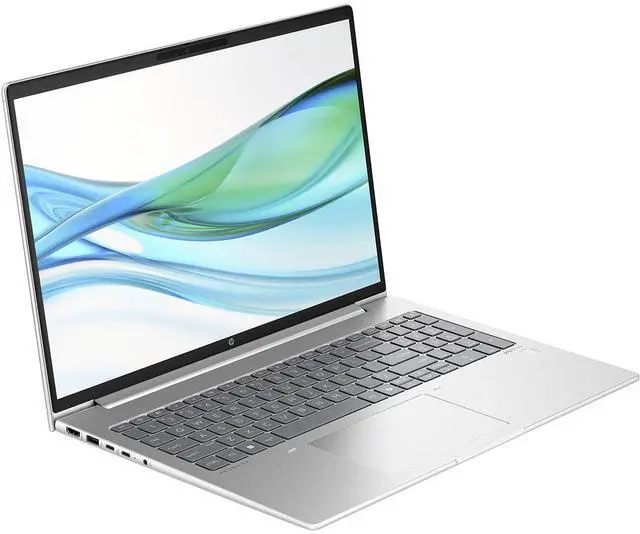
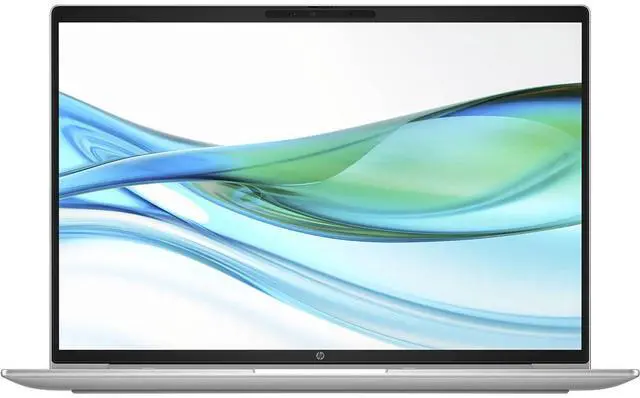
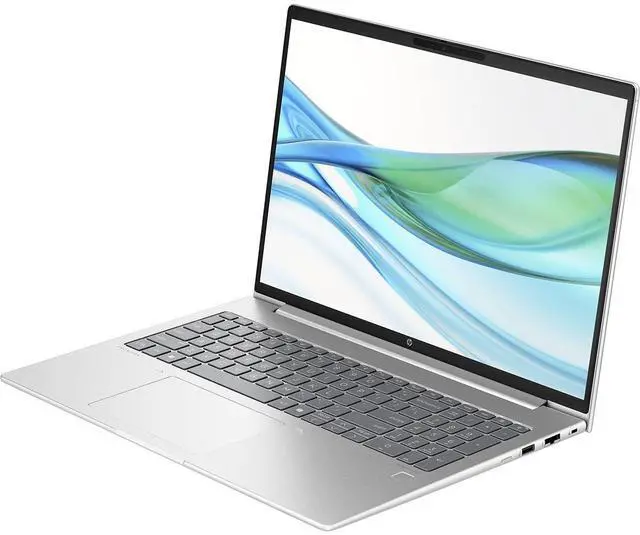
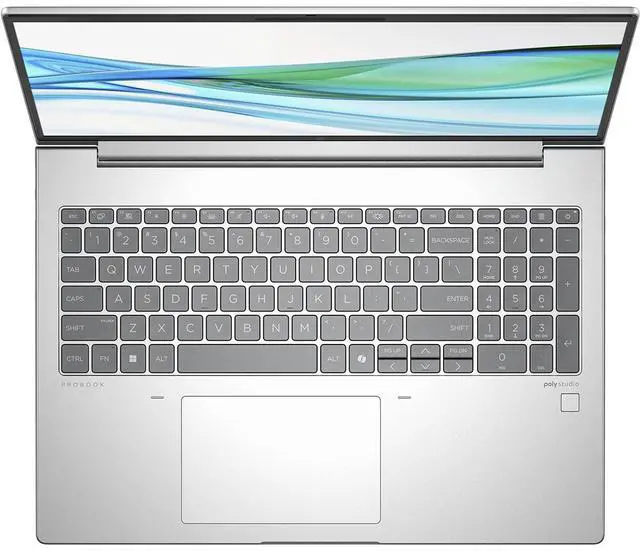
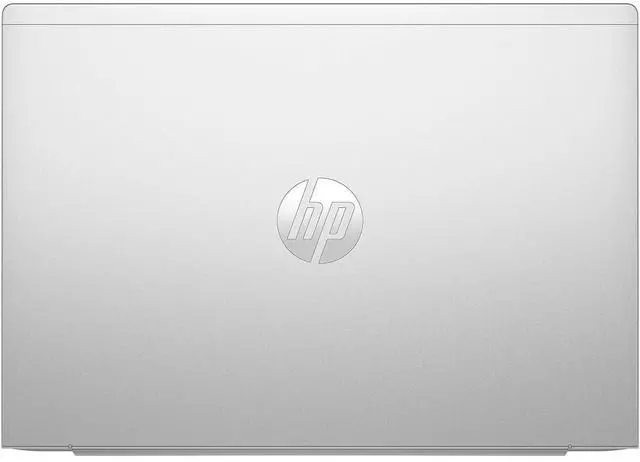
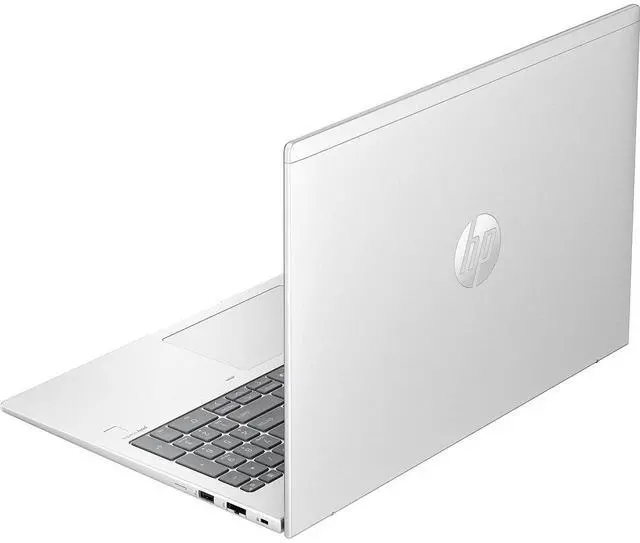
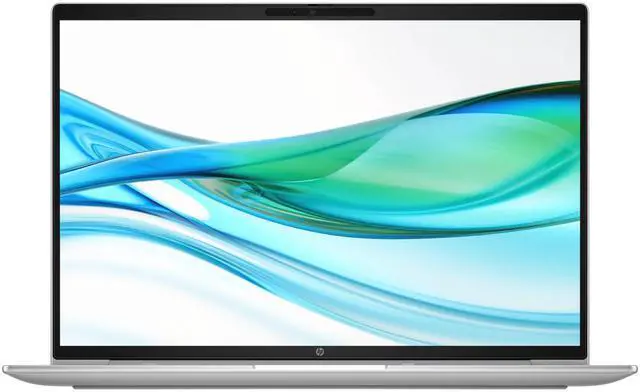
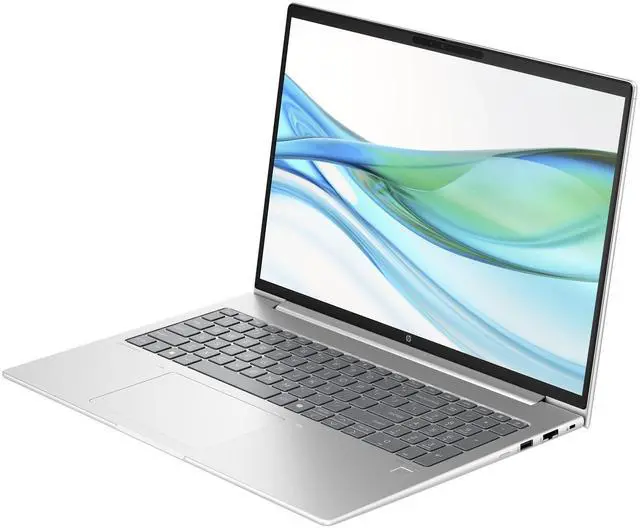
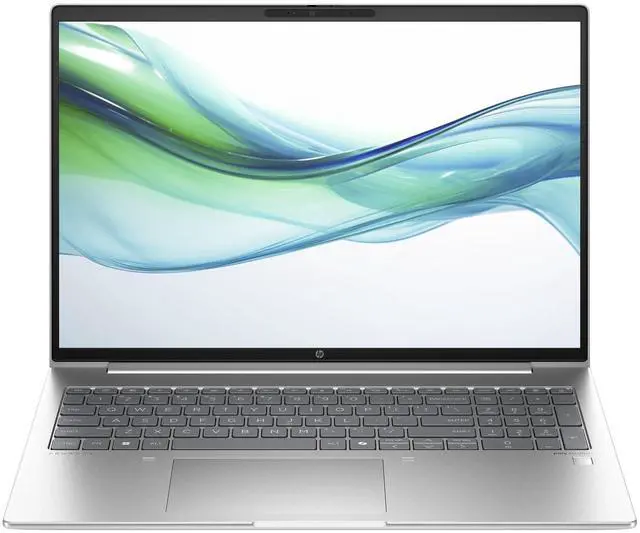
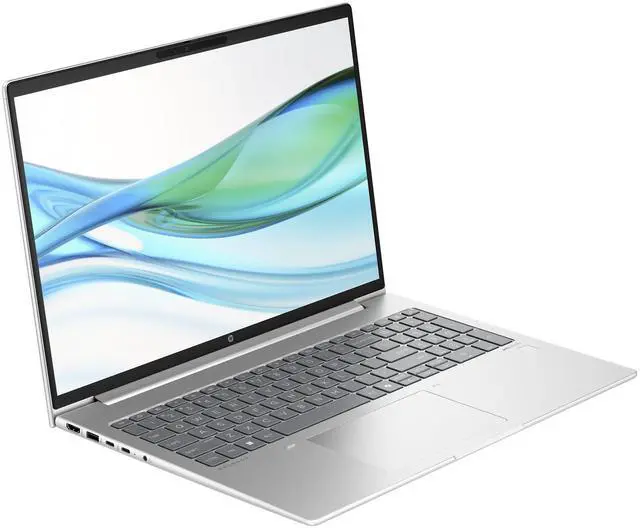


HP ProBook 465 G11 Notebook - 16" - AMD Ryzen 7 - 7735U - 16 GB RA (A1RM8UT#ABA)
- Factory Sealed with 60 Day DOA & 30 Day Satisfaction Guarantee. Orders ship within 1 business day.
Overview
Specs
Reviews
While the HP ProBook 465 G11 16" WUXGA Laptop is designed to meet the needs of growing businesses, it offers much more than just commercial-grade performance. This laptop is powered by the advanced AMD Ryzen 7 7735U processor, clocked at 2.7GH z, ensuring you can tackle demanding tasks with ease. With 16GB of RAM and a 512GB SSD, it provides ample speed and storage for multitasking and storing essential files, making it an ideal choice for professionals who require efficiency and reliability. The 16-inch display with a 16:10 aspect ratio enhances your productivity, whether you're working from home or in the office.
This feature-rich PC is optimized for hybrid work environments, allowing you to seamlessly transition between different work settings without compromising on performance. The long battery life further supports your productivity, ensuring you remain powered throughout your workday. Security is paramount with the HP ProBook 465 G11, as it comes equipped with HP Wolf Pro Security Edition. This includes HP Sure Click Pro and HP Sure Sense Pro, offering comprehensive protection against malware, ransomware, and viruses. These features provide enterprise-level security without the need for an IT-managed environment, making it perfect for small and medium-sized businesses.
Sustainability is also a key consideration in the design of this laptop. It is manufactured with 100% sustainably sourced materials in the outer box, reflecting HP's commitment to protecting our shared future. Running on Windows 11 Pro, this laptop ensures you can work anywhere without sacrificing performance or security. The integration of HP's collaboration and connectivity technology further enhances your ability to stay connected and productive. Stay connected with gigabit-speed Wi-Fi 6E, which offers fast and reliable wireless LAN connectivity even in dense environments. This ensures you can work efficiently from virtually anywhere.
HP Sure Click provides hardware-enforced security, protecting your PC from malicious websites and attachments. Meanwhile, HP Sure Sense uses deep learning AI to defend against advanced malware, ensuring your data remains secure. The HP ProBook 465 G11 also features HP Sure Start Gen7, a self-healing BIOS that automatically recovers from firmware attacks, ensuring your system remains protected from potential threats. Additionally, the HP BIOSphere Gen6 firmware ecosystem keeps your PC secure with automatic updates and security checks, minimizing downtime and maximizing productivity. For IT management, the HP Manageability Integration Kit simplifies the creation and management of hardware, BIOS, and security settings through Microsoft System Center Configuration Manager, streamlining your IT processes.
In summary, the HP ProBook 465 G11 16" WUXGA Laptop is a powerhouse of performance, security, and sustainability, making it an excellent choice for businesses looking to enhance their productivity and protect their data.
This feature-rich PC is optimized for hybrid work environments, allowing you to seamlessly transition between different work settings without compromising on performance. The long battery life further supports your productivity, ensuring you remain powered throughout your workday. Security is paramount with the HP ProBook 465 G11, as it comes equipped with HP Wolf Pro Security Edition. This includes HP Sure Click Pro and HP Sure Sense Pro, offering comprehensive protection against malware, ransomware, and viruses. These features provide enterprise-level security without the need for an IT-managed environment, making it perfect for small and medium-sized businesses.
Sustainability is also a key consideration in the design of this laptop. It is manufactured with 100% sustainably sourced materials in the outer box, reflecting HP's commitment to protecting our shared future. Running on Windows 11 Pro, this laptop ensures you can work anywhere without sacrificing performance or security. The integration of HP's collaboration and connectivity technology further enhances your ability to stay connected and productive. Stay connected with gigabit-speed Wi-Fi 6E, which offers fast and reliable wireless LAN connectivity even in dense environments. This ensures you can work efficiently from virtually anywhere.
HP Sure Click provides hardware-enforced security, protecting your PC from malicious websites and attachments. Meanwhile, HP Sure Sense uses deep learning AI to defend against advanced malware, ensuring your data remains secure. The HP ProBook 465 G11 also features HP Sure Start Gen7, a self-healing BIOS that automatically recovers from firmware attacks, ensuring your system remains protected from potential threats. Additionally, the HP BIOSphere Gen6 firmware ecosystem keeps your PC secure with automatic updates and security checks, minimizing downtime and maximizing productivity. For IT management, the HP Manageability Integration Kit simplifies the creation and management of hardware, BIOS, and security settings through Microsoft System Center Configuration Manager, streamlining your IT processes.
In summary, the HP ProBook 465 G11 16" WUXGA Laptop is a powerhouse of performance, security, and sustainability, making it an excellent choice for businesses looking to enhance their productivity and protect their data.
Warranty & Returns
Warranty, Returns, And Additional Information
Warranty
- Limited Warranty period (parts): 1 year
- Limited Warranty period (labor): 1 year
- Read full details
Return Policies
- Return for refund within: 15 days
- Return for replacement within: 15 days
- This item is covered by Newegg.ca's 15-Day Return Policy.
- Read full return policy for details.
Manufacturer Contact Info
- Manufacturer Website
- Support Phone: 1-800-474-6836
- Support Website
- View other products from HP
LOADING...
LOADING...
The HP ProBook 465 G11 is a 16-inch Windows 11 Pro laptop with an AMD Ryzen 7 7735U processor, 16GB memory, and integrated graphics, making it a strong fit for professionals, students, and home users who want a larger display for everyday productivity, multitasking, web work, and video meetings.
Recommended For
- Hybrid office workers and small-business users who want a 16-inch screen for spreadsheets, documents, video meetings, and browser-based work, plus business features like Windows 11 Pro, USB-C, HDMI, and Ethernet.
- Users who spend long stretches typing or attending meetings and care more about low fan noise, a comfortable keyboard, and everyday usability than maximum sustained performance.
- People who keep many apps open at once—Office, Teams, Slack, lots of browser tabs, light photo work, and occasional coding—where the Ryzen 7 7735U and business-laptop expandability fit real multitasking needs.
- Buyers who want a larger-screen laptop that is still reasonable to carry between home, office, and class, rather than a bulkier desktop replacement.
- Users who value practical long-term ownership, including upgrade-friendly memory and storage options, multiple USB ports, wired LAN, and support for desk setups with external displays.
Real-World Use Scenarios
- Working in Microsoft 365, web apps, email, and 20+ browser tabs at once is a typical fit. In practice, this class of ProBook is usually reported as handling everyday office multitasking smoothly, with the 16-inch 16:10 screen giving more room for spreadsheets and side-by-side documents.
- For remote work or online classes, it is best suited to video calls, screen sharing, and note-taking at the same time. Expected experience: stable day-to-day conferencing and productivity, rather than issues with basic call performance.
- Students and office users who spend hours writing, researching, and managing large PDFs should find it comfortable as a main daily laptop. The likely outcome is a quiet, cool-running experience for sustained productivity, with fewer limits from CPU performance than from the basic display quality.
- Light creative work such as large PowerPoint decks, Canva, photo edits, and basic 1080p media tasks is a realistic use case. The likely experience is responsive editing for casual or business content work, but not the faster exports or color-critical workflow expected from creator laptops with stronger GPUs and better panels.
- Casual gaming and older or lighter titles are possible if settings are reduced. Real-world expectation is playable results in esports, indie, and less demanding games, but modern AAA games will usually require low settings and lower resolutions because this model uses integrated graphics.
- Using it at a desk with external monitors, keyboard, mouse, and a USB-C dock is common for this type of business laptop, but dock compatibility should be checked first. Community reports show that the laptop can work well in office setups, though some users have run into USB-C dock and display-detection issues with certain HP docks.
Spec Summary
| Attribute | Value |
|---|---|
| Best For | Business and home users who want a 16-inch Ryzen 7 notebook for productivity and light graphics work — a 16.0" WUXGA (1920 x 1200) display, AMD Ryzen 7 7735U, 16 GB DDR5, 512 GB M.2 SSD, integrated Radeon 680M, Windows 11 Pro and common ports for external displays and peripherals |
| Processor And Core Count | AMD Ryzen 7 7735U (7000 series), single-processor configuration, processor speed listed as 4.7 GHz |
| GPU And VRAM | Integrated AMD Radeon 680M graphics using DDR5 system memory (integrated graphics; no discrete VRAM specified) |
| Display Spec | 16.0-inch WUXGA (1920 x 1200) IPS LCD, non-touch, 60 Hz refresh, anti-glare coating and low blue light features |
| Memory Configuration | 16 GB DDR5 installed (DDR5 SDRAM), two memory slots total, expandable up to 64 GB |
| Storage And Expansion | 512 GB solid-state drive (M.2 form factor, M.2 interface — PCIe NVMe implied by M.2 listing), 512 GB total storage reported |
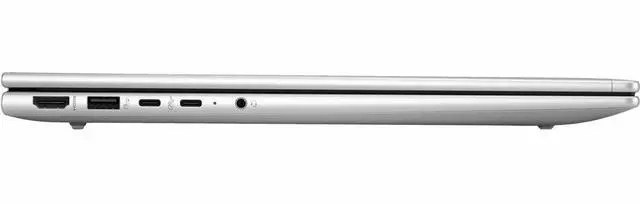
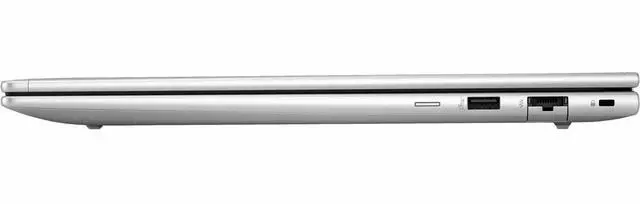
| High Speed I O | HDMI (1), Gigabit Ethernet (1), 4 total USB ports including USB-C, no Thunderbolt ports listed |
| Battery And Power | 3-cell Lithium Polymer battery (3 cells) with 4000 mAh energy content, batteries included; AC adapter included in package |
| Wired And Wireless Networking | Wi‑Fi 6 wireless and Bluetooth support, wired Gigabit Ethernet available |
| Webcam And Privacy | Front-facing webcam with integrated microphone and webcam capability, fingerprint recognition for biometric sign-in |
| Keyboard And Control | Full-size English QWERTY keyboard with standard layout and a present touchpad (not a touch display) |
| Audio Setup | Stereo speakers with integrated microphone and internal audio output |
| Portability | Weight listed as 3.84 lbs with dimensions 9.9 x 14.1 x 0.43 inches; color Pike Silver Aluminum |
| Model Identifiers | HP ProBook 465 G11, model A1RM8UT#ABA (Manufacturer: Hewlett Packard), model year 2024 |
| Operating System | Windows 11 Pro (OS included) |
| Compatibility And Included Items | Includes the ProBook 465 16-inch G11 Notebook PC and AC adapter; compatible with external displays, mice, keyboards, storage devices, printers and other accessories that use USB, HDMI, Ethernet, USB-C, Bluetooth or Wi‑Fi |
Reference Q&A
Q: Should I choose the HP ProBook 465 G11 with Ryzen 7 7735U or a Ryzen 5 7535U configuration?
A: Choose the Ryzen 7 7735U version if you expect heavier multitasking, larger spreadsheets, more browser tabs, or longer-term use. The Ryzen 7 7735U is an 8-core, 16-thread chip, while Ryzen 5 7535U models are typically aimed at lighter office workloads. For buyers who mainly use email, web apps, video calls, and documents, a Ryzen 5 configuration is usually the better value. For users who want more headroom without moving into a heavier performance class, this Ryzen 7 ProBook 465 G11 is the better fit.
Q: Is the HP ProBook 465 G11 a better choice than a 14-inch business laptop if I want a larger work screen?
A: Yes, if screen space and easier day-to-day productivity matter more than compact size. This ProBook 465 G11 gives you a 16-inch 1920 x 1200 display in a business-laptop format, which is better suited to side-by-side documents, spreadsheets, and web apps than most 14-inch models. A 14-inch alternative is the better choice if you travel often and want a smaller footprint in a bag. The trade-off is simple: this 16-inch ProBook favors workspace comfort, while 14-inch business laptops favor mobility.
Q: How does the HP ProBook 465 G11 with Ryzen 7 7735U compare with newer Ryzen 7 8840U business laptops?
A: Choose the ProBook 465 G11 if you want a practical business laptop and do not need the newer platform features. The Ryzen 7 7735U still offers 8 cores and 16 threads, and professional benchmark databases place it in a similar general performance class to many current midrange business chips. A Ryzen 7 8840U laptop is the better choice if you want a newer Zen 4 platform, Radeon 780M graphics instead of Radeon 680M, and a more current generation for longer upgrade runway. In short, the 465 G11 makes sense for value-focused office use, while 8840U systems make more sense when newer integrated graphics and newer silicon matter.
Q: Should I buy this HP ProBook 465 G11 or an Intel Core Ultra 7 business laptop?
A: Buy the ProBook 465 G11 if your priority is straightforward office performance, a larger 16-inch screen, and strong integrated Radeon graphics for light GPU-accelerated work. Cross-platform benchmark comparisons show the Ryzen 7 7735U and Intel Core Ultra 7 155U in a similar overall CPU tier, so the decision often comes down to laptop design, display size, ports, battery behavior, and graphics preference rather than a large CPU gap. An Intel Core Ultra system is the better choice if you specifically want the newer Intel platform or features tied to that ecosystem. This HP model is the better fit when you want a larger AMD-based business notebook without stepping into a thicker high-performance class.
Q: Is the HP ProBook 465 G11 a better pick than a performance-focused laptop for mixed work and occasional gaming?
A: Choose the ProBook 465 G11 if your main use is office work, web apps, meetings, and light creative or casual gaming needs. Its Ryzen 7 7735U includes Radeon 680M integrated graphics, which is stronger than older business-laptop iGPUs and is suitable for lighter graphics workloads. A performance-focused laptop is the better choice if gaming, 3D work, or sustained high-load content creation is a regular part of your workflow. The trade-off is that this ProBook is designed more for balanced business use than for maximum graphics performance.
Q: Is this HP ProBook 465 G11 a good fit for office work, meetings, note-taking, and general business use?
A: Yes. This configuration is well suited to office work, web apps, video meetings, note-taking, and multitasking. The Ryzen 7 7735U, 16GB RAM, 512GB SSD, 16-inch 1920x1200 display, and Windows 11 Pro make it a practical business laptop. It is a better fit for productivity than for gaming or GPU-heavy creative work because it uses integrated graphics.
Q: Is it worth buying as a travel work device?
A: It can work well for travel if you want a larger work screen without moving to a bulky workstation. At 3.84 lb, it is still portable, and HP states battery life can reach up to 13 hours under mobile-use conditions with fast charging to 50% in 30 minutes. The trade-off is size: a 16-inch laptop is better for productivity on the go than for ultra-light travel.
Q: Who is this laptop best suited for?
A: It is best suited for professionals, remote workers, students in business-style workflows, and home users who want a large non-touch screen, solid multitasking performance, wired Ethernet, and Windows 11 Pro. It is less suitable for buyers who specifically want a touch display, Thunderbolt, or dedicated graphics for gaming, 3D work, or heavier video production.
Q: What are the main trade-offs versus a consumer 2-in-1 or premium home laptop?
A: The ProBook 465 G11 favors practical business features over premium consumer extras. Compared with many consumer 2-in-1 or lifestyle laptops, it gives you a 16:10 business display, Windows 11 Pro, USB-C, HDMI, and RJ-45 Ethernet, but this exact model is non-touch and does not include Thunderbolt. If you want pen input, tablet mode, or higher-end media features, a consumer 2-in-1 may be a better choice.
Q: Is this a better choice than a similar budget gaming laptop or creator laptop?
A: It is the better choice if your priority is work, meetings, battery-conscious everyday use, and business features. It is not the better choice if you need strong graphics performance. Because this model uses integrated graphics, a gaming or creator laptop with dedicated GPU hardware will be better for modern games, 3D workloads, and heavier video editing, but usually with more weight, more heat, and shorter battery life.
Q: Is the HP ProBook 465 G11 a good buy for office work and general productivity?
A: Yes, it is a sensible choice for office and everyday productivity if you want a large 16-inch screen, Windows 11 Pro, and a Ryzen 7 processor without paying for a dedicated GPU. Reddit discussions around this model repeatedly frame it as a work-focused laptop for Office use, external monitors, and general business tasks. The main trade-off is that it is a 3.84 lb 16-inch notebook, so it favors desk-based productivity more than maximum portability.
Q: Who is the HP ProBook 465 G11 best suited for?
A: It is best suited for users who want a business-style laptop for work, study, browsing, multitasking, and light content creation. The combination of a Ryzen 7 7735U, 16GB RAM, integrated graphics, and a 1920x1200 non-touch display fits users who prioritize productivity and screen space over gaming or creator-class GPU performance. It is less suitable for buyers who specifically need a lightweight travel laptop or stronger graphics for demanding creative or gaming workloads.
Q: Is the HP ProBook 465 G11 good for gaming?
A: Not really as a primary gaming laptop. Its Ryzen 7 7735U and integrated graphics are better matched to office work and light graphics use than modern AAA gaming. It may handle lighter or competitive games at reduced settings, but buyers deciding mainly on gaming should expect clear limits compared with laptops that have dedicated graphics.
Q: Is the HP ProBook 465 G11 a good replacement for a smaller laptop if I want more screen space?
A: Yes, if your priority is a larger workspace for documents, spreadsheets, and multitasking. The 16-inch 1920x1200 display gives more working area than typical 14-inch models, which aligns with how Reddit users compare it against other work laptops. The trade-off is portability: at 3.84 lbs and with a larger chassis, it is more of a carryable work machine than an ultra-portable daily commuter laptop.
Q: What are the main trade-offs of choosing the HP ProBook 465 G11?
A: The main trade-offs are size, portability, and graphics capability. You get a 16-inch business laptop with Windows 11 Pro, a Ryzen 7 7735U, and 16GB RAM, which is a practical configuration for work and multitasking. In exchange, you are choosing integrated graphics instead of dedicated GPU performance, and a larger 3.84 lb chassis instead of a more travel-friendly compact laptop.