
Your Browsing History
Best Sellers
 Hot Seller
- $4,984.55
- + $23.16 Shipping
- $5,504.00
- + FREE SHIPPING


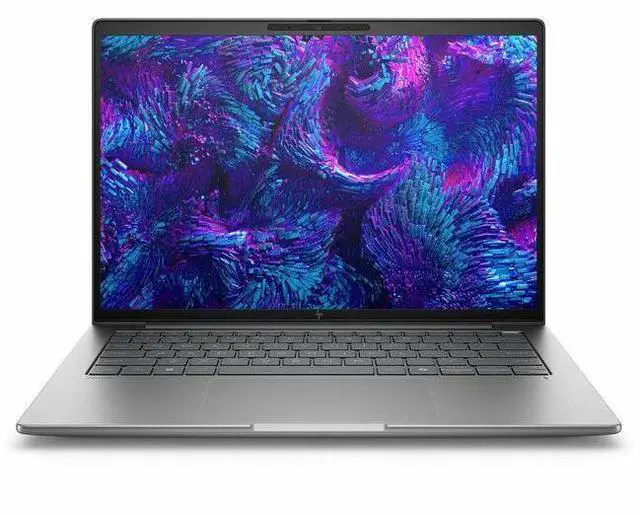
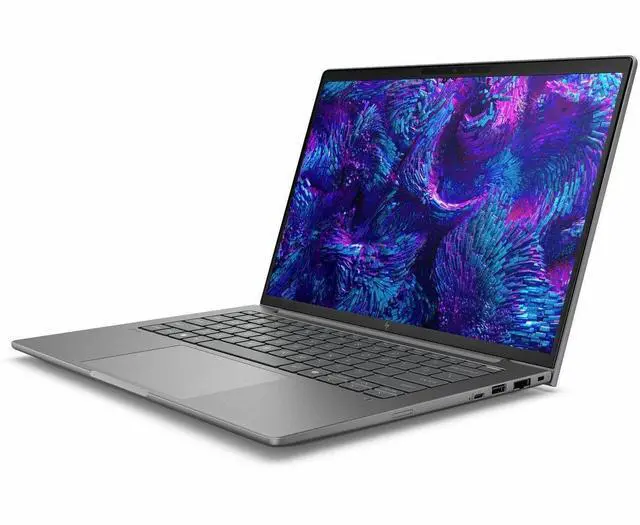


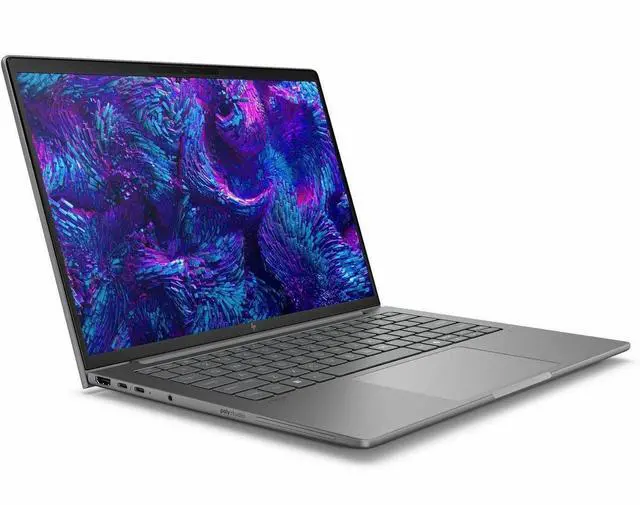
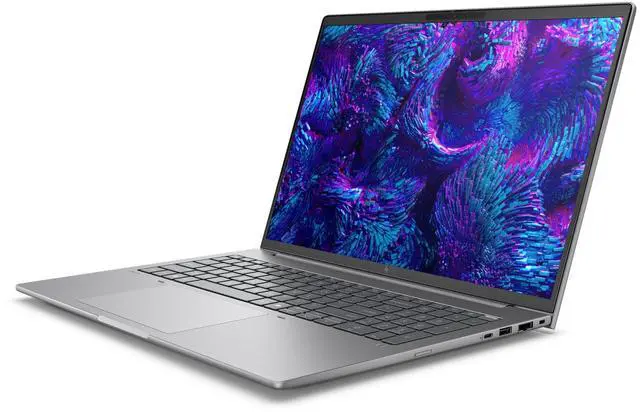
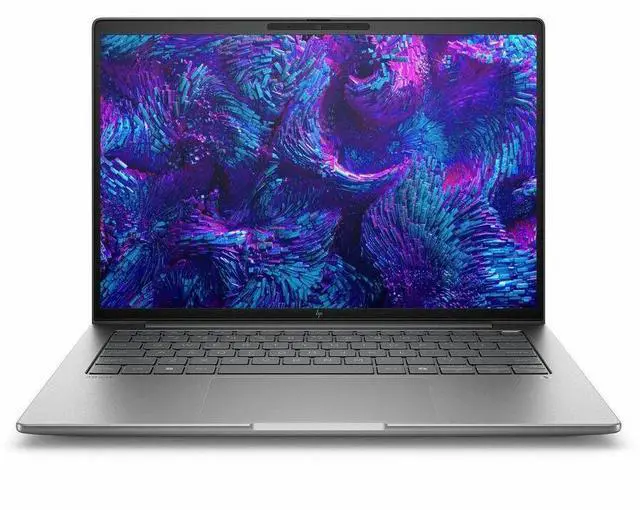
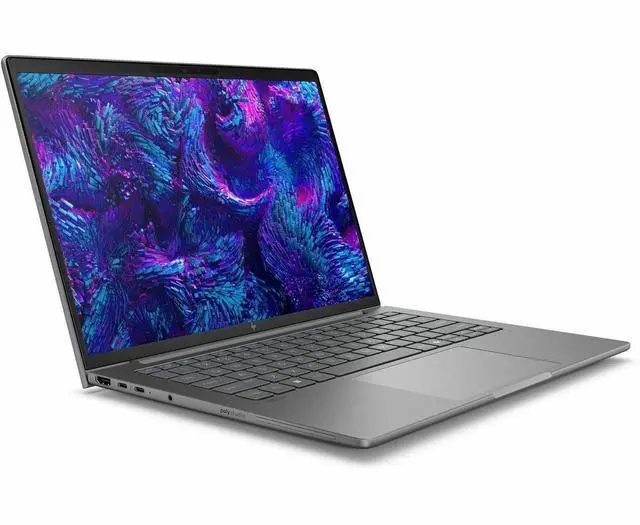
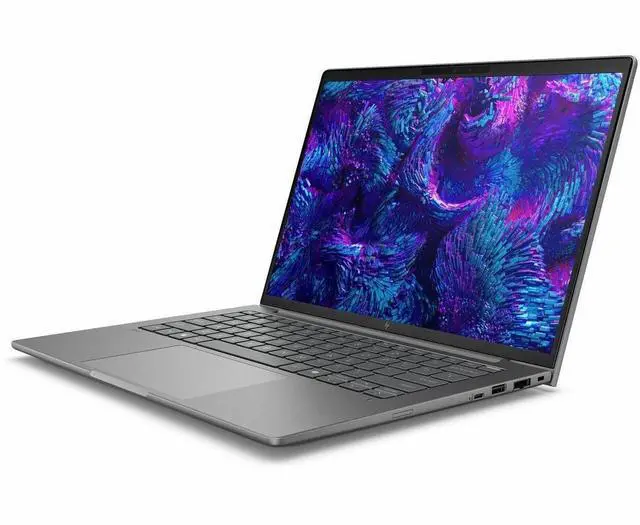



HP ZBook 8 G1i 16" Mobile Workstation - Intel Core Ultra 7 265H - vPro Technology - 32GB - 1TB SSD - Windows 11 Pro - NVIDIA RTX 500 Ada 4 GB - Webcam - IEEE 802.11be Wireless - BX7V8UT#ABA
Free Intel AI Software w/ purchase, limited offer
- WQUXGA
- Intel Core Ultra 7 265H
- vPro Technology
- 32 GB
- 1 TB SSD
- English Keyboard
- Meteor Silver
- Intel Chip
- 3840 x 2400
- Windows 11 Pro
- NVIDIA RTX 500 Ada Generation 4GB
+
+
Overview
Specs
Reviews
16 ZB8G1i16 U7265H 32G 1TB
Warranty & Returns
Warranty, Returns, And Additional Information
Warranty
- Limited Warranty period (parts): 1 year
- Limited Warranty period (labor): 1 year
- Read full details
Return Policies
- Return for refund within: 15 days
- Return for replacement within: 15 days
- This item is covered by Newegg.ca's 15-Day Return Policy.
- Read full return policy for details.
Manufacturer Contact Info
- Manufacturer Website
- Support Phone: 1-800-474-6836
- Support Website
- View other products from HP
LOADING...
LOADING...
Learn about this product
The HP ZBook 8 G1i is a 16-inch mobile workstation for professionals who need a high-resolution 3840 x 2400 display, 32GB RAM, 1TB SSD, and business-grade Windows 11 Pro performance for CAD, content creation, analysis, and multitasking in the office or on the go.
Recommended For
- Mobile CAD, BIM, and SolidWorks users who need certified workstation graphics, Ethernet, and full-size laptop ports instead of a thin consumer notebook plus adapters.
- Engineers, analysts, and other CPU-heavy professionals who run long simulations, code builds, or large Excel and data workflows and want sustained performance in a portable 16-inch system.
- Hybrid-office professionals who spend a lot of time in video calls and want business features like a 5MP webcam, noise suppression, Wi‑Fi 7, optional 5G, and enterprise management options such as vPro.
- IT-standardized business buyers who need a workstation-class Windows laptop with replaceable RAM options, wired networking, security features, and a design that fits fleet deployment better than creator or gaming laptops.
- Photo, design, and review professionals who need a high-resolution 16-inch workspace and may benefit from HP’s higher-end display options, but still want a workstation chassis rather than a media-first laptop.
Real-World Use Scenarios
- Using AutoCAD, SolidWorks, or similar pro apps while keeping large Excel files, browser tabs, and meetings open is a realistic fit; the system is typically responsive for CAD review, project work, and multitasking, with workstation drivers aimed at stability rather than gaming-style speed.
- For 2D design, high-resolution image work, and layout review on the road, it is suited to opening large files and checking detail without feeling cramped; the 16-inch 16:10 workspace and workstation positioning make it more practical for Adobe-style creative workflows than a standard office laptop.
- For light 3D modeling, CAD viewport work, and reviewing models away from a desk, users can expect a smoother experience than on integrated-graphics business laptops, but this configuration is better for entry-level to moderate 3D work than for heavy rendering or large GPU-bound scenes.
- If you spend more time in CPU-heavy tasks like compiling code, data analysis, large spreadsheets, or long office sessions than in GPU rendering, this model is likely to feel fast and steady under load, with reviews noting strong processor performance and cooling behavior in sustained work.
- For hybrid work, client calls, and remote collaboration, it fits well as a mobile office workstation: users can present, join video meetings, and work from different locations with a business-focused webcam, noise reduction features, and enterprise-friendly connectivity.
- For local AI experiments or GPU-accelerated creator features, expect basic functionality rather than a full mobile AI workstation experience; small models and lighter AI-assisted app features are more realistic than larger local models, fine-tuning, or VRAM-heavy workflows.
Spec Summary
| Attribute | Value |
|---|---|
| Best For | Business and professional mobile workstation use on a 16-inch high-resolution platform—suited for business workflows that need a 3840×2400 display, workstation-class CPU and 32 GB memory |
| Processor And Core Count | Intel Core Ultra 7 265H (13th Gen) processor, up to 5.3 GHz with 24 MB L3 cache; AI Ready support noted |
| GPU And VRAM | Internal specification lists an integrated card; external attributes also list Intel Arc Graphics 140T and NVIDIA RTX 500 with 4 GB graphics RAM (DDR5 SDRAM) |
| Display Spec | 16.0-inch 3840 x 2400 (WQUXGA) IPS DreamColor display, 120 Hz refresh rate, up to 500 nits brightness, non-touch |
| Memory Configuration | 32 GB DDR5 SDRAM installed (DDR5, two RAM slots, maximum 32 GB total per spec) |
| Storage And Expansion | 1 TB solid-state storage (1 TB M.2 SSD, m2 form factor/interface) with a memory card slot listed for additional expandability |
| High Speed I O | 2 Thunderbolt ports, 1 HDMI port and 2 USB ports listed; connectivity entries also include USB Type-C and Ethernet for peripherals and docking |
| External Display And Docking Fit | Includes HDMI and two Thunderbolt ports for connecting external displays and Thunderbolt docks |
| Battery And Power | Includes a lithium polymer battery and power adapter; batteries not required/are not listed as required or included per spec fields |
| Wired And Wireless Networking | Wi‑Fi (802.11be) and Bluetooth wireless; wired Ethernet supported per connectivity listing |
| Webcam And Privacy | Built-in webcam present; fingerprint reader listed for biometric sign-in |
| Keyboard And Control | Backlit keyboard with touch pad, TrackPoint and stylus support listed |
| Portability | Item dimensions 12.7 L x 19.8 W x 2.8 H inches; package weight listed as 7.7 Pounds |
| Model Identifiers | HP ZBook 8 G1i (Model BX7V8UT#ABA), Windows 11 Pro, Meteor Silver, mobile workstation form factor |
Reference Q&A
Q: Should I buy the HP ZBook 8 G1i 16 or a Lenovo ThinkPad P16v Gen 2 for a 16-inch mobile workstation?
A: Choose the HP ZBook 8 G1i 16 if you want a more portability-oriented workstation with a high-resolution 3840 x 2400 display option, strong CPU performance, and workstation-class graphics in a lighter design. Choose the ThinkPad P16v Gen 2 if you want a similar mainstream workstation class but prefer Lenovo’s value-focused positioning and a wider step-up path to RTX 1000/2000/3000 Ada graphics. In practical terms, the ZBook 8 G1i 16 fits buyers prioritizing display quality and balanced mobility, while the P16v Gen 2 makes more sense when GPU scaling matters more than screen resolution.
Q: Is the HP ZBook 8 G1i 16 a better fit than a lower-tier integrated-graphics workstation laptop?
A: Yes, if your work benefits from certified professional graphics, GPU acceleration, or CAD-focused driver support. This ZBook configuration pairs the Core Ultra 7 265H with Intel Arc 140T and NVIDIA RTX 500 Ada 4GB, which is a meaningful step above integrated-only business laptops for entry workstation workloads. A lower-tier integrated-only model is still the better fit for office productivity, remote work, and lighter creator tasks where lower cost and simpler thermals matter more than workstation graphics.
Q: Should I step up from this HP ZBook 8 G1i 16 to a higher-end workstation like the ZBook Fury 16 G11?
A: Step up if your workloads are constrained by GPU power, VRAM capacity, or upgrade headroom. The ZBook 8 G1i 16 configuration is better suited to balanced mobile workstation use: CPU-heavy productivity, lighter 3D work, and professional applications that benefit from certified entry-level RTX graphics. A higher-end model like the ZBook Fury 16 G11 is the better choice for heavier rendering, larger assemblies, simulation, or AI workflows that benefit from much stronger discrete GPU options and more thermal headroom.
Q: Is the HP ZBook 8 G1i 16 a good upgrade from an older ZBook Firefly or entry workstation?
A: Yes, especially if your current system is limited by CPU throughput, display resolution, or older entry-level workstation graphics. HP positions the ZBook 8 line as a workstation tier with both Intel Arc and optional RTX Ada graphics, and review coverage on the newer ZBook 8 family highlights stronger sustained performance than older thin-and-light workstation designs. The upgrade makes the most sense for users moving from older U-series or lower-power workstation laptops into heavier multitasking, larger creative projects, or more frequent CAD and GPU-accelerated work.
Q: Should I choose the HP ZBook 8 G1i 16 for portability-focused work or a thicker performance-first workstation?
A: Choose the ZBook 8 G1i 16 if you need a workstation that travels often and still handles professional apps reliably. Reviews indicate the ZBook 8 G1i delivers strong sustained CPU performance and solid battery life for its class, while its entry RTX 500 Ada graphics keep it aligned with mainstream workstation use rather than maximum GPU output. Choose a thicker performance-first workstation if your daily work is dominated by rendering, large 3D scenes, simulation, or local AI tasks where higher-wattage GPUs and more VRAM are more important than mobility.
Q: Is this a good choice for office work, video meetings, and multitasking?
A: Yes. This configuration is well suited to office productivity, video calls, browser-heavy multitasking, and professional workflows because it combines an Intel Core Ultra 7 265H processor, 32GB RAM, 1TB SSD, Windows 11 Pro, Wi‑Fi 7, and a built-in webcam. It is more than most users need for basic office work, so its main trade-off is that you may be paying workstation-level pricing and carrying a larger 16-inch system for tasks a lighter business laptop can also handle.
Q: Is it worth buying as a travel work device?
A: It can work as a travel workstation, but it is not the most convenient travel laptop. The 16-inch size, high-resolution display, and workstation-class components favor screen space and performance over portability. It makes more sense for users who travel with demanding work files, external displays, or creative/CAD apps than for buyers who mainly want a light laptop for email, note-taking, and meetings.
Q: Who is this laptop actually suitable for?
A: This model is best for professional users who need a large, sharp 16-inch display, 32GB memory, fast local storage, and workstation-oriented graphics for engineering, content creation, visualization, or heavy multitasking. It is less suitable for buyers who only need a general home or school laptop, because a mainstream productivity model can usually handle office apps and meetings at lower cost and with better portability.
Q: How does it compare with a creator laptop like the ASUS ProArt P16?
A: Choose the HP ZBook 8 G1i if you want a business/workstation-focused system with Windows 11 Pro, vPro, enterprise positioning, and likely better fit for managed IT environments. Choose a creator laptop such as the ASUS ProArt P16 if your priority is consumer-creator value, OLED-first media work, and stronger emphasis on display features or higher-tier GeForce graphics options. The trade-off is that the ZBook is the safer fit for corporate and professional deployment, while creator laptops often offer more entertainment and creator-focused features per dollar.
Q: Is the 4K-class 16-inch display a real advantage, or is it overkill?
A: It is a real advantage if you spend hours reading dense documents, working with large spreadsheets, reviewing detailed visuals, or doing design-oriented work. The 3840 x 2400 resolution gives sharper text and more workspace than a standard business laptop. The trade-off is that this class of display can use more power and adds cost, so it is harder to justify if your main tasks are simple email, web apps, and note-taking.
Q: Is the HP ZBook 8 G1i 16 a good fit for professional work?
A: Yes, if your priority is workstation-style productivity in a portable 16-inch laptop. Based on the listed configuration, it is better suited to coding, large spreadsheets, multitasking, content creation, and other professional workflows than to casual everyday use. Community discussion repeatedly treats the ZBook 8 G1i as a mobile workstation that can feel excessive for lighter needs.
Q: Is it worth buying if I mainly want a laptop for office work, browsing, and general daily use?
A: Usually no. This configuration makes more sense for buyers who specifically want workstation features, high memory, a high-resolution 16-inch display, and stronger multitasking headroom. For mostly web, office, and light daily tasks, the trade-off is that you may be paying for more machine than you need.
Q: Is the HP ZBook 8 G1i 16 good for travel or all-day unplugged work?
A: It can work for travel, but portability is not its main strength. Reddit discussion around the ZBook 8 G1i family points to solid battery life for light work, but this is still a 16-inch workstation-class system. It is a better fit for buyers who need mobile professional performance than for buyers who want the lightest or quietest travel laptop.
Q: What are the main trade-offs of choosing this model?
A: The main trade-offs are workstation size, noise under load, and graphics limits on lower-end configurations. Community discussion suggests the ZBook 8 line can stay quiet in lighter tasks but ramp up fans during heavier work. This specific listing also shows Intel Arc 140T graphics, which is more suitable for professional productivity and light GPU work than for buyers who need consistently stronger 3D or rendering performance.