
Your Browsing History
Best Sellers
- $1,639.99
- + FREE SHIPPING
 Hot Seller
- $2,114.22
- + $20.38 Shipping
 Top Rated
- $2,217.41
- + FREE SHIPPING


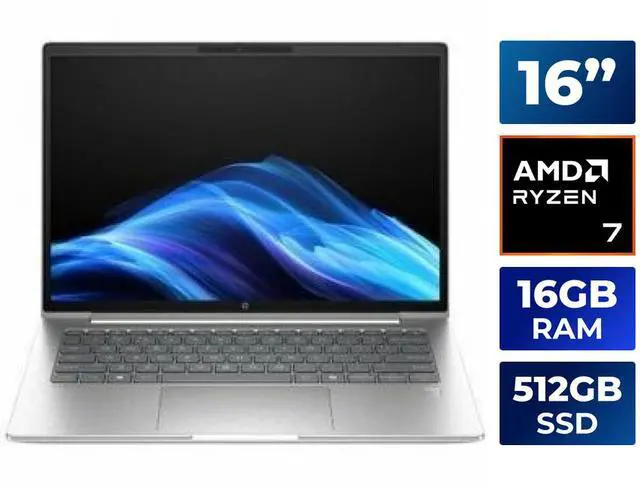
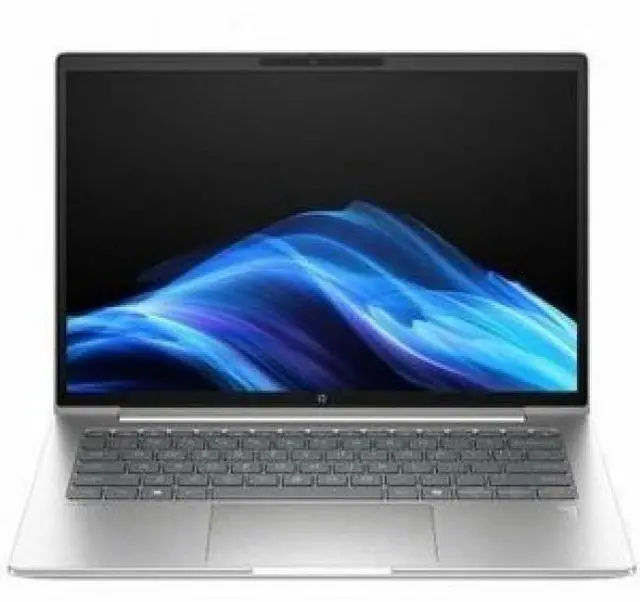



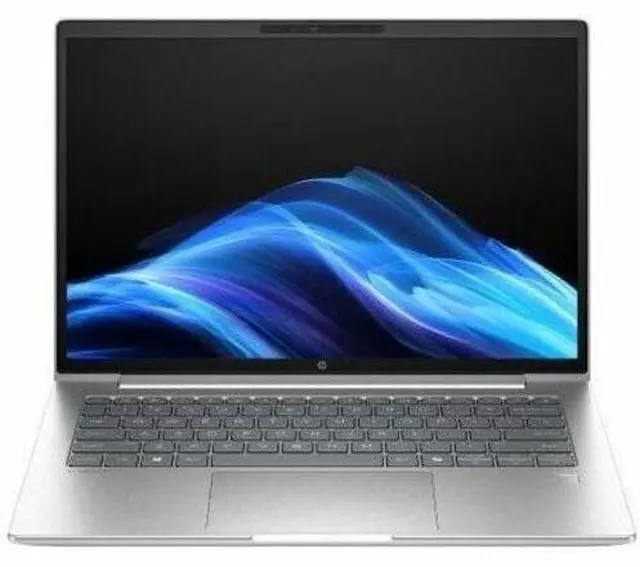
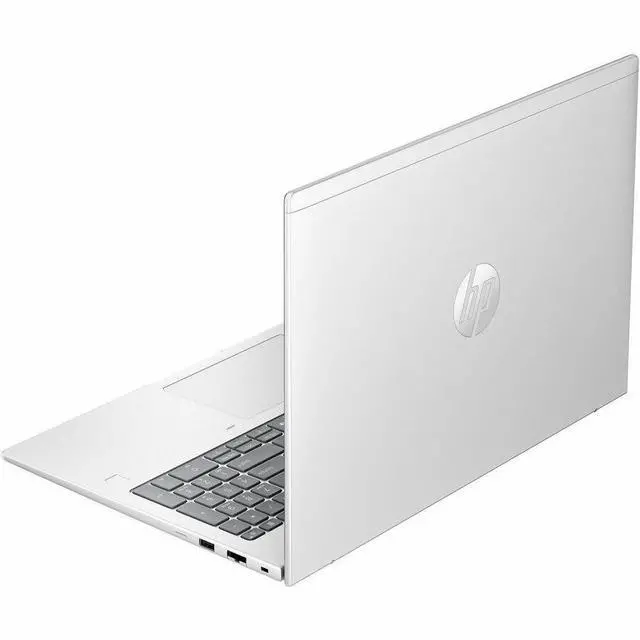
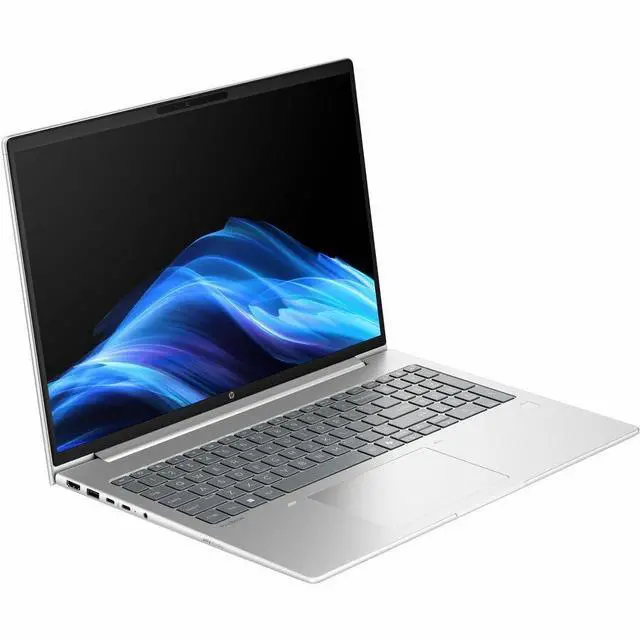
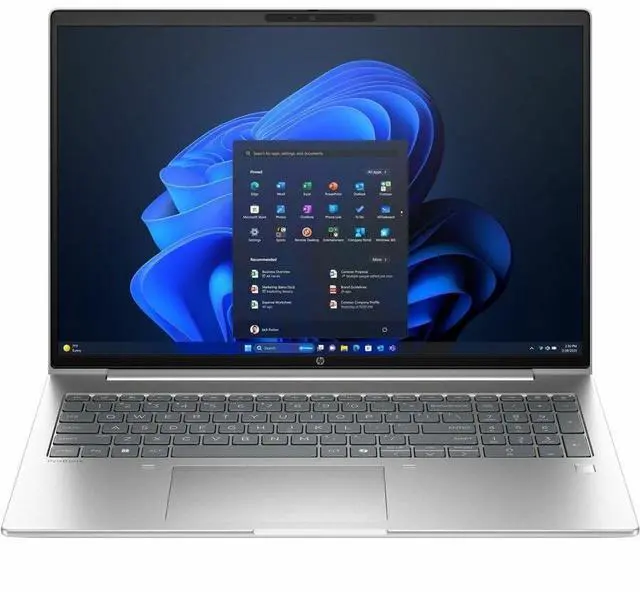
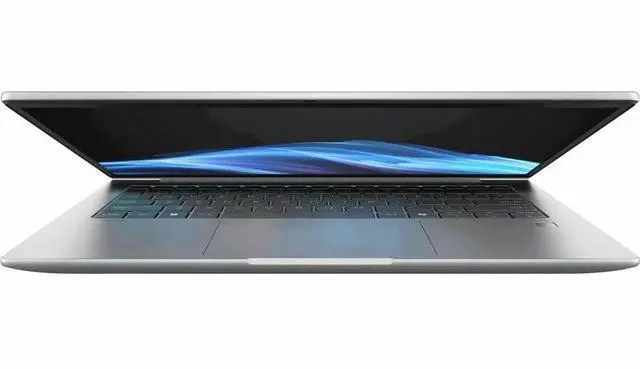




HP ProBook 4 G1a 16" Notebook - AMD Ryzen 7 250 - 16GB - 512GB SSD - Pike Silver - Windows 11 Pro - AMD Radeon 780M Graphics - Webcam - IEEE 802.11ax Wireless BM2E3UT#ABA
- WUXGA
- AMD Ryzen 7 250
- 16 GB
- 512 GB SSD
- English Keyboard
- Pike Silver
- AMD Chip
- 1920 x 1200
- Windows 11 Pro
- AMD Radeon 780M Graphics
- In-plane Switching (IPS) Technology
- Front Camera/Webcam
- IEE
+
+
Overview
Specs
Reviews
16 PB4G1a16AI R7250 16G 512GB
Warranty & Returns
Warranty, Returns, And Additional Information
Warranty
- Limited Warranty period (parts): 1 year
- Limited Warranty period (labor): 1 year
- Read full details
Return Policies
- Return for refund within: 15 days
- Return for replacement within: 15 days
- This item is covered by Newegg.ca's 15-Day Return Policy.
- Read full return policy for details.
Manufacturer Contact Info
- Manufacturer Website
- Support Phone: 1-800-474-6836
- Support Website
- View other products from HP
LOADING...
LOADING...
Learn about this product
The HP ProBook 4 G1a is a 16-inch Windows 11 Pro laptop with an AMD Ryzen 7 250 processor, 16GB RAM, and a 512GB SSD, making it a strong fit for professionals, students, and home users who want a larger WUXGA display for multitasking, office work, web use, and everyday productivity.
Recommended For
- Small-business employees or hybrid office users who spend most of the day in email, spreadsheets, browser tabs, video calls, and line-of-business apps, and want a 16-inch workspace with business security and upgrade-friendly design.
- Users replacing an older business laptop who need smoother multitasking without moving to a premium workstation—especially people running multiple Office apps, Slack/Teams, web dashboards, and light local AI features.
- Finance, operations, and admin staff who benefit from a larger 16:10 screen for side-by-side documents, long spreadsheets, and constant multitasking, but do not need dedicated graphics.
- Remote workers who mostly dock at a desk and want a business notebook for webcam meetings, everyday productivity, and occasional multi-monitor use through USB-C docking rather than a mobile-first ultralight setup.
Real-World Use Scenarios
- Office multitasking and remote work: Good fit for running many browser tabs, email, Office apps, Teams or Zoom, and file syncing at the same time; users should expect smooth day-to-day work and enough battery life for a typical workday, rather than workstation-class performance.
- Large-screen spreadsheet and document work: Well suited to users who spend hours in Excel, ERP, CRM, browser dashboards, or side-by-side documents; the 16-inch 1920x1200 display should make long-form office work more comfortable than smaller laptops.
- Light creative work and media editing: Suitable for photo editing, simple graphics work, and short 1080p video edits for presentations, training clips, or social posts; exports and effects-heavy timelines will be noticeably slower than on laptops with dedicated graphics.
- Coding, research, and business analysis: A practical choice for developers, analysts, and students working with IDEs, terminals, virtual meetings, and many reference tabs; compile times and data work should feel responsive for mainstream projects, but heavy local simulation or GPU-heavy workflows are outside its sweet spot.
- Casual gaming after work: Fine for esports, older games, and lighter titles at modest settings, but not the right choice for demanding new AAA games; users should expect playable integrated-graphics performance rather than a gaming-laptop experience.
Spec Summary
| Attribute | Value |
|---|---|
| Best For | Home, business, and student productivity—office apps, web conferencing, and everyday multitasking with integrated AMD Radeon 780M graphics on Windows 11 Pro |
| Display Spec | 16.0" LCD IPS panel, 1920 x 1200 native resolution, 60 Hz refresh, 300 nit max brightness, ~62% sRGB color gamut |
| Processor And Core Count | AMD Ryzen 7 250 (Ryzen 7000 Series) processor, single physical CPU, up to 5.1 GHz maximum boost, 16 MB L3 cache |
| Memory Configuration | 16 GB DDR5 SDRAM installed (DDR5), two memory slots, user-upgradeable up to 48 GB |
| Storage And Expansion | 512 GB PCIe (NVMe) M.2 SSD |
| Graphics And Video | Integrated AMD Radeon 780M graphics (uses system DDR5 memory) with HDMI video output |
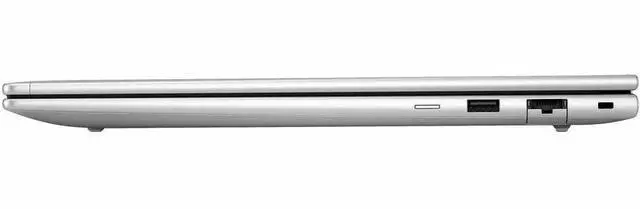
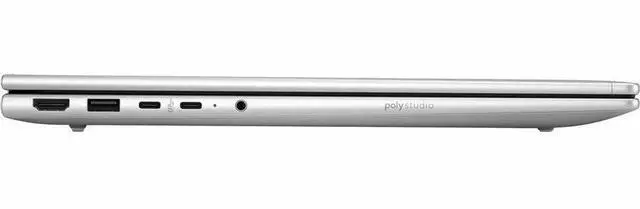
| Ports And Connectivity | Four total USB ports (includes USB-C), 1× HDMI, Ethernet, no Thunderbolt ports reported |
| Wired And Wireless Networking | Wi‑Fi 6 (802.11ax) and Bluetooth wireless; wired Ethernet available |
| Battery And Power | Installed lithium-ion battery (3 cells, single battery included), 4000 mAh rated energy content, battery weight ~300 g |
| Webcam And Privacy | Front-facing webcam for video conferencing; includes fingerprint reader for biometric sign-in |
| Keyboard And Input | Chiclet-style keyboard with touch pad |
| Dimensions And Weight | Weight about 3.86 lb; footprint and thickness listed as 0.67" x 14.1" x 9.9" (other listing shows 15.06 x 12.01 x 3 TH inches) |
| Operating System And Security | Windows 11 Pro (Wolf Pro Security Edition referenced in built-in media) |
| Other Special Features | Low blue light mode and anti-glare display coating |
| Model Identifiers | HP ProBook 4 G1a (Pike Silver), model BM2E3UT#ABA, manufacturer Hewlett Packard |
Reference Q&A
Q: Should I buy the HP ProBook 4 G1a 16 with Ryzen 7 250 or step up to an EliteBook?
A: Choose the ProBook 4 G1a 16 if you want a business laptop focused on mainstream office work, multitasking, and a larger 16-inch 1920x1200 display at a lower tier than HP's premium business line. Choose an EliteBook if you want a more premium chassis, higher-end configuration options, and a stronger emphasis on enterprise features and overall refinement. The ProBook is the better fit when value, screen size, and solid everyday performance matter more than moving into HP's higher-end business range.
Q: Is the Ryzen 7 250 ProBook 4 G1a worth it over a lower-tier Ryzen 5 business laptop?
A: Yes, the Ryzen 7 250 version is the better choice if you expect heavier multitasking, longer useful life, or occasional graphics-accelerated work. The Ryzen 7 250 is an 8-core, 16-thread chip paired here with Radeon 780M integrated graphics, while lower-tier Ryzen 5 options are typically better suited to basic office use and lighter workloads. If your use is mostly web, documents, video calls, and routine business apps, a Ryzen 5 configuration can still make sense on value. If you want more headroom without moving to a gaming-class laptop, this ProBook configuration is the safer choice.
Q: How does the HP ProBook 4 G1a 16 compare with an Intel Core Ultra 7 255U business laptop?
A: Pick the ProBook 4 G1a 16 if you want stronger integrated graphics and a configuration that is better aligned with multitasking and light creative or GPU-assisted work. The Radeon 780M is widely treated in reviews as a stronger iGPU class than the basic Intel graphics paired with Core Ultra 7 255U systems. An Intel Core Ultra 7 255U laptop is still a practical alternative if your priority is standard office productivity and you prefer a specific Intel-based business platform. For buyers deciding between similar business notebooks, the HP ProBook's AMD configuration makes more sense when graphics headroom matters.
Q: Is the HP ProBook 4 G1a 16 better for portability or for a larger-screen work setup?
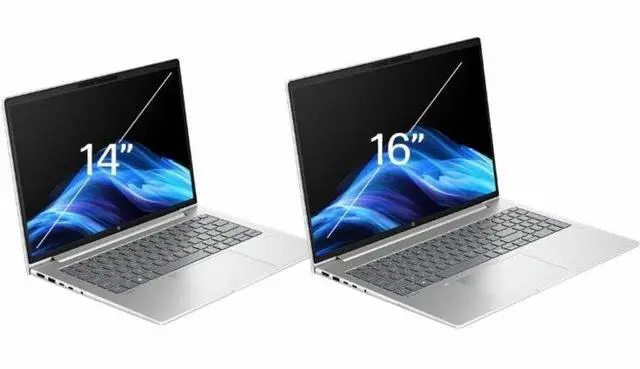
A: This model is the better choice for a larger-screen work setup. Its 16-inch display and business-focused feature set make it a better fit for spreadsheet work, side-by-side windows, and desk-based productivity than for maximum portability. A 14-inch alternative in the same class is the better choice if lower carry weight and smaller bag footprint matter more. Choose this 16-inch ProBook when screen space is more important than minimizing size.
Q: Is this a good fit for office work, video meetings, and everyday multitasking?
A: Yes. This configuration is a practical fit for office work, browser-heavy multitasking, meetings, and general productivity. The 16GB RAM and 512GB SSD are in the range shoppers commonly look for in retail laptop Q&A, and this HP model also includes a webcam, Wi‑Fi 6, a 16-inch 1920 x 1200 display, and Windows 11 Pro. The main limitation is that it is not a touch model and it uses integrated graphics, so it is better suited to work and study than to GPU-heavy creative or gaming use.
Q: Is it worth buying as a travel work laptop?
A: It can work well for travel if your priority is screen space for spreadsheets, documents, and remote work, but it is not the most travel-light option. A 16-inch laptop is usually chosen for productivity and easier multitasking rather than maximum portability. This HP model has the right work basics—webcam, Bluetooth, Wi‑Fi 6, HDMI, 16GB memory, and a 512GB SSD—but buyers who fly often or want a smaller bag-friendly device may prefer a 14-inch class alternative.
Q: Who is this laptop best suited for?
A: This laptop is best suited for professionals, students, and home users who want a larger non-touch display for productivity, meetings, web apps, and everyday business tasks. It makes the most sense for users who value a roomy 16-inch 1920 x 1200 screen, Windows 11 Pro, and balanced specs over gaming features or tablet-style flexibility. It is less suitable for buyers who specifically want touch input, pen support, or dedicated graphics.
Q: What are the trade-offs versus a similar 16-inch competitor laptop?
A: Compared with similar 16-inch consumer models, this HP ProBook is stronger on business readiness than on extra features. Its advantages are Windows 11 Pro, a 16-inch WUXGA IPS display, 16GB RAM, 512GB SSD, webcam, and modern wireless. The trade-offs are that it is non-touch and uses integrated Radeon 780M graphics, so some competing models may offer touchscreens, higher-resolution panels, or gaming-oriented GPUs. In short: choose this HP if you want a straightforward work-first 16-inch notebook, and choose an alternative if touch, creator features, or gaming matter more.
Q: Is this better than a cheaper everyday laptop for basic home use?
A: It is better if you want more headroom for multitasking and longer-term work use, but it may be more than necessary for very basic tasks. For email, streaming, and light browsing, cheaper laptops can be enough. This HP becomes the better choice when you want 16GB RAM, a 512GB SSD, a larger 16-inch 1920 x 1200 display, Windows 11 Pro, and a business-oriented setup that should feel less cramped for work over time.
Q: Is the HP ProBook 4 G1a 16 a good fit for office work, study, and general productivity?
A: Yes, it looks well suited for productivity-focused use. The 16-inch 1920x1200 IPS display gives more vertical workspace than a standard 1080p panel, and the listed Ryzen 7 250, 16GB RAM, and 512GB SSD are appropriate for multitasking, browser-heavy work, documents, video calls, and everyday business apps. The main trade-off is portability versus smaller laptops, and this configuration is better aligned with desk-based work than ultra-light travel.
Q: Who should buy this HP ProBook 4 G1a 16, and who should skip it?
A: This model makes the most sense for users who want a mid-range 16-inch Windows laptop for work, school, web apps, meetings, and light creative or technical tasks without needing a dedicated GPU. It is a weaker fit for buyers who prioritize a very light travel laptop, touchscreen input, or higher-end gaming performance. Since the graphics are integrated Radeon 780M and the laptop is listed as non-touch, it is better positioned as a practical all-rounder than a specialty device.
Q: Is the Radeon 780M good enough for light gaming or graphics-heavy everyday use?
A: For integrated graphics, yes. Radeon 780M is generally viewed by buyers as capable enough for light gaming, older games, esports titles, media work, and GPU-accelerated everyday tasks, but it is still not a substitute for a dedicated gaming GPU. If gaming is occasional and settings can be reduced, this class of hardware is reasonable. If gaming performance is a top priority, a laptop with discrete graphics is the safer choice.
Q: What are the main trade-offs of buying this configuration instead of a smaller or more premium laptop?
A: The main trade-off is balance rather than specialization. This ProBook configuration offers a large 16-inch WUXGA display, business-oriented Windows 11 Pro setup, solid memory and storage, and competent integrated graphics. In return, you give up features some buyers specifically look for in other categories, such as touchscreen support, premium thin-and-light portability, or dedicated graphics for heavier gaming and creative workloads. It is the better choice when screen space and practical everyday performance matter more than premium extras.