
Your Browsing History
Best Sellers
 Hot Seller
- $3,078.55
- + $20.38 Shipping
- $3,104.99
- + FREE SHIPPING


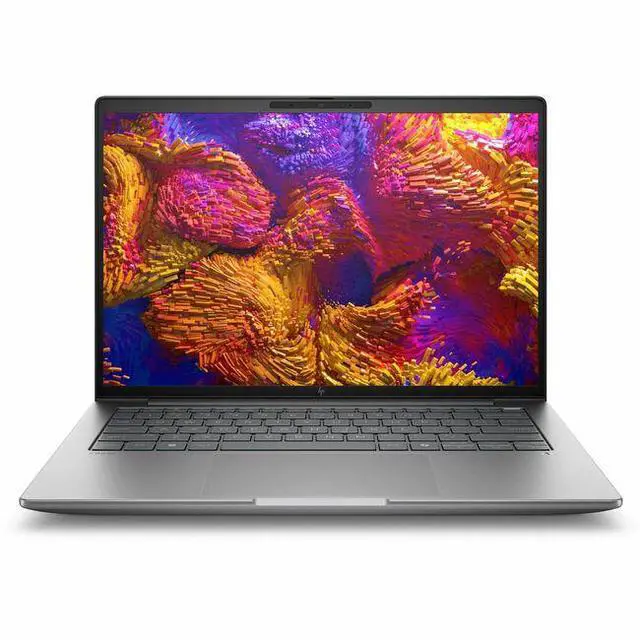
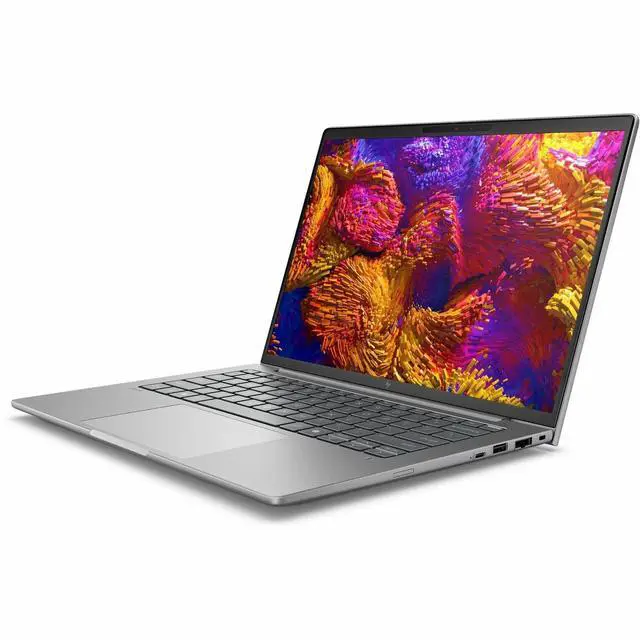
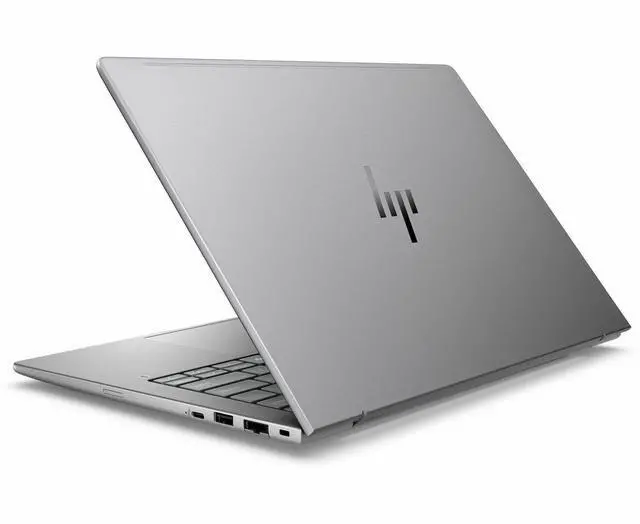
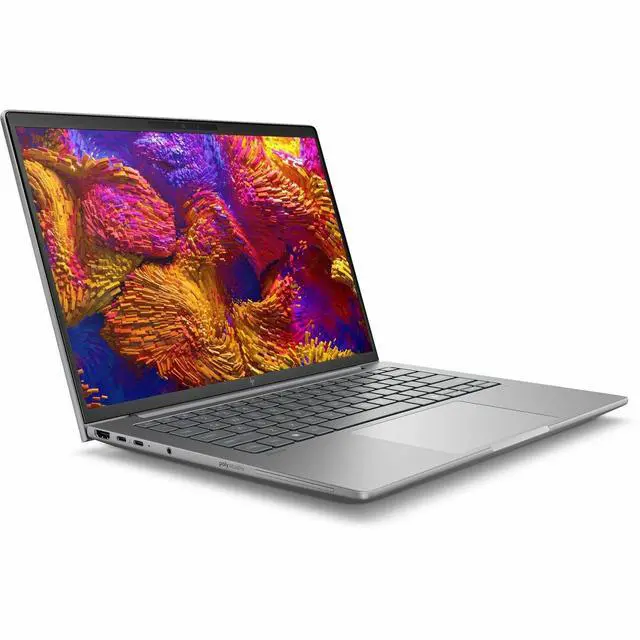
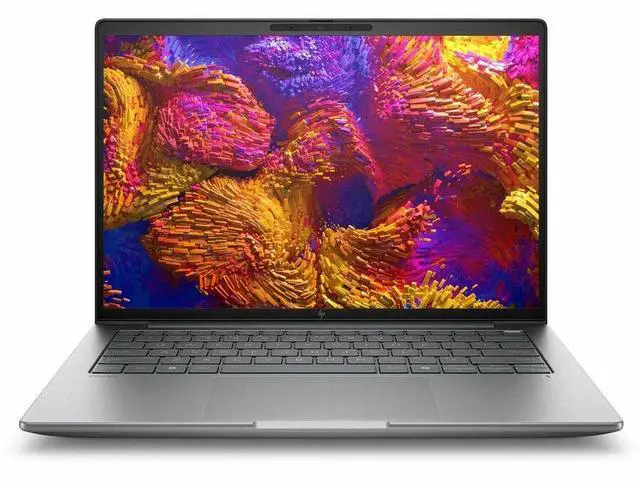
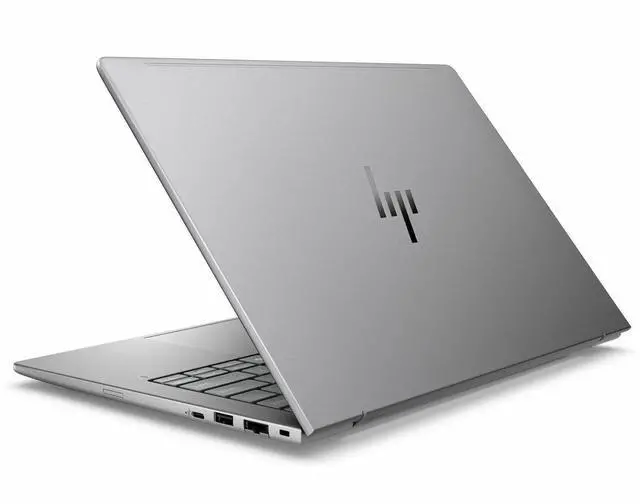
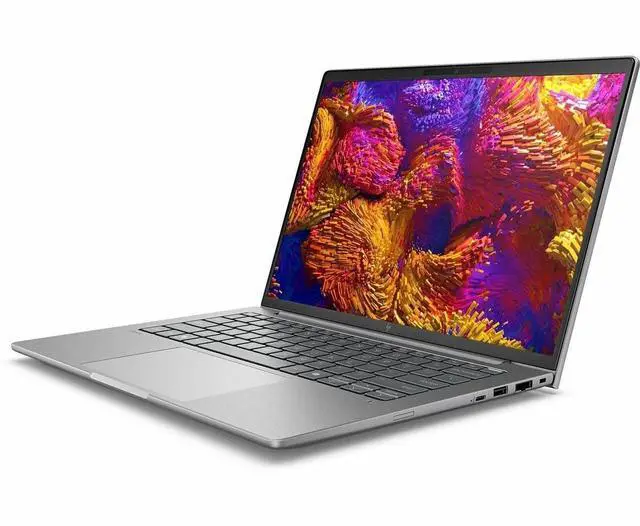
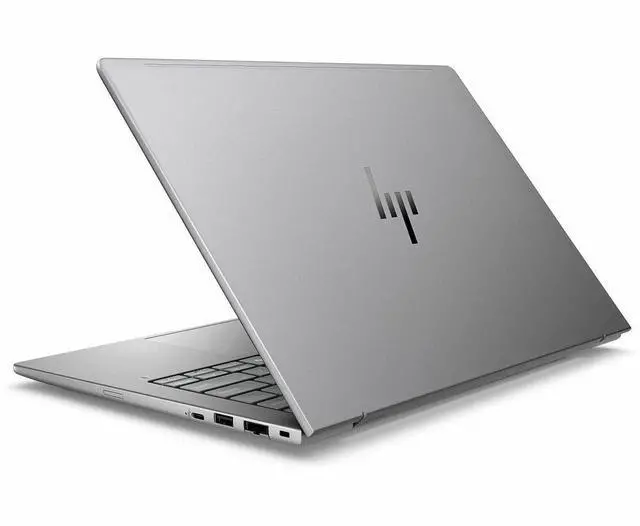
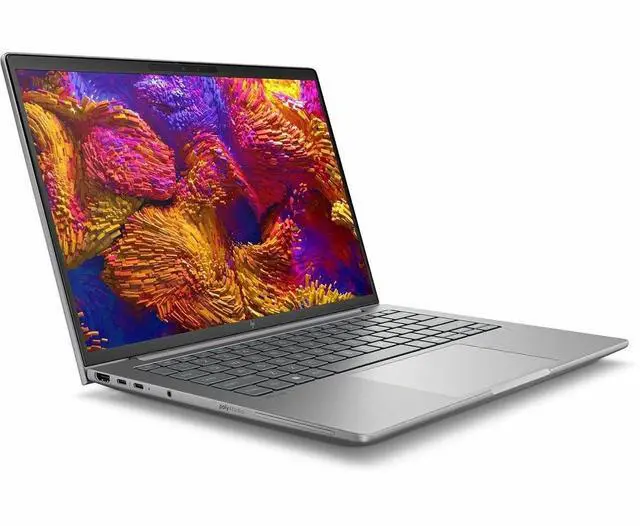


HP ZBook 8 G1ak 14" Mobile Workstation - AMD Ryzen AI 7 PRO 350 (2 GHz) - 32 GB - 1 TB SSD - AMD Radeon 860M - Windows 11 Pro - Wi-Fi 7 D08C2AT#ABA
- AMD Ryzen AI 7 PRO 350 (2 GHz)
- 32GB DDR5 Memory / 1TB SSD
- AMD Radeon 860M
- 1920 x 1200
- Windows 11 Pro
+
+
Overview
Specs
Reviews
SMART BUY ZBOOK 8 G1AK4 RA7P350 14 32GB/1T PC
Warranty & Returns
Warranty, Returns, And Additional Information
Warranty
- Limited Warranty period (parts): 1 year
- Limited Warranty period (labor): 1 year
- Read full details
Return Policies
- Return for refund within: 15 days
- Return for replacement within: 15 days
- This item is covered by Newegg.ca's 15-Day Return Policy.
- Read full return policy for details.
Manufacturer Contact Info
- Manufacturer Website
- Support Phone: 1-800-474-6836
- Support Website
- View other products from HP
LOADING...
LOADING...
Learn about this product
The HP ZBook 8 G1ak is a 14-inch mobile workstation built for professionals who need business-class portability with workstation-focused features, including an AMD Ryzen AI 7 PRO 350 processor, 32GB DDR5 memory, 1TB SSD, Windows 11 Pro, and wired plus Wi-Fi 7 connectivity.
Recommended For
- Mobile CAD, BIM, and technical-review users who need a 14-inch business laptop for moving between office, client sites, and home, and mostly work with 2D drawings, model review, and large project files rather than heavy GPU rendering.
- IT staff, consultants, and enterprise users who want a more serviceable business machine with Windows 11 Pro, Ethernet, Wi-Fi 7, a 5MP IR webcam, and two SODIMM memory slots in a compact workstation-style chassis.
- Users running many office, browser, collaboration, and professional apps at once who care more about stable multitasking, memory headroom, and fast SSD behavior than about workstation-class graphics.
- Professionals testing local AI-assisted productivity features in a business laptop, especially where an NPU, enterprise management, and on-device Copilot-style workflows matter more than top-end AI training or GPU compute.
Real-World Use Scenarios
- Field engineer or IT admin working between offices can run large spreadsheets, browser-based dashboards, remote sessions, and video calls at the same time without the system feeling cramped; the main tradeoff is that this model is tuned more for business stability and ports than for top-tier workstation-class graphics.
- Consultants, project managers, and hybrid workers can use it as a daily travel laptop for meetings, presentations, and long document sessions; users typically benefit from the sturdy chassis, full-size business connectivity, and workable battery life, though it is not the longest-lasting 14-inch option in its class.
- Architects, product designers, or engineers reviewing 2D drawings, light CAD assemblies, PDFs, and technical markups should get a smooth experience for everyday workstation tasks, but heavier 3D rendering, simulation, or GPU-intensive visualization is better suited to a model with dedicated graphics.
- Users testing local AI features such as background blur, framing, transcription, or Windows AI-assisted workflows can expect those lightweight on-device tasks to run comfortably, but this is not the kind of laptop people typically choose for large local model work or sustained AI experimentation.
- For occasional gaming after work, users should expect older titles, esports, and many mainstream games to be playable at 1080p or 1200p with lowered settings; demanding new games are more hit-or-miss, so this works better as a business laptop that can game sometimes than as a gaming-first machine.
Spec Summary
| Attribute | Value |
|---|---|
| Best For | Mobile professionals and technical users who need a compact 14" workstation with Ryzen AI processing, 32GB DDR5 memory, a 1TB M.2 SSD and integrated AMD Radeon 860M for productivity and AI-enabled workloads |
| Processor And Core Count | AMD Ryzen AI 7 PRO 350 base 2 GHz with up to 5 GHz turbo and an 8-core processor count (Ryzen AI series, 3rd Gen) |
| GPU And VRAM | AMD Radeon 860M integrated graphics (no dedicated VRAM reported; uses system DDR5 memory) |
| Display Spec | 14.0" IPS LCD, 1920 x 1200 (native), LED backlight, 60 Hz refresh with anti-glare coating |
| Memory Configuration | 32GB DDR5 installed (DDR5 SDRAM), dual SODIMM slots with support up to 64GB |
| Storage And Expansion | 1TB solid-state storage (M.2 SSD, listed as 1 TB / 1 TB SSD) |
| High Speed I O | Includes 2 total Thunderbolt ports, 2 total USB ports and 1 HDMI output; hardware interface entries list USB-C and standard USB alongside HDMI and Bluetooth |
| Battery And Power | Built-in lithium polymer battery with reported 4000 mAh energy content, 3 cells (one battery installed); batteries included and shipped with equipment |
| Wired And Wireless Networking | Wi‑Fi 7 (802.11be) wireless LAN with backward compatibility to 802.11ac/n/g, Bluetooth 5.4, and Gigabit Ethernet (RJ-45) |
| Webcam And Privacy | Front-facing 5MP IR webcam reported (webcam capability present) |
| Keyboard And Control | Standard laptop input with touch pad |
| Portability | Clamshell 14" mobile workstation in Meteor Silver, approximately 3.17 lbs and dimensions listed around 0.75" x 12.4" x 8.7" |
| External Display And Docking Fit | Supports external displays via HDMI and two Thunderbolt ports—suitable for docking/monitor setups that use Thunderbolt or HDMI outputs |
| Model Identifiers | HP ZBook 8 G1ak (Series ZBook) model D08C2AT#ABA / Model Number D08C2AT#ABA, manufacturer Hewlett Packard, model year 2026; package includes ZBook 8 G1ak Mobile Workstation and AC adapter |
| Other Features | Includes Miracast support and an anti-glare display coating |
Reference Q&A
Q: Should I buy the HP ZBook 8 G1ak or a Lenovo ThinkPad T14 Gen 6 AMD with the same Ryzen AI 7 PRO 350?
A: Choose the HP ZBook 8 G1ak if you want a 14-inch system positioned as a mobile workstation, with workstation branding, pro-focused configuration options, RJ-45 Ethernet, and ISV-oriented ZBook positioning. Choose the ThinkPad T14 Gen 6 AMD if you want a mainstream business laptop built around the same Ryzen AI 7 PRO 350 and Radeon 860M platform, where the core CPU and iGPU performance are broadly similar and the decision comes down more to chassis, ports, service preference, and workstation-specific needs than raw speed.
Q: Is the HP ZBook 8 G1ak enough, or should I step up to a ZBook Firefly 14 G11 with RTX A500?
A: The ZBook 8 G1ak is the better fit if your work is mostly office, coding, light creation, AI-assisted workflows, and moderate 2D or lighter 3D work that can run well on Radeon 860M integrated graphics. Step up to the ZBook Firefly 14 G11 when your workflow benefits from a discrete professional GPU, such as heavier CAD viewports, GPU-accelerated creative apps, or software stacks that favor NVIDIA drivers and certifications. The trade-off is that Firefly configurations with RTX A500 are positioned higher for graphics-focused workstation use.
Q: Should I get this ZBook 8 G1ak or move up to the HP ZBook Ultra G1a?
A: Buy the ZBook 8 G1ak if you want a more grounded 14-inch workstation configuration with Ryzen AI 7 PRO 350, 32GB RAM, 1TB storage, and Radeon 860M for balanced business and workstation tasks. Move up to the ZBook Ultra G1a if you specifically need the higher-tier platform, stronger integrated graphics class, and more premium configuration ceiling, including higher memory capacity and display options. The Ultra makes more sense for users pushing more demanding local AI, graphics, or creator workloads, while the ZBook 8 G1ak is the more practical choice for mainstream mobile workstation use.
Q: Is this 32GB / 1TB ZBook 8 G1ak worth buying over a lower-tier Ryzen AI 5 or 16GB configuration?
A: This 32GB / 1TB ZBook 8 G1ak is the safer choice if you expect longer ownership, heavier multitasking, large browser workloads, local development tools, virtual machines, or creative apps that benefit from more memory and storage headroom. A lower-tier Ryzen AI 5 or 16GB configuration can still make sense for lighter office and web-focused use, but the practical difference is usually less about basic responsiveness and more about how much workload margin you want over time.
Q: Should I choose the ZBook 8 G1ak for portability-first work or pick a bigger workstation for performance-first use?
A: Choose the ZBook 8 G1ak if your priority is a 14-inch mobile workstation that is easier to carry and still covers business, coding, analysis, and lighter workstation tasks. Choose a larger or more graphics-focused ZBook class if your workflow spends more time in sustained rendering, complex CAD, simulation, or heavier GPU work. In practice, the ZBook 8 G1ak fits buyers who want workstation identity in a more travel-friendly form, while larger models make sense when sustained performance matters more than compactness.
Q: Is this a good travel work laptop for business trips and hybrid work?
A: Yes for office-first travel use. This ZBook 8 G1ak combines a portable 14-inch 1920 x 1200 display with 32GB RAM, a 1TB SSD, Wi-Fi 7, HDMI, RJ-45 Ethernet, and a 5MP IR webcam, which fits common travel-work needs such as document work, video meetings, hotel or office docking, and wired network access. The main trade-off is graphics: the Radeon 860M is integrated, so this model is better for mobile productivity and light creator workloads than for heavy GPU-dependent 3D or rendering work.
Q: Is it good for note-taking, meetings, spreadsheets, and general office work?
A: Yes. For everyday business workloads, this configuration is comfortably above the usual baseline. The Ryzen AI 7 PRO processor, 32GB DDR5 memory, and 1TB SSD are well suited for multitasking across browser tabs, Office apps, Teams or Zoom, and large spreadsheets. The 5MP IR webcam and Windows 11 Pro also make it a practical fit for frequent meetings and business deployment. It is more laptop than most users need for basic note-taking alone, but it should feel responsive for standard office use.
Q: Who is this laptop best suited for?
A: It is best suited for professionals who want a business laptop with workstation positioning but do not need dedicated graphics. Good fits include analysts, engineers working mainly in browser, Office, coding, remote desktop, and light CAD or content workflows, as well as IT or enterprise users who value Windows 11 Pro, Ethernet, and a stronger webcam. It is less ideal for buyers whose main priority is gaming or sustained GPU-heavy rendering, because the Radeon 860M is an integrated GPU.
Q: What are the main trade-offs versus a typical 14-inch business laptop like a ThinkPad E14 or Dell Latitude 5450?
A: The advantage of this HP is its higher-spec memory and storage, workstation branding, newer wireless standard, built-in Ethernet, HDMI, and a 5MP IR webcam. Compared with many mainstream 14-inch business laptops, that makes it a stronger choice for heavier multitasking and enterprise use without requiring dongles for basic wired networking or display output. The trade-off is that its Radeon 860M is still integrated graphics, so it does not replace a mobile workstation with a dedicated professional GPU if your workload depends on certified 3D, CAD, or GPU rendering performance.
Q: Is it a good choice if I need built-in ports for monitors, wired internet, and video calls?
A: Yes. This model is unusually practical for buyers who care about native business connectivity. It includes HDMI for an external display, an RJ-45 Ethernet port for wired networking, Wi-Fi 7 and Bluetooth 5.4 for wireless connectivity, and a 5MP IR webcam for meetings and biometric sign-in. That makes it a better fit than many thin 14-inch laptops that drop Ethernet and rely more heavily on adapters or docks.
Q: Is the HP ZBook 8 G1ak a good fit for office work, travel, and light gaming?
A: Yes, if your priority is a business-class 14-inch laptop for productivity first and occasional gaming second. Its Ryzen AI 7 PRO 350, 32GB RAM, and 1TB SSD are well suited to multitasking, office apps, browser-heavy work, and general mobile use. The trade-off is graphics: the Radeon 860M is integrated, so it is better for older or lighter games at reduced settings than for demanding modern gaming.
Q: Who is the HP ZBook 8 G1ak best suited for?
A: It is best suited for users who want a compact workstation-style laptop for professional use: office productivity, remote work, development, data-heavy multitasking, and other CPU- and memory-oriented workloads. This configuration makes more sense for buyers who value 32GB memory, business features, Windows 11 Pro, Ethernet, and workstation positioning than for buyers mainly shopping for gaming performance.
Q: Is the HP ZBook 8 G1ak worth buying instead of a gaming laptop or consumer ultrabook?
A: It is worth buying if you want a business/workstation laptop with stronger memory and storage than many ultrabooks, and only need light gaming. It is a weaker value choice if gaming is a major priority, because an integrated Radeon 860M will not match laptops with dedicated graphics. Compared with thinner consumer models, the ZBook makes more sense when reliability-oriented features and work-focused hardware matter more than maximum portability or gaming speed.
Q: What are the main trade-offs of choosing the HP ZBook 8 G1ak?
A: The main trade-offs are graphics limits, workstation behavior, and possible platform caution. This model gives you strong RAM and storage for a 14-inch business laptop, but its integrated GPU is a clear limitation for heavier 3D or gaming use. Community discussion around related ZBook 8 AMD models also raises caution about BIOS, power-management, fan, and standby behavior, so buyers who are sensitive to firmware stability should verify update status before purchase.