
Your Browsing History
Best Sellers
 Hot Seller
- $2,745.11
- + $18.99 Shipping


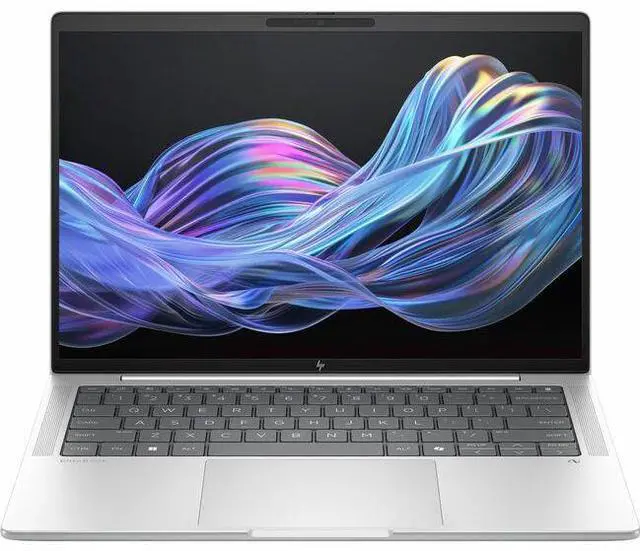
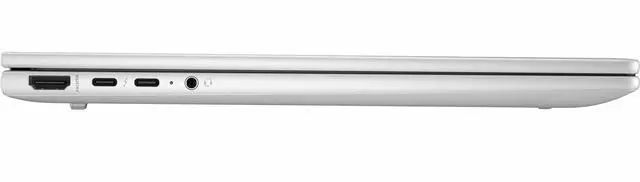
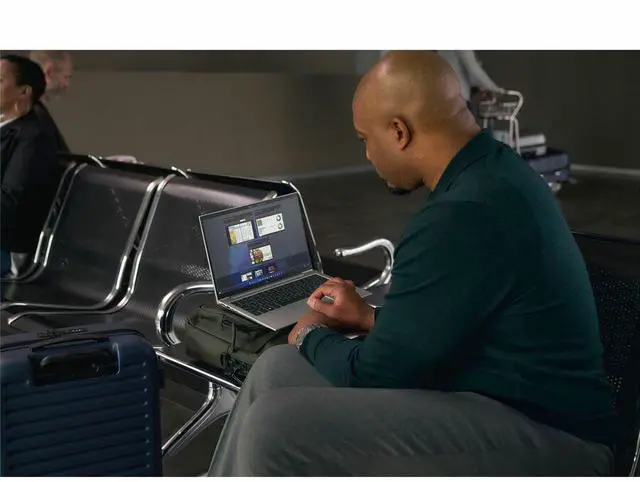
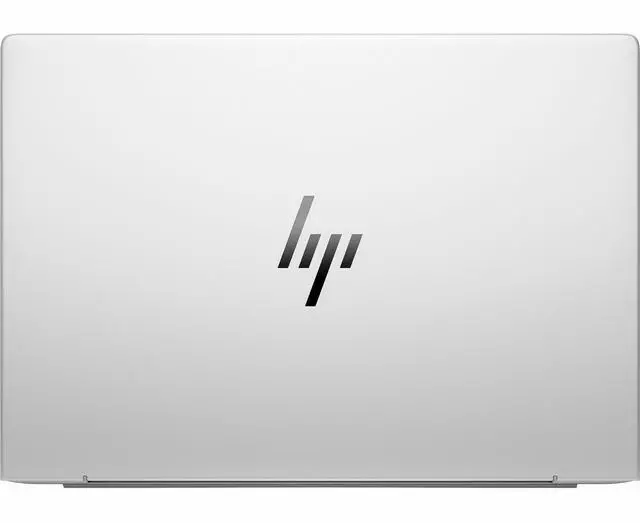






HP EliteBook X G1i 14" Notebook Next Gen AI PC - WUXGA - 1920 x 1200 - (Intel Core Ultra 7 268V Octa-core (8 Core) - 32 GB Total RAM - 32 GB On-board Memory - 512 GB SSD - Intel Chip - 1920 x 120
Free Intel AI Software w/ purchase, limited offer
- WUXGA
- 1920 x 1200
- (Intel Core Ultra 7 268V Octa-core (8 Core)
- 32 GB Total RAM
- 32 GB On-board Memory
- 512 GB SSD
- Intel Chip
- 1920 x 1200
- Windows 11 Pro
- Intel Arc Graphics
- In-plane Switching (IP
+
+
Overview
Specs
Reviews
Overview | Drive strategy with the efficiency and power of next-gen AI. Propel your business forward with AI that uses your own data to make strategic business decisions. Discover what you can do with AI applications, advanced collaboration features, and optimized battery life on the HP EliteBook X G1i Next Gen AI PC. HP Recommends Windows 11 ProSummarize and rewrite content, get relevant recommendations, and stay organized with Microsoft Copilot. Long Battery LifeGet more done in between charges with battery life that is efficiently managed by next-gen AI. Intel (r) Powers Next-Gen AI PCsFree up time to focus on what matters with the latest Intel (r) Core (tm) Ultra processor with an NPU.
Protected by HP Wolf SecurityHP Wolf Security for Business creates a hardware-enforced, always-on, resilient defense. Features | HP Recommends Windows 11 Pro for BusinessWork anywhere without compromising on performance with Windows 11 and HP collaboration, security, and connectivity technology. Summarize and rewrite content, get relevant content recommendations, and stay organized with Microsoft Copilot. Intel (r) Powers Next-Gen AI PCsFree up time to focus on what matters with the latest Intel (r) Core (tm) Ultra processor purposely built for the next era of AI software. Three compute engines manage AI workloads, help improve video conferencing, and allow for advanced content creation.
Protected by HP Wolf SecurityHP Wolf Security for Business creates a hardware-enforced, always-on, resilient defense. From the BIOS to the browser, above, in, and below the OS, these constantly evolving solutions help protect your PC from modern threats. Fast and Efficient Wireless LANThe portability of your PC and the reliability of a fast connection determine where you can work. Get a fast and reliable connection in dense wireless environments with gigabit data rate Wi-Fi 7. Browse ConfidentlyHelp protect your PC from websites and read-only Microsoft Office and PDF attachments with embedded malware, ransomware, or viruses with hardware-enforced security from HP Sure Click.
HP Sure SenseMalware is evolving rapidly beyond traditional antivirus capabilities. Protect your PC against never-before-seen attacks with HP Sure Sense, which combines behavioral analysis with advanced AI techniques to provide exceptional protection.
Protected by HP Wolf SecurityHP Wolf Security for Business creates a hardware-enforced, always-on, resilient defense. Features | HP Recommends Windows 11 Pro for BusinessWork anywhere without compromising on performance with Windows 11 and HP collaboration, security, and connectivity technology. Summarize and rewrite content, get relevant content recommendations, and stay organized with Microsoft Copilot. Intel (r) Powers Next-Gen AI PCsFree up time to focus on what matters with the latest Intel (r) Core (tm) Ultra processor purposely built for the next era of AI software. Three compute engines manage AI workloads, help improve video conferencing, and allow for advanced content creation.
Protected by HP Wolf SecurityHP Wolf Security for Business creates a hardware-enforced, always-on, resilient defense. From the BIOS to the browser, above, in, and below the OS, these constantly evolving solutions help protect your PC from modern threats. Fast and Efficient Wireless LANThe portability of your PC and the reliability of a fast connection determine where you can work. Get a fast and reliable connection in dense wireless environments with gigabit data rate Wi-Fi 7. Browse ConfidentlyHelp protect your PC from websites and read-only Microsoft Office and PDF attachments with embedded malware, ransomware, or viruses with hardware-enforced security from HP Sure Click.
HP Sure SenseMalware is evolving rapidly beyond traditional antivirus capabilities. Protect your PC against never-before-seen attacks with HP Sure Sense, which combines behavioral analysis with advanced AI techniques to provide exceptional protection.
Warranty & Returns
Warranty, Returns, And Additional Information
Warranty
- Limited Warranty period (parts): 1 year
- Limited Warranty period (labor): 1 year
- Read full details
Return Policies
- Return for refund within: 15 days
- Return for replacement within: 15 days
- This item is covered by Newegg.ca's 15-Day Return Policy.
- Read full return policy for details.
Manufacturer Contact Info
- Manufacturer Website
- Support Phone: 1-800-474-6836
- Support Website
- View other products from HP
LOADING...
LOADING...
Learn about this product
The HP EliteBook X G1i is a 14-inch Windows 11 Pro laptop with a 1920x1200 WUXGA display, Intel Core Ultra 7 268V processor, 32GB memory, and 512GB SSD, making it a strong fit for professionals and advanced everyday users who want a compact PC for multitasking, productivity, video calls, and office-focused workflows.
Recommended For
- Mobile professionals who spend long days in email, documents, web apps, and video calls, and want a 14-inch business laptop that prioritizes battery life, low travel weight, and a practical port selection over peak CPU speed.
- Enterprise and IT-managed users who need Windows 11 Pro, business-class build quality, and an EliteBook-style platform for secure deployment, remote work, and standardized office fleets.
- Frequent travelers and field staff who value optional WWAN and long unplugged runtime for working on the move, especially when reliable cellular connectivity matters as much as Wi-Fi.
- Consultants, managers, and client-facing staff who want a premium business notebook for meetings, presentations, and light editing, where quiet day-to-day use and executive styling matter more than workstation-class output.
Real-World Use Scenarios
- Mobile office work with many browser tabs, Office apps, Slack, and Teams meetings: this setup fits the EliteBook X G1i well, and users can expect smooth day-to-day multitasking with business-focused features rather than workstation-class speed.
- Frequent travel between meetings or client sites: the laptop’s light 14-inch business design makes it practical to carry all day, and the real-world tradeoff is portability first, with some users noting the chassis feels lighter and less tank-like than older EliteBooks.
- Long writing sessions, email-heavy work, and document review: this is a strong fit for users who type for hours, with community feedback consistently praising the keyboard and touchpad experience more than the display itself.
- Video calls, presentations, and collaborative workdays: users can expect a polished business-laptop experience for conferencing and presenting, including enough graphics capability for smooth desktop visuals and media playback, but not a content-creation or GPU-heavy workflow focus.
- Light creative work, photo edits, and occasional older or lighter games after work: the integrated Intel Arc graphics can handle casual GPU use, but reviews indicate this is still best treated as a business notebook, not a laptop for sustained gaming or demanding media production.
- Quiet home-office use where fan behavior matters: performance and temperatures are generally manageable for normal productivity, but some owner feedback suggests the fans may spin up more often than expected during light work, so silence-sensitive users may notice it.
Spec Summary
| Attribute | Value |
|---|---|
| Best For | Business and home/personal use on an ultra-portable 14.0-inch notebook for mobile productivity and general computing |
| Processor And Core Count | Intel Core Ultra 7 268V (Intel Core Ultra 7 series, 7th Gen) |
| GPU And VRAM | Integrated Intel Arc Graphics (integrated GPU; VRAM not specified) |
| Display Spec | 14.0-inch LED display with 1920 x 1200 native resolution (WUXGA) |
| Memory Configuration | 32 GB DDR4 SDRAM installed, up to 32 GB maximum |
| Storage And Expansion | 512 GB NVMe SSD |
| High Speed I O | Reported 4 total ports, includes 1x HDMI and DisplayPort video outputs |
| Battery And Power | Includes one 9V battery (batteries required and included); no multiple battery-powered components reported |
| Wired And Wireless Networking | Wi‑Fi 7 (802.11.be) wireless connectivity and Bluetooth supported |
| Webcam And Privacy | Integrated webcam capability |
| Keyboard And Control | Touch pad pointing and gesture input |
| Portability | Ultra-Portable form factor; item dimensions 15 L x 11 W x 3 TH inches; package weight 5 Pounds |
| External Display And Docking Fit | Supports external displays via HDMI and DisplayPort and is listed as compatible with Thunderbolt external displays; compatible with mice, keyboards, storage devices, printers and wireless Bluetooth headphones |
| Security And Software | Windows 11 Pro with HP Wolf Security included; AI-powered features noted |
| Model Identifiers | HP / Hewlett Packard model B85MSUT#ABA |
Reference Q&A
Q: Should I buy the HP EliteBook X G1i 14 or the HP EliteBook Ultra G1i 14?
A: Choose the HP EliteBook X G1i 14 if you want the more flexible business-laptop option. HP positions it with a wider processor range, 16GB to 32GB memory options, 512GB to 1TB storage options, and a WUXGA touch-focused configuration range, while the EliteBook Ultra G1i is positioned as a more fixed premium configuration with Core Ultra 7, 32GB RAM, and 1TB SSD. In third-party testing, the EliteBook X G1i with Core Ultra 7 268V performs very close to other premium Lunar Lake business laptops, so the decision is mainly about configuration flexibility versus the Ultra model’s more predefined premium setup.
Q: Is the HP EliteBook X G1i 14 worth getting over a lower-tier Core Ultra 5 configuration?
A: The Core Ultra 7 268V version makes more sense if you plan to keep the laptop for several years, use heavier multitasking, or want the stronger Arc 140V integrated graphics that come with this Lunar Lake tier. A lower-tier EliteBook X G1i configuration is the more practical choice for standard office work, web apps, video calls, and document-heavy use where 32GB memory and the higher-end GPU are less important. The main trade-off is long-term headroom versus upfront cost.
Q: How does the HP EliteBook X G1i 14 compare with Dell Pro 13 Premium?
A: Pick the HP EliteBook X G1i 14 if you want a 14-inch chassis and a more conventional EliteBook-style business setup. Pick the Dell Pro 13 Premium if you want a more compact 13.3-inch premium business laptop in the same Lunar Lake class. In Notebookcheck testing, the HP EliteBook X G1i and Dell Pro 13 Premium post very similar Core Ultra 7 268V and Arc 140V results, so real-world performance should be in the same range. That makes this comparison more about size, keyboard and port preferences, and vendor ecosystem than raw speed.
Q: Should I choose the HP EliteBook X G1i 14 or a Snapdragon X business laptop for portability and battery life?
A: Choose the HP EliteBook X G1i 14 if software compatibility matters more than getting the lightest ARM-first experience. Across reviews and community discussions around Snapdragon X versus Intel Lunar Lake business systems, the repeat pattern is that Lunar Lake is favored when buyers want standard Windows compatibility, fewer peripheral concerns, and stronger confidence with legacy business apps. A Snapdragon X laptop can be the better fit if your workflow is already ARM-friendly and battery life is the top priority. The trade-off is compatibility certainty versus ARM efficiency.
Q: Is the HP EliteBook X G1i 14 a better choice than an older Intel business laptop?
A: Yes, it is the better choice if you want a clear step forward in efficiency, integrated graphics, and on-device AI readiness without moving into a heavier performance laptop class. The Core Ultra 7 268V platform is consistently reviewed as a strong fit for premium thin-and-light business systems, especially for buyers who want modern Intel compatibility with improved graphics and battery-focused design. An older Intel business laptop still makes sense if your workload is light and you do not need newer AI PC features, but the EliteBook X G1i is the more future-facing option.
Q: Is this a good laptop for travel, office work, and meetings?
A: Yes. This configuration is well suited to mobile business use because it combines a 14-inch WUXGA display, 32GB RAM, a 512GB SSD, integrated graphics, and Windows 11 Pro in a business-class format. That makes it a practical fit for browser-heavy work, documents, video meetings, spreadsheets, and multitasking on the go. The main trade-off is that it is optimized for productivity, not for high-end gaming or heavy workstation graphics.
Q: Is 32GB memory overkill for normal office use, or is it worth paying for?
A: For basic email and light document work, 32GB is more than necessary. It becomes worthwhile if you keep many browser tabs open, run large spreadsheets, multitask across meetings and office apps, or want longer useful life without memory limits. A key trade-off here is that the memory is listed as 32GB on-board, so it should be treated as non-upgradeable at purchase time.
Q: Can this work well with an external monitor or a desk setup?
A: Yes, it should fit a standard work-from-home or office desk setup well. The provided specs list an HDMI port, which supports a simple direct monitor connection, and business buyers commonly ask about monitor and dock compatibility on comparable 14-inch laptops. The practical trade-off is that this listing does not clearly confirm full dock or multi-monitor details, so buyers who need a specific dual-monitor or Thunderbolt workflow should verify the exact port configuration before purchase.
Q: Who is this laptop best for?
A: This laptop is best for professionals, hybrid workers, and buyers who want a compact Windows business laptop with stronger-than-basic memory capacity. It is a better match for productivity, communication, and general business use than for gaming or GPU-intensive creative workloads. Buyers choosing between consumer and business models may also value that this system is listed with Windows 11 Pro and HP business security positioning.
Q: How does it compare with a consumer 14-inch alternative like a Zenbook or similar laptop?
A: Choose this HP EliteBook X G1i if your priority is business use, Windows 11 Pro, office multitasking, and a more work-focused configuration. A consumer alternative like a Zenbook may offer extras such as OLED or touch features, but those models are often positioned more around display appeal and general consumer preferences. The trade-off is straightforward: the EliteBook is the safer choice for business workflows, while a consumer model may give better entertainment or display value if work-specific features matter less.
Q: Is the HP EliteBook X G1i a good buy for office work and everyday business use?
A: Yes, it fits office and business use well. The listed configuration pairs an Intel Core Ultra 7 268V, 32 GB RAM, and a 512 GB SSD with a 14-inch 1920 x 1200 display, which is more than enough for multitasking, documents, web apps, video calls, and general productivity. Reddit discussion around the EliteBook X G1i repeatedly centers on business use, typing comfort, portability, and overall day-to-day experience rather than gaming or creator workloads. The main trade-off is that it appears better suited to premium productivity than to users expecting standout display quality or unusually high performance for the price.
Q: Who is the HP EliteBook X G1i best suited for?
A: It is best suited for professionals who want a light 14-inch Windows laptop for travel, meetings, writing, spreadsheets, and general business work. The combination of integrated Intel Arc graphics, 32 GB of memory, and a business-oriented form factor makes it a strong fit for productivity-first users. Based on Reddit discussion, the model is most relevant to buyers comparing premium work laptops and valuing keyboard quality, portability, and a sturdy feel more than gaming or color-critical creative work.
Q: What are the main trade-offs of the HP EliteBook X G1i?
A: The main trade-offs are display quality, fan behavior, and value relative to price. In Reddit owner impressions, the laptop is praised for being lightweight, sturdy, and pleasant to type on, but the 1920 x 1200 non-touch panel is described as adequate rather than impressive, and fan activity is mentioned as a noticeable drawback. That makes it easier to recommend for users who prioritize portability and keyboard comfort than for buyers who want the best screen, the quietest operation, or maximum performance from this class of hardware.
Q: Is the HP EliteBook X G1i good for travel?
A: Yes, it appears well suited to travel because it is a 14-inch laptop with a lightweight design, integrated graphics, and business-focused portability. Reddit discussion specifically highlights that it feels very light and easy to carry. The trade-off is that some users associate the lighter build and narrower bezels with a less tank-like feel than older EliteBooks, so it may feel less rugged even if it is still considered solid in normal use.
Q: Is the HP EliteBook X G1i a good choice if I want a durable replacement for an older EliteBook?
A: Usually yes, but with one caveat: it may feel lighter and less overbuilt than older EliteBook generations. Reddit discussions from buyers moving from older EliteBooks focus on whether the newer X G1i feels more fragile because of its lighter chassis, thinner bezels, and USB-C charging. The practical decision point is this: if you want a modern, portable replacement for an older business laptop, it fits well; if you specifically want the dense, rugged feel of older EliteBooks, the newer design may feel less reassuring even if everyday build quality is still viewed positively.