
Your Browsing History
Best Sellers
 Hot Seller
- $4,391.11
- + $20.38 Shipping


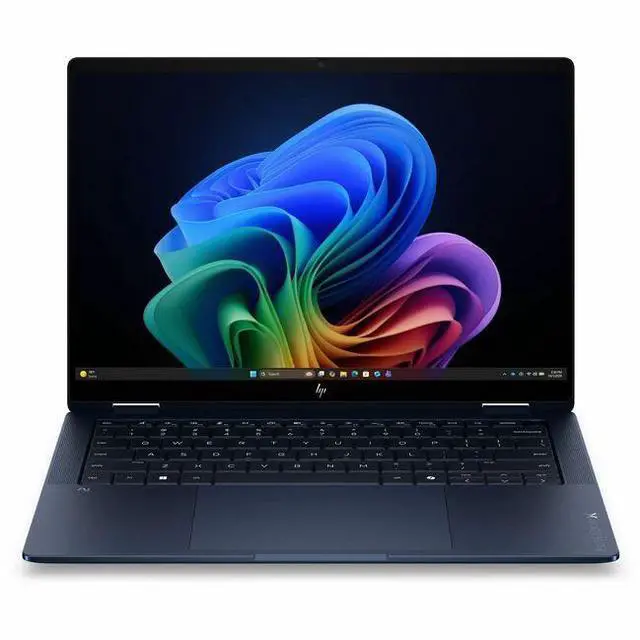
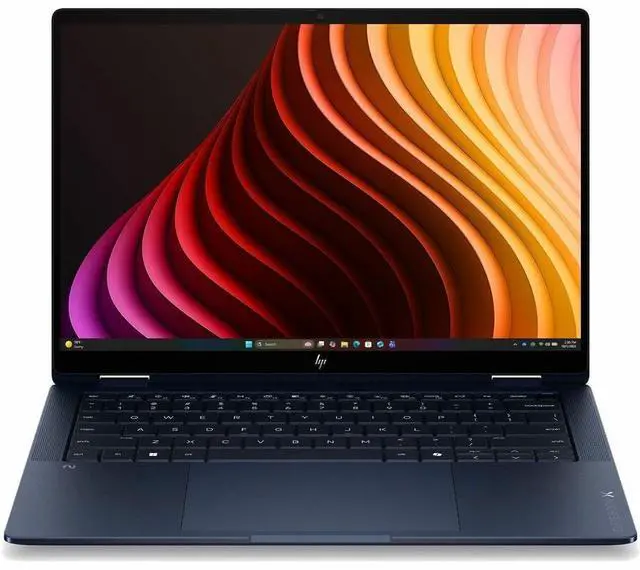
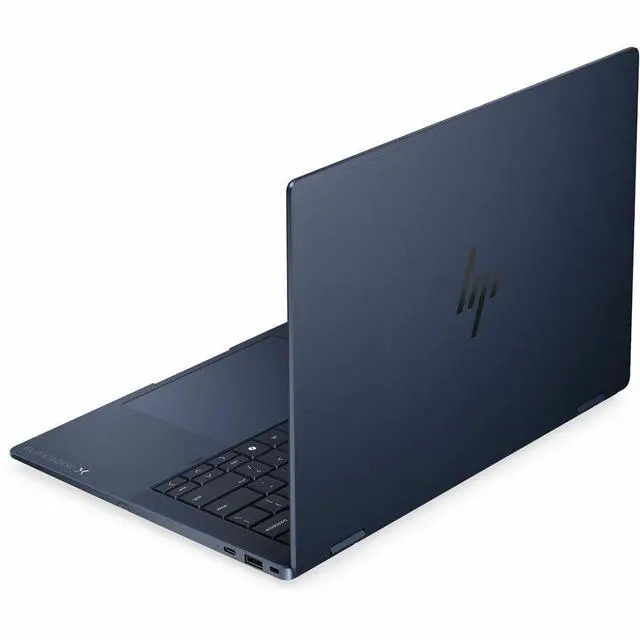
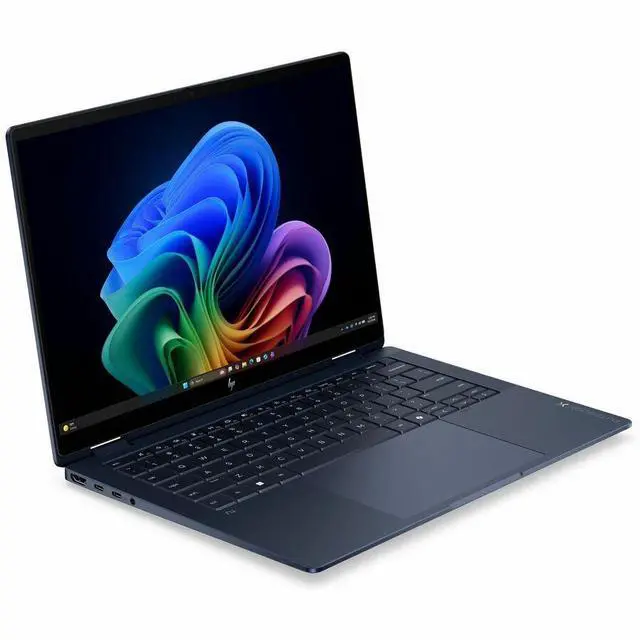
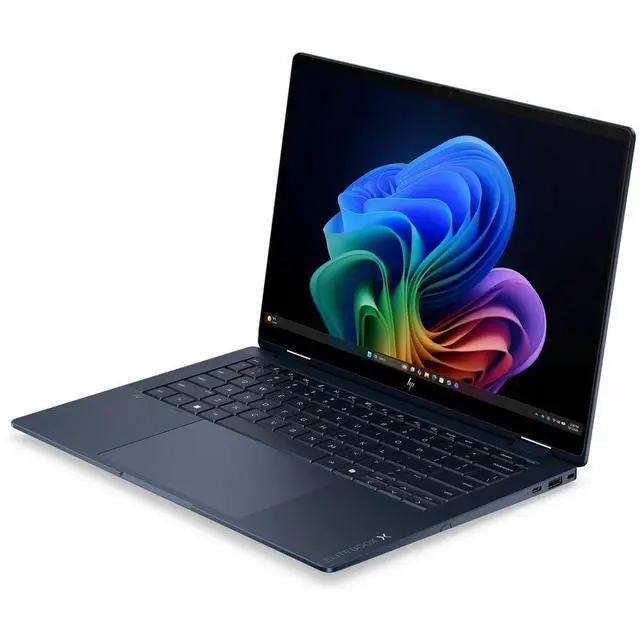


HP EliteBook X Flip G2i 14" Touchscreen Convertible Copilot+ PC Notebook - Intel Core Ultra 7 356H - 32 GB - 1 TB SSD - Intel Graphics - Windows 11 Pro - Webcam - Wi-Fi 7 - D72W9UT#ABA
Free Intel AI Software w/ purchase, limited offer
- WUXGA
- Intel Core Ultra 7 Series 3 356H
- 32 GB
- 1 TB SSD
- English Keyboard
- Atmospheric Blue
- Intel Chip
- 1920 x 1200
- Windows 11 Pro
- Intel
- In-plane Switching (IPS) Technology
- Front Camera/Webcam
- IEEE 802.11be Wireless LAN Standard - Wi-Fi 7
+
+
Overview
Specs
Reviews
14 EBXFlG2i14AI U7356H 32G 512
Warranty & Returns
Warranty, Returns, And Additional Information
Warranty
- Limited Warranty period (parts): 1 year
- Limited Warranty period (labor): 1 year
- Read full details
Return Policies
- Return for refund within: 15 days
- Return for replacement within: 15 days
- This item is covered by Newegg.ca's 15-Day Return Policy.
- Read full return policy for details.
Manufacturer Contact Info
- Manufacturer Website
- Support Phone: 1-800-474-6836
- Support Website
- View other products from HP
LOADING...
LOADING...
Learn about this product
The HP EliteBook X Flip G2i is a 14-inch touchscreen convertible Copilot+ laptop with an Intel Core Ultra 7 356H, 32GB RAM, and 1TB SSD, suited for professionals and hybrid users who want strong everyday performance, pen-and-touch flexibility, and a light premium design for work, meetings, and travel.
Recommended For
- Hybrid-office professionals who move between desk work, meetings, and travel, and want one business laptop that can switch into tablet or tent mode for presentations, markup, and note-taking.
- Managers, consultants, and client-facing staff who need a premium 14-inch Windows business system with Windows 11 Pro, security-focused positioning, Thunderbolt connectivity, and enough memory/storage to keep many work apps and files open all day.
- Frequent travelers who prioritize a lighter 14-inch convertible with modern ports, fast charging, Wi‑Fi 7, and a business build over a larger screen or upgrade-heavy workstation design.
- Corporate users who want a business-first alternative to consumer 2-in-1s, especially where IT values EliteBook-class materials, fleet consistency, and fewer trade-offs around ports and enterprise features.
Real-World Use Scenarios
- In a hybrid-work day with frequent Teams or Zoom meetings, users can keep the laptop in standard mode for notes and switch to tent mode for calls or presentations; the likely experience is a clearer meeting setup with the webcam and Poly Camera Pro framing tools handling everyday conferencing well.
- For consultants, managers, or sales staff moving between desks, meeting rooms, and travel, this 14-inch 2-in-1 is suited to carrying all day, opening quickly for email, documents, and browser-based work, and docking back at a desk through Thunderbolt; the likely outcome is a smooth business-workflow machine rather than a workstation-class system.
- In client meetings, classrooms, or workshops, users can flip the device into tablet or presentation mode to sketch ideas, mark up documents, or walk someone through slides across a table; the likely experience is more natural collaboration than with a standard clamshell laptop.
- For office multitasking such as large spreadsheets, many browser tabs, CRM tools, chat apps, and video calls running together, the 32GB memory and Core Ultra H-series platform should keep day-to-day responsiveness steady; the expected result is comfortable heavy productivity without relying on a discrete GPU.
- For organizations handling sensitive client, finance, or internal company data, this model fits deployments where users need standard business-laptop security and remote-work readiness; the likely outcome is a better fit for managed corporate fleets than for buyers mainly seeking gaming or creator performance.
- For light creative or visual work such as reviewing marketing assets, editing presentations, web graphics, and color-sensitive business content, the display should be adequate for everyday design-adjacent tasks; the expected experience is fine for general content work, but not the first choice for GPU-heavy editing or 3D production.
Spec Summary
| Attribute | Value |
|---|---|
| Best For | Business and students needing a 14" 2‑in‑1 convertible with Copilot+ AI support, high memory (32 GB) and 1 TB SSD for multitasking, hybrid work and presentations, with Wi‑Fi 7 connectivity |
| Model Identifiers | HP EliteBook X Flip G2i (Series: EliteBook), model/part D72W9UT#ABA, 2026 model year |
| Processor And Core Count | Intel Core Ultra 7 356H (Series 3) up to 4.70 GHz turbo, processor count reported as 16, 18 MB L3 cache, includes AI Boost NPU |
| GPU And VRAM | Integrated Intel Graphics using shared system memory |
| Display Spec | 14.0" WUXGA (1920 x 1200) IPS touchscreen, 400 Nit brightness, 100% sRGB, Low Blue Light / Eye Ease and anti‑glare with Corning Gorilla Glass 7 |
| Memory Configuration | 32 GB LPDDR5X installed (RAM technology LPDDR5X, installed and maximum reported as 32 GB) |
| Storage And Expansion | 1 TB SSD in M.2 form factor (solid state drive, M.2 interface / form factor) |
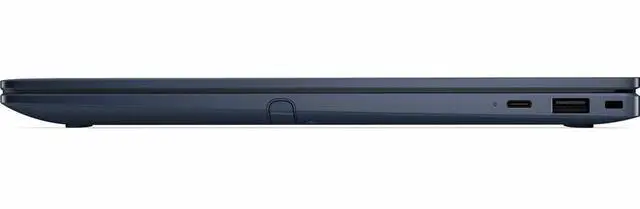
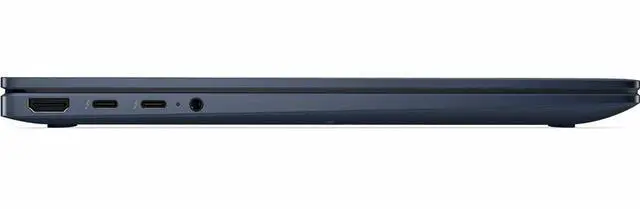
| High Speed I O | Two Thunderbolt 4 (USB-C) ports with USB Power Delivery 3.0 and DisplayPort 1.4, one HDMI port; total USB ports reported as 2 |
| Wired And Wireless Networking | Wi‑Fi 7 (IEEE 802.11be) wireless LAN and Bluetooth support |
| Battery And Power | 6‑cell lithium‑ion battery (reported 4000 mAh), supports fast charge — 50% in 30 minutes |
| Webcam And Privacy | Front-facing webcam included |
| Portability | 14" convertible (2‑in‑1) chassis, 0.57" height, 12.3" width, 8.7" depth, weighs 2.84 lb |
| External Display And Docking Fit | Supports external monitors and docks via two Thunderbolt 4 (DisplayPort 1.4) ports and a full‑size HDMI port |
| Software And Security | Windows 11 Pro with Copilot+ PC and Wolf Pro Security Edition included in package |
| Box Contents | Notebook and power adapter (package quantity 1) |
| Additional Features | English keyboard, front camera, Low Blue Light / Eye Ease, anti‑glare coating, Corning Gorilla Glass 7, Wolf Pro Security Edition included |
Reference Q&A
Q: Should I choose the HP EliteBook X Flip G2i or a standard clamshell business laptop?
A: Choose the HP EliteBook X Flip G2i if you want a 14-inch business laptop that can also handle pen and touch workflows, presentations, note-taking, and tablet-style use. Its main advantage is the convertible design with enterprise features, while a standard clamshell is the simpler choice if you do not expect to use tent, stand, or tablet modes. For buyers who want one device for typing, meetings, and occasional inking, the X Flip G2i is the more flexible fit.
Q: Is the 32GB / 1TB Core Ultra 7 configuration worth buying over a lower-tier HP EliteBook X Flip G2i setup?
A: Yes, this configuration makes more sense if you plan to keep the laptop for several years, run heavier multitasking, or work across large browser sessions, Office apps, conferencing, and local AI features at the same time. HP's own configurable listings show lower-tier options with Core Ultra 5 and either 24GB or 32GB memory, so the main benefit of this Newegg model is reducing compromise on memory and storage from day one. A lower-tier version is still the practical choice for lighter office use, but the 32GB / 1TB model is the safer pick for longer deployment cycles and higher multitasking headroom.
Q: Should I buy the HP EliteBook X Flip G2i or step up to a higher-spec OLED version?
A: Buy this WUXGA IPS model if battery-conscious office work, lower cost, and a practical business display matter more than maximum screen quality. Step up to an OLED configuration if display quality is a priority for visual work, media use, or users who specifically want higher resolution and 120Hz support. HP lists both WUXGA low-power panels and higher-end 3K OLED options in the same family, so the decision is mainly about display preference rather than a different product category.
Q: How does the HP EliteBook X Flip G2i compare with the previous HP EliteBook X Flip generation?
A: The G2i is the better choice if you want HP's newer EliteBook X platform, newer Intel Core Ultra generation options, and the latest business features such as Wi-Fi 7 and refreshed Copilot+ positioning. The older generation remains reasonable if price matters more and its performance already fits your workload. In practical buying terms, the G2i is the forward-looking option for new deployments, while the earlier model is the value-oriented option if bought at a clear discount.
Q: Is the HP EliteBook X Flip G2i a better fit than premium business 2-in-1 alternatives like the ThinkPad X1 2-in-1 or Latitude 2-in-1 models?
A: Choose the EliteBook X Flip G2i if your priority is a premium 14-inch convertible with HP's current enterprise feature set, Copilot+ positioning, Wi-Fi 7, and flexible configuration options. Lenovo ThinkPad X1 2-in-1 and Dell Latitude 2-in-1 models are the closest alternatives for the same buyer, and review coverage across that class generally shows that differences come down more to keyboard preference, display options, security stack, and CPU tuning than to a completely different use case. The HP model is the stronger fit when you specifically want HP's convertible EliteBook design and current-generation platform, while Lenovo or Dell make more sense if your organization is already standardized on those fleets.
Q: Is this a good laptop for travel, meetings, and office work?
A: Yes. This model is well-suited to mobile office use because it combines a light 2.84 lb 14-inch convertible design with 32GB RAM, a 1TB SSD, Windows 11 Pro, a webcam, Wi-Fi 7, and fast charging to 50% in 30 minutes. The main trade-off is that it uses integrated Intel graphics, so it is better for productivity, web apps, video calls, and multitasking than for GPU-heavy creative work or gaming.
Q: Is it good for note-taking, presentations, and hybrid work?
A: Yes, if you want a business-focused 2-in-1. The 360-degree convertible form factor and touchscreen make it practical for handwritten notes, presenting in tent or tablet mode, and working in meetings. Its WUXGA IPS display, 400-nit brightness, webcam, Thunderbolt 4 ports, and Windows 11 Pro fit common hybrid-work needs. The main caution is that pen support is not confirmed in the provided product data, so buyers who specifically need active stylus input should verify pen compatibility before purchase.
Q: Who is this laptop best for?
A: It is best for professionals who want a premium 14-inch business convertible for Microsoft 365 work, multitasking, video meetings, travel, and general productivity. The 32GB memory and 1TB SSD make it a stronger fit for heavy multitaskers than many consumer 2-in-1 models with 16GB RAM. It is less ideal for buyers who prioritize dedicated graphics, high-end OLED media quality, or lower-cost casual use.
Q: How does it compare with a consumer 2-in-1 like the HP Spectre or Lenovo Yoga 9i?
A: Choose this EliteBook if you value business features first: Windows 11 Pro, enterprise-oriented HP Wolf Pro Security packaging, strong memory/storage, lighter weight, and practical ports including Thunderbolt 4 and HDMI. Choose a Spectre or Yoga-class alternative if you care more about a higher-end display experience, such as OLED, higher resolution, or faster refresh options. In short: the EliteBook is the more work-focused choice, while Spectre and Yoga models are often the more media- and creator-oriented choice.
Q: Is it a good choice for photo editing, video editing, or gaming?
A: It can handle light creative work, but it is not the best choice if those tasks are the priority. The 32GB RAM, Core Ultra 7 processor, and 100% sRGB display are useful for photo work and general content creation, but the integrated Intel graphics make it less suitable than creator-focused or gaming laptops for heavier video editing, 3D work, or modern gaming. It is a productivity-first machine, not a graphics-first one.
Q: Is the HP EliteBook X Flip G2i a good fit for work and travel?
A: Yes, if you want a premium 14-inch business 2-in-1 that is easy to carry and set up for office use. At 2.84 lb with a 14-inch 1920x1200 touch display, 32 GB RAM, 1 TB SSD, Windows 11 Pro, HDMI, two Thunderbolt 4 ports, and Wi-Fi 7, it is well suited to mobile productivity, video calls, multitasking, and docked desk use. It is a better fit for work and travel than for gaming or heavy GPU workloads.
Q: Who should buy the EliteBook X Flip G2i, and who should skip it?
A: Buy it if you want a business-class convertible for work, meetings, handwriting, and frequent travel, and you value build quality, ports, memory, and enterprise features more than entertainment or gaming performance. Skip it if you mainly want the best value, a media-first OLED experience, or stronger graphics for games and creative GPU-heavy tasks. Its integrated Intel Graphics and business positioning make it more practical than performance-focused.
Q: Is the EliteBook X Flip G2i worth buying over a cheaper consumer 2-in-1?
A: It can be worth it if you specifically want a business laptop with stronger emphasis on chassis quality, professional features, and long-term office use. It is harder to justify if your priority is lowest cost for similar headline specs. Community discussions repeatedly compare EliteBook models with cheaper OmniBook or consumer alternatives, which suggests the main buying decision is whether business-grade design and support matter enough to pay more.
Q: Is the EliteBook X Flip G2i good for note-taking and 2-in-1 use?
A: Yes, it is a sensible choice for note-taking, annotation, and mixed typing-plus-touch use. The 14-inch touch IPS display, convertible design, light weight, and business-oriented form factor make it suitable for students and professionals who switch between laptop and tablet-style use. The trade-off is that a 2-in-1 hinge design adds complexity compared with a standard clamshell, so buyers focused only on typing may not need the flip design.
Q: What are the main trade-offs of the EliteBook X Flip G2i?
A: The main trade-offs are price, integrated graphics, and the usual 2-in-1 compromises under heavier loads. You get strong memory and storage, modern connectivity, and a light premium chassis, but this is not the right choice if you expect gaming-class graphics performance or the best value per dollar. User discussions around nearby EliteBook X Flip models also raise the usual concerns about thermals, fan noise, battery drain under demanding use, and the limited amount of hands-on community coverage compared with mainstream consumer models.