




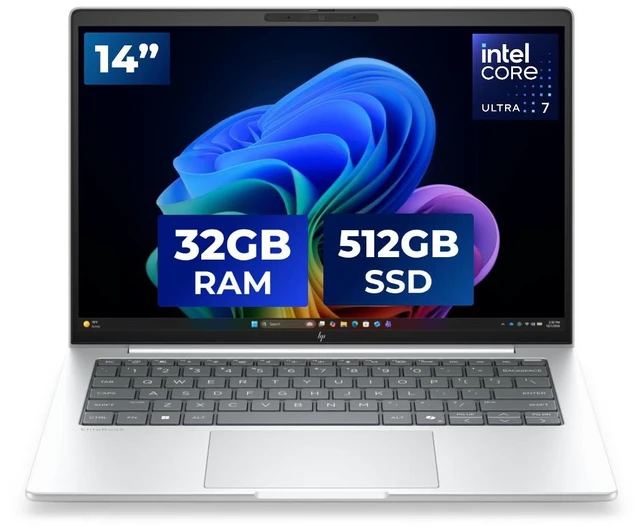
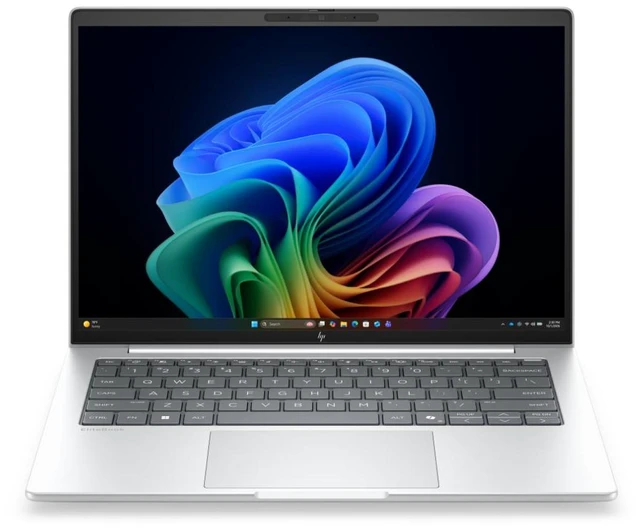

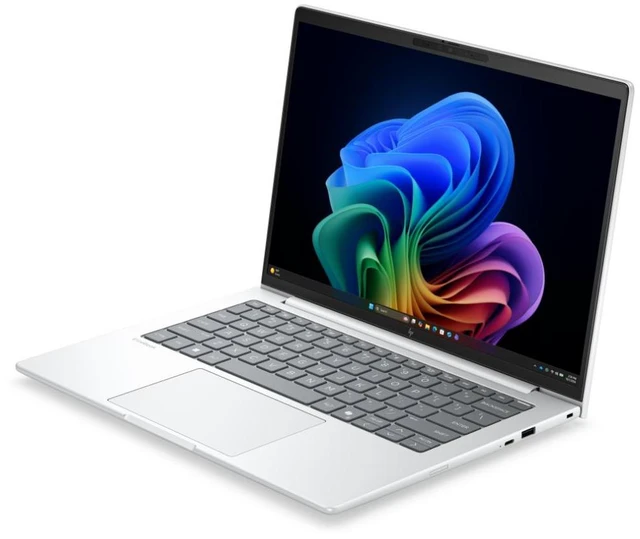
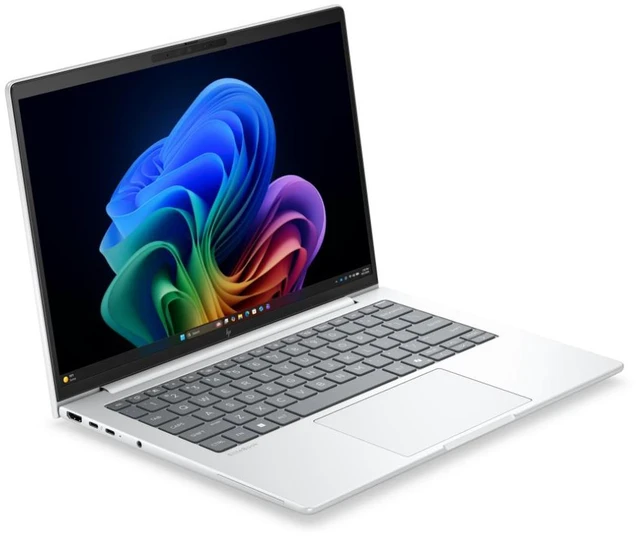
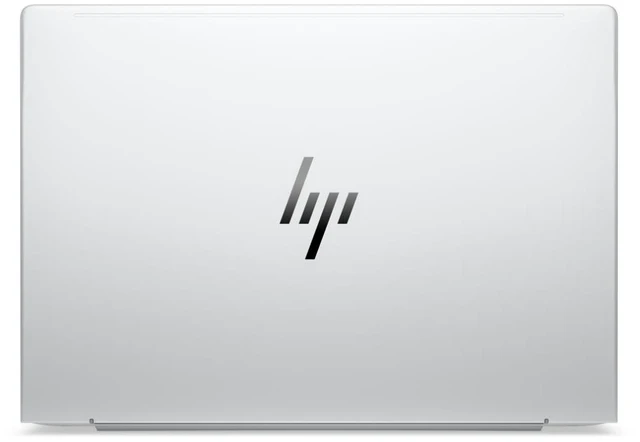


HP EliteBook 8 G2i 14" Touchscreen Copilot+ PC Notebook - Intel Core Ultra 7 365 - 32 GB - 512 GB SSD - Windows 11 Pro - Webcam - Wi-Fi 7 - D82WJUT#ABA
- WUXGA
- Intel Core Ultra 7 Series 3 365
- vPro Technology
- 32 GB
- 512 GB SSD
- English Keyboard
- Glacier Silver Aluminum
- Intel Chip
- 1920 x 1200
- Windows 11 Pro
- Intel
- In-plane Switching (IPS) Technology
- Front Camera/Webcam
- IEEE 802.11be Wireless LAN Standard - Wi-Fi 7
+
+
Overview
Specs
Reviews
SMART BUY ELITEBOOK 8 G2I 14 AI U7 365 14 32GB/512 PC
Warranty & Returns
Warranty, Returns, And Additional Information
Warranty
- Limited Warranty period (parts): 1 year
- Limited Warranty period (labor): 1 year
- Read full details
Return Policies
- Return for refund until: January 31, 2027
- Return for replacement until: January 31, 2027
- This item is covered by Newegg.ca's Extended Holiday Return Policy.
- Read full return policy for details.
We want to ensure your holiday shopping this year is hassle-free. That’s why we’re automatically extending our return policies on almost every product! For purchases placed between November 1st, 2026 and December 31, 2026 you will have until January 31, 2027 to return your product.
Manufacturer Contact Info
- Manufacturer Website
- Support Phone: 1-800-474-6836
- Support Website
- View other products from HP
LOADING...
The HP EliteBook 8 G2i is a 14-inch touchscreen Copilot+ business laptop with an Intel Core Ultra 7 365, 32GB RAM, and a 512GB SSD, making it a strong fit for professionals who need smooth multitasking, Windows 11 Pro, and modern wireless connectivity like Wi-Fi 7 in a portable design.
Recommended For
- IT-managed employees and corporate buyers who need a 14-inch Windows business laptop with enterprise features such as vPro, Windows 11 Pro, HP Wolf Pro Security positioning, and modern docking/connectivity for office and hybrid deployments.
- Mobile professionals who split time between meetings, travel, and desk work, and want a relatively light 14-inch system with touchscreen, Thunderbolt 4, HDMI, webcam, and Wi‑Fi 7 instead of a larger workstation-style laptop.
- Analysts, programmers, and heavy office users who keep many browser tabs, documents, and collaboration apps open at once and benefit more from 32GB RAM and business-class reliability than from dedicated graphics.
- Business users curious about on-device AI features in a mainstream laptop category, especially those who want Copilot+ branding and an NPU for Windows AI features without moving to a bulkier premium mobile workstation.
Real-World Use Scenarios
- For hybrid office work, it fits the common 'all-day business laptop' role: handling Outlook, Teams/Zoom, web apps, Office files, and many browser tabs at once with a smooth experience, while 32GB RAM gives extra headroom for heavier multitasking.
- For travel between meetings or working away from a desk, the 14-inch, roughly 3-pound chassis is more practical than larger business laptops, so it is better suited to commuters, consultants, and managers who need a full Windows work setup in a bag rather than a desktop replacement.
- For video calls and remote collaboration, it is aimed at the standard business workflow of webcam meetings, screen sharing, chat, and document editing at the same time; users should expect it to handle those sessions comfortably, but it is still a business notebook rather than a media-focused creator machine.
- For light content work such as large spreadsheets, presentations, light photo edits, and short 1080p video edits, it should feel clearly faster than older corporate laptops, but the integrated graphics mean it is better for occasional creative tasks than for sustained pro editing or 3D workloads.
- For on-device AI features, it makes sense for workflows like Windows Copilot+, background meeting effects, transcription, and other client-side AI assistance, where the expected benefit is convenience during everyday work rather than a replacement for cloud-based AI or workstation-class local models.
Spec Summary
| Attribute | Value |
|---|---|
| Best For | Mobile professionals, business users, and students who want a 14" IPS touchscreen laptop with Windows 11 Pro, AI Copilot+ features, 32 GB RAM and Wi‑Fi 7 for modern productivity and connectivity |
| Processor And Core Count | Intel Core Ultra 7 365 (Series 3) — 8 cores, up to 4.8 GHz turbo frequency, 12 MB L3 cache |
| GPU And VRAM | Integrated Intel graphics using shared system memory |
| Display Spec | 14.0" WUXGA (1920 x 1200) touchscreen, IPS (In‑Plane Switching) panel with anti‑glare/low blue light features and up to 300 nits brightness |
| Memory Configuration | 32 GB installed LPDDR5X memory (32 GB listed as installed and maximum) |
| Storage And Expansion | 512 GB solid-state drive in M.2 form factor (storage listed as 512 GB SSD, M.2 interface/form factor) |
| High Speed I O | 2x Thunderbolt 4 ports, plus a USB Type‑C port (10 Gbps, USB Power Delivery, DisplayPort 1.4) and 1x HDMI output; exact USB-A counts not specified in internal data |
| Battery And Power | 3‑cell lithium‑ion battery (battery installed, 1 unit) with fast‑charge capability: 50% in 30 minutes; listed energy content 4000 mAh and battery weight ~300 g |
| Wired And Wireless Networking | Wi‑Fi 7 (802.11be) wireless LAN and Bluetooth (version not specified) |
| Webcam And Privacy | Front‑facing webcam and an integrated fingerprint reader for biometric sign‑in |
| Keyboard And Control | Touchscreen display with touch control input |
| Portability | Lightweight 3.06 lb notebook with chassis dimensions 0.61" (height) x 12.4" (width) x 8.7" (depth) |
| External Display And Docking Fit | Supports external displays via DisplayPort 1.4 over USB‑C/Thunderbolt 4 and via HDMI output |
| Model Identifiers | HP EliteBook 8 G2i, Part D82WJUT#ABA (Model/Model Name D82WJUT#ABA), EliteBook series, Windows 11 Pro, Wolf Pro Security Edition listed in package content, 2026 model year |
| Other Features | Glacier Silver aluminum color; display and product list low blue light and anti‑glare coating; enclosure material not specified |
Reference Q&A
Q: Should I buy the HP EliteBook 8 G2i 14 or a Lenovo ThinkPad T14 Gen 6 Intel?
A: Choose the HP EliteBook 8 G2i 14 if you want a business laptop centered on mainstream office work, touch input, Windows 11 Pro, Thunderbolt 4, and HP’s Wolf Pro Security stack in a compact 14-inch chassis. Choose the ThinkPad T14 Gen 6 Intel if your priority is broader configuration flexibility, stronger integrated graphics on select Intel Core Ultra 200V or H-series versions, or more AI-focused platform options. In practical buying terms, the HP model fits buyers who want a straightforward premium business notebook with 32GB RAM already included, while the ThinkPad is the better fit if you are comparing around CPU class and want to optimize for battery-first Lunar Lake models or higher-performance H-series variants.
Q: Is the HP EliteBook 8 G2i 14 worth it over a lower-spec EliteBook 8 G2i configuration?
A: Yes, this 32GB / 512GB configuration is the better choice if you expect heavy multitasking, long browser sessions, video meetings, or several years of business use. HP also sells entry G2i 14 configurations with 16GB RAM and 256GB SSD storage, so the main upgrade here is not the chassis but the memory and storage headroom. If your workload is mostly email, documents, and web apps, a lower-tier G2i can still make sense. If you want to avoid early memory limits and reduce the need to replace the laptop sooner, this 32GB version is the safer buy.
Q: Should I step up from this HP EliteBook 8 G2i 14 to a higher-tier H-series or Lunar Lake business laptop?
A: Step up only if you have a clear reason. A higher-tier H-series business laptop is the better choice for heavier sustained workloads such as code builds, larger spreadsheets, local content creation, or more demanding multitasking. A Lunar Lake business laptop is the better choice if you specifically want a platform built around higher NPU capability and stronger integrated graphics efficiency. This HP configuration is the better fit when your main priority is a balanced enterprise notebook for productivity, meetings, and portability without paying for performance you may not use every day.
Q: Is the HP EliteBook 8 G2i 14 a better pick than the previous EliteBook 8 G1i generation?
A: The EliteBook 8 G2i is the better pick if you are buying new and want the newer platform generation, Wi-Fi 7, and the latest enterprise rollout cycle. The older G1i still makes sense if price matters more than platform freshness and you can find a strong discount, because the overall product class remains similar: a 14-inch premium business notebook with integrated graphics and enterprise features. For most buyers starting from scratch, G2i is the safer long-term purchase, while G1i is mainly a value play.
Q: Should I choose this HP EliteBook 8 G2i 14 or a lighter portability-first model like the Dell Latitude 7450 Ultralight?
A: Choose the Dell Latitude 7450 Ultralight if minimizing carry weight is the main goal. Published specs and reviews place that Latitude well below 3 pounds, while this EliteBook configuration is about 3.06 pounds, so Dell has the clearer portability advantage. Choose the HP if you value HP’s current EliteBook platform, touch support on this configuration, and a more conventional balance of mobility and office productivity. In short, Dell is the better travel-first option, while the HP is the better fit if you want a fuller-featured mainstream business setup and the extra weight is not a deal-breaker.
Q: Is this a good laptop for travel, meetings, and everyday office work?
A: Yes. This EliteBook 8 G2i is a strong fit for mobile office use because it combines a 14-inch 1920x1200 touchscreen, 3.06 lb travel-friendly weight, Windows 11 Pro, a built-in webcam, Wi-Fi 7, and 32GB RAM. That makes it well suited for note-taking, video calls, web apps, documents, spreadsheets, and multitasking on the go. The main trade-off is that it uses integrated Intel Graphics, so it is better for business productivity than for heavy gaming or GPU-intensive creative work.
Q: Who is this laptop best suited for?
A: This model is best suited for professionals, remote workers, managers, consultants, and students who want a premium business laptop for productivity rather than gaming. Its 32GB memory, Windows 11 Pro, touchscreen, webcam, and business-oriented EliteBook platform make it a better match for multitasking, meetings, office software, and secure work use than for high-end 3D workloads.
Q: Can this laptop handle dual monitors and a desk setup?
A: Yes. Based on its port mix, this EliteBook should work well in a desk setup with multiple displays. It includes two Thunderbolt 4 ports, one USB-C with DisplayPort 1.4 and Power Delivery, and one HDMI port, which is a strong configuration for docks and external monitors. For buyers who plan to use it as both a travel laptop and an office workstation, that is a practical advantage.
Q: Is this better than a consumer laptop if I mainly use Office, Zoom, browsing, and business apps?
A: Usually yes, if your priority is work use. Compared with a typical consumer laptop, this EliteBook offers a more business-focused setup: Windows 11 Pro, vPro support, 32GB RAM, Thunderbolt 4, and an EliteBook-class design aimed at professional workflows. The trade-off is that consumer models at a similar price may offer more storage, higher-resolution displays, or stronger graphics for entertainment and creative use.
Q: What are the main trade-offs versus a similar premium 14-inch alternative like a ThinkPad X1 Carbon?
A: The HP EliteBook 8 G2i offers a practical mix of touchscreen support, 32GB RAM, Windows 11 Pro, Wi-Fi 7, and strong business connectivity. A similar premium alternative such as the ThinkPad X1 Carbon is often chosen for its lighter chassis and established ThinkPad preference among business buyers. The likely trade-off is that the EliteBook gives you a more value-oriented configuration on paper, while the lighter premium rival may appeal more if minimum carry weight is the top priority.
Q: Is the HP EliteBook 8 G2i a good fit for office work, multitasking, and video calls?
A: Yes. Based on its 32GB RAM, Intel Core Ultra 7 365, 512GB SSD, 14-inch 1920x1200 touchscreen, webcam, Windows 11 Pro, and Wi-Fi 7, it is well suited to productivity work such as Office apps, many browser tabs, chat tools, and regular meetings. Reddit discussions around the EliteBook 8 G2i and nearby EliteBook business models repeatedly frame it as a business-first laptop for everyday work rather than a gaming or creator machine.
Q: Who is the HP EliteBook 8 G2i best for?
A: It is best for buyers who want a 14-inch business laptop with modern connectivity and a conservative feature set: touchscreen, Windows 11 Pro, Thunderbolt 4, HDMI, Wi-Fi 7, webcam, and 32GB memory out of the box. It makes the most sense for professionals, hybrid workers, and users replacing an older premium business laptop. It is less targeted at people who mainly want maximum graphics performance or the lowest possible price.
Q: What are the main trade-offs of buying the HP EliteBook 8 G2i?
A: The main trade-offs are typical of a premium business laptop. You get portability, business features, and enough memory for long-term general use, but not strong gaming or GPU-heavy performance because it uses integrated Intel Graphics. The 512GB SSD is adequate for work use, but buyers with large local files or developer datasets may want more storage. At 3.06 lb, it is travel-friendly, but it is not the lightest 14-inch option.
Q: Is the HP EliteBook 8 G2i worth buying over a similar business laptop?
A: It is worth considering if your priority is a balanced business laptop with 32GB RAM, modern ports, Windows 11 Pro, and a 14-inch touchscreen in a portable chassis. It is a weaker choice if you are comparing against alternatives with clearly better integrated graphics, lower price, or stronger battery reputation. In short: it is a sensible work laptop, but value depends heavily on price versus nearby ThinkPad, Latitude, or other EliteBook options.