
Your Browsing History


Chris R.
Joined on 11/08/08
0
0
product reviews
- 2
Small but feature-packed
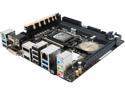
ASUS Z97I-PLUS LGA 1150 Intel Z97 HDMI USB 3.0 Mini ITX Intel Motherboard
Pros: -Has most of the connections you could want including M.2 for new SSD's. -AC WiFi -Awesome BIOS and applications -Stable so far -Feels sturdy/well built -8. Count them, 8, USB ports! And 4 are 3.0!
Cons: -M.2 plug is actually on the underside of the motherboard, so if you're planning on upgrading to that you'll need to completely remove it from the case. -The WiFi antennae headers interfere with the front panel audio out, making it difficult to plug both in. -Thankfully they include a front panel I/O organizer, because good luck getting those plugged in with everything else going on in there.
Overall Review: Put this in a BitFenix Phenom case for a mini-ITX gaming rig. Managed to cram 3 HDD's and an SSD into it along with an R9 270. I'm just waiting for it to overheat... -Only has 3 fan headers (all 4-pin though), one more wouldn't hurt. -My case has room for many more drives than the 4 SATA connectors allow for. 6 Would have been nice... but there isn't any more room. In any case, putting two on either side of the RAM slots was a strange decision for cable routing. For all my nit-picky complaints, this board does have a lot going for it, but with some minor layout issues you have to wonder if it would have been better with fewer features... but then you come to your senses and realize its actually quite good.
5/15/2014See more detail
Better than Advertised... with a Tweak
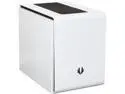
BitFenix Phenom BFC-PHE-300-WWXKK-RP Arctic White Steel / Plastic Mini-ITX Tower Computer Case
Pros: -Has more HDD mounts than my motherboard has plugs for -Decently well-built -Fits long GPUs -Lots of fan mounting points and cooling options -Looks awesome
Cons: -Front airflow sucks -PSU cage is cramped and annoying to work with. Good luck, stuff fits... but just barely. -Removable HDD cage does not feel sturdy. It slides in nearly all directions, yet somehow doesn't fall out. -If the rear of your motherboard has lots of connections on it. your fingers will probably be too big to get at them with the middle HDD cage installed.
Overall Review: Contrary to what you may have read about this case, I assure you that it IS possible to install a long GPU while the middle HDD cage is installed. The only things that interfere are the plastic pinch mounts, so you just need to turn the cage around so they face the opposite direction. To do this: 1. Remove middle cage. 2. Remove lower cage and rotate 180 degrees, screw it back in place. 3. Remove upper track from the 5.25" cage, rotate 180 degrees and screw in place. 4. Insert middle cage from the other side. I recommend putting a non-conductive layer of something between the GPU and the middle cage because there is not much clearance and a good knock could make the back of the card hit the metal of the cage. Be warned, reversing the HDD cages will make the front panel I/O cables an extremely tight fit, but hey, now you've got a mini-ITX server/gaming rig all in one small package!
5/15/2014See more detail