
Your Browsing History


Daniel L.
Joined on 06/09/03
0
0
product reviews
- 8
Heavy Duty
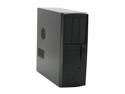
HEC 7106BB Black 1.0mm Thickness ATX Mid Tower Computer Case
Pros: This is a brick. The heavy duty quality is something that I can appreciate as a former Q500 owner. Roomy case, rare to find a desktop case for full ATX. The power button makes a pleasing "clunk". Thanks to the previous reviews I was aware of the quirks and was prepared for them. I added my own fans: 2x60mm, 1x120mm(in drive bay area), 1x80mm, and pci slot exhaust.
Cons: Did not come with fans. Some people may have trouble with longer video cards and the 3.5 drive bay. Not an issue for me as I removed the 3.5 bay.
Overall Review: Within this case resides: Asus M4A79 Deluxe PhenomII X3 BE @ 3.4ghz XFX 5850 @ 850/1200 TT Toughpower XT
8/19/2010See more detail
1 feet*
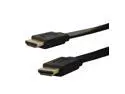
KFLY - V1.4 1 feet Flat HDMI High Speed HD Cable, Transmit Both Audio and Video
Pros: it is in fact an HDMI cable.
Cons: this is NOT 1 foot long. I purchased two of these cables because it was supposed to be SHORT. This cable is 5 (five) feet long.
3/3/2015See more detail
Overclock? Nope
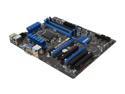
MSI B75A-G43 LGA 1155 Intel B75 HDMI USB 3.0 ATX Intel Motherboard with UEFI BIOS
Pros: Turns on. Bought two of these boards on the shellshocker deal. Both boards do the same thing, so it is consistently bad.
Cons: Will. Not. Overclock. The settings will not save properly. Even when I (sometimes) get the option to set the default multiplier to above the default of 34, the max it goes is 38. By the time I boot to windows it is stuck back to 34 or sometimes 36. That is assuming I can get to windows because the BIOS will not remember the boot order. I have two hard drives and it wants to boot from the completely blank one regardless of port positioning or even disabling the drive in the bios. The ClickBios software has more options than the actual BIOS, but restarting to apply the changes also resets the boot order causing you to need to go into the BIOS which resets the ClickBios settings. Updating the BIOS from 10.2 to 10.8 did nothing to solve these problems. All this frustration to get my 3570K overclocked to 3596mhz... sometimes... when the board feels like it..
Overall Review: Ive been overclocking since the first gen Pentium days. The last time I owned an MSI board was socket 939 which did not have overclock settings at all.
4/21/2013See more detail
So close to great
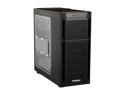
Antec Eleven Hundred Black Steel / Plastic ATX Mid Tower Computer Case
Pros: Very roomy Great cable management 3pin fan headers are nice
Cons: -Top 200mm fan is horrible. It rattles so bad I ended up taking it out. -Front panel has two of its plastic posts broken -The "fan controller" on the back only takes the Antec LMH breakouts -The LMH breakout for the 200mm fan doesn't actually have the LMH switch to control speed, just the on/off for the LEDs -The Antec support form on their site does not list the Antec 1100 -Emailed VIP@antec.com with no response
Overall Review: I have or still own many Antec cases including the 300 and two 900s. I waited a week for Antec to respond before I made this review... Not happy with their support
5/22/2012See more detail
cheap
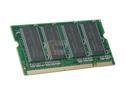
PQI POWER Series 512MB 200-Pin DDR SO-DIMM DDR 333 (PC 2700) Laptop Memory Model MD3212UOE
Pros: Cheap, works. Stuffed it into an older compaq laptop.
Cons: my laptop sucks, but the memory helps it suck less.
4/18/2010See more detail
Very nice
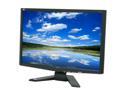
Acer 22" WSXGA+ LCD Monitor 5 ms D-Sub, DVI X223Wbd
Pros: No dead pixels, very little backlight bleed, good coloring with nothing looking 'washed out' It replaces my 28 inch HannsG, which had terrible bleeding
Cons: The acer logo is not really necessary ever single time I turn it on.
4/4/2009See more detail
seller reviews
- 1
stay away
This was sold as a new drive but is certainly not new. Shucked drive most likely, S/N is not available for warranty on the Seagate website. I had to check warranty status since this drive was DOA. Had to send this drive back, haven't gotten refund just yet. Will update review once refund is complete.
On-time
Delivery
Product
Accuracy
Customer Service
Satisfactory
5/27/2021See more detail