
Your Browsing History
BEST SELLERS


BEST SELLERS
In Docking Station
Our most popular products, based on sales and updated frequently.Shop Department
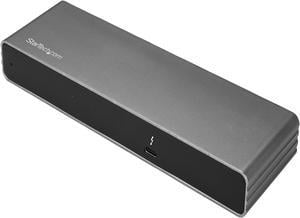
StarTech.com TB3DK2DHV Dual 4K Monitor Thunderbolt 3 Dock with DisplayPort, HDMI & VGA - 85W Power Delivery + Charging - Mac & Windows (TB3DK2DHV)
- Compatibility: OS Compatibility Windows 7, 8, 8.1, 10 macOS 10.12 - 10.13
- Thunderbolt 3: Yes
- Ports Spec: 1 x Thunderbolt 3 USB-C (24-pin) Female 2 x DisplayPort (20 pin) Female 1 x HDMI (19 pin) Female 1 x VGA (15 pin, High Density D-Sub) Female 2 x USB Type-A (9 pin) USB 3.0 Female 1 x RJ-45 Female
- Dimension: 0.90" x 2.30" x 7.70"
- Model #: TB3DK2DHV
- Item #: 9SIAH2MKS57449
- Return Policy: View Return Policy
$128.38
Free Shipping
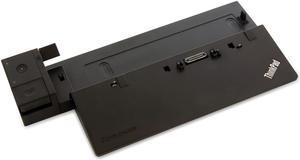
Lenovo ThinkPad Ultra Dock Laptop Docking Station USB 3.0 Type 40A20090US
- Model #: B-40A20090US
- Item #: 9SIA8M1A721801
- Return Policy: View Return Policy
$35.00
$16.95 Shipping
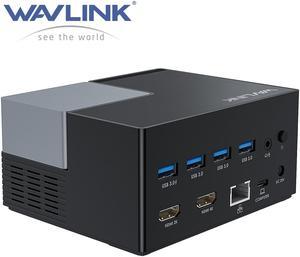
Wavlink USB-C Docking Station USB 3.0 Laptop Universal Dock with Dual HDMI Display Single 4K, 100W PD Charging, 4 USB 3.0, BC 1.2 fast charging, 130W Power Adapter, Gigabit Ethernet, Audio, Mic
- Compatibility: Operating System Support: Windows Mac OS X
- Ports Spec: 3 x USB-A Port: 5Gbps 1 x USB-A 5Gpbs (USB BC1.2 Fast Charge) 2 x HDMI (1x2K, 1x4K) 1 x 4-pole phone Jack 1 x USB-C I/P: Upstream Charging 100W Max 1 x DC Power Jack Port 1 x RJ45 Gigabit Ethernet
- Model #: WS-UG76PD2
- Item #: 9SIACU9DTK3085
- Return Policy: View Return Policy
$149.99
Free Shipping
- Able to have 2 extended desktop external monitors on MacBook Pro - Drivers exist and works for macOS 10.15.7 Catalina - Dock only a little bit warm on full load (external ssd, and 2 screens playing 4k videos) - Ethernet connected to USB3.0 bus internally - some bad hubs fallback to usb2.0. - A lot of USB3.0 pots - and no any usb2.0 ports is a plus - not waste of space on front/back panel. - Full 5Gbps speed USB ports, external SSD gives 450+ MB/s
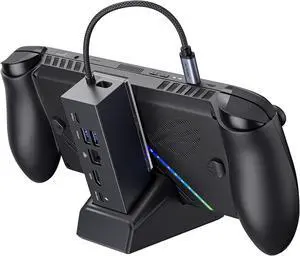
JSAUX Docking Station for ROG Xbox Ally X (2025)/ROG Ally X/ROG Ally/Steam Deck/Legion Go/Legion Go S, 6-in-1 Dock with HDMI 4K@120Hz, Gigabit Ethernet, USB A & USB C 3.2 Gen 1, 100W Charging - HB0609
- Model #: GODCAXB0DKJ62CC9
- Item #: 9SIC42BKP72042
- Return Policy: View Return Policy
$130.99
Free Shipping
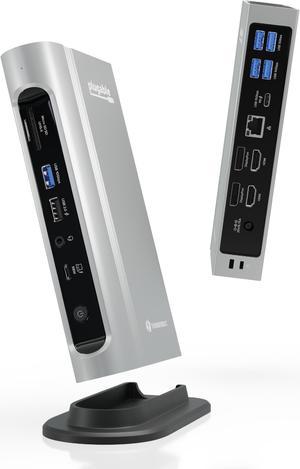
Plugable Thunderbolt 4 Dock with 100W PD, 4K Quad Monitor Setup for Thunderbolt 4 Windows Laptops, 16-in-1 Docking Station with 2x HDMI, 2x DisplayPort, 2.5G Ethernet, 7x USB, SD
- Part Number: TBT4-UDZ
- Compatibility: Windows 11 Thunderbolt 4 hosts (Dell XPS, Lenovo Thinkpad, HP ProBook), macOS Thunderbolt 3 and Thunderbolt 4 hosts with macOS 11+
- Thunderbolt 3: Yes
- Ports Spec: 2x HDMI 2x DisplayPort 1x Thunderbolt 4 (to host) 1x USB-C (10Gbps) 3x USB (10Gbps) 2x USB (5Gbps) 1x USB 2.0 (charging) SD and microSD Card Slots Audio In/Out Gigabit Ethernet (2.5Gbps*)
- Model #: TBT4-UDZ
- Item #: 9SIA5SCKF55900
- Return Policy: View Return Policy
$447.30
Free Shipping
I'm an IT Security Professional. The Plugable Thunderbolt 4 docking station resolved my disconnection issues. My previous docking station was HP Thunderbolt Dock 1203 G2 was causing random connectivity issues where I would lose ethernet connectivity.
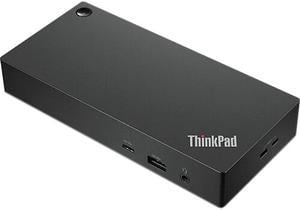
Lenovo ThinkPad Universal USB-C Dock
- Part Number: 40AY0090US
- Weight: 0.74 lbs
- Function: Internet Tablet
- Model #: 40AY0090US
- Item #: 9SIA9H5HU83129
- Return Policy: View Return Policy
$268.99
Free Shipping
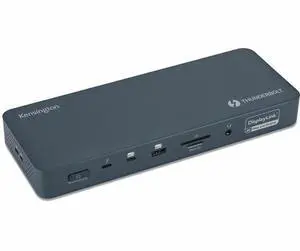
Kensington SD5900T Docking Station - Memory Card Reader - SD, microSD - 149W - Thunderbolt 4 - 4 Displays Support - 3x USB Type-A Ports - USB Type-C - RJ-45 Port - 2x HDMI - 3x DisplayPorts K35232NA
- Brand: Kensington
- Part Number: K35232NA
- Color: Midnight Blue
- Features: SD5900T Docking Station 1 x 1M (3.28ft) Thunderbolt 4 Certified Passive Cable 1 x 149.1W Power Supply Unit 1 x Power Cord (varied by different SKU) 1 x Quick Installation Guide 1 x Compliance Sheet 1 x Warranty Card 1 x Welcome Card
- Model #: K35232NA
- Item #: 1DN-0015-002B9
- Return Policy: Standard Return Policy
$407.99
Free Shipping
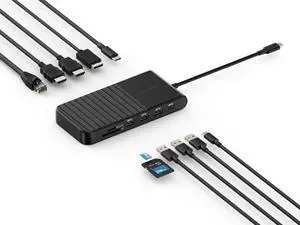
Kensington UH1510P USB C Hub 11-in-1 Triple Display with 2 HDMI 1 DP++, 85W Power Charging, Ethernet, SD/MicroSD Card Slots, 3xUSB-A, 2xUSB-C, USB C Dongle for Dell/HP/Lenovo/ThinkPad (K34040WW)
- Brand: Kensington
- Part Number: K34040WW
- Model #: K34040WW
- Item #: 9SIA7BBKHC8742
- Return Policy: View Return Policy
$132.29
Free Shipping
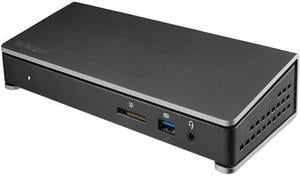
StarTech.com TB3DOCK2DPPD Thunderbolt 3 Dock - 85W Power Delivery - Dual 4K Monitor Docking Station with USB Type C & DisplayPort (TB3DOCK2DPPD)
- Thunderbolt 3: Yes
- Model #: TB3DOCK2DPPD
- Item #: 9SIAH2MKT20701
- Return Policy: View Return Policy
$158.18
Free Shipping
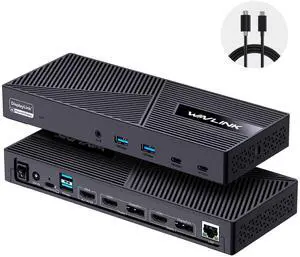
Wavlink USB C Triple Monitor Docking station With 100W Laptop Charging, 3X HDMI, 2X DisplayPort, 6X 10Gbps USB Ports, Gigabit Ethernet, Audio&Mic for MacBook M1/M2/M3/M4, USB4, Windows& More
- Part Number: with only one USB-C port: DC IN(130W input), USB-C(Host, 100W output), HDMI Alt Mode(4K@60Hz), Display 1/2(HDMI1/2 or DP1/2), 4xUSB-A 3.1(10Gbps), 2xUSB-C 3.1(10Gbps), RJ45 Ethernet, Audio/Mic. Note: This dock must connect the power adapter, otherwise it will not work.
- Compatibility: Universal Compatibility: Universal docking station support Windows 11/10, Mac OS 11.x or later, ChromeOS 100.x or later, Ubuntu 20.04, 22.04 systems with full-featured type c port or thunderbolt 3/4 port or USB4 port. Ideal home & office partner for USB-c devices like Intel/M1/M2/M3-based Mac, Dell, Asus, Lenovo, Surface, Samsung, Huawei and...
- Model #: WL-UG63PD25-A
- Item #: 9SIACU9KD60168
- Return Policy: View Return Policy
$199.99
Free Shipping
Love it. Bought it to use 2 monitors with my laptop and a usb keyboard. It does exactly what I wanted and is a godsend with my work laptop. Wasn't that expensive. Check to make sure you have the proper monitor cabling (one HDMI and one DVI).
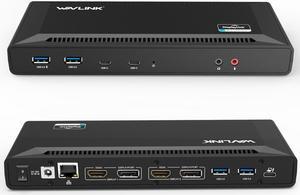
Wavlink USB C Laptop Docking Station Dual Monitor 5K/4K@60Hz with 65W Charging for New MacBook Neo, Thunderbolt 4/3, USB-C Windows, Mac, Chrome,Ubuntu 20.04,22.04(2HDMI, 2DP, 6 USB 3.0, 1Gbps Ethernet
- Compatibility: System Support: Windows11, 10, 8.1, 8, 7; macOS Ventura 13, Monterey 12, Big Sur 11, Catalina 10.15, Mojave 10.14; ChromeOS build R51 or later; Android 5 (Lollipop) onwards with USB OTG mode; Ubuntu 20.04, 22.04
- Ports Spec: 1x USB-C (USB3.1 Gen1) for host connection, supporting 65W Power Delivery to charging PC system 2x USB-C (USB3.1 Gen1) supporting 5V/0.9A with data transfer 5Gbps 1xUSB3.0 (Back) supporting BC1.2 fast-charging with data transfer 5Gbps 3x USB3.0 supporting 5V/0.9A with data transfer 5Gbps Separate 3.5 mm audio input and output jacks 1x RJ45 10/100/1000Mbps Ethernet...
- Model #: WL-UG69PD2-US
- Item #: 9SIACU98BW6949
- Return Policy: View Return Policy
$189.99
Free Shipping
I purchased this for use with a Macbook Pro (A1707, mid-2017 release of the 15" model). When I plugged in the MBP, everything (video over USB-C Alt-Mode, power delivery over USB-C, and USB peripherals) worked except the wired gigabit ethernet port. According to the packaging the ethernet chipset is Realtek, so I installed the OS X driver from Realtek and that resolved it. Charging over USB-C is rated at 3A@20V, somewhat lower than the OEM chargers for both laptops but more than sufficient to keep the laptops running while charging the battery. I actually have a second monitor, but figured that I didn't want to deal with DisplayLink and wouldn't mind using a separate cable to hook up that monitor directly to the laptop, so I purchased this dock. No muss, no fuss, just a swift, elegant way to connect my 2017 MacBook Pro with two Asus monitors. I found it to be virtually plug-and-play for the displays, and also has HDMI and Ethernet slots, which is a bonus and adds to the versatility of the piece. There’s been no flicker or sluggishness at all. In addition, this actually extends your desktop, instead of just mirroring it, which is crucial if you’re doing various types of graphics or design.
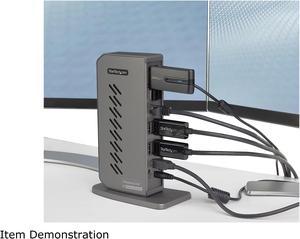
StarTech.com DK30A2DHU USB-C USB-A Dock - Hybrid Universal USB 3.0 Docking Station for USB-C or USB-A Laptop - Dual Monitor 4K 60Hz HDMI/DisplayPort - 6x USB-A, GbE - USB 3.1/3.2 Gen 1 - Windows/Mac
- Compatibility: Windows 2000, XP, Vista, 7, 8, 8.1, 10 macOS 10.6 - 10.12, 10.14 - 10.15, 11.0 Ubuntu 14.04, 16.04, 19.04 Linux Kernel 4.2 - 5.2 Chrome OS v55+
- Ports Spec: 1 - Host Connectors: USB 3.1 USB Type-B (9 pin, Gen 1, 5 Gbps) 6 x USB 3.1 USB Type-A (9 pin, Gen 1, 5 Gbps 1 x RJ-45 2 x HDMI 2 x DisplayPort 1 x 3.5 mm Audio
- Dimension: 7.40" x 5.30" x 2.90"
- Weight: 12.0 oz.
- Model #: DK30A2DHU
- Item #: 9SIAH2MKS86767
- Return Policy: View Return Policy
$140.27
$158.08
Free Shipping
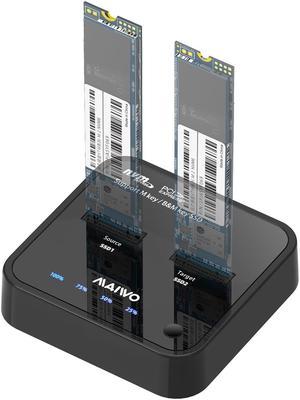
MAIWO M.2 Duplicator Cloner Dual-bay Offline NVMe Docking Station USB C to NVMe SSD Enclosure Aluminum M.2 Dock for PCIe M Key and M&B Key 2230/2242/2260/2280/22110mm Max 8TB 10Gbps
- Type: Dock
- AC Adapter: Yes
- Material: abs plastic
- HDD Count Supported: With Clone
- Model #: K3016P
- Item #: 9SIB2HGFK33093
- Return Policy: View Return Policy
$129.99
Free Shipping
-used EaseUS Disk Copy to clone my 256gb SSD to a new 1TB one to upgrade it in my Latitude 7400. worked like a charm. -very fast. took around 30 mins.
![ACASIS 80Gbps M.2 NVMe SSD Enclosure Bundle with [ Certified] 80Gbps Thunderbolt 5 Cable 1.6FT, Compatible with Thunderbolt5/USB4 V2.0, Back Compatible with Thunderbolt4/3/USB4 V1.0, USB3.2/3.1/3](https://c1.neweggimages.com/productimage/nb300/B9R5D2505150I8T6CA0.jpg "ACASIS 80Gbps M.2 NVMe SSD Enclosure Bundle with [ Certified] 80Gbps Thunderbolt 5 Cable 1.6FT, Compatible with Thunderbolt5/USB4 V2.0, Back Compatible with Thunderbolt4/3/USB4 V1.0, USB3.2/3.1/3")
ACASIS 80Gbps M.2 NVMe SSD Enclosure Bundle with [ Certified] 80Gbps Thunderbolt 5 Cable 1.6FT, Compatible with Thunderbolt5/USB4 V2.0, Back Compatible with Thunderbolt4/3/USB4 V1.0, USB3.2/3.1/3
- Model #: 6904678701
- Item #: 9SIB9R5KH00541
- Return Policy: View Return Policy
$319.00
Free Shipping
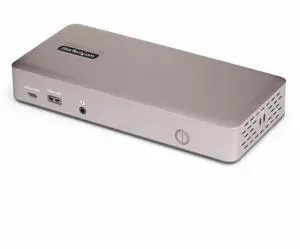
StarTech Triple-Monitor USB4 Docking Station 4K 60Hz HDMI or DisplayPort 6x USB Hub 2.5GbE 100W Charging Driverless USB-C Dock
- Brand: StarTech.com
- Part Number: 150N-USB4DOCK-TRIPLE
- Color: Space Gray
- Ports Spec: 16
- Model #: 150N-USB4DOCK-TRIPLE
- Item #: 9SIA7BBKJJ0499
- Return Policy: View Return Policy
$376.54
Free Shipping
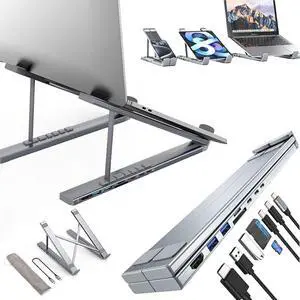
USB C Laptop Docking Station Stand, USB C Dock Tablet Stand, 8 in 1 USB C Hub with 4K HDMI, 2 USB 3.0, PD 100W, Universal Dock Station for MacBook Pro/Air/Dell/HP/Surface/Lenovo, Plug and Play
- Model #: RB2581201
- Item #: 9SIAZVYKJX3153
- Return Policy: View Return Policy
$69.99
$83.98
Free Shipping
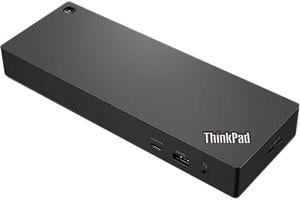
Lenovo ThinkPad Thunderbolt 4 Workstation Dock - US
- Thunderbolt 3: Thunderbolt 4, 1* Thunderbolt Port - for Host connect 1* Thunderbolt Port - for Device connect
- Ports Spec: 1 x 3.5mm Audio combo Jack 4 x USB-A 1 x USB-C 1 x HDMI 2.1 2 x Displayport 1.4 1 x RJ45 1 x Thunderbolt (for Host connect) 1 x Thunderbolt (for Device connect)
- Dimension: 1.18" x 8.66" x 3.15"
- Weight: 0.45
- Model #: 40B00300US
- Item #: 9SIA9H5KGX3986
- Return Policy: View Return Policy
$579.99
Free Shipping
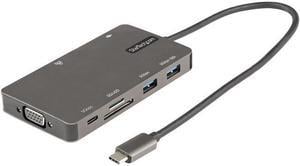
StarTech USB C Multiport Adapter HDMI VGA USB A USB C Ports 100W PD DKT30CHVSDPD
- Brand: STARTECH
- Part Number: DKT30CHVSDPD
- Color: Space Gray
- Compatibility: Laptops, Ultrabooks, Chromebooks, Tablets
- Model #: DKT30CHVSDPD
- Item #: 9SIADGEGZH3211
- Return Policy: View Return Policy
$50.22
$10.99 Shipping