

shippingWe‘re shipping as usual! The Canada Post strike only affects certain remote deliveries and PO Boxes. Details
shipping Holiday Shipping Details & Extended Holiday Returns
  • $219.00
  • Free 15-day Returns
  • Ships from China.
    Price alert
    Hot Seller
    Shop it at NeweggBusiness.

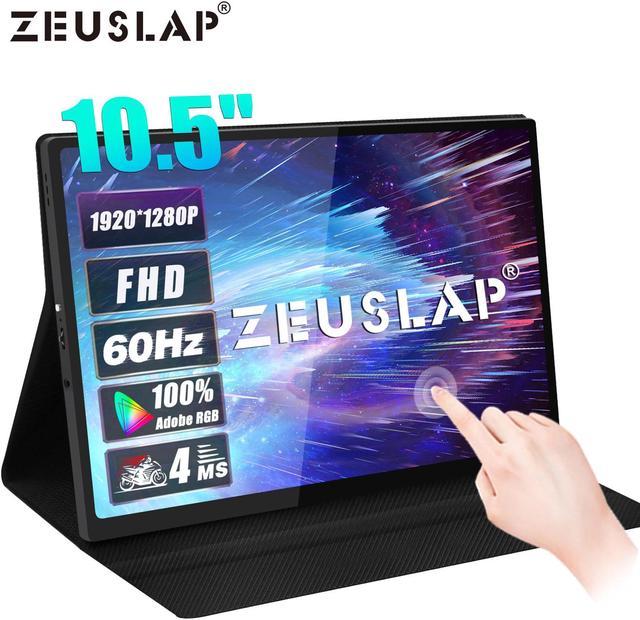
    ZEUSLAP Z10T 10.5 Inch Touchscreen Portable Monitor, 1280P FHD 100% sRGB IPS Screen Display Portable Sub Monitor for Office, School, Travel laptop mini pc computer Switch PS4 PS5 Raspberry Pi

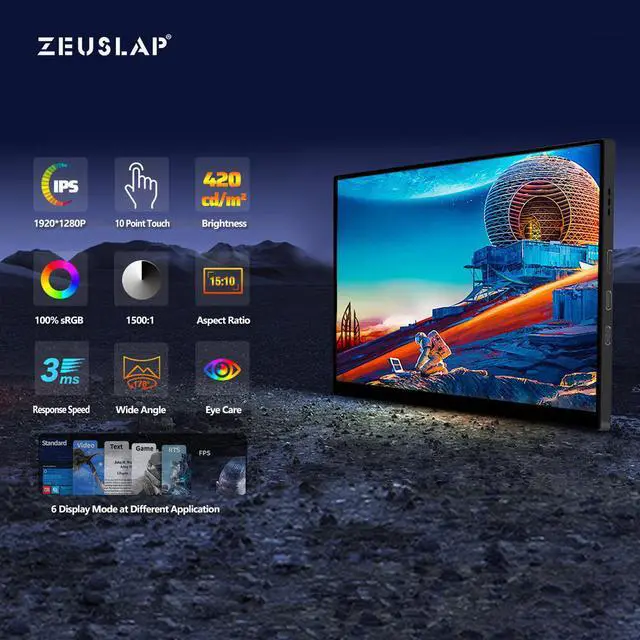
    • -10.5" 1280P IPS touch screen with 178° viewing angle, 1500:1 contrast ratio, 15:10 screen ratio
    • -Plug-and-play, no driver required, just connect the cable to your device and use it (MacBook/iPad/iPhone does not support touch function)
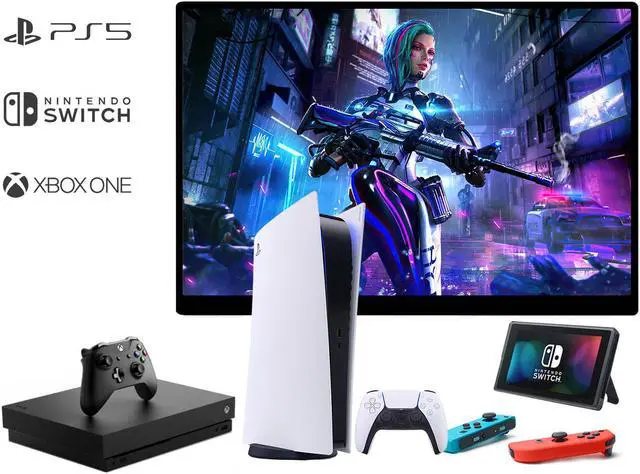
    • -With Type-C interface and mini HDMI interface, support most devices with HDMI interface or full-featured Type-C interface. Including cell phones, PC/laptops, PS4/5, Xbox, Nintendo Switch, etc. (Please check the product description page for the specific supported devices and connection methods).
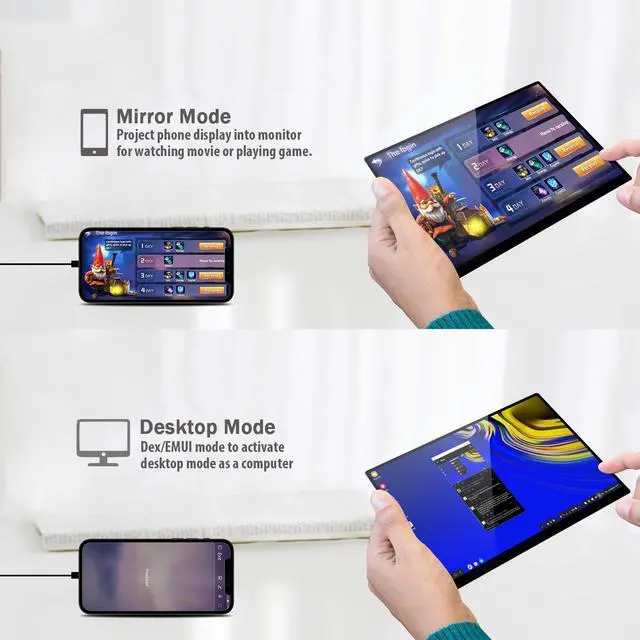
    • -Support Samsung DEX mode and Huawei desktop mode (wireless connection is not supported)
    • -Tip: Please be sure to check if your device is adapted or if you need to purchase a separate HDTV cable (for phone with non-full featured Type-C port, as well as iPhone) to ensure the product will work properly after ordering.
    +
    +
    Overview
    Specs
    Reviews (3)
    image for this item
    image for this item
    image for this item
    Phone Connection

    (For a better experience, please power by the monitor via "USB to Type-C Cable with Charger".)

    • Thunderbolts Type-C Phone Connection
    1. Type-C to Type-C Cable to connect the Type-C port of the Phone to the middle Type-C port (Type-C Data) of the monitor
    2. Please power by the monitor via USB to Type-C Cable with Charger if the monitor cannot light up for the low power by of the phone.
    • Non-Thunderbolts Type-C Phone Connection (Requires power to the monitor)
    1. Please additionally purchase a Type-C to Mini HDMI HDTV Cable to connect your mobile phone to the portable monitor (usually a Type-C to HDMI cable + Mini HDMI adapter is required)
    2. The touch function is not available when connected in this way.
    • iPhone Connection (Requires power to the monitor)
    1. Please additionally purchase a Lightning to Mini HDMI HDTV Cable to connect your mobile phone to the portable monitor (usually a Lightning to HDMI cable + Mini HDMI adapter is required)
    2. The touch function is not available when connected in this way.
    image for this item
    Laptop / MacBook Connection

    (For a better experience, please power by the monitor via USB to Type-C Cable with Charger.)

    • Laptop / MacBook with Thunderbolts Type-C Port Connection
    1. Type-C to Type-C Cable to connect the Type-C port of the Laptop / MacBook to the middle Type-C port (Type-C Data) of the monitor
    2. Please power by the monitor via USB to Type-C Cable with Charger for a better experience at different OSD setting (Such as Brightness/Volume Adjustment).
    • Laptop with HDMI-compatible Port Connection

    Touching Function Connection

    1. Mini HDMI to HDMI Cable to connect the monitor and the laptop for data transfer.
    2. Please power by the monitor via USB to Type-C Cable with Charger for a better experience at different OSD setting (Such as Brightness/Volume Adjustment).
    3. USB to Type-C Cable to connect the middle Type-C port (Type-C Data) of the monitor and the laptop USB port for the touching function installed.


    Gaming Consoles Connection
    Gaming Consoles Connection

    All gaming consoles do not support for the touching function.

    • Nintendo Switch Connection
    1. Please power by the monitor via the original Nintendo Switch Charger at the Type-C PD port.
    2. Type-C to Type-C Cable to connect the middle Type-C port(Type-C Data) of the monitor and the Nintendo Switch Type-C port.

    Remark: The Nintendo Switch LITE Version does not support for the monitor.

    • PS4 / PS5 / Xbox Connection
    1. Please power by the monitor via USB to Type-C Cable with Charger (included in the parcel.)
    2. Mini HDMI to HDMI Cable to connect the monitor and the PS4/PS5/Xbox.
    image for this item
    Tips
    • These are the common phones with full-featured Thunderbolts Type-C ports in the market today.
    • If you have other phone models and are not sure if they are compatible, you can directly consult

    OnePlus phones cannot use the touch function when powering the monitor

    ZEUSLAP-Z10T


    Type C and HDMI-Compatible Dual Output Connection

    1920*1280P+HDR IPS 178°Wide Angle Screen

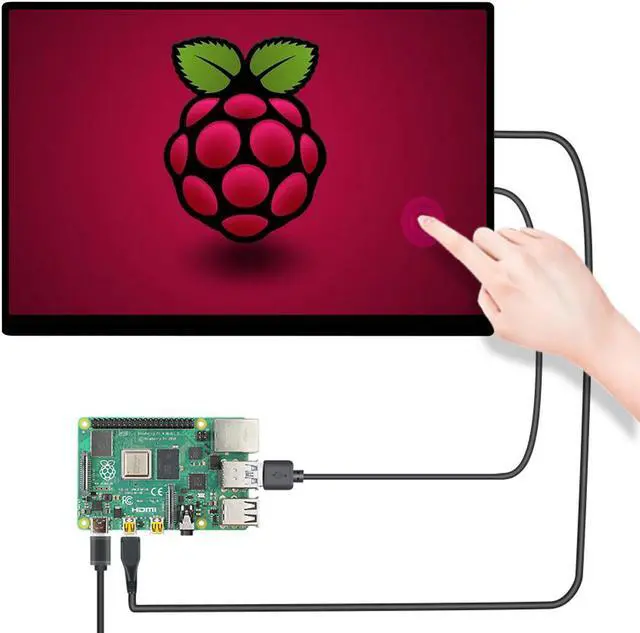
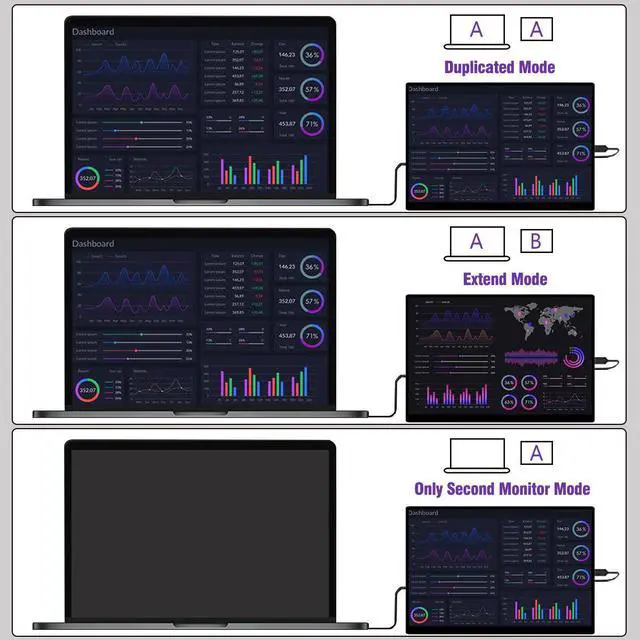
    For Nintendo SWITCH/PS4/XBOX One/Raspberry PI extend

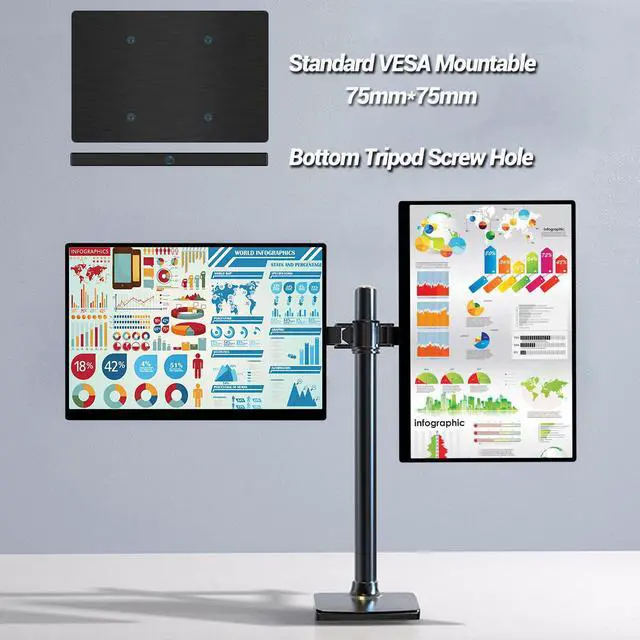
    For AE, AI, PR, PS image or video edit software a second screen extend


    Touch Function Remark:

    Laptop/PC Touch: Only support WINDOWS SYSTEM.

    Phone Touch: Only support THUNDERBOLTS TYPE C phone.


    Some of model cannot support touch function like LG/ONE PLUS/ASUS/RAZER phone cannot support touch function.

    Touch function depends on phone model, Please contact our service center if you need to use touch function before purchase. Thanks.


    If can not light up the screen, need extra power on the screen. Use a 5V-3A adapter to connect the screen via the Type C to USB cable.


    No Touch Devices Remark:

    All gaming consoles like Nintendo SWITCH, PS4, XBOX One and so on.

    ONE PLUS PHONE, Macbook Pro Laptop with Macbook OS System.

    Some TV BOX model do not support the Android touch.


    Laptop Touch Connection Remark:

    1. USB to Type C cable to connect laptop usb port and monitor type c data port.

    (Hearing Dongdong sound, means the touch driver has been installed. )

    2. USB to Type C cable to connect charger and power by the monitor type c pd charging port.

    3. Mini HDMI-compatible to HDMI-compatible cable to connect the laptop and monitor.

    Warranty & Returns

    Warranty, Returns, And Additional Information

    Warranty

    • Please contact the Seller directly for warranty information. Warranty information may also be found on the Manufacturer's website.
    • CONTACT

    Return Policies

    Manufacturer Contact Info

    LOADING...