


Best Sellers
 Hot Seller
- $737.44
- + $41.23 Shipping
- $812.00
- + FREE SHIPPING
Hot Seller- $828.89
- + FREE SHIPPING


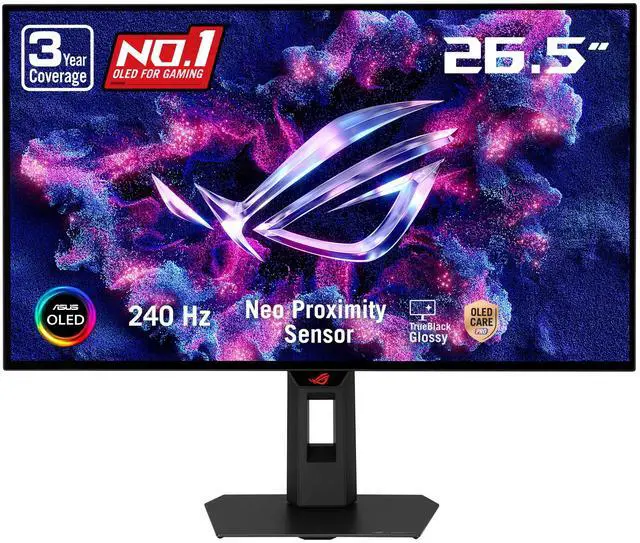
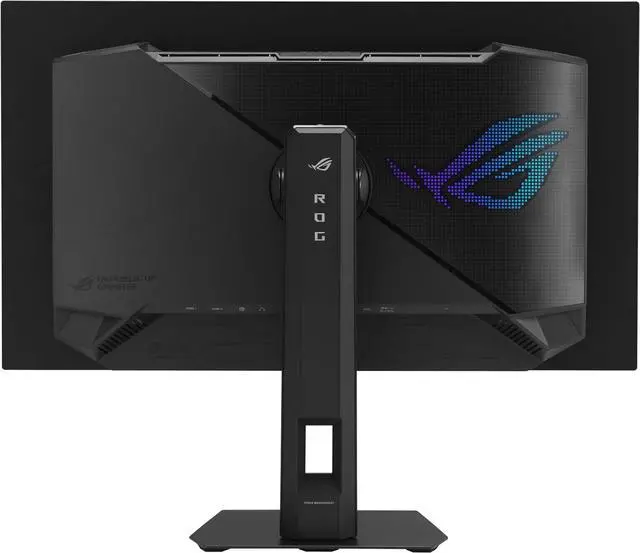
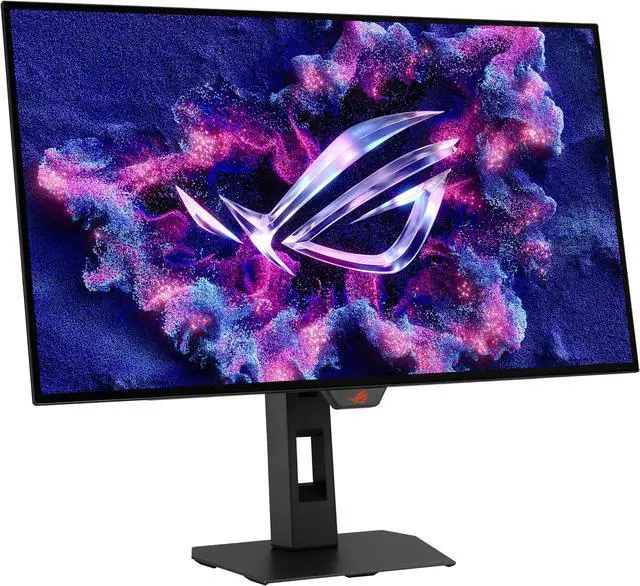
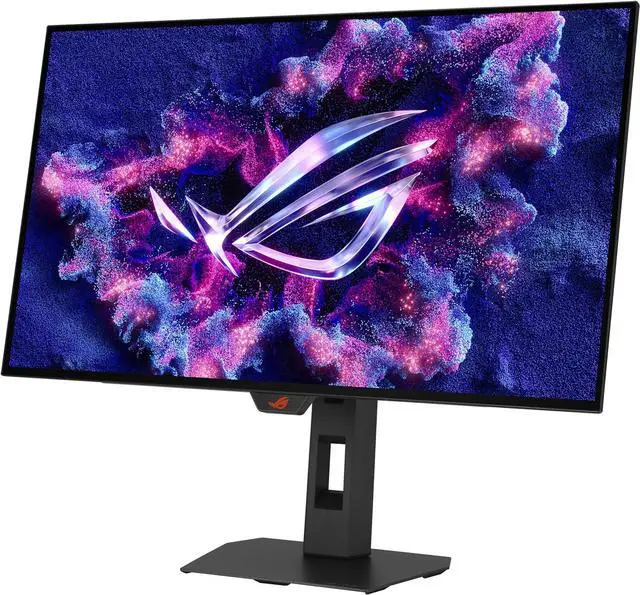
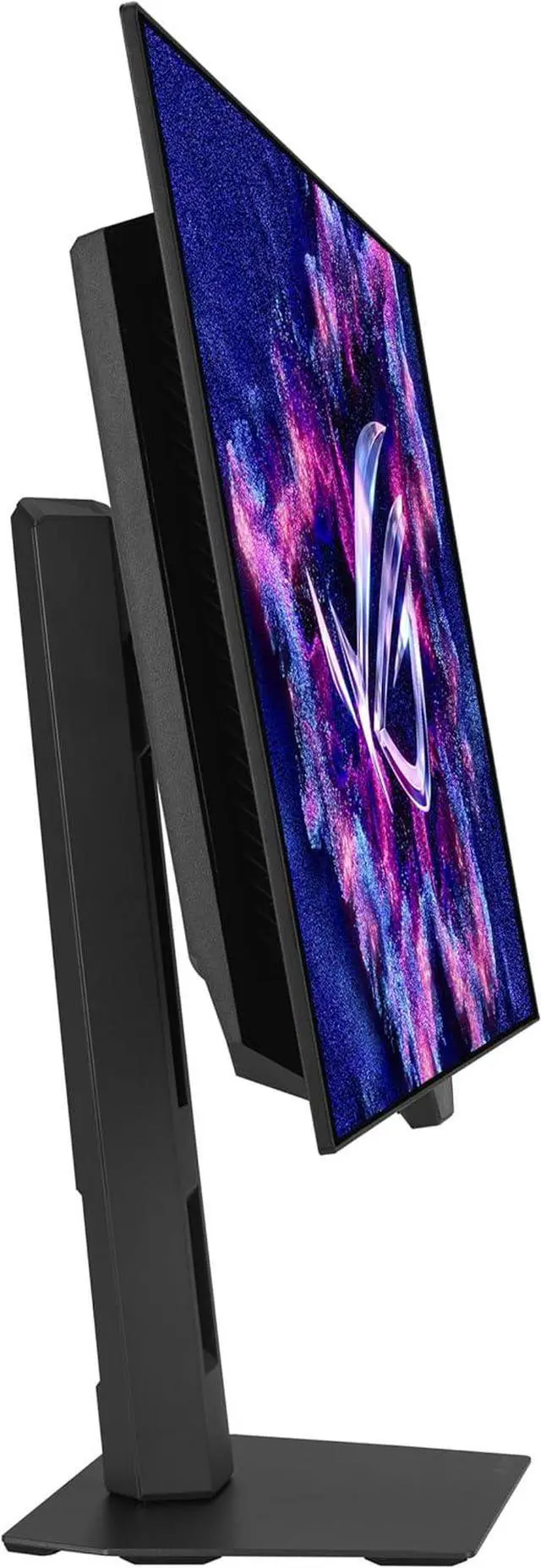


ASUS ROG Strix 27 inch (26.5" viewable) QHD 2K 1440p 240Hz AMD FreeSync Premium Pro & G-Sync Compatible HDR400 OLED Gaming Computer Monitor with Height Adjustable, Pivot, Swivel & Tilt Stand XG27AQDMGR
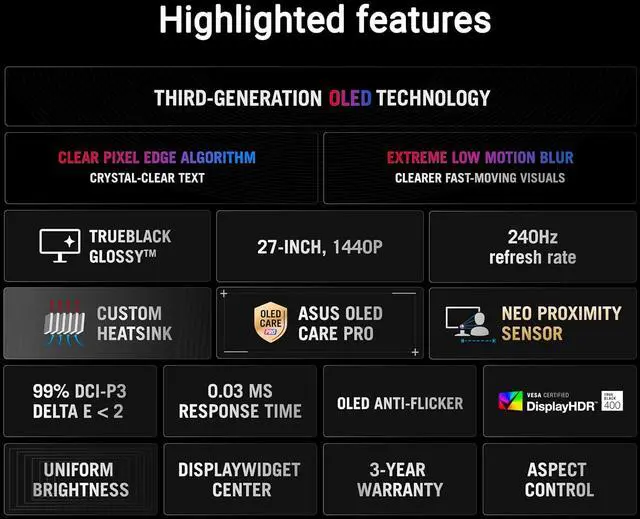
- 26.5-inch QHD (2560 x 1440) TrueBlack Glossy WOLED gaming monitor with 240 Hz refresh rate and 0.03ms response time
- ASUS OLED Care Pro functions with Neo Proximity Sensor that precisely detects when the user is away, switching to a black screen to reduce the risk of burn-in
- VESA DisplayHDR 400 True Black compliance, 99% DCI-P3 gamut, true 10-bit color, and Delta E < 2 color difference for astonishing HDR performance
- Exclusive ASUS DisplayWidget Center application allows users to easily access OLED Care Pro functions and adjust monitor settings using a mouse
- ROG Gaming A.I technology with AI-powered features to enhance users' gaming experience
- What's in the box: DisplayPort 2.1 (DP80) cable, HDMI Ultra High-Speed Cable, USB 3.2 cable, Microfiber cloth, ROG pouch, ROG sticker, VESA mount kit, Power cord, Quick start guide, Warranty Card
- ASUS Rapid Replacement (ARR) 3 years warranty with cross shipping service included
- Free 3-month Adobe Creative Cloud Subscription: Receive complimentary access with the purchase of this product (offer valid until 08/31/2026)
+
+
Overview
Specs
Reviews (66)
The ROG Strix OLED XG27AQDMGR is a 27-inch True Black Glossy WOLED gaming monitor that offers 1440p with a 240 Hz refresh rate. Featuring the new Neo Proximity Sensor within the ASUS OLED Care Pro suite, the monitor is able to detect when the user is away and automatically transition to a black screen to guard against panel burn-in. Thanks to a compact stand, the XG27AQDMGR takes up minimal desktop space. Plus, it offers users an extensive array of connectivity options, including DisplayPort 1.4 (DSC), two HDMI 2.1, and USB usb.
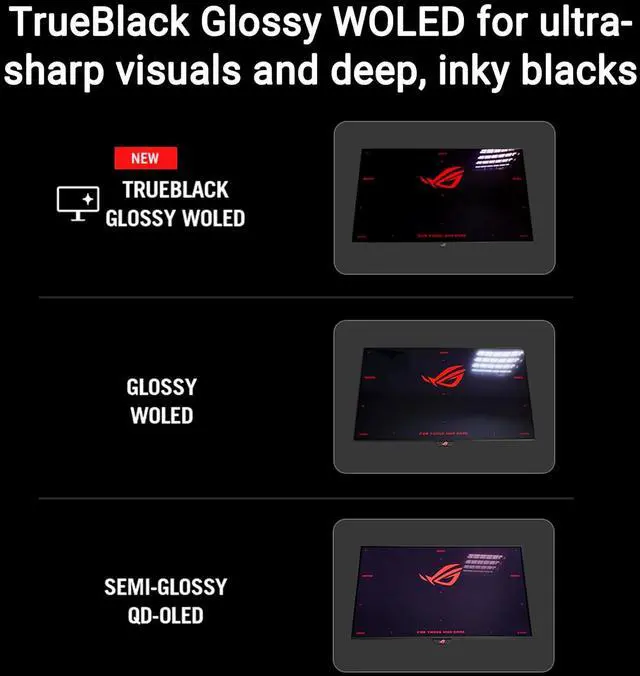
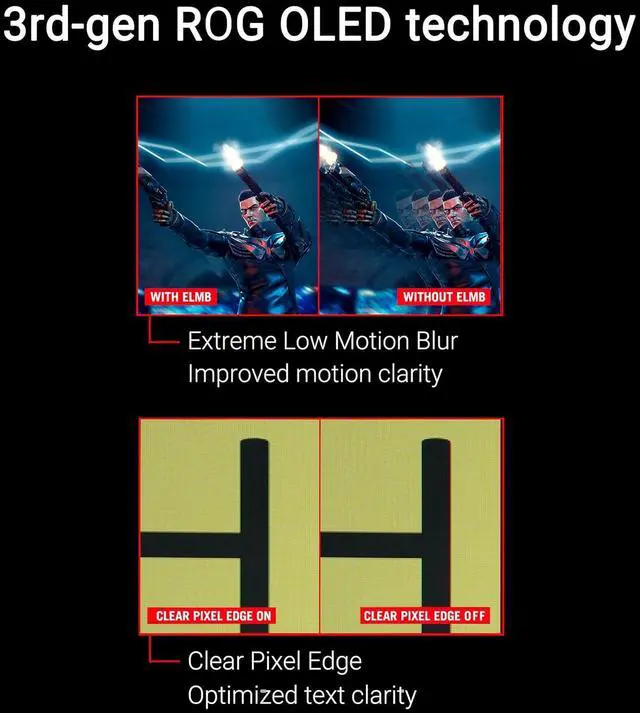
Supersharp and clear imageryExclusive True Black Glossy OLEDThe ROG Strix OLED XG27AQDMGR features a new True Black Glossy OLED panel with a zero-haze optical layer that presents deep blacks under any lighting. Its advanced anti-reflective coating reduces ambient reflections by 38% compared to previous-gen glossy WOLEDs, ensuring distraction-free gaming even in brightly lit rooms. Third-Generation WOLED TechnologyClear Pixel EdgeThe Clear Pixel Edge algorithm reduces green and red fringing on text and lines for improved reading experiences. Improved motion clarityExtreme Low Motion BlurExclusive ASUS Extreme Low Motion Blur technology reduces ghosting and motion blur. OLED AdvantagesThe extremely high contrast ratio offered by the OLED panel results in the deepest black hues and vivid colors.
Plus, an astounding 0.03 ms gray-to-gray response time ensures supersmooth, low-latency gameplay.
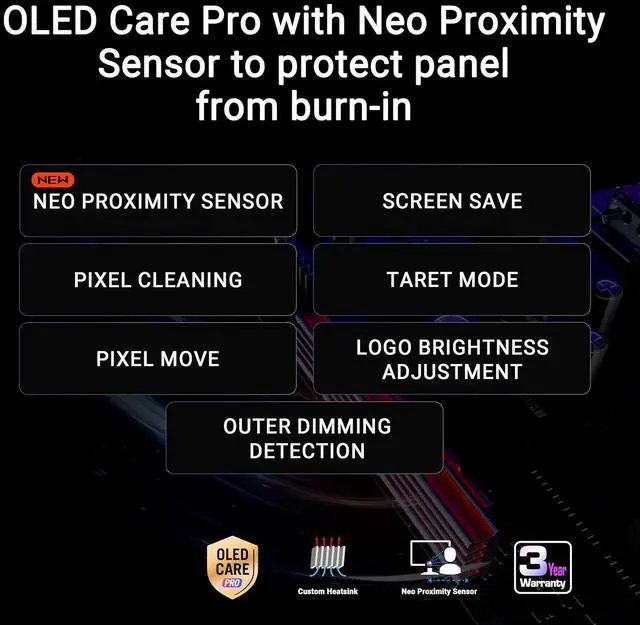
1.5M: 1 contrast ratio 0.03 ms response time 99% DCI-P3 gamut Delta E < 2Screen ProtectionASUS OLED Care ProNew ASUS OLED Care Pro technology provides a full set of customizable monitor settings to protect and ensure the longevity of the OLED panel. Plus, it includes the new Neo Proximity Sensor designed to guard against panel burn-in. All settings can be easily managed via DisplayWidget Center. Neo Proximity SensorThe built-in Neo Proximity Sensor precisely detects the user's distance from the monitor. When the user steps away, the monitor transitions to a black image to protect against panel burn-in; when the user returns, content is instantly restored onscreen. Detection distance can be customized to suit personal preference, ensuring maximum convenience and protection. Pixel cleaningRecalibrates the screen when the monitor has been active for several hours-a process that takes just a few minutes and activates automatically when the monitor is turned off. Screen MovePixel locations are slightly shifted periodically to help prevent burn-in, and users can choose between several movement levels. Screen SaverAutomatically dims the screen after two minutes of inactivity. Logo brightness adjustmentAutomatically detects static onscreen logos and reduces their brightness to correct for potential picture-quality issue.
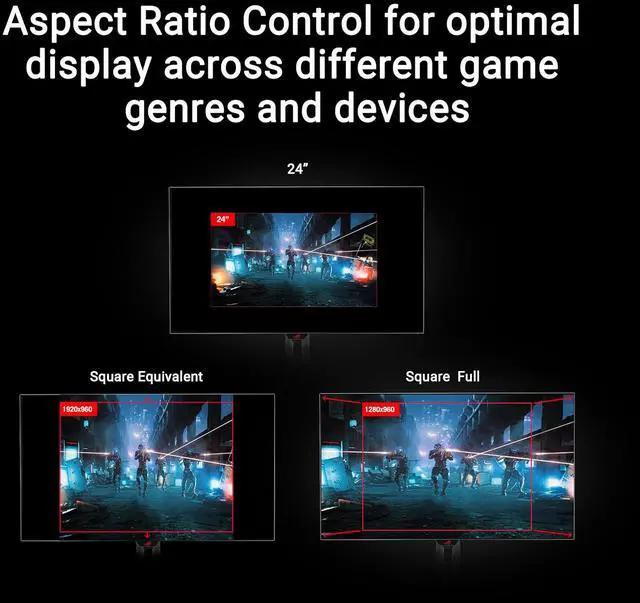
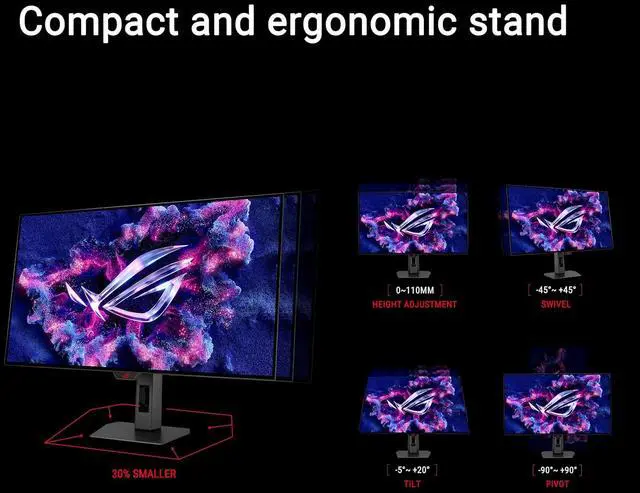
Outer dimming controlAutomatically identifies and adjusts the brightest areas of the screen to reduce the risk of burn-in. Target modeDims the entire screen, except for a selected pinned window, which maintains its current brightness setting. Built to LastWorry-free OLED MonitorROG OLED monitors are engineered to deliver stunning visuals for years to come. An innovative custom heatsink and a unique internal airflow design improve cooling and reduce the risk of burn-in. ROG OLED Anti-FlickerROG-exclusive OLED Anti-Flicker technology offers three refresh rate ranges - High, Mid, Off - to reduce flicker during frame rate fluctuations and maintain an immersive gaming experience. Compact and Ergonomic DesignThe new ROG Strix OLED series monitors feature a new compact stand that's 30% smaller than those found on previous-generation XG monitors, freeing up valuable desk space for a keyboard and mouse. The stand offers tilt, swivel, pivot and height adjustments for the ideal viewing position. The display is also VESA wall-mount-compatible. Aspect Ratio ControlFor competitive gamers who are more familiar with smaller 1080p monitors, the XG27AQDMGR can be set to replicate a 24
Supersharp and clear imageryExclusive True Black Glossy OLEDThe ROG Strix OLED XG27AQDMGR features a new True Black Glossy OLED panel with a zero-haze optical layer that presents deep blacks under any lighting. Its advanced anti-reflective coating reduces ambient reflections by 38% compared to previous-gen glossy WOLEDs, ensuring distraction-free gaming even in brightly lit rooms. Third-Generation WOLED TechnologyClear Pixel EdgeThe Clear Pixel Edge algorithm reduces green and red fringing on text and lines for improved reading experiences. Improved motion clarityExtreme Low Motion BlurExclusive ASUS Extreme Low Motion Blur technology reduces ghosting and motion blur. OLED AdvantagesThe extremely high contrast ratio offered by the OLED panel results in the deepest black hues and vivid colors.
Plus, an astounding 0.03 ms gray-to-gray response time ensures supersmooth, low-latency gameplay.
1.5M: 1 contrast ratio 0.03 ms response time 99% DCI-P3 gamut Delta E < 2Screen ProtectionASUS OLED Care ProNew ASUS OLED Care Pro technology provides a full set of customizable monitor settings to protect and ensure the longevity of the OLED panel. Plus, it includes the new Neo Proximity Sensor designed to guard against panel burn-in. All settings can be easily managed via DisplayWidget Center. Neo Proximity SensorThe built-in Neo Proximity Sensor precisely detects the user's distance from the monitor. When the user steps away, the monitor transitions to a black image to protect against panel burn-in; when the user returns, content is instantly restored onscreen. Detection distance can be customized to suit personal preference, ensuring maximum convenience and protection. Pixel cleaningRecalibrates the screen when the monitor has been active for several hours-a process that takes just a few minutes and activates automatically when the monitor is turned off. Screen MovePixel locations are slightly shifted periodically to help prevent burn-in, and users can choose between several movement levels. Screen SaverAutomatically dims the screen after two minutes of inactivity. Logo brightness adjustmentAutomatically detects static onscreen logos and reduces their brightness to correct for potential picture-quality issue.
Outer dimming controlAutomatically identifies and adjusts the brightest areas of the screen to reduce the risk of burn-in. Target modeDims the entire screen, except for a selected pinned window, which maintains its current brightness setting. Built to LastWorry-free OLED MonitorROG OLED monitors are engineered to deliver stunning visuals for years to come. An innovative custom heatsink and a unique internal airflow design improve cooling and reduce the risk of burn-in. ROG OLED Anti-FlickerROG-exclusive OLED Anti-Flicker technology offers three refresh rate ranges - High, Mid, Off - to reduce flicker during frame rate fluctuations and maintain an immersive gaming experience. Compact and Ergonomic DesignThe new ROG Strix OLED series monitors feature a new compact stand that's 30% smaller than those found on previous-generation XG monitors, freeing up valuable desk space for a keyboard and mouse. The stand offers tilt, swivel, pivot and height adjustments for the ideal viewing position. The display is also VESA wall-mount-compatible. Aspect Ratio ControlFor competitive gamers who are more familiar with smaller 1080p monitors, the XG27AQDMGR can be set to replicate a 24
Warranty & Returns
Warranty, Returns, And Additional Information
Warranty
- Limited Warranty period (parts): 3 years
- Limited Warranty period (labor): 3 years
- Read full details
Return Policies
- Return for refund within: 15 days
- Return for replacement within: 15 days
- This item is covered by Newegg.ca's 15-Day Return Policy.
- Read full return policy for details.
Manufacturer Contact Info
- Manufacturer Product Page
- Manufacturer Website
- Support Phone: 1-888-678-3688
- Support Website
- View other products from ASUS
LOADING...
LOADING...
The ASUS ROG Strix XG27AQDMGR is a 26.5-inch QHD WOLED gaming monitor with a 240Hz refresh rate, 0.03ms response time, and FreeSync Premium Pro and G-SYNC Compatible support, making it suitable for players who prioritize fast, smooth PC gaming at 1440p.
Recommended For
- PC gamers who play fast-paced or competitive games and want 1440p OLED motion clarity, low input lag, and up to 240Hz, especially when their system can deliver high frame rates.
- Players of HDR games and people who watch movies at a desk, particularly in a room with controlled lighting, who value OLED black levels, high contrast, and a glossy image.
- Console players who want a 1440p OLED display with HDMI 2.1 and variable refresh rate support for compatible consoles.
- Gamers who also do occasional color-focused creative work and want a wide-gamut OLED screen, provided they do not need a high-resolution, text-first or specialized reference monitor.
Real-World Use Scenarios
- For PC players running fast-paced games, the 240Hz refresh rate, quick OLED pixel response, and variable refresh rate support can make motion look clearer and help reduce tearing when frame rates fluctuate.
- When playing story-driven games or other HDR titles, OLED’s deep blacks and vivid colors help dark scenes retain contrast and make bright details stand out; the result depends on the game’s HDR implementation and room lighting.
- For console gaming, connect a compatible console through HDMI to play on a 1440p display with OLED contrast and smooth motion; supported resolution, refresh rate, HDR, and VRR depend on the console and game.
- For photo or video work alongside gaming, the wide color gamut and stated color accuracy can help with reviewing colorful content; color-critical work should still use an appropriate calibrated workflow.
- For a mixed gaming-and-work desk, it can handle browsing and everyday tasks between gaming sessions, while its proximity sensor can switch to a black screen when you step away; OLED text rendering and long periods of static screen content may be considerations for work-heavy use.
Spec Summary
| Attribute | Value |
|---|---|
| Best For | PC gaming with QHD resolution, 240 Hz refresh rate, fast response, and adaptive-sync support |
| Panel And Resolution | 26.5-inch flat OLED panel with a glossy finish, 2560 × 1440 QHD resolution, and 16:9 aspect ratio |
| Refresh Rate And Response | 240 Hz refresh rate with a 0.03 ms response time; FreeSync Premium Pro, G-Sync Compatible, and Adaptive-Sync support |
| Image Quality And HDR | 99% DCI-P3 color gamut, 1.073 billion display colors, 178° horizontal and vertical viewing angles, 1,500,000:1 contrast ratio, and 1300 cd/m² brightness; supports HDR10 and VESA DisplayHDR 400 |
| Ports And Connectivity | 2 HDMI 2.1 ports, 1 DisplayPort 1.4, 2 USB 3.2 Gen 1 Type-A ports, and an earphone jack |
| Stand And Ergonomics | Height adjusts from 0 to 110 mm; tilt from −5° to +20°, swivel from −45° to +45°, and pivot from −90° to +90° |
| Gaming And Display Features | Includes GamePlus, GameVisual, Extreme Low Motion Blur, GameFast Input, Shadow Boost, aspect control, AI Visual, Dynamic Crosshair, and Dynamic Shadow Boost; DisplayWidget Center supports monitor adjustments and color-calibration reports |
| Power And Energy | 100–240 VAC, 50/60 Hz; power consumption below 26.8 W, below 0.5 W in power-saving mode, and below 0.3 W when off |
| Dimensions And Mounting | With stand: 23.82 × 19.69 × 7.40 in; without stand: 23.82 × 14.49 × 2.48 in. Supports 100 × 100 mm VESA mounting |
| Weight | 14.55 lb with stand and 10.58 lb without stand |
| Model Identifiers | ASUS ROG Strix, model XG27AQDMGR; black |
| In The Box | DisplayPort cable, HDMI cable, USB Type-B to A cable, microfiber cloth, power cord, quick start guide, ROG pouch, ROG sticker, VESA mount kit, and warranty card |
Reference Q&A
Q: ASUS XG27AQDMGR vs XG27AQDMG: is the newer model worth choosing?
A: Choose the XG27AQDMGR when buying new if you want its updated TrueBlack glossy coating, HDMI 2.1, and Neo Proximity Sensor with OLED Care Pro. Both are 26.5-inch, 1440p, 240Hz WOLED monitors; the earlier XG27AQDMG may make sense if it costs less and you do not need those updates. For existing XG27AQDMG owners, the changes are incremental rather than a major performance upgrade.
Q: ASUS XG27AQDMGR vs MSI MPG 271QRX: which suits competitive gaming?
A: Choose the MSI MPG 271QRX if you want a higher 360Hz refresh rate and more vivid QD-OLED color; choose the ASUS XG27AQDMGR if you prefer its 240Hz TrueBlack glossy WOLED and stronger black-level retention in ambient light. Both are 1440p OLED monitors with a specified 0.03ms response time, so the MSI’s main gaming advantage is its higher refresh ceiling.
Q: ASUS XG27AQDMGR vs LG 27GS95QE: which is better for a bright room?
A: Choose the ASUS XG27AQDMGR if you prefer a glossy screen and WOLED’s black-level retention when ambient light is present, and you can manage reflections from the glossy finish. Choose the LG 27GS95QE if you prefer a matte coating that handles reflections more consistently. Both offer 1440p OLED gaming at 240Hz, so the key distinction is the screen finish and how it suits your room.
Q: Is this monitor suitable for both office work and gaming?
A: It can handle both: it has a 26.5-inch QHD OLED display and adjustable stand for everyday desktop use, plus a 240Hz refresh rate and 0.03ms response time for gaming. Because it is OLED, long periods of displaying fixed interface elements may increase burn-in risk; its OLED Care Pro features are designed to help reduce that risk, not eliminate it.
Q: Is it a good choice for high-refresh-rate PC gaming?
A: Yes. The monitor supports QHD resolution at up to 240Hz, has a 0.03ms response time, and supports AMD FreeSync Premium Pro and G-Sync Compatible adaptive sync. To use the full refresh rate, the connected computer and selected connection settings must support it.
Q: Can I connect a game console to it?
A: Yes. It has two HDMI 2.1 inputs, so a compatible console can connect over HDMI. The monitor’s 240Hz maximum is a PC-focused capability; the resolution and refresh rate available from a console depend on the console and game.
Q: Does it have built-in speakers or support a monitor arm?
A: It has no built-in speakers, so plan to use separate speakers or headphones. It supports 100 × 100mm VESA mounting; the included stand also offers height, tilt, swivel, and pivot adjustment.
Q: Is the XG27AQDMGR a good fit for a PS5 Pro?
A: It offers 1440p resolution, HDMI 2.1, and up to 240 Hz, so it matches a 1440p console setup. It is not a 4K display; whether that trade-off suits you depends on whether you prioritize 4K resolution or the monitor’s OLED and high-refresh features.
Q: Is it suitable for work or coding as well as gaming?
A: It can serve both uses, and its stand supports height, tilt, swivel, and pivot adjustments. However, one owner discussing coding and browsing reported noticeable reflections on dark content and some text fringing. Consider it if gaming is a priority and your workspace is not reflection-prone; inspect text clarity in person if work involves long hours of reading.
Q: Is it a good choice for games with static HUDs?
A: The product includes OLED Care Pro features and a proximity sensor that can switch to a black screen when you step away. Those features may help limit static display time, but the provided specifications do not establish that they eliminate burn-in risk. The question is especially relevant if you regularly play games with fixed HUD elements.
Q: Is it worth switching to this monitor from an IPS display?
A: It is a 1440p, 240 Hz OLED, so it is a more relevant upgrade for someone seeking OLED image characteristics and high refresh than for someone satisfied with their current display. An owner comparing it with older IPS monitors described reflections and text clarity as drawbacks for their use, so the upgrade is less compelling if those matter more than gaming.