


Best Sellers
 Hot Seller
- $401.22
- + $44.01 Shipping
- $460.93
- + FREE SHIPPING


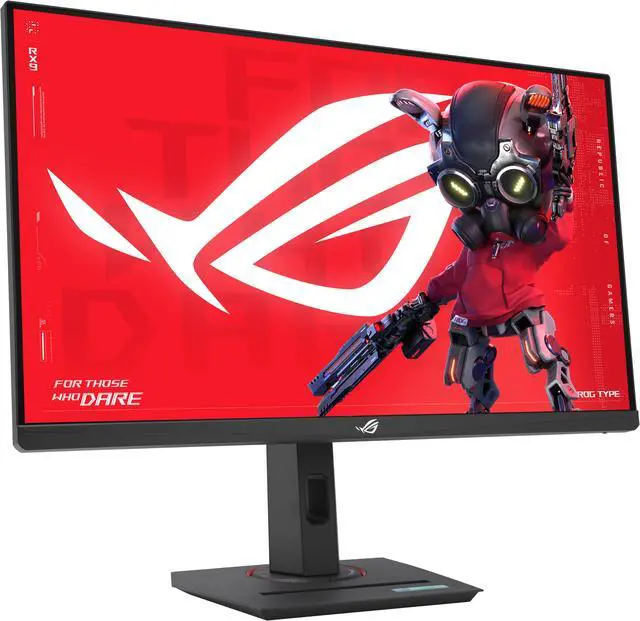
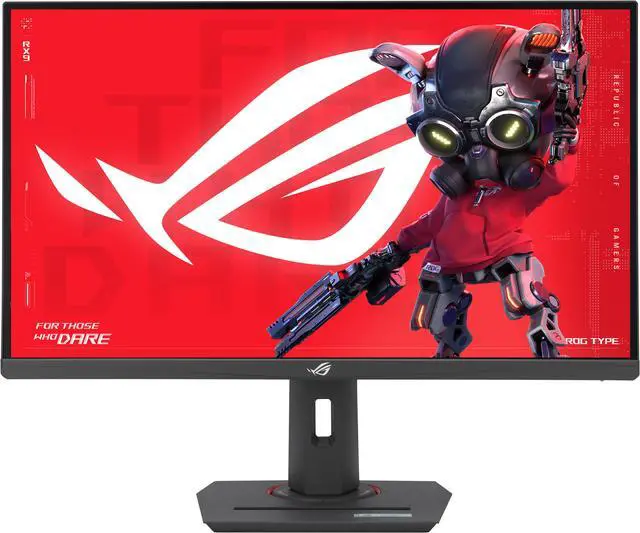
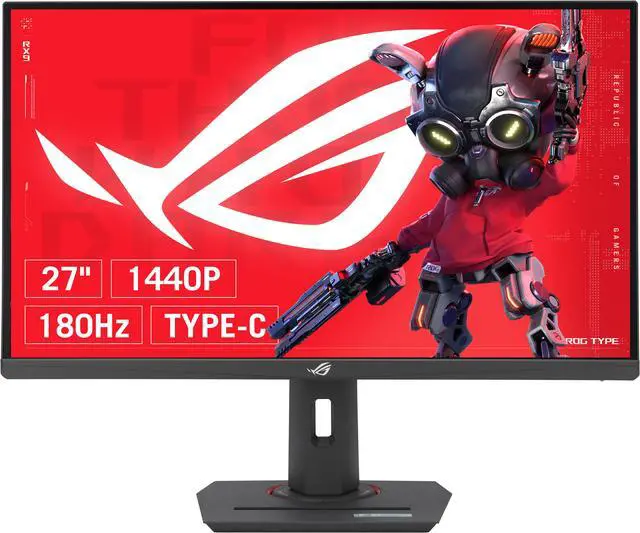
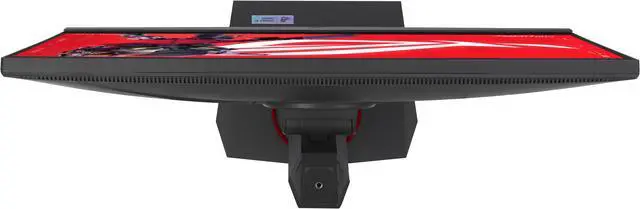
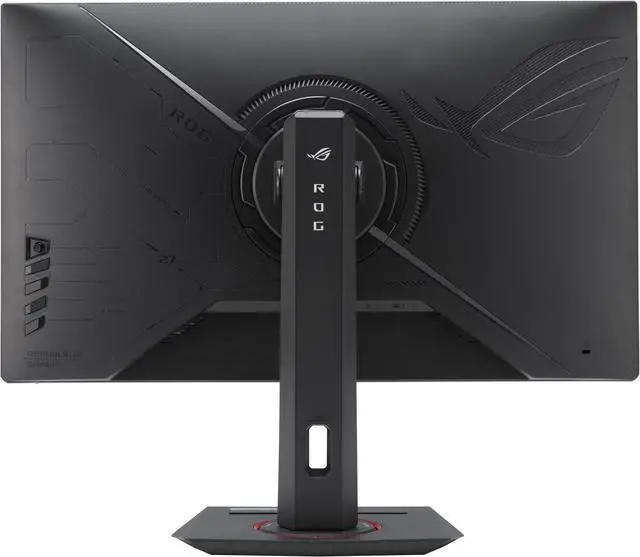
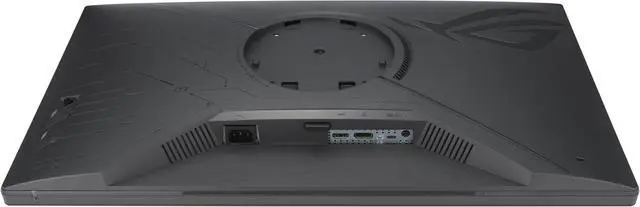
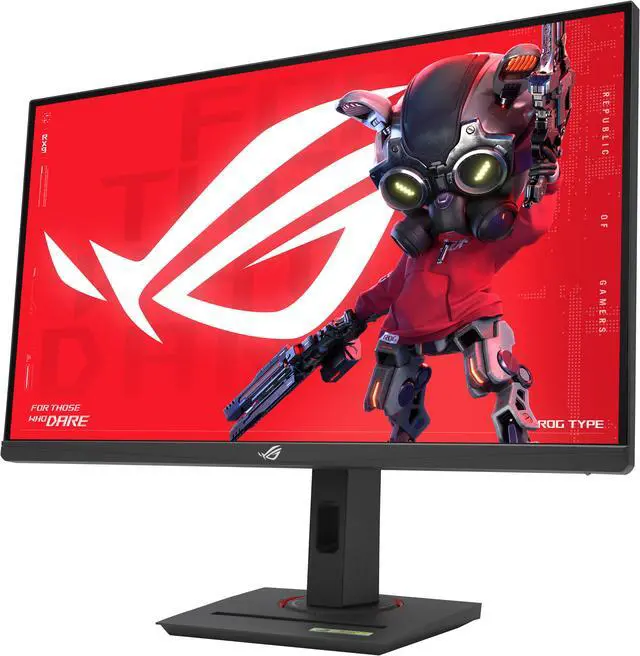


ASUS ROG Strix 27” QHD HDR400 USB-C Gaming Monitor(XG27ACS)-2560x1440, 180Hz, 1ms, Fast IPS, 133% sRGB, Extreme Low Motion Blur Sync, G-Sync Compatible, DisplayWidget, Tripod Socket, 3 year warranty
- 27" 16:9 IPS Panel
- HDMI | DisplayPort | USB-C (7.5W)
- QHD (1440p) 2560 x 1400 at 180 Hz
- FreeSync | G-Sync Compatible | VRR
- 1 ms (GtG) Response Time
- 1000:1 Contrast Ratio
- 400 nits Peak Brightness (HDR)
- 16.7 Million Colors with HDR
- 1/4" Tripod Socket
+
+
Overview
Specs
Reviews (3)
You are about to elevate your gaming experience with the ASUS ROG Strix XG27ACS 27" 16:9 WQHD 180Hz USB-C Fast IPS LCD HDR Gaming Monitor, where cutting-edge technology meets exceptional design. This monitor is crafted to deliver unparalleled performance and utility, offering an immersive gaming experience with its stunning 2560x1440 resolution, ultra-fast 180Hz refresh rate, and a lightning-quick 1ms response time. Harness the power of AI-enhanced features that streamline your gaming sessions, complemented by a versatile USB-C connection that broadens your connectivity options. This ensures you remain at the forefront of gaming technology while enjoying the convenience of modern connectivity solutions.
At the core of the ROG Strix XG27ACS is visual brilliance. With Fast IPS technology, vivid WQHD resolution, and DisplayHDR 400 support, this gaming monitor provides an unmatched gaming and multimedia experience. Every detail is brought to life with vibrant colors and remarkable clarity, immersing you in a world of stunning visual precision. Designed for seamless speed and precision, the monitor's 180Hz refresh rate and 1ms (GTG) response time eliminate lag and motion blur, ensuring smooth and responsive gameplay. This gives you a competitive edge in fast-paced games, allowing you to react instantly to on-screen action and execute critical moves with confidence.
Experience tear-free, ghost-free gaming with G-SYNC and FreeSync compatibility. These features enable variable refresh rate (VRR) by default, ensuring smooth, synchronized visuals. The integrated ASUS Variable Overdrive technology dynamically adjusts the monitor's overdrive setting as frame rates fluctuate, delivering optimal results for any game. The ROG Strix XG27ACS offers a wider range of vibrant colors with a cinema-standard DCI-P3 97% and sRGB 133% color gamut. Each monitor undergoes rigorous factory checks to ensure color accuracy, guaranteeing a lifelike and immersive visual experience. Connectivity is versatile and straightforward with the ROG Strix XG27ACS.
It includes a USB-C port supporting DP Alt mode for video output and power delivery, a DisplayPort 1.4 for high-resolution and high-refresh-rate connections, and an HDMI 2.0 port for connecting consoles and other multimedia devices. Enhance your gaming advantage with AI-powered GamePlus technology, which analyzes the on-screen scene in real-time and adjusts the GamePlus crosshair to improve targeting accuracy. The Dynamic Shadow Boost feature brightens dark areas without overexposing bright areas, providing a clear advantage in low-light environments. The ROG Strix XG27ACS features a compact design that saves valuable desk space. Its ergonomically-designed stand offers tilt, swivel, pivot, and height adjustment, ensuring you find the perfect viewing position for all-day comfort.
Additionally, the monitor includes a convenient phone holder on the stand and a Type-C port for simultaneous phone charging. Effortlessly customize your monitor settings through the intuitive DisplayWidget Center app, eliminating the need for physical buttons and allowing you to tailor your settings for different games and applications with ease. The ROG Strix XG27ACS is not just a gaming monitor; it's a testament to the power of technology and design in enhancing your gaming experience.
At the core of the ROG Strix XG27ACS is visual brilliance. With Fast IPS technology, vivid WQHD resolution, and DisplayHDR 400 support, this gaming monitor provides an unmatched gaming and multimedia experience. Every detail is brought to life with vibrant colors and remarkable clarity, immersing you in a world of stunning visual precision. Designed for seamless speed and precision, the monitor's 180Hz refresh rate and 1ms (GTG) response time eliminate lag and motion blur, ensuring smooth and responsive gameplay. This gives you a competitive edge in fast-paced games, allowing you to react instantly to on-screen action and execute critical moves with confidence.
Experience tear-free, ghost-free gaming with G-SYNC and FreeSync compatibility. These features enable variable refresh rate (VRR) by default, ensuring smooth, synchronized visuals. The integrated ASUS Variable Overdrive technology dynamically adjusts the monitor's overdrive setting as frame rates fluctuate, delivering optimal results for any game. The ROG Strix XG27ACS offers a wider range of vibrant colors with a cinema-standard DCI-P3 97% and sRGB 133% color gamut. Each monitor undergoes rigorous factory checks to ensure color accuracy, guaranteeing a lifelike and immersive visual experience. Connectivity is versatile and straightforward with the ROG Strix XG27ACS.
It includes a USB-C port supporting DP Alt mode for video output and power delivery, a DisplayPort 1.4 for high-resolution and high-refresh-rate connections, and an HDMI 2.0 port for connecting consoles and other multimedia devices. Enhance your gaming advantage with AI-powered GamePlus technology, which analyzes the on-screen scene in real-time and adjusts the GamePlus crosshair to improve targeting accuracy. The Dynamic Shadow Boost feature brightens dark areas without overexposing bright areas, providing a clear advantage in low-light environments. The ROG Strix XG27ACS features a compact design that saves valuable desk space. Its ergonomically-designed stand offers tilt, swivel, pivot, and height adjustment, ensuring you find the perfect viewing position for all-day comfort.
Additionally, the monitor includes a convenient phone holder on the stand and a Type-C port for simultaneous phone charging. Effortlessly customize your monitor settings through the intuitive DisplayWidget Center app, eliminating the need for physical buttons and allowing you to tailor your settings for different games and applications with ease. The ROG Strix XG27ACS is not just a gaming monitor; it's a testament to the power of technology and design in enhancing your gaming experience.
Warranty & Returns
Warranty, Returns, And Additional Information
Warranty
- Limited Warranty period (parts): 3 years
- Limited Warranty period (labor): 3 years
- Read full details
Return Policies
- Return for refund within: 15 days
- Return for replacement within: 15 days
- This item is covered by Newegg.ca's 15-Day Return Policy.
- Read full return policy for details.
Manufacturer Contact Info
- Manufacturer Product Page
- Manufacturer Website
- Support Phone: 1-888-678-3688
- Support Website
- View other products from ASUS
LOADING...
LOADING...
The ASUS ROG Strix XG27ACS is a 27-inch QHD gaming monitor with a Fast IPS panel, 180Hz refresh rate, 1ms response time, and adaptive sync, suited to PC gamers seeking sharp 1440p detail and smooth, responsive play.
Recommended For
- PC players who want smooth 1440p gameplay for fast-paced shooters and other action games, with 180Hz refresh, variable refresh rate, and sharp motion handling.
- People who edit photos or create web content in SDR and want a monitor with a highly accurate sRGB mode, wide viewing angles, and enough brightness for a well-lit room.
- Desk users who switch between a gaming PC and a USB-C laptop, tablet, or handheld and want to send video to the monitor over USB-C, while charging those devices separately.
- People gaming or working in brighter rooms who value an anti-glare screen and clear, consistent viewing from different seating positions.
Real-World Use Scenarios
- When playing PC shooters or other fast-moving games, the player wants responsive controls and fewer visible tears; the high-refresh display and variable refresh rate support smooth-feeling gameplay when frame rates fluctuate.
- For everyday work such as writing, browsing, and working with documents, the user gets a sharp QHD workspace with clear text; the matte screen and wide viewing angles also suit a bright room or occasional side-by-side viewing.
- When sharing a desk between a gaming PC and a USB-C laptop, the user can send the laptop’s video to the monitor over USB-C; the 7.5W power output is limited, so the laptop will generally need its own charger.
- When connecting a PS5 or Xbox for casual gaming, the monitor can provide a responsive QHD gaming experience; its HDMI 2.0 connection does not offer the full HDMI 2.1 bandwidth and feature set.
- For games or films watched in a dark room, the user should expect less convincing blacks and restrained HDR highlights than on a display with stronger contrast or local dimming; it is better suited to ordinary SDR viewing than HDR-focused use.
Spec Summary
| Attribute | Value |
|---|---|
| Best For | Gaming, photo and video editing, and business use |
| Panel And Resolution | 27-inch flat Fast IPS display with a matte, non-glare finish, QHD 2560 × 1440 resolution, 16:9 aspect ratio, 178° horizontal and vertical viewing angles, and 0.233 mm pixel density |
| Refresh Rate And Response | 180 Hz refresh rate and 1 ms GTG response time, with AMD FreeSync and G-Sync Compatible adaptive sync |
| Image Quality | 350 cd/m² brightness, 1,000:1 contrast ratio, 16.7 million colors, 133% sRGB and 97% DCI-P3 color gamut |
| Ports And Connectivity | 1 × HDMI 2.0, 1 × DisplayPort 1.4, and USB-C with DisplayPort Alt Mode |
| Stand And Ergonomics | Height-adjustable stand with tilt, swivel, and pivot; includes a phone-holder feature, flicker-free display, and blue-light filter |
| Mounting And Dimensions | Wall-mountable; without the stand, measures 24.2 × 14.45 × 2.37 inches (W × H × D) |
| Included Components | DisplayPort cable, power cord, quick-start guide, and ROG pouch |
| Model Identifiers | ASUS ROG Strix, model and part number XG27ACS |
Reference Q&A
Q: ASUS XG27ACS vs Dell G2724D: which should I choose for gaming?
A: Choose the ASUS XG27ACS if you want USB-C video input, a 180Hz refresh rate, or ELMB Sync, which can combine backlight strobing with variable refresh rate. The Dell G2724D is a close alternative for 1440p gaming; independent testing finds their performance broadly similar, so compare current prices and prioritize the ASUS’s extra features if they matter to your setup.
Q: ASUS XG27ACS or LG 27GP850-B for 1440p gaming?
A: Both are 27-inch 1440p IPS gaming monitors with up to 180Hz refresh rates. Independent testing finds their performance similar; the ASUS is a practical choice if you want USB-C DisplayPort input, better stand ergonomics, or ELMB Sync with VRR. Consider the LG if its features or price better suit your setup.
Q: Can the XG27ACS replace a USB-C monitor that charges a laptop?
A: Not if you need the monitor to power a laptop: the XG27ACS’s USB-C supports DisplayPort Alt Mode but provides only 7.5W, which is not laptop-charging power. Choose the ASUS if USB-C video connectivity and gaming features are the priority; choose a monitor with higher USB-C power delivery if you want a one-cable laptop setup that also charges the computer.
Q: Can I connect my laptop through USB-C and charge it at the same time?
A: USB-C supports DisplayPort video input, but its 7.5W power output is limited. It can provide a small amount of power, but it is not a substitute for most laptop chargers.
Q: Is this monitor suitable for both gaming and everyday office work?
A: Yes. Its 27-inch QHD IPS display and 180Hz refresh rate suit gaming, while the 2560 × 1440 resolution and non-glare screen also work for typical office tasks. USB-C video is available, but the port provides only 7.5W of power.
Q: Does it support HDR, and what should I expect from it?
A: The product is listed as HDR400 with up to 400 nits peak brightness. HDR content is supported, but the listed 1,000:1 contrast ratio suggests this is not a high-contrast HDR display.
Q: What devices can I connect to the monitor?
A: It has one HDMI 2.0 input, one DisplayPort 1.4 input, and one USB-C port with DisplayPort Alternate Mode. USB-C video requires a compatible device and cable.
Q: Is the XG27ACS suitable for 1440p gaming?
A: It is designed for this use: the provided specs list a 2560×1440 Fast IPS panel, 180Hz refresh rate, 1ms GtG response time, and FreeSync/G-Sync Compatible support. A YouTube review evaluates its gaming motion performance; actual results can depend on the PC, connection, and settings.
Q: What are the main image-quality trade-offs?
A: The IPS panel offers wide viewing angles and the provided specs list 133% sRGB coverage, but its 1,000:1 stated contrast ratio is a trade-off for dark-room viewing compared with higher-contrast display types. One owner also reported visible IPS glow and a matte coating they disliked, so panel experience may vary.
Q: Can I use the XG27ACS as a one-cable USB-C laptop dock?
A: Not on the provided specifications alone. Its USB-C port supports DisplayPort Alt Mode and provides 7.5W, but the product data does not establish full laptop charging or USB-hub functionality. A Reddit discussion asks specifically about connecting a hub, so confirm the needed functions before relying on it as a dock.
Q: Is the XG27ACS worth buying?
A: It may suit buyers prioritizing 27-inch 1440p resolution and high refresh rate, but whether it is worth buying depends on its price and your priorities. A YouTube review presents it as a value-focused gaming monitor, while owner feedback also mentions possible IPS glow and coating concerns; compare local alternatives and check the return policy.