


Out of stock
This item is currently out of stock and it may or may not be restocked.
Sold by Newegg

Shipped by Newegg

Shop it at NeweggBusiness.

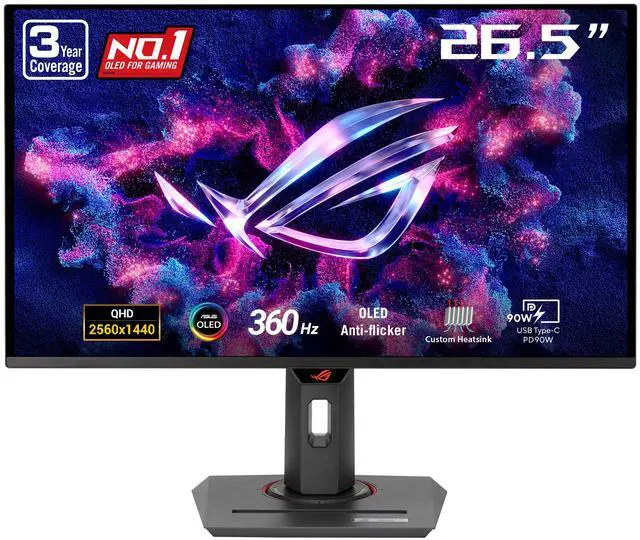
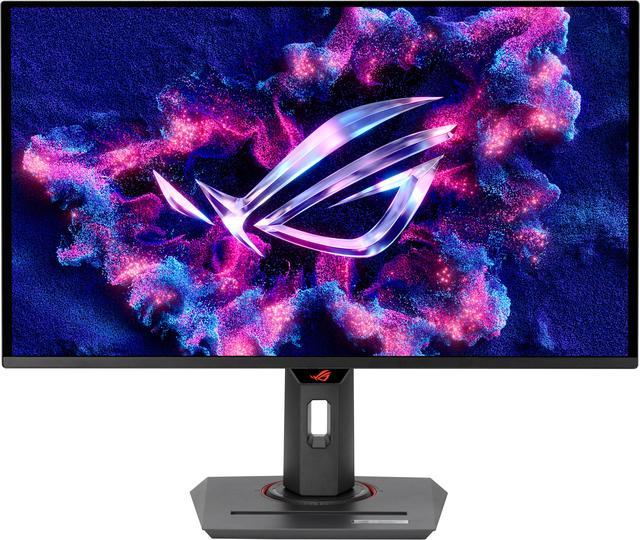
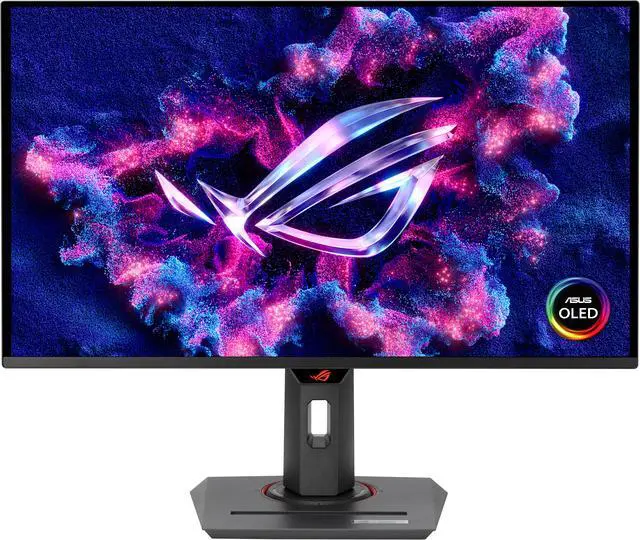
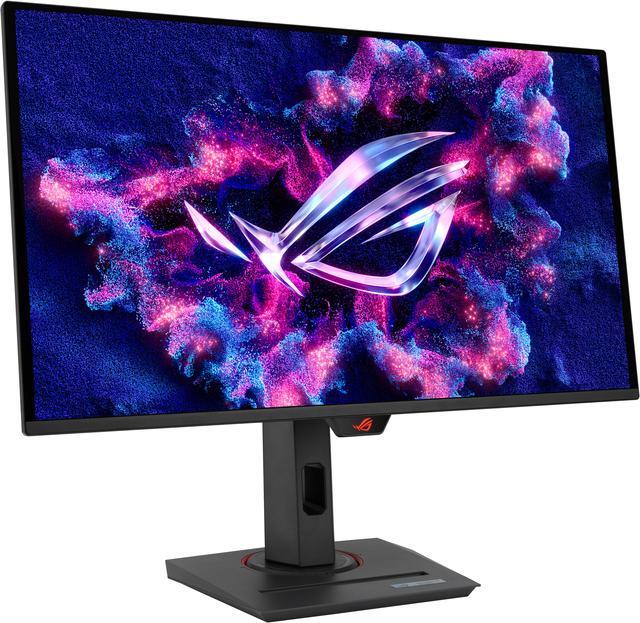
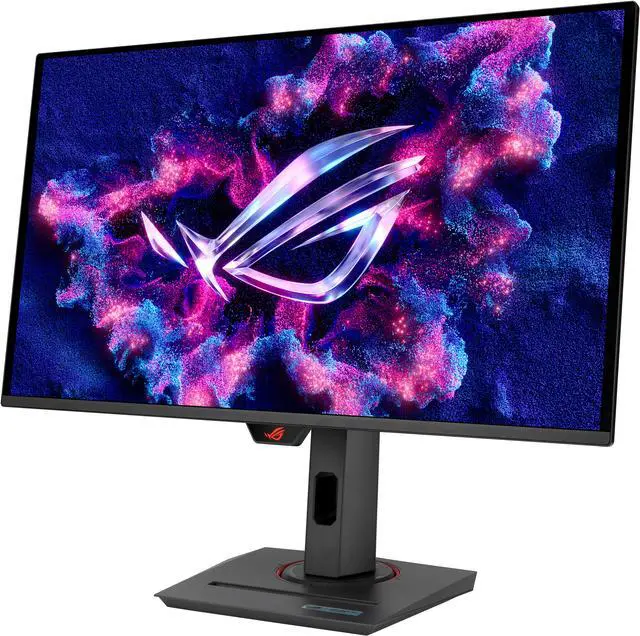
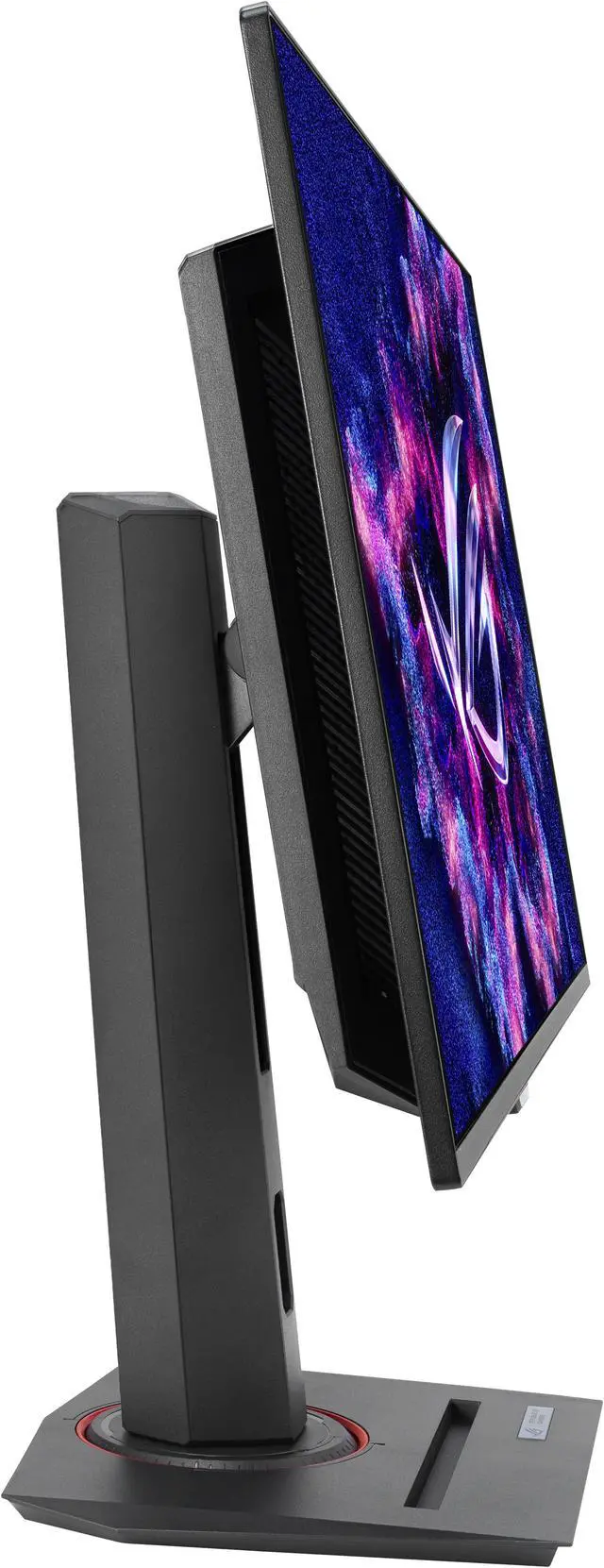
ASUS ROG Strix 27 inch (26.5" viewable) QHD 2K 1440P 360Hz FreeSync Premium Pro & G-Sync Compatible HDR400 Gaming Ai Technology Exclusive GamePlus AURA Sync Software OLED Gaming Computer Monitor XG27ACDNG

  • QHD anti-reflection QD-OLED panel
  • 99% DCI-P3 with true 10 bit
  • VESA DisplayHDR True Black 400 compliance
  • 360Hz refresh rate & 0.03ms response time
  • ASUS ELMB technology
  • G-Sync compatible & FreeSync Premium Pro technology
  • Aura Sync technology
  • Mobile holder socket
  • Tripod sock atop
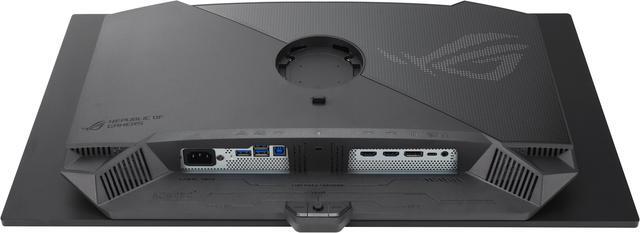
  • Rich I/O port with DP v1.4, 2xHDMI (v2.1),USB Type-C with PD 90W, USB 3.2 Gen 1
  • FSC MIX certified sustainable packaging
  • Free 3-month Adobe Creative Cloud Subscription: Receive complimentary access with the purchase of this product (offer valid to 8/31/2026)
Overview
Specs
Reviews (20)
ASUS ROG Strix OLED XG27ACDNG QD-OLED QHD Gaming Monitor

Crisp & exceptional image

  • QHD anti-reflection QD-OLED panel
  • 99% DCI-P3 with true 10 bit
  • VESA DisplayHDR True Black 400 compliance

Super smooth gaming experience

  • 360Hz refresh rate & 0.03ms response time
  • ASUS ELMB technology
  • G-Sync compatible & FreeSync Premium Pro technology
  • Aura Sync technology

User-friendly, ergo design

  • Mobile holder socket
  • Tripod sock atop
  • Rich I/O port with DP v1.4, 2xHDMI (v2.1),USB Type-C with PD 90W, USB 3.2 Gen 1
  • FSC MIX certified sustainable packaging

Gamer centric design

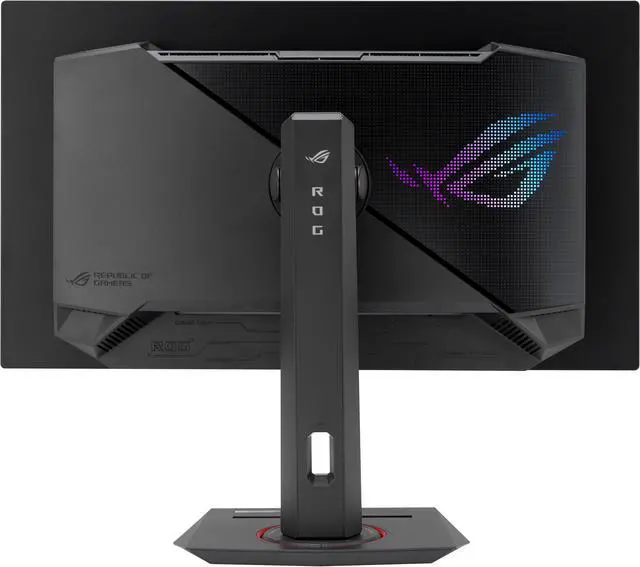
ROG bears our gamer's best interest in mind; we bring back the all-time favorite square base design that saves your desktop space so you can draw your keyboard and mouse closer to your monitor and response faster. There's also a socket in the base so you can place your cell phone right in front of you that you don't miss out any messages. And a 1/4-inch tripod socket on the monitor stand allows users to mount a camera or additional display for streaming setup.

ASUS ROG Strix OLED XG27ACDNG QD-OLED QHD Gaming Monitor

Smaller footprint with phone holder

ASUS ROG Strix OLED XG27ACDNG QD-OLED QHD Gaming Monitor

ROG signature Aura lighting

ASUS ROG Strix OLED XG27ACDNG QD-OLED QHD Gaming Monitor

Tripod socket for various mounting device

ASUS ROG Strix OLED XG27ACDNG QD-OLED QHD Gaming Monitor

2K 360Hz super smooth gameplay

Experience crisp, fast-moving visuals and gain the upper hand with OLED technology. The 27-inch OLED panel in the Strix OLED XG27ACDNG is 1440p and offers a superfast 360 Hz refresh rate to deliver the smoothest gameplay ever!

Detailed visuals and clearly defined text

Latest-generation QD-OLED panels take advantage of a unique sub-pixel layout that provides clearer, more detailed visuals and crisper text to upgrade viewing experiences.

ASUS ROG Strix OLED XG27ACDNG QD-OLED QHD Gaming Monitor

Blazingly Fast Response Time

Thanks to OLED panel, with an ultra-rapid 0.03ms response time, the XG27ACDNG smoothly displays fast-paced action scenes and ensures low-latency gameplay. Viewers also enjoy subtle benefits such as blur-free text scrolling.

ASUS ROG Strix OLED XG27ACDNG QD-OLED QHD Gaming Monitor

OLED ANTI-FLICKER

ROG exclusive OLED Anti-flicker technology provides three levels (high/middle/off) to help reduce flicker during refresh rate fluctuations in dark scenes to maintain immersive gaming experience.

ASUS ROG Strix OLED XG27ACDNG QD-OLED QHD Gaming Monitor

Tearing Free Gameplay

XG27ACDNG features Nvidia G-Sync compatible, AMD FreeSync premium Pro and VESA AdaptiveSync 360Hz technology to ensure supersmooth, tear-free visuals with low latency.

ASUS ROG Strix OLED XG27ACDNG QD-OLED QHD Gaming Monitor

Extreme Low Motion Blur

With ELMB, this feature helps eliminating ghosting and tearing for sharp visuals.

ASUS ROG Strix OLED XG27ACDNG QD-OLED QHD Gaming Monitor

* Only available with 120 Hz and 180 Hz.

OLED Care

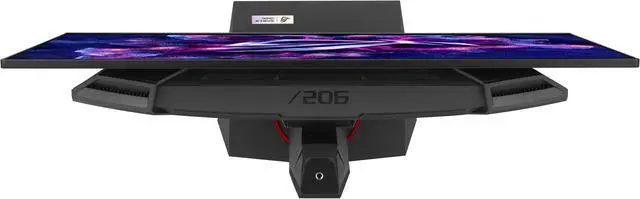
Efficient Custom Heatsink

The custom heatsink of Strix OLED XG27ACDNG has a more compact layout that prioritizes heat dissipation. In addition, the monitor's back cover features top vents that further promote efficient heat dissipation, reducing the risk of panel burn-in.

ASUS ROG Strix OLED XG27ACDNG QD-OLED QHD Gaming Monitor

OLED Care

Optional uniform brightness

The optional uniform brightness function setting within the OSD menu can be enabled to keep brightness levels consistent for better viewing and nonstop gameplay.

ASUS ROG Strix OLED XG27ACDNG QD-OLED QHD Gaming Monitor

* Testing with ROG OLED's setting under SRGB mode with less than 200 nits.

OLED PROTECTION

New OLED Care plus

The OLED screen protection settings can be selected either via NEW DisplayWidget Center or OSD** with different OS devices. These settings give you the options to choose and customize to protect the OLED panel.

Pixel Cleaning

This function recalibrates the screen when the monitor has been active for a period of several hours. The process will take approximately 6 minutes. It will activate automatically upon turning off the monitor.*

Adjust Logo Brightness

This function allows the monitor to automatically detect static logos onscreen and reduce their brightness to correct for potential picture quality issues.

Screen Saver

This function will automatically dim the screen after a period of inactivity.

Screen Move

This function slightly shifts pixel locations periodically to help prevent burn-in. There are several movement levels to choose from.

New

And More...

  • Taskbar Detection
  • Outer Dimming Control
  • Global Dimming Control
ASUS ROG Strix OLED XG27ACDNG QD-OLED QHD Gaming Monitor

* Do not unplug the power cord during this time, or else pixel cleaning will be interrupted.

** Screen Move feature can only be selected via DisplayWidget Center APP.

True Color Out of Box

The color calibration e-report of XG27ACDNG guarantees color performance. Each monitor undergoes stringent, meticulous testing with ASUS advanced gray-scale tracking technology ensures smoother color gradation delivered and uniformity.

ASUS ROG Strix OLED XG27ACDNG QD-OLED QHD Gaming Monitor

* This report is for reference only. Test result may vary under different test procedures, equipment and patterns. The e-report can be downloaded from DisplayWidget Center.

DisplayWidget Center

The NEW DisplayWidget Center software lets users easily change monitor settings via an intuitive interface, using a mouse - so there's no need to access the OSD menu. Also, you can check you color calibration report through the device info with easy access.

ASUS ROG Strix OLED XG27ACDNG QD-OLED QHD Gaming Monitor

DisplayHDR True black 400

With VESA DisplayHDR True black 400 certified, providing distinctive very deep dark shades and very bright light shades. That means the monitor has the ability to demonstrate a more saturated gaming scenes than conventional monitors.

ASUS ROG Strix OLED XG27ACDNG QD-OLED QHD Gaming Monitor

ROG Gaming A.I. technology

The ROG Gaming Artificial Intelligence technology, integrating Dynamic shadow boost and Dynamic cross hair enhance users' experience in gaming.

ASUS ROG Strix OLED XG27ACDNG QD-OLED QHD Gaming Monitor

The Dynamic crosshair allows the aimpoint to automatically changes its color into contrast color against its background ensuring vivid aimpoint in first-person shooter games.

ASUS ROG Strix OLED XG27ACDNG QD-OLED QHD Gaming Monitor

The Dynamic Shadow Boost can adjust the black and white levels with K zones automatically to the utmost performance with more natural look and feel.

* These tools allow gamers to practice and improve on their gaming skills.

Exclusive Gameplus

The ASUS-exclusive, integrated GamePlus hotkey offers in-game enhancements that help you get more out of your game. This function is co-developed with input from pro gamers, allowing them to practice and improve their gaming skills.

ASUS ROG Strix OLED XG27ACDNG QD-OLED QHD Gaming Monitor

1. The FPS counter functions while Adaptive-Sync is on.

2. These tools allow gamers to practice and improve on their gaming skills.

Aura Sync software

Enjoy synchronizing up 12 lighting effects between all Aura-ready motherboards, gaming graphics cards and the ever-growing portfolio of Aura-capable peripherals.

ASUS ROG Strix OLED XG27ACDNG QD-OLED QHD Gaming Monitor

TUV-certified eye care technology

No more eye strain

ASUS Eye Care monitors feature TÜV Rheinland-certified Flicker-free and Hardware Low Blue Light technologies to ensure a comfortable viewing experience.

ASUS ROG Strix OLED XG27ACDNG QD-OLED QHD Gaming Monitor

Caring for the planet

Eco-Friendly Packaging

The sustainable packaging of XG27ACDNG is FSC® Mix-certified. The lightweight, eco-friendly cardboard box that it's packed in is designed to keep overall volume to a minimum, for more efficient shipping.

ASUS ROG Strix OLED XG27ACDNG QD-OLED QHD Gaming Monitor
XG27ACDNGROG Strix OLED XG27ACDNG gaming monitor? 27-inch ( 26.5 -inch viewable) 1440p QD-OLED panel, 360 Hz, 0.03 ms, custom heatsink, OLED Anti-flicker, ASUS OLED Care+, uniform brightness, G-SYNC? compatible, 99% DCI-P3, and DisplayWidget Center

Warranty & Returns

Warranty, Returns, And Additional Information

Warranty

  • Limited Warranty period (parts): 3 years
  • Limited Warranty period (labor): 3 years
  • Read full details

Return Policies

LOADING...
LOADING...

The ASUS ROG Strix XG27ACDNG is a 26.5-inch QHD QD-OLED gaming monitor with a 360Hz refresh rate and 0.03ms response time, suited to competitive PC gaming where fast motion and low response time matter.

Recommended For

  • PC players focused on competitive, fast-paced games who can run them at high frame rates and want especially sharp motion and responsive controls.
  • Players who mostly game or watch films in a dim room and want deep blacks, vivid colors, and HDR highlights that stand out in darker scenes.
  • People switching between a gaming PC and a work laptop who want one screen and connected peripherals, using the monitor’s USB-C connection and built-in KVM.
  • Gamers who also edit photos or video and want wide-gamut color and an accurate sRGB mode, with the option to use the same display for creative work.

Real-World Use Scenarios

  • In fast PC shooters or esports games, a player with a PC that can produce high frame rates gets sharp, responsive motion that makes tracking moving targets feel clearer; the monitor’s full high-refresh benefit depends on the PC and game reaching those frame rates.
  • For cinematic PC games in a dim room, the QD-OLED image gives dark scenes deep-looking blacks and makes small bright details stand out. In a brightly lit room, blacks can look raised or purple, so this experience is strongest with less ambient light.
  • When connecting a PS5 or Xbox Series X|S, a console player gets responsive gameplay, vivid color, and strong dark-scene contrast, especially in HDR. The monitor accepts 4K console signals but displays them downscaled to its 1440p resolution.
  • For a desk shared by a work laptop and gaming desktop, connect the laptop over USB-C and use the built-in KVM to switch the display and connected peripherals between systems. The USB-C connection can also supply power to a compatible laptop, reducing desk cabling.
  • For photo or video work alongside gaming, the wide color range and accurate sRGB mode can make image previews look vivid and consistent. For long editing sessions with fixed interface elements, use OLED care features and avoid leaving static content on screen for extended periods.

Spec Summary

AttributeValue
Best ForGaming, business use, and photo/video editing on a QHD OLED monitor
Panel And Resolution27-inch (26.5-inch viewable) flat OLED display with 2560 × 1440 QHD resolution, 16:9 aspect ratio, anti-reflection finish, 178° horizontal and vertical viewing angles, and 0.229 mm pixel pitch
Refresh Rate And Response360Hz refresh rate, 0.03ms GTG response time, and FreeSync Premium Pro and G-SYNC Compatible adaptive sync
Image Quality And HDRDisplayHDR True Black 400, 1,500,000:1 contrast ratio, 250 cd/m² SDR brightness (100% APL) and 1,000 cd/m² peak HDR brightness, 99% DCI-P3 and 135% sRGB color gamut, and 1.07 billion display colors
Ports And ConnectivityTwo HDMI 2.1 ports, one DisplayPort 1.4 with DSC, USB-C with 90W Power Delivery, three USB 3.2 Gen 1 Type-A ports, and a headphone connection
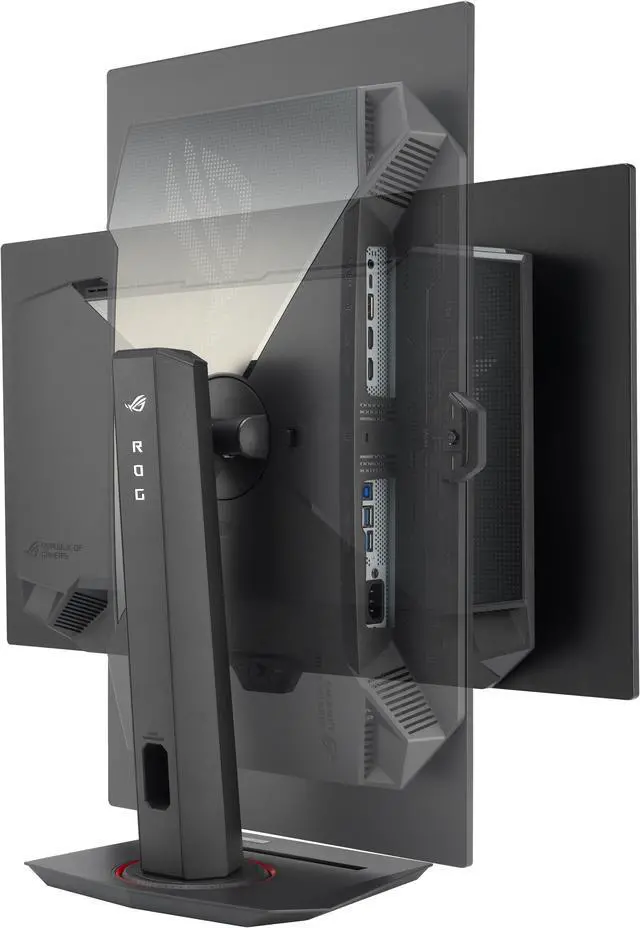
Stand And ErgonomicsStand adjusts for tilt (+20° to −5°), swivel (±45°), pivot (±90°), and up to 120 mm of height adjustment; supports 100 × 100 mm VESA mounting
Features And CompatibilityKVM switch, DisplayWidget Center, Aura Sync, TÜV Flicker-free and hardware-based TÜV Low Blue Light; no built-in speakers or webcam
Power100–240 VAC, 50/60Hz power input and power consumption under 75W
Dimensions And WeightWith stand: 61.03 × 51.48 × 21.88 cm; without stand: 61.03 × 35.24 × 7.05 cm. Net weight: 7.44 kg with stand and 4.97 kg without stand
Model IdentifiersASUS ROG Strix OLED, model XG27ACDNG; black cabinet with a three-sided thin-frame bezel

Reference Q&A

Q: ASUS XG27ACDNG or MSI MPG 271QRX—which should I get?

A: Both are 27-inch, 1440p, 360Hz QD-OLED monitors. Choose the XG27ACDNG if you want higher measured SDR brightness, which can help in a brighter room; choose the MSI if its slightly better measured motion handling matters more. Both offer USB-C with 90W power delivery and a KVM switch, so those features alone do not distinguish them.

Q: Is the ASUS XG27ACDNG worth choosing over the XG27AQDMG?

A: Choose the XG27ACDNG if you prioritize a higher refresh rate, HDMI 2.1, USB-C connectivity, and a KVM switch. The XG27AQDMG may suit you better if you prefer its WOLED panel characteristics or want its stronger measured HDR brightness; the XG27ACDNG’s QD-OLED panel is noted for more vivid colors.

Q: ASUS XG27ACDNG or Alienware AW2725DF for 1440p gaming?

A: Both are 27-inch, 1440p, 360Hz QD-OLED monitors with similar tested performance. The XG27ACDNG is a better fit if you need HDMI 2.1, a KVM switch, USB-C video input, or higher measured brightness for a brighter room. Compare current prices and the features you need before choosing.

Q: Is this monitor suitable for both gaming and office work?

A: It can handle general office work and gaming, with QHD resolution, a 360Hz refresh rate, and USB-C power delivery up to 90W for a compatible device. Because it uses an OLED panel, long periods of displaying the same desktop elements may increase burn-in risk; its OLED-care features help mitigate that risk but do not make it zero.

Q: Can I connect and charge a laptop through USB-C?

A: The monitor has a USB-C port with up to 90W Power Delivery, so it can charge a compatible laptop. Check the laptop’s charging requirements; a device needing more than 90W may still require its own charger.

Q: Who is this monitor best suited for?

A: It is suited to PC gamers who want a 1440p OLED display with a very high 360Hz refresh rate and 0.03ms response time. It also supports G-SYNC Compatible and FreeSync Premium Pro. To make practical use of 360Hz in games, the computer must be able to output a sufficiently high frame rate.

Q: Does it have built-in speakers for meetings or gaming?

A: No. The monitor has no built-in speakers, so plan to use headphones or separate speakers for calls, games, and other audio.

Q: Is the XG27ACDNG a good upgrade from a 240Hz or older esports monitor?

A: It is a better fit if you want QD-OLED image quality and can take advantage of its 360Hz refresh rate. A Reddit owner upgrading from a 1080p TN monitor praised the motion and OLED experience, but another owner said they rarely reached 300 fps and did not notice a large difference between 240Hz and 360Hz. The upgrade is most compelling when your games and PC can make use of the higher refresh rate.

Q: Is the XG27ACDNG suitable for desktop work, or might text look less sharp?

A: It can serve as a QHD desktop monitor, but text clarity is a reported trade-off to consider. One owner described text as less clear than on a 1440p IPS monitor, while another reported no noticeable fringing. Individual perception and display settings may affect the experience, so it is worth checking text in person if you do a lot of reading or office work.

Q: Can it work as one monitor for a gaming PC and a USB-C laptop?

A: It has USB-C with up to 90W power delivery and a KVM switch, so it supports a one-monitor setup with compatible devices. A Reddit owner reported that switching between a desktop and MacBook also switched connected USB devices, but the KVM did not wake the MacBook from sleep. Check your laptop’s charging needs and sleep behavior before relying on it as a complete docking setup.

Q: What are the main trade-offs to consider before buying the XG27ACDNG?

A: Reddit discussions flag VRR flicker in some situations and raise concerns about the monitor’s ELMB behavior at 120Hz. These reports are user experiences, not a guarantee that every unit or setup will behave the same way. If VRR or motion-strobing features are important to you, verify their behavior with your games and settings; the monitor also has a 360Hz QD-OLED panel and anti-reflection coating.