



  • $204.99
  • $299.99
  • Save: $95.00 (31%)
  • Free 15-day Returns
  • Add to PC build list 
    Sold by Newegg

    Shipped by Newegg

    Price alert
    Add to Wish List(Found on 3 wish lists)

    Best Sellers

    4.3 (3,160 total ratings)
    • $350.91
    • + FREE SHIPPING
    Hot Seller
    4.5 (3,588 total ratings)
    • $328.22
    • + $32.89 Shipping
    Hot Seller
    4.2 (448 total ratings)
    • $362.76
    • + FREE SHIPPING
    Shop it at NeweggBusiness.

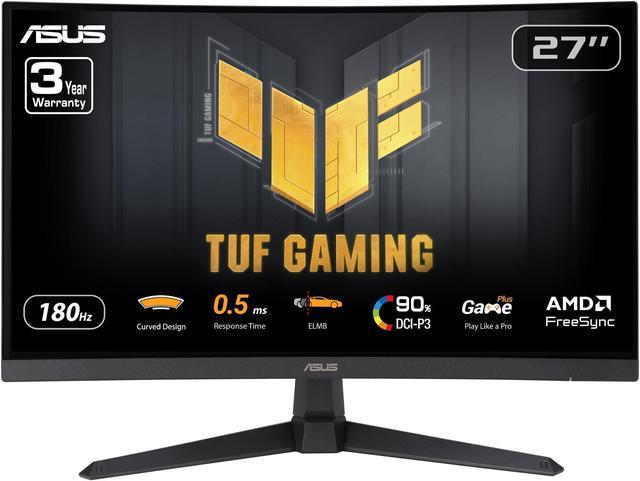
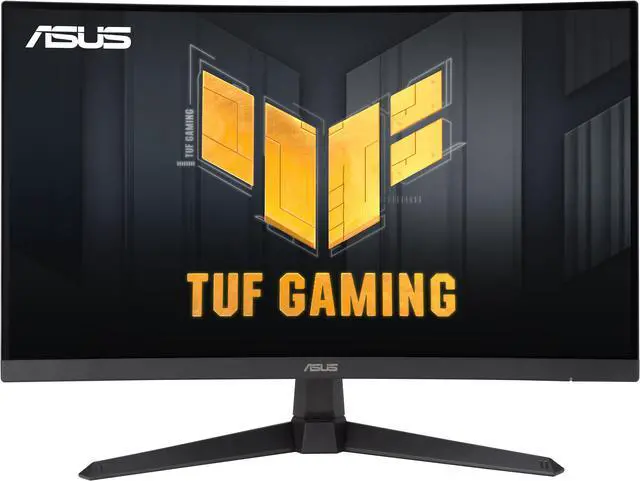
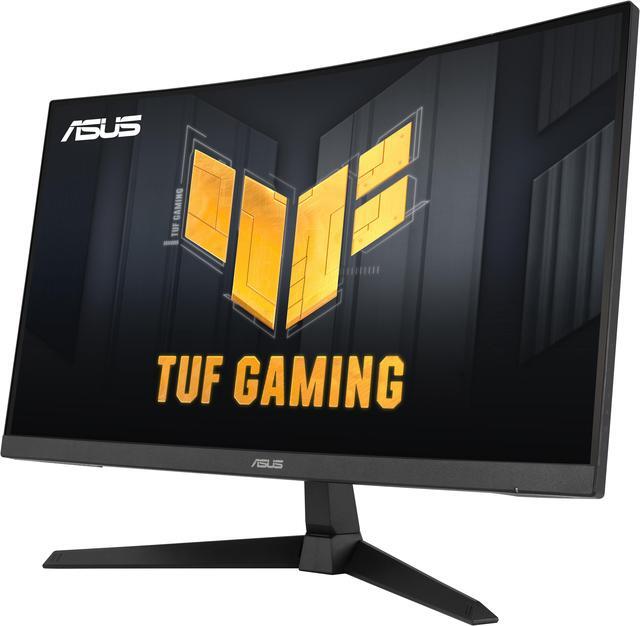
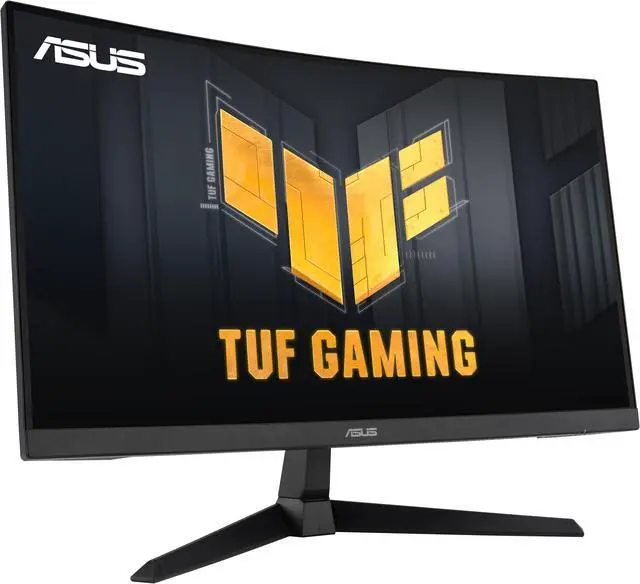
    ASUS TUF Gaming 27 inch QHD 2K 1440P 180Hz with AMD FreeSync, 0.5ms, 1500R, Extreme Low Motion Blur Curved Gaming Computer Monitor VG27WQ3B

    Lowest Price
    in 30 Days
    • 27"
    • 32"
    • 34"
    • 27-inch QHD 1500R curved gaming monitor with ultra-fast 180Hz refresh rate designed for professional gamers and immersive gameplay
    • 0.5ms (GTG) response time for smooth gameplay, and ASUS Extreme Low Motion Blur (ELMB) technology to further reduce ghosting and motion blur
    • FreeSync technology delivers a seamless, tear-free gaming experience by enabling VRR (variable refresh rate) by default
    • Shadow Boost enhances image details in dark areas, brightening scenes without over-exposing bright areas
    • Free 3-month Adobe Creative Cloud Subscription: Receive complimentary access with the purchase of this product (offer valid to 8/31/2026)
    +
    +
    Overview
    Specs
    Reviews (63)
    ASUS TUF Gaming VG27WQ3B Gaming Monitor
    ASUS TUF Gaming VG27WQ3B Gaming Monitor

    TUF Gaming VG27WQ3B is a 27-inch QHD (2560 x 1440) 1500R curved gaming monitor with an ultrafast 180 Hz refresh rate and 0.5ms response time (minimum) for extremely immersive gameplay. It features exclusive Extreme Low Motion Blur technology and AMD FreeSync™ to eliminate ghosting and tearing. In addition, it also covering 90% of the DCI-P3 color gamut for great contrast and lifelike colors.

    ASUS TUF Gaming VG27WQ3B Gaming Monitor ASUS TUF Gaming VG27WQ3B Gaming Monitor ASUS TUF Gaming VG27WQ3B Gaming Monitor ASUS TUF Gaming VG27WQ3B Gaming Monitor ASUS TUF Gaming VG27WQ3B Gaming Monitor ASUS TUF Gaming VG27WQ3B Gaming Monitor ASUS TUF Gaming VG27WQ3B Gaming Monitor
    Roku Ultra Streaming Player

    GAMING KEY SPEC

    180HZ REFRESH RATE AND 0.5MS (MIN.) RESPONSE TIME

    TUF Gaming VG27WQ3B delivers stunning visuals from all angles with an 1500R curvature that ensures every point is equidistant to your eyes. With 180Hz refresh rate decimates lag and motion blur to give you the upper hand in first person shooters, racers, real-time strategy, and sports titles. This ultrafast refresh rate lets you play at the highest visual settings and lets you react instantly to what's onscreen — so you'll get that first strike in.

    ASUS TUF Gaming VG27WQ3B Gaming Monitor

    GAMING KEY SPEC

    ADAPTIVE-SYNC

    AMD FreeSync technology supported through DP and HDMI ports providing variable refresh rates for low latency, stuttering-free and tearing-free while gaming.

    * In processing, please check the respective official webpage for the updates compatible list.

    ASUS TUF Gaming VG27WQ3B Gaming Monitor

    Color performance

    High Dynamic Range

    With HDR technology to deliver more vivid colors and higher contrast levels compared to traditional monitors.

    Roku Ultra Streaming Player
    Roku Ultra Streaming Player
    Roku Ultra Streaming Player

    Exclusive gaming feature

    Extreme Low Motion Blur

    ASUS Extreme Low Motion Blur (ELMB) technology eliminate smearing and motion blur. It makes moving objects appear even sharper, so gameplay is more fluid and responsive.

    Roku Ultra Streaming Player

    Exclusive gaming feature

    Variable Overdrive

    Integrated ASUS Variable Overdrive technology allows the display to dynamically alter its overdrive setting as frame rates fluctuate, ensuring optimal results for any game. You choose how strong you want the overall effect to be, then let the monitor take it from there.

    ASUS TUF Gaming VG27WQ3B Gaming Monitor

    IN-GAME ENHANCEMENTS

    INTUITIVE CONTROLS

    DisplayWidget Center software upgraded the user interface so that users can easily change monitor settings via a mouse ? so there’s no need to access the OSD menu.

    ASUS TUF Gaming VG27WQ3B Gaming Monitor

    SHADOW BOOST

    ASUS Shadow Boost technology clarifies dark areas of the game without overexposing brighter areas, improving overall viewing while also making it easier to spot enemies hidden in dark areas of the map.

    ASUS TUF Gaming VG27WQ3B Gaming Monitor

    GAMEPLUS

    The ASUS-exclusive, integrated GamePlus hotkey offers in-game enhancements that help you get more out of your game. This function is co-developed with input from pro gamers, allowing them to practice and improve their gaming skills.

    Roku Ultra Streaming Player

    Stopwatch

    Roku Ultra Streaming Player

    Crosshair

    Roku Ultra Streaming Player

    Timer

    Roku Ultra Streaming Player

    FPS Counter

    Roku Ultra Streaming Player

    Display Alignment

    GAMEVISUAL

    ASUS GameVisual Technology has seven pre-set display modes to optimize visuals for different types of content. This unique feature can be easily accessed through a hotkey or the on-screen display settings menu.

    RACING

    ASUS TUF Gaming VG27WQ3B Gaming Monitor

    Reduces input lag for real time racing and fast gaming experience.

    MOBA

    ASUS TUF Gaming VG27WQ3B Gaming Monitor

    Enhances the color of your opponents' health/mana bars, so that you can simultaneously respond and be the first to destroy the opposing team's main.

    CINEMA

    ASUS TUF Gaming VG27WQ3B Gaming Monitor

    Enhances contrast and color saturation for lively, vivid visuals — ideal for viewing movies.

    RTS/RPG

    ASUS TUF Gaming VG27WQ3B Gaming Monitor

    Enhances color saturation and contrast sharpness to give you better, brighter colors and detailed visuals for real-time strategy (RTS) or RPG games.

    FPS MODE

    ASUS TUF Gaming VG27WQ3B Gaming Monitor

    High contrast settings enhance the visibility even in dark scenes to clearly see your enemies.

    SRGB

    ASUS TUF Gaming VG27WQ3B Gaming Monitor

    Ideal settings for viewing photos and graphics online.

    SCENERY

    ASUS TUF Gaming VG27WQ3B Gaming Monitor

    Provides a greater brightness range and introduces more contrast gradations. It tweaks color saturation for greens and blues, making it ideal for viewing photos and videos that depict scenery.

    FLICKER-FREE TECHNOLOGY

    Flicker-Free technology reduces flicker to minimize eyestrain for improved comfort when you're embroiled in long gaming sessions.

    ASUS TUF Gaming VG27WQ3B Gaming Monitor

    LOW BLUE LIGHT

    ASUS Low Blue Light technology reduces the amount of potentially harmful blue light emitted by the display. Four different filter settings are available to control the amount of blue light reduction.

    ASUS TUF Gaming VG27WQ3B Gaming Monitor

    ENGINEERING

    EXTENSIVE CONNECTIVITY

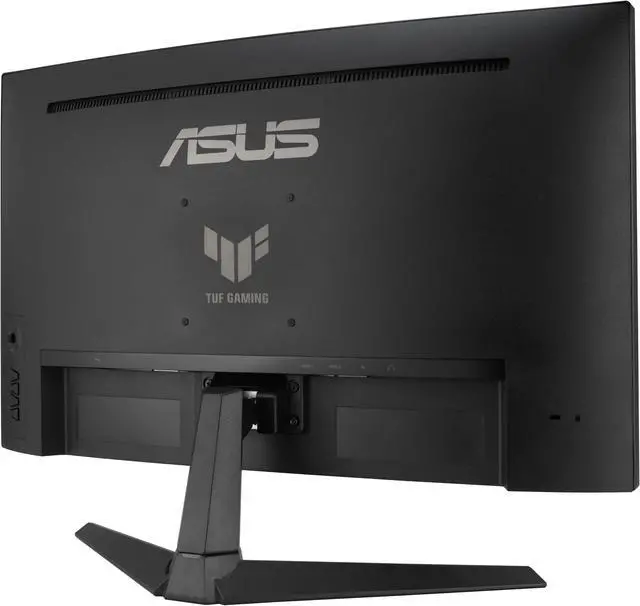
    A multitude of connectivity options, including two HDMI 2.0, plus DisplayPort™ 1.2, ensures wide compatibility with a variety of input sources.

    ASUS TUF Gaming VG27WQ3B Gaming Monitor
    ASUS TUF Gaming VG27WQ3B Gaming Monitor

    ERGONOMIC DESIGN

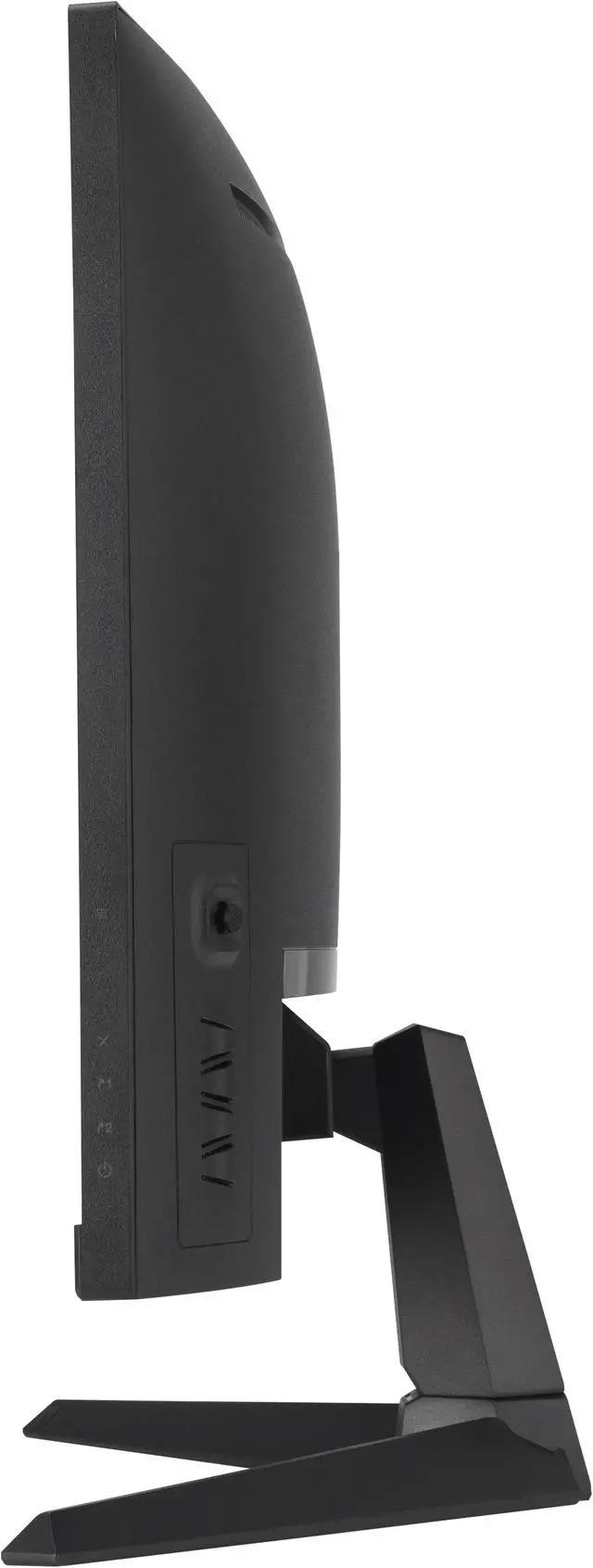
    It provides tilt from +23°~-5° so you can easily find your ideal viewing angle. The display is also VESA-compatible for wall mounting.

    Sustaining an Incredible Future

    ASUS TUF Gaming VG27WQ3B Gaming Monitor

    Eco-friendly Packaging

    ASUS is committed to environmental responsibility. This monitor is shipped in packaging made from 100% recycled cardboard, minimizing waste and promoting sustainable practices.?

    ASUS TUF Gaming VG27WQ3B Gaming Monitor
    VG27WQ3B

    Warranty & Returns

    Warranty, Returns, And Additional Information

    Warranty

    • Limited Warranty period (parts): 3 years
    • Limited Warranty period (labor): 3 years
    • Read full details

    Return Policies

    LOADING...
    LOADING...

    The ASUS TUF Gaming VG27WQ3B is a 27-inch QHD curved gaming monitor with a 180Hz refresh rate, AMD FreeSync, and ELMB motion-blur reduction, suited to PC gamers who want responsive, immersive gameplay at 1440p.

    Recommended For

    • PC gamers who play fast-paced shooters, racing, or sports games and want a 1440p curved screen with a high refresh rate and variable refresh rate support.
    • Players upgrading from a basic 1080p or 60Hz display who want sharper 1440p gaming and smoother motion without moving to a larger screen.
    • Gamers who prefer a curved display and strong contrast for immersive single-player games, movies, and other entertainment at a desk.
    • Budget-conscious PC builders seeking a 27-inch 1440p gaming monitor with adaptive sync and high refresh rate, and who are comfortable choosing a VA panel.

    Real-World Use Scenarios

    • When playing fast-paced PC games, the high-refresh display can make motion look smoother, while Adaptive-Sync helps reduce tearing when the frame rate varies.
    • For single-player action and adventure games, the curved QHD screen provides a more enveloping view from a centered desk setup; its strong contrast can also help dark scenes look more defined.
    • When building a midrange PC gaming setup, it offers a 1440p target with room for high frame rates, though the actual smoothness depends on the game and graphics card.
    • For a desk-based racing or flight-simulation setup, the curved screen can make a single-monitor view feel more immersive; community discussions also consider this model for budget sim-racing displays.

    Spec Summary

    AttributeValue
    Best ForGaming, business, and entertainment, with a curved QHD display and FreeSync support for gaming use
    Panel And Resolution27-inch Fast VA LCD/LED panel with a 2560 × 1440 QHD resolution, 16:9 aspect ratio, 1500R curvature, and non-glare finish
    Refresh Rate And Response180Hz refresh rate and response time of 1ms GTG or 0.5ms minimum; FreeSync/Adaptive-Sync supports variable refresh rate
    Picture Quality300 cd/m² brightness, 5000:1 contrast ratio, 178° horizontal and vertical viewing angles, 16.7 million colors, and 90% DCI-P3 / 125% sRGB color gamut
    Gaming And Eye Care FeaturesIncludes Extreme Low Motion Blur, Shadow Boost, GameVisual, GamePlus, GameFast Input, Trace Free, multiple HDR modes, Low Blue Light, and DisplayWidget Center
    Ports And Connectivity2 × HDMI 2.0, 1 × DisplayPort 1.4, and a headphone connection; HDCP supported
    Stand And MountingTilt adjustment from -5° to +23°; compatible with 100 × 100 mm VESA mounting
    Audio And WebcamNo built-in speakers or webcam
    Power100–240 VAC, 50/60Hz input; power consumption under 23W, with power-saving and off modes under 0.5W
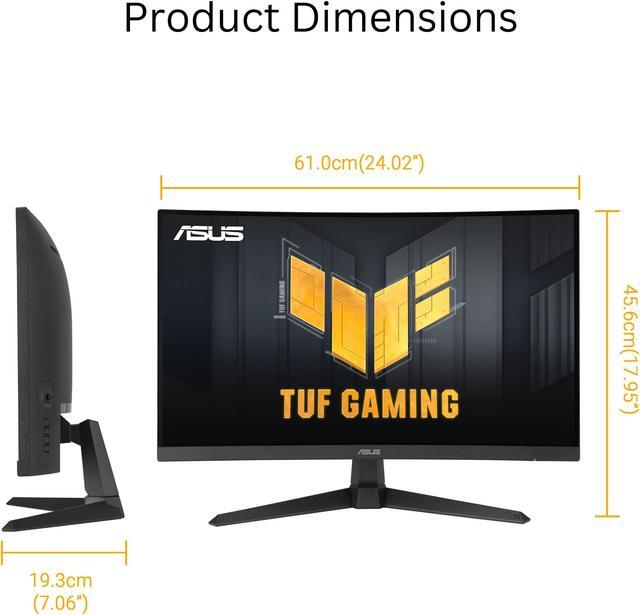
    Dimensions And WeightWith stand: 24.02 × 17.95 × 7.60 inches and 10.80 lb; without stand: 24.02 × 14.45 × 3.15 inches and 9.26 lb
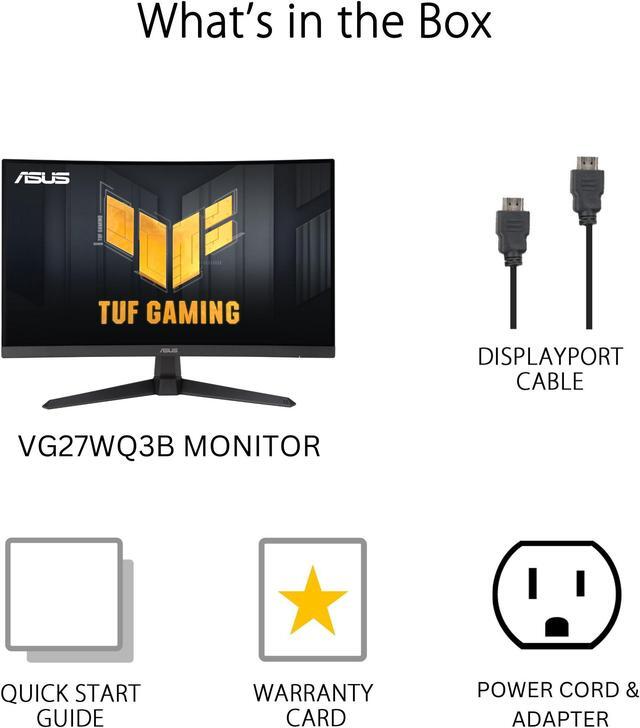
    Included AccessoriesDisplayPort cable, L-shaped screwdriver, power cord, and quick start guide
    Model IdentifiersASUS TUF Gaming VG27WQ3B; part number 90LM0AQ1-B011B0

    Reference Q&A

    Q: ASUS VG27WQ3B or ASUS VG27AQ3A for 1440p gaming?

    A: Choose the VG27WQ3B if you want a curved VA screen and its listed 5000:1 contrast; choose the flat VG27AQ3A if you prefer a Fast IPS panel. Both are 27-inch QHD monitors with a 180Hz refresh rate, so the main decision is panel type and curvature rather than resolution or refresh rate.

    Q: Is the VG27WQ3B a worthwhile upgrade from the ASUS VG27WQ1B?

    A: The VG27WQ3B is the stronger fit if you want the higher listed refresh rate: 180Hz versus 165Hz on the VG27WQ1B, along with newer advertised motion features. Both are 27-inch curved QHD gaming monitors, so the upgrade is incremental; consider the VG27WQ1B if it costs substantially less and 165Hz meets your needs.

    Q: Should I choose the ASUS VG27WQ3B or LG UltraGear 27GS60QC-B?

    A: Both offer a 27-inch curved QHD display and a 180Hz refresh rate. Choose the VG27WQ3B for its 1500R curve and ASUS gaming features; choose the LG if you prefer its tighter 1000R curve. Compare current pricing and the monitor settings or features you value, since their core resolution and refresh-rate specifications are similar.

    Q: Is the VG27WQ3B or a 27-inch 1080p gaming monitor better for gaming?

    A: Choose the VG27WQ3B if you want sharper 1440p detail on a 27-inch screen and your PC can run games at that resolution. A 1080p model may suit a tighter budget or a system where higher frame rates matter more than image detail. The ASUS pairs QHD resolution with 180Hz, so it targets buyers seeking both higher resolution and high-refresh gaming.

    Q: Is this monitor suitable for gaming and everyday work?

    A: Yes. Its 27-inch QHD display provides room for everyday tasks, while the 180Hz refresh rate and FreeSync target smooth gaming. The stand supports tilt but not height adjustment. It has no built-in webcam or speakers, so video meetings require separate equipment.

    Q: Does it have built-in speakers?

    A: No. This monitor has no built-in speakers. Use headphones or external speakers connected through your audio setup; the product specifications list headphone support.

    Q: Can I mount it on a monitor arm or wall mount?

    A: Yes. It supports standard 100 × 100 mm VESA mounting. Its included stand offers tilt adjustment only, so a compatible arm or mount is needed for other positioning adjustments.

    Q: What cables and video connections does it have?

    A: It has two HDMI 2.0 ports and one DisplayPort 1.4 port. A DisplayPort cable is listed in the package contents; an HDMI cable is not listed.

    Q: Is the VG27WQ3B a good upgrade from a 27-inch 1080p 60Hz monitor?

    A: It is a substantial gaming-spec upgrade: the VG27WQ3B has 2560 × 1440 resolution, a 180Hz refresh rate, and FreeSync. It is most suitable if your PC can run games at higher frame rates; check your graphics card’s performance at 1440p before choosing it.

    Q: Is the Fast VA panel suitable for fast-paced gaming, or is IPS a safer choice?

    A: The 180Hz refresh rate and FreeSync suit high-refresh gaming, but the VA panel may show some ghosting or dark smearing, which users discuss as a possible trade-off. If minimizing motion artifacts is your top priority, compare it with a well-reviewed IPS option before buying.

    Q: Should I choose this over a flat IPS monitor for editing and color accuracy?

    A: The VG27WQ3B offers QHD resolution, a curved VA panel, and listed coverage of 90% DCI-P3 and 125% sRGB. The supplied specifications do not establish factory color calibration, so for color-critical editing, a monitor specifically selected for verified accuracy may be the safer choice.

    Q: Is the VG27WQ3B worth considering for a triple-monitor sim-racing setup?

    A: It is a 27-inch QHD curved display with a 180Hz refresh rate, which matches the resolution and refresh-rate goals raised in the sim-racing discussion. Before buying multiples, compare the total cost and desk space with alternatives; the product information alone does not establish whether its curve or bezels are ideal for your rig.