
Your Browsing History


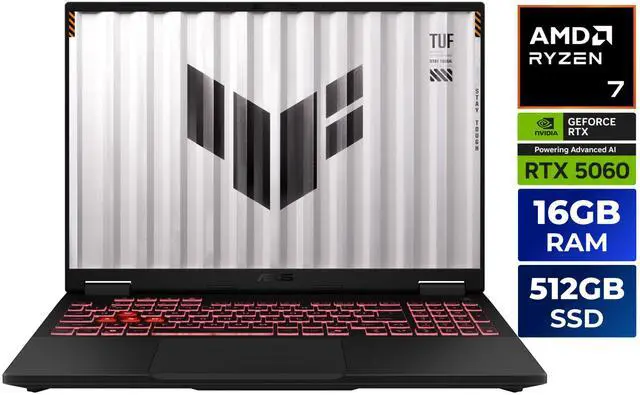
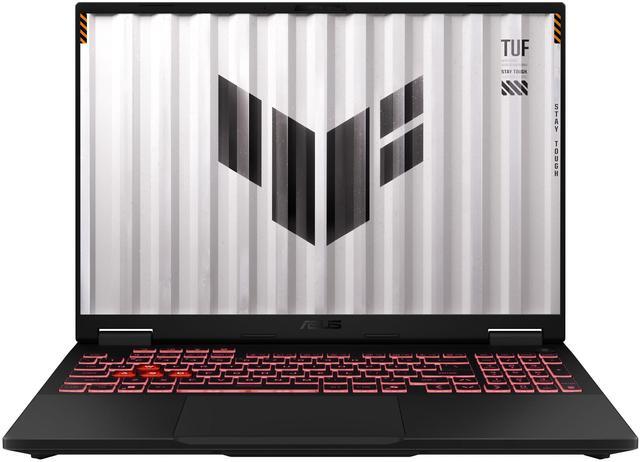
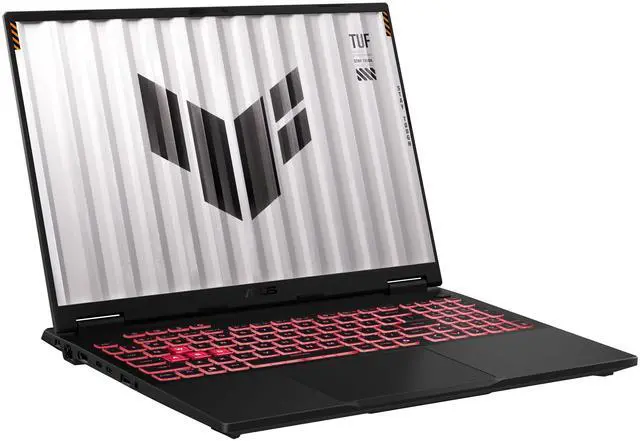
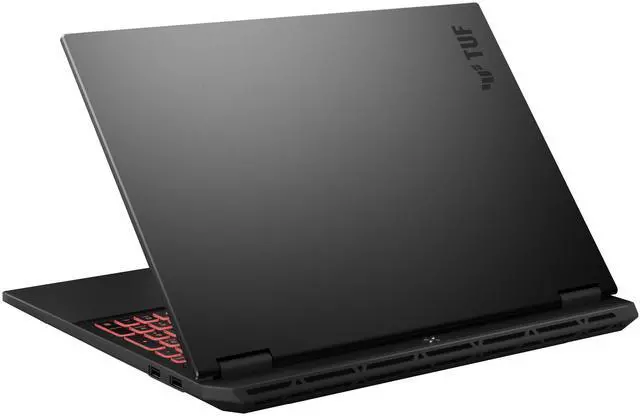





ASUS TUF Gaming A16 - 16" FHD+ 165 Hz - AMD Ryzen 7 260 - GeForce RTX 5060 Laptop GPU - 16GB DDR5 RAM - 512GB SSD - Windows 11 Home (FA608UM-NS73)
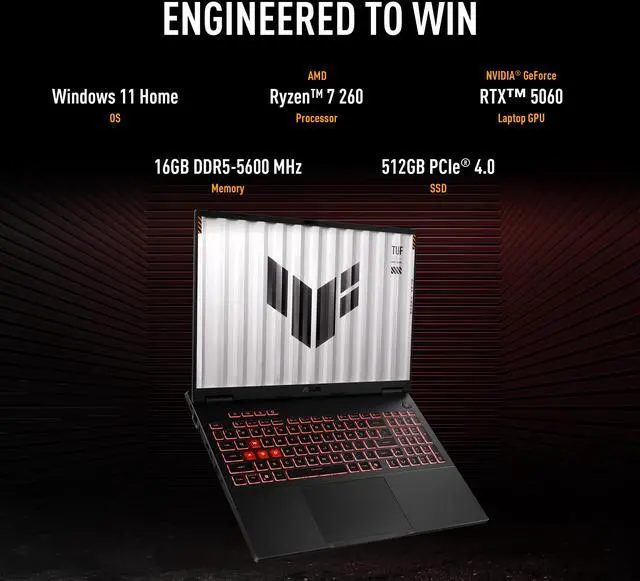
- READY FOR ANYTHING – Power through your day with Windows 11 Home and the AMD Ryzen™ 7 260 Processor. Take your gaming to the next level with the NVIDIA® GeForce RTX™ 5060 Laptop GPU and NVIDIA® Advanced Optimus.
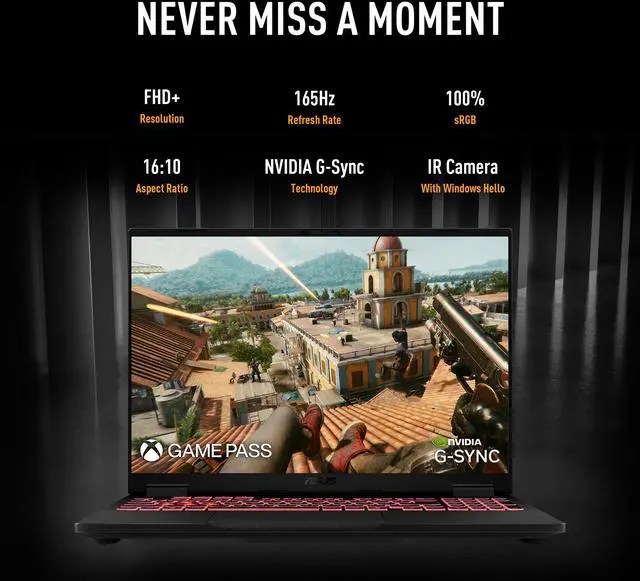
- IMMERSIVE VISUALS – The TUF Gaming A16 (2025) features a FHD+ resolution, 165Hz display with NVIDIA® G-SYNC. The 16:10 aspect ratio display, along with slim bezels and a 90% screen-to-body ratio, creates an incredibly immersive experience.
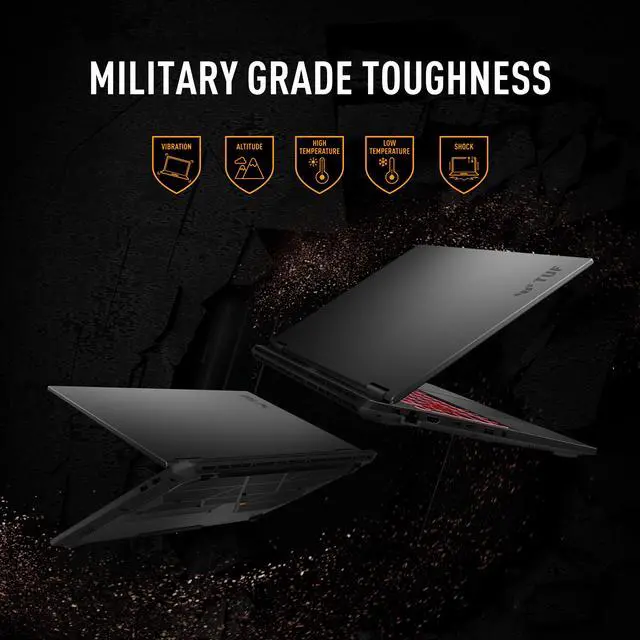
- MILITARY GRADE DURABILITY – As a TUF gaming machine, the A16 has been rigorously tested to meet Military Grade durability testing standard, MIL-STD-810H. With its advanced durability, the A16 handles the wear and tear of everyday use with ease.
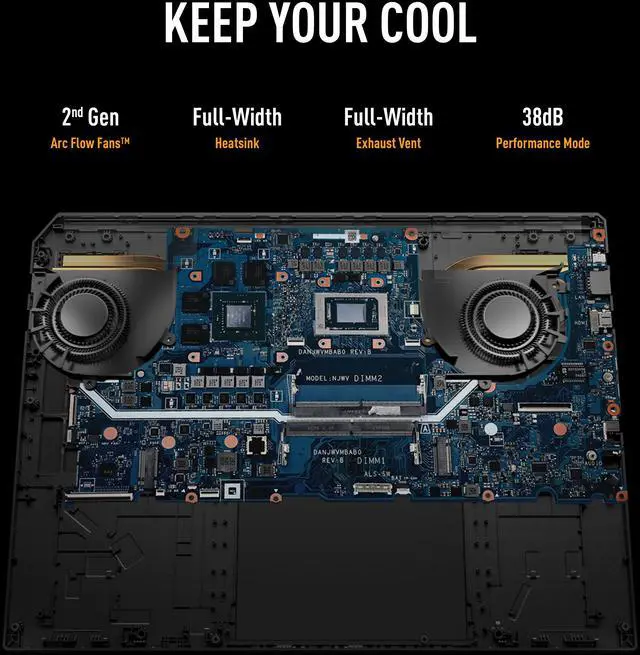
- POWERFUL COOLING -- Equipped with 2nd Gen Arc Flow Fans, full-width exhaust vent and heatsink, and an integrated dust filter, the TUF Gaming A16 optimizes cooling performance without losing its cool.
- AUDIO EXCELLENCE
- Usage: Art Creative, Gaming, Heavy Multitasking, Programing
Overview
Specs
Reviews (8)
ASUS TUF Gaming A16 - 16" GeForce RTX 5060 Laptop GPU - AMD Ryzen 7 260 - 16GB Memory - 512 GB NVMe SSD - Windows 11 Home Gaming Laptop - 165 Hz IPS (FA608UM-NS73 )
Warranty & Returns
Warranty, Returns, And Additional Information
Warranty
- Limited Warranty period (parts): 1 year
- Limited Warranty period (labor): 1 year
- Read full details
Return Policies
- Return for refund within: 15 days
- Return for replacement within: 15 days
- This item is covered by Newegg.ca's 15-Day Return Policy.
- Read full return policy for details.
Manufacturer Contact Info
- Manufacturer Product Page
- Manufacturer Website
- Support Phone: 812-282-2787
- Support Website
- View other products from ASUS
LOADING...
LOADING...
Learn about this product
The ASUS TUF Gaming A16 (FA608UM-NS73) is a 16-inch Windows 11 gaming laptop built for mainstream gaming, creative work, and heavy multitasking, pairing an AMD Ryzen 7 260 with an NVIDIA GeForce RTX 5060 Laptop GPU, 16GB DDR5 memory, and a 165Hz 1920x1200 display.
Recommended For
- Gamers who want a 16-inch system for 1080p/1200p play at high refresh rates, but still care about price discipline. ASUS positions the A16 around a 165Hz G-SYNC display with MUX/Advanced Optimus, and multiple reviews place it in the value-focused midrange rather than the premium tier.
- Students or hybrid users who need one laptop for classes/work by day and gaming at home. Community discussions around the Ryzen 7 260 + RTX 5060 version often frame it as a school-and-gaming machine, and the 16:10 display, webcam, and switchable graphics setup fit that mixed-use pattern.
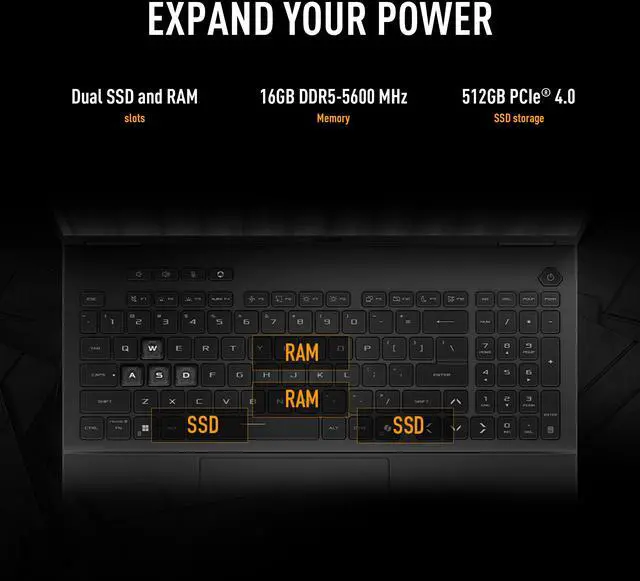
- Buyers who expect to upgrade over time instead of replacing the laptop quickly. The A16 platform offers two DDR5 SO-DIMM slots and two M.2 PCIe slots, which makes sense for people starting with 16GB RAM or 512GB storage and planning later memory or SSD upgrades.
- Users who keep a gaming laptop plugged in at a desk but still want reasonable unplugged endurance for lighter tasks. Review coverage repeatedly calls out better-than-expected battery life for the class, so it fits people who game on AC power and browse, stream, or work away from the charger in shorter sessions.
Real-World Use Scenarios
- Playing current AAA games at the laptop’s native 1920x1200 resolution, users can typically expect smooth high-settings gameplay rather than maxed-out presets; the 165Hz screen is most useful in esports and lighter competitive titles, while louder fan noise is common during heavier gaming sessions.
- For college or work days that mix browser tabs, Office apps, coding, video calls, and some evening gaming, the laptop fits well as a single do-everything machine; everyday tasks are comfortable, but battery life expectations should stay in the light-use range, not gaming unplugged.
- For creators doing Photoshop, Lightroom, short-form video edits, or GPU-accelerated exports, the A16 is a practical midrange option; it is better suited to mainstream content work and faster render/export times than to large, storage-heavy projects on the stock 16GB RAM and 512GB SSD.
- For programming, local development, and running several apps at once, the A16 handles typical IDE, browser, terminal, and Docker-style workflows well; however, the single-stick 16GB configuration is more of a starting point than an ideal setup for heavier multitasking or VM-heavy use.
- For users who move between home, class, and travel, the A16 is portable enough to carry regularly but still behaves like a gaming laptop in daily life: it is easier to transport than bulkier 16-inch models, yet gaming is best done on a desk or flat surface because heat and fan noise rise quickly under load.
Spec Summary
| Attribute | Value |
|---|---|
| Best For | Gaming and heavy multitasking/creative work on a 16-inch FHD+ 165 Hz laptop equipped with an AMD Ryzen 7 260 CPU, NVIDIA GeForce RTX 5060 (8 GB GDDR7), 16 GB DDR5 RAM and a 512 GB PCIe NVMe SSD |
| Processor And Core Count | AMD Ryzen 7 260 (Ryzen 200 Series) — 8 cores with 8 MB L2 and 16 MB L3 cache, listed processor speed 3.8 GHz |
| GPU And VRAM | NVIDIA GeForce RTX 5060 Laptop GPU with 8 GB GDDR7 dedicated video memory |
| Display Spec | 16" FHD+ (1920 x 1200) IPS, 16:10 widescreen, 165 Hz refresh rate, non-touch |
| Memory Configuration | 16 GB DDR5 (16 GB x1) at DDR5-5600, 2 memory slots (1 available), upgradable to 32 GB |
| Storage And Expansion | 512 GB PCIe 4.0 NVMe M.2 SSD (internal) |
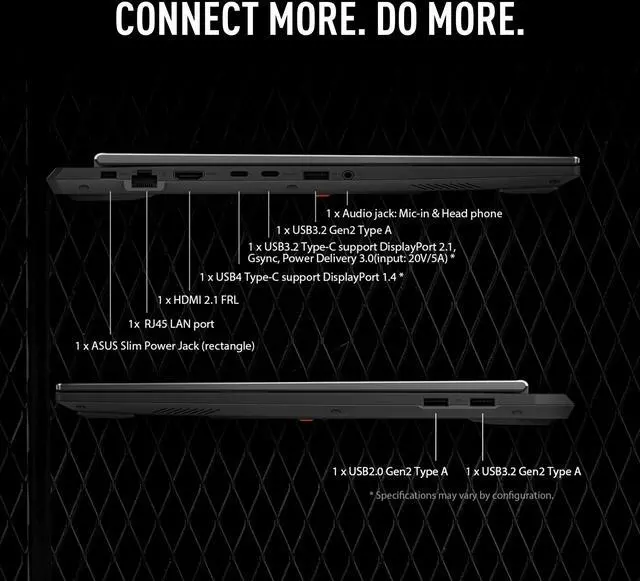
| High Speed I O | USB: 1x USB 3.2 Gen 2 Type-C, 2x USB 3.2 Gen 2 Type-A, 1x USB 2.0; Thunderbolt 4 / USB4 support; HDMI 2.1; RJ-45 Gigabit Ethernet |
| Battery And Power | 90 WHrs (4S1P, 4-cell) Li-ion battery, 240W AC adapter (20V DC, 12A) with 100–240V AC input; battery included |
| Wired And Wireless Networking | Gigabit Ethernet and Wi‑Fi 6E (802.11ax) wireless with Bluetooth 5.3 |
| Webcam And Privacy | 1080p FHD IR webcam compatible with Windows Hello |
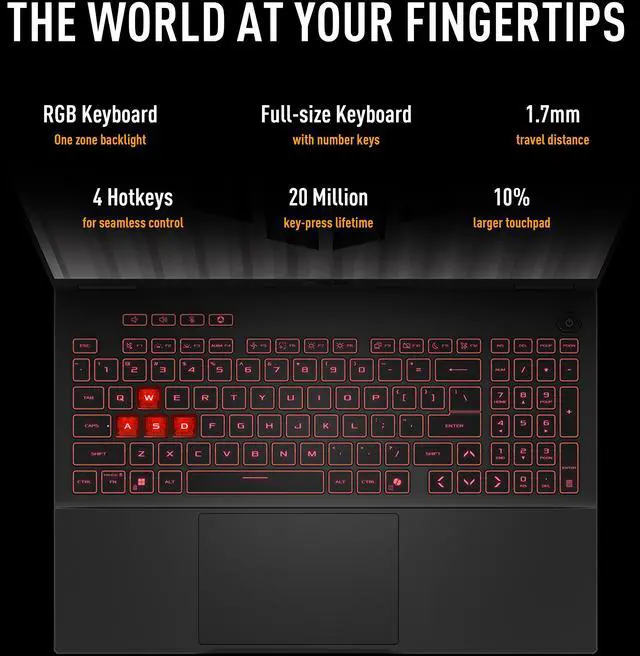
| Keyboard And Control | Backlit chiclet keyboard with 1-zone RGB lighting and Copilot key, QWERTY layout, touchpad |
| Audio Setup | Built-in array microphone with AI noise-canceling, Dolby Atmos and Hi-Res headphone certification |
| Model Identifiers | ASUS TUF Gaming A16 model FA608UM-NS73 (Part Number 90NR0KV1-M002T0) |
| Dimensions And Weight | 13.94" x 10.59" x 0.70"–1.01" (W x D x H); 4.85 lbs |
| Operating System And Software | Windows 11 Home; includes a 3-month Xbox Game Pass for PC (terms apply) |
| Additional Features | Virtual Reality ready; clamshell laptop form factor; 1 unit per package |
Reference Q&A
Q: Should I buy the ASUS TUF Gaming A16 RTX 5060 or step down to an RTX 4050 gaming laptop?
A: Choose the ASUS TUF Gaming A16 RTX 5060 if you want a more current mid-range gaming setup with 8GB of GDDR7 VRAM, stronger headroom for newer games, and better long-term fit for high settings at 1080p or 1200p. Step down to an RTX 4050 laptop if lower price matters more than extra graphics margin. This A16 also pairs the RTX 5060 with a high-power implementation and a 165Hz 16:10 display, which makes more sense for buyers who expect to keep the laptop for several years rather than treat it as an entry-level gaming system. ([asus.com](https://www.asus.com/wa/laptops/for-gaming/tuf-gaming/asus-tuf-gaming-a16-2025/techspec/?utm_source=openai))
Q: Is the ASUS TUF Gaming A16 RTX 5060 a better buy than the RTX 5070 version?
A: Buy the RTX 5060 version when price discipline matters and you want the balanced point in the TUF A16 lineup. Move up to the RTX 5070 version if your priority is more GPU throughput for heavier AAA settings, QHD-class gaming, or GPU-accelerated creative work. The key trade-off is value versus extra graphics performance: the RTX 5060 model keeps the same chassis, core gaming features, and high-refresh 16-inch format, while the RTX 5070 configuration is mainly for users who know they will use the additional GPU headroom often. ([asus.com](https://www.asus.com/wa/laptops/for-gaming/tuf-gaming/asus-tuf-gaming-a16-2025/techspec/?utm_source=openai))
Q: ASUS TUF Gaming A16 RTX 5060 vs ASUS ROG Zephyrus G16: which one should I choose?
A: Choose the TUF Gaming A16 if you want gaming-focused value, a larger battery, Ethernet, and a more practical performance-per-dollar approach. Choose the ROG Zephyrus G16 if portability, premium materials, and a more upscale display experience matter more than cost. Across official positioning and user discussions, the TUF line is treated as the more value-oriented gaming series, while the Zephyrus G16 is the thinner and more premium option. ([asus.com](https://www.asus.com/wa/laptops/for-gaming/tuf-gaming/asus-tuf-gaming-a16-2025/techspec/?utm_source=openai))
Q: Is the 2025 ASUS TUF Gaming A16 RTX 5060 worth upgrading to from an older TUF A16 with RTX 4060 or RX 7700S?
A: Upgrade if you want newer Nvidia features, 8GB of GDDR7 VRAM, and a more current platform with ASUS's 2025 chassis tuning and feature set. Keep the older model if your current A16 already handles your games well and the upgrade cost is significant. For many buyers, this is more of a platform-refresh decision than a mandatory performance jump: the 2025 model brings updated GPU options and retains the TUF A16 formula of mainstream gaming performance with strong battery and practical connectivity. ([asus.com](https://www.asus.com/us/laptops/for-home/rog-republic-of-gamers/asus-tuf-gaming-a16-2024-fa608/?utm_source=openai))
Q: Is the ASUS TUF Gaming A16 RTX 5060 good for buyers who want one laptop for both gaming and daily portability?
A: Yes, if you want a gaming laptop that still leans practical for everyday use. The A16 combines a 16-inch 16:10 display, a 90Wh battery, sub-5-pound weight, and modern ports including USB4/Thunderbolt-class connectivity and HDMI 2.1. Choose a thinner premium model instead if lower carry weight, a more premium chassis, or a higher-end display is your main goal. The A16 makes more sense for buyers who want gaming performance first, but still need reasonable mobility and battery life for school or work. ([asus.com](https://www.asus.com/wa/laptops/for-gaming/tuf-gaming/asus-tuf-gaming-a16-2025/techspec/?utm_source=openai))
Q: Is the ASUS TUF Gaming A16 a good choice for school, office work, and travel?
A: Yes, it can handle school, office work, meetings, and multitasking easily, but it is still a gaming laptop first. The 16-inch 1920x1200 display, Ryzen 7 processor, 16GB DDR5 RAM, 1080p IR webcam, Windows Hello support, Wi-Fi 6E, and RJ-45 Ethernet make it practical for productivity. The trade-off is portability: at 4.85 lb with a 240W charger, it is less travel-friendly than a thin-and-light office laptop. It is best for users who want one machine for work by day and gaming or creative work afterward.
Q: Who is this laptop best suited for?
A: This model is best for buyers who want a midrange gaming laptop that can also handle programming, creative apps, and heavy multitasking. Its RTX 5060 Laptop GPU, 165Hz display, 16GB DDR5 memory, and Ryzen 7 CPU make it a stronger fit for gaming and GPU-accelerated workloads than for basic note-taking alone. It is less suitable for buyers who mainly want long battery life, a very quiet system, or the lightest possible laptop.
Q: Can you upgrade the RAM or storage later?
A: Yes. Based on the provided specifications, this A16 has 16GB installed as a single 16GB x 1 DDR5 module, 2 total memory slots, 1 free memory slot, and support for up to 32GB total RAM, so a memory upgrade is straightforward. Storage upgrades are also a common buyer concern on comparable TUF models, and retail Q&A for similar A16 and TUF systems repeatedly discusses adding an M.2 SSD. This makes the laptop a better long-term choice than models with fully soldered memory or no practical expansion path.
Q: What are the main trade-offs versus a thinner premium 16-inch laptop like the ROG Zephyrus G16?
A: The TUF Gaming A16 is the more practical value choice if you care more about gaming hardware, upgrade flexibility, Ethernet, and durability than about premium design. Compared with thinner premium 16-inch models, the TUF line typically gives up some portability, acoustics, and luxury display options in exchange for stronger price-to-performance and more gaming-focused I/O. If you want a lighter, more premium everyday laptop, a Zephyrus-class alternative is usually the better fit; if you want a sturdier gaming-first machine, the TUF A16 makes more sense.
Q: Is this a good first gaming laptop?
A: Yes. It is a sensible first gaming laptop for someone who wants modern 1080p-class gaming performance, a 165Hz display, and enough CPU and memory headroom for school, work, and general use. The main compromises are typical for this category: it is heavier than mainstream laptops, fan noise can become noticeable under load, and battery life is usually not the reason to buy a gaming model. For a buyer who understands those trade-offs, it is a balanced entry point.
Q: Is the ASUS TUF Gaming A16 FA608UM-NS73 worth buying for mid-range gaming and everyday use?
A: Yes, if you want a balanced gaming laptop around the RTX 5060 class and do not need a higher-resolution display or more RAM out of the box. Based on the product specs, it offers a strong mid-range mix of Ryzen 7 CPU performance, RTX 5060 graphics, a 165Hz 16:10 IPS screen, and a 90Wh battery. The main trade-offs are the 16GB single-stick memory configuration and 512GB SSD, which are usable but modest for longer-term gaming use.
Q: Is this a good laptop for college, work, and gaming in one device?
A: Yes, for buyers who want one laptop for school or office tasks plus gaming at home. The 16:10 display, 1080p IR webcam, Wi‑Fi 6E, Ethernet, and large 90Wh battery make it more practical than a gaming-only machine. The trade-off is portability: at 4.85 lbs with a 240W charger, it is still a gaming laptop, so it is less convenient than a thin productivity notebook for daily travel.
Q: How good is the battery life on the RTX 5060 Ryzen 7 260 A16?
A: Battery life should be considered good for a 16-inch gaming laptop, but not something to judge by gaming use on battery. The 90Wh battery is large for this category, and community discussion repeatedly frames the A16 as a better-battery option than some competing performance laptops. A practical expectation is that it is better suited to mixed productivity use unplugged than to extended gaming away from the charger.
Q: What are the main trade-offs of this A16 configuration?
A: The biggest compromises are memory and storage, not core performance. This model has 16GB as a single 16GB stick and only 512GB SSD capacity, so many buyers will want a RAM upgrade for dual-channel operation and possibly more storage later. It also uses a 1920x1200 display rather than a sharper panel, which helps gaming performance but is less ideal for buyers prioritizing screen detail over frame rate.