




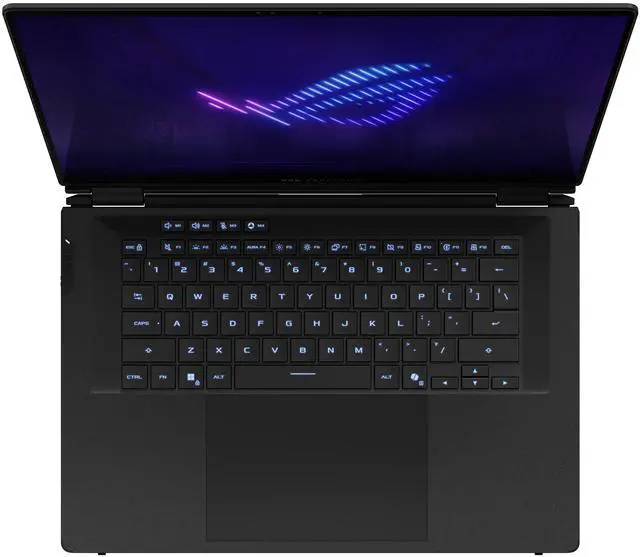
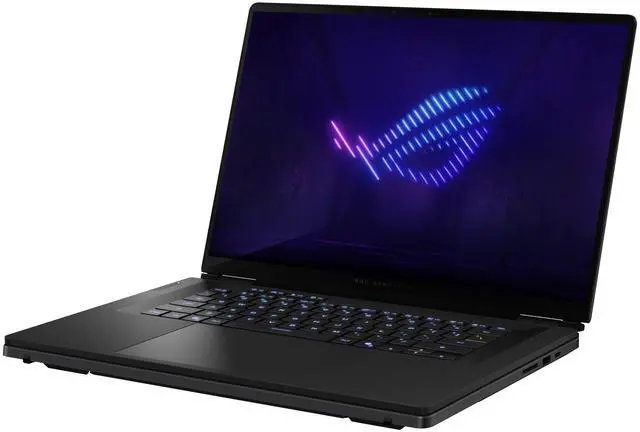
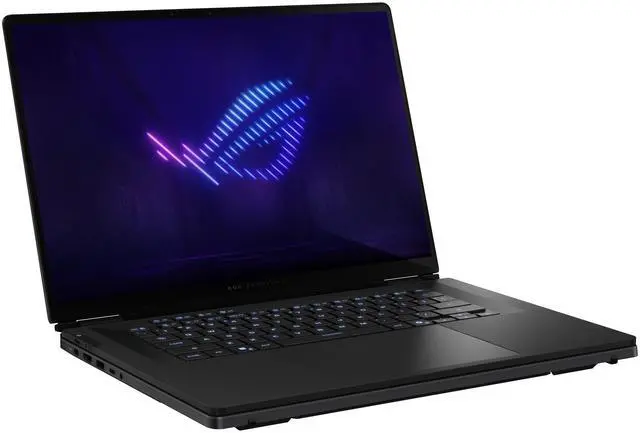


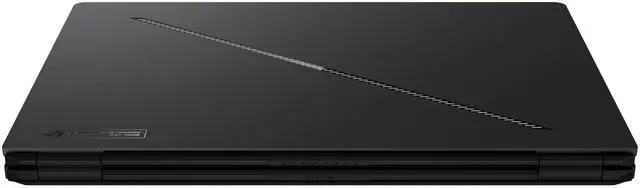


ASUS ROG Zephyrus Duo 16" Gaming Laptop - Intel Core Ultra 9 386H - NVIDIA GeForce RTX 5070Ti - 32GB LPDDR5X - 1TB M.2 SSD - Windows 11 Home (GX651AR-DB96)
Free Intel AI Software w/ purchase, limited offer
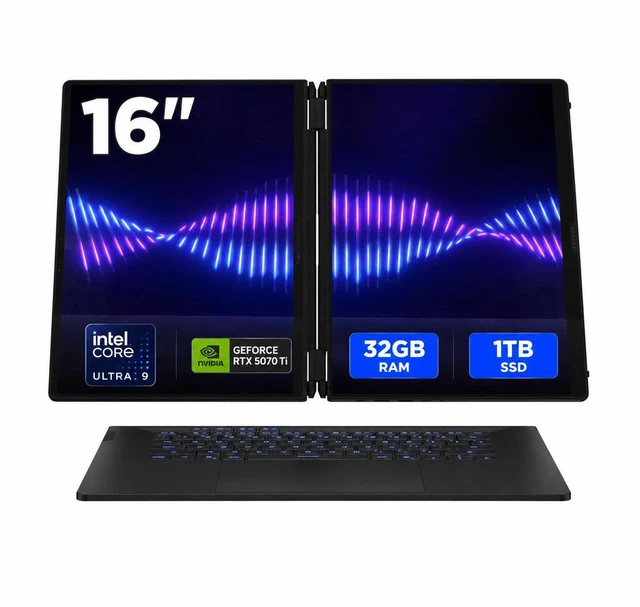
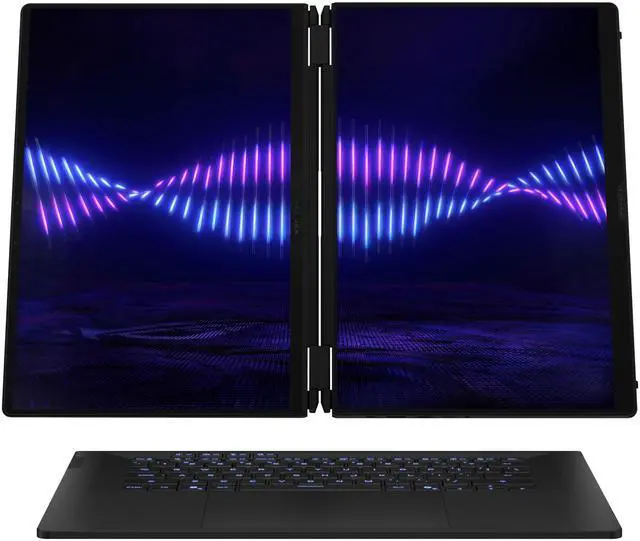
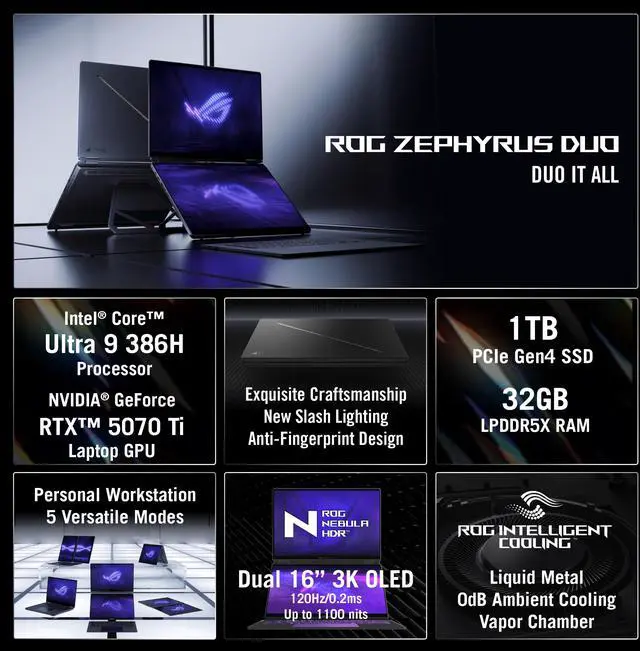
- Dual 16-Inch Displays: Two 16-inch touch OLED screens with 2880 x 1800 resolution, 120 Hz refresh rate, 100% DCI-P3 color gamut, and VESA DisplayHDR True Black 1000 certification
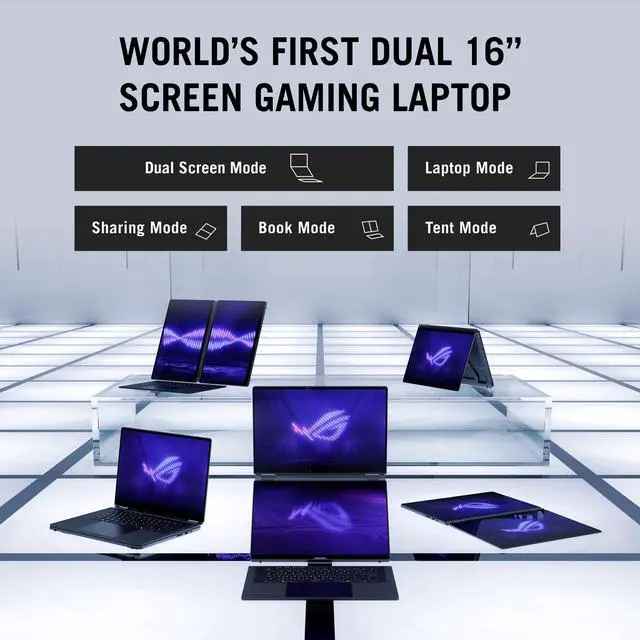
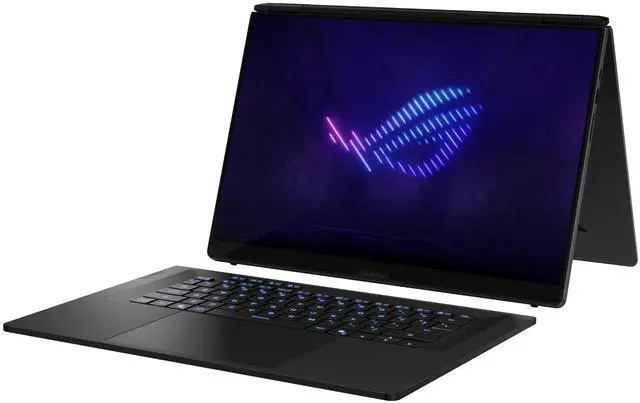
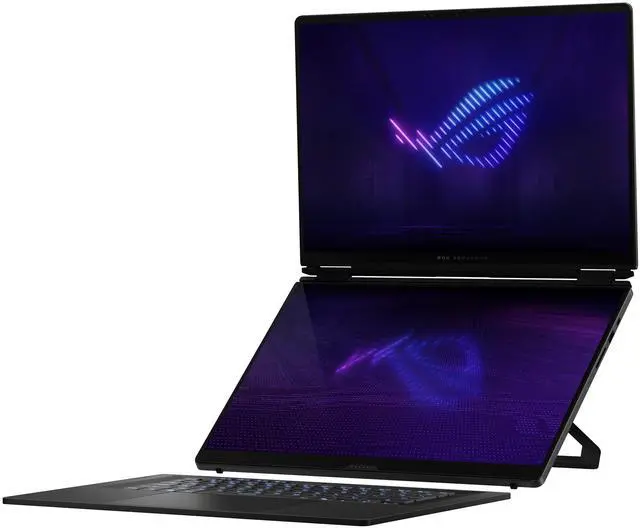
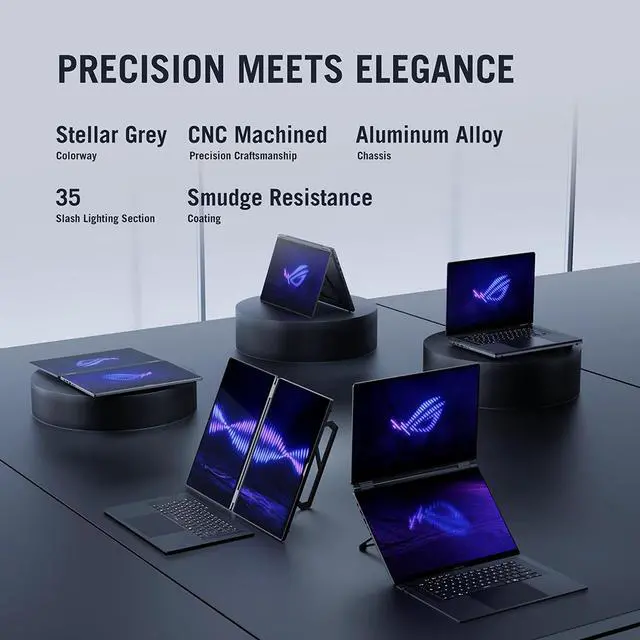
- Five Modes: Laptop, dual-screen, book, sharing, and tent modes support gaming, work, streaming, coding, reading, presenting, and two-person gaming
- Core Ultra 9 CPU: Intel Core Ultra 9 386H with 16 cores and 50+ TOPS of NPU performance for gaming, multitasking, creative work, and AI applications
- RTX 5070 Ti Graphics: NVIDIA GeForce RTX 5070 Ti Laptop GPU with 12GB GDDR7 video memory for graphics-intensive gaming and creative applications
- High-Speed Memory: 32GB LPDDR5X 8533 memory and a 1TB PCIe 4.0 NVMe M.2 SSD support multitasking and fast access to applications and files
- Portable Form: Stellar Gray laptop measuring 13.98" x 9.72" x 0.78" ~ 0.98" and weighing 6.22 lbs.
+
+
Overview
Specs
Reviews
Overview
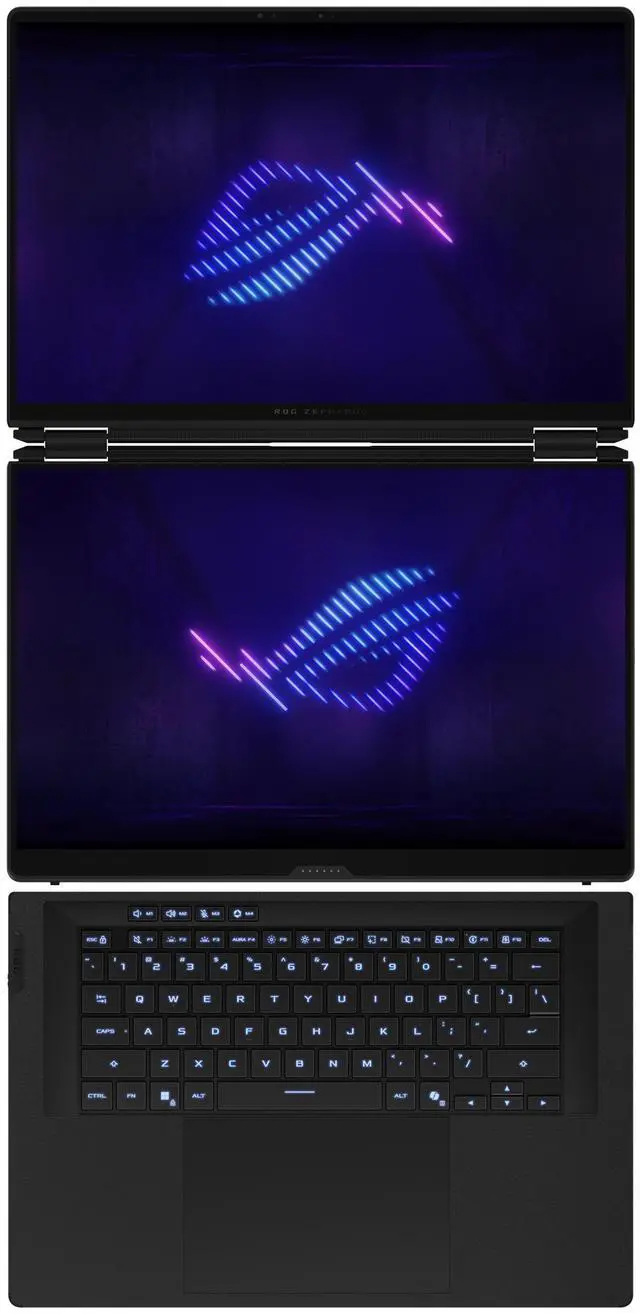
ASUS ROG Zephyrus Duo 16 is a dual-screen gaming laptop for gaming, creative work, coding, streaming, presenting, and multitasking. Its two 16-inch touch OLED displays provide a multi-monitor workspace in a laptop form factor.
Key Features
- Two 16-inch touch OLED displays with 2880 x 1800 resolution and 120 Hz refresh rate
- Five configurations: laptop, dual-screen, book, sharing, and tent modes
- Intel Core Ultra 9 386H processor with 16 cores and 50+ TOPS of NPU performance
- NVIDIA GeForce RTX 5070 Ti Laptop GPU with 12GB GDDR7 video memory
- 32GB LPDDR5X 8533 memory and 1TB PCIe 4.0 NVMe M.2 SSD
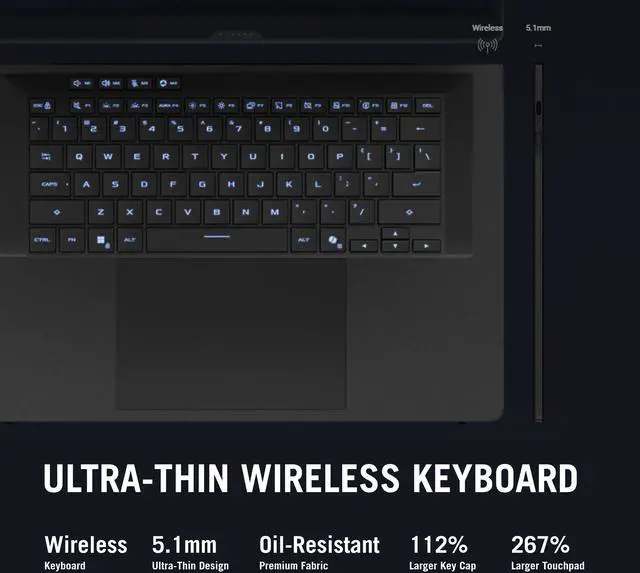
- Windows 11 Home, 1080P FHD IR camera for Windows Hello, and backlit 1-zone RGB keyboard with Copilot key
Performance
The Intel Core Ultra 9 386H processor has 16 cores and 50+ TOPS of NPU performance. The NVIDIA GeForce RTX 5070 Ti Laptop GPU includes 12GB GDDR7 video memory. The 32GB LPDDR5X 8533 memory and 1TB PCIe 4.0 NVMe M.2 SSD support demanding applications, games, and multitasking.
Design
The Stellar Gray laptop measures 13.98" x 9.72" x 0.78" ~ 0.98" and weighs 6.22 lbs. The dual-screen design supports laptop, dual-screen, book, sharing, and tent configurations. Both displays are 16:10 OLED panels with 0.2ms response time, 1100 nits peak brightness, 100% DCI-P3 coverage, and Delta E< 1 color accuracy.
Connectivity & Compatibility
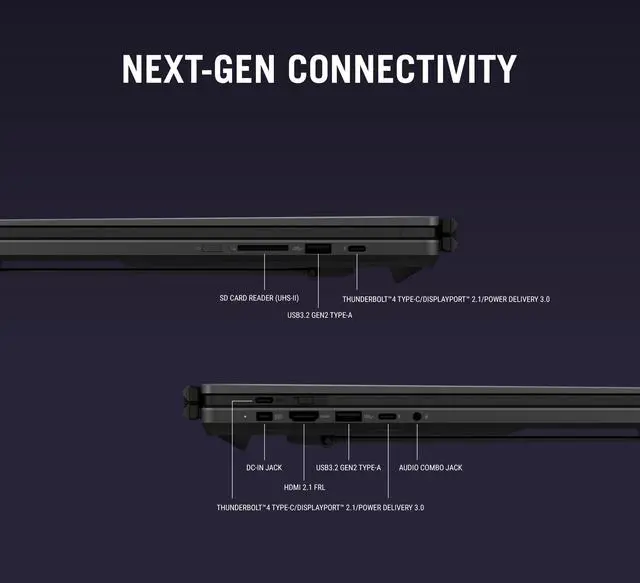
Connectivity includes 2 x USB 3.2 Gen 2 Type-A ports with data speed up to 10Gbps, 2 x Thunderbolt 4 ports with DisplayPort and power delivery support and data speed up to 40Gbps, 1 x HDMI 2.1 port, 1 x headphone/microphone combo jack, and 1 x microSD card reader with UHS-II and 312MB/s support. Wireless connectivity includes 802.11be Wireless LAN, Wi-Fi 7, and Bluetooth 6.0. The laptop runs Windows 11 Home.
Reliability & Durability
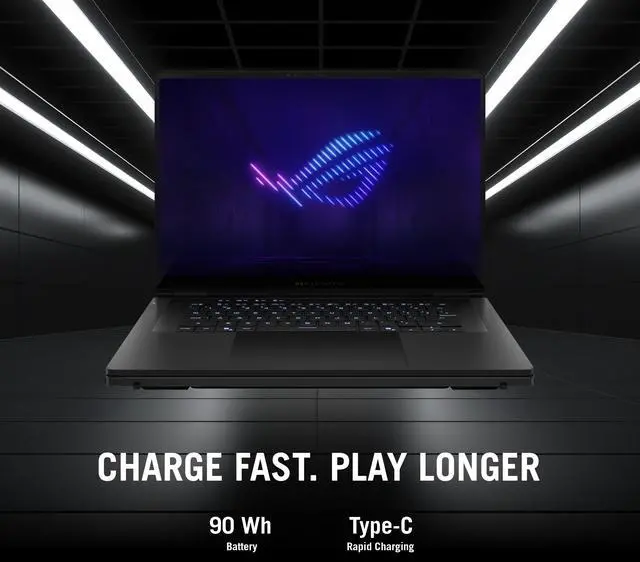
The displays have VESA DisplayHDR True Black 1000 certification. The system includes a 90WHrs, 4S1P, 4-cell Li-ion battery and a 250W AC adapter.
Software & Tools
Windows 11 Home includes Copilot in Windows 11 for intelligent assistance, relevant answers, email summaries, personalized guidance, and settings control. The laptop also includes a 1080P FHD IR camera for Windows Hello.
Specifications
- Brand: ASUS
- Series: ROG Zephyrus Duo 16
- Model: GX651AR-DB96
- Part Number: 90NR0NR2-M003P0
- Color: Stellar Gray
- Processor: Intel Core Ultra 9 386H
- Processor Cores: 16-core (4P+8E+4LPE) Processor
- CPU L3 Cache: 18 MB
- Displays: Dual 16" touch OLED
- Resolution: 2880 x 1800
- Refresh Rate: 120 Hz
- Memory: 32GB LPDDR5X 8533
- Storage: 1TB PCIe 4.0 NVMe M.2 SSD
- Graphics: NVIDIA GeForce RTX 5070 Ti Laptop GPU
- Video Memory: 12GB GDDR7
- Operating System: Windows 11 Home
- Dimensions: 13.98" x 9.72" x 0.78" ~ 0.98"
- Weight: 6.22 lbs.
- Wireless LAN: 802.11be Wireless LAN
- Wi-Fi Generation: Wi-Fi 7
- Bluetooth: Bluetooth 6.0
Warranty & Returns
Warranty, Returns, And Additional Information
Warranty
- Limited Warranty period (parts): 1 year
- Limited Warranty period (labor): 1 year
- Read full details
Return Policies
- Return for refund until: January 31, 2027
- Return for replacement until: January 31, 2027
- This item is covered by Newegg.ca's Extended Holiday Return Policy.
- Read full return policy for details.
We want to ensure your holiday shopping this year is hassle-free. That’s why we’re automatically extending our return policies on almost every product! For purchases placed between November 1st, 2026 and December 31, 2026 you will have until January 31, 2027 to return your product.
Manufacturer Contact Info
- Manufacturer Product Page
- Manufacturer Website
- Support Phone: 812-282-2787
- Support Website
- View other products from ASUS
LOADING...
The ASUS ROG Zephyrus Duo 16 is a dual-screen 16-inch gaming laptop built for gamers, streamers, and creators who want top-tier performance plus extra screen space for multitasking, with an Intel Core Ultra 9 386H, RTX 5070 Ti Laptop GPU, 32GB LPDDR5X memory, and a 3K 120Hz OLED touch display setup.
Recommended For
- Creators, developers, or analysts who actively use a second screen for timelines, tool panels, references, chat, dashboards, or code while keeping the main 16-inch display focused on the primary task.
- Users replacing a desk setup with one portable machine and wanting dual displays built in for travel, hotel work, client presentations, or mixed work-and-gaming use without carrying an external monitor.
- Gamers who also stream, monitor Discord, guides, maps, or capture controls while playing, and specifically want those side tasks visible on-device instead of tabbing out or attaching another screen.
- Buyers who value the dual-screen workflow more than maximum GPU-per-dollar and are comfortable paying extra for a niche form factor rather than choosing a lighter or faster conventional gaming laptop.
Real-World Use Scenarios
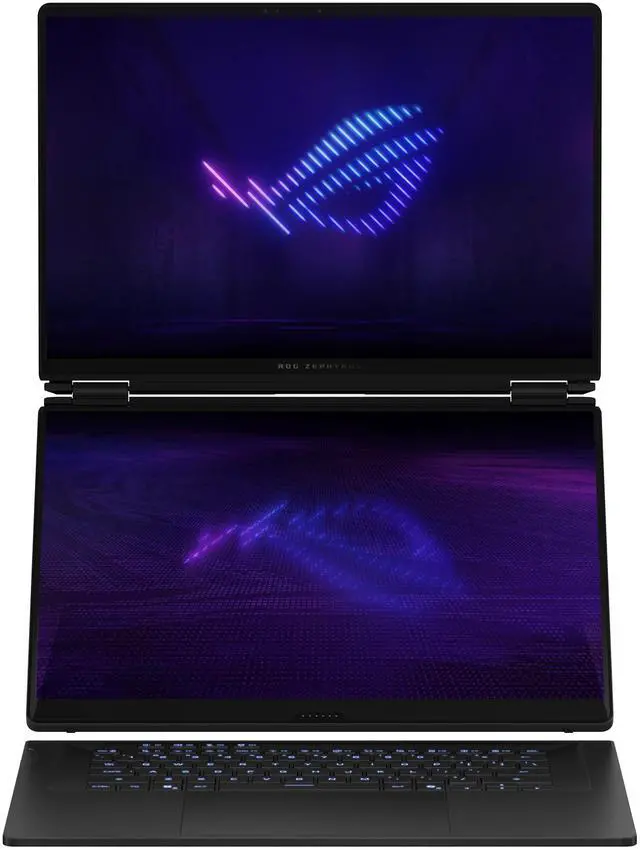
- Portable dual-screen workstation for editing, coding, or office multitasking: users can keep the main task full-size on the top display and place docs, chat, browser tabs, OBS, or file tools on the second screen, which usually reduces window switching and feels closer to working on a small dual-monitor desk setup.
- Single-machine streaming or content monitoring setup: while gaming on the main display, users can keep Discord, OBS controls, stream chat, music, or hardware monitoring on the lower screen, making it easier to manage a live session without needing a second external monitor.
- Gaming with side content open: players who like guides, maps, build planners, walkthroughs, or voice chat can keep those tools visible on the second display while the game stays on the main OLED panel; in practice this is more useful for reference-heavy games than for players who want a distraction-free full-screen experience.
- Travel-friendly creator or presenter setup: users can detach the keyboard, stand the laptop up, and use the two displays for presentations, side-by-side collaboration, or drawing and note workflows, which is helpful when working away from a desk and carrying an external monitor is impractical.
- Replacement for a small desktop setup: buyers who normally work with two monitors at home can use this as a single portable system for work by day and gaming later, but community discussion suggests the value is highest for people who regularly multitask and much lower for users who mainly want a standard gaming laptop.
Spec Summary
| Attribute | Value |
|---|---|
| Best For | Gaming, GPU-accelerated creative work, and multitasking workflows that benefit from a dual 16-inch touch-screen layout, a 16-core Intel Core Ultra 9 CPU, RTX 5070 Ti GPU, 32 GB LPDDR5X, and a 1 TB PCIe 4.0 SSD |
| Processor And Core Count | Intel Core Ultra 9 386H — 16 cores (4P+8E+4LPE), 18 MB L3 cache, nominal 2.1 GHz with max boost up to 4.9 GHz |
| GPU And VRAM | NVIDIA GeForce RTX 5070 Ti laptop GPU with 12 GB GDDR7 dedicated video memory (PCI Express, dedicated graphics) |
| Display Spec | Dual 16-inch touch OLED panels, native 2880 x 1800 resolution, 120 Hz refresh, 100% DCI‑P3 color gamut, up to 1100 nits peak brightness |
| Memory Configuration | 32 GB LPDDR5X (8533 MHz) onboard; system lists 2 memory slots and 32 GB max supported |
| Storage And Expansion | 1 TB PCIe 4.0 NVMe M.2 SSD (M.2 form factor) with microSD card reader (UHS‑II, ~312 MB/s) |
| High Speed I O | 2× USB 3.2 Gen 2 Type‑A (up to 10 Gbps), 2× Thunderbolt 4 (40 Gbps, DisplayPort and power delivery), HDMI 2.1, 3.5 mm combo headphone/microphone jack |
| External Display And Docking Fit | Supports external displays via HDMI 2.1 and Thunderbolt 4 (DisplayPort over TB4) and accepts USB‑C/Thunderbolt power delivery for docks |
| Battery And Power | Built‑in 90 WHr 4‑cell Li‑ion battery (installed); 250W AC adapter included (20V DC, 12.5A output) |
| Wired And Wireless Networking | Wi‑Fi 7 (802.11be) wireless LAN and Bluetooth 6.0 |
| Webcam And Privacy | 1080p FHD IR webcam with Windows Hello support |
| Keyboard And Control | Backlit chiclet keyboard with 1‑zone RGB and Copilot key (QWERTY layout); primary displays are touch-enabled |
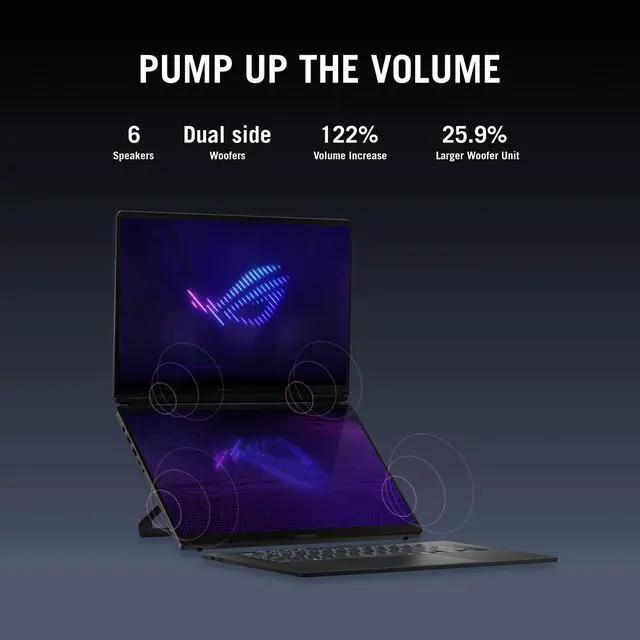
| Audio Setup | 4‑speaker system with dual‑force woofer and 2 tweeters, Smart Amplifier Technology, Dolby Atmos, AI noise‑canceling, and built‑in array microphone |
| Portability | 13.98 × 9.72 × 0.78–0.98 inches; weight 6.22 lbs |
| Model Identifiers | ASUS — ROG Zephyrus Duo 16, model GX651AR-DB96 (Part Number 90NR0NR2-M003P0); Model Name ROG Zephyrus Duo; Edition Zephyrus Duo 16 |
| Other Features | Dual‑screen design; VR‑ready |
Reference Q&A
Q: Should I buy the ASUS ROG Zephyrus Duo 16 or a standard 16-inch gaming laptop like the Zephyrus G16?
A: Choose the Zephyrus Duo 16 if you want built-in dual-screen productivity for streaming, editing, coding, or running chat, tools, and timelines beside your main app. ASUS positions the Duo specifically for multitasking and creator-style workflows, while single-screen models like the Zephyrus G16 are the more practical fit for buyers who prioritize simpler portability and a more traditional laptop layout. In short: the Duo is the better choice for multi-window workflow value, while a G16-class alternative makes more sense for users focused on mobility and conventional day-to-day use.
Q: Is the Zephyrus Duo 16 better than the Strix SCAR 16 for gaming?
A: Pick the Zephyrus Duo 16 when your buying decision includes gaming plus multitasking on a second screen. Pick the Strix SCAR 16 when gaming performance and thermal headroom matter more than form factor. ASUS positions the SCAR 16 as the more performance-focused machine, and community comparisons regularly frame Strix models as the stronger choice for pure gaming because of their larger cooling and higher-performance design. The Duo makes more sense when gaming is only part of the workload.
Q: Should I choose this RTX 5070 Ti Zephyrus Duo 16 or a higher-tier RTX 5080/5090 gaming laptop?
A: Choose this RTX 5070 Ti Zephyrus Duo 16 if your priority is balancing high-end gaming with the Duo's built-in two-screen workflow. Move up to an RTX 5080 or 5090 class laptop if you are specifically shopping for maximum frame rates, heavier 3D rendering, or longer-term top-tier GPU headroom. The key trade-off is that the Duo's value is not only its GPU tier but also its dual-display design, so the higher-tier option is most justified when screen setup matters less than peak graphics performance.
Q: Is the 2026 Zephyrus Duo 16 a better buy than the 2023 Zephyrus Duo 16?
A: Buy the 2026 Zephyrus Duo 16 if you want the newer design centered on two full-size 16-inch OLED touchscreens and a more flexible multitasking setup. Consider the 2023 Zephyrus Duo 16 if your priority is the older performance-first Duo concept, since review coverage and community discussion describe the newer model as trading some raw performance focus for a stronger dual-screen experience. The practical decision is simple: 2026 for dual-screen workflow gains, 2023 for buyers who prefer the previous generation's more traditional high-power gaming orientation.
Q: Is the Zephyrus Duo 16 worth it if I care more about portability than maximum multitasking?
A: The Zephyrus Duo 16 is worth it when portability is important but you still want a self-contained dual-screen setup without carrying an external display. If your top priority is the lightest and simplest travel laptop, a conventional thin 16-inch model is the easier fit because the Duo's design adds complexity and weight in exchange for more usable screen space. This means the Duo is the better choice for mobile creators and streamers, while standard thin-and-light gaming laptops better suit buyers who want a more straightforward portable system.
Q: Is this a good choice for travel, meetings, and everyday work, or is it mainly a desk-bound gaming laptop?
A: It is better treated as a transportable high-performance laptop than a true travel-first work device. The Zephyrus Duo 16 weighs 6.22 lbs, uses a 250W charger, and pairs a dual 16-inch OLED touchscreen design with an RTX 5070 Ti GPU. That setup is excellent for multitasking, creation, and gaming, but it is less convenient for frequent flights, coffee-shop use, or long unplugged workdays than lighter single-screen laptops. If your priority is maximum workspace and power, it fits well. If your priority is portability and battery-first office use, a lighter clamshell is the safer choice.
Q: Is the dual-screen design actually useful, or is it mostly a gimmick?
A: The dual-screen design is useful for buyers who regularly keep multiple apps visible at once, such as streamers, developers, editors, traders, or users who want chat, tools, timelines, or reference material open while working on the main screen. It is less valuable if you mostly use one full-screen app at a time. In that case, the added weight, complexity, and cost are harder to justify versus a conventional 16-inch gaming laptop.
Q: Is it good for note-taking, office work, and video meetings?
A: Yes, it can handle office work and meetings easily, but it is overpowered for those tasks. The touch displays, 1080p IR webcam, built-in mic array, Windows Hello support, and 32GB of memory make it fully capable for note-taking, productivity, and conferencing. The trade-off is that you are paying for a premium gaming and creator platform, so buyers focused mainly on email, documents, browser work, and Zoom can usually get a lighter, quieter, and cheaper laptop that fits those tasks better.
Q: Who is this laptop best suited for?
A: It is best suited for users who want both high-end gaming performance and persistent multi-window workspace in one machine. That includes streamers, video editors, 3D creators, coders, and power users who benefit from a second built-in display. It is a weaker fit for buyers who mainly want long battery life, easy lap use, quiet operation, or simple office productivity, because a conventional thin-and-light or mainstream gaming laptop is usually more practical for those priorities.
Q: Is this better than a standard 16-inch gaming laptop like the Zephyrus G16 or Strix G16?
A: It is better only if you specifically value the second screen. Compared with a standard 16-inch gaming laptop, the Zephyrus Duo gives you more built-in workspace for multitasking and creator workflows, but the trade-offs are higher weight, more complexity, and likely worse portability. A Zephyrus G16 or Strix G16 is usually the better buy for users who want a simpler design, easier travel, and strong gaming performance without paying extra for dual-screen functionality.
Q: Who is the Zephyrus Duo 16 best for?
A: It is best for buyers who will regularly use the second 16-inch screen for real multitasking, such as streaming tools, chat, timelines, reference material, coding, or creator apps. It makes less sense if you mainly want a conventional gaming laptop and do not expect to use the dual-screen layout often.
Q: Is it worth buying over a standard high-end gaming laptop?
A: It is worth buying if the dual-screen design is a core reason for the purchase. If your priority is maximum value, simpler ergonomics, or using an external monitor at a desk, a standard premium gaming laptop is usually the more practical choice.
Q: Is the Zephyrus Duo 16 a good fit for work, coding, or content creation?
A: Yes, if your workflow benefits from having two built-in screens. The hardware is high-end for multitasking and the dual 16-inch touch displays can reduce the need for an external monitor. The trade-off is a heavier, less conventional laptop that is not as simple to carry or use on the lap as a normal 16-inch notebook.
Q: Is it a good travel laptop?
A: It is portable for a dual-screen gaming system, but it is not an ideal travel-first laptop. At 6.22 lbs with a 250W charger, it is better suited to buyers who accept extra weight in exchange for a self-contained two-screen setup.
Q: What are the main trade-offs of choosing this model?
A: The main trade-offs are weight, battery expectations, and a less conventional typing and lap-use experience compared with standard laptops. In return, you get a rare dual-screen design with strong gaming and multitasking hardware in one device.