


  • $1,399.99
  • $1,599.99
  • Save: $200.00 (12%)
  • Free 15-day Returns
  • Add to PC build list 
    Sold by Newegg

    Shipped by Newegg

    Price alert
    Shop it at NeweggBusiness.

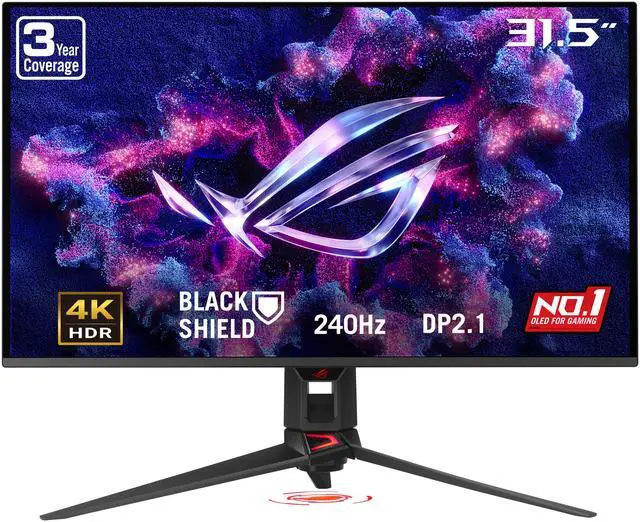
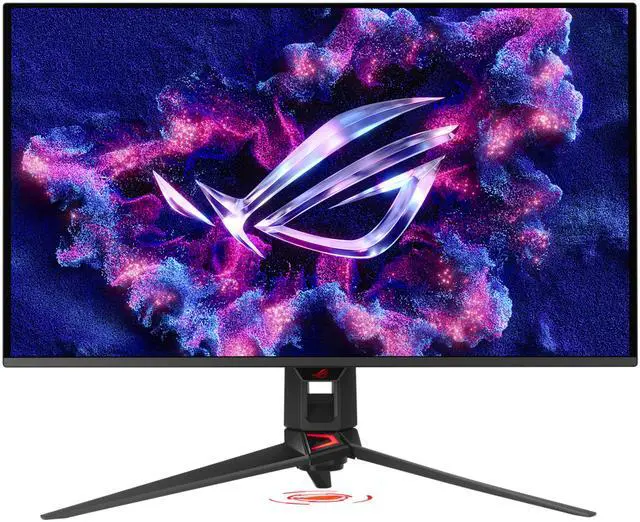
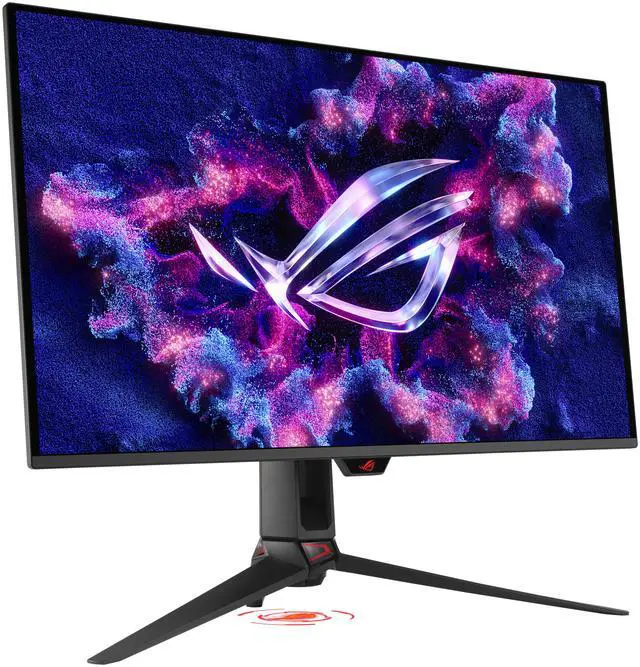
    ASUS ROG Swift 32 inch UHD 4K 240Hz AMD FreeSync Premium Pro & G-Sync Compatible 0.03ms HDR500 USB-C GEN 3 OLED Gaming Computer Monitor with Height Adjustable, Swivel & Tilt Stand PG32UCDM3

    • 32" UHD 4K 240HZ
    • 34" QHD 2K 360HZ
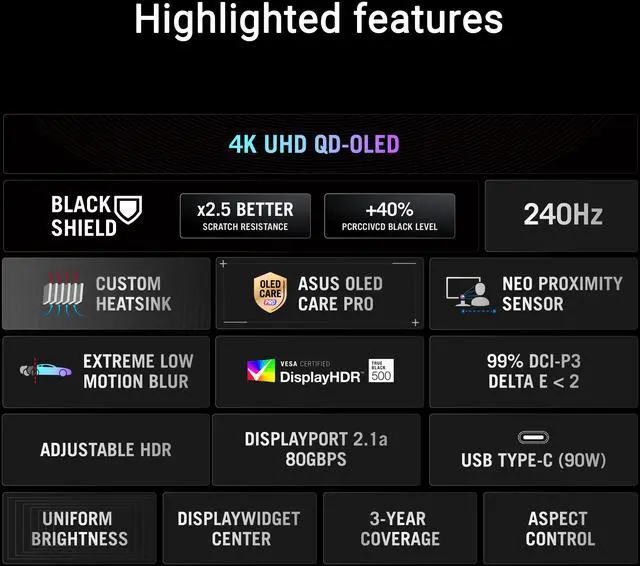
    • 32" 4K (3840 x 2160) Tandem QD-OLED gaming monitor with 240 Hz refresh rate and 0.03ms response time
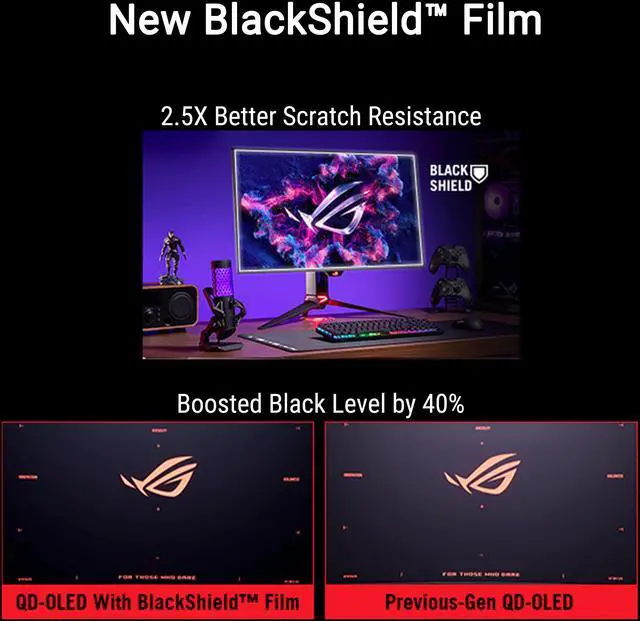
    • BlackShield film increases the panels hardness for 2.5X better scratch resistance and boosts the perceived black level by up to 40% compared to previous QD-OLED panels
    • ASUS OLED Care Pro with Neo Proximity Sensor precisely detects when a user is away and switches to a black screen to reduce the risk of burn-in
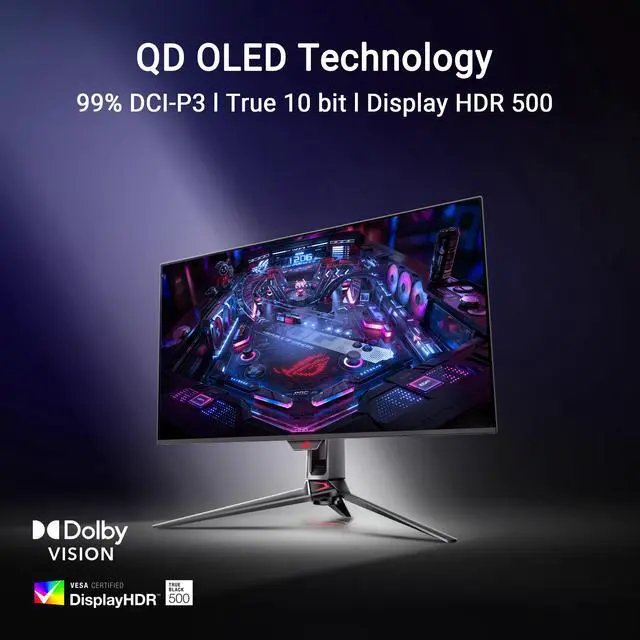
    • VESA DisplayHDR 500 True Black compliance, 99% DCI-P3 gamut, true 10-bit color, and Delta E<2 color difference for astonishing HDR performanceperfect for photo and video editing
    • DisplayWidget Center offers auto firmware updates and makes it easy to export and import settings to any device or copy pro streamers' configurations
    +
    +
    Overview
    Specs
    Reviews (87)
    ASUS ROG Swift PG32UCDM3 Gaming Computer Monitor
    ROG Swift OLED PG32UCDM Gen3 Gaming Monitor
    The Chosen One

    The ROG Swift OLED PG32UCDM Gen3 boasts a 32-inch 4K Tandem QD-OLED panel that delivers astounding visuals at a buttery-smooth 240 Hz. Powered by QD-OLED technology, the PG32UCDM3 delivers vibrant colors, the deepest black hues, and the brightest highlights. A host of other innovative feature include BlackShield™ film for enhanced durability and deeper black hues, and ASUS OLED Care Pro to prevent panel burn-in. With future-proof connectivity such as DisplayPort™ 2.1 UHBR20 and USB-C® with 90-watt Power Delivery, the PG32UCDM3 delivers unparalleled gaming and content-creation experiences.

    ASUS ROG Swift PG32UCDM3 Gaming Computer Monitor
    Unprecedented Durability and Contrast
    BlackShield™ Film

    The panel of ROG Swift OLED PG32UCDM3 is fortified with BlackShield™, a cutting-edge film that significantly boosts panel durability and visual contrast.

    ASUS ROG Swift PG32UCDM3 Gaming Computer Monitor
    Enhanced Scratch Resistance

    BlackShield film increases the panel's hardness to offer 2.5X better scratch resistance versus previous-gen QD-OLED panels. This innovative layer provides peace of mind, ensuring the display remains protected from accidental abrasions during cleaning or handling, extending the monitor's lifespan.

    ASUS ROG Swift PG32UCDM3 Gaming Computer Monitor
    Boosted Perceived Black Levels

    BlackShield also boosts the perceived black level by up to 40% in well-lit environments, compared to previous-gen QD-OLED panels. This means you'll experience even deeper, richer blacks and an exceptional contrast ratio, delivering breathtaking gaming visuals and cinematic content, regardless of ambient lighting conditions.

    ASUS ROG Swift PG32UCDM3 Gaming Computer Monitor
    Experience the Ultimate Game Changer

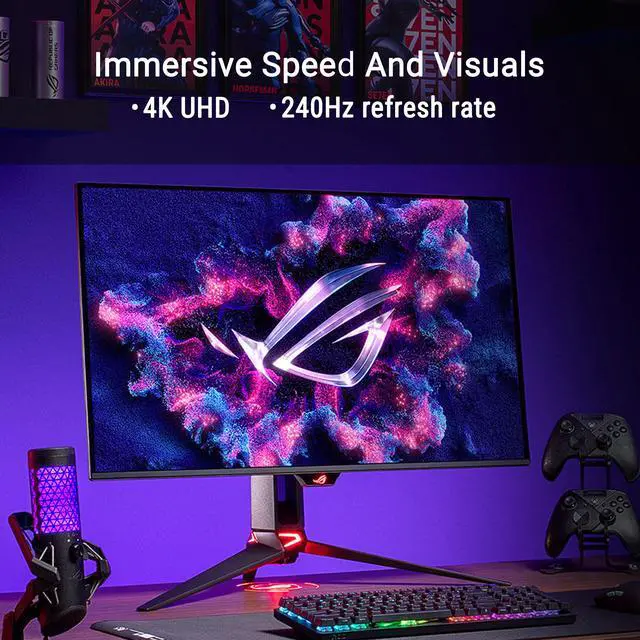
    The 32-inch 4K Tandem QD-OLED panel of the PG32UCDM3 opens up a world of unbelievably lifelike gaming and entertainment experiences. Plus, a 240 Hz refresh rate ensures buttery-smooth visuals and eliminates motion blur to give you the edge in fast-paced games.

    32-inch

    4K

    3840 x 2160

    240Hz

    Refresh rate

    Rich Connectivity
    Unlock the future with DisplayPort 2.1a

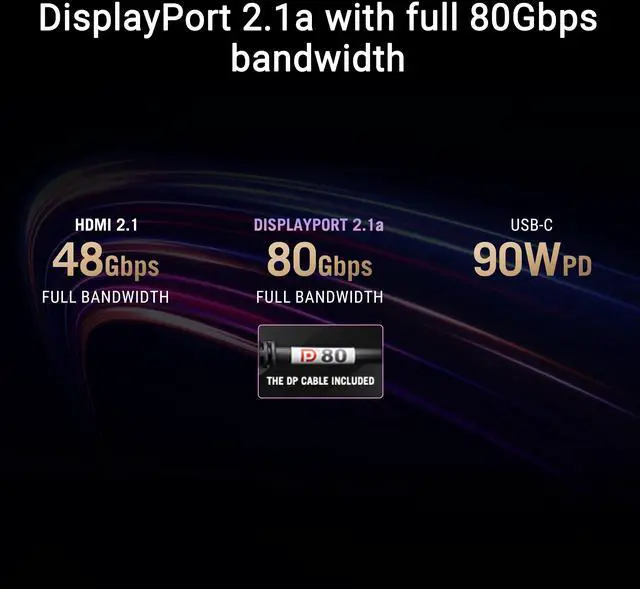
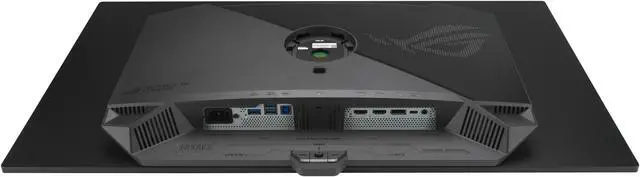
    The PG32UCDM3 features the future-ready DisplayPort 2.1a UHBR20 with full 80Gbps bandwidth, supporting 4K at 240Hz or 8K at 60Hz visuals without compression while offering improved data-transmission efficiency. Additionally, the PG32UCDM3 includes USB-C® with 90-watt Power Delivery, HDMI® 2.1 ports and a USB hub to accommodate a wide array of multimedia devices.

    ASUS ROG Swift PG32UCDM3 Gaming Computer Monitor
    ASUS ROG Swift PG32UCDM3 Gaming Computer Monitor
    Advantages of Tandem QD-OLED technology

    The PG32UCDM3 Tandem QD-OLED panel boasts a 99% DCI-P3 wide color gamut, delivering accurate color reproduction for professional tasks. Its infinite contrast ratio ensures deep blacks and vibrant colors, creating immersive visuals for both gaming and creative endeavors. The incredibly low latency further enhances its appeal, providing smooth and responsive performance for demanding applications.

    1,500,000 :1

    contrast ratio

    0.03 ms

    response time

    99%

    DCI-P3 gamut

    Delta E

    Less than 2

    ASUS ROG Swift PG32UCDM3 Gaming Computer Monitor
    YOUR MONITOR, YOUR WAY

    The PG32UCDM3 monitor is a versatile powerhouse designed to excel in gaming, streaming, and content creation. Its high refresh rate, low response time, and vivid colors deliver a seamless, immersive experience for gamers. The wide viewing angle and built-in tripod socket make it perfect for streaming, while its accurate color reproduction, with a exceptional color accuracy and wide color gamut, ensures professional-grade content creation.

    ASUS ROG Swift PG32UCDM3 Gaming Computer Monitor
    Gaming
    ASUS ROG Swift PG32UCDM3 Gaming Computer Monitor
    Streaming
    ASUS ROG Swift PG32UCDM3 Gaming Computer Monitor
    Content creation
    ASUS ROG Swift PG32UCDM3 Gaming Computer Monitor
    Game in Ultravivid HDR

    The PG32UCDM3 supports various HDR formats including HDR10 and Dolby Vision to deliver unmatched brightness, colors, and contrast. Both can be quickly turned on or off via the OSD menu.

    ASUS ROG Swift PG32UCDM3 Gaming Computer Monitor
    Screen Protection
    ASUS OLED CARE PRO

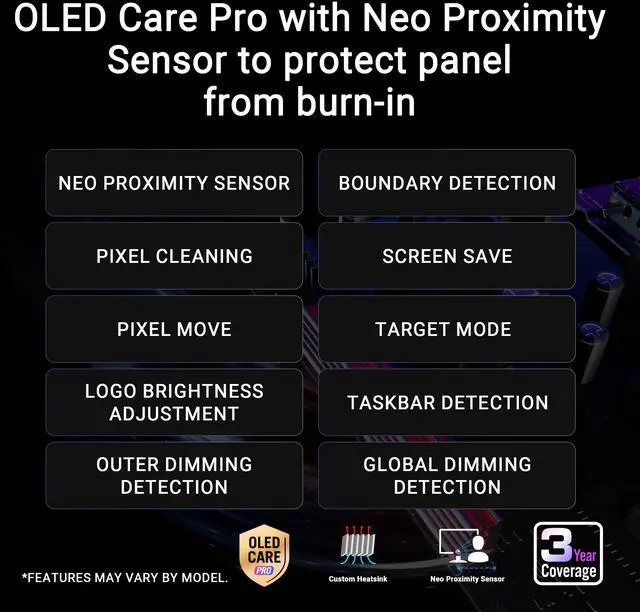
    New ASUS OLED Care Pro technology provides a full set of customizable monitor settings* to protect the OLED panel and ensure longevity. Plus, it includes the new Neo Proximity Sensor that detects your distance from the monitor and transitions to a black image when you're away to safeguard the panel from burn-in. All settings can be easily managed via DisplayWidget Center.

    * Features may vary by models

    Neo Proximity Sensor

    The built-in Neo Proximity Sensor precisely detects your distance from the monitor. When you step away, the monitor transitions to a black image to protect against panel burn-in, and instantly restores onscreen content when you return. Detection distance can be customized to suit personal preference, ensuring maximum convenience and protection.

    ASUS ROG Swift PG32UCDM3 Gaming Computer Monitor

    Automatically Transition to Black Image

    ASUS ROG Swift PG32UCDM3 Gaming Computer Monitor

    Customize Detection Distance

    ASUS ROG Swift PG32UCDM3 Gaming Computer Monitor
    Pixel cleaning

    Recalibrates the screen when the monitor has been active for several hours?a process that takes just a few minutes and activates automatically when the monitor is turned off*.

    * Do not unplug the power cord during this time as it will interrupt the pixel-cleaning process.

    ASUS ROG Swift PG32UCDM3 Gaming Computer Monitor
    SCREEN MOVE

    Pixel locations are slightly shifted periodically to help prevent burn-in, and users can choose between several movement levels.

    ASUS ROG Swift PG32UCDM3 Gaming Computer Monitor
    Boundary detection

    Dynamically detects the boundary of the black bars and reduces the brightness and also slightly shifts the pixel of the near borders.

    ASUS ROG Swift PG32UCDM3 Gaming Computer Monitor
    Built to Last.
    Worry-free OLED Monitor

    ROG OLED monitors are engineered to deliver stunning visuals for years to come. An innovative custom heatsink and a unique internal airflow improve cooling and reduce the risk of burn-in.

    ASUS ROG Swift PG32UCDM3 Gaming Computer Monitor
    Uniform brightness

    When activated, the ROG-exclusive Uniform Brightness setting within the OSD menu decreases peak brightness to keep levels consistent for better viewing, even when changing the size of bright white windows. It makes marathon gaming sessions more comfortable by reducing potential stress on the eyes due to extreme brightness shifts.

    WITH uniform brightness setting

    ASUS ROG Swift PG32UCDM3 Gaming Computer Monitor

    WITHOUT uniform brightness setting

    ASUS ROG Swift PG32UCDM3 Gaming Computer Monitor

    * Monitor in sRGB mode.

    DisplayWidget Center

    Take your monitor to the next level with DisplayWidget Center, a powerful monitor management software designed to help you optimize, personalize, and fully utilize your display via a mouse — so there’s no need to access the OSD menu. Additionally, DisplayWidget Center notifies you of the latest firmware updates and includes a direct update option. You can also import or export display configurations for sharing.

    ASUS ROG Swift PG32UCDM3 Gaming Computer Monitor
    Customizable monitor settings
    ASUS ROG Swift PG32UCDM3 Gaming Computer Monitor
    Auto Firmware Update Notification
    ASUS ROG Swift PG32UCDM3 Gaming Computer Monitor
    Multiscreen Control
    ASUS ROG Swift PG32UCDM3 Gaming Computer Monitor
    OLED Protection
    ASUS ROG Swift PG32UCDM3 Gaming Computer Monitor
    PLAY SMARTER WITH AI ASSISTANT

    The AI Assistant in PG32UCDM3 includes AI Visual, Dynamic Crosshair, and Dynamic Shadow Boost. These features leverage AI technology to help you practice more effectively to improve your gaming.

    * Images/videos may be simulated and dramatized for illustrative purposes.

    ASPECT RATIO CONTROL

    If you prefer playing on a smaller monitor, the PG32UCDM3 also supports a range of aspect ratios, allowing you to choose between 24.5” (esports mode) and 27” imagery.

    Superb smoothness and responsiveness

    The PG32UCDM3 features AMD FreeSync™ Premium Pro technology and NVIDIA® G-SYNC® compatibility, ensuring super-smooth, tear-free visuals with low latency.

    ASUS ROG Swift PG32UCDM3 Gaming Computer Monitor
    ASUS ROG Swift PG32UCDM3 Gaming Computer Monitor
    ASUS ROG Swift PG32UCDM3 Gaming Computer Monitor
    Futuristic, cyberpunk-inspired aesthetic

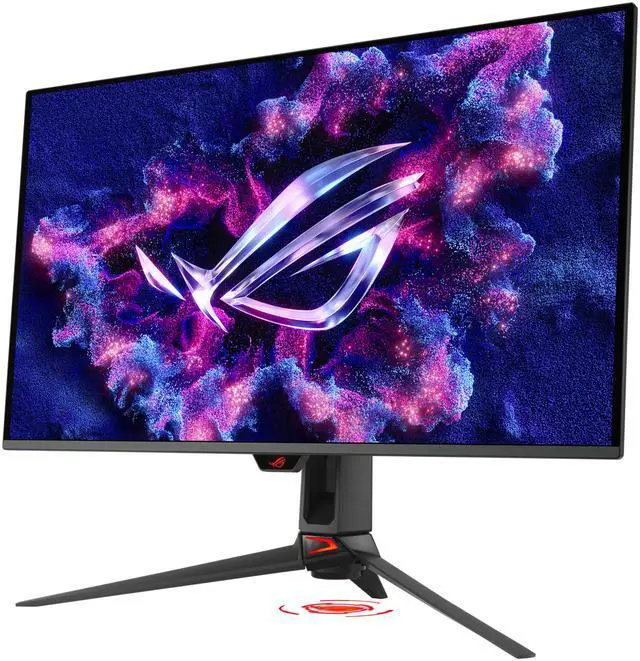
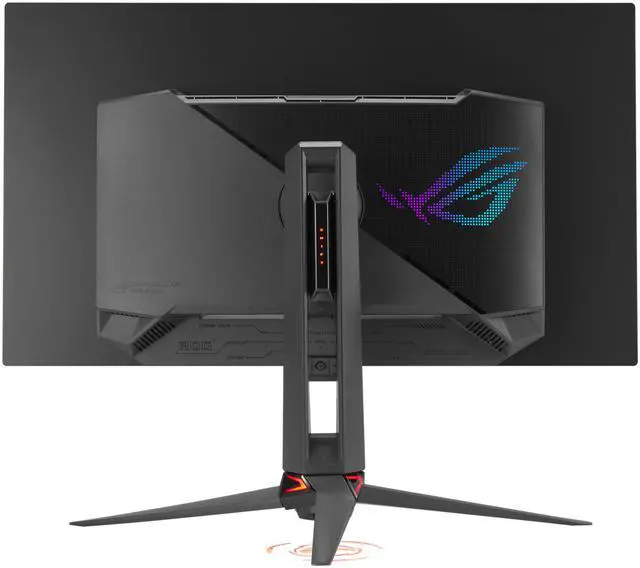
    Boasting design features that exude a premium, modern look, PG32UCDM3 also includes a tripod socket.

    ASUS ROG Swift PG32UCDM3 Gaming Computer Monitor
    ROG Lighting Projection

    A projected ROG logo at the base of the monitor adds a gaming vibe to any setup.

    ASUS ROG Swift PG32UCDM3 Gaming Computer Monitor
    Frameless, with a superslim profile

    A frameless design allows for more immersive viewing, and a superslim profile ensures that PG32UCDM3 takes up minimal desktop space.

    In-game enhancements
    DYNAMIC SHADOW BOOST

    ASUS Dynamic Shadow Boost uses ROG Gaming AI technology to automatically enhance dark areas of the screen, making it easier to spot enemies hiding in dim corners of the map.

    ASUS ROG Swift PG32UCDM3 Gaming Computer Monitor
    GAMEPLUS

    The ASUS-exclusive integrated GamePlus hotkey offers in-game enhancements. Co-developed with input from pro gamers, GamePlus functionality enables you to practice and improve gaming skills with the ROG Gaming AI technology-enhanced Dynamic Crosshair.

    GAMEVISUAL

    ASUS GameVisual technology offers seven pre-set display modes to optimize visuals for different types of content. This unique feature can be easily accessed through a hotkey or via the OSD settings menu.

    FLICKER-FREE TECHNOLOGY

    TÜV Rheinland-certified ASUS Flicker Free technology eliminates flicker, ensuring comfortable viewing experiences. This technology helps minimize eyestrain and other potential issues typically associated with extended hours of viewing.

    ASUS ROG Swift PG32UCDM3 Gaming Computer Monitor
    LOW BLUE LIGHT TECHNOLOGY

    The new hardware-based ASUS Low Blue Light technology reduces potentially harmful high-energy blue-light emissions while offering color performance that’s better than monitors with software-based filtering solutions.

    ASUS ROG Swift PG32UCDM3 Gaming Computer Monitor
    Ergonomic stand

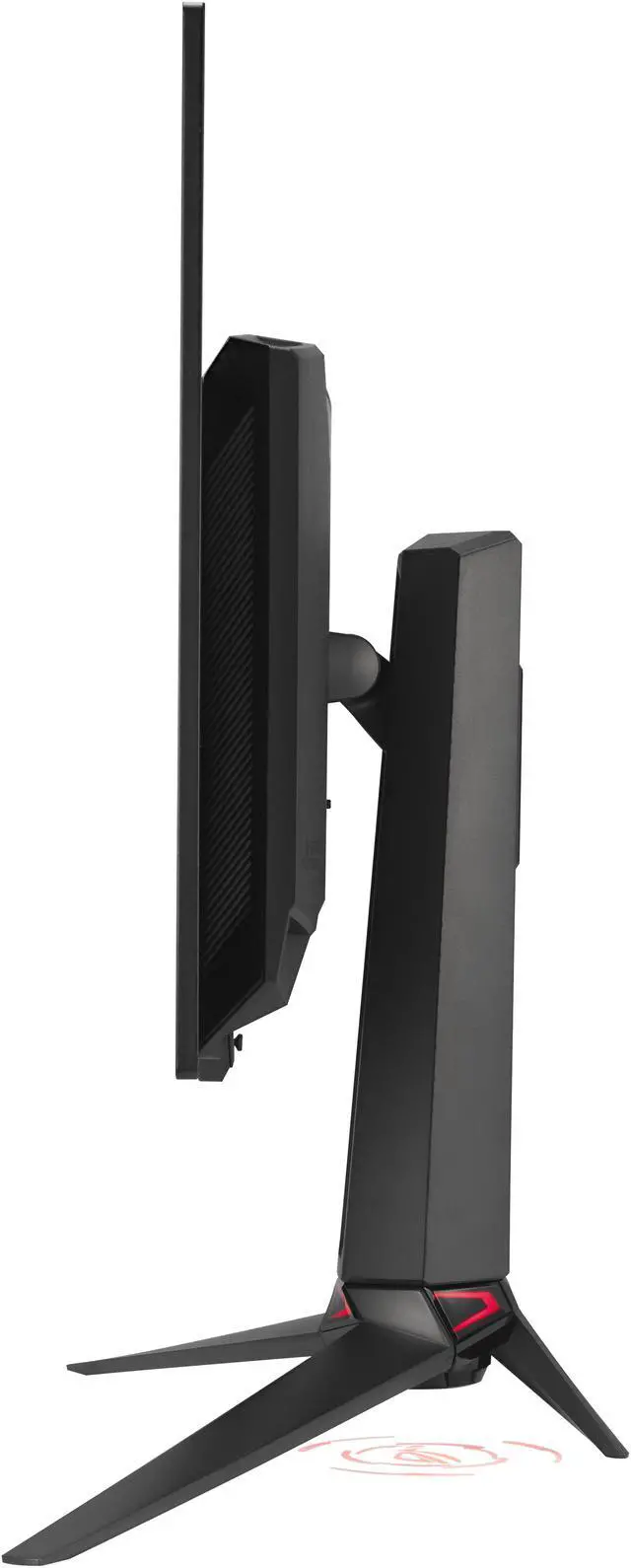
    A specially designed hollowed-out stand offers tilt, swivel, and height adjustments for ideal viewing positions. The display is also VESA wall-mount-compatible.

    ASUS ROG Swift PG32UCDM3 Gaming Computer Monitor

    0-110MM

    HEIGHT ADJUSTMENT
    ASUS ROG Swift PG32UCDM3 Gaming Computer Monitor

    -15°~ +15°

    SWIVEL
    ASUS ROG Swift PG32UCDM3 Gaming Computer Monitor

    -5°~ +20°

    TILT

    Warranty & Returns

    Warranty, Returns, And Additional Information

    Warranty

    • Limited Warranty period (parts): 3 years
    • Limited Warranty period (labor): 3 years
    • Read full details

    Return Policies

    LOADING...
    LOADING...

    The ASUS ROG Swift PG32UCDM3 is a 32-inch 4K Tandem QD-OLED gaming monitor with a 240Hz refresh rate and 0.03ms response time, suited to PC and console gamers seeking sharp, fast, high-contrast visuals.

    Recommended For

    • PC gamers with a high-end graphics card who want one 32-inch screen for detailed 4K games and fast-paced play at up to 240Hz, with OLED contrast and quick pixel response.
    • Gamers who play in a room with some ambient light and want QD-OLED contrast while reducing the purple-looking blacks associated with older QD-OLED screens.
    • Players who also use their monitor for photo or video work and want a 4K OLED display with wide-gamut color, strong contrast, and a large desktop workspace.
    • Desktop users who want one display for gaming and everyday work, and are comfortable using OLED care features to reduce risk from long periods of static screen content.

    Real-World Use Scenarios

    • For PC gaming, play detailed 4K titles with HDR enabled and variable refresh rate active; reviews report vivid HDR and SDR images with smooth, responsive gameplay when the computer can drive the game at high frame rates.
    • In fast-paced PC games, use the high-refresh display and adaptive sync to keep motion clear and reduce visible tearing; the benefit depends on the PC and game producing sufficiently high frame rates.
    • When gaming or watching HDR content in a room with some ambient light, the BlackShield coating helps keep dark areas looking darker than on earlier QD-OLED models, while the glossy screen can still reflect nearby light sources.
    • Connect a console over HDMI for 4K gaming and HDR; the HDMI 2.1 inputs suit current consoles, though console play will not use the monitor's full 240Hz refresh rate.
    • For photo or video work, review high-resolution images and footage with detailed 4K rendering and a wide color gamut; use an appropriate color-managed workflow when color accuracy is critical.
    • Use a USB-C-connected laptop for a combined desk setup: the monitor can carry video and provide up to 90W charging, reducing the need for a separate laptop power adapter during everyday work.

    Spec Summary

    AttributeValue
    Best ForGaming, photo and video editing, and entertainment on a 4K OLED display with a 240 Hz refresh rate
    Panel And Resolution31.5-inch flat OLED display with 3840 × 2160 (4K) resolution, 16:9 aspect ratio, matte anti-glare finish, and 178° horizontal and vertical viewing angles
    Color And HDR99% DCI-P3 and 99.5% sRGB color gamut, 1.073 billion display colors, 1,500,000:1 contrast ratio, 1000 cd/m² brightness, HDR10, and VESA DisplayHDR True Black 500
    Refresh Rate And Response240 Hz refresh rate, 0.03 ms response time, and AMD FreeSync Premium Pro and G-SYNC Compatible adaptive sync
    Ports And ConnectivityTwo HDMI 2.1 ports, one DisplayPort 2.1a, USB-C with DisplayPort Alt Mode and 90 W Power Delivery, a USB 3.2 Gen 1 hub, headphone jack, and SPDIF
    Stand And MountingStand supports height, swivel, and tilt adjustment; compatible with 100 × 100 mm VESA mounts
    Eye Care And ControlsNeo Proximity Sensor, blue-light filtering, and flicker-free features; push-button controls
    Power42 W power consumption; accepts 100–240 VAC at 50/60 Hz
    Physical SpecificationsBlack finish; 19.18 lb item weight; approximately 28.3 × 20.9 × 10.9 inches with stand and 28.3 × 16.3 × 2.6 inches without stand
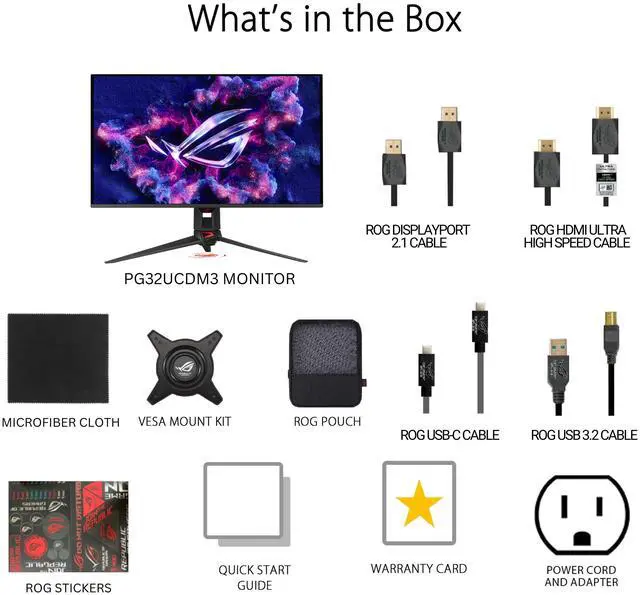
    Included AccessoriesDisplayPort 2.1 cable, HDMI cable, USB 3.2 cable, power cord, VESA mount kit, quick start guide, ROG pouch, ROG sticker, and warranty card
    Model IdentifiersASUS ROG Swift PG32UCDM3; part number 90LM0CL0-B019B2

    Reference Q&A

    Q: ASUS PG32UCDM3 or MSI MPG 322URX—which should I choose?

    A: Choose the ASUS PG32UCDM3 if you want the newer QD-OLED panel, BlackShield coating, and improved perceived black levels in brighter rooms. Both monitors offer 32-inch 4K resolution and a 240Hz refresh rate; the MSI is a practical alternative if its stand’s wider swivel range better fits your setup.

    Q: Is the PG32UCDM3 worth upgrading to from the original PG32UCDM?

    A: For most current PG32UCDM owners, the upgrade is most compelling if you want DisplayPort 2.1 UHBR20, 90W USB-C power delivery, OLED Care Pro with a proximity sensor, or the newer panel and BlackShield coating. The original already has 4K resolution and a 240Hz refresh rate, so replacing it is less compelling if those core gaming features meet your needs.

    Q: PG32UCDM3 or PG32UCDP for competitive gaming?

    A: Choose the PG32UCDP if you want to switch from 4K at 240Hz to Full HD at 480Hz for compatible fast-paced games. Choose the PG32UCDM3 if you prefer a 4K QD-OLED display that stays at up to 240Hz and want its newer panel features, including BlackShield film and DisplayPort 2.1a UHBR20.

    Q: Is this monitor suitable for gaming and photo or video editing?

    A: It is best suited to users who want both high-refresh-rate gaming and detailed, color-focused work. The 4K OLED panel supports up to 240Hz and 0.03ms response time; its listed color features include 99% DCI-P3, true 10-bit color, and Delta E<2. To reach high frame rates at 4K, the connected gaming system must also be capable of driving them.

    Q: Is OLED burn-in a concern for everyday use?

    A: There is some burn-in risk with OLED panels, especially when the same static content remains on screen for long periods. This monitor’s OLED Care Pro proximity sensor can switch to a black screen when it detects that the user is away, which helps reduce risk but does not make burn-in impossible. Keep its screen-care features enabled, particularly during extended desktop use.

    Q: Does it have built-in speakers?

    A: No. This monitor does not have built-in speakers, so plan to use headphones or separate speakers. It has a 3.5mm headphone jack.

    Q: Can I mount it on a monitor arm?

    A: Yes. It supports standard 100 × 100mm VESA mounting, so it can be attached to a compatible monitor arm or wall mount. Check that the mount is rated for the monitor’s weight.

    Q: Is text on the PG32UCDM3 clear enough for everyday desktop work?

    A: It may be, but text clarity is a potential drawback to check in person if you spend long hours reading or editing text. One owner reported softer-looking text and difficulty with color fringing; a review also notes that the QD-OLED subpixel layout can cause minor text fringing.

    Q: Is the PG32UCDM3 a meaningful upgrade from the PG32UCDM?

    A: The clearest stated reasons to upgrade are DisplayPort 2.1a and the BlackShield film. One owner who upgraded cited those features, but a Reddit reply said they could not see an image difference attributable to DisplayPort 2.1. If you already own the earlier model, the upgrade case depends on whether those changes matter to your setup.

    Q: Is the PG32UCDM3 suitable for both gaming and productivity?

    A: It can serve both uses: it combines 4K resolution and 240Hz for gaming with 99% DCI-P3 coverage and true 10-bit color for creative work. However, reports of softer text on this QD-OLED model mean text-heavy work may be less comfortable for some users.

    Q: What should I consider before choosing it for 4K high-refresh gaming?

    A: The monitor supports 4K at up to 240Hz, but reaching high frame rates at 4K depends on the PC and games. Community discussion describes pairing the monitor with high-end hardware; plan on matching it with a GPU capable of driving your games at the frame rates you want.