
Your Browsing History


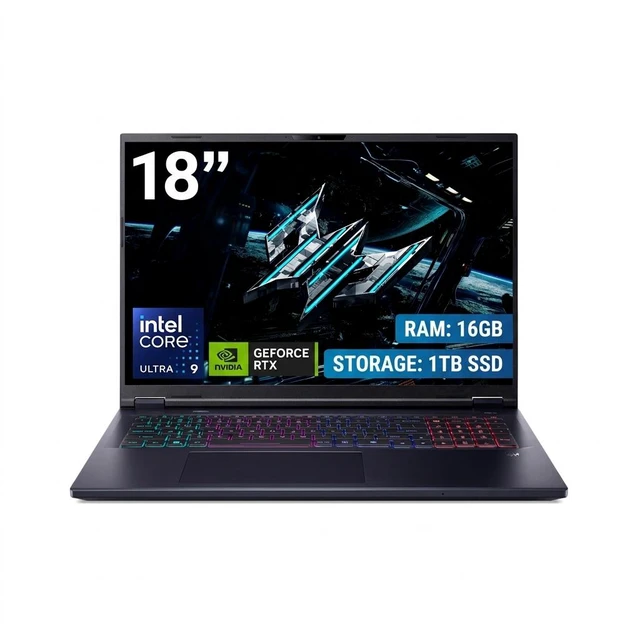
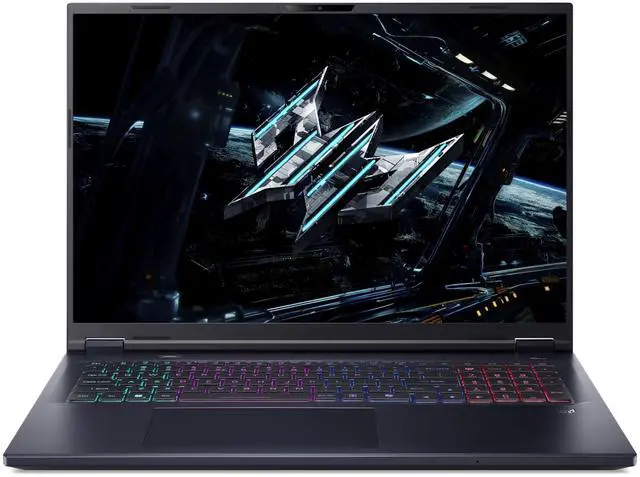
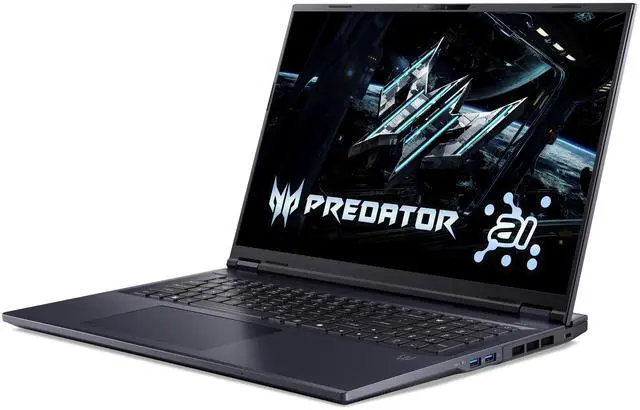
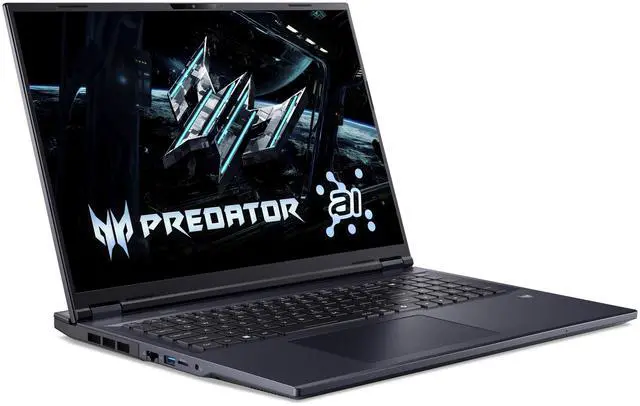
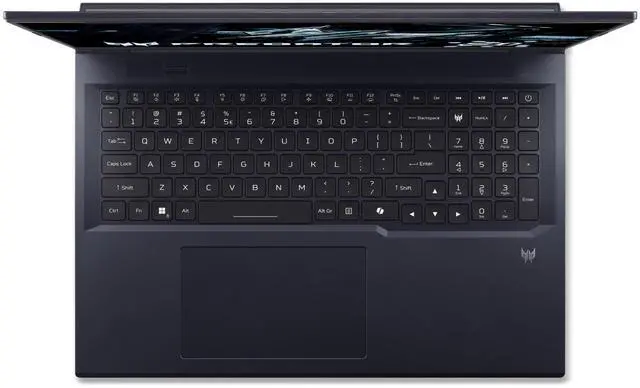

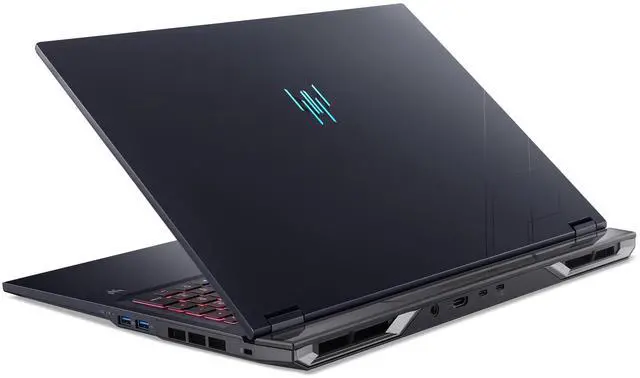
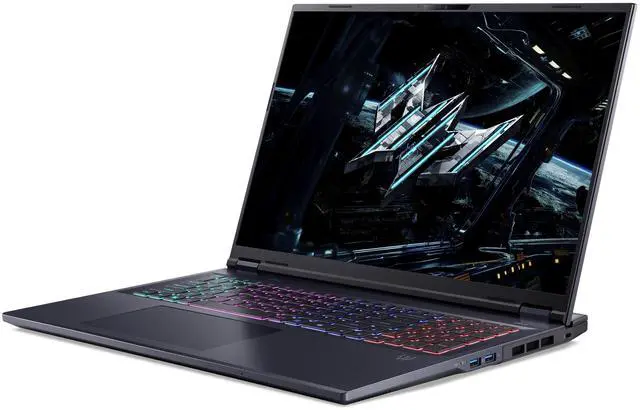

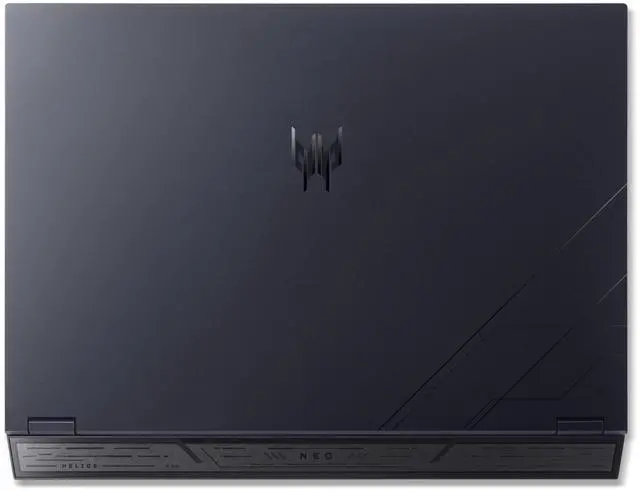



Acer Predator Helios Neo 18 AI - 18.0" Intel Core Ultra 9 275HX - GeForce RTX 5070 Ti Laptop GPU - 2.10 GHz - 16GB Memory - 1 TB PCIe SSD - Windows 11 Home Gaming Laptop - 240 Hz IPS (PHN18-72-92Y3 )
Free gifts w/ purchase, limited offer
- Intel Core Ultra 9 275HX 2.10 GHz
- GeForce RTX 5070 Ti GPU
- 16GB Memory / 1 TB PCIe SSD
- 18.0" 2560 x 1600
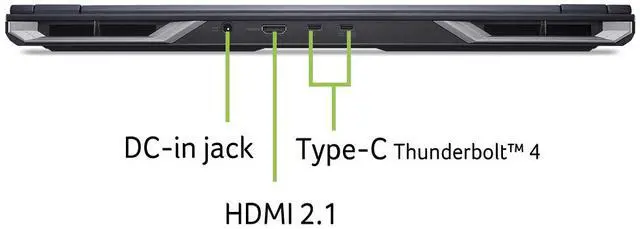
- 1 x HDMI 2.1
- 1 - USB Type-C Port USB 3.2 Gen 2/2 - USB 3.2 Gen 2 Ports/1 - USB 3.2 Gen 1 Port
- Usage: AI/Machine Learning, Art Creative, Gaming, Heavy Multitasking, Programing
+
+
Overview
Specs
Reviews (9)
Warranty & Returns
Warranty, Returns, And Additional Information
Warranty
- Limited Warranty period (parts): 1 year
- Limited Warranty period (labor): 1 year
- Read full details
Return Policies
- Return for refund within: 15 days
- Return for replacement within: 15 days
- This item is covered by Newegg.ca's 15-Day Return Policy.
- Read full return policy for details.
Manufacturer Contact Info
- Manufacturer Product Page
- Manufacturer Website
- Support Phone: 1-800-816-2237
- Support Website
- View other products from Acer America
LOADING...
Learn about this product
The Acer Predator Helios Neo 18 AI is a large-screen gaming laptop with an 18-inch 2560x1600 240Hz IPS display, Intel Core Ultra 9 275HX, and GeForce RTX 5070 Ti Laptop GPU, making it well suited for high-refresh gaming, AI and machine learning workflows, creative work, and heavy multitasking where screen space and performance matter most.
Recommended For
- Desktop-replacement gamers who usually play at one desk and want a large 18-inch screen for immersive single-player games, strategy titles, or multitasking with Discord, guides, and streams open beside the game.
- Students or early-career creators who need one machine for gaming plus heavier coursework such as CAD, programming, 3D class projects, or video editing, and are comfortable upgrading from the base 16GB RAM if their apps grow.
- Buyers comparing 18-inch gaming laptops on value, especially those who want RTX 5070 Ti-class performance and a 240Hz QXGA display without moving up to pricier RTX 5080 or 5090 models.
- Home users who want a large-screen machine for local AI tinkering, code work, and GPU-accelerated apps, but whose projects fit within midrange laptop-GPU limits rather than workstation-scale model sizes.
Real-World Use Scenarios
- Playing current AAA games at the laptop’s native 2560 x 1600 resolution is a realistic fit. In practice, buyers should expect high settings to be the main target, with DLSS and frame generation commonly used to keep frame rates smooth enough to benefit from the 240 Hz display in fast games.
- Using it as a desk-first replacement for a gaming desktop is one of the clearest real-world fits. Reviews and Acer’s own positioning consistently frame the 18-inch chassis as something you move room to room or take on trips occasionally, rather than carry around all day.
- Running local AI apps, image generation, and other GPU-heavy creator workflows is a practical use case, especially when the goal is experimenting locally instead of full-scale model training. Community discussions and Acer’s positioning point to this laptop being better suited to inference, generation, and acceleration tasks than long unattended training jobs.
- For video editing, 3D work, coding, and heavy multitasking, the real advantage is having a large 18-inch workspace and enough GPU/CPU headroom to keep multiple demanding apps open without the system feeling cramped. This makes it better suited to long sessions at a desk than to short mobile work bursts.
- Long gaming or rendering sessions are realistic, but users should expect to run it plugged in and often tweak performance modes or use a cooling pad to balance heat and noise. Community feedback suggests the machine performs well under load, but day-to-day experience improves when owners treat thermals as part of setup.
- Using it unplugged for full gaming sessions is not the typical real-world scenario. Owner discussions point to short battery life being the main tradeoff, so it makes more sense for web work, movies, and light tasks away from an outlet than for sustained high-performance use on battery.
Spec Summary
| Attribute | Value |
|---|---|
| Best For | Gaming, AI/machine-learning and art/creative work, heavy multitasking and programming; also suitable for student and entertainment use |
| Processor And Core Count | Intel Core Ultra 9 275HX processor (Intel Core Ultra 9 series), base 2.10 GHz with up to 5.4 GHz boost, 24 processor cores, chipset 275HX, listed as 13th Gen |
| GPU And VRAM | NVIDIA GeForce RTX 5070 Ti laptop GPU with 12 GB dedicated GDDR7 VRAM (dedicated graphics) |
| Display Spec | 18.0-inch WQXGA (2560 x 1600) IPS LCD, 240 Hz refresh rate, up to 500 nits maximum brightness |
| Memory Configuration | 16 GB DDR5-6400 (installed), two DIMM slots, user-upgradeable up to 64 GB |
| Storage And Expansion | 1 TB PCIe M.2 SSD (solid-state drive, PCIe interface); reported microSD support for additional flash storage |
| High Speed I O | Includes 1x Thunderbolt 4, 1x HDMI 2.1 and multiple USB Type-A/Type-C ports (internal listing: 1x USB-C plus USB 3.2 Gen 2 and Gen 1 ports totaling four USB ports) |
| Wired And Wireless Networking | Wi‑Fi 6E and Bluetooth 5.4 wireless; includes a wired Ethernet port |
| Battery And Power | Integrated lithium-ion battery, 90 Wh capacity, 4 lithium-ion cells (single installed battery reported) |
| Webcam And Privacy | No built-in webcam capability reported; device supports audio recording |
| Keyboard And Control | Backlit keyboard with Microsoft Precision touchpad (keyboard + touchpad input) |
| Audio Setup | Two built-in speakers; supports audio recording |
| Portability | Reported weight about 7.28 pounds; dimensions listed as 15.79 L x 1.1 W x 12.12 TH inches |
| External Display And Docking Fit | External video outputs include HDMI 2.1 and DisplayPort; includes 1x Thunderbolt 4 for high-speed docking and external-display connectivity |
| Model Identifiers | Acer Predator Helios Neo 18 AI (Model PHN18-72-92Y3, Part Number NH.U0HAA.002), Abyssal Black, Windows 11 Home, Model Year 2025 |
| Additional Features | No optical drive; backlit keyboard noted; Microsoft Precision touchpad certification; supports external peripherals via USB/HDMI/Thunderbolt/Bluetooth/Wi‑Fi |
Reference Q&A
Q: Should I buy the Acer Predator Helios Neo 18 AI with RTX 5070 Ti or step down to an RTX 5060 gaming laptop?
A: Choose the Predator Helios Neo 18 AI if you want a larger 18-inch 2560x1600 240Hz display and more graphics headroom for newer AAA games, higher settings, or GPU-heavy creative work. External benchmark coverage places the RTX 5070 Ti Laptop above the RTX 5060 Laptop, while the 5070 Ti also gives you 12GB of VRAM, which is a more comfortable fit for high-resolution textures and longer-term use. An RTX 5060 laptop is the better fit when lower price, lighter chassis options, and mainstream 1080p to 1440p gaming matter more than extra GPU margin.
Q: Is the Acer Predator Helios Neo 18 AI a better buy than an RTX 5080 laptop?
A: Buy the Predator Helios Neo 18 AI when you want high-end gaming performance without moving into the higher cost and power class of RTX 5080 laptops. Comparative benchmark databases consistently show RTX 5080 Laptop systems ahead overall, but the gap depends heavily on power limits and cooling. That makes this Acer configuration a practical choice when you want strong QHD+ gaming, a very large 18-inch screen, and a more balanced price-to-performance position. Move to RTX 5080 mainly if you specifically want more performance ceiling and typically more VRAM for heavier ray tracing, higher frame targets, or longer-term top-tier use.
Q: Should I choose this 18-inch Predator Helios Neo 18 AI or a thinner 16-inch gaming laptop?
A: Choose the Predator Helios Neo 18 AI if your priority is desktop-style gaming, a larger viewing area, and a chassis class that is typically better suited to sustained high-power CPU and GPU loads. Choose a thinner 16-inch model if easier travel, smaller footprint, and lower carry weight matter more than screen size and cooling headroom. Community comparisons around 2025 and 2026 regularly frame this trade-off as portability versus sustained performance, especially among RTX 5070 Ti systems.
Q: Is the Acer Predator Helios Neo 18 AI a worthwhile upgrade from an older RTX 4070-class gaming laptop?
A: Yes, it is a sensible upgrade if you want a bigger jump in GPU capability, more VRAM, and a newer platform rather than a small year-to-year refresh. The Predator Helios Neo 18 AI pairs Intel Core Ultra 9 275HX with RTX 5070 Ti Laptop graphics and 12GB of VRAM, which aligns better with modern QHD-class gaming and heavier creative workloads than many older RTX 4070 laptops. If your current RTX 4070 laptop already handles your games well and portability is more important than screen size, the upgrade is easier to justify when you also want the 18-inch 240Hz display and extra GPU margin.
Q: Is this a good choice if I want a desktop-replacement gaming laptop?
A: Yes. This model is better suited to buyers who want an at-home or semi-stationary gaming system than to buyers prioritizing portability. The 18-inch 2560 x 1600 display, 240 Hz panel, Core Ultra 9 275HX, and RTX 5070 Ti Laptop GPU make it a strong fit for high-refresh gaming, creative workloads, and heavy multitasking. The trade-off is size and mobility: 18-inch gaming laptops are commonly discussed on retail Q&A pages as performance-first machines rather than easy travel devices.
Q: Is 16GB RAM enough, or should I plan on upgrading later?
A: 16GB is enough for general gaming, school work, office tasks, and many creator workflows, but it is the main spec that may feel limiting sooner than the CPU or GPU. If you expect heavier AI, content creation, virtual machines, or long-term multitasking, planning for 32GB later is reasonable. Retail Q&A patterns show memory-upgrade questions are among the most repeated buyer concerns for gaming laptops, especially when the starting point is 16GB.
Q: Is it good for work, meetings, coding, and everyday office use, or is it overkill?
A: It can handle office work, meetings, browsing, and programming very easily, but it is overbuilt for those tasks. Buyers choosing this model for work are really paying for gaming and workstation-class headroom: a large 18-inch screen, high-end CPU, discrete RTX graphics, and broad connectivity including HDMI 2.1 and Thunderbolt 4. If your main use is note-taking, video calls, documents, and travel, a thinner 14- to 16-inch laptop is usually the more practical choice.
Q: Is this a good travel laptop?
A: Not really, unless gaming performance matters more to you than portability. The large 18-inch chassis is better for screen space and cooling than for frequent commuting, flights, or all-day carry. Comparable retail Q&A pages for large gaming laptops repeatedly focus on battery life, portability, and upgrade trade-offs, which usually signals that this class is best used near a desk and charger.
Q: Who is this laptop best for, and who should skip it?
A: It is best for buyers who want one machine for high-end gaming, demanding multitasking, programming, and GPU-accelerated creative or AI workloads, especially if they value a large 18-inch display. It is less suitable for buyers who prioritize low weight, long unplugged use, or a lower entry price. The clearest trade-off is that the performance and screen size are strong, while portability and out-of-box memory capacity are less ideal for some users.
Q: Who is the Acer Predator Helios Neo 18 AI with RTX 5070 Ti best suited for?
A: It is best suited for buyers who want a large-screen gaming laptop that can also handle demanding creative, programming, or multitasking workloads. The 18-inch 2560x1600 240Hz IPS display, Core Ultra 9 275HX, and RTX 5070 Ti make it a better fit as a desk-based or home setup machine than as a carry-everywhere laptop.
Q: Is the Acer Predator Helios Neo 18 AI worth buying if I want RTX 5070 Ti performance for the money?
A: It can be a reasonable value choice if your priority is getting a Core Ultra 9 and RTX 5070 Ti in an 18-inch chassis without stepping up to higher-priced 18-inch flagship models. The main trade-off is that Acer buyers in Reddit discussions often compare it favorably on price, but not always as the safest pick for long-term reliability or polished software.
Q: Is this a good laptop for school, work, or travel?
A: It is good for school or work only if you specifically need high GPU and CPU performance. For travel or daily campus carry, the 18-inch size makes it less practical than a 16-inch model. It is better treated as a portable desktop replacement than a general note-taking or commuter laptop.
Q: What are the main trade-offs of choosing the Helios Neo 18 AI over other gaming laptops?
A: The main trade-offs are size, portability, fan noise under load, and some reported concerns around Acer software or reliability in community discussions. In return, you get a very large 240Hz display, strong gaming-class hardware, and broad connectivity including HDMI 2.1 and Thunderbolt 4.