


Quick View
#1 Best Seller
Limited time offer, ends 10/20
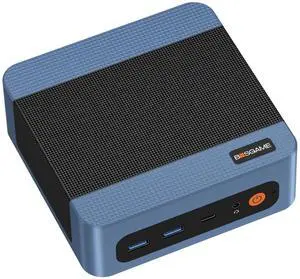
- CPU Name: AMD Ryzen 3 5300U
- Memory Capacity: 16GB DDR4
- Operating System: Windows 11 Pro
- Form Factor: Mini PC
- Model #: BG-E5-16/1TB
- $399.00 –
- Free Shipping
Quick View
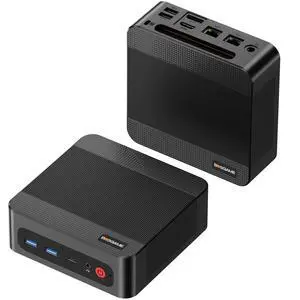
BOSGAME P3 Plus Mini PC, AMD Ryzen 7 7840HS 16GB DDR5 1TB PCIe 4.0 SSD, Radeon 780M Graphics, Triple 4K Display, Dual LAN, Wi-Fi 6E, Bluetooth 5.2 High-Performance Desktop Computer for Office or Home
- GPU/VGA Type: AMD Radeon™ 780M
- CPU Name: AMD Ryzen 7 7840HS
- Memory Capacity: 16GB DDR5
- SSD: 1TB
- Model #: BG-P3 Plus-16/1TB
- $749.99 –
- Free Shipping
Quick View
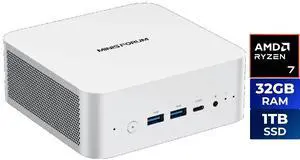
MINISFORUM Mini PC X1-255 AMD Ryzen 7 255 32GB DDR5 1TB SSD AMD Radeon 780M Windows 11 Home - OEM
- GPU/VGA Type: AMD Radeon 780M
- CPU Name: AMD Ryzen 7 255
- Memory Capacity: 32GB DDR5
- SSD: 1TB
- Model #: X1-255(32+1T)CA
- $1,399.99
- $999.99 –
- Save: 28%
- $20.00 Shipping
Quick View
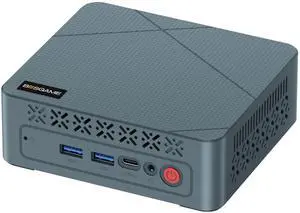
BOSGAME E2 Neo Mini PC, AMD Ryzen 5 3500U Processor (4C/8T, up to 3.7GHz), 16GB DDR4 2400MHz 512GB PCIe3.0 SSD, 2x HDMI, USB-C, WiFi 5, BT 5.0, Gigabit LAN, Desktop Computer
- CPU Name: AMD Ryzen 5 3500U
- Memory Capacity: 16GB DDR4
- SSD: 512GB
- Operating System: Windows 11 Pro
- Model #: BG-E2 Neo-16/512GB
- $499.00 –
- Free Shipping
Quick View
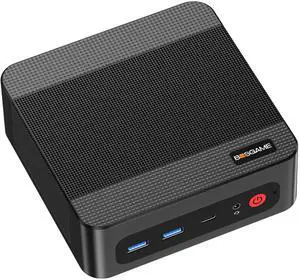
BOSGAME P3 Pro Mini PC, AMD Ryzen 9 7940HS (8C/16T, Up to 5.2GHz), 16GB DDR5 5600MHz 1TB NVMe SSD, Radeon 780M GPU, 2xRJ45 LAN, Triple 4K Display, WiFi 6E & BT 5.2
- GPU/VGA Type: AMD Radeon 780M
- CPU Name: AMD Ryzen 9 7940HS
- Memory Capacity: 16GB
- SSD: 1TB
- Model #: BG-P3 Pro-16/1TB
- $799.00 –
- Free Shipping
Quick View
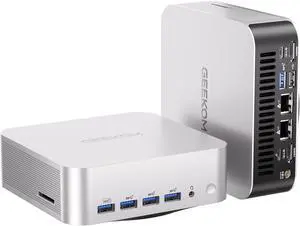
GEEKOM A9 MAX Top AI Productivity Mini PC ,AMD Ryzen AI 9 HX 470(86 Tops)32GB DDR5 RAM | 2TB SSD | Copilot+ PC|WiFi7|BT5.4|USB4|HDMI2.1|8K Video Editing|3D Rendering | Mini Desktop Gaming Powerhouse
- GPU/VGA Type: AMD Radeon 890M
- CPU Name: AMD Ryzen AI 9 HX 470
- Memory Capacity: 32GB DDR5
- SSD: 2TB
- Model #: GMA9MAXAI9HX470-322-US
- $2,499.99
- $2,074.99 –
- Save: 17%
- $39.99 Shipping
Quick View

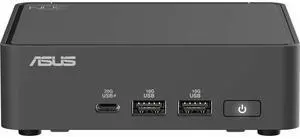
- Form Factor: Mini PC
- CPU Name: Intel Core Ultra 7 255H
- GPU/VGA Type: Intel Arc Graphics 140T
- Memory Capacity: 32GB DDR5
- Model #: RNUC15CRKU7089CU
- $2,785.99 –
- $13.56 Shipping
Quick View
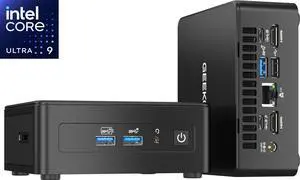
GEEKOM Mini PC IT15 Intel Core Ultra 9 285H (99 Tops) 32GB DDR5 1TB SSD Intel Arc 140T Windows 11 Pro the Most Powerful Workstation, Arc 140T GPU, WiFi 7,8K Business Desktop for enterprise, meetings
- GPU/VGA Type: Intel Arc 140T
- CPU Name: Intel Core Ultra 9 285H
- Memory Capacity: 32GB DDR5
- SSD: 1TB
- Model #: GMIT15U9285H-321-US
- $1,699.99
- $1,567.99 –
- Save: 7%
- $49.99 Shipping
Quick View
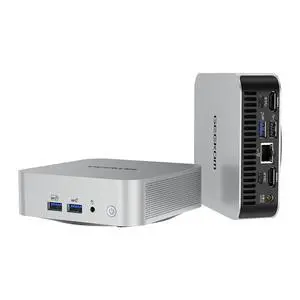
GEEKOM A6 Mini PC, Ryzen 7 6800H, 16GB DDR5 Upgradable RAM 1TB PCIe 4.0 SSD | Business & Home Office PC, USB4, Quad 4K Display, 8K UHD, Wi-Fi 6E, SD Slot, Aluminum Design, Windows 11 Pro
- GPU/VGA Type: AMD Radeon 680M
- CPU Name: AMD Ryzen 7 6800H
- Memory Capacity: 16GB DDR5
- SSD: 1TB
- Model #: GMA6R76800-161-US
- $881.99 –
- $39.99 Shipping
Quick View
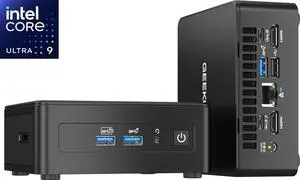
GEEKOM Mini PC IT15 Intel Core Ultra 9 285H(99 Tops) 32GB DDR5 ,2TB SSD Intel Arc 140T Windows 11 Pro ,the Most Powerful Workstation, Arc 140T GPU,WiFi 7,8K Business Desktop for enterprise, meetings
- GPU/VGA Type: Intel Arc 140T
- CPU Name: Intel Core Ultra 9 285H
- Memory Capacity: 32GB DDR5
- SSD: 2TB
- Model #: GMIT15U9285H-322-US
- $2,069.99
- $1,771.99 –
- Save: 14%
- $39.99 Shipping
Quick View
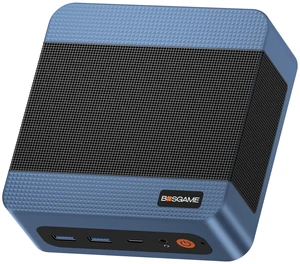
BOSGAME E5 Plus Mini PC, AMD Ryzen 3 5400U, 8GB DDR4 up to 64GB, 256GB M.2 SATA SSD, Dual 2.5GbE LAN, Triple 4K@60Hz, Win 11 Pro
- GPU/VGA Type: AMD Radeon Graphics (Max Graphics Frequency 1600MHz)
- CPU Name: AMD Ryzen 3 5400U
- Memory Capacity: 8GB DDR4
- SSD: 256GB
- Model #: BG-E4-16/1TB
- $509.00 –
- Free Shipping
Quick View
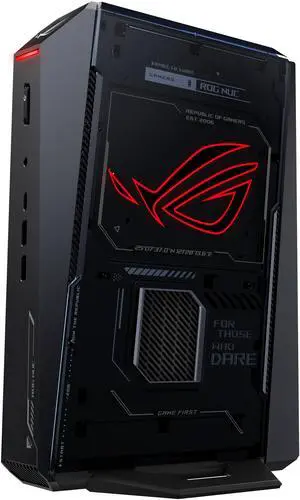
ROG NUC (2025) Gaming Mini PC with Intel Core Ultra 9 (Series 2) ARL-HX CPU, NVIDIA GeForce RTX 5080 Mobile GPU, 32GB DDR5 RAM, 2TB NVMe SSD, Thunderbolt 4, triple-fan cooling, and ARGB lighting
- Type: Business Desktops & Workstations
- CPU Type: Intel Core Ultra 9 (Series 2)
- Form Factor: Mini PC
- CPU Name: Intel Core Ultra 9 275HX
- Model #: RNUC15JNK9X28AAU
- $7,999.99
- $7,599.99 –
- Save: 5%
- $50.00 Shipping

Quick View
- Type: Gaming & Entertainment
- Form Factor: Mini PC
- CPU Name: Intel Core Ultra 9 275HX
- GPU/VGA Type: GeForce RTX 5070
- Model #: RNUC15JNK9X489AU
- $6,499.99
- $5,900.99 –
- Save: 9%
- $50.00 Shipping
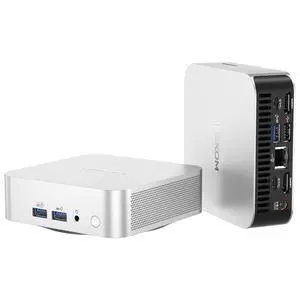
Quick View
GEEKOM Mini PC A5 Pro AMD Ryzen 5 7530U (Beat 7430U)16GB DDR4 1TB SSD AMD Radeon Graphics Windows 11 Pro|8K Video Editing|Wi-Fi6|BT 5.2|2xHDMI|4xUSB|SD Slot|Business&IT Office&Education
- GPU/VGA Type: AMD Radeon Graphics
- CPU Name: AMD Ryzen 5 7530U
- Memory Capacity: 16GB DDR4
- SSD: 1TB
- Model #: GMA5PROR57530U-161-US
- $899.99
- $793.99 –
- Save: 11%
- $39.99 Shipping
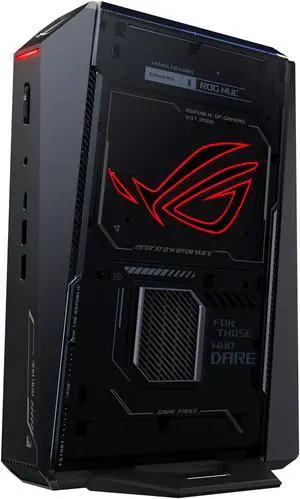
Quick View
- GPU/VGA Type: GeForce RTX 5060
- CPU Name: Intel Core Ultra 7 255HX
- Memory Capacity: 32GB DDR5
- SSD: 1TB NVMe
- Model #: RNUC15JNK7X589AU
- $5,029.99 –
- $20.32 Shipping
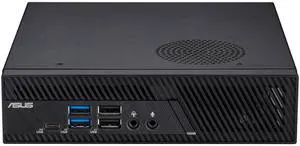
Quick View
- Type: Student / Home Office
- Form Factor: Mini PC
- CPU Name: Intel Core i3-14100
- GPU/VGA Type: Intel UHD Graphics 730
- Model #: PB63-SYS382PXTLR-O
- $1,399.99
- $1,171.99 –
- Save: 16%
- $40.00 Shipping
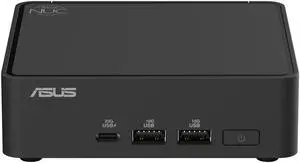
Quick View
- Type: Student / Home Office
- Form Factor: Mini PC
- CPU Name: Intel Core 5 120U
- GPU/VGA Type: Intel Graphics
- Model #: BNUC15CRKI5063CU
- $1,699.99
- $1,502.99 –
- Save: 11%
- $30.00 Shipping
Quick View
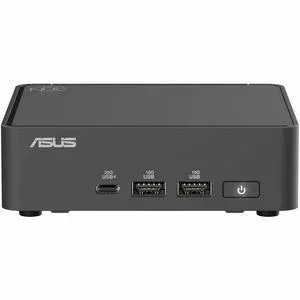
- Type: Student / Home Office
- Brand: ASUS
- Monitor: Monitor not included
- Model #: RNUC15CRKC5063CU
- $1,899.99 –
- $14.38 Shipping
Quick View
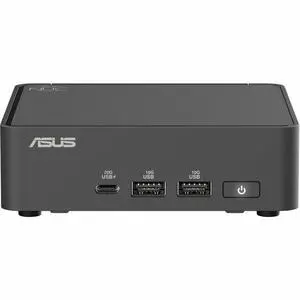
- Type: Student / Home Office
- Form Factor: Mini PC
- CPU Name: Intel Core Ultra 5 225H
- Memory Capacity: 16GB DDR5
- Model #: RNUC15CRKU5063CU
- $1,822.99 –
- $13.56 Shipping
Quick View
- GPU/VGA Type: Intel Graphics
- CPU Name: Intel Core 3 100U
- Memory Capacity: 16GB DDR5
- SSD: 512GB NVMe
- Model #: RNUC15CRKI3063C1
- $1,699.99
- $1,614.99 –
- Save: 5%
- $13.56 Shipping
Quick View
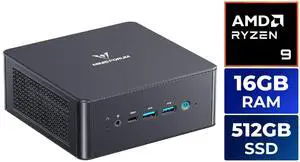
MINISFORUM Mini PC UM890 Pro AMD Ryzen 9 8945HS 16GB DDR5 512GB NVMe SSD AMD Radeon 780M Windows 11 Pro
- GPU/VGA Type: AMD Radeon 780M
- CPU Name: AMD Ryzen 9 8945HS
- Memory Capacity: 16GB DDR5
- SSD: 512GB NVMe
- Model #: UM890 Pro (16+512)
- $1,499.99
- $1,245.99 –
- Save: 16%
- $15.00 Shipping
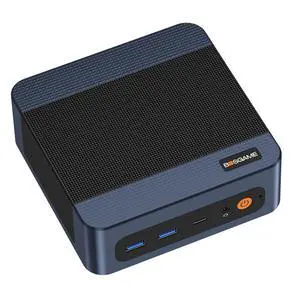
Quick View
BOSGAME E7 Mini PC Windows 11 Pro, Intel Core 3 100U (6C/8T up to 4.7GHz), 16GB DDR4 512GB NVMe SSD, Dual RJ45 LAN, WiFi 6, Triple 4K Display, Business Home Desktop Computer
- GPU/VGA Type: Intel Graphics (Graphics Max Dynamic Frequency 1250 MHz)
- CPU Name: Intel Core 3 100U
- Memory Capacity: 16GB DDR4
- SSD: 512GB M.2 2280 NVMe PCle3.0 x4
- Model #: BG-E7-16G-512G
- $639.00 –
- Free Shipping
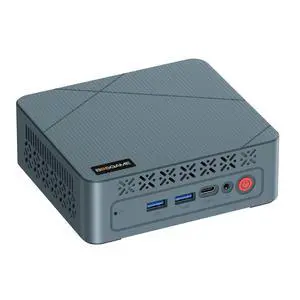
Quick View
BOSGAME E2 Air Mini PC Windows 11 Pro, AMD Ryzen 5 3501U (4C/8T) up to 3.7GHz, 8GB DDR4 256GB SSD, Radeon Vega 8 Graphics, Dual HDMI 2.0 4K Triple Monitor Display, Small Form Factor Desktop
Limited time offer, ends 10/20
- GPU/VGA Type: Radeon Vega 8 Graphics (Max Graphics Frequency 1200MHz)
- CPU Name: AMD Ryzen 5 3501U
- Memory Capacity: 8GB DDR4
- SSD: 256GB SSD
- Model #: BG-E2 Air-8G/256G
- $439.00 –
- Free Shipping
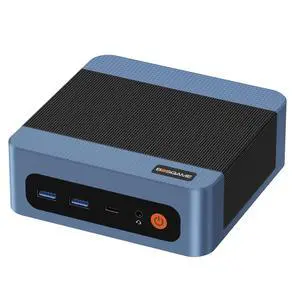
Quick View
BOSGAME E5 Home and Office Desktop Computer, AMD Ryzen 3 5300U Processor (4C/8T, Up to 3.8GHz), 8GB DDR4 2666MHz 256GB SATA SSD, Dual 2.5G LAN, Triple 4K Display, Wi-Fi 5 & BT 5.0,mini PC
Limited time offer, ends 10/20
- GPU/VGA Type: Integrated Graphics
- CPU Name: AMD Ryzen 3 5300U
- Memory Capacity: 8GB DDR4
- Operating System: Windows 11 Pro
- Model #: BG-E5-8/256G
- $439.00 –
- Free Shipping
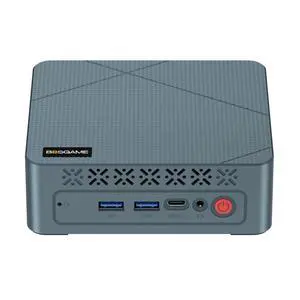
Quick View
BOSGAME E2 Plus Mini PC, AMD Ryzen 5 3501U up to 3.7GHz, 8GB DDR4, 256GB SSD, Windows 11 Pro, Radeon Vega 8 Graphics, Triple 4K Display, Home & Office Desktop Computer
Limited time offer, ends 10/20
- CPU Name: AMD Ryzen 5 3501U
- Memory Capacity: 8GB DDR4
- SSD: 256GB
- Operating System: Windows 11 Pro
- Model #: BG-E2 Plus-8G/256G
- $439.00 –
- Free Shipping
| Learn about Mini PCs & Chromebox Desktops | |
|---|---|
Mini PCs & Chromebox Desktops: Compact, Flexible ComputingMini PCs and Chromebox desktops deliver full desktop functionality in a small form factor, making them ideal for home offices, classrooms, business deployments, and space-saving entertainment setups. Whether you want a Windows mini PC for flexibility or a Chromebox desktop for web-first speed, compact systems offer performance without the bulk of a traditional tower. Despite their compact size, many models support modern connectivity including USB-C, HDMI / DisplayPort, fast WiFi, and Bluetooth. Some systems even support VESA mounting, allowing you to mount the PC behind your monitor for a clean, clutter-free workspace. Chromebox Desktops (ChromeOS): Reliable for Efficiency & SpeedStreamlined ChromeOS Chromebox desktops are popular for schools and business because they boot quickly, update automatically, and work great for Google Workspace and browser-based workflows. Their simplicity makes them easy to deploy, manage, and use for everyday productivity. Windows Mini PCs: A Compact Desktop PowerhouseWindows mini PCs provide the most versatility, offering broad software compatibility for office work, multitasking, and media. Many configurations support dual displays, 4K playback, and fast SSD storage. Some models can even handle light gaming depending on CPU and integrated graphics. Mini PC Specs Explained (Quick Guide)
Watch: Mini PC Buying Guide (Specs That Matter)Mini PCs come in many configurations, so the best choice depends on your workload. This video highlights what matters most — including RAM, storage, ports, and real-world use cases — so you can confidently choose the right compact system. | How to Choose the Right Mini PCChoosing the best mini PC depends on operating system, performance needs, and connectivity requirements. Start by selecting your preferred platform (ChromeOS vs Windows), then match the specs to your everyday workload — from school and office productivity to media center streaming. Chromebox vs Windows Mini PC: Which Should You Get?Chromebox desktops are optimized for web-first workflows and users who rely on Google apps, while Windows mini PCs support a wider range of software and file-based workflows. Mini PCs are also a great choice for users who want Linux support or multi-OS setups. Best Mini PC Use Cases
What to Pair With Your Mini PC (Recommended Add-ons)Mini PCs are compact and flexible, but the right accessories can dramatically improve your setup — whether you’re building a clean home office, a media center, or a productivity workstation. Consider pairing your mini PC with the computer peripheral below for a smoother and more complete experience.
Want Gaming Performance? Compare with Gaming DesktopsIf you’re shopping a mini PC but also considering stronger gaming performance, a full-size gaming desktop can offer higher GPU options, better thermals, and easier upgradeability. Newegg makes it easy to explore and compare systems based on performance, budget, and game type.
Shop Mini PCs & Chromeboxes on NeweggShop confidently at Newegg for Chromebox and mini PCs that offer performance, convenience, and energy efficiency. Browse all our computer deals and upgrade today to compact, efficient computing. |
Last Updated: January 2026 | Newegg SEO Team: Mini PC Subcategory Buying Guide
Mini PC & Chromebox FAQs:
What is a mini PC and what is it used for?
A mini PC is a compact desktop computer designed for productivity, web browsing, office work, streaming, and light multitasking. Many models also support dual monitors and VESA mounting.
What’s the difference between a Chromebox and a Windows mini PC?
Chromebox desktop run ChromeOS and are optimized for web-based workflows. Windows mini PCs support a broader range of software and are better for desktop applications and multitasking.
Are mini PCs good for working from home?
Yes. Mini PCs are great for video calls, Office apps, multitasking, and dual-monitor setups. A Windows mini PC with 16GB RAM and SSD storage is ideal for home office use.
Can mini PCs support dual monitors?
Most modern mini PCs support dual monitors via HDMI, DisplayPort, or USB-C. Always check the port layout and supported display resolution for the exact model.
How much RAM do I need for a mini PC?
8GB works for basic use. 16GB is recommended for Windows multitasking. 32GB is better for heavier productivity workloads or multi-app workflows.
Can a mini PC stream 4K video?
Yes. Many mini PCs can stream 4K depending on CPU, integrated graphics, and HDMI support. Check for modern codec support for smoother playback.
Can mini PCs be upgraded later?
Many mini PCs allow RAM and SSD upgrades, but not all models. Check whether the system supports replaceable memory or storage before buying.
Are mini PCs energy efficient?
Yes. Mini PCs typically use less power than full desktop towers, making them a great choice for always-on office setups and compact workstations.
Can I mount a mini PC behind a monitor?
Yes. Many mini PCs support VESA mounting and can be installed behind a monitor. Confirm VESA hardware is included or supported in the product specs.
Is a mini PC good for students?
Yes. Chromebox desktops are ideal for web-based learning, while Windows mini PCs are better for students who need full application support.
Do Chromebox desktops require a Google account?
A Google account is recommended for setup, syncing, and using ChromeOS features, especially for Google Workspace workflows.
What ports should I look for in a mini PC?
Look for HDMI/DisplayPort for monitors, USB-A/USB-C for peripherals, and WiFi + Bluetooth. Ethernet is helpful for stable wired networking.
Can a mini PC run Windows 11?
Most modern Windows mini PCs support Windows 11, but always check CPU generation and TPM requirements listed in the product specs.
Are mini PCs good for business deployment?
Yes. Mini PCs are compact, efficient, and easy to deploy for offices and shared workspaces. Many models support IT-managed environments.
What’s the best way to shop mini PCs on Newegg?
Use filters like operating system, CPU, RAM, SSD capacity, and connectivity. Sorting by Best Sellers or Lowest Price helps narrow down the best options fast.