Newegg.ca - A great place to buy computers, computer parts, electronics, software, accessories, and DVDs online. With great prices, fast shipping, and top-rated customer service - once you know, you Newegg.

If you are reading this message, Please click this link to reload this page.(Do not use your browser's "Refresh" button). Please email us if you're running the latest version of your browser and you still see this message.

Newegg.ca - Computers, Computer Parts and Electronics

My Account
All prices shown in Canadian dollars unless otherwise specified. 

About UsBrowse Entire SiteShop All BrandsHelp & Info
topNavRowBottom  

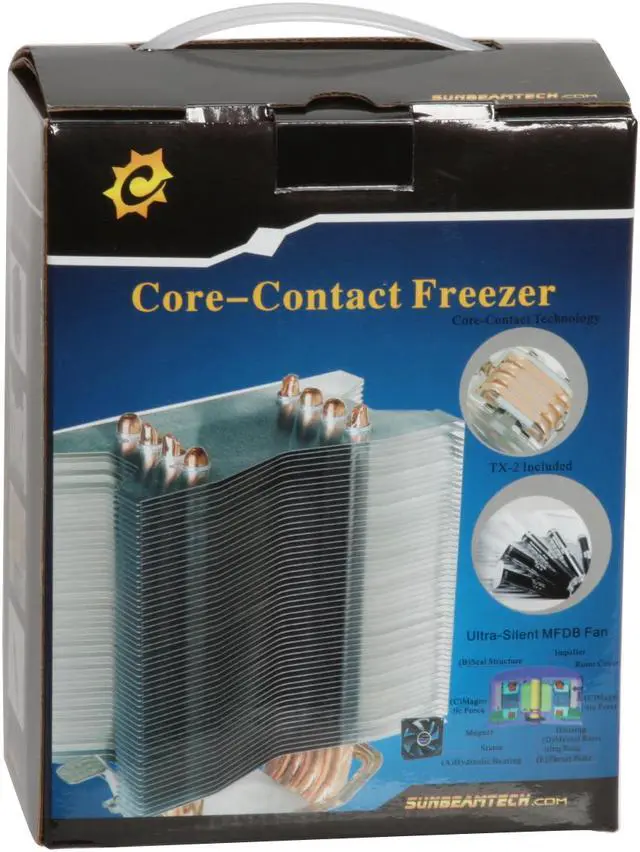
Sunbeam CR-CCTF 120 mm Core-Contact Freezer CPU Cooler W/TX-2

Average Rating

4 out of 5 eggs(517 reviews)

In stock.

Was: $49.99
Now: $36.99
Save: $13.00
 Add to Cart
  • Add to WishlistAdd to Wishlist
  • Log In RequiredPrice Alert
  • PrintPrint This Page
  • Email This Page Facebook Twitter Sharethis Share...
$11.49 Shipping
Buzz
Impressive Cooler
5 out of 5 eggs
This cooler is very impressive for the amount it costs compared to the performance and features it provides.

My system ...
— PaniK! 12/14/2009
Great for the Price
5 out of 5 eggs
Keeps my 7750 thats OC'd to 3GHz at 28-29c idle and hasn't gone above 40c even after playing Far Cry 2 for 2hrs and ...
— Nubes 1/4/2009


Quick Info

Return Policies

This item is covered by Newegg.ca's Standard Return Policy.

  • Return for refund within: 30 days
  • Return for replacement within: 30 days
  • Restocking Fee: Yes

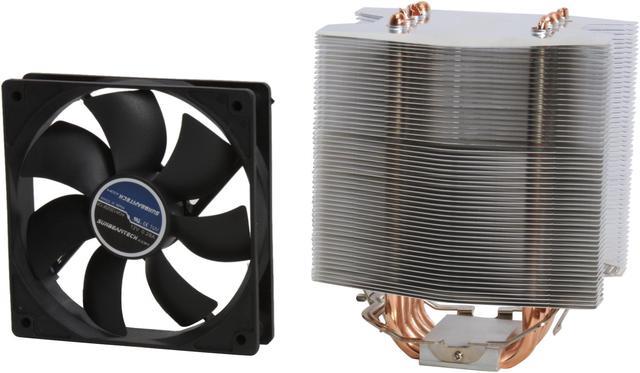
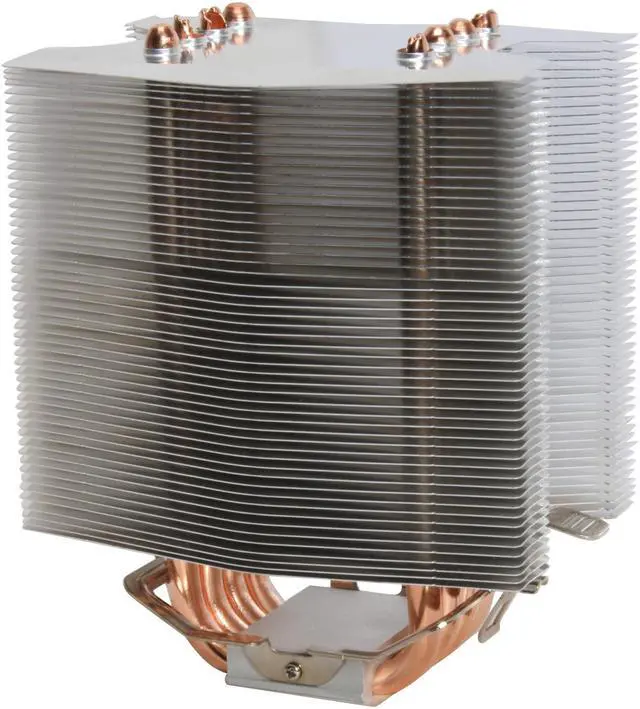
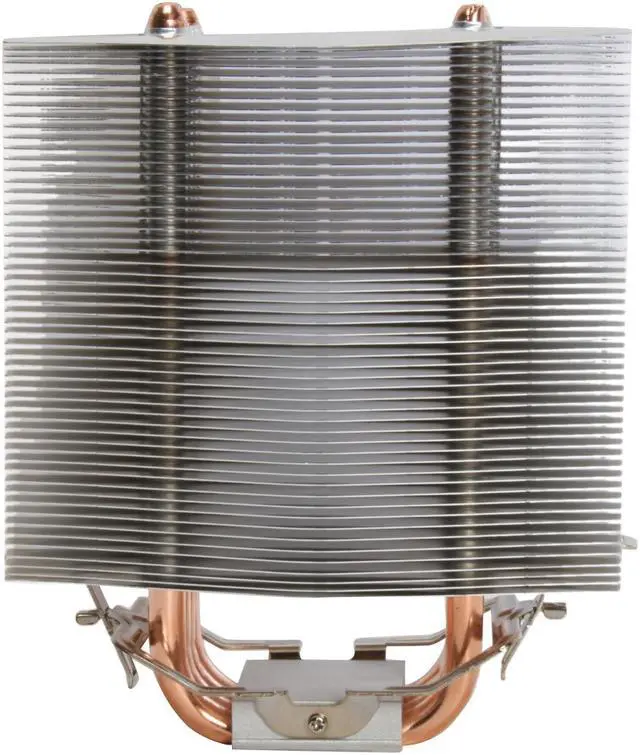
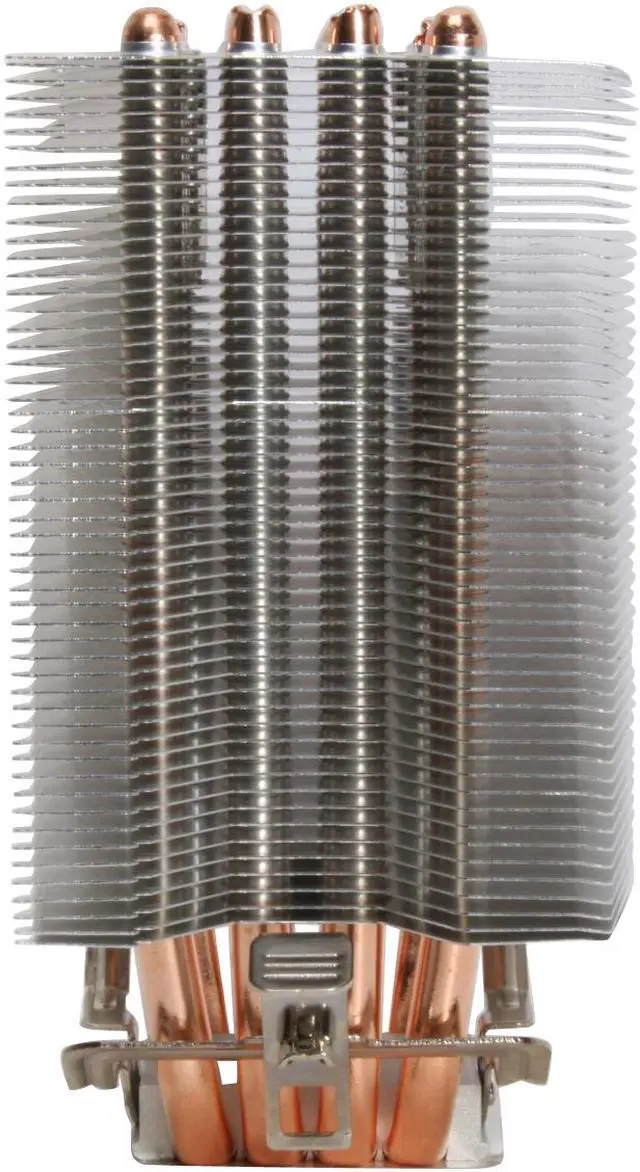
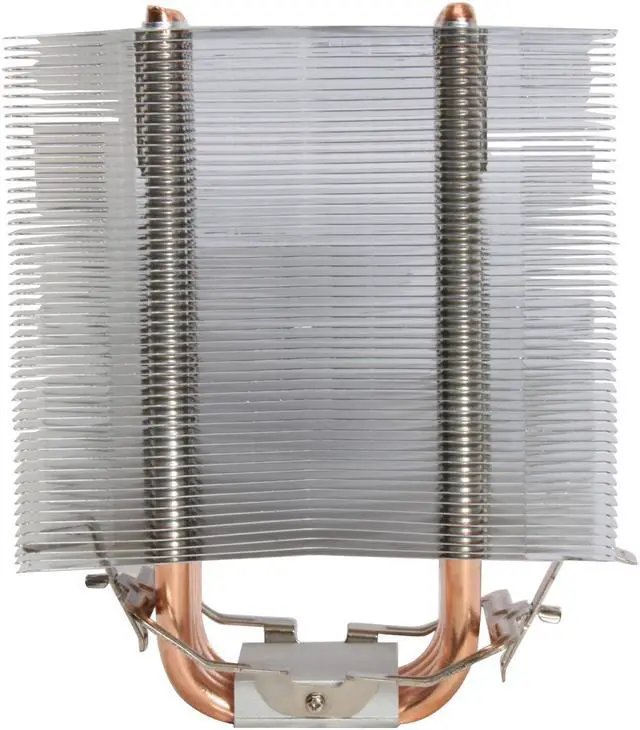
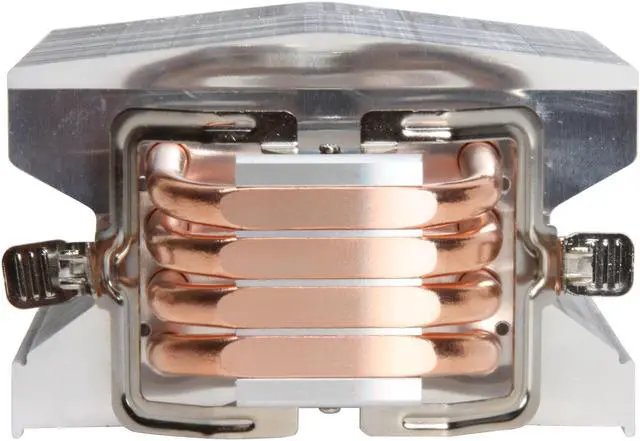
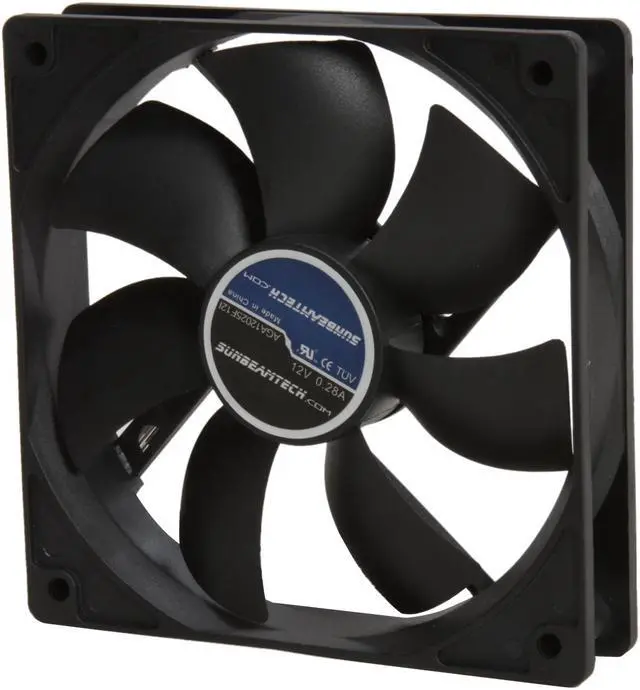
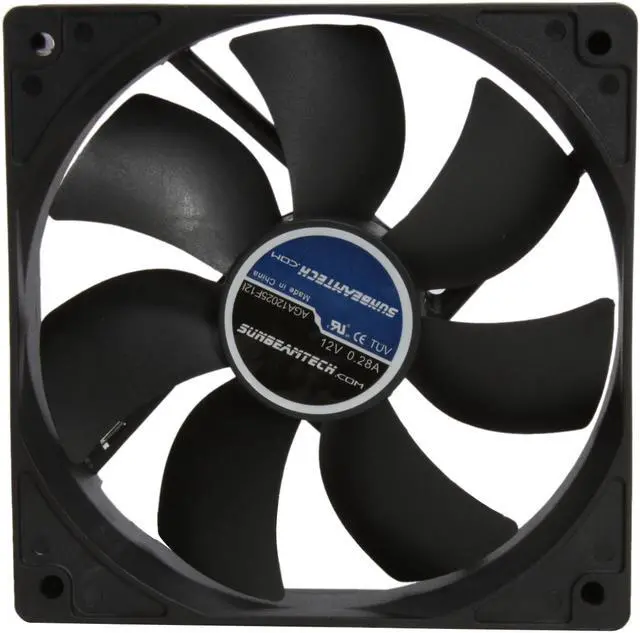
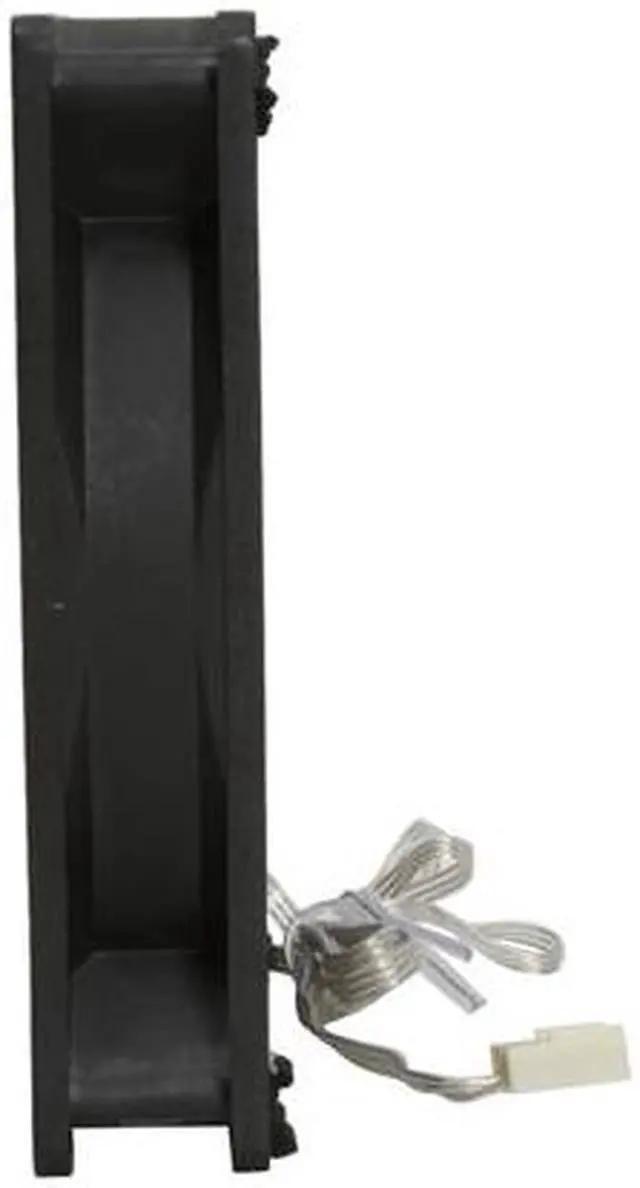
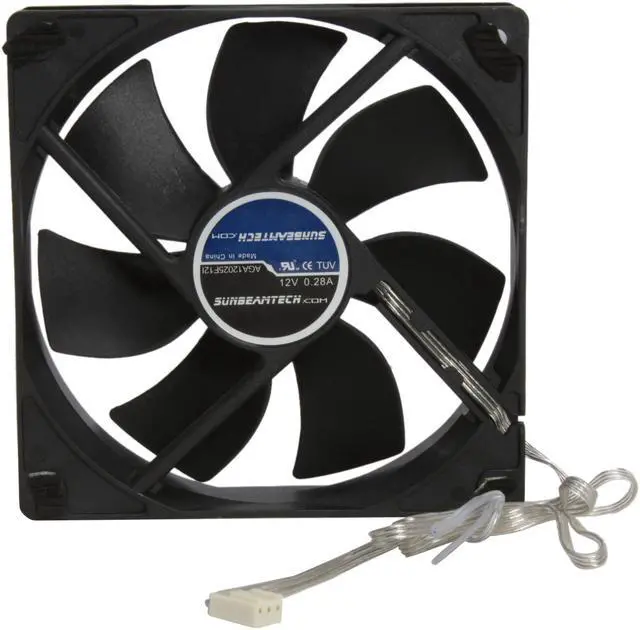
Step up from your stock cooling fan and heatsink to the Sunbeam CR-CCTF. Supporting both Intel (LGA 775) and AMD (socket 754, 939, AM2) platforms, it will take care of your high-end processors. It has 4 large exposed 8mm pure copper heatpipes at its base which directly contact the CPU for highly efficient thermal conduction, plus the array of hi-grade aluminum fins and silent 120mm fan provide the cooling performance you need to keep your desktop running at its peak.

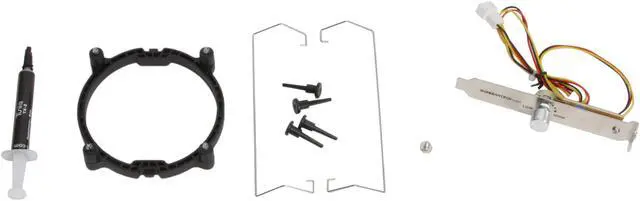
Easily install the included fan speed control into your case's PCI slot, and you can control the cooling performance and fan noise level anytime. It doesn't matter how much heat your CPU generate, you'll have trouble preventing it from getting frosty!

  • newegg Superior Heat Dissipation and Cooling Performance Four U-type heatpipes integrated with Core-Contact technology and high-density aluminum fins maximize heat transfer and dissipation. Plus a huge 120mm Magnetic Fluid Dynamic bearing fan runs efficiently to deliver unparalleled cooling performance.
  • newegg PCI Fan Control Bracket The included PCI fan control bracket features a manual fan-speed control dial for convenient adjustments of fan speeds.

Get the most from your Sunbeam CR-CCTF with these extras!

Select Additional Items
Popular Arctic Silver 5 Thermal Compound - OEMArctic Silver 5 Thermal Compound - OEM0
Sunbeam CR-LGA1366 LGA 1366 Core I7 Socket Retention Bracket SetSunbeam CR-LGA1366 LGA 1366 Core I7 Socket Retention Bracket Set1
Suggested Arctic Silver ACN-60ML (2-PC-SET) Thermal material Remover & Surface Purifier - OEMArctic Silver ACN-60ML (2-PC-SET) Thermal material Remover & Surface Purifier - OEM0
LOGISYS Computer CF120BL 120mm BLUE 4 LED LED Case FanLOGISYS Computer CF120BL 120mm BLUE 4 LED LED Case Fan1
  • Selected Items: 0
  • Featured Product plus Selected: $36.99
Add to cart

Learn more about the Sunbeam CR-CCTF

Model
Brand
Sunbeam
Model
CR-CCTF
Spec
Type
Fan & Heatsinks
Fan Size
120mm
Compatibility
Socket 754 / 939 / 940 / AM2 / LGA 775
Bearing Type
Magnetic Fluid Dynamic Bearing
RPM
1000 - 2000 ±10% RPM
Air Flow
90.65 CFM (Max)
Noise Level
16 - 20 ±10% dBA
Physical Spec
Weight
590g
Features
Features
TX-2 Thermal Paste & Fan Controller included
Package Contents
Package Contents
CPU Cooler
TX-2 Thermal Paste
Fan Controller

Customer Reviews of the Sunbeam CR-CCTF

Do you own this product? Write a Review
Filter Results
Go
  • Zack
  • 8/20/2010 5:44:55 AM
  • Tech Level: above average
  • Ownership: 1 day to 1 week
  • Verified Owner
5 out of 5 eggsmeh

Pros: Cheap, decent cooling, comes with Tuniq TX2 thermal compound.

Cons: Several very bent fins on one side of the bottom. I would have taken an egg away, but the fact that they included TX2 added an egg back. Not many cheap coolers include high quality/high performance compound.

Did you find this review helpful? Yes No

  • N/A
  • 8/10/2010 7:57:08 PM
  • Tech Level: above average
  • Ownership: 1 day to 1 week
  • Verified Owner
5 out of 5 eggsNice HSF

Pros: Great heatsink keeps CPU cool

Cons: Fan installing very weird manual was no help hard to unseat at first

Did you find this review helpful? Yes No

  • N/A
  • 8/5/2010 7:25:25 PM
  • Tech Level: above average
  • Ownership: 1 day to 1 week
  • Verified Owner
5 out of 5 eggsGreat Buy

Pros: Replaced a stock heatsink with this, lowered my temps from 40-45c idle and 55-60c under load to around 25c idle, haven't seen it go above 37c with 100% load. Couldn't ask for more, even lowered my case temp about 7c. For the price, you can't beat it.

Cons: Would have liked a real cpu fan, but i'll survive.

Other Thoughts: I can't list this as a con, as I knew it was coming. But it's huge, it was almost 3x the size of the heatsink it replaced. Putting it in an Antec Twelvehundred and it had about an inch of room to spare. Was able to keep the side case fan on. My fan also seems to have a low screech coming from it, I don't know if the way I installed the fan is the problem, or just the fan on it's own. Either way, I can manage a small amount of noise for the cooling power.

Did you find this review helpful? Yes No

  • Haze
  • 7/28/2010 10:31:03 AM
  • Tech Level: above average
  • Ownership: 1 week to 1 month
  • Verified Owner
5 out of 5 eggsAwesome

Pros: Keeps my phenom II x4 965 125W @ 3.8ghz at 37c idle and 55c running prime95 in a very hot room temp of about 88 degrees f. It fits in my Sunbeam Transformer case without having to remove the side intake fans (it almost touches).

Cons: None

Other Thoughts: Not a con because you are warned, but the 120mm fan sits directly above my first RAM slot on my ASUS M4N98TD EVO. You can still fit a RAM chip under it but it CANNOT be a ripgaws series or anything with a heatsink higher than the ram chip. G-Skill eco series fits with a few mm to spare. You should be able to tweak the fan bracings to make it sit higher above the dimm slot but I didn't have to.

1 out of 1 people found this review helpful. Did you? Yes No

  • Kyle
  • 7/17/2010 11:51:58 AM
  • Tech Level: above average
  • Ownership: more than 1 year
  • Verified Owner
5 out of 5 eggsGreat Cooler

Pros: Very good cooling,
Keeps my unlocked Amd 550 to a 3.8 Quad at 35* idle and a max of 45* under load.
The fan is big 120mm and lots of air goes through the fans.
8 heatpipes
Intel mounting components if needed. Fits very snug on an am3/am2+/am2 slot.

Cons: Size- very big, I have a full tower case and it extends out almost to the side. Couldnt keep the side on my case because there is a fan on it and the heatsink is in the way.
Fins bend easily so handle with care.

Other Thoughts: If you have a big case and a hot cpu i would get this cooler. Very worth the money. And dont put too much thermal paste about a drop will do.

Did you find this review helpful? Yes No

  • brandonn
  • 7/6/2010 6:40:49 PM
  • Tech Level: above average
  • Ownership: 1 month to 1 year
5 out of 5 eggsGreat if Your Case Can Hold It

Pros: Keeps my Phenom II X4 925 2.8Ghz at 25 degrees Celsius idling, not much higher under load. Thermal Compound seems to work good.

Cons: Large. Fits in my Cooler Master HAF 922 with an inch between it and a side fan.

Other Thoughts: Very nice. Am recommending to my friend.

Did you find this review helpful? Yes No

  • power+cool+frugal
  • 7/6/2010 6:33:46 AM
  • Tech Level: above average
  • Ownership: 1 month to 1 year
5 out of 5 eggsRefrigerator Freezer

Pros: Quiet and cool


Massive heat Sink properly covers the AMD Athlon II x4 635 CPU. The stock one would only cover part of the cpu - glad I never installed it.
It is 88 degrees in the room and The copper heat pipes don't even feel warrm and I have been on the internet an hour typing. The system is stock speed 2.9 withteh cpu undervolted to 1.2v and memory at 1.35V

Uses a 120mm fan

The included Tuniq TX-2 paste, has great reviews -
Instructions say to put twice the normal amount. After 2 weeks I had to take cpu off as motherboard was bad - paste came off ok with alcohol and some rubbing.
It works great.

COOL Quiet Cheap HSF I LOVE IT.
You almost don't need a fan
Using M4A89GTD PRO/USB3 1.35v gskill ram 4 gig
AMD 635 x4 1.9 CPU
OCZ Vertx2 50G SSD
SU
The system is

Cons: If physics could be altered - would shrink the size.
Know that it blows air from front to back (the way I have it installed) or back to front. So it does not blow onto the motherboard - not sure if this is a con.
Must have 8" wide case (mine is and I have about half an inch (or less) when the side cover is put back on.

Other Thoughts: Would buy again.
BRackets that hold the fan are metal and touch the top of my ram - so I wrapped 1 piece of electrical tape around them where they touch. Just to play it safe.
Fins pick up a lot of dust.
FAn can be removed and installed without taking cooler off of cpu.

1 out of 1 people found this review helpful. Did you? Yes No

  • bobmilkman
  • 6/27/2010 12:42:36 AM
  • Tech Level: above average
  • Ownership: 1 week to 1 month
  • Verified Owner
5 out of 5 eggsAmazing cooler

Pros: If you read nothing else, read that this is an awesome cooler at an awesome price. Lapping is highly recommended.

I got this cooler when i realized my Zalman CNPS9700 wouldn't work with my new AM3 build. I bought it because it was so cheap and got good results on frostytech (the best cpu cooler website). CPU is a 955 BE overclocked to 3800 MHz (stock voltage). I used the included Tuniq TX-2 paste, which is thinner than the AS Ceramique that i had previously used. Instructions say to put twice the normal amount on (presumably due to the rough heat tubes in direct contact with the CPU). I was initially not impressed with the performance, with idle at about 37c and full load at about 60c with fan at full speed.

I took it off and lapped it. Lots of tutorials online on lapping, but I used wet-dry and went 220 - 500 - 1000 - 1200 grit. I reinstalled it with a VERY THIN layer of the same grease, and was amazed at the difference. now I'm getting 25c idle with 22c ambient (cont. b

Cons: It is large in all directions, and installing/removing it with the motherboard in place can be a PITA.

Other Thoughts: cont: and about 40c load (prime95). Remember its overclocked a fair amount. This thing is also nearly silent with smart fan controller setup custom (about 700rpm at idle), and not too loud at full blast (max is about 2000rpm). By the way, I am pulling 3c above ambient room temperature with the fan at 700rpm, so I bet this could be used passive.

Overall, I would highly recommend:
*lapping it,
*then using a very thin layer of grease
*using mobo smart fan controller (instead of included dial) to keep it quiet most of the time

2 out of 2 people found this review helpful. Did you? Yes No

  • ronin
  • 6/26/2010 5:54:11 AM
  • Tech Level: above average
  • Ownership: more than 1 year
  • Verified Owner
2 out of 5 eggsdon't count on the rebate

Pros: works

Cons: installation of bracket for Intel sockets makes swapping processors a pain - very bulky too so the bracket is hard to access in average mid-tower

Other Thoughts: bad design for Intel cooling

Did you find this review helpful? Yes No

  • Derrick
  • 6/23/2010 7:36:42 AM
  • Tech Level: above average
  • Ownership: 1 week to 1 month
  • Verified Owner
5 out of 5 eggsMonsterously huge, but awesome!

Pros: This cooler is very, very impressive. I'm running a Phenom 2 x4 965BE.

At stock settings(3.4ghz) with the stock cooler my CPU would idle at approximately 28 degrees C (in a 22 degree room) and after an hour of Prime95, my temps would hover around 50C or so.

With the Sunbeam, I'm idling at 24C and after an hour of Prime95 I've just touched 32C. Overclocking to 3.8ghz pushed that up to 34C.

Very impressive!

Cons: The base of the cooler is *not* smooth, the heat pipes are basically just inset into the aluminum base. The directions for installation note this, however, and recommend you use twice the normal TIM to compensate. I did so, and it appears to have done the job quite well as the temps above indicate. I'm curious if lapping the base would actually help or not, but I'm getting more than adequate temps as is, so I'm not going to risk damaging things to try to shave another degree or so.

On my M4A89GTD Pro/USB3 motherboard, the fan blocks my first ram slot(I'm running Corsair Dominator ram with huge heat sinks). I considered just clipping the fan higher on the cooler to fit over top of the ram, but instead just moved my ram to the other pair of slots instead so the CPU fan would draw air directly through the ram heat sinks.

Other Thoughts: As others have noted, this thing is monsterously huge. Enormous. If you don't have a full sized case (in regards to depth) it may well not fit.

As a point of reference: My power supply is a OCZ 700 Watt ModXStream Pro. The cooler is physically larger than the power supply.

2 out of 2 people found this review helpful. Did you? Yes No

Shop by Region: United States | Canada | China
Affiliated Sites:
EggXpert.com
Newegg Community
VeriSignReliability Seal1PaypalVerify GoldenSealThis site protected by Trustwave's Trusted Commerce program

Policy & Agreement | Privacy Policy

 © 2000-2010 Newegg Inc.  As used herein, “Newegg.ca” means Newegg Canada Inc. unless the context specifically refers to the www.newegg.ca web address.
If the Adobe Reader does not appear when you click on a link for a PDF file, you can download Adobe Reader from the Adobe web site. nassau