Skip to: |

Newegg.ca - A great place to buy computers, computer parts, electronics, software, accessories, and DVDs online. With great prices, fast shipping, and top-rated customer service - once you know, you Newegg.

If you are reading this message, Please click this link to reload this page.(Do not use your browser's "Refresh" button). Please email us if you're running the latest version of your browser and you still see this message.

Newegg.ca - Computer Parts, Laptops, Electronics, HDTVs, Digital Cameras and More!

  • | Wish List
  • Help
Search all
Search
Home
Home > 
Computer Hardware > 
Printers / Scanners & Supplies > 
Inkjet Printers > 
Brother > 
Item#: N82E16828113671

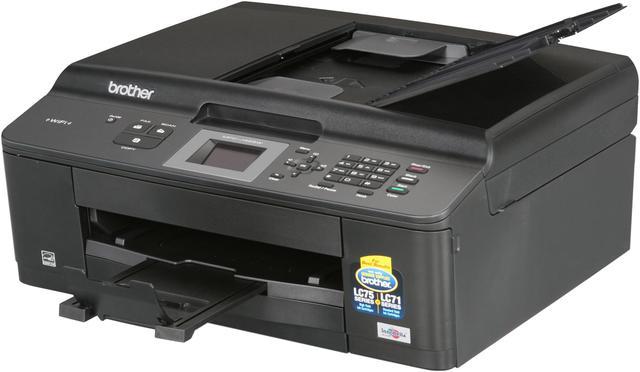
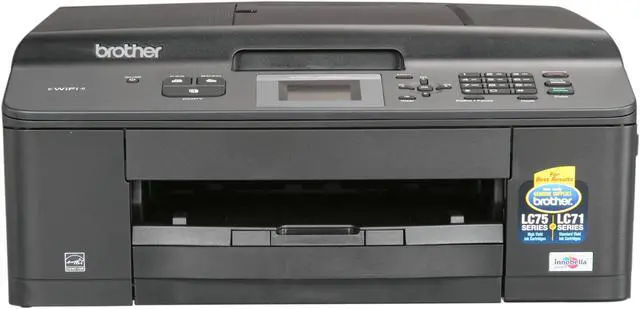
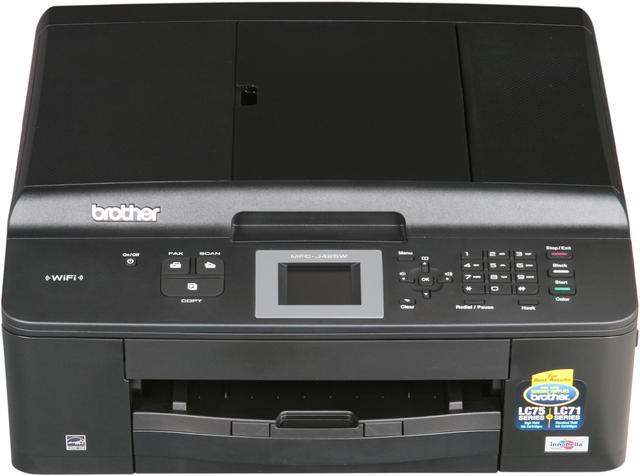
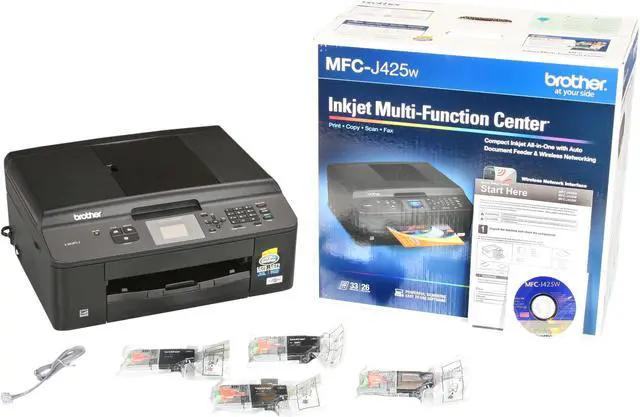
Brother MFC series MFC-J425w Up to 33 ppm Black Print Speed 6000 x 1200 dpi Color Print Quality Wireless InkJet MFC / All-In-One Color Printer

In stock. Limit 5 per customer.

  • MFC-J425w
  • 6000 x 1200 dpi
  • 1200 x 1200 dpi
  • Pin It
  • Email this page
ICON Loading...

  • newegg Easy Wireless Networking Built-in wireless 802.11b/g/n interface allows you to share this printer with multiple users on your network. Eliminate extra cables and conveniently place your printer with wireless networking.
  • newegg Unattended Fax, Copy or Scan The MFC-J425w allows for unattended fax, copy and scan of up to 20± page documents using the automatic document feeder.
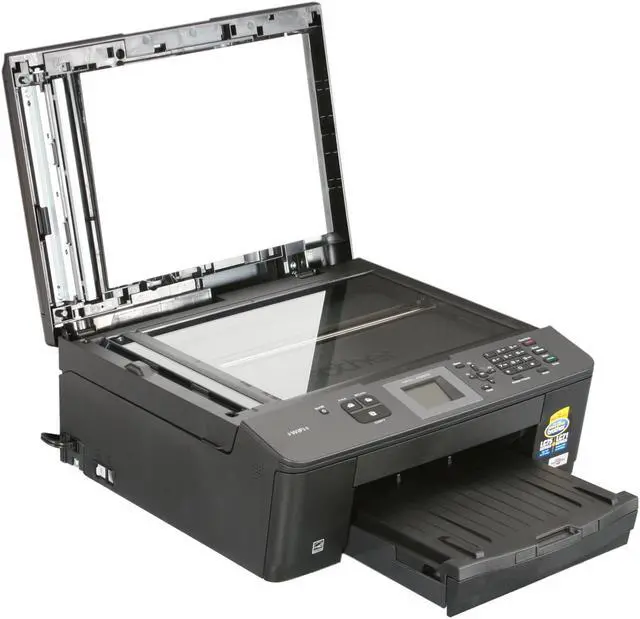
  • newegg 1.9" Color LCD Display The 1.9" Color LCD Display allows you to edit and enhance images and easily read help menus.
  • newegg Fast Color Printing on Demand The MFC-J425w features fast mode printing with speeds up to 33ppm black and 26ppm color; up to 10 ppm black and 8 ppm color (ISO/IEC 24734).
  • newegg High Quality Printing and Ink Saver The MFC-J425w offers high quality printing with droplet sizes as small as 1.5 picoliters and high resolutions up to 6000 x 1200dpi while reducing ink consumption using Ink Save Mode.
  • newegg Brother iPrint&Scan Free app can be downloaded for wireless printing (JPEG & PDF) from your Apple, Android or Windows Phone 7 (JPEG only and scanning not available) mobile device.

Learn more about the Brother MFC-J425w

Model

Brand
Brother
Series
MFC series
Model
MFC-J425w
Recommended Use
MFC / All-In-One

Printer SPEC

Print Technology
InkJet
Output Type
Color
Black Print Speed
Up to 33 ppm
Color Print Speed
Up to 16 ppm
Color Print Quality
6000 x 1200 dpi
Max. Duty Cycle
Up to 2500 pages

Copier SPEC

Copy speed, Black
Up to 22 cpm
Copy speed, Color
Up to 20 cpm
Copy Quality, Color
1200 x 1200 dpi
Copy Reduction / Enlargement
25% - 400%

Scanner SPEC

Scan Resolution, Optical
2400 x 1200 dpi
Scan Resolution, Enhanced
19200 x 19200 dpi
Scan Maximum Document Size
8.5" x 11.7"

Fax SPEC

Fax Transmission Speed (seconds per page)
approx. 6 seconds per page
Fax Memory
Up to 170 pages

Paper Handling / Media

Input Capacity, std.
Up to 100 sheets

Ports

USB Ports
Yes
Network Ports
Ethernet
Other Ports
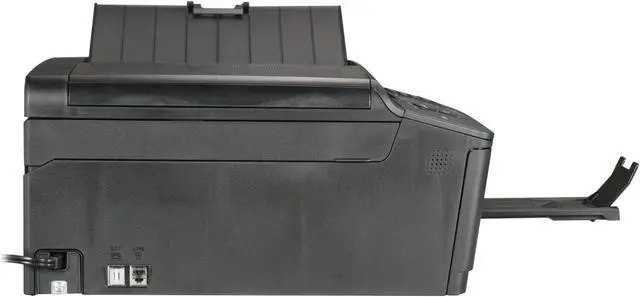
Wireless (802.11b/g/n)
Connectivity Technology
Wireless

Compatibility

Windows Compatible
Windows XP / XP Professional X64 / Windows Vista /Windows 7/ Server 2003 / Server 2003 x 64/ Server 2003 R2/Server 2003 R2 x 64/Server / 2008/2008 R2
Macintosh Compatible
Mac OS X 10.4.11, 10.5.x, 10.6.x

Features

Features
Unattended fax, copy or scan using up to 20-page Auto Document Feeder

1.9" color LCD display for easy menu navigation

Fast print speeds: up to 33ppm black and 26ppm color (Fast mode) & up to 10ppm black and 8ppm color (ISO/IEC 24734)

Flatbed copying makes it convenient to copy bound, thick or odd sized documents

Ink Save Mode: Help reduce ink consumption per page by outlining images for draft printing using Ink Save Mode

Wireless Printing From Your Mobile Device

Physical SPEC

Dimensions
15.9" x 14.9" x 7.1"
Weight
19.8 lbs

Quick Info

Warranty

  • Limited Warranty period (parts): 1 year
  • Limited Warranty period (labor): 1 year


Customer Reviews of the Brother MFC-J425w

Do you own this product? Write a Review

Filter Results

Go
  • N/A
  • 6/18/2013 7:05:46 AM
  • Tech Level: High
  • Ownership: more than 1 year
  • Verified Owner

1 out of 5 eggsInk hog and wont print

Pros: none

Cons: I went through two sets of brand new ink cartridges in a matter of days - not printing, just cleaning heads and printing test sheets to get it to work right!

If one color cartridge is too low, black will no work - you have to replace all of them to make it print in any color. What a rip. Never again.

Did you find this review helpful? Yes No

  • N/A
  • 6/5/2013 3:49:47 PM
  • Tech Level: Average
  • Ownership: 1 week to 1 month
  • Verified Owner

1 out of 5 eggsGARBAGE

Pros: powers up..... inexpensive ink.

Cons: loss of network once unit goes into hibernation mode. unless you use this daily one print after another this printer is USELESS. Before I attempt to print something i need to reconfig the entire network. FAX does not work due to having insufficient memory? this is a brand new out of the box item, how can my memory be full? Stay away from this item at all cost unless you want to try and return at the cost of the consumer.

Other Thoughts: This is nothing but a brick, HP has failed once again.

Please read all the reviews about the network issues.

Very unhappy with this purchase for sure.

0 out of 4 people found this review helpful. Did you? Yes No

  • mep1127
  • 6/5/2013 2:51:34 PM
  • Tech Level: Somewhat High
  • Ownership: 1 month to 1 year
  • Verified Owner

4 out of 5 eggsSatisfies all my needs.

Pros: Wireless is easy to setup. Just don't select the "easy access" (has a different name in setup) feature. Simply use your routers password once it finds your router's SSID and your set. Make sure to download the latest drivers from Brother's website.

Ink is cheap, prints quicker than my last printer. Haven't used fax yet.

Not much else to say other than it is a good bang for your buck if your looking for an all-in-one printer with the freedom to place it wherever you may want it.

Cons: After every print or copy it takes a few seconds before it becomes operable again. Makes loud mechanical noises in the process.

Other Thoughts: Brother has a few videos on youtube that should help you with initial setup of this printer. The printer they use is different but setup is similar.

Using windows 7 x64

Did you find this review helpful? Yes No

  • Frustration
  • 5/30/2013 10:24:50 AM
  • Tech Level: Somewhat High
  • Ownership: 1 month to 1 year
  • Verified Owner

1 out of 5 eggsWhat a piece of junk.

Pros: This looked promising. I ordered this thing to replace the dying (yet barely two years old) HP printer I had. It worked, for a while.

Cons: It worked great for the first month but then it abruptly lost connection to my network when I tried scanning a paper to my computer. After that, it went completely downhill. I could not get it to connect to my network at all afterwards (even after troubleshooting the manual), it stopped sending faxes and it would only print things sent from the laptop I had it wired to. On top of that, it also interfered with our answering machine so it wouldn't take missed calls and would not shut down when I told it to. It would instead hover on the standby screen asking me to hit the power button to resume it (Doing so did nothing) and I would have to unplug it. I literally sat down for a whole day trying to troubleshoot this bad boy to no avail. Don't buy this printer.

Other Thoughts: I've bought five printers in the past four years. The companies that make them must really make a killing selling these.

Did you find this review helpful? Yes No

  • Artichoke50
  • 5/14/2013 12:34:47 PM
  • Tech Level: Average
  • Ownership: 1 week to 1 month

2 out of 5 eggsWin 7-64...Look Elsewhere

Pros: I did finally get it to work...after 3 hours of aggravation.

Cons: Absolutely the worst driver installation experience in a long time. Despite downloading latest version from their web site.
The install was on a clean, brand new Win7-64 build so no excuse for conflicts. Totally flakey software: just unaccepable for a company of this size.

Other Thoughts: Save yourself the hassle and look elsewhere...unless you really don't value your time.

0 out of 1 people found this review helpful. Did you? Yes No

  • Prankster
  • 5/6/2013 7:45:07 AM
  • Tech Level: Average
  • Ownership: more than 1 year

4 out of 5 eggsDecent printer

Pros: Print quality is excellent and wireless setup was easy. Very simple to use. Separate ink cartridges for each colour.

Cons: Printing with Photo Paper seems to cause paper jam.

Other Thoughts: Really good printer for everyday home/office use.

Did you find this review helpful? Yes No

  • BigBen
  • 4/27/2013 8:17:28 PM
  • Tech Level: Somewhat High
  • Ownership: 1 month to 1 year

5 out of 5 eggsFantastic

Pros: Setup was wonderfully easy. No necessary drivers or software required. Prints great. Ink is reasonable.

Cons: None.

Other Thoughts: I replaced my HP with this thing. The HP wasn't broken, it was just obnoxious.

Did you find this review helpful? Yes No

  • N/A
  • 4/10/2013 5:40:05 PM
  • Tech Level: Somewhat High
  • Ownership: less than 1 day
  • Verified Owner

4 out of 5 eggsGood Printer - Rough Install

Pros: Nice wireless features (printing and scanning) , easy to set up (Once software is installed) Nifty iPhone app.

Cons: Buggy software installation disk. The software would not install on 2 different win7 x64 machines. It kept giving me an error message that it did not have admin rights. I had to disable antivirus and spybot, download the latest software and run as admin. A minor bug, but it would have been easier if the supplied software installed and updated itself.

Other Thoughts: All in all a nice machine for the money.

0 out of 1 people found this review helpful. Did you? Yes No

  • Sam
  • 3/20/2013 5:19:43 PM
  • Tech Level: Average
  • Ownership: 1 month to 1 year
  • Verified Owner

5 out of 5 eggsDependable printer.

Pros: Very dependable,Wireless printing is excellent.I have no problem so far.I will definitely recommend this printer to any of my friends.

Cons: None

Did you find this review helpful? Yes No

  • thetechguy
  • 3/18/2013 9:20:35 AM
  • Tech Level: High
  • Ownership: 1 month to 1 year
  • Verified Owner

5 out of 5 eggsIt is sure nice to have a brother!

Pros: Ease of use, print's fast and accurately, easy to set up, affordable, wireless and works great with my iPhone5

Cons: None yet!

Other Thoughts: Bought it on sale, and purchased the extended warranty, best hundred bucks I spent in a while

Did you find this review helpful? Yes No

ICON Loading...
  • $109.99
  • $88.99
  • Save: $21.00 (19%)
  • $11.79 Shipping
 

Protect Your Investment!

    • (more options) read warranty details
Are you an E-Blast Insider? Subscribe Newegg e-Blast

Buzz

Does NOT have Ethernet Port as Newegg description describes.

4 out of 5 eggs
Great price for this feature set.
— PCDOCSTL 3/16/2012

Can a printer make you smile?

5 out of 5 eggs
Sharp looking, from the document feeder tray folding down to to lay flat with the textured top, to ... to... well it's ...
— BrotherWitch 2/25/2012


Home
Home > 
Computer Hardware > 
Printers / Scanners & Supplies > 
Inkjet Printers > 
Brother > 
Item#: N82E16828113671
LOADING... LOADING...
Shop by Region: United States | Canada | China
VeriSign Click for the BBB Business Review of this Computers - Supplies & Parts in Whittier CA PaypalVerify GoldenSeal InteracThis site protected by Trustwave's Trusted Commerce program Inc500

Policy & Agreement | Privacy Policy

 © 2000-2013 Newegg Inc.  As used herein, “Newegg.ca” means Newegg Canada Inc. unless the context specifically refers to the www.newegg.ca web address.
If the Adobe Reader does not appear when you click on a link for a PDF file, you can download Adobe Reader from the Adobe web site. nassau