Newegg.ca - A great place to buy computers, computer parts, electronics, software, accessories, and DVDs online. With great prices, fast shipping, and top-rated customer service - once you know, you Newegg.
If you are reading this message, Please click this link to reload this page.(Do not use your browser's "Refresh" button). Please email us if you're running the latest version of your browser and you still see this message.
WarrantyBeyond any applicable Newegg return policy, this item is warranted independently by the product's Manufacturer or a Third party. Below is a summary provided for convenience only and may not be accurate or current.
Read full details.
Pros: Printer does not see a heavy workload but it has yet to fail me on any of the systems I use it with. I can scan directly to a PC from the printer or control the printer from the PC. Ink is relatively inexpensive. I have used brother ink, ink I purchased from e Baye and also refilled cartridges myself. I like the fact that I get many more pages than the puny desktop printer cartridges from another famous maker of printers. (H. Pee)
Cons: It doesn't print money.
Other Thoughts: Unit is connected via wireless to TP-Link 1043ND running DD-WRT configured as Wireless Access Point connected to a TP-Link Gigabit switch on an all Cat 6a shielded home network and a pfSense Intel i3 based gigabit router. Printer is used with Windows 7 x64, Win 8 Pro, Win XP Pro, Mac 10.8.2 (Hackintosh) systems and I have had no issues with any system and this printer.
Did you find this review helpful?
Thanks for the valuable feedback you provided!
N/A
5/20/2013 2:10:29 PM
Tech Level: 4/5
Ownership: 3/5
Verified Owner
Rating: 2/5updated review
Pros: ?
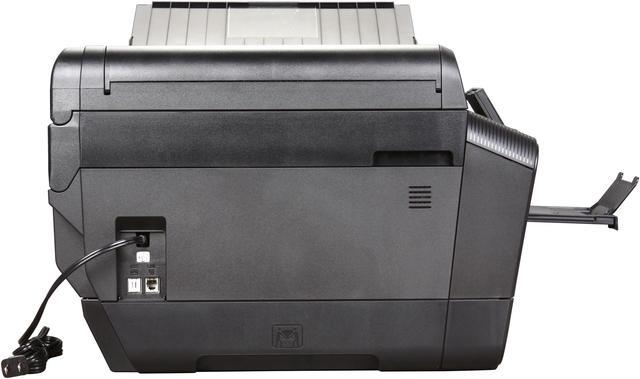
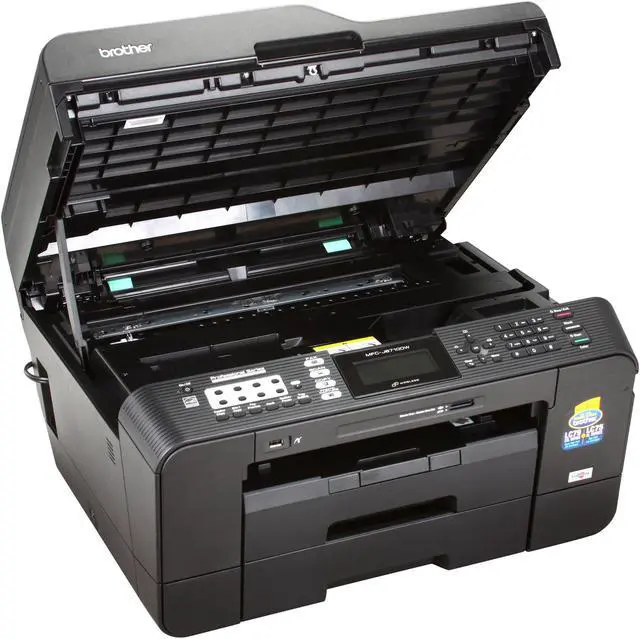
Cons: Called Brother for support, and one thing they had me do is switch out to a six foot usb cable, the cable I was using was about 10-12 feet long. The manual says not to use more than a six foot usb, but really, these days the best they can do is make it work with a six foot or shorter cable!! The guy who designed the usb and phone line ports should be fired, you have to lift up the top unit and inside are the ports, and take about two feet of usb cable; so that leaves you with about four feet from your computer to the printer. I asked the tech why it was designed like that, and the best he could come up with is people put there printer next to the computer. I had to re-arrange my office so the printer is next to the computer. If I had known this, I would have gotten the HP large format printer.
Did you find this review helpful?
Thanks for the valuable feedback you provided!
N/A
5/15/2013 6:39:42 PM
Tech Level: 4/5
Ownership: 2/5
Verified Owner
Rating: 1/5software problems
Pros: No pros at this time
Cons: I have windows 7 64, I went on the Brother website and downloaded the current drivers, it worked one time, and then stopped. I deleted the files and downloaded the drivers 5 times. It may work once, then the pop up, usb device not recognized. I used a laptop with windows 7 professional, and it worked a few times, I do not know the difference between windows 7 64 and professional, but this brother unit has driver problems.
Other Thoughts: Probably going back to Newegg
Did you find this review helpful?
Thanks for the valuable feedback you provided!
LouSander
1/15/2012 8:30:23 PM
Tech Level: 5/5
Ownership: 3/5
Rating: 5/5Very Capable, Priced Right
Pros: Many features. Easy to install and use. Good price. It does everything, even on 11x17 paper, and it does it very well. I can't believe I got so much capability for so little money.
Cons: Colors are not intense. Software is great, but instructions for it are poor or nonexistent. Flimsy output tray.
Other Thoughts: I've owned a LOT of printers since 1979. I have a special need for 11x17 capablilty, so I've owned maybe 4-5 different ones from all the main consumer printer makers. This is the best of the lot, by far.
1 out of 1 people found this review helpful.
Did you?
Thanks for the valuable feedback you provided!
Trevor
1/10/2012 9:10:12 PM
Tech Level: 4/5
Ownership: 4/5
Verified Owner
Rating: 3/5Tray 2 Doesn't Work
Pros: Regular printing from Tray 1 works well, and standard scanning from bed and feed tray works well. Easy set up and Wireless printing works well and consistently (big step up from our old HP).
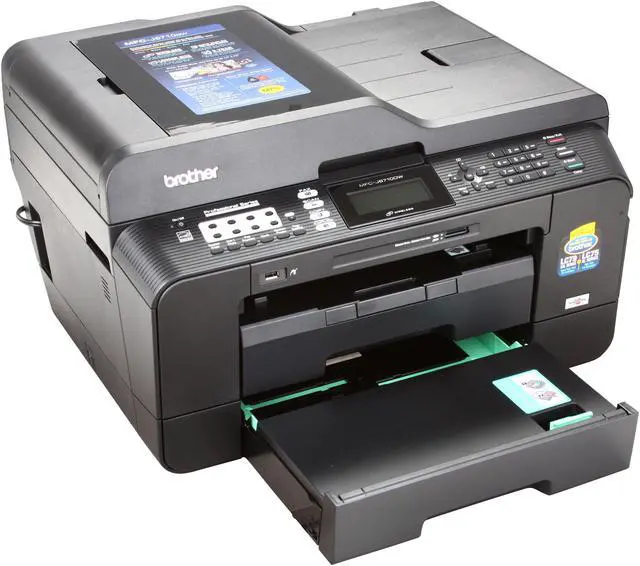
Cons: Printing from Tray 2 completely doesn't work in either letter or ledger size. The whole need this printer solves is to easily print between two sizes, neither of which print from the second tray, causing the user to manually switch paper sizes. Specialty size printing from back feeder jammed constantly but at least worked with some patience.
Other Thoughts: Ink was not overly expensive and has not seemed to deplete any more quickly than previous printers.
1 out of 2 people found this review helpful.
Did you?
Thanks for the valuable feedback you provided!
limeyferg
11/30/2011 4:51:43 PM
Tech Level: 4/5
Ownership: 4/5
Rating: 2/5Not exactly for the workplace
Pros: It is an 11" x 17" scanner which is an unusual size and needed by my workgroup. Easy to network. First page printing speed is pretty good.
Cons: It frequently jams. The other features are rather basic (no fax forwarding to email). It uses ink like crazy and won't print if a cartridge is low. We use this as a primary fax machine (20 faxes per day) in our workgroup and we have to "tend" to it's problems several times a day. The outbound fax feeder tray often doesn't see paper to fax out.
4 out of 4 people found this review helpful.
Did you?
Thanks for the valuable feedback you provided!
GTS
6/4/2011 1:17:25 PM
Tech Level: 5/5
Ownership: 4/5
Verified Owner
Rating: 4/5Good Value
Pros: I bought this for a customer who specifically wanted ledger paper capability along with general multi-function use.
For a ledger size capable AIO, it's a very good deal. Tested scanning (did not find problem other reviewer notes), copying, and printing. Have not yet evaluated fax function.
Right now it is being used by USB, so I haven't evaluated network use.
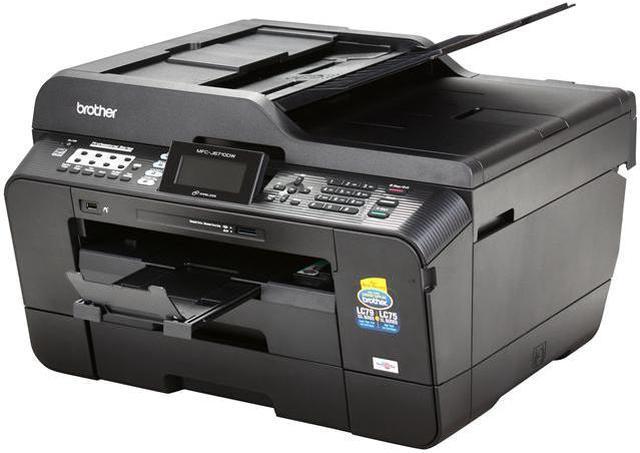
Cons: This is very large and very heavy. That may be typical of ledger size capable units though.
Other Thoughts: Watch for sales! I got this from New Egg for $169.00 (a steal!) and I've seen the price go up and down several times.
9 out of 9 people found this review helpful.
Did you?
Thanks for the valuable feedback you provided!
Edel
5/18/2011 10:12:34 AM
Tech Level: 3/5
Ownership: 2/5
Verified Owner
Rating: 2/5Scanner big but scanner SUCKS
Pros: Prints pretty good.
Cons: If you're going to hook up using the USB port you'll need a long USB cable! 6ft won't be enough! The USB port is inside the machine and comes out the back (shortens your cable by close to 2 ft).
Other Thoughts: I've heard/read that if you're looking for a great printer, don't buy an All-in-One! If you're in need of a great scanner, don't buy an All-in-One! I'm an illustrator and I've always wanted an 11 x 17 scanner. I was looking at the 'Mustek A3 USB 2400Pro' but bought the Brother instead (figured I'll get a printer along with a scanner). BIG MISTAKE!! I draw in pencil and the scans are terrible. The scanning software is very limited. B&W scanning is good and so is color scanning. But for PENCIL drawings... Forget about it!!! It does not capture the pencil lines and shading correctly. It's as if the scanner automatically applies some kind of filter to the image. A filter you can't turn off...
5 out of 11 people found this review helpful.
Did you?
Thanks for the valuable feedback you provided!
Through the Newegg EggXpert Review Program, Newegg invites its best reviewers, known as EggXperts, to post opinions about new and pre-release products to help their fellow customers make informed buying decisions.Click here for more details.