Skip to: |

Newegg.ca - A great place to buy computers, computer parts, electronics, software, accessories, and DVDs online. With great prices, fast shipping, and top-rated customer service - once you know, you Newegg.

If you are reading this message, Please click this link to reload this page.(Do not use your browser's "Refresh" button). Please email us if you're running the latest version of your browser and you still see this message.

Newegg.ca - Computer Parts, Laptops, Electronics, HDTVs, Digital Cameras and More!

  • | Wish List
  • Help
Search all
Search
Home
Home > 
Computer Hardware > 
Monitors > 
LCD Monitors > 
ASUS > 
Item#: N82E16824236176

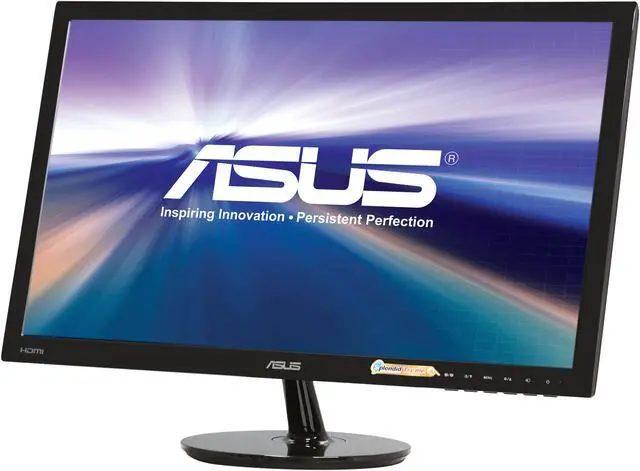
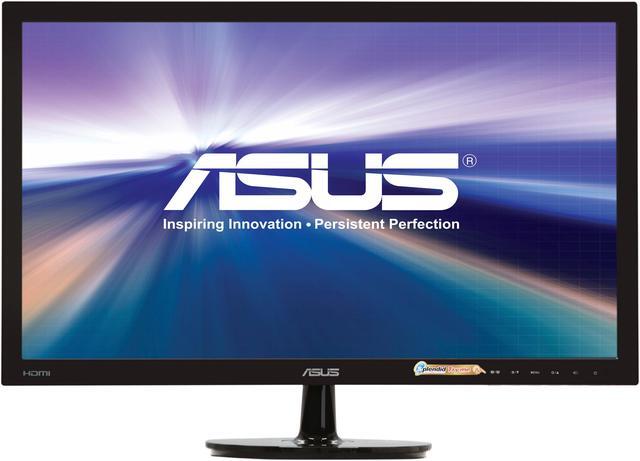
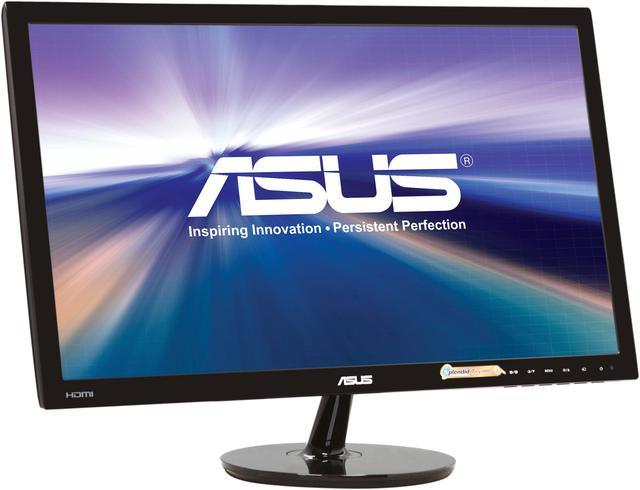
ASUS VS Series VS228H-P Black 21.5" 5ms HDMI LED Backlight Widescreen LCD Monitor 250 cd/m2 50000000:1 (ASCR)

In stock.

  • 1920 x 1080 5ms
  • 50000000:1 (ASCR)
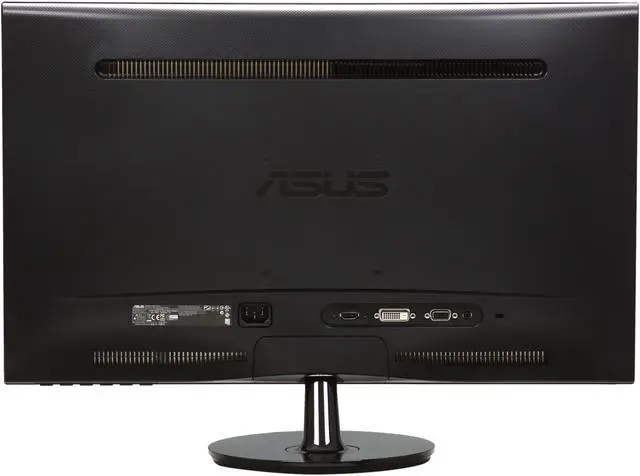
  • HDMI , D-Sub, DVI-D
  • Pin It
  • Email this page
ICON Loading...

Delicate touches make a monitor truly great, VS228H Full HD LED monitor, with 50,000,000:1 high contrast ratio and HDMI interface, is optimized for the finest image and color quality. This approach extends to the sturdy stand and slim profile without compromising style in ensuring stability and durability.


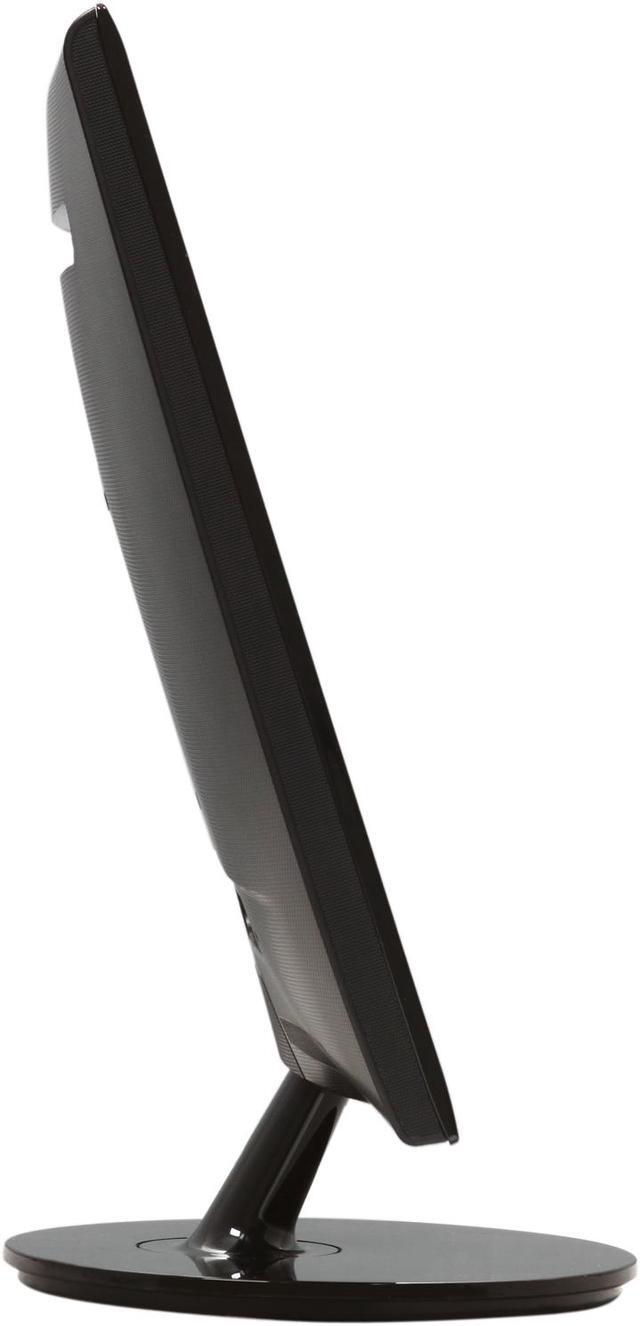
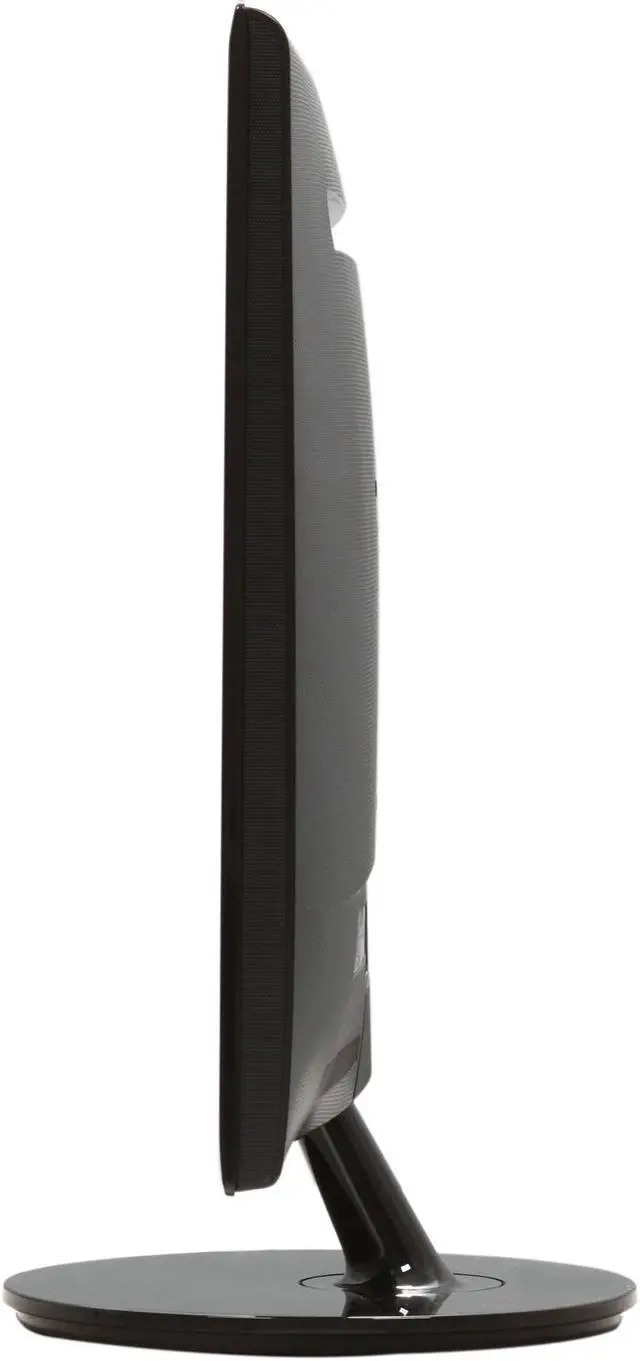
  • newegg Slim Form Factor with Built-in Power Adapter and VESA Mountable With ultra-thin display, built-in power adapter and support for VESA mounting, the ASUS VS Series VS228H-P adds elegance to your desk and maximizes your desk space.
  • newegg CSM and EPEAT Gold As the first monitor series to enter ASUS’ renowned Corporate Stable Model program, the VS series is guaranteed to remain in stable supply for a minimum of 1 year. This ensures guaranteed replacement should you need more of the same models. And EPEAT is helping transform the marketplace for green computer products, and the ASUS VS228H-P is one of them which meets all required criteria plus at least 75% of the optional criteria of EPEAT.
  • newegg Excellent Visual Performance The ASUS VS228H-P delivers sharp and true-to-life images through the full HD 1080P resolution with HDMI and an impressive 50,000,000:1 ASUS Smart Contrast Ratio for better movie and video game performance.
  • newegg ASUS Splendid Video Intelligence Technology The exclusive Splendid Video Intelligence Technology optimizes video performance and image fidelity by enhancing color, brightness, contrast, and sharpness. 6 preset video modes (Scenery, Theater, Game, Night View, sRGB and Standard) can be selected via a hotkey.
  • newegg ASUS RAPID REPLACEMENT 2 WAY FREE SHIPPING ASUS now covers return shipping as well as shipping back to the end user, and offers free cross-shipping advanced swap for all urgent LCD RMAs requiring further expedition. Now you can get a replacement LCD as you send your RMA, because good customer service just makes sense. See here for details: http://service.asus.com/ARR.html.

Learn more about the ASUS VS228H-P

Model

Brand
ASUS
Model
VS228H-P
Series
VS Series
Cabinet Color
Black

Display

Screen Size
21.5"
LED Backlight
Yes
Widescreen
Yes
Recommended Resolution
1920 x 1080
Viewing Angle
170°(H) / 160°(V)
Display Colors
16.7 Million
Brightness
250 cd/m2
Contrast Ratio
50000000:1 (ASCR)
Response Time
5ms

Connectivity

Input Video Compatibility
Analog RGB, Digital
Connectors
HDMI , D-Sub, DVI-D
D-Sub
1
DVI
1
HDMI
1
DisplayPort
No

Power

Complies with
ENERGY STAR
Power Consumption
Power On Mode:<25W
Power Savinf Mode: <0.5W
Power Off Mode: <0.5W

Convenience

User Controls
SPLENDID Video Preset Mode Selection
Auto. Adjustment
Brightness Adjustment
Contrast Adjustment
Input Selection
Regulatory Approvals
UL/cUL, CB, CE, ErP, FCC, CCC, BSMI, Gost-R, C-Tick, VCCI, PSB, EK, J-MOSS, RoHS, WEEE, Windows Vista and Windows 7 WHQL
Stand Adjustments
Tilt : +20°~-5°
Built-in TV Tuner
No
Built-in Speakers
No
HDCP Support
Yes
Features
VESA Wall Mounting: 100x100mm

Kensington lock

SPLENDID Video Intelligence Technology

SPLENDID Video Preset Modes: 6 Modes

Skin-Tone Selection: 3 Modes

Color Temperature Selection: 4 Modes

Packaging

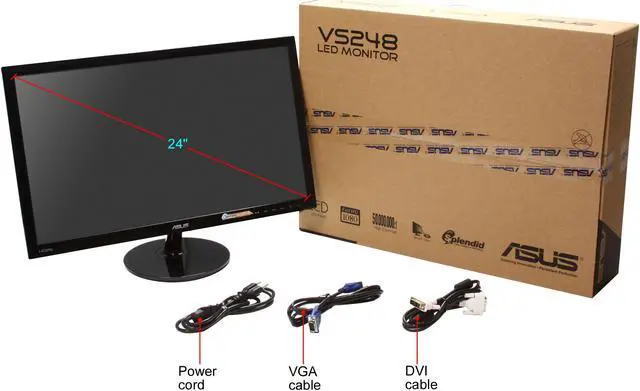
Package Contents
Monitor VS228H-P
DVI cable
VGA cable
Power cord
Quick start guide
Warranty Card

Dimensions

Dimensions
20.24" x 15.16" x 7.87"
Weight
6.83 lbs

Quick Info

Warranty

  • Limited Warranty period (parts): 3 years
  • Limited Warranty period (labor): 3 years


Customer Reviews of the ASUS VS228H-P

Do you own this product? Write a Review

Filter Results

Go
  • N/A
  • 5/25/2013 5:01:58 PM
  • Tech Level: Somewhat High
  • Ownership: 1 day to 1 week
  • Verified Owner

3 out of 5 eggsGood but Flawed

Pros: Good response time.
Light.
Low power.
Good color once tweaked/set with graphics card.

Cons: Slightly wobbly stand.
It has some X patterned dot crawl that either showed up one week in or i just noticed. Happens on any input and if you move the monitor back and forth on the stand.
osd says vs228h instead of vs228h-p

Other Thoughts: Good for the price, $130. Not perfect.
Dot crawl can be nearly unnoticeable in games or at a certain distance.
I will probably replace it later if the dot crawl becomes too annoying.

Manufacturer Response:

Dear Valued Customer,

To adjust the stand, please refer to page 2-1 of your monitor’s user guide: “2.1 Detaching the arm/base (for VESA wall mount)” the diagrams show how to adjust (tighten) the arm’s screws on the back. You may also want to consider VESA wall or desk mounting kit since this monitor is on the slimmer side compared to an average flat-panel. As for the display, please let me know if it’s becoming an issue for you by sending me an email at cl-celeste@asus.com and include ref#1072-11449 in the subject line.

Sincerely,
Celeste
ASUS Customer Loyalty

Did you find this review helpful? Yes No

  • N/A
  • 5/16/2013 6:42:18 AM
  • Tech Level: Somewhat High
  • Ownership: less than 1 day

2 out of 5 eggsPossibly Great

Pros: Easy set up and overall has a great picture.

Cons: The screen won't seem to adjust correctly and has a 1/2 inch black border around the view that I cannot seem to fix. This should be an easy fix on most monitors; however, the set up for this monitor makes it confusing, if possible.

Manufacturer Response:

Dear Valued Customer,

How is this monitor connected to your computer (HDMI/DVI/VGA)? If this monitor is connected to your computer using HDMI, on your monitor’s OSD menu, go to Image-> Aspect Control and ensure that you select “Over Scan” ratio). You can also refer to page 3-3 of the user guide for further instructions. Please contact me at cl-celeste@asus.com and include ref#1072-11123 in the subject line about this issue if you require additional assistance.

Sincerely,
Celeste
ASUS Customer Loyalty

Did you find this review helpful? Yes No

  • N/A
  • 5/15/2013 9:52:24 PM
  • Tech Level: Somewhat High
  • Ownership: 1 month to 1 year
  • Verified Owner

5 out of 5 eggsSolid ASUS Product

Pros: -Stylish
-Easy to keep clean
-Compact
-Great range of inputs
-Effortless setup
-Sharp picture
-Perfect size
-Solid stand
-Great price for the features

Cons: -Disappointed I didn't buy another one.
-After moderate use for 6 months there are no issues at all.

Other Thoughts: Another amazing ASUS product. Runs flawlessly with my setup, which includes an ASUS Radeon HD7850.

Did you find this review helpful? Yes No

  • N/A
  • 5/13/2013 8:12:27 AM
  • Tech Level: Average
  • Ownership: 1 day to 1 week
  • Verified Owner

4 out of 5 eggsBeautiful

Pros: What can I say?

First of all, it was quick and easy to setup with a simple plug & play process. The monitor auto detected and was up and running just like that.

This baby is beautiful and blows my previous monitor out of the water. EVERYTHING looks crisper and cleaner. Colors were simple to figure out with the smart color presets that are all pretty.

For the price, I could not be happier.

Cons: The stand is a bit wobbly.

Did you find this review helpful? Yes No

  • Rohit
  • 4/16/2013 1:16:20 PM
  • Tech Level: High
  • Ownership: 1 week to 1 month
  • Verified Owner

5 out of 5 eggsGreat monitor

Pros: Lots of video input ports (HDMI, etc).
Clear, 1080p picture.
Has a headphone jack.
Actual physical buttons to press (they're subtly hidden below the monitor too!).

Cons: Headphone jack is in the back (weird, but I guess it might be for stationary speakers).

Other Thoughts: I'm also a huge fan of the box it comes in (It's very similar to a cardboard briefcase).

Did you find this review helpful? Yes No

  • N/A
  • 4/9/2013 7:55:41 AM
  • Tech Level: High
  • Ownership: 1 day to 1 week
  • Verified Owner

5 out of 5 eggsExcellent monitor

Pros: - very light, 6.8lbs
- low power consumption, <25W
- great price, i got it $109 shipped
- VESA mounts

Cons: - could be cheaper. just kidding.

Other Thoughts: I was looking for a 3rd monitor to replace a 19in. I wanted 1080p rez and supercheap so I was willing to do used on craigslist. Was gonna pull the trigger on a used 21" 1080p that was heavier, used more watts for $75 but then saw this monitor. I just couldn't pass up the deal.

Did you find this review helpful? Yes No

  • Fatal Octave
  • 3/26/2013 8:55:41 PM
  • Tech Level: Somewhat High
  • Ownership: 1 week to 1 month
  • Verified Owner

4 out of 5 eggsFairly good monitor, flimsy stand

Pros: Does everything it says it does, reasonable monitor.

Cons: Stand is very flimsy and the monitor wobbles easily.

Other Thoughts: There isn't a whole lot to say about them (I ordered two), they work as well as I could expect. I can't get the two monitors to match even on the exact same settings but it's that way with any monitor. Setting them up took all of 30 seconds and I haven't had any problems with them so far, got them on sale so I don't have much to complain about. Only taking off one egg for the flimsy stand.

Manufacturer Response:

Dear Fatal Octave,

Thank you for selecting the VS228H-P model. Please try to adjust the stand by looking at page 2-1 of your monitor’s user guide: “2.1 Detaching the arm/base (for VESA wall mount)” the diagrams show how to adjust (tighten) the arm’s screws on the back. You may also want to consider VESA wall or desk mounting kit since this monitor is on the slimmer side compared to an average flat-panel. If you would like to discuss this topic and all other issues further, please contact me at cl-celeste@asus.com and include ref#1072-10042 in the subject line. We appreciate your feedback and have a great day.

Sincerely,
Celeste
ASUS Customer Loyalty

1 out of 1 people found this review helpful. Did you? Yes No

  • N/A
  • 3/16/2013 4:06:31 AM
  • Tech Level: Somewhat High
  • Ownership: 1 month to 1 year
  • Verified Owner

4 out of 5 eggsGood picture, beware LCD Bleed

Pros: The picture quality is great. My laptop's screen just looks awful to me now, because I've been spoiled by this one. It really is beautiful. The colors are so vibrant, and accurate as far as I can tell.

It was a little bit bright when I first got it. Bright yellow was almost white. Colors can be adjusted though, and now it looks perfect to me. You have to fiddle with the settings to get it just right, but you can definitely get it just right. And now it's gorgeous.

Cons: The first one I got had LCD bleed really bad. About 20% of the screen from the left was pure LCD bleed. It was brighter than the other 80%. I'm on my second one now, which has a tiny bit of LCD bleed in the form of a thin, blurry line a little to the left of center. It's not noticeable unless I'm really looking for it on a pure black background, so it wasn't worth returning the screen again. I was afraid the third one would have even worse LCD bleed, so I stuck with the second.

But the fact that both screens had some amount of LCD bleed is pretty telling, so I had to take an egg off for that. The build quality is probably kind of low, so just beware. I like it, but I wouldn't buy it again if only because I'd be afraid of getting one with LCD bleed, and I'm a perfectionist.

Other Thoughts: If you think that me getting two bleeders in a row was just a fluke, or you have a history of good luck, then by all means buy this screen. In spite of my rant about LCD bleeding, it's still lovely.

And yes, the screen can wobble. You don't notice it unless you're typing hard though. At least, I don't.

Did you find this review helpful? Yes No

  • Ashmeister
  • 3/5/2013 6:41:01 PM
  • Tech Level: Average
  • Ownership: 1 month to 1 year

2 out of 5 eggsHorrible gaming quality

Pros: Good for Casual web-surfing, Casual Video watching, Casual Video-editing, and basically anything not above 35 fps.

Cons: Terrible for basically anything above 35 fps, strongly being games.

Other Thoughts: This monitor was one of the many monitors recommended by a few fellow youtubers.. After researching for a couple hours I read that 5ms isn't that bad for Gaming and it really wouldn't be noticed unless you look really hard for the effects. But when the monitor shipped to me whenever I play a fast-paced online game (really any; Farcry3, Natural Selection 2, Just Cause 2) the picture is clouded with this weird 'checkerboard' effect. Many little fuzzy effects will cloud the screen and it's quite annoying.. for me atleast. Being new to High-end PCs I am very disappointed to say first hand, 3 objects of my new PC are already much less than I expected..

Manufacturer Response:

Dear Ashmeister,

I’m sorry to hear you’re not having a good experience with this unit. Perhaps you will give us another chance with a different model, one that’s specifically designed for gaming. If you’d like to discuss this topic or if you require assistance with gaming monitors, please email me at cl-celeste@asus.com and include ref#1072-9475 in the subject line.

Sincerely,
Celeste
ASUS Customer Loyalty

1 out of 5 people found this review helpful. Did you? Yes No

  • SorenBlissMiller
  • 2/23/2013 2:26:33 AM
  • Tech Level: Somewhat High
  • Ownership: 1 month to 1 year
  • Verified Owner

5 out of 5 eggsGreat Price, Fantastic Monitor

Pros: Great picture quality, Sleek modern design,
Easy to adjust settings, HDMI.

Looks great running games or surfing the web.

Cons: Within a minute of setting it up I noticed it had a stuck pixel in the upper right corner. But as I know this is a fairly common issue when new buying monitors I decided it wasn't worth the hassle of returning, or worth removing an Egg. (I have since bought a second from another vendor without any flaws)

Other Thoughts: Only thing I would change would be to add a second HDMI port, but for most applications this would be pointless.

1 out of 1 people found this review helpful. Did you? Yes No

ICON Loading...
  • $179.99
  • $149.99
  • Save: $30.00 (17%)
  • $139.99 after $10.00 rebate card
  • $8.99 Shipping
 
Are you an E-Blast Insider? Subscribe Newegg e-Blast

Buzz

Absolutely Beautiful

5 out of 5 eggs
The picture quality is stunning. To say that the picture's clear is an understatement and an insult. Even my description ...
— Phil 8/31/2011

Awesome Monitors

5 out of 5 eggs
Great Picture
Best connections in its class (HDMI DVI VGA and Audio Out)
Easy to use menu interface
Real ...
— M 11/30/2011


Home
Home > 
Computer Hardware > 
Monitors > 
LCD Monitors > 
ASUS > 
Item#: N82E16824236176
LOADING... LOADING...
Shop by Region: United States | Canada | China
VeriSign Click for the BBB Business Review of this Computers - Supplies & Parts in Whittier CA PaypalVerify GoldenSeal InteracThis site protected by Trustwave's Trusted Commerce program Inc500

Policy & Agreement | Privacy Policy

 © 2000-2013 Newegg Inc.  As used herein, “Newegg.ca” means Newegg Canada Inc. unless the context specifically refers to the www.newegg.ca web address.
If the Adobe Reader does not appear when you click on a link for a PDF file, you can download Adobe Reader from the Adobe web site. nassau