Skip to: |

Newegg.ca - A great place to buy computers, computer parts, electronics, software, accessories, and DVDs online. With great prices, fast shipping, and top-rated customer service - once you know, you Newegg.

If you are reading this message, Please click this link to reload this page.(Do not use your browser's "Refresh" button). Please email us if you're running the latest version of your browser and you still see this message.

Newegg.ca - Computer Parts, Laptops, Electronics, HDTVs, Digital Cameras and More!

  • | Wish List
  • Help

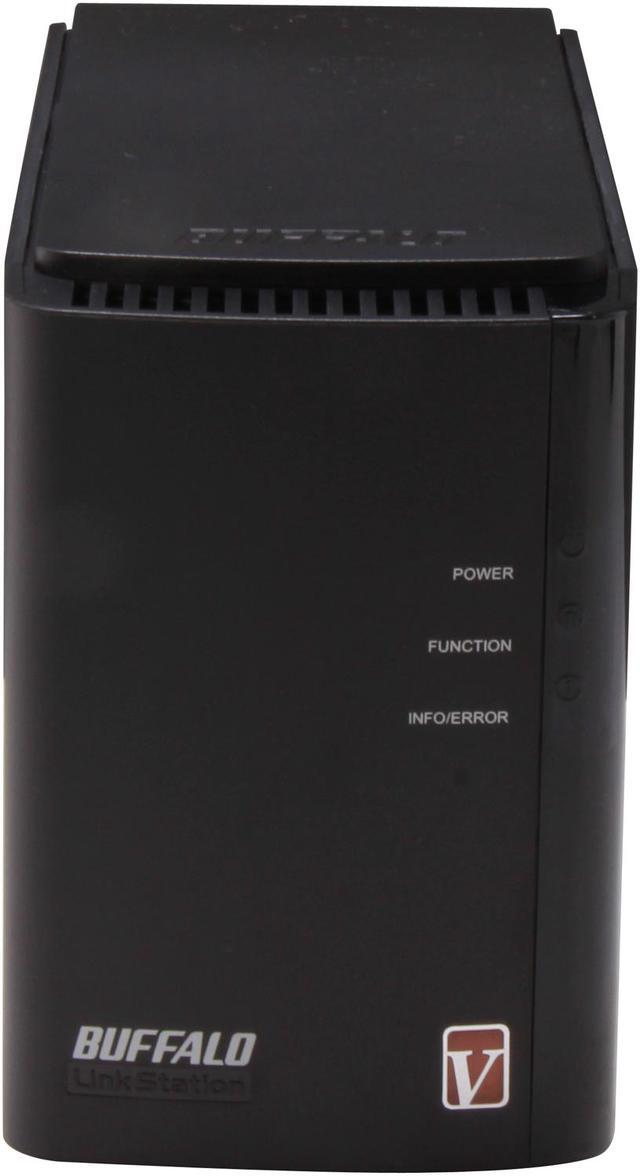
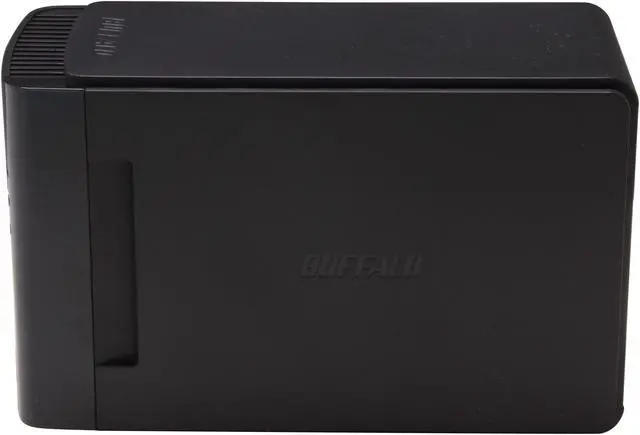
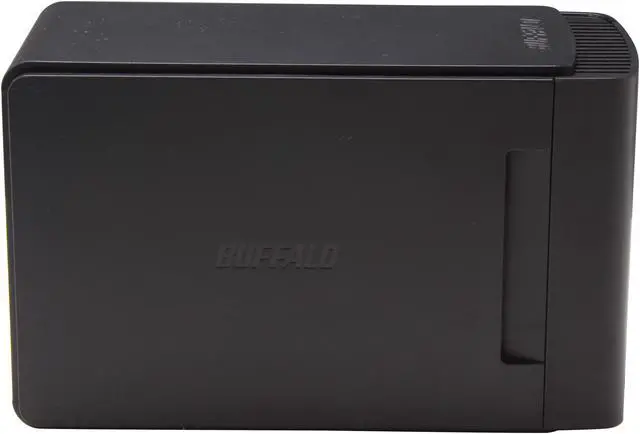
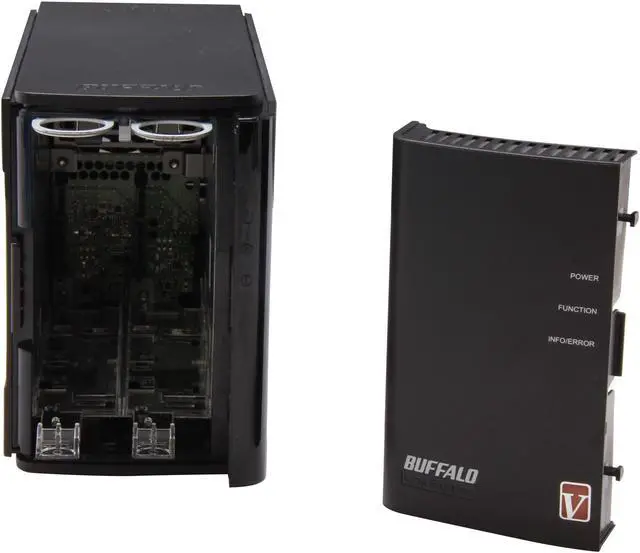
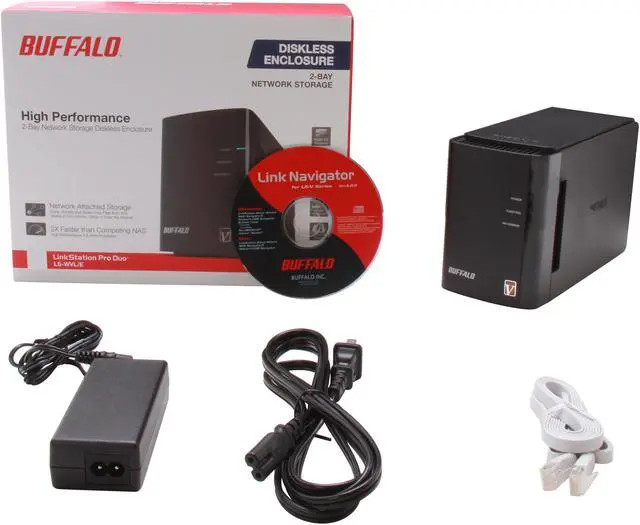
BUFFALO LS-WVL/E Diskless System Linkstation Pro Duo High Performance 2-drive RAID Network Storage

In stock.

  • 2-Bay
  • Usage High read/write performance with RAID
  • Diskless System
  • 1 x 10/100/1000M
  • 1 x USB2.0
  • Pin It
  • Email this page
ICON Loading...


LinkStation Pro Duo is a high performance 2-drive RAID network storage device that comes equipped with a whole host of features, perfect for storing, sharing, serving and protecting your most important data. Backup multiple PCs and Mac computers simultaneously and enjoy uninterrupted access to terabytes of storage on your network and even over the Internet while away from home.

  • newegg SECURE CENTRAL STORAGE With terabytes of storage, LinkStation Pro Duo provides a reliable, central location to store and protect all data from every PC and Mac computer, tablet device and smartphone in your home or small office. Store, access and share files from anywhere over your wireless network at speeds up to twice as fast as a standard USB hard drive!
  • newegg AUTOMATIC DATA PROTECTION LinkStation Pro Duo Diskless Enclosure features two internal drive bays with RAID 0/1 support when two hard drives are installed. Easily install up to two hard drives and get two-drive capacity without redundancy when in RAID 0 mode or automatically duplicate your data when configured in RAID 1 (hard drives not included). With LinkStation Pro Duo, a second hard drive can be added at any time and the unit can be configured in RAID 1 with no data loss. Easily mirror and protect your data with no time lost.
  • newegg STREAM YOUR FAVORITE MEDIA LinkStation Pro Duo is DLNA Certified, supports Squeezebox and can be used as an iTunes server to stream all of your favorite music, movies and shows to multiple devices simultaneously. Now you can relax and watch movies on your big screen TV while music is pumped outdoors by the pool. Centralize your media files for simple sharing and streaming.
  • newegg EASY SCHEDULED BACKUP LinkStation Pro Duo features NovaBACKUP Professional for Windows and Time Machine support for Mac for whole home data backup. Disaster and hard drive failures happen unexpectedly; don't leave your important files and treasured memories in the hands of chance. Schedule backups for every computer in your house and easily protect all of your data, down to the very last byte.
  • newegg EXCEPTIONAL PERFORMANCE Equipped with a high performance 1.6 GHz processor and DDR3 RAM, LinkStation Pro Duo offers much more than simple home shared storage. This dual drive network storage device boasts transfer speeds up to 72 MB/s, nearly twice as fast as a standard USB drive.
  • newegg FREE PERSONAL CLOUD SERVICE While on the go, Buffalo's free WebAccess service allows you to create a personal cloud for easy remote access and file sharing with anyone, anywhere over the Internet. Your data remains securely stored in one place on your home network, but you can access it quickly from any computer, tablet or smartphone device over the Web. Sharing is as easy as sending a link to your friends and family; they can securely access only the files you've selected for them to see. For enhanced access on your iPhone, iPod touch, iPad and Android devices, download Buffalo's free WebAccess mobile apps.

Learn more about the Buffalo Technology LS-WVL/E

General

Brand
BUFFALO
Model
LS-WVL/E
Standards
IEEE 802.3, IEEE 802.3u, IEEE 802.3ab

Interfaces

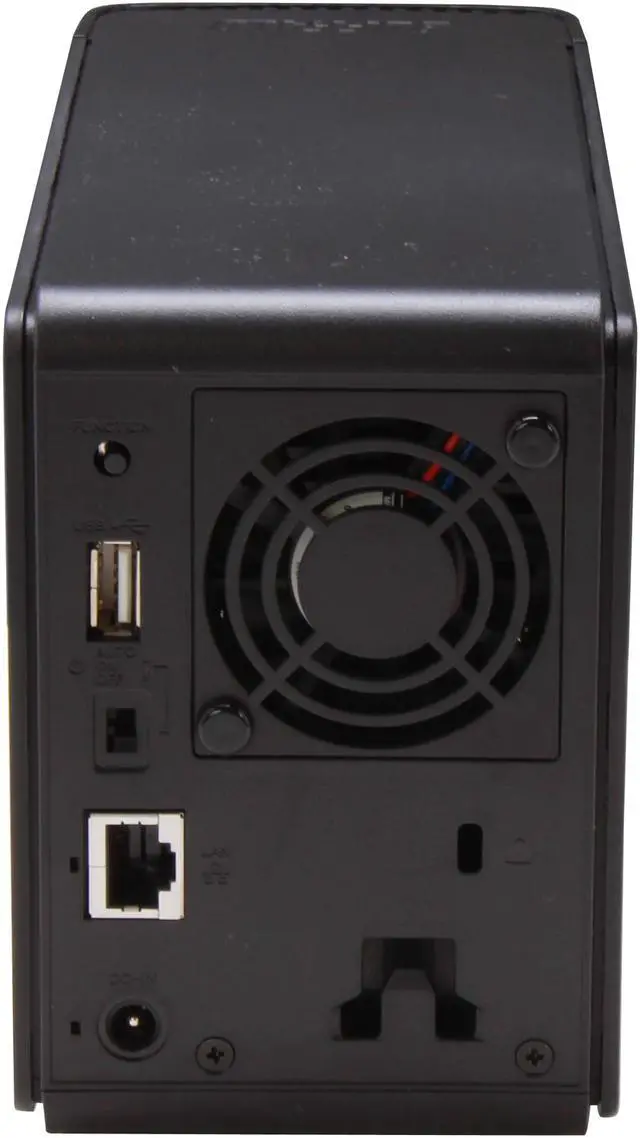
Port RJ-45
1 x 10/100/1000M
Port USB
1 x USB2.0
HDD Interface
2 x SATA (2 x Bay)

Configuration

Form Factor
2-Bay
Operating System
Client OS Support: Windows 7 (32-bit/64-bit), Windows Vista (32-bit/64-bit), Windows XP, Windows 2000, Windows Server 2003, Windows Server 2003 R2, Windows Server 2008, Windows Server 2008 R2, Mac OS X 10.4 - 10.7

Hard Drive Performance

Included HDD Capacity
Diskless System

Conveniences

Supported Protocols
Protocol Support
- Networking: TCP/IP
- File Sharing: CIFS/SMB, AFP, HTTP/HTTPS, FTP/SFTP
- Management: HTTP/HTTPS
- Time Synchronization: NTP

Power

Power
100-240 VAC 50/60Hz

Features

Features
Secure central storage

Automatic data protection

Stream your favorite media

Easy scheduled backup

Exceptional performance

Free personal cloud service

Supported HDD list:
http://www.buffalotech.com/content/files/products/Supported_HDD_List_LS-WVL.pdf
Usage
High read/write performance with RAID

Dimensions / Weight

Dimensions
8.1" x 5.1" x 3.4"

Quick Info

Warranty

  • Limited Warranty period (parts): 1 year
  • Limited Warranty period (labor): 1 year


Customer Reviews of the Buffalo Technology LS-WVL/E

Do you own this product? Write a Review

Filter Results

Go
  • N/A
  • 5/14/2013 7:45:15 AM
  • Tech Level: High
  • Ownership: 1 month to 1 year
  • Verified Owner

2 out of 5 eggsTerrible Media Server

Pros: I guess it does basic file serving well. Read write speeds are fine.

Cons: Two major problems:

1) The DLNA server does not support .MKV files. This is head-scratching stupid. It's one of the most popular media formats out there! And .MKV files that I've transcoded (using Handbrake) to .MP4, do not work either. The reason I bought this drive was to make it a media server for my TV, and I can't watch half my movies.

2) There's no way to assign unique permissions to folders within a share - you have to make separate shares. I wanted to make one share for all our media, which also contained a private folder for myself and another private folder for my wife. Instead, I have to make 3 different shares!! If your wife doesn't have a technical background, good luck explaining that...

Other Thoughts: The admin page isn't terribly intuitive, but that's not a big deal since it shouldn't be needed much. The unit is louder than I would have hoped, even with a single WD Caviar Green drive.

I gave it two stars instead of one because it does do basic file serving well, and my TV can always find it on our LAN. But I'm going to sell this piece of junk and go with a different brand.

Manufacturer Response:

Thanks for your reply, unfortunately, any DLNA player you find will not support .mkv files. Basically, with DLNA media devices there are certificates given to each product that receives DLNA approval. The problem is that .mkv is not one of the media options that are categorized because it's not a sanctioned format (not like WMV, MPEG, etc.). MKV is a flexible container format which can store just about anything (H.264, DivX, MPEG, any sort of audio, even menus and subtitles) while WMV, MPEG is more or less complete formats. So with other supported formats they know what to expect, while with MKV's you really can't tell without checking the contents itself.

please contact me if you have any questions.
Marco
newegg@buffalotech.com

Did you find this review helpful? Yes No

  • N/A
  • 4/29/2013 6:27:18 PM
  • Tech Level: High
  • Ownership: 1 week to 1 month
  • Verified Owner

2 out of 5 eggsPres

Pros: Nice simple (maybe) NAS I have gone through three of these LS-WVL/E units. The first was a simple install without access restrictions and went well. The problems started with the second unit and access restrictions.

Cons: Tech support seems incapable of answering questions about some of the Link Station operations and how they work. Usually they refer me to the user manual on their web site. (the manual didn't give an answer, that's why I called them) I have called them a number of times and they, among other things, have refused to answer questions simply because I did not want to give them my last name. I am very disapointed that they are more interested in filling out their intrusive customer tracking paperwork than they are in solving operational problems with their product. I have left messages for a supervisor to call me back but that never happened. I'm still waiting.

Other Thoughts: Now when I call in and they realize who they're talking to, they brush me off and try to get off the phone. This is not what I call Professional Service.

Manufacturer Response:

Please drop me an email so I can help troubleshoot your device and work through your access retrictions. Usually Tech support wants to keep track of the call so they can know what steps have been taken on previous calls. Helps to keep the caller from having to repeat themselves or be told the same trouble shooting steps.

thanks
Marco
newegg@buffalotech.com

Did you find this review helpful? Yes No

  • N/A
  • 4/29/2013 10:28:58 AM
  • Tech Level: High
  • Ownership: 1 month to 1 year
  • Verified Owner

3 out of 5 eggsDecent for the price

Pros: Price

Cons: As a few other reviews stated it's slow. I can't get more than 10 MB/S write speed.

When I set the power switch to auto it will never wake up. I'm not using the bloatware that came with the product though so I'm not sure if that has anything to do with it. I gave it a static IP on my network and mapped it as a drive.

I did reach out to support about these issues, but I never heard anything back. A quick search on their support forms showed my complaints were fairly common though.

Other Thoughts: Overall it's a good unit and does what I need it to, I just wish I could figure out the auto power issue so I don't need to manually turn it off when I'm not going to use it for a while.

Manufacturer Response:

Please send me an email so we can trouble shoot your device. The 'Auto' feature is for use with the NASNavigator software. Basically the LinkStation will check the network for PC's running the NASNavigator software, and if there are none, then it will go into a sleep mode. Once a PC with the software is back on the network, then the LinkStation will wake and be available on the Network. In your case since you dont have the software installed, go ahead and leave it in the 'ON', position.

thanks
Marco
newegg@buffalotech.com

Did you find this review helpful? Yes No

  • N/A
  • 4/19/2013 10:44:09 AM
  • Tech Level: High
  • Ownership: 1 month to 1 year
  • Verified Owner

2 out of 5 eggsLook elsewhere

Pros: Product with it's software that speeds up transfer is good.

Cons: Device would not recognize my login. Took three days until it finally accepted my login. Customer support still hasnt replied to my request for help on their website. I had read they had awful custmer support but didnt expect a problem with a name like buffalo. Also unlike my Dlink there is no way to just have you logged in through your home group in windows 7 you must set up a user name for everycomputer you want to be able to access ther NAS

Other Thoughts: Look elsewhere there are many reputable companies that are making NAS today.

Manufacturer Response:

Could you send me an email so we can help trouble shoot your unit. You are not required to setup a username for every computer you want to have access to the NAS. That is only if you enable access restrictions, and at that point it is doing what you asked. Using a regular share folder, any PC and DLNA player like an Xbox can access the NAS content. As for waiting for customer support, I would like to know what address you emailed. A couple months ago we made some changes to our Tech Support and email response goal is within 4 hours. Did you use this link to email support? http://www.buffalotech.com/contact/support

thanks!
Marco
newegg@buffalotech.com

Did you find this review helpful? Yes No

  • N/A
  • 3/24/2013 3:11:46 PM
  • Tech Level: High
  • Ownership: 1 week to 1 month
  • Verified Owner

5 out of 5 eggsSmall...but Mighty

Pros: I set out looking for something to store my data locally to allow access to my network and access over the Internet using SFTP and HTTPS. Everything so far has been excellent. I am able to access files using FTP (suggested for larger transfers locally), HTTPS (encrypted for security over the internet), and DLNA (streaming to smart TV's). The Administrative UI is setup very well including user accounts, folder permissions, and data allowances making it easy to setup cloud storage for family and friends. Using FileZilla for FTP locally, upload speeds are as advertised at around 72MB/s, download speeds tend to peak at around 170MB/s (These speeds are assuming you have a gigabit compliant network). I currently have this unit paired with a Western Digital Red 3TB WD30EFRX and it's been working perfectly from day one. Users with a networking background will find setup to be a piece of cake, those with little to none may struggle a bit but Buffalo has some auto configuration tools and utilities for those with less knowledge that should make setup fairly easy.

Cons: I can only think of two but they are fairly minor. Overall build quality of the unit is good but Buffalo could have improved upon it with an aluminium chassis and some HDD caddies. NAS Navigator, which is a utility that is suppose to locate you Buffalo NAS device after your DHCP server has leased it an IP did not work for me. There is an easy work around, just log into your router and locate the NAS by it's model number and then enter it's local IP in your browser to get started.

Other Thoughts: It's not simply plug and play. You will need to push the necessary software to the HDD you install in the unit. If you don't know how to do this just follow the instructions in the video below. The HDD you install should be free of any partitions and should be 100 percent unallocated space before you begin.

1 out of 1 people found this review helpful. Did you? Yes No

  • Hawk
  • 3/16/2013 8:13:45 AM
  • Tech Level: High
  • Ownership: 1 month to 1 year
  • Verified Owner

2 out of 5 eggsHas potential

Pros: The unit is reasonably fast and flexible for the price. Has nice feature set.

Cons: Unreliable. Appears to use an unknown file format.

Other Thoughts: I bought two of these units about 4 months ago. I put the first one in service immediately, and the second about 3 weeks ago. The first units worked well, the second not so much. Although configuring these is not for the uninitiated in the RAID arena, if you have a basic understanding you should not have an issue with these. Had the second unit worked, I would have rated this much higher. The fact that second unit doesn't work is disappointing based on the fact that the first one worked well, but the real disappointment is Buffalo's tech support.

I've worked in the IT field for over 20 years so I have more than a basic understanding of this technology. I purposely setup these units in a RAID 1 (mirrored) configuration so a drive failure would not cause data loss. Instead of a drive failure, the second unit lost it's mind and tells me the RAID set no longer exists. So now I have two good drives and no data. I've tried contacting tech support for assistance and received no reply at all. I've tried to access the data from the drives to no avail. It appears the drives are in a format that is not compatible with other operating systems, but until I do more research I can't say with certainty. I am hesitant to get too aggressive trying to recover the data until I can see if tech support can help, but I'm not sure I'll ever hear from them.

Fortunately the data is not critical and can be replaced, but I've lost faith in these units. If your data is critical to you, I can't recommend these units. If I ever hear from tech support and they can help me recover the data from these, then I'll update this and raise my rating.

Manufacturer Response:

Hawk, please send me an email so we can troubleshoot your device and research why tech support did not contact you back timely. did you use our webform?
http://www.buffalotech.com/contact/support
Typically you will recieve a response within 24 hours. Since the device is Linux based, you will need an XFS reader to view your content on a windows PC. XFS readers are easily downloadable for free on the web.

thanks!
Marco
newegg@buffalotech.com

Did you find this review helpful? Yes No

  • N/A
  • 3/11/2013 5:58:08 AM
  • Tech Level: Somewhat High
  • Ownership: 1 week to 1 month
  • Verified Owner

4 out of 5 eggsMy First NAS (at home)

Pros: Cheap, quiet, entry-level, email alerts option

Cons: Not much documentation - have to find it online
Enabled email alerts, got spammed with about 600 emails saying a drive was going bad in 1 day

Other Thoughts: I work in IT for a living, and as such if patience wasn't a virtue in this profession I may have already sent this unit back.
I'm using this in a RAID 1 setup. I have 2 1TB drives, one of which went bad on me within the first day after I setup the RAID (note, I am not saying this is the NAS' fault). As such, I can still access my data, so that is somewhat comforting that the RAID array worked.
I did some further testing (I'm going to store pictures and movies on here, so I want it to be reliable), and reset the password and IP and such back to factory defaults, shut the unit off via switch and hard-pulling the plug (while data was not writing to it), and the unit still came back just fine. After I replace my failed 1TB drive (I'm not sure if the drives have to be identical as far as manufacture, etc...)I will let you know how things go.

So far I think this will work well. An option to configure how often you get email alerts would be nice...for example, only send an alert every hour, unless it is a new problem, etc..

Did you find this review helpful? Yes No

  • Techy Joe
  • 3/8/2013 11:02:45 AM
  • Tech Level: Somewhat High
  • Ownership: 1 day to 1 week
  • Verified Owner

5 out of 5 eggsGood Once You Fiddle With It

Pros: Supports 3TB Harddrives, Gigabit Ethernet, DNLA Support, Raid 1/0, Cloud Server, Easy to install Hard drives. Making critical system changes via the web interface requires the entry of a 4 digit random number plus an OK button to ensure mistake proofing.

Cons: Lack of detailed instructions, "Map Default Share to Drive Letter" option does not work from the provided user interface with Windows 7 Ultimate. Checking a new RAID array said it was going to take over 800 minutes. The Array RAID 1 with 2 3TB Disks.

Other Thoughts: Let me start by saying I, by no means, are an expert to IT however I can build my own PCs from scratch.

First off, watch the video provided by newegg, it helps to get you started.

After installing the harddrives the NAS will by default configure the device in Raid 0. I was looking for redundancy with Raid 1 so changing the device's automatically configured array was a minor struggle with the lack of instructions.

First you have to log into the web interface, click on the System link, then click the storage link. That window contains three sections. Section 1 (Disks) displays the array configured and Disk information and any USB devices attached, section 2 (RAID Array) displays the array Status, Capacity, % Usage and its current actions (Checking Array etc..), section 3 (RAID Scanning) displays array checking options. In section 2, click on the array name (Array 1 on my device), which will expand the array and provide 2 new options, "Delete RAID Array" and "Cancel". Click the "Delete RAID Array" and confirm the delete by entering in the 4 digit confirmation code.

Now create the new RAID 1 array by using the available options. My apologies for not having the walkthrough, I'm writing this after the fact and doing it from memory, but it's pretty self explanatory.

Once the Array Check is complete, which like I said above took over 800 minutes, the process is complete.


Copying 25GB of data from one PC to the NAS all on a gigabit network transferred at about 45 GB/s with max rates of over 50 MB/s. NAS contained 2 3TB Toshiba SATAIII drives (N82E16822149396).


Mapping to the drive was some what troublesome. The automatic mapping of the drives did not work no matter what I did. The only way I was able to map the shares I created via the web interface was to map the drive with different log in credentials. From the Map Network Drive window through Windows Explorer (Tools, Map Network Drive), Map the drive with the name you gave the NAS and he share you created. \\NASName\ShareName. Check the box labeled, "Connect Using Different Credentials", then click Finish. When the Windows Security box opens, you must use a valid user name found on the NAS, 'Admin' or a user you created. To do this, the user name should start with the NAS name followed by a backslash then the user name i.e. "LS-WVL856\admin". Password will be the password associated with the account used. By adding the name of the NAS to the beginning of the ID, you are using the domain of the NAS.

You should be able to copy files to and from the NAS. The same can be achieved from an Android device as well. Using ES File Explorer, I was able to connect to the devices using the same log in credentials but I won't go into detail here.

I haven't set up web access yet so I can't provide any thoughts on that.

Did you find this review helpful? Yes No

  • Areddy99
  • 3/1/2013 3:36:15 PM
  • Tech Level: Somewhat High
  • Ownership: 1 month to 1 year
  • Verified Owner

5 out of 5 eggs

Pros: working great

Cons: no problems so far

0 out of 1 people found this review helpful. Did you? Yes No

  • N/A
  • 2/25/2013 6:13:26 AM
  • Tech Level: High
  • Ownership: 1 week to 1 month
  • Verified Owner

5 out of 5 eggsstraightforward and inexpensive

Pros: - Straightforward UI
- Low cost
- Small size
- Large capacity (up to 3TB Raid 1, 6TB Raid 0)
- Reviews say that it appears to be reasonably fast
- Got it to setup under Linux / Ubuntu without using any windows software (or the Buffalo Win CD)
- Fan is pretty quiet (but I did have to place it on foam to reduce vibrations to the desk surface)

Cons: - LED indicators should be better (for a Raid 1 device, each drive needs it's own LED to indicate status at a glance)
- UI doesn't indicate same status as LED (eg, "syncing drives" is indicated by LED, but not anywhere on the UI)
- Firmware is slightly flakey and needs to be improved (eg, "RAID Scanning" was disabled without explanation, no file browser in UI, email notifications are either daily or off, etc.)
- Manuals didn't explain the default network configuration. Ridiculous you're expected to run a Windows program just to find the NAS IP/URL. The manuals should just give a default IP, or explain that it is DHCP enabled (the default).

Other Thoughts: This box isn't as flexible as my DNS-323, and the the fact that it doesn't have an LED for each drive is a serious design flaw, IMHO, as any RAID 0/1 device should clearly indicate drive health at a single glance. But this box meets my needs for basic RAID 1 NAS and it is quite reasonable.

I did not try simulating drive failure, but I'll be testing the USB backup feature.

1 out of 1 people found this review helpful. Did you? Yes No

ICON Loading...
  • $149.99
  • $139.99
  • Save: $10.00 (7%)
  • $7.99 Shipping
 

Protect Your Investment!

    • (more options) read warranty details
Are you an E-Blast Insider? Subscribe Newegg e-Blast

Buzz

Fast and Reliable Upgrade

5 out of 5 eggs
The speed is wonderful. With a family of six using many desktops, laptops, tablets, and other devices both wired and wireless, ...
— Emmit 12/4/2012

Great NAS for SOHO use

5 out of 5 eggs
This is another great product from Buffalo. I have a Buffalo N router that I really love as well.

- Construction ...
— Wonko 10/12/2012


LOADING... LOADING...
Shop by Region: United States | Canada | China
Follow us:   RSS Feeds Youtube
VeriSign Reliability Seal1 PaypalVerify GoldenSeal InteracThis site protected by Trustwave's Trusted Commerce program Inc500

Policy & Agreement | Privacy Policy

 © 2000-2013 Newegg Inc.  As used herein, “Newegg.ca” means Newegg Canada Inc. unless the context specifically refers to the www.newegg.ca web address.
If the Adobe Reader does not appear when you click on a link for a PDF file, you can download Adobe Reader from the Adobe web site. nassau