-
Currently Unavailable
-
-

Similar Items
Not the product you're looking for? We can make some suggestions to help you decide on a product that fits your needs.
view similar products
-
Manufacturer Warranty
Beyond any applicable Newegg return policy, this item is warranted independently by the product's Manufacturer. Below is a summary provided for convenience only and may not be accurate or current.
Use this link for full details.
- Manufacturer Limited Warranty period (parts): 3 years
- Manufacturer Limited Warranty period (labor): 3 years
Manufacturer Contact Info
Return Policies
This item is covered by Newegg.ca's Standard Return Policy.
- Return for refund within: 30 days
- Return for replacement within: 30 days
- Restocking Fee: Yes
|
-
- 5
-

- 42%
- 4
-

- 17%
- 3
-

- 8%
- 2
-

- 8%
- 1
-

- 25%
| Product Rating: |
   
|
| Total Reviews: |
12 |
Good Drive, Bad Software!
- Pros: The hard drive itself is a nice unit .. Western Digital makes good hard drives ... that's no secret!
- Cons: Back up software is an absolute joke!! Best to use your own back up software. Would also have been nice if the power adapter had the block inline and had a regular size plug so it wouldn't take up so much room on a power strip.
- Pros: HDD itself is still fine
- Cons: WD makes hard drives, so software comes "as is"
Just plain startup of their utility takes 27 seconds on my EEE; 3 seconds to redraw any screen. And apparently program added itself to windows autorun, no questions asked. Well, I just wanted to check drive status - and here is the info: SMART status - PASSED. Temperature - OK... Is that what is called SMART information these days? Any numbers?? SMART data may not be the most useful values ever - but show me drive temperature at the very least!..
- Other Thoughts: Makes me wonder if firmware is written by the same people....
Beware of program confilcts
- Pros: Easy to install, easy automatic or drag and drop backups.
- Cons: It crashed my system ("serious error") twice before I called WD and found out that it is not compatible with Norton GoBack, Roxio or Sonic programs. This is not in the literature or specs because they just found out in November 2009. The drive came out in Sept. 2009.
If you do an automatic backup and have lots of folders, it separates them and you have to search endlessly to find the file you're looking for. It is not very fast. Took all day to backup 240GB the first time.
- Other Thoughts: It's a bit bulky but smaller than my old My Book from 3 years ago.
I would never have purchased it had I known it was ONLY a continuous backup and not meant to back up just when you choose, or that it was incompatible with so many programs (patches are NOT available as WD says, btw). If you call WD they will tell you how to download SOMETHING THAT WILL DISABLE TWO OF THE FEATURES SO YOU CAN USE IT AS AN OCCASIONAL DRAG AND DROP BACKUP rather than CONTINUOUS WITH THE WDSMARTWARE (THAT'S THE CULPRIT).
| Model |
| Brand |
Western Digital |
| Series |
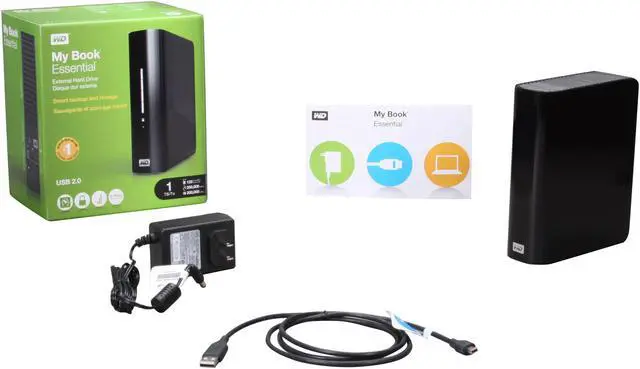
My Book Essential |
| Model |
WDBAAF0010HBK-NESN |
| Performance |
| Interface |
USB 2.0 |
| Capacity |
1TB |
| Physical Spec |
| Form Factor |
3.5" |
| Features |
| Features |
WD SmartWare Software Update: Ability to hide the Virtual CD (VCD) Enhanced the ability to opt-out of WD SmartWare completely Exit WD SmartWare from the Windows system tray |
| Manufacturer Warranty |
| Parts |
1 year limited |
| Labor |
1 year limited |
|
|