
Your Browsing History



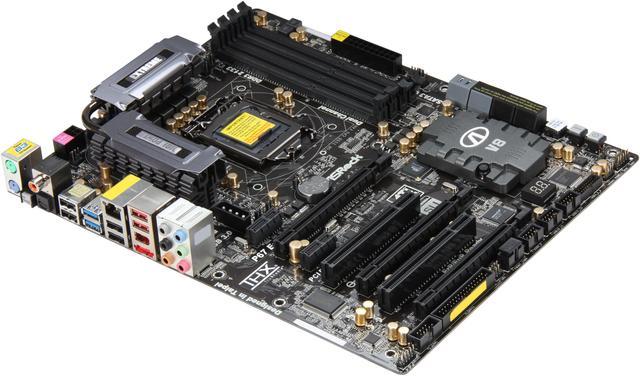
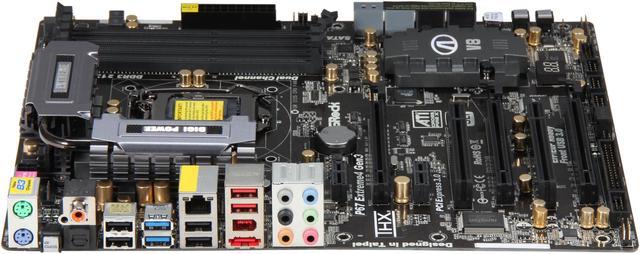
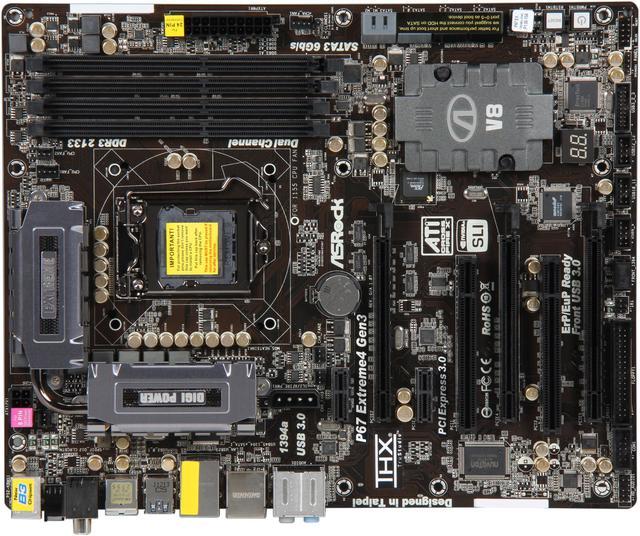
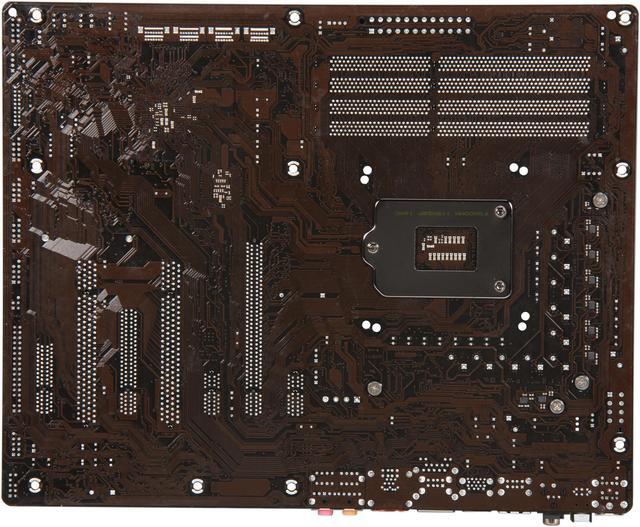
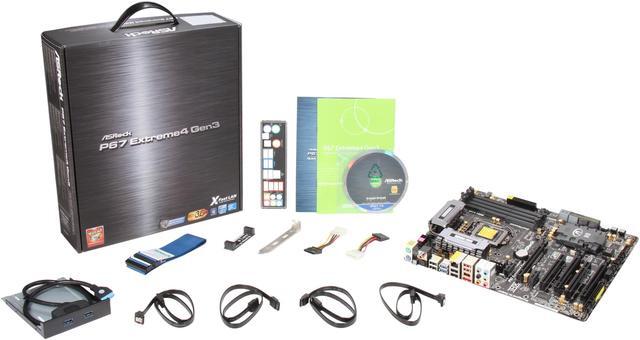


ASRock P67 EXTREME4 GEN3 LGA 1155 Intel P67 USB 3.0 ATX Intel Motherboard
- Intel P67
- Celeron / Core i3 / Core i5 / Core i7 / Intel Core 2nd gen (LGA 1155) / Intel Core 3rd Gen (LGA 1155) / Pentium / Xeon (LGA1155)
- DDR3 2133(OC) / 1866(OC) / 1600 / 1333 / 1066
Overview
Specs
Reviews (384)
The ASRock P67 EXTREME4 GEN3 is an amazing platform which supports the next-gen PCI-E 3.0, offering more bandwidth to enable faster communication between components inside a system. Coming with 2x PCIe 3.0 x16 slots (single at x16 or dual at x8/x8 mode) and 1x PCIe 2.0 x16 slot (x4 mode), the P67 EXTREME4 GEN3 supports NVIDIA Quad SLI and AMD 3-way CrossFireX to multiply your graphics performance. With PLX PEX8608 chip embedded, the P67 EXTREME4 GEN3 ensures all PCI-E devices work at proper speed simultaneously.
Manage your priorities of internet applications with the XFast LAN tool and boost your USB performance with the XFast USB technology. The advanced V8 + 2 Power Phase design, premium Gold Caps and 100% Japan-made high-quality Conductive Polymer Capacitors provide top quality, extreme performance and ultimate stability, while the Combo Cooler Option enables you to adopt different CPU cooler types. This PCIE Gen3 board also offers native SATA 6Gb/s and the latest generation USB 3.0 connectivity, as well as ASRock’s latest innovations like Graphical UEFI. It’s time for GEN 3.
 Next-gen PCI-E 3.0 SupportBy adapting PCI-E 3.0 quick switch IC onboard, the ASRock P67 EXTREME4 GEN3 can support the next-generation PCI-E 3.0! PCI Express 3.0 can maximize the bandwidth for the next-gen PCI Express 3.0 VGA cards, provide ultimate graphics performance. (Note: To run the PCI Express 3.0 slots in Gen 3 speed, CPU supporting PCI Express 3.0 is required. If you install the Sandy Bridge CPU, the PCI Express 3.0 slots will run only at Gen2 speed.)
 XFast LAN TechnologyASRock XFast LAN is a smart productivity tool to help you manage your priorities of internet applications, simplify your digital life and accomplish more. The innovative features include: Internet Application Prioritization, Lower Latency in Game, Traffic Shaping and Real-Time Analysis of Your Data. It's the smartest way to control your web programs.
 ASRock XFast USB Technology - Faster Than Your Imagination!ASRock XFast USB Technology redefines the new standard in high performance computing. Proving once again to be the pioneer in motherboard industry, ASRock XFast USB Series Motherboards integrate with the latest XFast USB Technology which delivers the world's fastest USB data transfer speeds. The ASRock XFast USB technology can even boost USB 3.0 performance up to 302.99%!
 PLX PEX8608 Chip OnboardASRock P67 EXTREME4 GEN3 breaks the limitation and offers a sufficient PCI-E lanes solution by embedding the PLX PEX8608 chip onboard. With PLX PEX8608 chip, it generates more PCI-E lanes for PCI-E devices, so that all PCI-E devices are able to work at the proper speed simultaneously!
 Front USB 3.0 PanelThe Front USB 3.0 Panel supports 2 x USB 3.0 ports and provides a 2.5" SSD/HDD rack.
 SLI and CrossfireX SupportThe ASRock P67 EXTREME4 GEN3 provides leading-edge graphics performance and flexibility with support for NVIDIA Quad SLI and AMD 3-way CrossFireX on demand.
 Next-gen PCI-E 3.0 SupportBy adapting PCI-E 3.0 quick switch IC onboard, the ASRock P67 EXTREME4 GEN3 can support the next-generation PCI-E 3.0! PCI Express 3.0 can maximize the bandwidth for the next-gen PCI Express 3.0 VGA cards, provide ultimate graphics performance. (Note: To run the PCI Express 3.0 slots in Gen 3 speed, CPU supporting PCI Express 3.0 is required. If you install the Sandy Bridge CPU, the PCI Express 3.0 slots will run only at Gen2 speed.)
 XFast LAN TechnologyASRock XFast LAN is a smart productivity tool to help you manage your priorities of internet applications, simplify your digital life and accomplish more. The innovative features include: Internet Application Prioritization, Lower Latency in Game, Traffic Shaping and Real-Time Analysis of Your Data. It's the smartest way to control your web programs.
 ASRock XFast USB Technology - Faster Than Your Imagination!ASRock XFast USB Technology redefines the new standard in high performance computing. Proving once again to be the pioneer in motherboard industry, ASRock XFast USB Series Motherboards integrate with the latest XFast USB Technology which delivers the world's fastest USB data transfer speeds. The ASRock XFast USB technology can even boost USB 3.0 performance up to 302.99%!
 PLX PEX8608 Chip OnboardASRock P67 EXTREME4 GEN3 breaks the limitation and offers a sufficient PCI-E lanes solution by embedding the PLX PEX8608 chip onboard. With PLX PEX8608 chip, it generates more PCI-E lanes for PCI-E devices, so that all PCI-E devices are able to work at the proper speed simultaneously!
 Front USB 3.0 PanelThe Front USB 3.0 Panel supports 2 x USB 3.0 ports and provides a 2.5" SSD/HDD rack.
 SLI and CrossfireX SupportThe ASRock P67 EXTREME4 GEN3 provides leading-edge graphics performance and flexibility with support for NVIDIA Quad SLI and AMD 3-way CrossFireX on demand.
Warranty & Returns
Warranty, Returns, And Additional Information
Warranty
- Limited Warranty period (parts): 2 years
- Limited Warranty period (labor): 2 years
- Read full details
Return Policies
- Return for refund within: 30 days
- Return for replacement within: 30 days
- This item is covered by Newegg.ca's Standard Return Policy.
- Read full return policy for details.
Manufacturer Contact Info
- Manufacturer Product Page
- Manufacturer Website
- Support Phone: 1-909-590-8308
- Support Email: [email protected]
- Support Website
- View other products from ASRock
LOADING...
LOADING...