
Your Browsing History



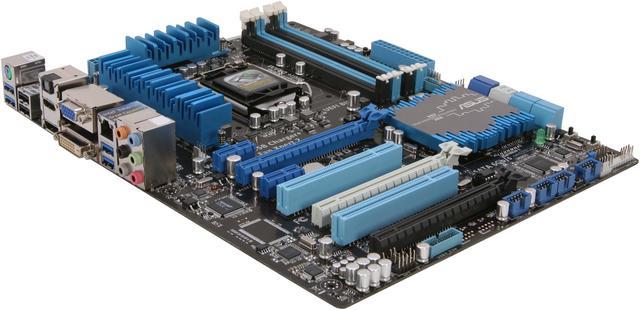
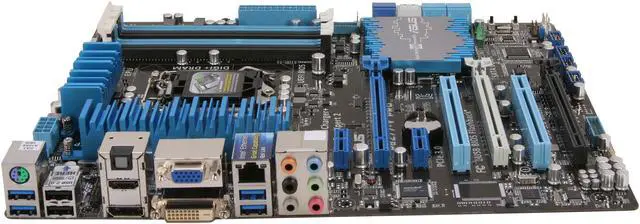
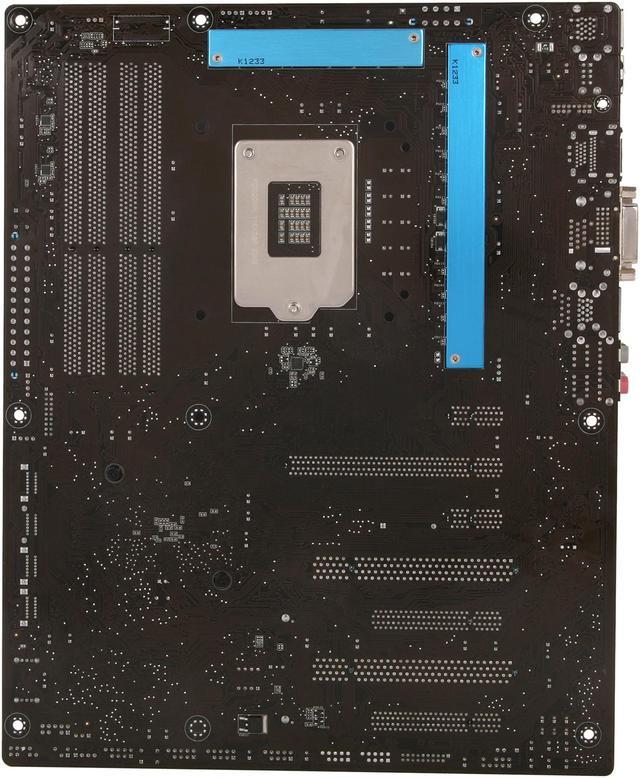
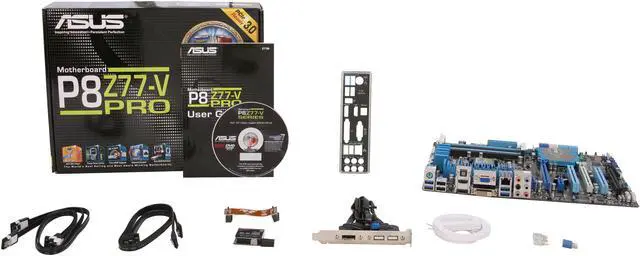


ASUS P8Z77-V PRO LGA 1155 Intel Z77 HDMI USB 3.0 ATX Intel Motherboard
- Intel Z77
- Core i7 / i5 / i3 (LGA1155)
- DDR3 2600(OC)/2400(OC)
Overview
Specs
Reviews (300)
With its unrivalled quality and full spectrum of features, the Asus P8Z77-V PRO Motherboard is a great foundation for your next powerhouse. Based on the Intel H61 Express chipset, it works flawlessly with the second- and third-generation Intel Core processors in an LGA 1155 package, and offers you the capability to fully tune and overclock the CPU performance when used with unlocked processer. You'll also delight in the evolved technology such as USB 3.0, SATA 3.0, and PCIe 3.0 (when used with a third-generation Core processor). An array of in-house features and technology ensures a new level of user experience in your PC build and system tuning. And with proven Asus reliability and stability, you'll see and feel the difference in your everyday computing.
 TPU plus SMART DIGI+Always at the forefront of power design, Asus propels you into the future standard of power management again by SMART DIGI+ Technology, which works with the TPU (TurboV Processing Unit) to ramp up performance to its maximum. Enable the all-new SMART DIGI+ key with a single click, and adjust CPU ratios manually in the TPU to increase CPU frequency up to an incredible 85%! SMART DIGI+ Technology also includes the Smart CPU Power Level profile, which reduces CPU power consumption to a specific indicated wattage with a single click, creating a cooler and quieter PC. With next-generation Intel VRD 12.5 future power technology, Asus once again leaps to the future of innovation.
 TPUUnleash your performance with Asus's simple onboard switch or the AI Suite II utility. The TPU chip offers precise voltage control and advanced monitoring through Auto Tuning, GPU Boost, and TurboV functions. Auto Tuning offers a user-friendly way to automatically optimize the system for fast, stable clock speeds, while TurboV enables unlimited freedom to adjust CPU frequencies and ratios for optimized performance in diverse situations.
 EPUTap into the world's first real-time PC power-saving chip through a simple onboard switch or the AI Suite II utility. Get total system-wide energy optimization by automatically detecting current PC loadings and intelligently moderating power consumption. This also reduces fan noise and extends component longevity!
 Wi-Fi GO!Asus Wi-Fi GO! makes enjoying home entertainment easier than ever! Exclusive Wi-Fi functions provide DLNA streaming so you can enjoy a home theater PC, while also providing remote access to your PC with a smart device. Asus Wi-Fi GO! leads the market by integrating Wi-Fi connectivity, DLNA access, and all smart devices with a one-stop utility for a futuristic connected lifestyle.
 GPU BoostGPU Boost accelerates the integrated GPU for extreme graphics performance. The user-friendly interface facilitates flexible frequency adjustments. It easily delivers stable system-level upgrades for every use.
 Faster USB 3.0 Transmission with UASP and High USB Charging PowerAsus facilitates strategic USB 3.0 accessibility for both the front and rear panel; six USB 3.0 ports in total. Experience the latest plug and play connectivity at speeds up to 10 times faster than USB 2.0. The P8Z77-V LE affords greater convenience to high speed connectivity. Asus USB 3.0 Boost technology supports UASP (USB Attached SCSI Protocol), the latest USB 3.0 standard. With USB 3.0 Boost technology, a USB device's transmission speed is significantly increased up to 170%, adding to an already impressive fast USB 3.0 transfer speed. Asus software automatically accelerates data speeds for compatible USB 3.0 peripherals without the need for any user interaction. This motherboard also features a dedicated onboard controller that enables the USB port to quick-charge all your smart devices, such as iProducts, smartphones, tablets and more, all up to three times faster, even when the PC is powered off, or in sleep or hibernation modes.
 TPU plus SMART DIGI+Always at the forefront of power design, Asus propels you into the future standard of power management again by SMART DIGI+ Technology, which works with the TPU (TurboV Processing Unit) to ramp up performance to its maximum. Enable the all-new SMART DIGI+ key with a single click, and adjust CPU ratios manually in the TPU to increase CPU frequency up to an incredible 85%! SMART DIGI+ Technology also includes the Smart CPU Power Level profile, which reduces CPU power consumption to a specific indicated wattage with a single click, creating a cooler and quieter PC. With next-generation Intel VRD 12.5 future power technology, Asus once again leaps to the future of innovation.
 TPUUnleash your performance with Asus's simple onboard switch or the AI Suite II utility. The TPU chip offers precise voltage control and advanced monitoring through Auto Tuning, GPU Boost, and TurboV functions. Auto Tuning offers a user-friendly way to automatically optimize the system for fast, stable clock speeds, while TurboV enables unlimited freedom to adjust CPU frequencies and ratios for optimized performance in diverse situations.
 EPUTap into the world's first real-time PC power-saving chip through a simple onboard switch or the AI Suite II utility. Get total system-wide energy optimization by automatically detecting current PC loadings and intelligently moderating power consumption. This also reduces fan noise and extends component longevity!
 Wi-Fi GO!Asus Wi-Fi GO! makes enjoying home entertainment easier than ever! Exclusive Wi-Fi functions provide DLNA streaming so you can enjoy a home theater PC, while also providing remote access to your PC with a smart device. Asus Wi-Fi GO! leads the market by integrating Wi-Fi connectivity, DLNA access, and all smart devices with a one-stop utility for a futuristic connected lifestyle.
 GPU BoostGPU Boost accelerates the integrated GPU for extreme graphics performance. The user-friendly interface facilitates flexible frequency adjustments. It easily delivers stable system-level upgrades for every use.
 Faster USB 3.0 Transmission with UASP and High USB Charging PowerAsus facilitates strategic USB 3.0 accessibility for both the front and rear panel; six USB 3.0 ports in total. Experience the latest plug and play connectivity at speeds up to 10 times faster than USB 2.0. The P8Z77-V LE affords greater convenience to high speed connectivity. Asus USB 3.0 Boost technology supports UASP (USB Attached SCSI Protocol), the latest USB 3.0 standard. With USB 3.0 Boost technology, a USB device's transmission speed is significantly increased up to 170%, adding to an already impressive fast USB 3.0 transfer speed. Asus software automatically accelerates data speeds for compatible USB 3.0 peripherals without the need for any user interaction. This motherboard also features a dedicated onboard controller that enables the USB port to quick-charge all your smart devices, such as iProducts, smartphones, tablets and more, all up to three times faster, even when the PC is powered off, or in sleep or hibernation modes.
Warranty & Returns
Warranty, Returns, And Additional Information
Warranty
- Limited Warranty period (parts): 3 years
- Limited Warranty period (labor): 3 years
- Read full details
Return Policies
- Return for refund within: 30 days
- Return for replacement within: 30 days
- This item is covered by Newegg.ca's Standard Return Policy.
- Read full return policy for details.
Manufacturer Contact Info
- Manufacturer Product Page
- Manufacturer Website
- Support Phone: 1-510-739-3777
- Support Website
- View other products from ASUS
LOADING...
LOADING...