Skip to: |

Newegg.ca - A great place to buy computers, computer parts, electronics, software, accessories, and DVDs online. With great prices, fast shipping, and top-rated customer service - once you know, you Newegg.

If you are reading this message, Please click this link to reload this page.(Do not use your browser's "Refresh" button). Please email us if you're running the latest version of your browser and you still see this message.

Newegg.ca - Computer Parts, Laptops, Electronics, HDTVs, Digital Cameras and More!

Sign up today for a 30-day free trial of Newegg Canada Premier
Search all
Search
Home
Home > 
Computer Hardware > 
Motherboards > 
Intel Motherboards > 
MSI > 
Item#: N82E16813130775

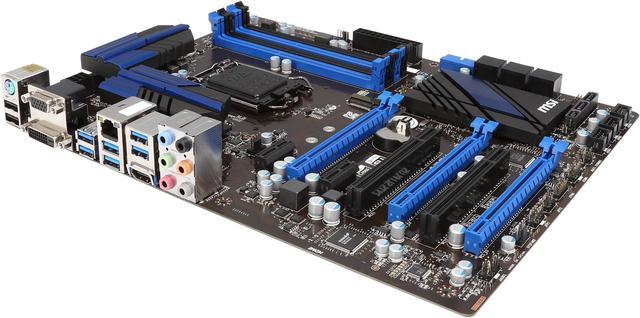
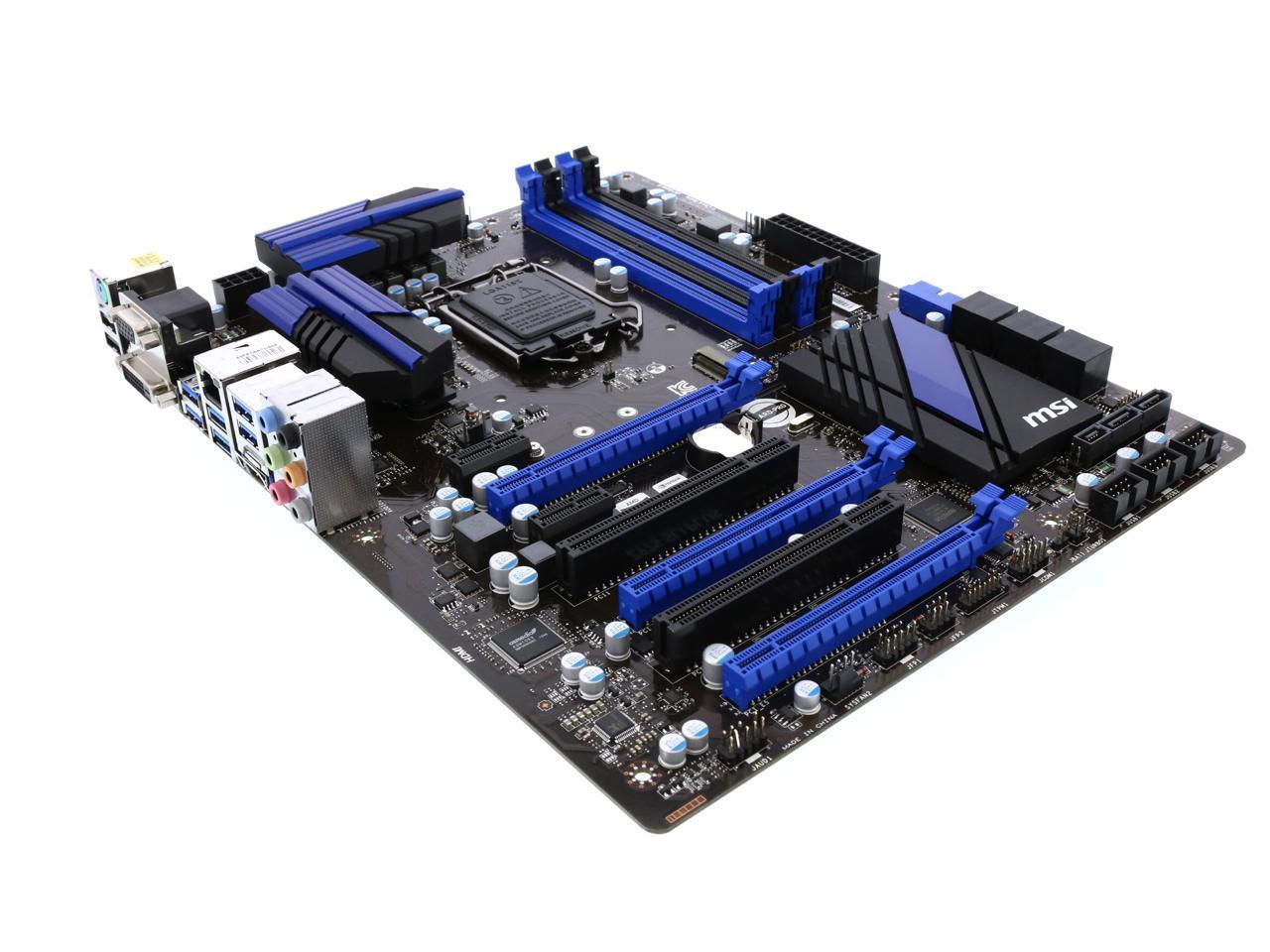
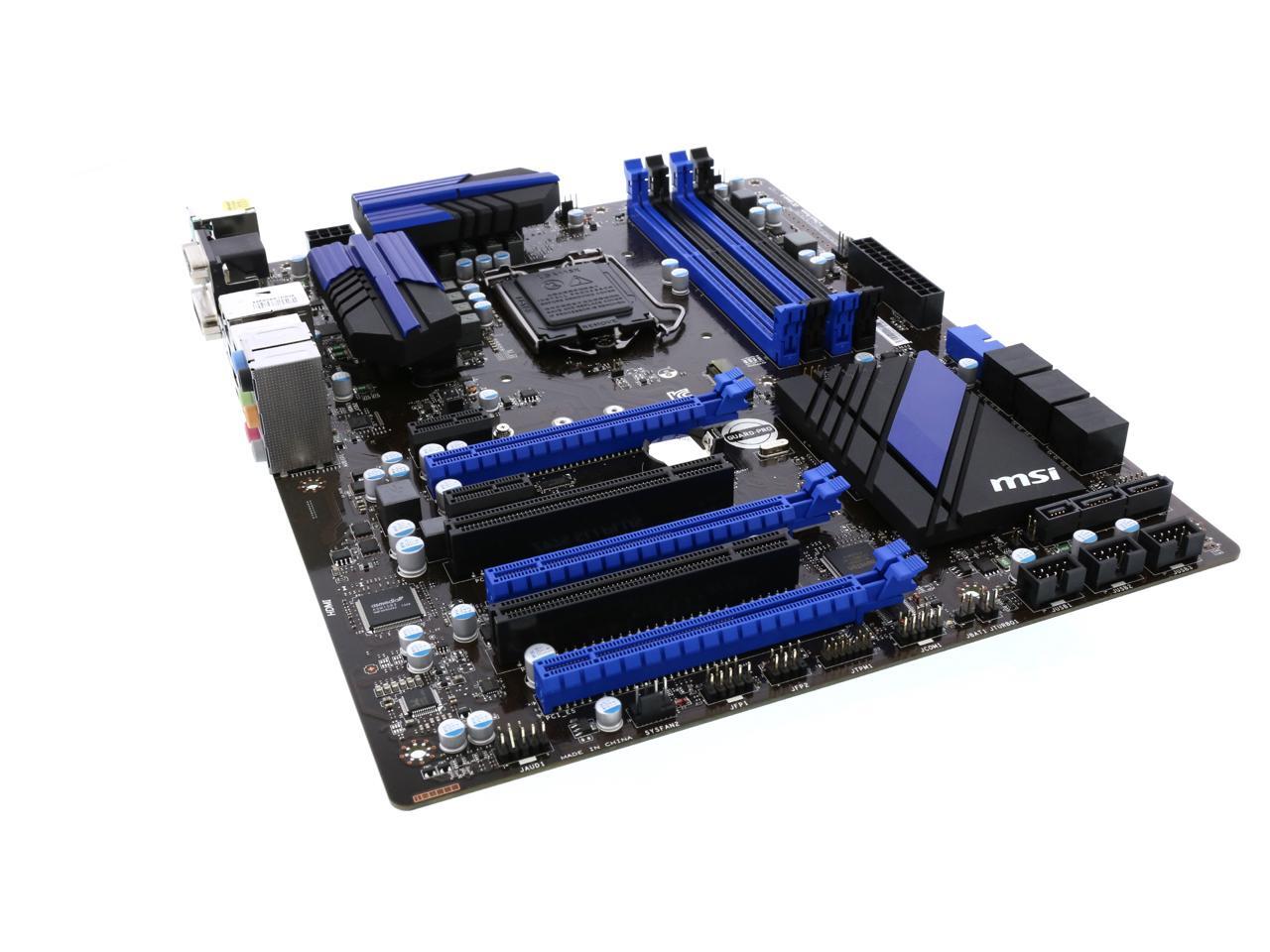
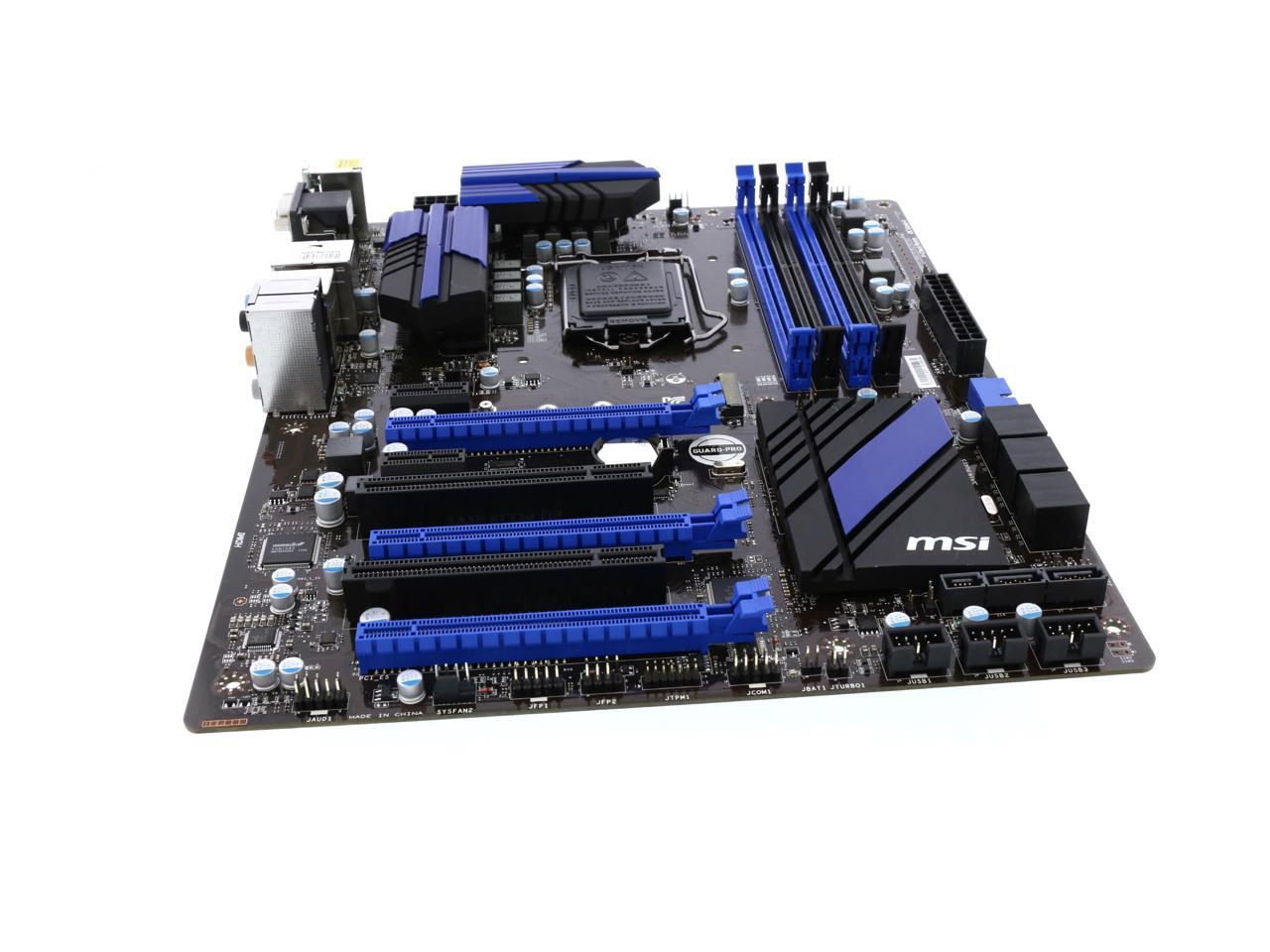
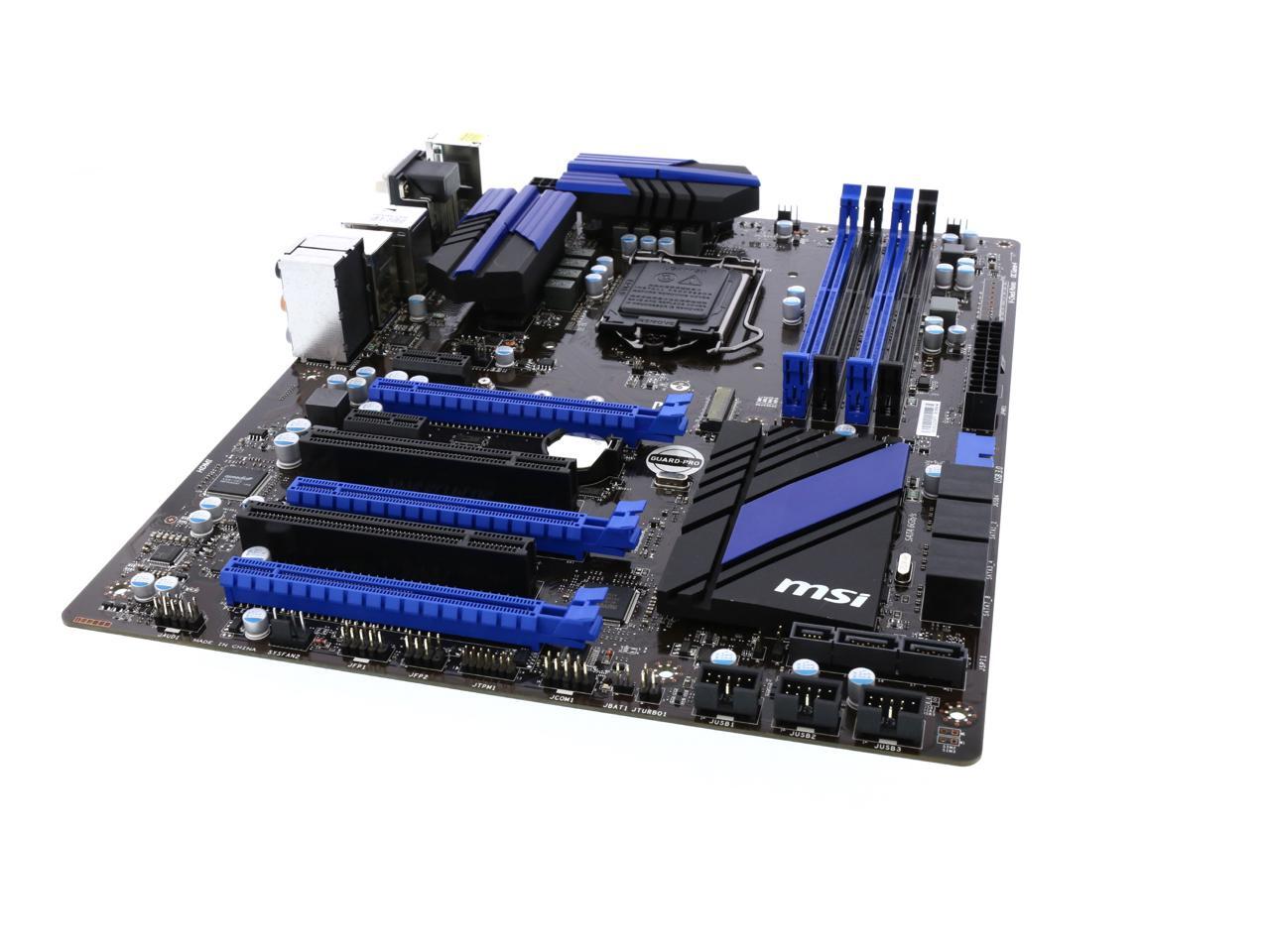
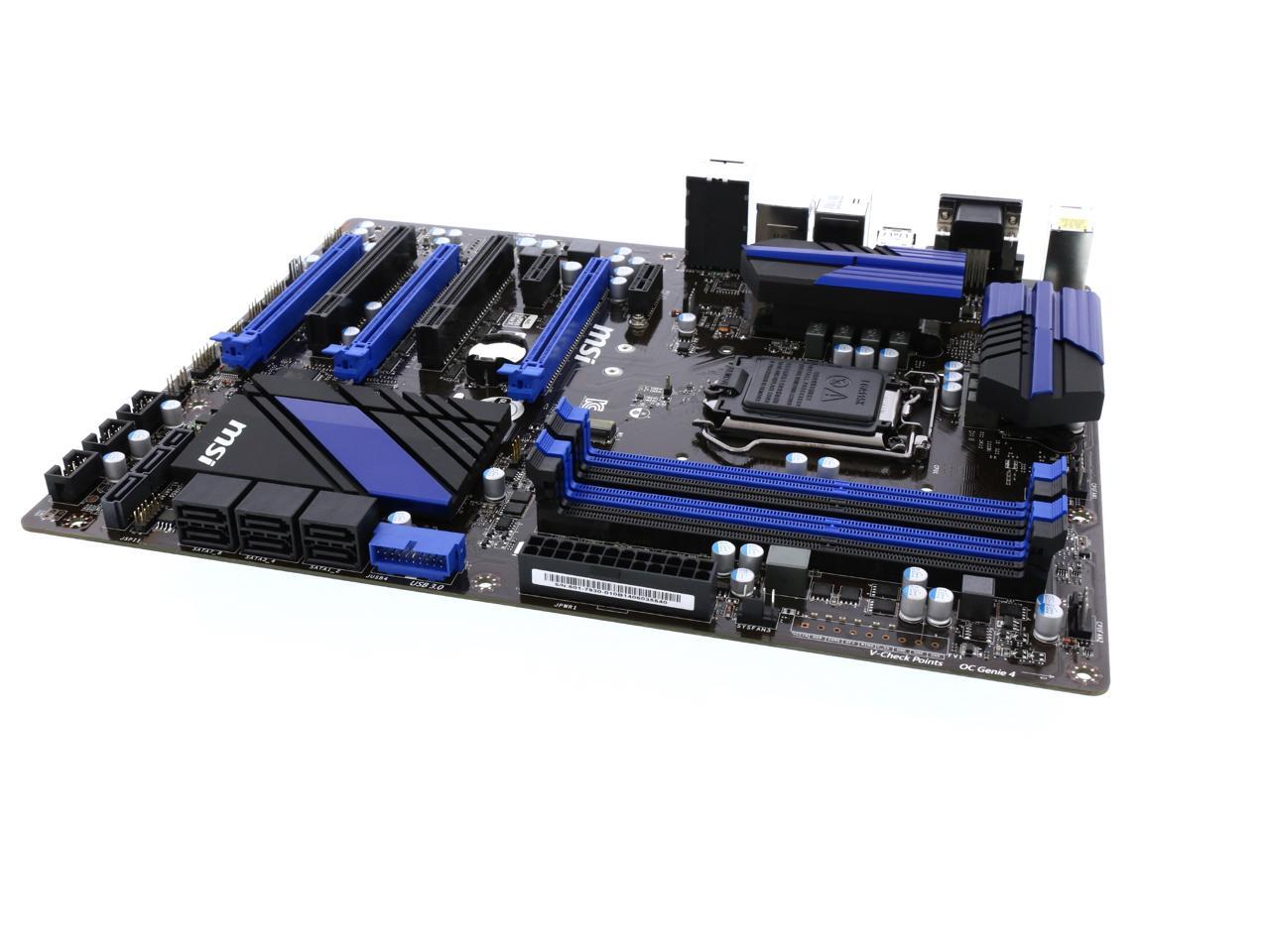
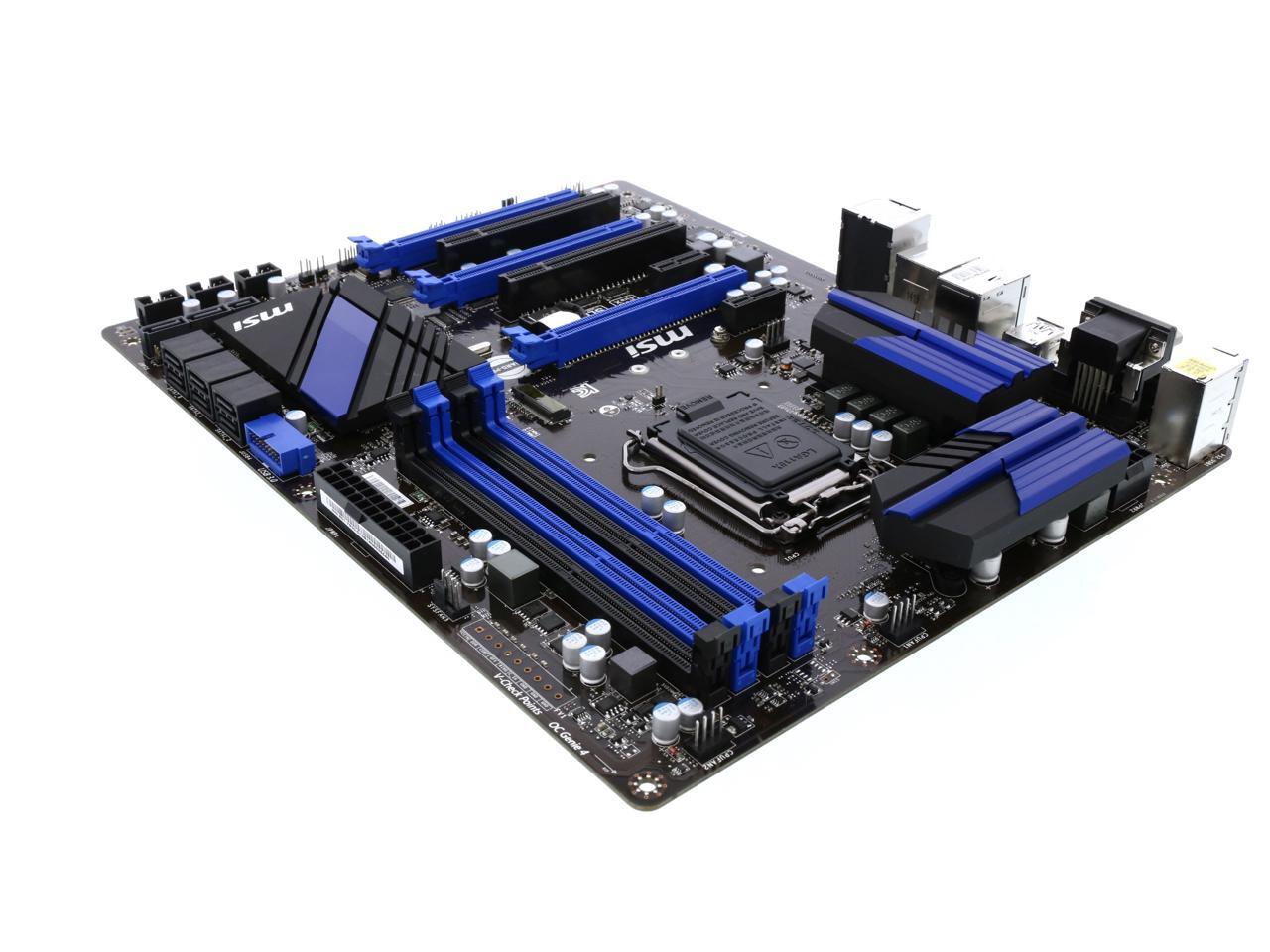
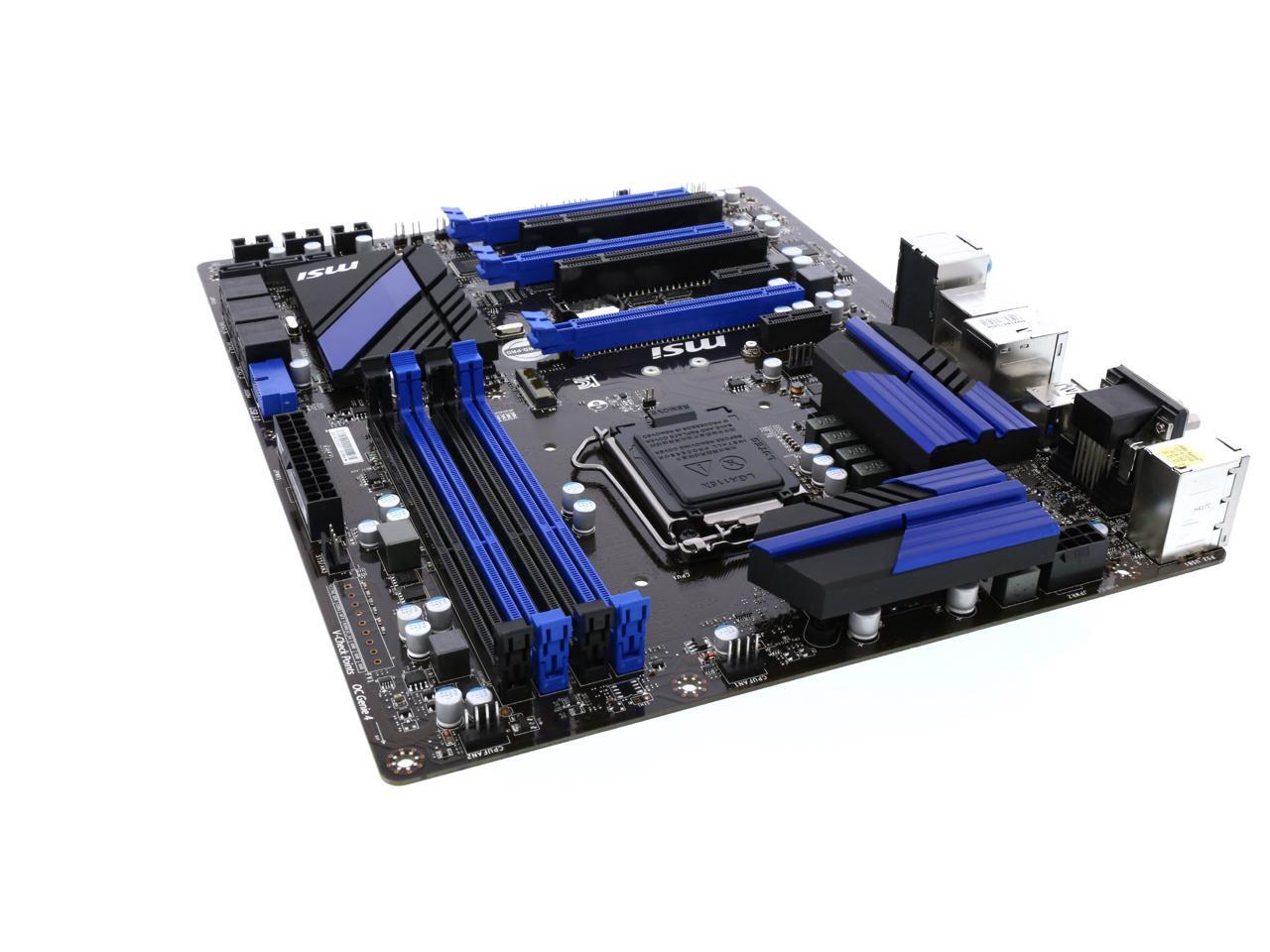
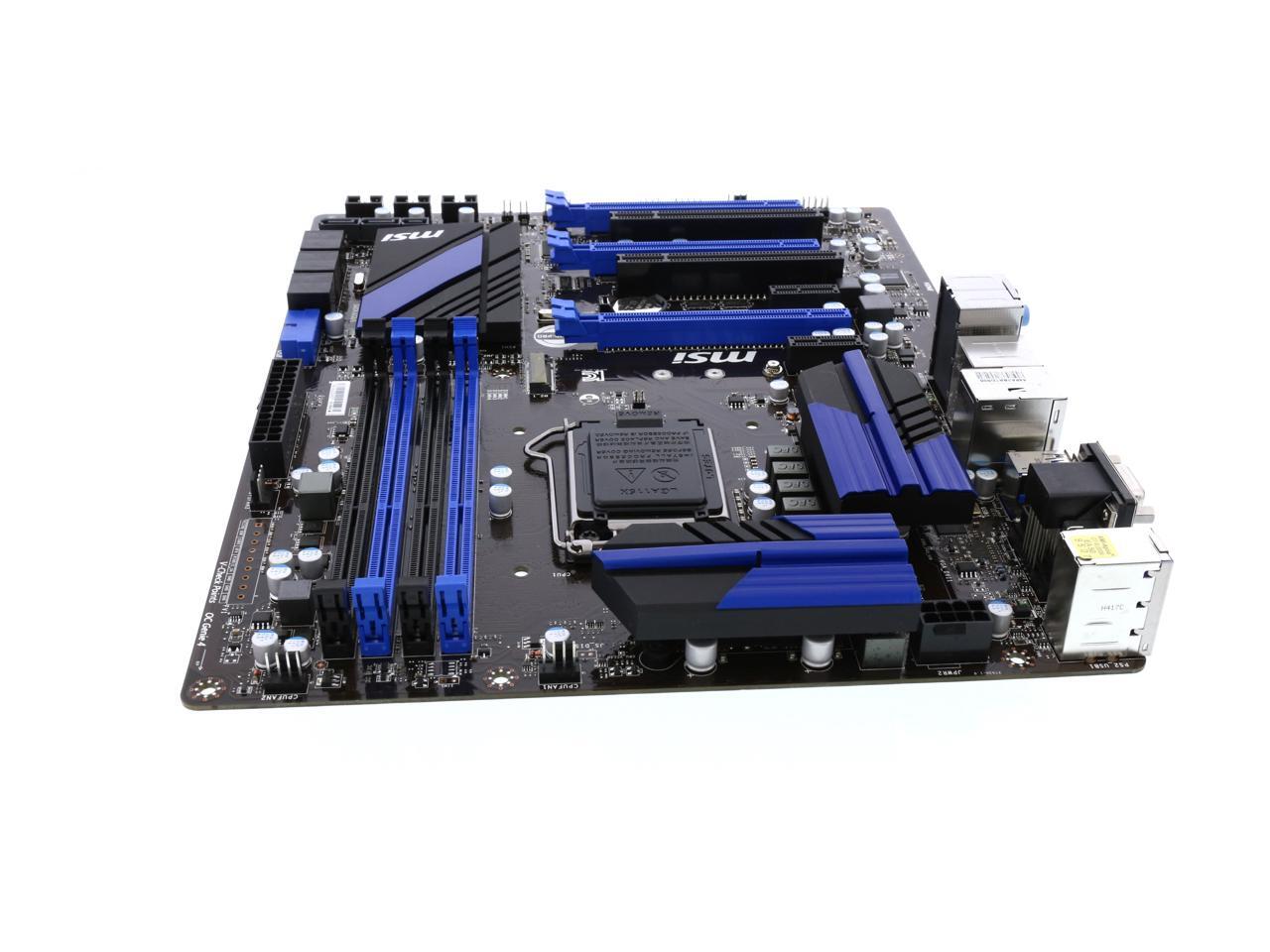
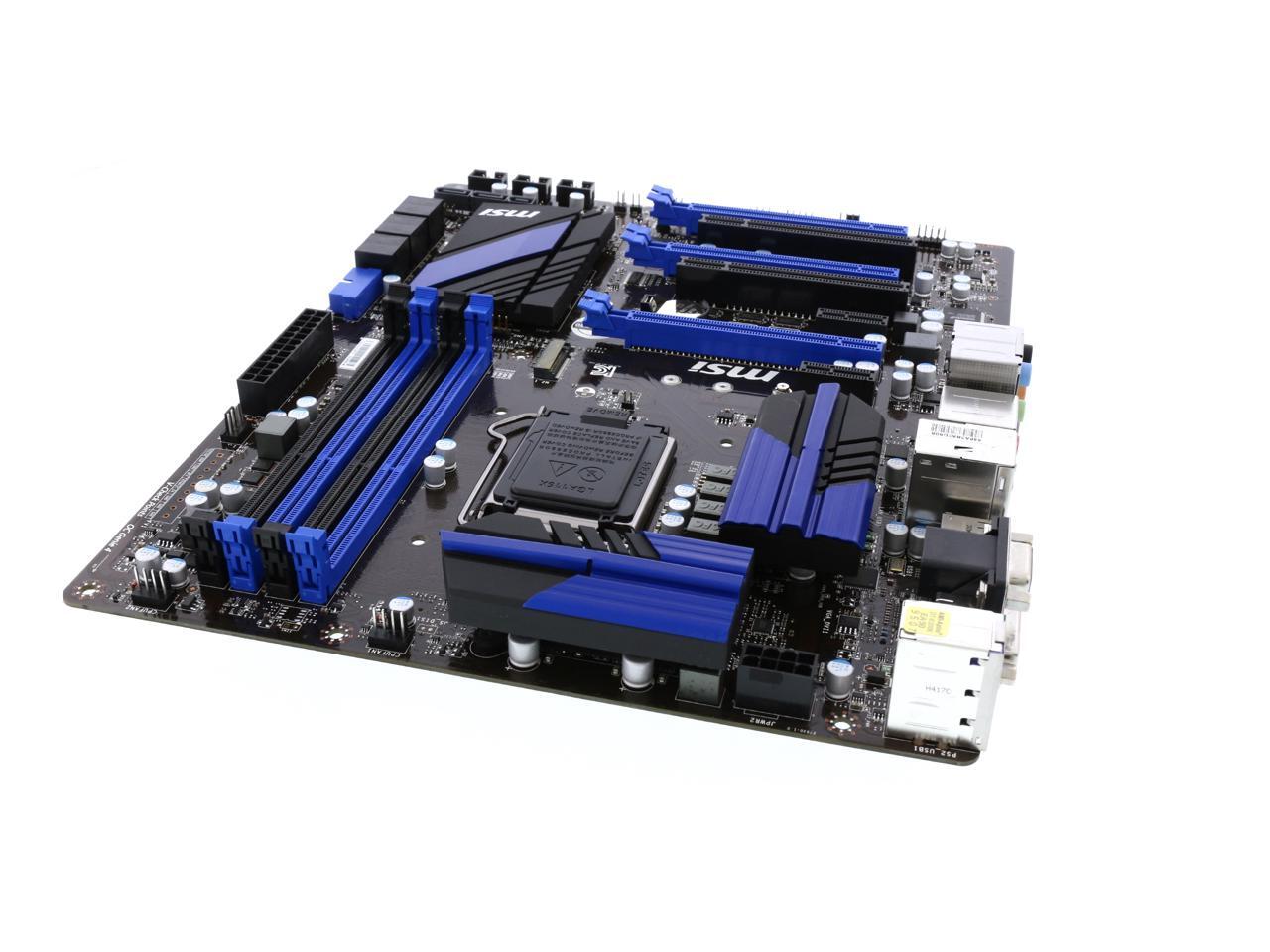
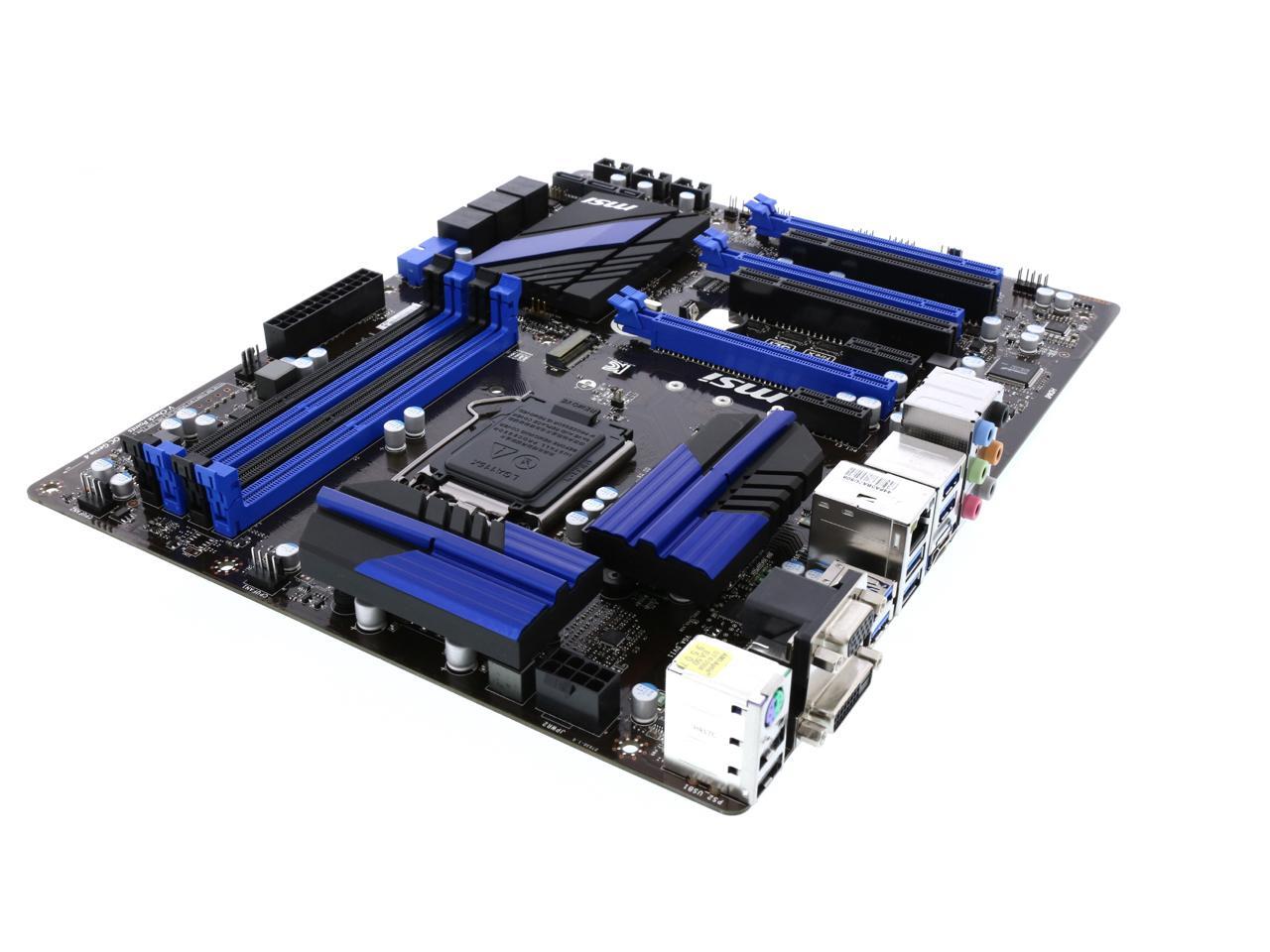
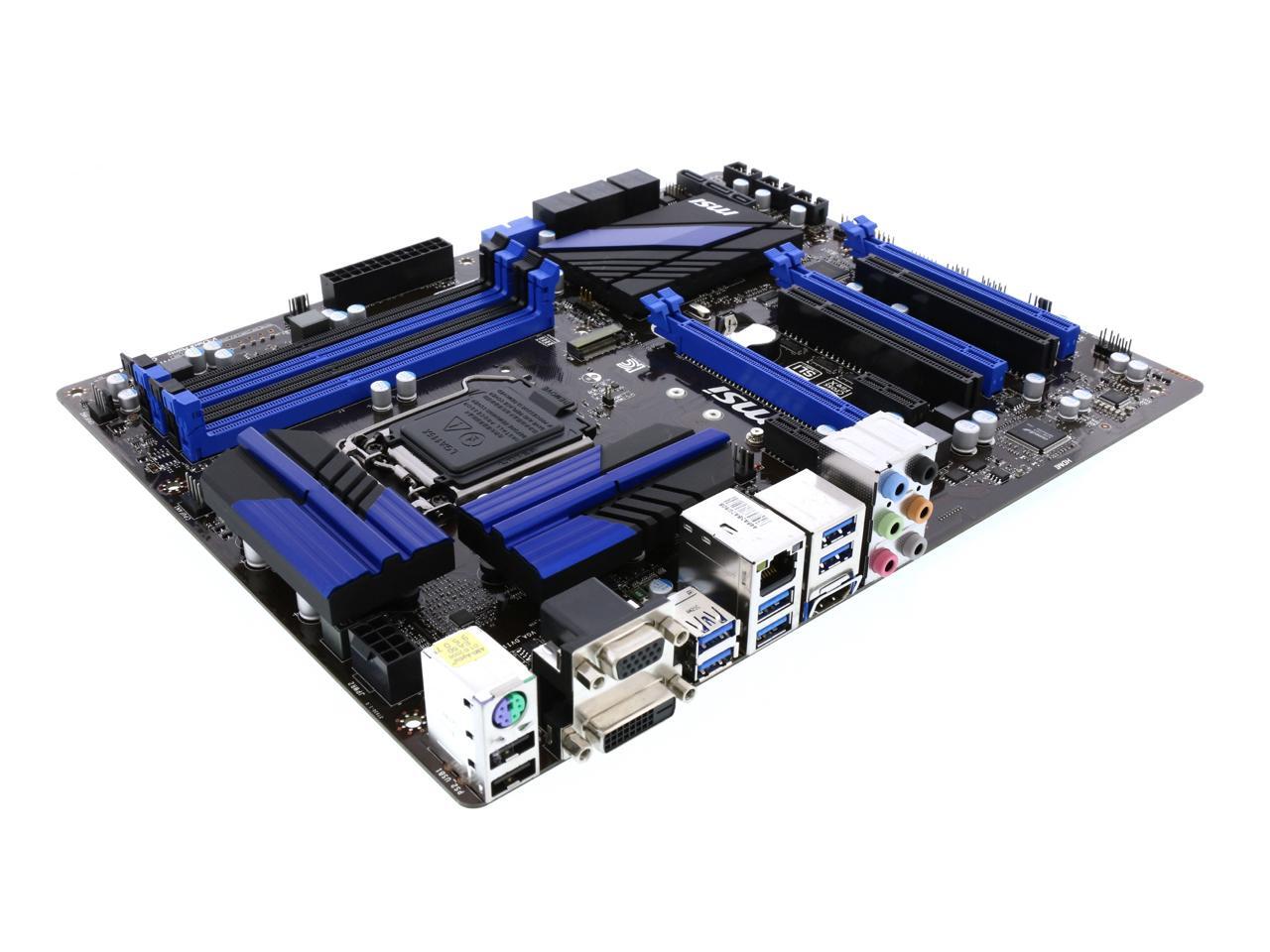
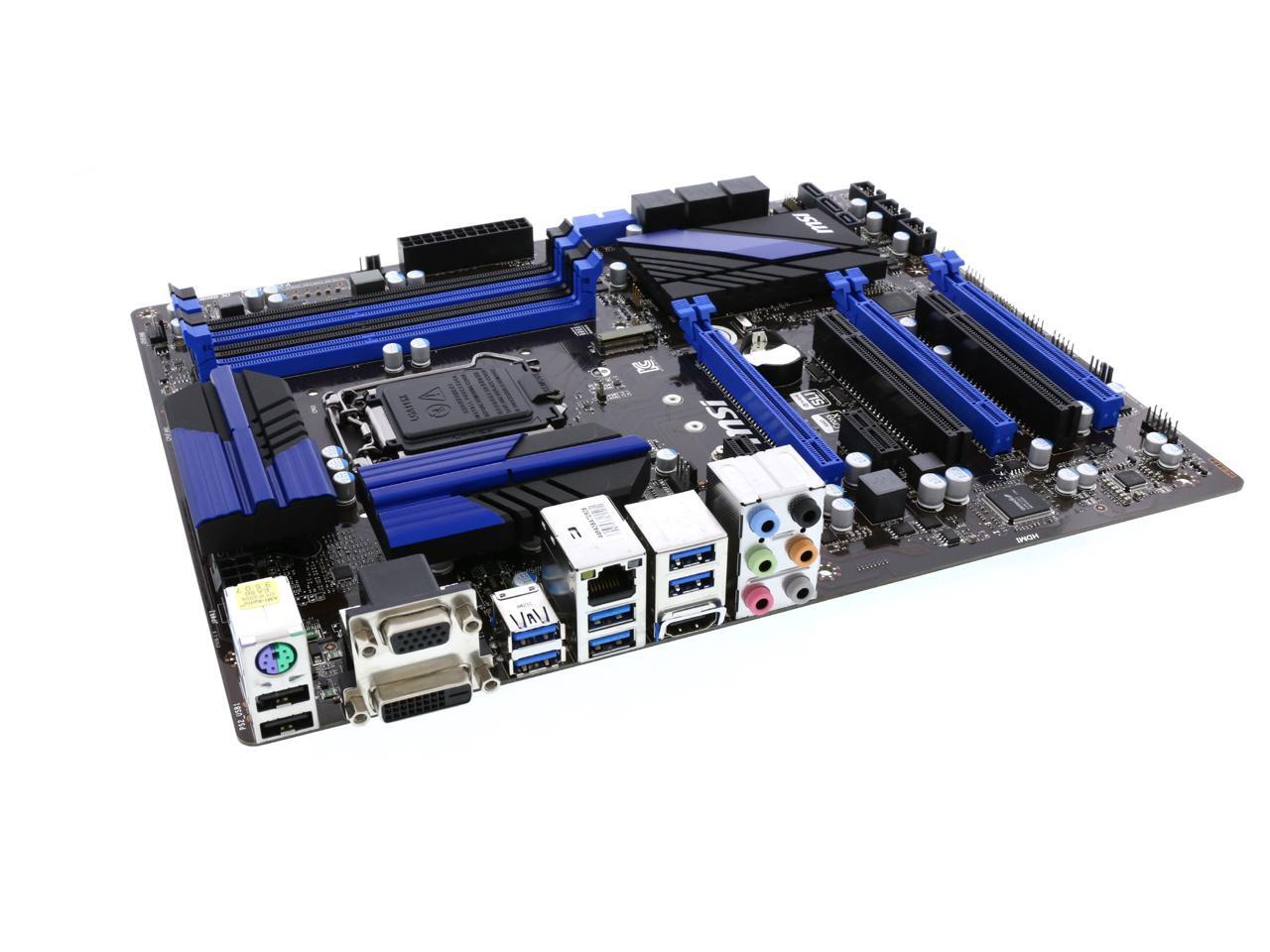
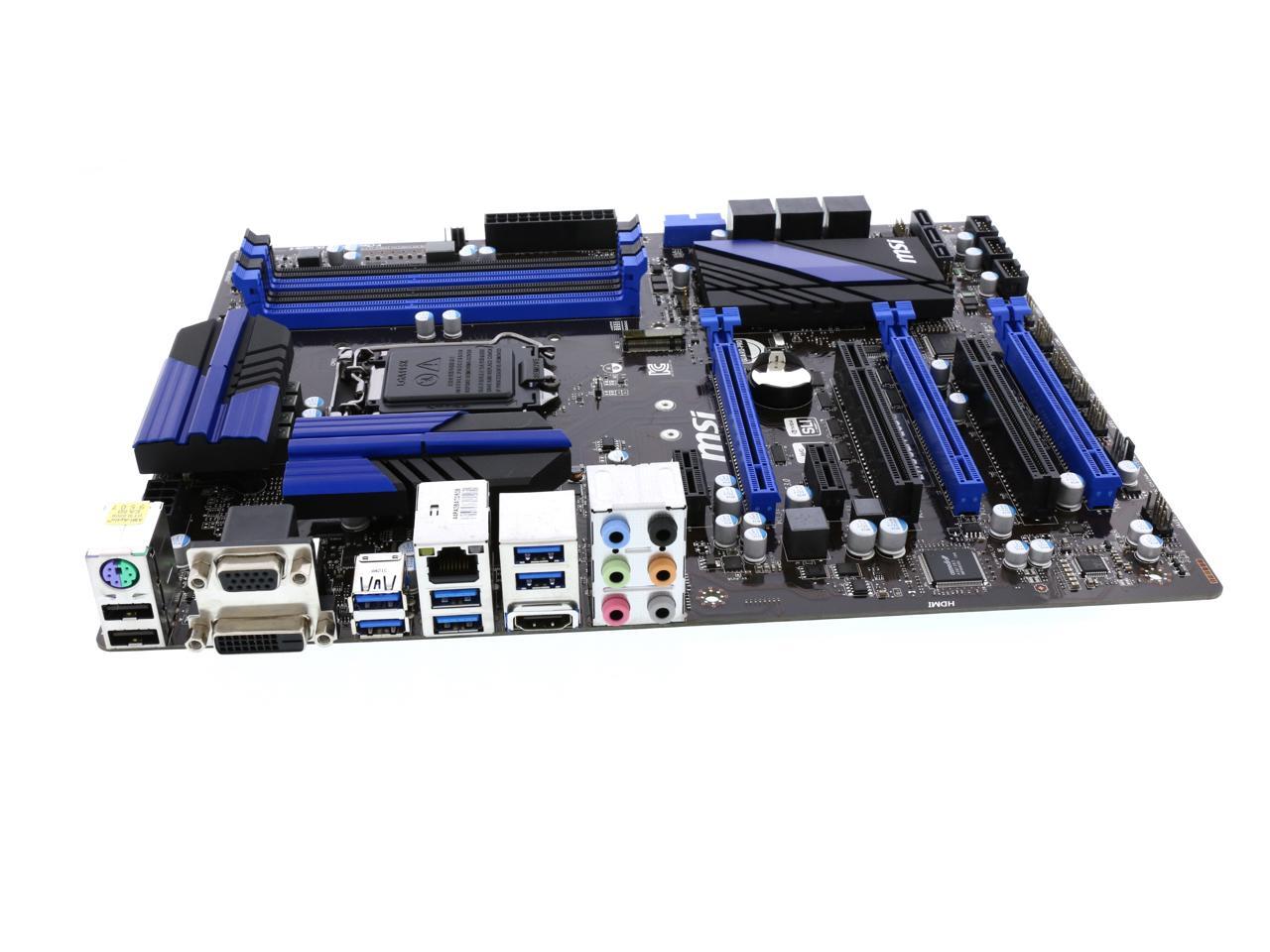
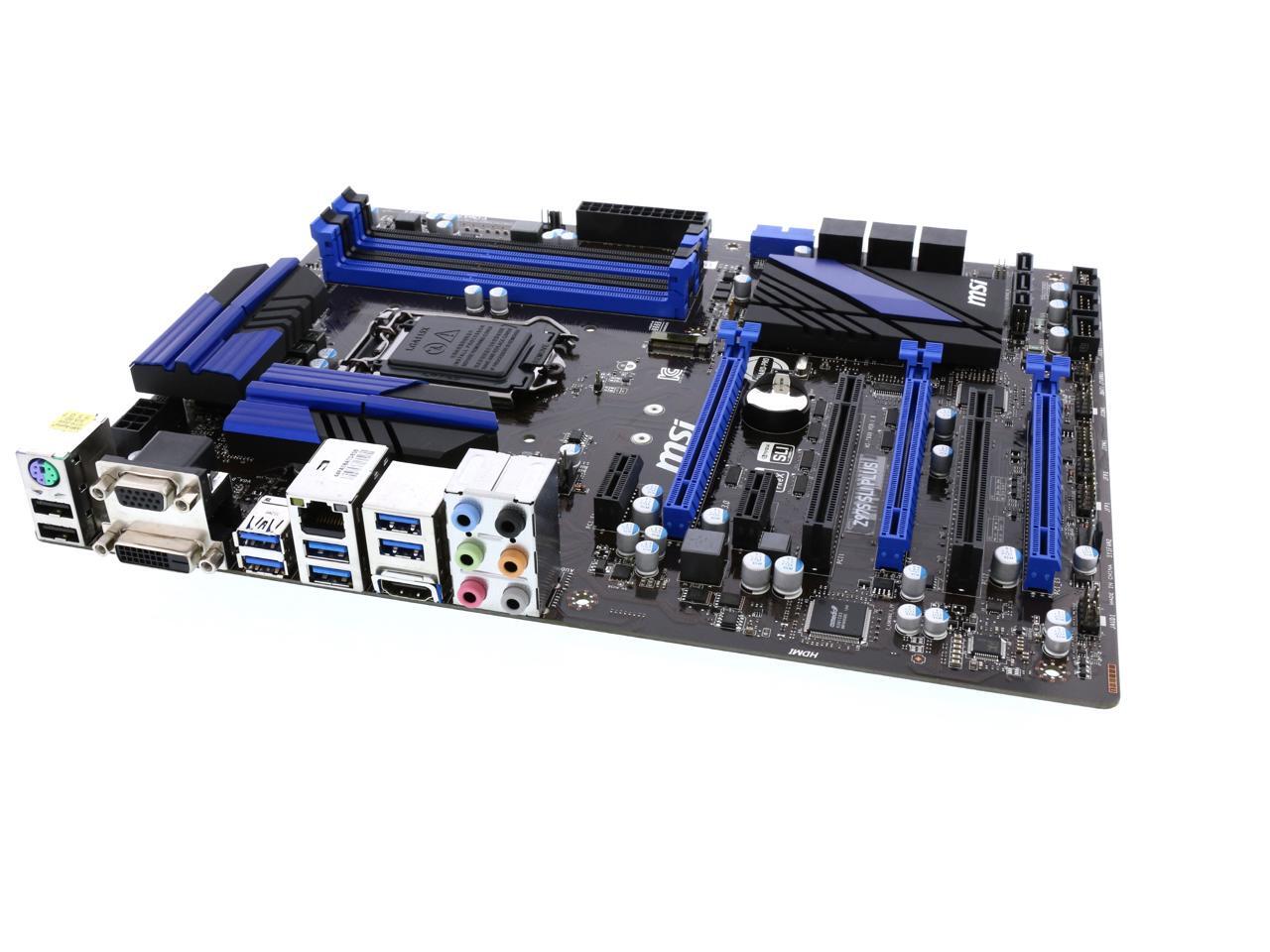
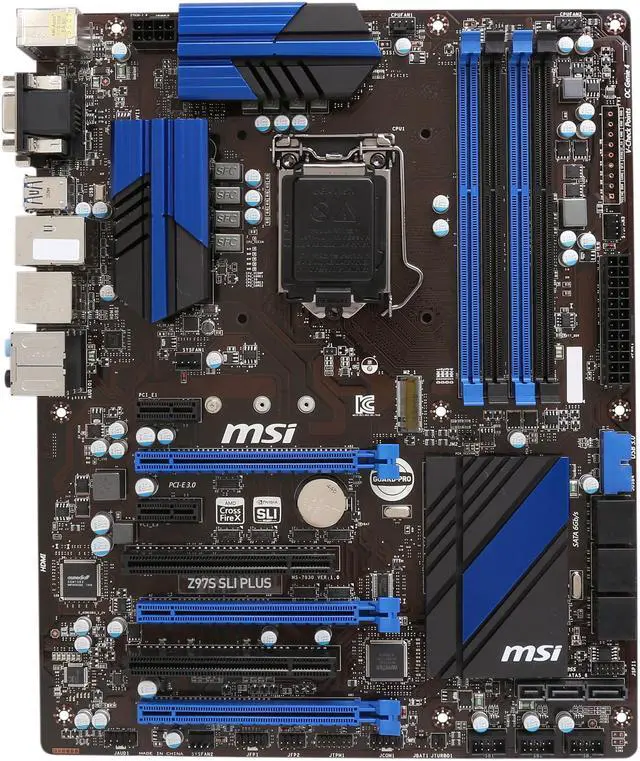
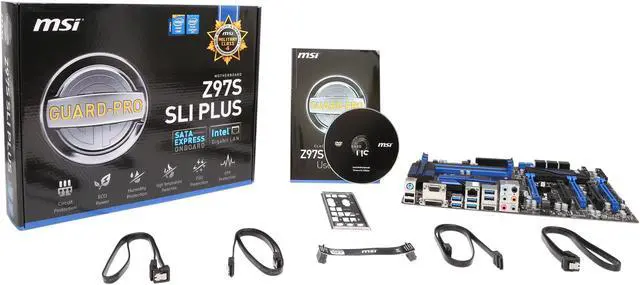
MSI Z97S SLI Plus LGA 1150 Intel Z97 HDMI SATA 6Gb/s USB 3.0 ATX Intel Motherboard

In stock. Limit 10 per customer.

  • Intel Z97
  • Core i7 / i5 / i3 / Pentium / Celeron (LGA1150)
  • DDR3 3300(OC)/3200(OC)/3100(OC)
  • Pin It
  • Email this page
ICON Loading...

Learn more about the MSI Z97S SLI Plus

Quick Info

Warranty

  • Limited Warranty period (parts): 3 years
  • Limited Warranty period (labor): 3 years


Customer Reviews of the MSI Z97S SLI Plus

Do you own this product? Write a Review

ICON Loading...

Filter Results

Go
  • jparchib
  • 8/29/2014 5:21:37 AM
  • Tech Level: High
  • Ownership: 1 week to 1 month
  • Verified Owner

5 out of 5 eggsExcellent board for the money

Pros: This board is very good. I have paired it with a i74790k cpu to build a video editing system, and it is just great. I used this board since it was the least expensive one that featured 8 sata port. I needed 1 for the DVD/Bluray burner, two for the raid 1 system disk (can't afford any down time on this machine), 3 for the RAID 5 projects disk, 1 for the SSD drive to use as a cache drive to accelarate things, and 1 for the eSata port.

This board allowed this configuration perfectly.

Cons: Like other said, it is true that the front headers and fans header are weirdly placed. But I will not knock an egg for this. I used a resewill challenger mid tower and managed to make a very clean install.

Other Thoughts: Forget what oter said about the heatskinks. Yes you can move them a bit if you try, since they are maintaned it place with spring loaded clips. This is a clever way of attachng them since it allow to have just the correct pressure on the components, but they will never fall.

1 out of 1 people found this review helpful. Did you? Yes No

  • Phillip P.
  • 8/18/2014 1:05:27 PM
  • Tech Level: Somewhat High
  • Ownership: 1 month to 1 year
  • Verified Owner

5 out of 5 eggsTurns out, it was just my power supply

Pros: see Other Thoughts

Cons: see Other Thoughts

Other Thoughts: This is a correction of my previous review:

As it turns out, the seeming incompatibility with my R9 290 (POST issues et al.) was actually caused by my Power Supply.

I thought I had purchased a good one (Corsair RM750), but it appears as though there are several issues with it (see HardOCP's review for more info). As it turns out, the motherboard works just as it should, and my faulty PSU was to blame for the issues.

I can't however, speak for the other reviewers. This is my experience only.

2 out of 2 people found this review helpful. Did you? Yes No

  • viane
  • 7/10/2014 9:49:52 AM
  • Tech Level: High
  • Ownership: 1 day to 1 week
  • Verified Owner

1 out of 5 eggsif you have r9 290, dont buy this board

Pros: good bios ui, ez oc, msi has good software keep you updated

Cons: I have msi official r9 290, tried #1, #2 slot, it never post into windows. when I plug in the main pci slot, it wont even recognized in windows. Black screen after trying 3 days of fix, I give up on this board. I have 1.3 bios updated by msi living update

Other Thoughts: update bio doesnt fix anything to r9 290

Manufacturer Response:

Dear Valued Customer,

We apologize for the issues that you are having with this product.
R9 290 has been tested and confirmed to work on this motherboard, please refer to our test report below.
http://www.msi.com/support/mb/Z97S_SLI_PLUS.html#support-vga

If you have any questions, please kindly get in touch with our tech support team directly at 626.271.1004 for assistance during regular business hours from M to F, 6am to 6pm Pacific Time, or you can email us at usreview@msi.com.
When contacting us, please kindly include your product info, thank you.

Best Regards,
MSI Review Team | usreview@msi.com

2 out of 3 people found this review helpful. Did you? Yes No

  • Dylan
  • 7/6/2014 3:41:49 PM
  • Tech Level: Somewhat High
  • Ownership: 1 week to 1 month
  • Verified Owner

3 out of 5 eggsDisappointed

Pros: - Dark brown PCB looks cool
- 5 PWM fan headers
- Click BIOS

Cons: - The two top left heatsinks near the back panel I/O are loose and unsecured. They are wobbly like they were glued on with Elmer's school glue and haven't dried yet. I feel like they're going to fall off if I poke it accidentally. Feels very cheap.
- Awkward positioning of fan headers. I had to use extensions to reach some headers, and the reach isn't very long in an Antec 300.
- Front audio, power, and LED headers are literally as far away as possible. They are located in the bottom left corner of the board, and makes routing cables to them impossible. I left my front audio unplugged because i didn't want it running in front everything. Very bad layout choice. This should be common sense for a company like MSI.
- The BIOS fan control only lets you slow your fans down to 50% in most cases, and Speedfan does not recognize the chip. My computer is now louder than it was before the mobo swap. I updated to the latest BIOS version as well. I don't want to use a 5.25" fan controller or get a T Balancer, so I'm not sure what to do to keep my PC quiet at the moment.
- Not a ton of I/O options on the back panel.

Other Thoughts: Mediocre layout and quality control issues make for a disappointing, cheap feeling motherboard.

Manufacturer Response:

Dear Valued Customer,

We apologize for the issues that you are having with this product.

If you have not go through troubleshooting yet, then feel free to contact our tech support team for assistance at 626.271.1004 from M to F, 6am to 6pm Pacific Time.
If you have gone through troubleshooting and confirmed the symptom, then please kindly visit the URL below to set up a RMA for warranty service.
http://service.msicomputer.com/msi_user/rma_form_new.aspx

Required Information:
1. Full name (first, and last)
2. Telephone #
3. Physical address (No PO box)
4. Email address
5. Serial number (located on the box, or underneath the motherboard, eg 601-xxxx-xxxBxxxxxxxxxx)
6. Please write clear details about symptoms you are having onto the Special Remark section.

Once your information and warranty are verified by the system then you will get a RMA# immediately.
You will receive a RMA email which indicates the turn-around time as well as ship-to address.

If you have any questions or concerns regarding the product or special requests, received the unit back from RMA but are still having issues, please do not hesitate to call us or email us directly and we will be more than happy to assist you, thank you.
Tech Support Line: 626-271-1004 (M to F, 6am to 6pm Pacific Time)
Tech Support Email: usreview@msi.com

Best Regards,
MSI Review Team | usreview@msi.com

1 out of 4 people found this review helpful. Did you? Yes No

  • TK
  • 7/1/2014 11:40:45 PM
  • Tech Level: Somewhat High
  • Ownership: 1 day to 1 week
  • Verified Owner

5 out of 5 eggsBlue Beauty

Pros: -LOOKS AMAZING! Best-looking mobo on Newegg in my opinion.
-Has lots of SATA ports. It's the cheapest LGA 1150 mobo with 8+ sata ports.
-Has everything I could need. Only built my computer yesterday so haven't fully explored the bios and other features, but seems good.
-Seems to work perfectly with my R9 270X so far. Previous reviewer may have gotten unlucky with his 290, not sure, but the 270x works fine.

Cons: -I can see how the right angle USB 3 header would be a problem for some but luckily my case (Corsair 450D) had plenty of room to the right of the board to plug it in.
-Header for the case LEDs and power button stuff were a bit far away, had to pull the cables in a straight line for them to reach, no cable routing possible. Could be the case's fault for the cables being too short, but it worked in the end.
-Could indeed use more fan headers. My case has tons of spaces for fans but I can't utilize them :/

Other Thoughts: Awesome board, highly recommended. Go for it!

Did you find this review helpful? Yes No

  • Phillip
  • 6/29/2014 11:47:44 AM
  • Tech Level: Somewhat High
  • Ownership: 1 day to 1 week
  • Verified Owner

3 out of 5 eggsBuy with caution, I had to RMA

Pros: - It looks gorgeous
- The inclusion of SATA Express and M.2 is great
- Intel NIC
- Click BIOS works well

Cons: - Right Angle USB 3 Header. It sounds great in theory, but this being a large motherboard makes plugging a full tower header in difficult, and a mid tower would be impossible.
- Confusing F Panel. Seriously, it is the worst implementation I have ever seen. (Though the manual does make it tolerable, it is still bad)

-Now to the meat of the issue, a seeming incompatibility with Radeon (at least mine) GPUs. I have an XFX R9 290 which worked flawlessly with my last build (a 990FX setup). This motherboard, however, seems to have issues with it. When the card is installed into the top most PCIe slot, the MB wouldn't even POST. When installed into the lower one, it would POST most of the time and then boot into Windows. But then, there were heinous issues with Windows constantly BSOD'ing and/ or locking up entirely. Here's what I was able to discover after working on this issue for OVER 12 HOURS:
- Onboard video works great, Windows was always able to boot with no BSODs or freezes.
- Using an nVidia card solved the issue as well. I plugged in my old GTX 580 and just like Onboard, it worked flawlessly (tried with both PCIe slots).
- It IS NOT my GPU or the Z97 chipset, because I now have a Gigabyte GA-Z97X-UD3H-BK and it works flawlessly.
- Check Other Thoughts for a slightly more detailed, techy explanation.

Other Thoughts: Through much research, it seems to be an issue is with certain power saving features with the Z87 and Z97 chipset and AMD's own power saving features. What is happening is the computer is throttling the GPU clocks (both core and memory) to 0 (as reported by CCC and Afterburner), causing Windows to issue the GPU request Time Out bugcheck. Now, using Afterburner and disabling AMD's power saving and increasing the max power limit seemed to help some, and according to forum posts I read, putting the GPU under stress (such as playing a game) also fixes the issue, but I was never able to get to the point of installing one.

I'm not fully sure whether this is an issue with all Radeon cards, or just my specific model (I didn't test any other hardware), but according to the different forum posts, it seemed to be an issue with just the R9 290 and 290X. Additionally, the forum posts also stated that flashing the 290 up to the 290X firmware fixes the issue, but my card is locked so I wasn't able to try it.

To sum up, it's a good board, but I had a bizarre issue with it that others have also experienced on different MBs. So, buy with caution.

Manufacturer Response:

Dear Valued Customer,

We apologize for the issues that you are having with this product.
R9 290/290X have been tested by MSI and here's the test report for your reference.
http://www.msi.com/support/mb/Z97S_SLI_PLUS.html#support-vga

Have you tried updating the BIOS to the latest version?
http://download.msi.com/bos_exe/7930v12.zip

If you have any questions, please kindly get in touch with our tech support team directly at 626.271.1004 for assistance during regular business hours from M to F, 6am to 6pm Pacific Time, or you can email us at usreview@msi.com.
When contacting us, please kindly include your product info, thank you.

Best Regards,
MSI Review Team | usreview@msi.com

6 out of 6 people found this review helpful. Did you? Yes No

  • N/A
  • 5/28/2014 6:20:37 PM
  • Tech Level: Somewhat High
  • Ownership: 1 day to 1 week
  • Verified Owner

5 out of 5 eggsDecent, not "over the top" board

Pros: Has every features: 8 phases to support OC, Crossfire & SLI support, decent UEFI, and good enough cooling for it's chipset. Also, it has Intel gigabit ethernet chipset instead of cheap generic Realtek ethernet chipset.

Finally, the blue colored scheme is really nice. I personally refer this color over red & black that over saturates the market.

Cons: only 4 system fan & 2 cpu fan input. Really? come on guys. Also, motherboard layout can be improved. HD audio port connection location is absolutely miserable. Finally, the board layout makes it bit challenging to do cable management.

Other Thoughts: MSI, I've used your board several times, but every single time you let me down at board layout. I mean come on. it's not a $60 board where you just shove it in a cheap case. for $140, I expect better layout than this.

Other than that, I really like it.

10 out of 12 people found this review helpful. Did you? Yes No

ICON Loading...
  • $154.99
  • $144.99 after $10.00 rebate card
  • $8.99 Shipping
 

Protect Your Investment!

    • (more options) read warranty details
Are you an E-Blast Insider?
Enter your email address to agree to receive promo codes from Newegg. You can unsubscribe at any time.
Subscribe Newegg e-Blast
Home
Home > 
Computer Hardware > 
Motherboards > 
Intel Motherboards > 
MSI > 
Item#: N82E16813130775
Shop by Region: United States | Canada | China
VeriSign Click for the BBB Business Review of this Computers - Supplies & Parts in Whittier CA MasterPass PaypalVerify GoldenSealThis site protected by Trustwave's Trusted Commerce program Inc500

Policy & Agreement | Privacy Policy

 © 2000-2014 Newegg Inc.  As used herein, “Newegg.ca” means Newegg Canada Inc. unless the context specifically refers to the www.newegg.ca web address.
If the Adobe Reader does not appear when you click on a link for a PDF file, you can download Adobe Reader from the Adobe web site. nassau