


Out of stock
  • $289.99
  • $10.61 Shipping
Sold by Newegg

Shipped by Newegg

Price alert
Add to wish list(Found on 8 wish lists)
Shop it at NeweggBusiness.

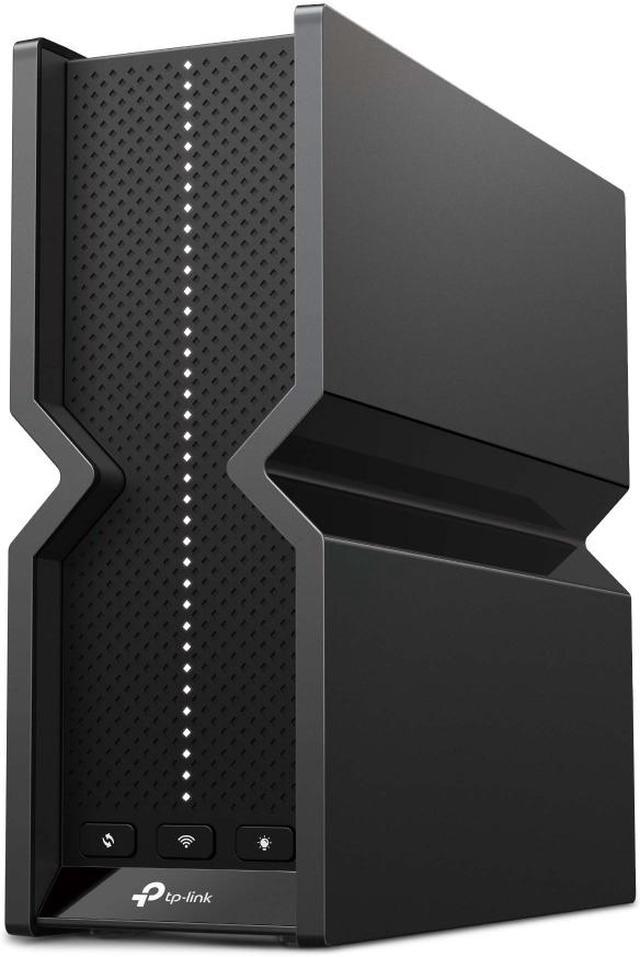
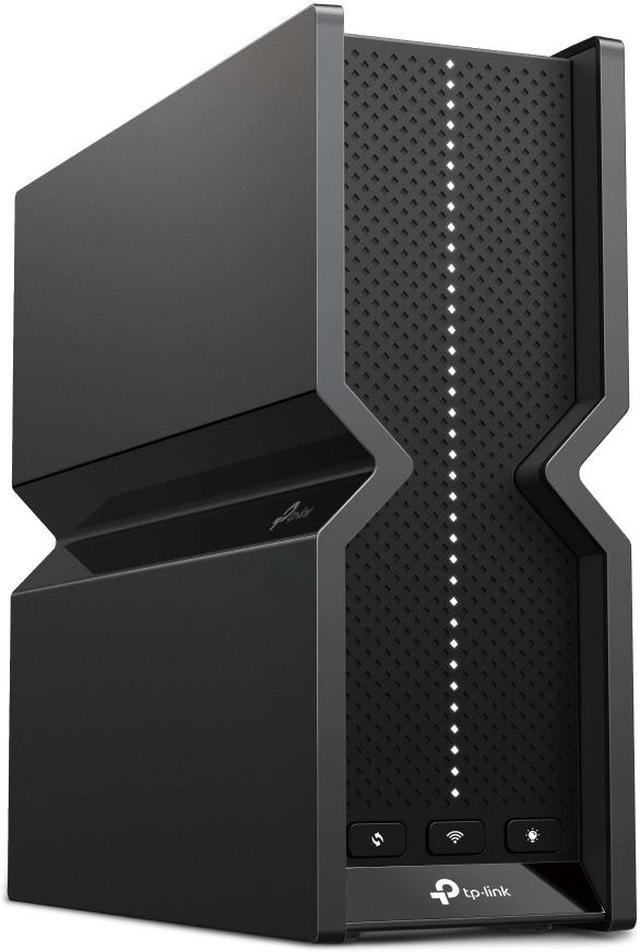
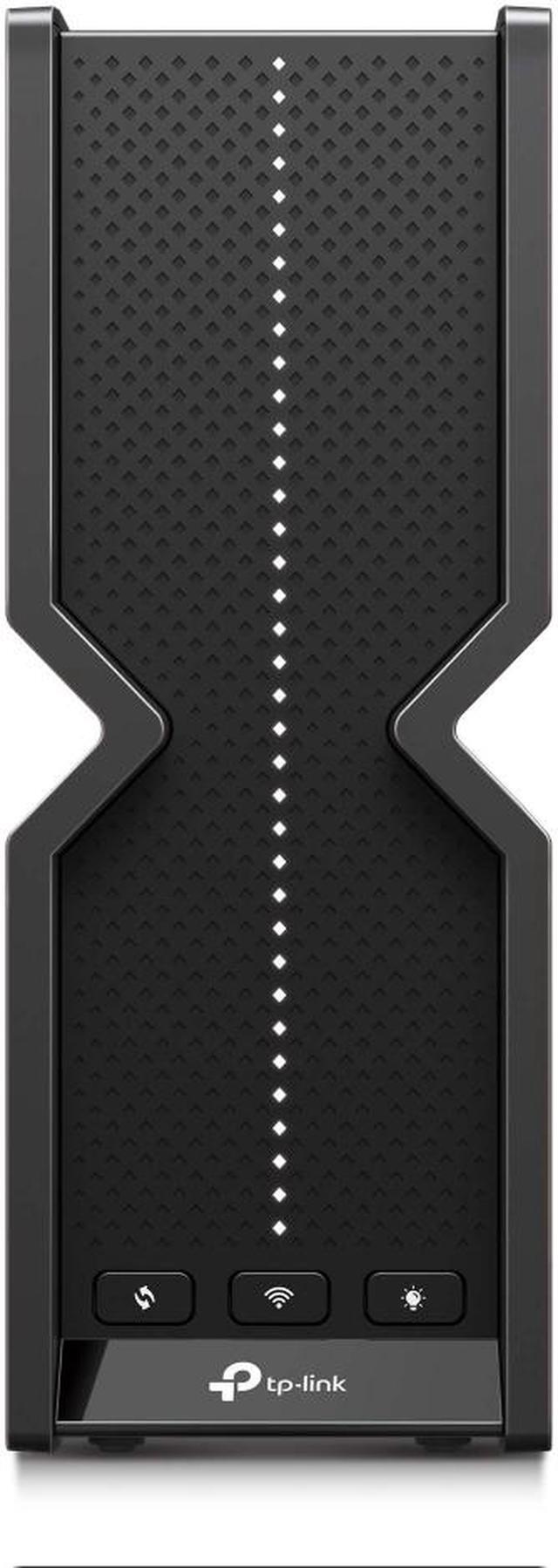
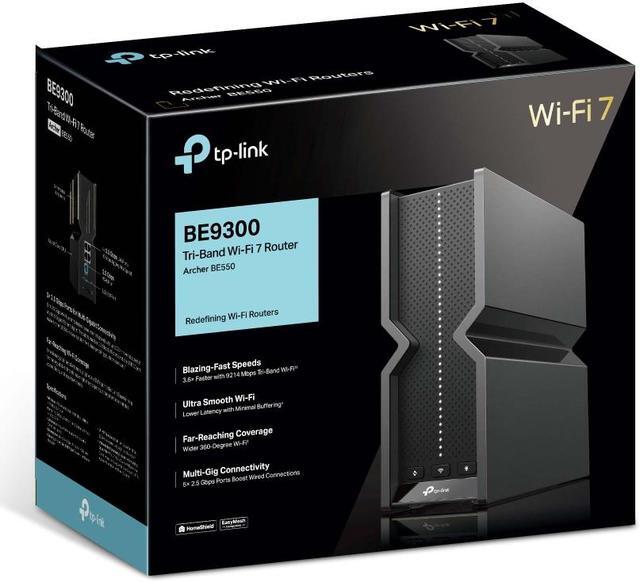
TP-Link BE9300 Tri-band WiFi 7 Router 6-Stream 9.2Gbps, Full 2.5G Ports USB 3.0, 6 Smart Internal Antennas, VPN Clients & Server, Easy Mesh, HomeShield, Private IoT Network (Archer BE550)

  • Archer BE230
  • Archer BE550
  • Archer BE550 Pro
  • With powerful Wi-Fi 7 performance, lightning-fast wired connections and brand-new design.
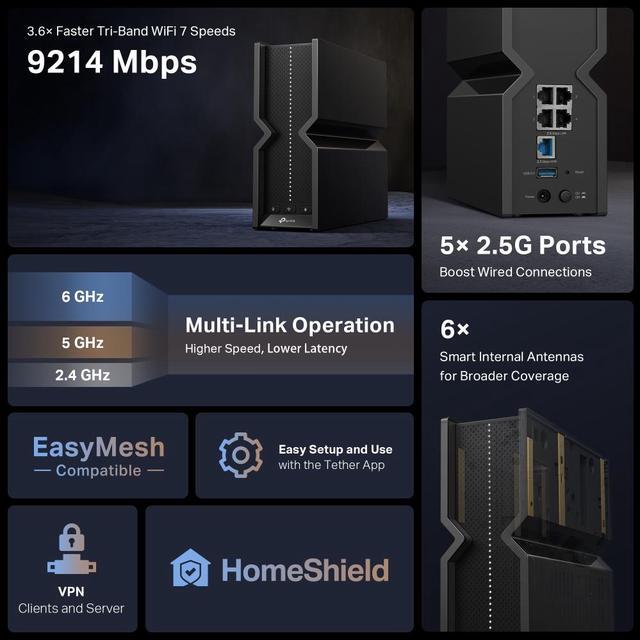
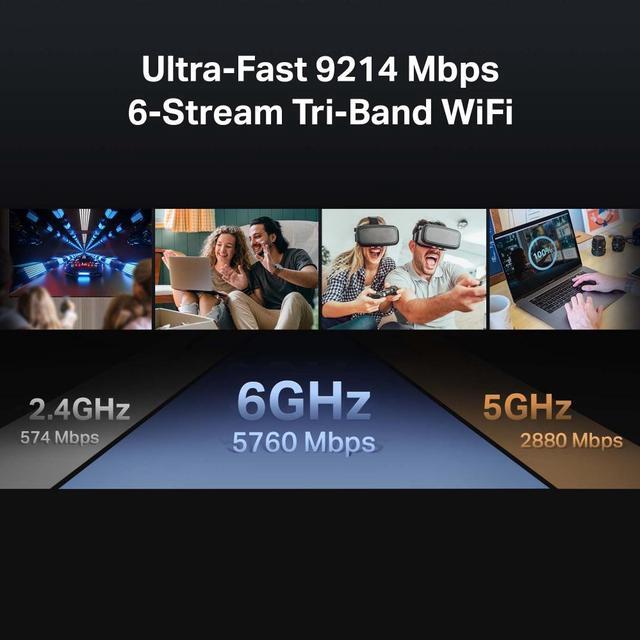
  • Archer BE550 is designed with the latest Wi-Fi 7 technology, featuring Multi-Link Operation, Multi-RUs, 4K-QAM, and 320 MHz channels. With speeds of 5760 Mbps on the 6GHz band, 2880 Mbps on the 5GHz band, and 574 Mbps on the 2.4GHz band, the Archer BE550 delivers fluent 4K/8K streaming, immersive AR/VR gaming and blazing-fast downloads.
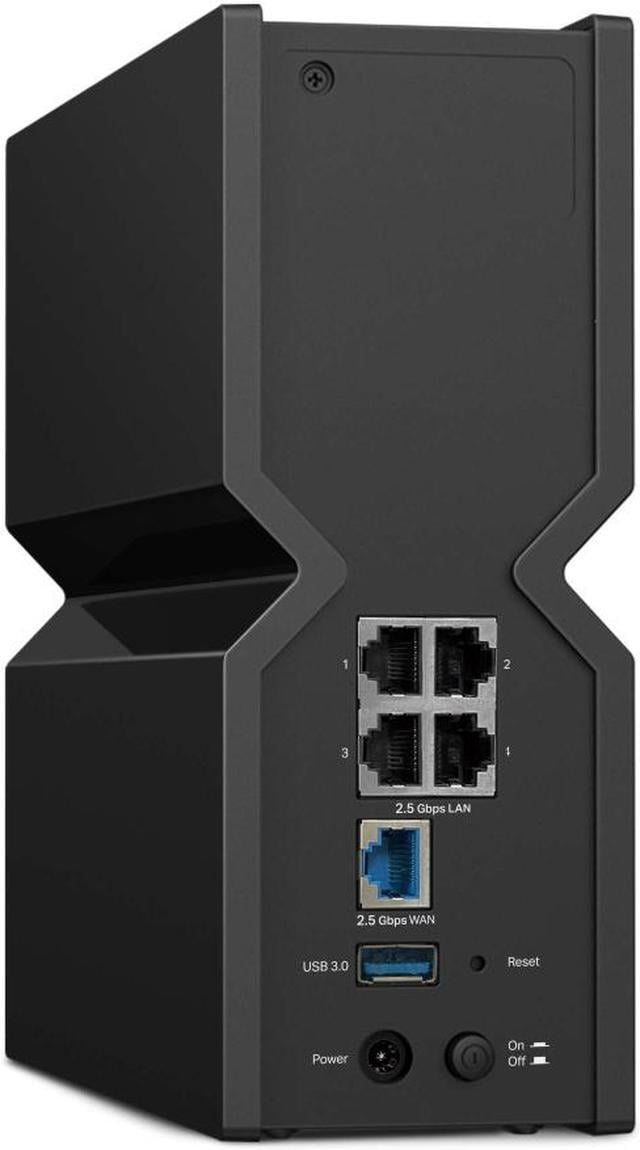
  • Equipped with one 2.5G WAN port and four 2.5G LAN ports, Archer BE550 drives your devices to peak performance and provides ideal solution for future-proofing home network
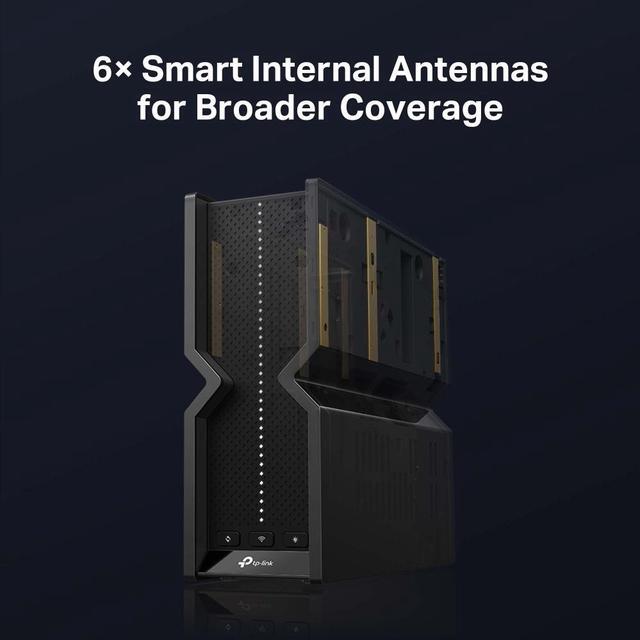
  • Proprietary Wi-Fi optimization and 6 optimally positioned antennas along with Beamforming deliver more capacity, stronger and more reliable connections, and less interference.
  • EasyMesh-Compatible: Works with EasyMesh routers and range extenders to form seamless whole home Mesh Wi-Fi, preventing drops and lag when moving between signals.
+
+
Overview
Specs
Reviews (9)
TP-Link logo
Exploring the New Era of Home WiFi
BE9300 Tri-Band WiFi 7 Router

Archer BE550

WiFi 7 logo with tri-band BE9300 badge
TP-Link Archer BE550 router with 6 antennas front view on dark background
TP-Link Archer BE550 router lifestyle image on dark background
WiFi 7 technology features comparison chart showing 320MHz, 4K-QAM, Multi-Link Operation, and Multi-RUs
WiFi 7 features mobile view - 320MHz bandwidth
WiFi 7 features mobile view - 4K-QAM and Multi-Link Operation
WiFi 7 — WiFi Like Never Before

WiFi 7 offers accelerated throughput, lower latency, stronger anti-jamming, and higher efficiency. Join the league of pros and experience the sheer performance of the next generation of WiFi.

WiFi technology evolution timeline from WiFi 5 to WiFi 7 showing increasing speeds
320 MHz

Doubles the width, doubles the speed1,2

4K-QAM

Packs 20% more data than WiFi 6 for higher speeds1

Multi-Link Operation

Increases throughput, reduces latency, and improves reliability1

Multi-RUs

Makes full use of every resource for maximum efficiency1

Ultra-Fast 9214 Mbps 6-Stream Tri-Band WiFi

Enjoy smooth 8K streaming, VR/AR, video conferencing, online gaming, and high-speed downloading.

Tri-band WiFi speed breakdown showing 6GHz 5760Mbps, 5GHz 2880Mbps, and 2.4GHz 574Mbps
5× 2.5 Gbps Ports for Full Multi-Gigabit Connectivity

One 2.5 Gbps WAN port maximizes home internet speeds with up to 2.5× the wired speed of a typical Gigabit Ethernet port. The additional four 2.5 Gbps LAN ports make Archer BE550 an ideal solution for future-proofing your home network.3 Let's begin the unprecedented smooth game!

Gaming computer desktop icon

Gaming Computer

NAS network attached storage icon

NAS

2.5G network adapter card icon

2.5G PCIe Adapter/ NIC

Game server icon

Game Server

TP-Link Archer BE550 router rear ports showing 5 2.5Gbps ethernet ports, USB port, and power button
TP-Link Archer BE550 router back panel mobile view
6 High Gain Antennas with Beamforming, for Broader Coverage
TP-Link router with 6 antennas showing beamforming WiFi signal coverage diagram across multiple floors
Flexibly Create Whole Home Mesh WiFi

Archer BE550 is EasyMesh-compatible. If you have any dead zones at home, just add another EasyMesh router/range extender to further form your whole home multi-gigabit mesh WiFi. No more searching for a stable connection.

360 degree WiFi coverage icon
WiFi Dead Zone Killer

Eliminate weak signal areas with WiFi coverage for the whole house

Smart roaming WiFi signal icon
Smart Roaming

Uninterrupted streaming when moving around your home

Single WiFi network home icon
One WiFi Name

No more switching WiFi network names

Unified network management icon with central hub
Unified Management

Manage your whole home WiFi from the central node via the Tether app/Web UI

EasyMesh network topology diagram showing main router connected to multiple mesh nodes
Seamless WiFi roaming animation between mesh network nodes
Easy Setup and Use

Whether you prefer the intuitive Tether app or TP-Link's powerful web interface, you can set up your Archer BE550 in minutes. The Tether app allows you to manage network settings from any Android or iOS device.

TP-Link Tether app parental controls screen showing content filtering and time scheduling features
Protect Your Children

Block inappropriate content for your children and customize a time range for better online habits.

TP-Link Tether app network security notification showing new device connection alert
New Connection Notifications

You will be notified by your phone when new devices connect. Kick off any suspicious connections and block them. It's as simple as that.

TP-Link Tether app firmware update screen with automatic update scheduling option
Easy Firmware Upgrades

Tired of upgrading firmware manually? OTA updates simplify firmware upgrades with a click in the management panel. To keep your security and functions always up to date, just turn on the auto schedule.

VPN Clients and Server Supported

Allow devices in your home network to access remote VPN servers without needing to install VPN software on every device. Archer BE550 can run both the VPN and ordinary internet connections at the same time, delivering security and flexibility.

VPN network diagram showing router as VPN client and VPN server with connected devices
TP-Link HomeShield security logo with shield icon
Your Security is Our Priority

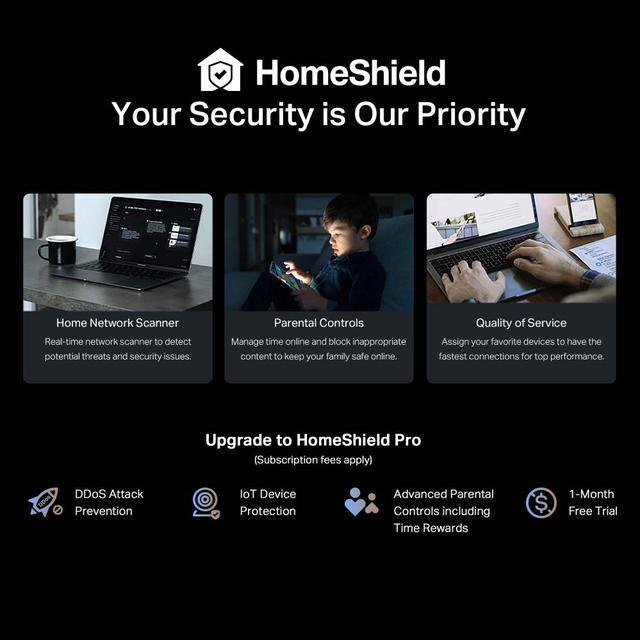
With TP-Link HomeShield, enjoy advanced security features that deliver a safe environment that protects your family and network's data and privacy.4

Home network scanner icon showing security shield scanning connected devices
Home Network Scanner

Real-time network scanner to detect potential threats and security issues.

Parental controls icon showing adult supervising child's device usage
Parental Controls

Manage time online and block inappropriate content to keep your family safe online.

Quality of Service icon showing prioritized network traffic lanes
Quality of Service

Assign your favorite devices to have the fastest connections for top performance.

Private IoT Network for More Security

Set up a separate WiFi for IoT devices and overlay HomeShield and advanced WPA3 encryption5 to better protect the security of your home network and IoT devices.

IoT network diagram showing router with separate private network for smart home devices including cameras, lights, and appliances
Notes:

1. Use of Wi-Fi 7 (802.11be), Wi-Fi 6 (802.11ax), and features including MLO, 320 MHz Bandwidth, 4K-QAM, Multi-RUs, OFDMA, and MU-MIMO requires clients to also support the corresponding features. Not all 320 MHz channels may be available in the 6 GHz band in some regions/countries due to regulatory restrictions.

2.The 320 MHz bandwidth is only available on the 6 GHz band and may be unavailable in some regions/countries due to regulatory restrictions. Double channel width and speed refer to 320 MHz compared to 160 MHz for WiFi 6 routers.

3. Maximum wireless signal rates are the physical rates derived from IEEE Standard 802.11 specifications. Actual wireless data throughput, wireless coverage, and connected devices are not guaranteed and will vary as a result of network conditions, client limitations, and environmental factors, including building materials, obstacles, volume and density of traffic, and client location.

4. HomeShield includes the Free Basic Plan. Fees apply for the Pro Plan. Visit tp-link.com/homeshield for more information

5. This router may not support all the mandatory features as ratified in the IEEE 802.11be specification.

* Actual network speed may be limited by the rate of the product's Ethernet WAN or LAN port, the rate supported by the network cable, Internet service provider factors and other environmental conditions.

Experience a powerful Wi-Fi 7 router with blazing-fast Wi-Fi speeds up to 9214 Mbps. Every device in your home network runs at top performance. The brand new 6 GHz band provides exceptional bandwidth and congestion-free channels exclusive to your devices.

Warranty & Returns

Warranty, Returns, And Additional Information

Warranty

  • Limited Warranty period (parts): 1 year
  • Limited Warranty period (labor): 1 year
  • Read full details

Return Policies

LOADING...