




Accurate STT
Merchant VideoAI-Do Use
Merchant VideoView and Export
Merchant VideoDo I have to pay for a subscription to use AI-Do?
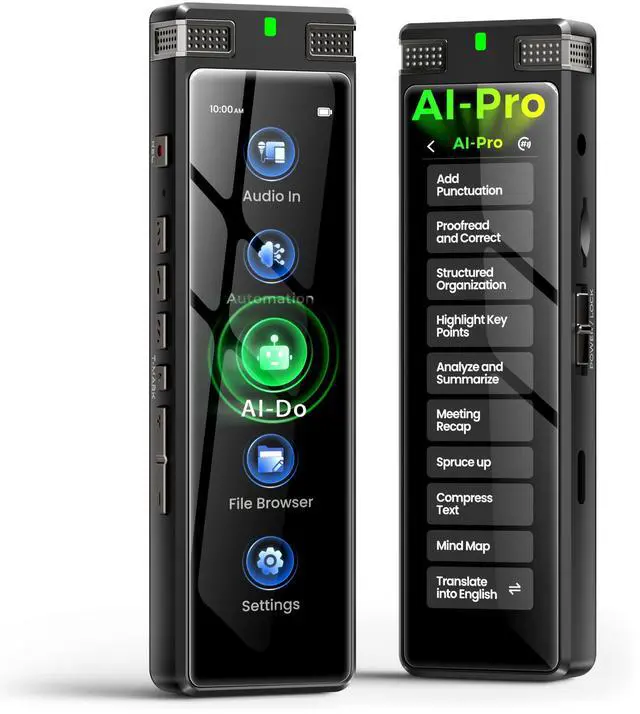
The AI-Do feature of the TIMMKOO SR1 voice recorder is subscription-free. Users can access offline transcription and online AI text processing services for free, without the need to purchase any additional subscription plans.
Can this device be set with a password to lock access?
Yes, you can. Go to Settings > Security > Auto-Lock Screen to set a 6-digit password to prevent unauthorized access.
What should I do if I forget the Auto-Lock Screen password?
Please enter the wrong password 5 times consecutively. A popup will appear with the message "Password error exceeds limit." Click the "Forgot Password" button, and you will receive a 6-digit code. And send this code to us.
What is the default folder for saving recordings?
For example: an audio file was recorded in STT Boost mode, saved with the "Personal" tag, and named “20240516-3”, you will find it in “My Recording (Temporary Recording)\STT Boost\Personal\20240516-3\” folder .
Can the playback speed of audio files be adjusted?
You can adjust the playback speed by using the "Speed" button in the audio playback window.


Accurate STT
Merchant VideoAI-Do Use
Merchant VideoView and Export
Merchant VideoDo I have to pay for a subscription to use AI-Do?
The AI-Do feature of the TIMMKOO SR1 voice recorder is subscription-free. Users can access offline transcription and online AI text processing services for free, without the need to purchase any additional subscription plans.
Can this device be set with a password to lock access?
Yes, you can. Go to Settings > Security > Auto-Lock Screen to set a 6-digit password to prevent unauthorized access.
What should I do if I forget the Auto-Lock Screen password?
Please enter the wrong password 5 times consecutively. A popup will appear with the message "Password error exceeds limit." Click the "Forgot Password" button, and you will receive a 6-digit code. And send this code to us.
What is the default folder for saving recordings?
For example: an audio file was recorded in STT Boost mode, saved with the "Personal" tag, and named “20240516-3”, you will find it in “My Recording (Temporary Recording)\STT Boost\Personal\20240516-3\” folder .
Can the playback speed of audio files be adjusted?
You can adjust the playback speed by using the "Speed" button in the audio playback window.