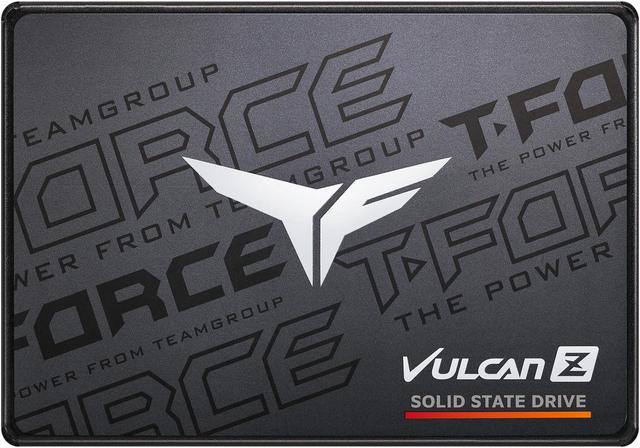
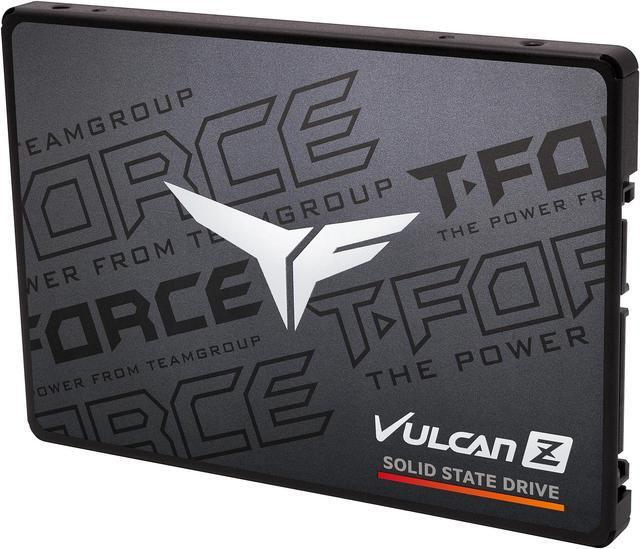
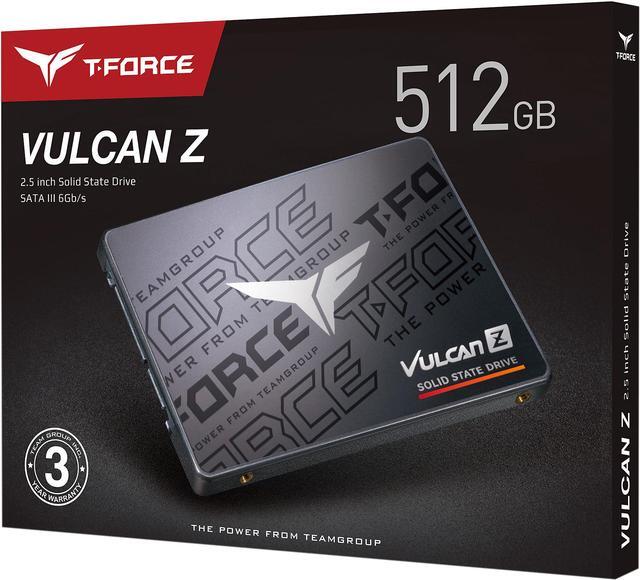
The Team Group T-FORCE VULCAN Z is a 512GB 2.5-inch SATA III SSD for gamers and everyday PC users upgrading from a hard drive; it offers sequential speeds up to 540 MB/s read and 470 MB/s write for compatible SATA systems.
Recommended For
- Laptop or desktop owners replacing a hard drive can use this 2.5-inch SATA SSD for a more responsive everyday system, provided their device has a compatible SATA bay.
- PC gamers adding an affordable drive for a modest game collection can use it for game storage; reviewers describe the VULCAN Z as an entry-level SATA gaming SSD, not a high-end performance drive.
- Users with ordinary desktop or laptop workloads—such as browsing, office tasks, and routine file access—can choose it when a SATA drive is suitable; testing of the 512GB model found sequential speeds close to its rated figures.
- People needing a 2.5-inch SATA drive for a secondary media or file-storage role can consider it when their workload is mostly reading or involves occasional, rather than very large continuous, writes.
Real-World Use Scenarios
- Replacing a hard drive in a compatible laptop or desktop can make everyday tasks—such as starting the operating system and opening apps—feel more responsive, while using the computer’s existing 2.5-inch SATA connection.
- Installing games on it can reduce loading delays compared with a hard drive; game-load testing of the VULCAN Z found that SATA SSDs can still load more slowly than NVMe drives in some titles.
- Using it as a secondary drive provides space for a selected set of games and frequently used applications; at 512GB, it is better suited to a curated library than storing a large collection of installed games.
- On an older system with an available 2.5-inch SATA bay, it can serve as a straightforward storage upgrade for the operating system, apps, and personal files, provided the device supports a SATA drive.
- For routine file and folder transfers, it offers typical SATA SSD use; a test of the 512GB VULCAN Z measured sequential speeds below the listed maximums, so transfer times can vary with file size and workload.
Spec Summary
| Attribute | Value |
|---|
| Best For | Consumer gaming and laptop storage upgrades as a 2.5-inch internal SSD |
|---|
| Capacity And Flash Memory | 512GB SSD with 3D NAND flash memory |
|---|
| Interface And Form Factor | 2.5-inch SATA III drive using the SATA protocol, with a 6Gbps data transfer rate |
|---|
| Read And Write Performance | Sequential read speeds up to 540 MB/s and sequential write speeds up to 470 MB/s |
|---|
| Cache And Endurance | No DRAM (HMB); rated for 120TB written and a 1,000,000-hour MTBF |
|---|
| Operating Durability | Operates from 0°C to +70°C, with up to 1500G/0.5ms shock resistance and 20G non-operating vibration resistance |
|---|
| Dimensions And Weight | 100.00 × 69.90 × 7.00mm; weighs 45g |
|---|
| Model Identifiers | Team Group T-FORCE VULCAN Z, model T253TZ512G0C101 |
|---|
Reference Q&A
Q: TEAMGROUP VULCAN Z 512GB or Crucial MX500 500GB—which should I buy?
A: Choose the VULCAN Z for a basic 2.5-inch SATA upgrade when it is the lower-cost option. Choose the MX500 if you value its longer five-year warranty and higher rated endurance: the 500GB MX500 is rated for 180TB written, compared with 120TB for the 512GB VULCAN Z. Both use SATA, so neither offers an NVMe-style jump in interface speed.
Q: Should I get this VULCAN Z or an NVMe SSD?
A: Choose the VULCAN Z if your computer needs a 2.5-inch SATA drive or does not support NVMe. Choose a compatible NVMe SSD if you prioritize faster transfers of large files; NVMe performance depends on the computer’s supported interface. For game storage, the practical loading-time difference can vary by title, so check compatibility and workload before paying extra for speed you may not use.
Q: VULCAN Z 512GB or Samsung 870 EVO 500GB for a SATA upgrade?
A: Choose the VULCAN Z for straightforward SATA storage when its price is lower and its 512GB capacity suits your needs. The 870 EVO is rated for higher sequential speeds (up to 560/530 MB/s versus 540/470 MB/s), 300TB written, and a five-year warranty; TEAMGROUP rates the VULCAN Z at 120TB written with a three-year warranty. Both are SATA drives, so the 870 EVO’s higher specifications matter most if you want the extra endurance and warranty coverage.
Q: Is the VULCAN Z 512GB worth choosing over its 256GB version?
A: Choose the 512GB model if you need more room for applications, games, or files, or want the higher rated endurance: TEAMGROUP lists 120TBW for 512GB and 80TBW for 256GB. Its rated sequential speeds are also slightly higher—up to 540/470 MB/s versus 520/450 MB/s. Choose 256GB if it provides enough capacity and costs less.
Q: Will this SSD work in my laptop or desktop?
A: It can work in a computer with a compatible 2.5-inch SATA drive bay and SATA connection. Check your computer’s specifications first: systems that require an M.2 or NVMe drive are not compatible with this 2.5-inch SATA SSD.
Q: Can I install this 2.5-inch SSD in a desktop?
A: Yes, if the desktop has a SATA data connection and SATA power available. The 2.5-inch drive may also need a mounting bracket if the desktop has only a 3.5-inch drive bay.
Q: Is 512GB enough for games?
A: It can suit a modest game library or a system upgrade, but whether it is enough depends on the size and number of games you keep installed. Its SATA interface and listed sequential speeds of up to 540 MB/s read and 470 MB/s write make it a SATA-based storage upgrade; the drive alone does not determine game performance.
Q: Is the T-FORCE VULCAN Z 512GB suitable as a secondary drive for games and video recordings?
A: It can add secondary storage if your system has an available 2.5-inch SATA connection. The 512GB capacity and SATA III interface (up to 540 MB/s read and 470 MB/s write) are the main limits to consider; whether the space is enough depends on your game library and recording needs.
Q: Can this SSD be used to upgrade an older laptop?
A: Potentially, if the laptop supports a 2.5-inch SATA drive and its bay accepts a 7 mm drive. Check the laptop’s specifications and available connection before buying; the product information alone does not confirm compatibility with a particular laptop.
Q: Should I choose this SATA SSD instead of an NVMe drive?
A: Choose it when your computer needs a 2.5-inch SATA drive or has no compatible NVMe slot available. Its listed sequential speeds are up to 540 MB/s read and 470 MB/s write; confirm your system’s connections and compare alternatives at the prices available to you.
Q: Can the 512GB model work as a boot drive?
A: It can be considered for a SATA-based system, but 512GB must cover the operating system, applications, and other files you plan to keep on it. If you want a larger game or media library, plan for additional storage; the drive’s SATA interface is also a consideration if your system supports NVMe.